FB BizReply & Peacekeeper Bot 🛡️🚀🤖
The Ultimate Dual-Mode Facebook Automation System. Choose your path: Automated Sales Assistant OR Community Moderator.
🌟 Overview
This is a powerful, self-hosted automation tool designed for two distinct purposes. Whether you run a business or manage a community, this bot adapts to your needs using Visual AI Automation (DrissionPage) and Gemini 2.0 AI.
🌗 Two Modes, One Engine
🚀 1. BizReply Mode (For Business)
Turn comments into cash.
- Lead Detection: Identifies users asking for prices or details.
- Auto-Sales: Replies instantly with your offer or CTA.
- Customer Support: Answers FAQs 24/7.
🛡️ Peacekeeper Mode (For Communities)
Keep your comment section clean.
- Toxic Filter: Detects and hides hate speech, harassment, and trolls.
- Spam Nuke: Instantly identifies and removes crypto scams and bot spam.
- Sentiment Watch: Alerts you to negative sentiment spikes.
✨ Key Features
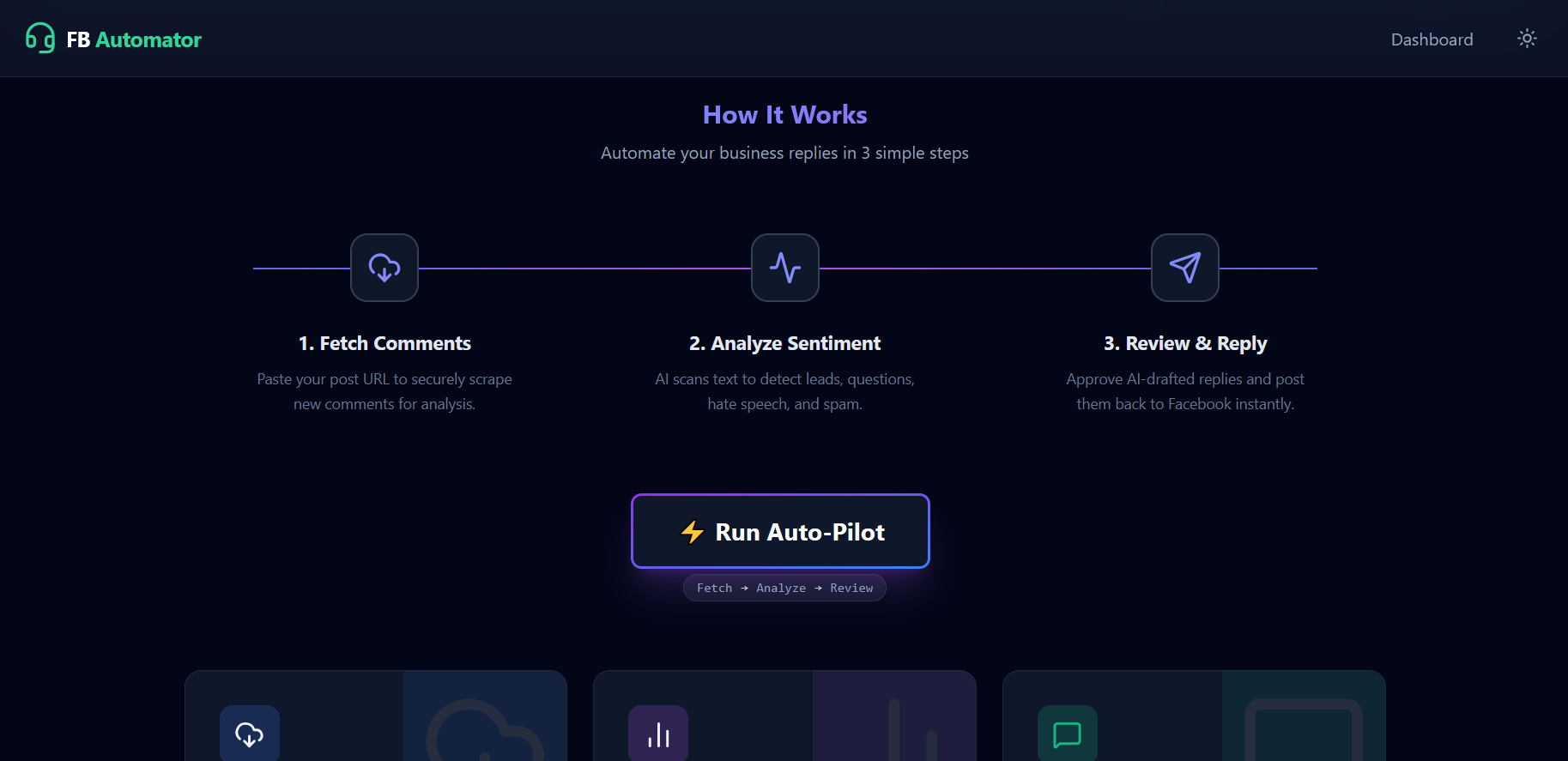
- ⚡ Auto-Pilot Workflow:
Fetch→Analyze→Reply/Moderatein one click. - 🧠 Advanced AI Brain: Powered by Gemini 2.0 Flash Lite (via OpenRouter) to understand context, sarcasm, and intent (English/Urdu/Roman Urdu).
- 🕵️ Stealth Technology: Uses
DrissionPageto mimic human browser behavior, bypassing anti-bot checks. - 💾 Local Data: You own your data. Everything is stored locally in MongoDB.
- 🎨 Dynamic Dashboard: A beautiful UI with Dark/Light themes to manage everything.
🛠️ Tech Stack
| Component | Technology | Role |
|---|---|---|
| Frontend | React, Vite, TailwindCSS | The Command Center. |
| Backend | Node.js, Express | Automation Orchestrator. |
| Database | MongoDB | Data Storage. |
| AI | Google Gemini 2.0 | The Intelligence Layer. |
| Engine | Python + DrissionPage | The Browser Automation Layer. |
🚀 Quick Start
Prerequisites
- Node.js (v18+)
- Python (v3.10+)
- Google Chrome
1. Installation
git clone https://github.com/Motasaith/FB_Bot_Peacekeeper.git
cd FB_Bot_Peacekeeper
2. Backend Setup
cd fb-peacekeeper-backend
npm install
pip install DrissionPage playwright nest_asyncio
Create a .env file with OPENROUTER_API_KEY and MONGO_URI.
3. Frontend Setup
cd fb-peacekeeper-dashboard
npm install
4. Running the System
Terminal 1 (Server): node server.js (in backend folder)
Terminal 2 (UI): npm run dev (in dashboard folder)
📖 Usage Guide
Step 1: Connect Account
Go to the Fetch Page and use the Connect button to log in securely via the automated browser.
Step 2: Choose Your Workflow
- For Sales: Use the Auto-Pilot. Identify leads and reply with offers.
- For Moderation: Fetch comments and check the Sentiment Page. Use the AI tags to ban/hide spam users.
Step 3: Execute
- Review: Check the AI's drafts on the Replies Page.
- Post: Click "Approve" to let the bot post the reply or take the moderation action.
⚠️ Disclaimer
FB BizReply & Peacekeeper is a powerful automation tool. Automating Facebook actions carries risks and may violate Terms of Service. Use responsibly using the built-in safety delays. We are not responsible for account restrictions.

Log in or sign up for Devpost to join the conversation.