Inspiration and How it Works
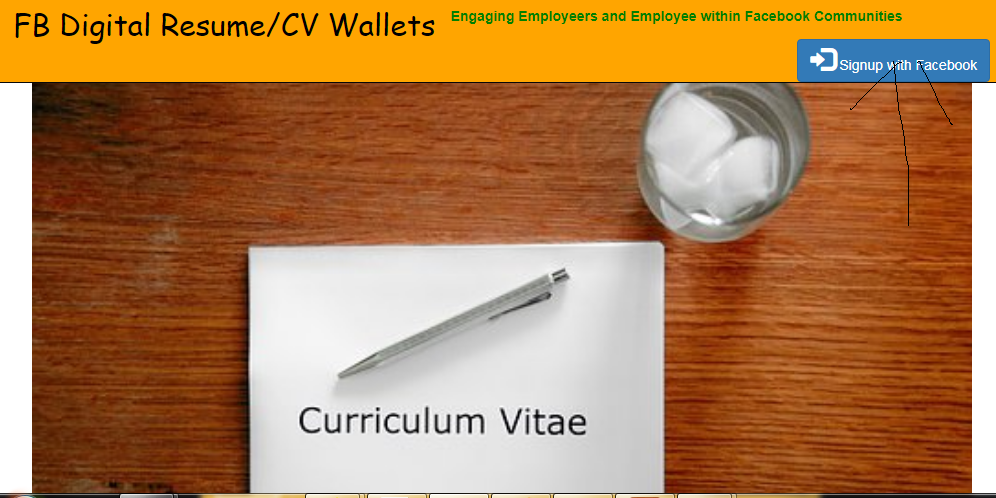
Introducing Job Seekers Resume Page on Facebook to engage Employeers and Employees within Facebook Communities.
An Employer says to an Employee saying show your Resume/Cv Page on Facebook.
Most People in the world are actively looking for Job. This applications was aimed
at connecting Employeers with the employees all over the world directly on Facebook.
An Employees can now Create and have a Facebook Resume Page and easily share the link
to Friends, Employeers etc. all directly from Facebook Applications.
This will ensure that all conversation on recruitment process will be taking place directly on facebook
thus engaging billions of Job Seekers with their respective Employeers going forward on Facebook....
Preview of my Resume Link: https://ogachijo.com/online/resume/resume_online.php?id=1334125503357583&code=56115876383
Engaging Employeers and Job Seeekers on Facebook
By Creating and Sharing your Resume/CV links to Facebook Friends, Employeers etc.
which contains Facebook details of the Job Seeeker. More collaboration could be
fostered from The Facebook Profile Page and Resume Page of the Job Seeker
For Startup Companies, Facebook will now become their place for any updates and Job awarness follow-up
which will in turn inject more energy. more update within the Facebook Community going forward
How to use this app:.
1.) Login using Facebook
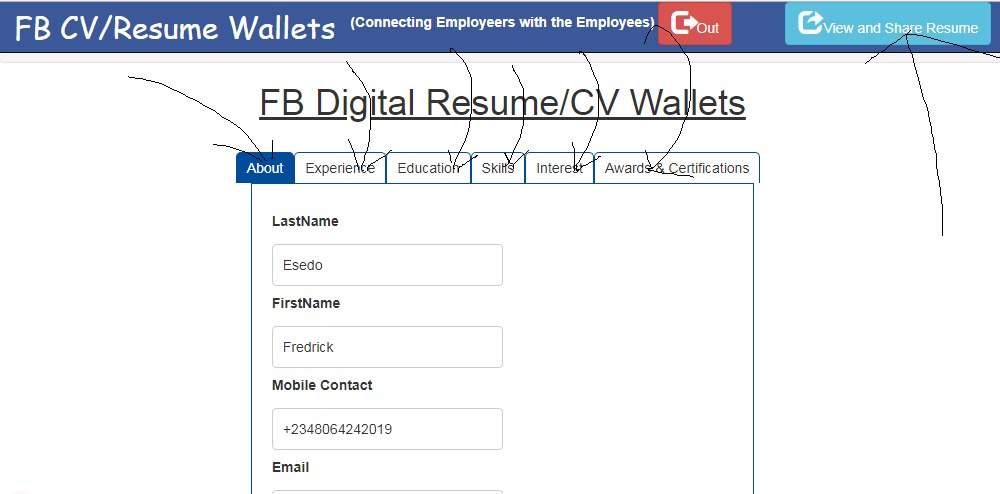
2.)You will be presented with Create Resume/Cv Form. The CV/Resume muult-step Form has various Components
About
Experience
Education
Skills
Interest
Awards & Certifications
Once you finished entering Data, Click on Create Resume button and you are in there.
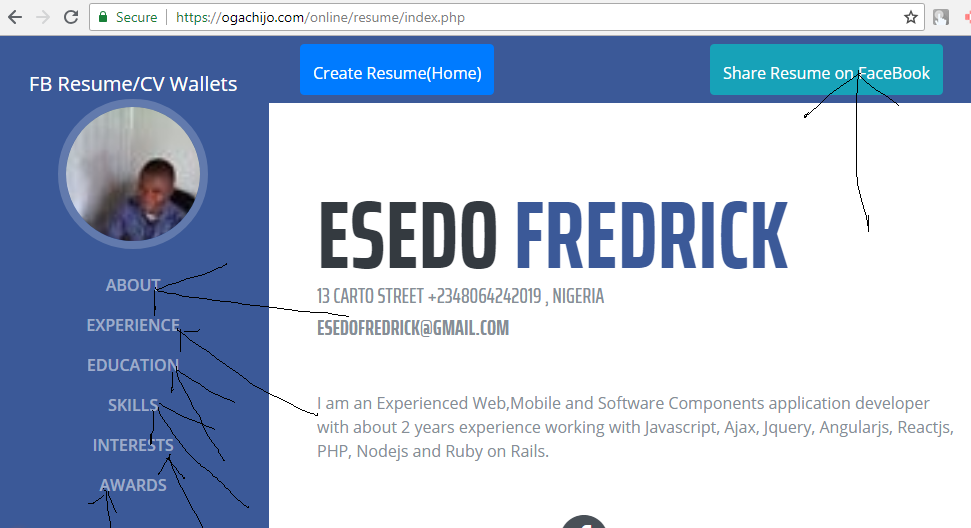
3.)Click on View and Share Your Resume Button to Preview your Resume.
4.)Click Share Resume on Facebook Button to share your Resume.
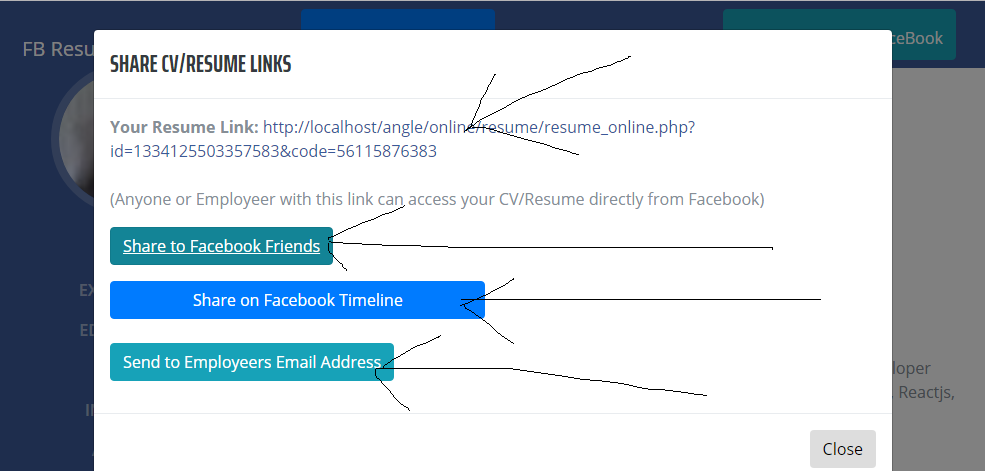
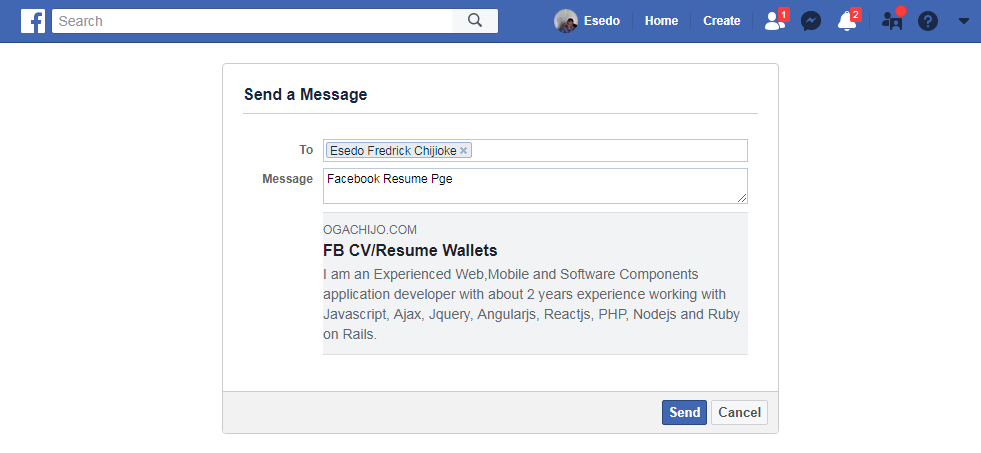
5.)Use Facebook Share button and Facebook Send Dialog Button to share your Resume
on your Facebook Timeline and to a specific Facebook user, Employers etc..
in HIPAA Compliance Mode respectively.
6.)You can also Use Email Option to share the Resume links to your Employeers Email Address all from Facebook...
FaceBook Technology Used:
1.)Facebook Login Graph API: Used to authenticate Users
2.)Facebook Shared Button: used to allow user to share CV/Resume to her Facebook Timeline
3.)Facebook Send Dialog Button: used to allow user to share CV/Resume to a specific Facebook Friends, Employeers on Facebook etc. in HIPAA Compliance Mode.

Log in or sign up for Devpost to join the conversation.