Inspiration and How We built it
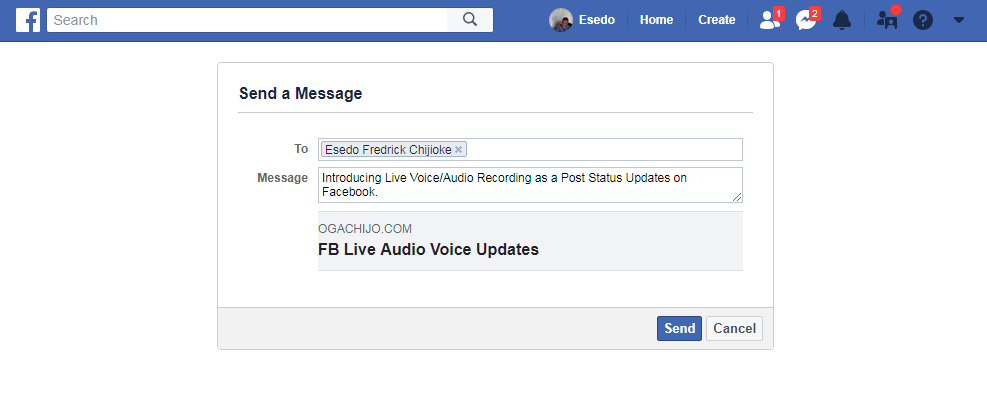
Introducing Live Voice/Audio Recording as a Post Status Updates on Facebook.
Recording and Sharing of Audio Voice as Post Updates on Facebook has been easier than ever.
We all have grandmas, grandpas, uncles and aunties, Friends and relatives that we regularly help with digital technology.
It's part of being in a family and friends, it's part of being Facebookians.
Sharing audio Voices, Voice Memories as Post Status on Facebook will be a game changer for Facebook Community.
Facebook Users can now Record their Live Voice, audio Songs, Musics, Memories, play and
share it as Post Status Updates on the timeline...
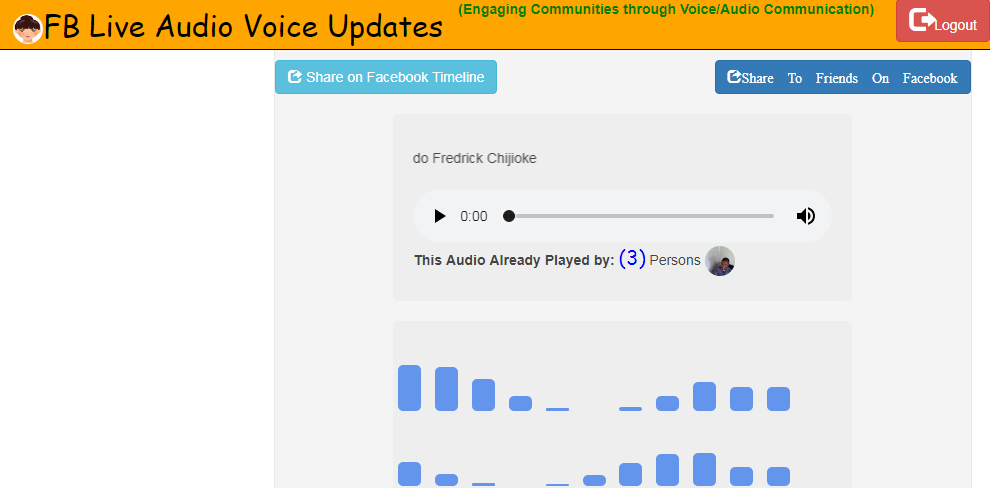
The application is Powered also by an amazing Audio Player that allow user to play the audio records directly and with applications.Each time a member Plays your audio, her facebook head gets counted among the Audio Viewers/Players
Engaging Communities To Record and Share Voice Memories
Facebook Community is a happy world. My kid Sister used to say if your sad and want to be happy, go to Facebook
and you will see one or two Friends who can restore your happiness back.
People always sing meticulous Song when they are happy.
We have Families and Friends, Grand Ma, Grand Pa, Great Grand Pa's etc. Have you see your Grand Ma Sing? If yes. this
app will make you record those memories.
How do we keep their memories with us. This App is an answer to that.
What about musicians who also sing, what about the Choirs etc. This app will create an everlasting engagement
on Facebook beacuse Users can now record, Play and share their voice memories anytime any day directly on Facebook...
How to use this app:
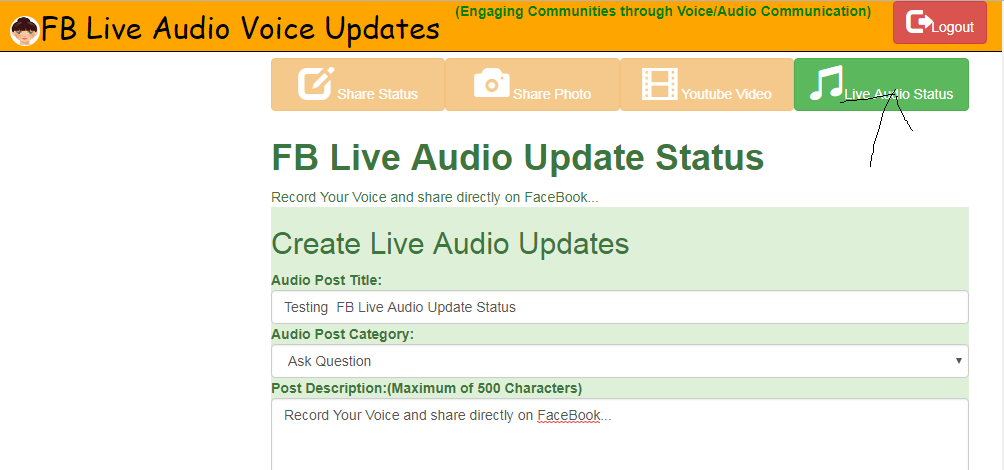
1.) Login using Facebook
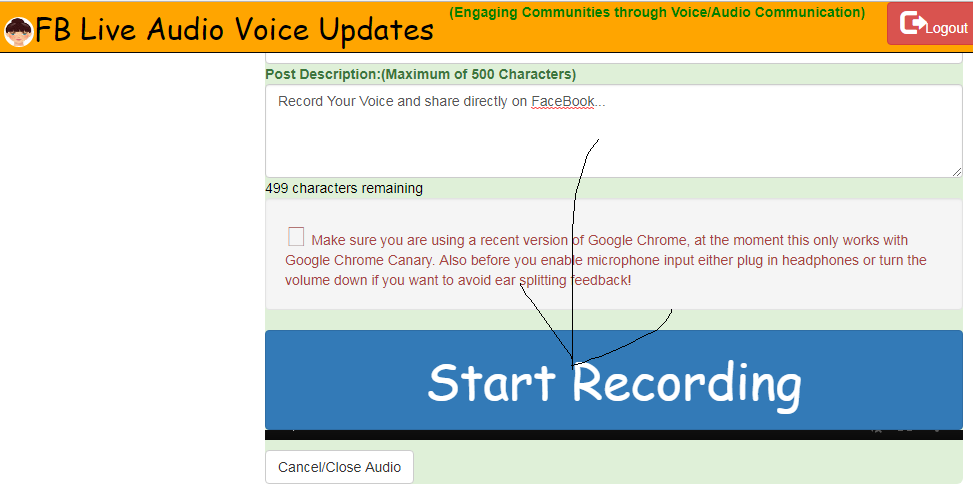
2.) Enter Post Title, Category and Descriptions
3.) Click on Record Audio Voice to record your Voice Live. After recording, you can share
and post on your timeline as Status Updates.
4.) User can Like and comment on the Post
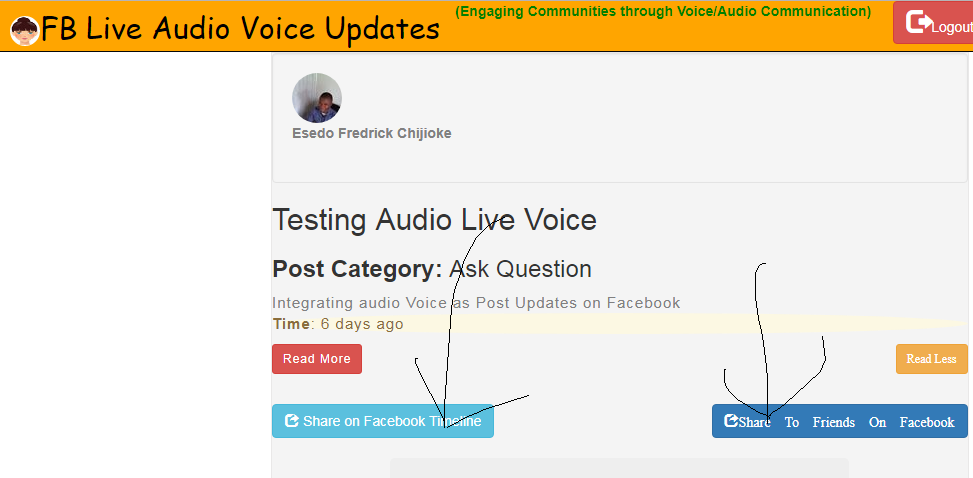
5.)The User can Share any Post to her FaceBook Timeline as well as to her specified Facebook Friends in HIPAA
Compliance Mode.
FaceBook Technology Used:
1.)Facebook Login Graph API: Used to authenticate Users
2.)Facebook Shared Button: used to allow user to share content to her Facebook Timeline
3.)Facebook Send Dialog Button: used to allow user to share content to a specific user in HIPAA Compliance Mode.

Log in or sign up for Devpost to join the conversation.