Inspiration
Introducing Voice to Text as Post Status Updates on Facebook.
This application uses Web-RTC Technology and its only supported on Chrome Browser
Fb Live Voice To Text was designed to engage Uneducated, People with Local Languages on Facebook.
Millions of People are Uneducated .Most People speaks different Local Languages.
How do we make those People feel happy, feel being part of the Facebook Community..
We Introduce Live Voice to Text Messaging Technology. Now People can choose Language of their choice and start talking to Post their Voice Messages as Text Post directly on Facebook. This will create more engagement ever in the history.
Engaging Uneducated and Academically Challenged Individual on Facebook
My Father has since wanted a way to get involved on Facebook but being academically challenged. He can't. The same thing is applicable for other uneducated individuals. Millions of them round the world. How do we engage them. This App is an answer to that. People can now talk in any language of their choice and have their voice converted to text which will be shared as a status update thus making them feel engaged, feel sense of belonging in fast growing world and on the venerable Facebook going forward..
How to use this app:
1.) This Application is accessible using Google Chrome Browser. So call up your chrome browser and Login using Facebook
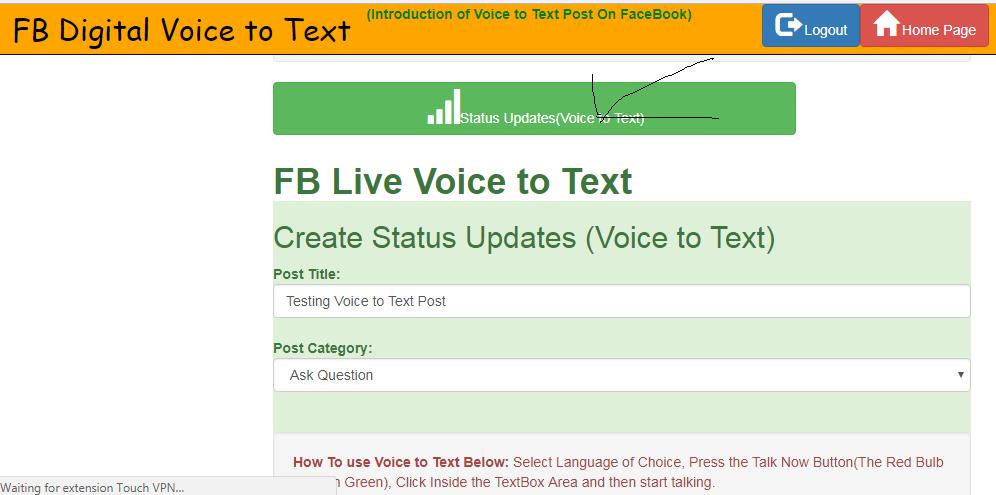
2.) Enter just Post Title and Category
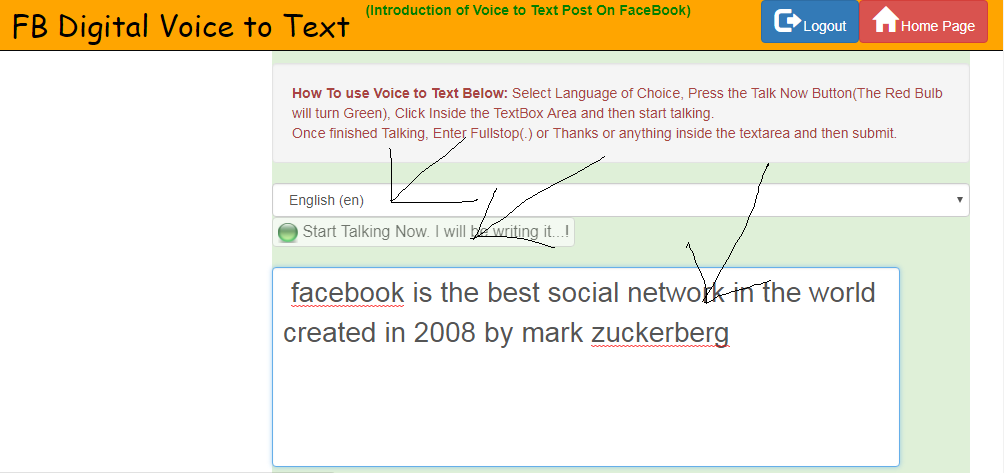
3.)Select Language of Choice. then Click on button that says Start Talking Now. If the redbulb turns green,
Then Click inside the Description Text Box and start talking and it will write as you talk. You can make a little edit if you like.
Once Finish talking and want to post. Please enter fullstop or dot(.) or anything at the end of the text message to bring the Description textbox to focus. You can then post your Voice message which is converted
to text as Post Status on the Timeline.
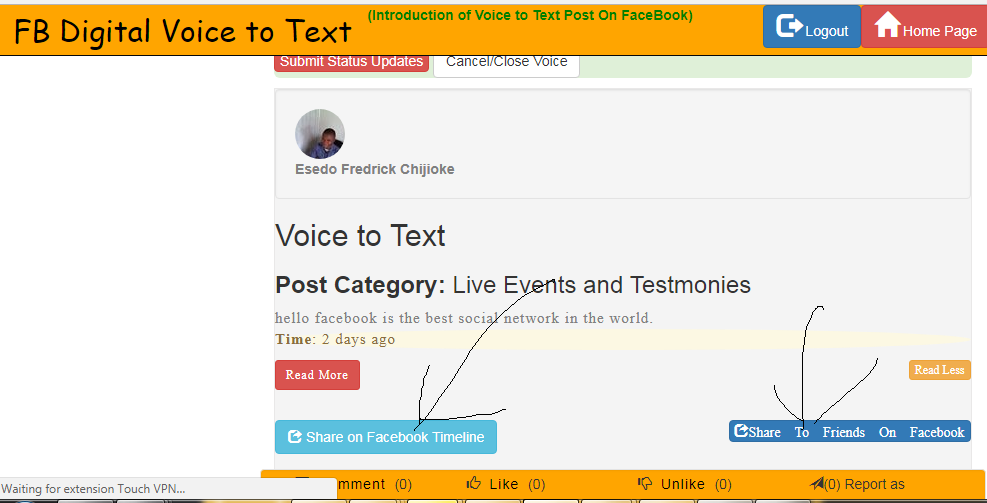
4.) User can Like and comment on the Post
5.)The User can Share any Post to her FaceBook Timeline as well as to her specified Facebook Friends in HIPAA Compliance Mode.
FaceBook Technology Used:
1.)Facebook Login Graph API: Used to authenticate Users
2.)Facebook Shared Button: used to allow user to share content to her Facebook Timeline
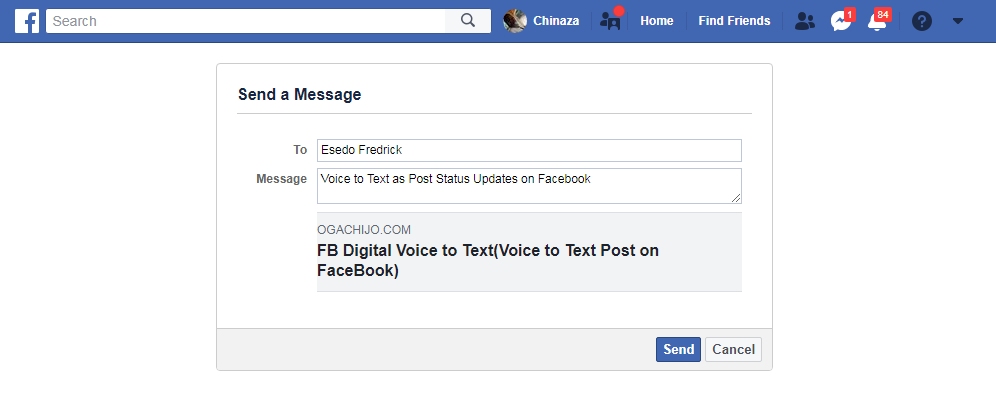
3.)Facebook Send Dialog Button: used to allow user to share content to a specific user in HIPAA Compliance Mode.
Supported Browser:
Google Chrome Browser for now.

Log in or sign up for Devpost to join the conversation.