Inspiration
As an athlete and a tech person, I’ve always been obsessed with the fine line between peak performance and burnout. I track my speed, power, heart rate—everything. But the most important variable, fatigue, is usually just “how do you feel today?” That never felt good enough. I wanted an objective way to measure fatigue without needing expensive lab gear. The idea was simple: put a biomechanics lab in every athlete’s pocket using the sensors already inside a smartphone.
What it does
FatigueSense turns any phone into a fatigue-monitoring device.
Mobile App (React Native): The app walks users through three tests backed by research—tapping (CNS), balance/sway, and movement/gait. I use the IMU sensors (accelerometer + gyroscope) to capture high-fidelity data and provide live feedback during the tests (stability, tapping rate, movement smoothness).
Cloud Sync: Each session is saved locally and can be synced to MongoDB so users can access their history anywhere.
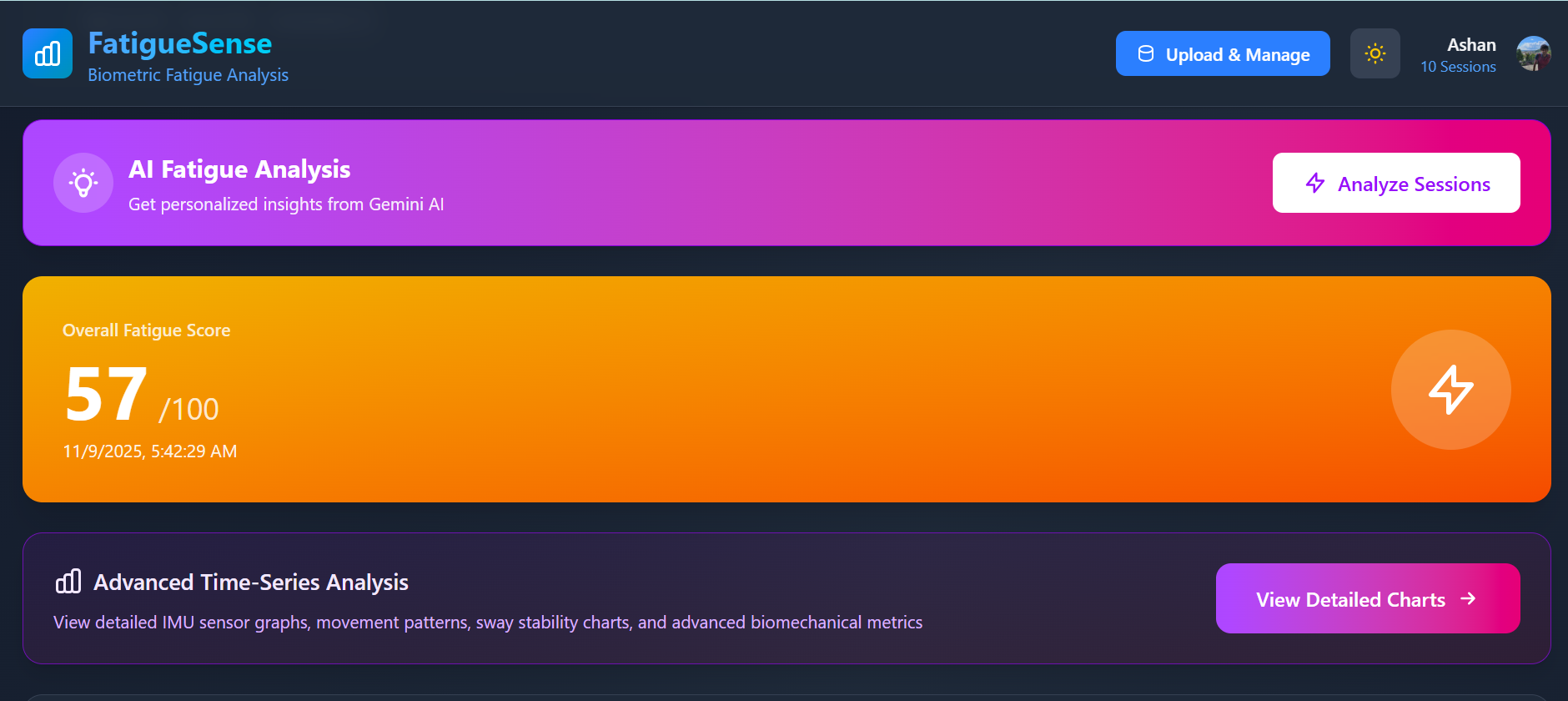
Web Dashboard (Next.js): On the dashboard, users can explore deep visualizations—RMS, jerk, entropy, trends, and session comparisons—through clean, interactive charts.
AI Analysis: Using the Gemini API, users can select any session and get a detailed, personalized fatigue report. It breaks down which physiological systems are affected and gives recovery recommendations.
How I built it
I built FatigueSense as a full end-to-end system:
Mobile App: React Native + Expo, Clerk auth, Expo Sensors API, AsyncStorage, custom UI components.
Web App: Next.js 14 (App Router) + TypeScript, Tailwind, Clerk, MongoDB (Mongoose), Recharts.
AI + Backend: Next.js API routes for syncing data, validating sensor payloads, and generating AI insights with Gemini.
Challenges
Real-time sensor processing: Displaying rolling metrics like variance or sway in real time without UI lag required a ton of optimization.
Data integrity: The mobile app sends a very complex JSON structure. Making sure it was always correctly formatted and validated before hitting the database was tricky.
Cross-platform auth: Sharing a unified authentication layer between Next.js and React Native with Clerk took a lot of configuration work.
AI prompting: Getting the Gemini prompt stable, consistent, and medically responsible took multiple iterations.
Accomplishments I’m proud of
A fully working end-to-end system. From raw IMU data all the way to AI-powered analysis.
Real-time feedback. Seeing the sway meter or tapping speed update live makes the tests actually engaging, not just data collection.
AI insights that actually help. I didn’t want to just dump numbers on users—I wanted a story, a breakdown of their fatigue, and actionable advice.
A polished UI across mobile and web. Both apps feel modern, clean, responsive, and support dark mode.
What I learned
This project pushed me into the deep end of full-stack dev and applied biomechanics data. I learned how to use IMU sensors properly, process high-rate data on-device, manage a shared auth system, format and store complex time-series data, and use AI to bridge the gap between raw numbers and understandable insights.
What’s next
I’m far from done. The roadmap includes:
Long-term trend analysis: Weekly/monthly fatigue patterns and correlations with sleep, training load, etc.
ML fatigue baselines: Models that learn each user’s “normal” and detect early signs of overtraining.
Coach/Team portal: Let coaches monitor fatigue across an entire team.
Wearable integration: Apple Watch and Wear OS for passive, continuous fatigue monitoring.
Built With
- nextjs
- react
- react-native


Log in or sign up for Devpost to join the conversation.