Fargain
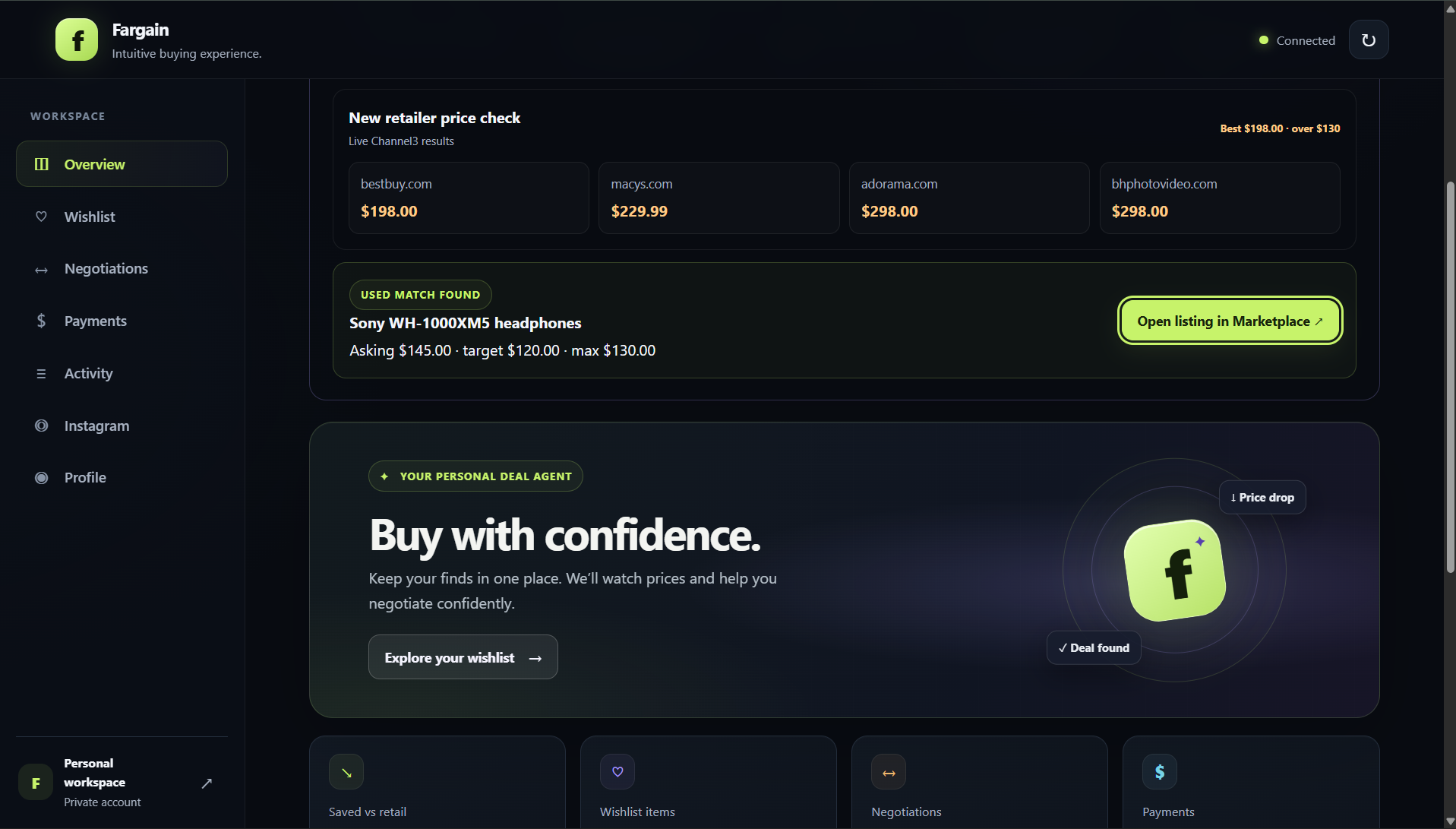
Fargain is a buyer-side shopping agent. It identifies products from Instagram links, compares prices, and can autonomously negotiate within a buyer-set maximum.
Intuitive buying experience. Fargain combines AI product identification and negotiation, Channel3 price signals, bounded message autopilot, and PayPal sandbox checkout. Autopilot is opt-in, capped at three messages, and stops on safety flags or a seller agreement. The buyer confirms the agreed price and approves checkout in PayPal.
Product flows
- Wishlist and price watch. Save products manually, from Instagram, or from the Amazon extension. Channel3 compares retailer offers and the backend records snapshots and price-drop alerts.
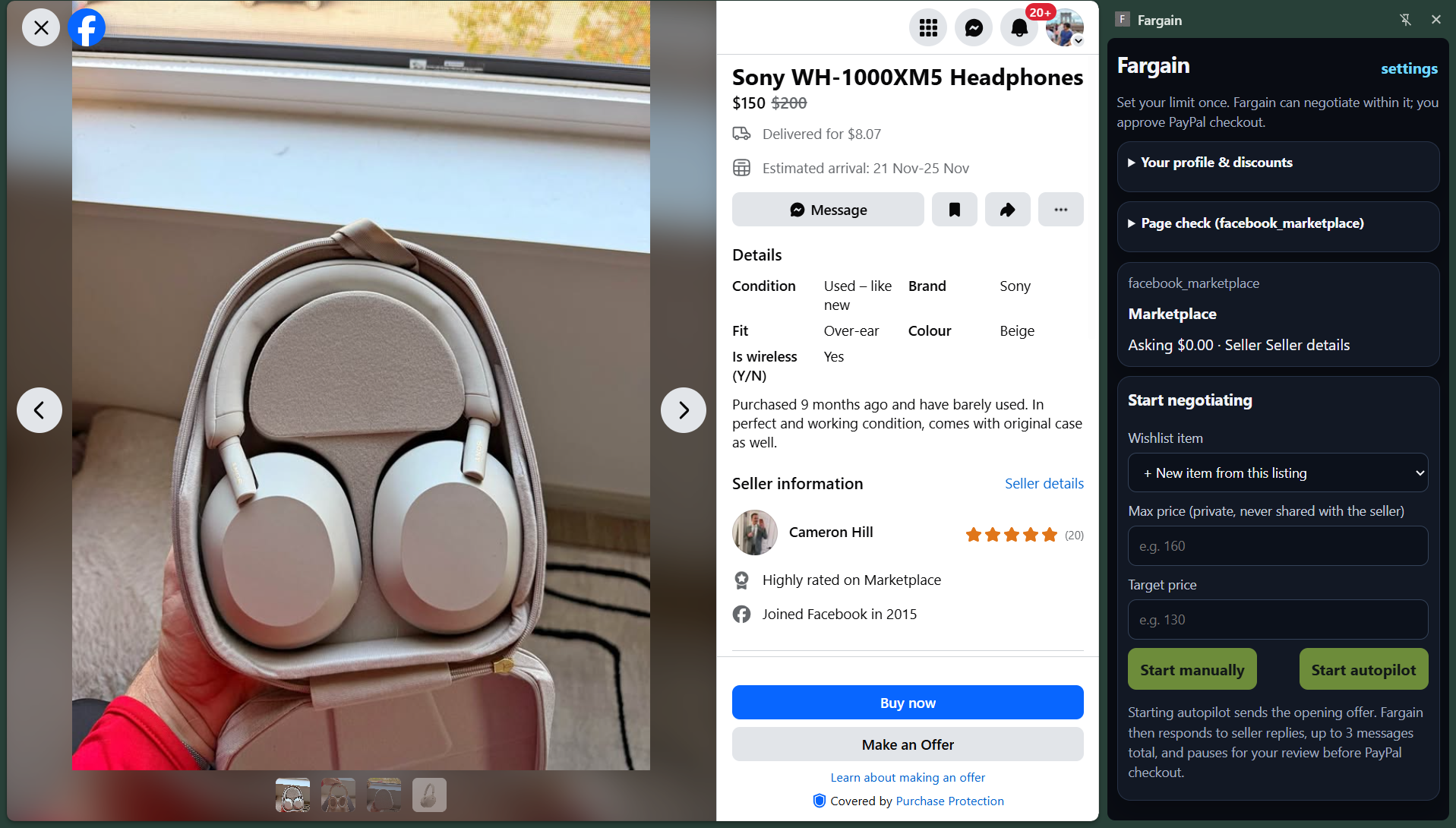
- Negotiation autopilot. The Chrome side panel reads supported Marketplace listings and can send up to three AI-generated messages after you enable autopilot for that listing. It stops on risk, uncertainty, unsupported send controls, or seller acceptance. Server-side guardrails enforce your maximum and block budget disclosure and risky payment requests.
- PayPal sandbox checkout. After you confirm an agreed price, the backend creates a sandbox order only when the amount is within the wishlist maximum.
- Instagram Reel Mode. Link an Instagram professional account and DM a Reel with a budget to add the identified product, Channel3 offers, and private max price to the wishlist. The dashboard link flow is a fallback and includes a budget field. Identification uses the provided link, caption, thumbnail, or screenshot; it does not download or scrape video.
- Scripted demo mode. The dashboard’s Simulate Reel DM button creates the Sony WH-1000XM5 demo item with a $130 maximum and $120 target, records Channel3 results when they support the above-budget story, and otherwise records labeled fixture prices. It does not send or fetch an Instagram DM.
- Prepared Marketplace demo match. The Sony WH-1000XM5 demo row opens a curated listing URL for the walkthrough. This shortcut is not live Marketplace search.
- Profile discounts. Enter student status, birthday, memberships, and discounts manually. Fargain does not log into retailer accounts or scan email.
Stack
| Package | Purpose |
|---|---|
shared/ |
Zod schemas, domain types, structured LLM output schemas |
backend/ |
Fastify API, SQLite, negotiation guardrails, pricing and payment services |
dashboard/ |
React and Vite dashboard, served by the backend in production |
extension/ |
Chrome Manifest V3 side panel and site adapters |
mock-seller/ |
Repeatable seller chat for demos |
scripts/ |
Provider probes, smoke flows, demo data seed |
Node 20.18 or newer is required. The lockfile pins compatible dependency versions.
Local setup
- Install dependencies and create the environment file.
   npm install
   Copy-Item .env.example .env
Add the provider credentials you want to use to
.env. Start withFARGAIN_API_TOKENand configure the Anthropic, Channel3, and PayPal sandbox credentials for the complete flow.npm run check-envreports which features are configured without printing secrets.Start the API and dashboard in separate terminals.
   npm run dev:backend
   npm run dev:dashboard
Open http://localhost:5173. The dashboard asks for FARGAIN_API_TOKEN. If no token is configured, leave it blank during local development. The API health check is at http://localhost:3000/api/health.
- Optional seed data for a local demo.
npm run seed:demo
The seed is idempotent and creates sample wishlist items, a negotiation thread, price snapshots, an alert, and a sample profile. It does not create PayPal orders. See docs/demo.md.
- Optional Chrome extension. Build with the backend URL, then load the
extension/distdirectory as an unpacked extension fromchrome://extensions.
   $env:VITE_BACKEND_URL = 'http://localhost:3000'
   npm run build:extension
Enter the same API token in the extension settings. Use the mock seller at http://localhost:3000/mock-seller/ for the repeatable negotiation demo.
Configuration
Copy .env.example to .env. Keep .env out of version control.
| Variable group | Used for |
|---|---|
FARGAIN_API_TOKEN |
Bearer authentication for application API routes |
ANTHROPIC_* |
Text negotiation and product identification |
CHANNEL3_API_KEY |
Product matching, price comparisons, and scheduled price watch |
PAYPAL_* |
PayPal Orders v2 sandbox checkout. PAYPAL_ENV only accepts sandbox |
IG_*, META_GRAPH_VERSION |
Instagram webhook verification, account linking, and DM replies |
DATABASE_PATH |
SQLite database file. Use a persistent disk on a hosted service |
Optional features return a clear configuration error when their provider keys are missing. Local development can run the dashboard and mock seller without every provider. Do not configure production with development routes enabled.
API and Postman
Import postman/Fargain.postman_collection.json into Postman. Set baseUrl and apiToken in the collection variables. The collection includes summary, wishlist, price watch, negotiation, payment, profile, and Reel Mode requests. The health endpoint is public; other /api/* routes require the bearer token when configured.
Money values use major currency units with at most two decimal places. The backend converts them to integer cents for price-cap comparisons. Create or edit wishlist items through the Zod-validated API. The server will reject a payment request above the item's maximum even if the client is modified.
Deploy to Render
render.yaml defines a Node web service, health check, persistent SQLite disk, production host binding, sandbox PayPal mode, and secret environment variables. Connect the Git repository to Render and deploy the blueprint. It derives PUBLIC_BASE_URL from the assigned service URL. Fill the provider credentials during blueprint setup. Render generates FARGAIN_API_TOKEN for the service; copy it into the dashboard and extension configuration.
The deployment is ready for a dashboard/API demo. For the Chrome extension, build a separate package with the deployed URL:
$env:VITE_BACKEND_URL = 'https://YOUR-SERVICE.onrender.com'
npm run build:extension
Then load or distribute extension/dist using your chosen Chrome extension process. Configure Meta webhooks only after setting the deployed HTTPS callback to /webhooks/instagram and the same verify token in Render and Meta. See docs/deploy.md for the setup checklist and operational limits.
The extension build adds the VITE_BACKEND_URL origin to its generated host permissions. Use the exact Render URL when building for the demo, then reload the unpacked extension in chrome://extensions.
Safety and product boundaries
- The backend enforces
max_price; the negotiation LLM never receives it. - PayPal is hard-coded to sandbox endpoints. There is no live-payment switch.
- The PayPal sandbox flow demonstrates order creation, buyer approval, capture, and status against Fargain's configured merchant account. It does not pay out to a Facebook Marketplace seller.
- Autopilot requires an item maximum, sends at most three messages, and stops on risk or uncertainty. Unsupported page controls fail closed.
- The buyer confirms the full agreed price and approves every PayPal sandbox checkout.
- Agent messages, buyer approvals, and payment attempts are written to the audit trail.
- Channel3 results are filtered for exact product matches, US availability, condition, stock, and implausible outliers. The dashboard labels observed prices as comparisons, not guaranteed checkout prices.
- Marketplace selectors are best-effort and depend on third-party page markup. The selector diagnostics appear in the extension.
Project notes
- Architecture and data flow
- Demo runbook
- Hackathon demo script and submission copy
- Render deployment
- Contributor rules and verified provider behavior
Development commands
npm run build
npm test
npm run typecheck
npm run lint
npm run format:check
The test suite covers payment caps, negotiation guardrails, shared schemas, Reel link parsing, and database migrations. Provider smoke commands make live API calls and should only be run when the relevant credentials are configured.
Built With
- channel3
- paypal
- render

