VIDEO LINK HERE! https://www.loom.com/share/0d1161c864c0412ab649f93d28bc1ff1
https://github.com/mnihad000/hackmhc
Inspiration
Family OS was inspired by a problem we saw in our own lives. Coming from immigrant backgrounds, we noticed how disorganized our families were with important online documents. Files were scattered across phones, email threads, downloads, and random folders, which made it stressful to find what was actually needed when something important came up.
We also saw this problem clearly in the New York City apartment search process. Applying to multiple housing complexes often means keeping track of tax documents, pay stubs, identification, financial records, and application materials all at once. When those files are not organized, the process becomes frustrating, time-consuming, and easy to mess up. We wanted to build something that could reduce that stress and make document management feel simple for families.
What it does and How we Built It
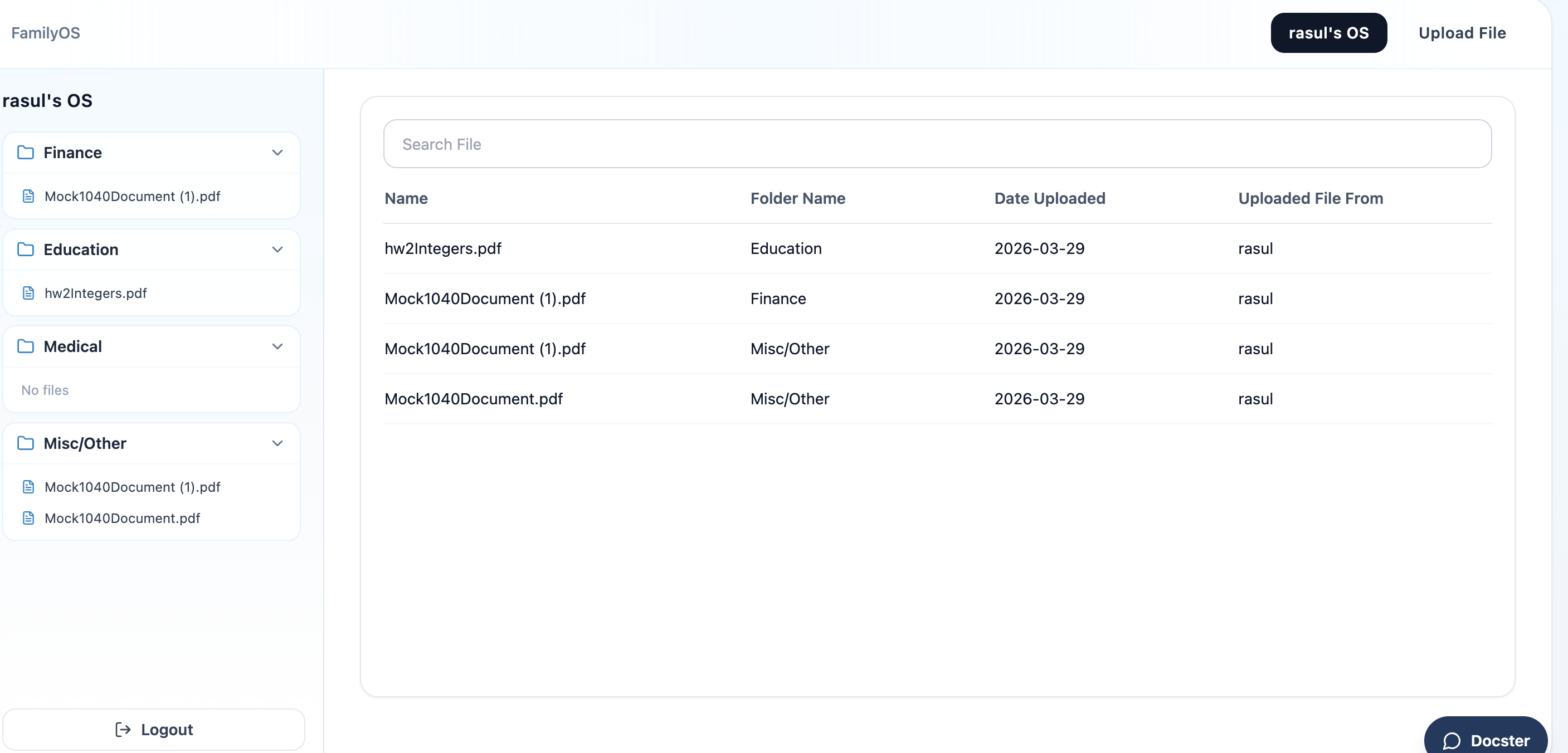
We started by building the frontend and creating an interface where users could drag and drop random files into the platform. From there, we used a local LLM to analyze each uploaded document, categorize it, and automatically place it into the correct folder. This made the upload process much easier because users did not have to manually sort every file themselves.
We then added another local LLM-powered feature that lets users ask questions about their documents. Instead of searching through folders one by one, users can interact with their files directly and get answers based on the contents of their uploaded documents.
We also built a dashboard to make the workspace more collaborative and useful for families. Through the dashboard, users can invite other people into their workspace using a link. They can also see upcoming events, track which documents are missing, and stay on top of deadlines that matter.
On top of that, we added a Google Chrome extension that helps users autofill forms using information they or their family members have already uploaded or updated. The extension gives users control over what they want to autofill, making repetitive applications faster while still keeping the process flexible and user-directed.
Challenges we ran into
One of the biggest challenges was dealing with the complexity of having so many connected features. Uploading, sorting, document understanding, collaboration, autofill, and deadline tracking all had to work together in a smooth way. Making each part function properly without breaking another part was one of the hardest parts of the build.
Another challenge was working with local LLMs. Since we were not relying on a simple plug-and-play cloud setup, we had to think carefully about how the models would classify documents accurately and answer questions in a useful way. There was also the challenge of making the AI feel practical instead of gimmicky. We wanted it to solve a real problem, not just exist for the sake of having AI.
Building the Chrome extension also introduced another layer of difficulty, because autofill has to be both accurate and controllable. We wanted users to save time on applications without feeling like the system was filling in the wrong information automatically. That meant designing it so people could choose exactly what they wanted to use.
Overall, this project pushed us to think about how technology can help families handle everyday life more efficiently. Family OS is not just about storing documents. It is about reducing stress, improving organization, and giving families a system that actually works for real-world needs.
Through this project, we learned how to work with local LLMs and how to connect them to a real product experience. We also learned more about agentic AI and retrieval-augmented generation (RAG), especially how AI can do more than just chat by actually helping users interact with their own files in a meaningful way.
On top of that, we learned how to manage a system with many moving parts. This included tying together the frontend, document upload flow, file categorization, AI-based question answering, collaboration features, and autofill support into one product. A big lesson for us was that building AI into an app is not just about the model itself, but about designing the full workflow around it.
Built With
- fastapi
- ollama
- react
- s3bucket
- supabase

Log in or sign up for Devpost to join the conversation.