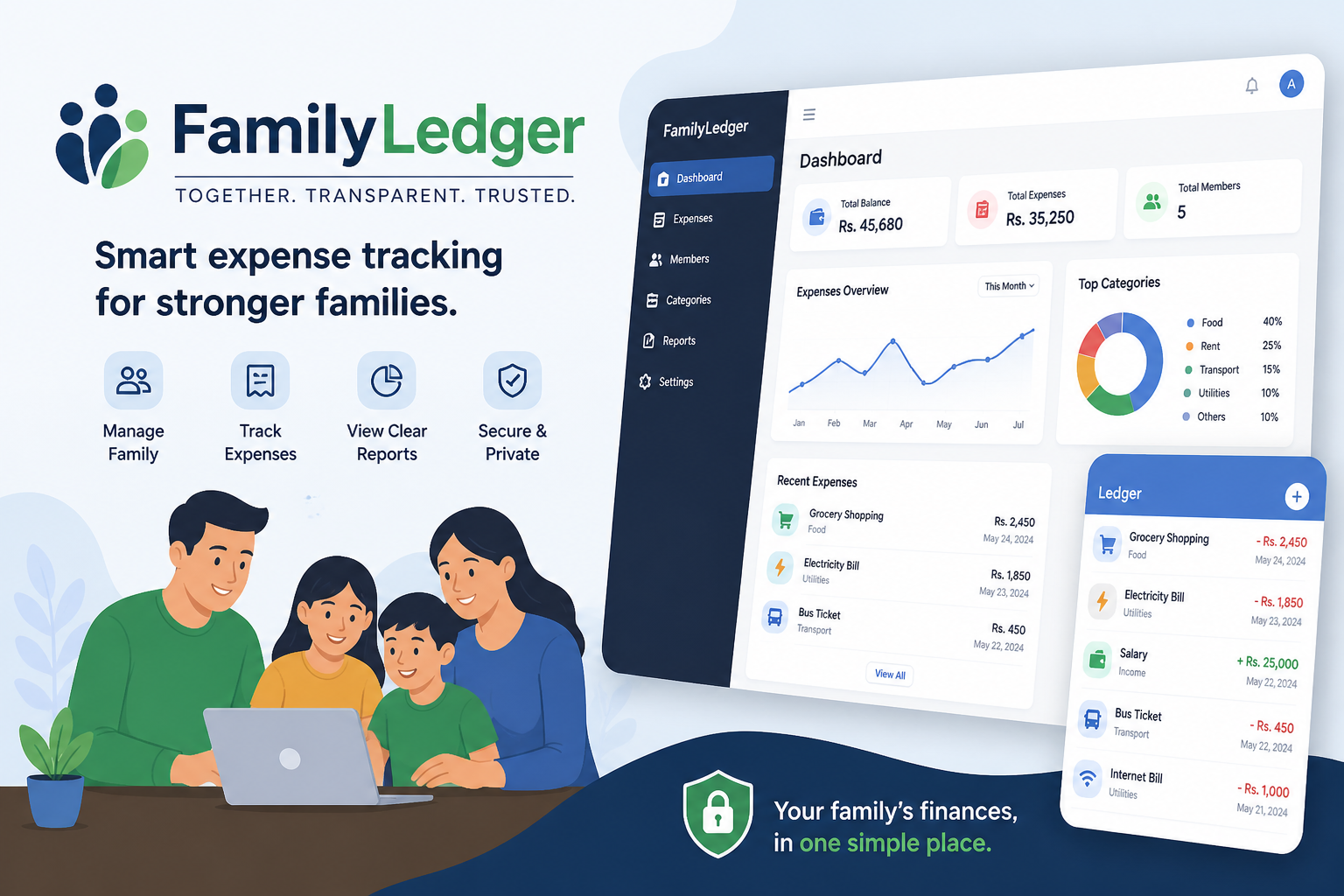
💰 FamilyLedger — Family Budget & Finance Planner
A hackathon-grade, multi-page SaaS web application for tracking household budgets, logging expenses, and gaining AI-powered spending insights — all stored locally in the browser with zero backend required.





📸 Overview
FamilyLedger is a complete household finance management platform built as a pure HTML/CSS/JS multi-page application. It supports multiple family members, shared budgets by category, full expense CRUD, real-time Chart.js analytics, overspend alerting, and a Python AI insights engine — all without a single framework or build tool.
✨ Features
🏠 Household System
- Create a new household or join an existing one via Household ID
- Multiple users per household, each with their own name and shared PIN
- Session persistence across browser reloads via
localStorage
📊 Analytics Dashboard
- 4 stat cards — total spent, total budget, remaining balance, overspent category count
- Overall budget progress bar showing monthly utilisation percentage
- Bar chart — budget vs. actual spend per category (Chart.js)
- Doughnut chart — expense share breakdown by category
- 6-month trend line — historical monthly spending
- Category progress bars — per-category budget utilisation
- Budget alerts — auto-generated warnings at 80% and 100%+ thresholds
- Top spenders — ranked household member spending with share percentages
- Recent transactions table — latest 8 expenses with category, user, date, notes
- Month filter pills — instantly switch between any recorded month
💸 Expense Management
- Add expenses with: amount, category, date, member, and notes
- In-line edit and delete on every row
- Filter by category, month, and household member simultaneously
- Full-text search across notes
- Live transaction count and running total
- Automatic budget alert toasts on save (at 80% and 100%+)
🎯 Budget Management
- Visual budget cards per category showing spent, budget, remaining, and status badge
- Add, edit, and delete categories with custom emoji icon and hex color
- Quick preset categories (Food, Transport, Utilities, Education, Entertainment, Health, Misc)
- Overall utilisation summary strip with global progress bar
- 5-column summary: total budget, total spent, remaining, overspent count, category count
🤖 AI Insights Engine
- Browser-side: Click "Analyse Now" on the Budgets page for instant rule-based insights
- Python CLI: Full
ai_analyzer.pyscript for deeper terminal-based analysis - Detects: over-budget categories, near-limit warnings, month-over-month trends, top spenders, daily average, savings surplus/deficit, and health score (0–100)
🗂️ Project Structure
family-budget-planner/
│
├── index.html              # Landing page — hero, features, how-it-works, CTA
├── login.html              # Authentication — Sign In + Create Household tabs
├── dashboard.html          # Main analytics dashboard
├── add-expense.html        # Expense entry form + full expense table
├── budgets.html            # Budget management + AI insights panel
│
├── css/
│   └── style.css           # Full design system (~500 lines, CSS variables)
│
├── js/
│   ├── auth.js             # Session management, DB init/seed, login/create, helpers
│   ├── dashboard.js        # Chart rendering, stat cards, alerts, trends
│   ├── expenses.js         # Expense CRUD, filters, search, budget alerts
│   └── budgets.js          # Category CRUD, budget tracking, AI insights runner
│
├── data/
│   └── sample.json         # Seed database — 2 households, 3 users, 27 expenses
│
├── backend/
│   └── ai_analyzer.py      # Python AI insights engine (CLI tool)
│
└── README.md               # You are here
🚀 Quick Start
Option 1 — Open Directly (Recommended)
No server, no install, no build step required.
- Download or clone the project folder
- Open
index.htmlin any modern browser - Click "Sign In" and use the demo credentials below
Option 2 — Local HTTP Server (for sample.json loading)
# Python
python -m http.server 8000

# Node.js
npx serve .

# Then visit: http://localhost:8000
Note: If you open
index.htmldirectly from the filesystem (file://), the app will fall back to its built-in seed data automatically — no server needed.
🔐 Demo Credentials
| Field | Value |
|---|---|
| Household ID | hh_001 |
| Name | Ravi Sharma |
| PIN | 1234 |
Or click the ⚡ Quick Demo pill on the login page to auto-fill.
A second demo household is also available:
| Field | Value |
|---|---|
| Household ID | hh_002 |
| Name | Alex Johnson |
| PIN | 5678 |
🧠 Data Model
Household
  id            string   Unique household identifier (e.g. hh_001)
  name          string   Display name (e.g. "The Sharma Family")

User
  id            string   Unique user identifier
  name          string   Full name
  household_id  string   → Household.id
  pin           string   Shared household PIN

Category
  id            string   Unique category identifier
  household_id  string   → Household.id
  name          string   Category name (Food, Transport, etc.)
  budget_amount number   Monthly spending limit in ₹
  icon          string   Emoji icon
  color         string   Hex color for charts and UI

Expense
  id            string   Unique expense identifier
  category_id   string   → Category.id
  user_id       string   → User.id
  amount        number   Amount spent in ₹
  date          string   ISO date (YYYY-MM-DD)
  notes         string   Optional description
All data is stored in localStorage under the key fbp_database. The session (logged-in user) is stored under fbp_session.
🤖 Python AI Analyzer
The backend/ai_analyzer.py script is a standalone command-line tool that accepts your JSON database and produces structured spending insights.
Requirements
Python 3.8+ # No third-party packages required — stdlib only
Usage
cd backend

# Run with built-in demo data
python ai_analyzer.py --demo

# Analyse a specific household and month
python ai_analyzer.py \
  --data ../data/sample.json \
  --household hh_001 \
  --month 2025-04

# Output as JSON (pipe-friendly)
python ai_analyzer.py \
  --data ../data/sample.json \
  --household hh_001 \
  --format json

# Pipe data from stdin
cat ../data/sample.json | python ai_analyzer.py --stdin --household hh_001
Sample Output
════════════════════════════════════════════════════════════
  🤖  FamilyLedger AI Insights Engine
  Household: hh_001  |  Month: 2025-04
════════════════════════════════════════════════════════════

  📊 HEALTH SCORE: 72/100  —  Good 🟡
  Budget: ₹44,000  |  Spent: ₹30,400  |  Utilisation: 69%

  🚨 WARNINGS (1)
  ────────────────────────────────────────────────────────
  ❌ 🛒 Food exceeded budget by ₹400 (103% of limit).

  💡 INSIGHTS
  ────────────────────────────────────────────────────────
  • Total spending this month: ₹30,400 out of ₹44,000 budget.
  • You have ₹13,600 (31%) of your total budget remaining.
  • Highest spender this month: Ravi Sharma with ₹18,700.
  • Average daily spend: ₹1,013/day.

  📈 TRENDS
  ────────────────────────────────────────────────────────
  ↑ 🛒 Food spending increased by 32% vs last month.

  🎯 ADVICE
  ────────────────────────────────────────────────────────
  1. Reduce Food spending by at least ₹400 next month.
  2. Consider saving or investing the ₹13,600 surplus.
════════════════════════════════════════════════════════════
🎨 Design System
The entire UI is built on a CSS custom property system defined in css/style.css. Key tokens:
| Token | Value | Use |
|---|---|---|
--bg-base |
#0d1117 |
Page background |
--bg-surface |
#161b22 |
Cards, sidebar |
--bg-elevated |
#1c2230 |
Inputs, chips |
--accent |
#2dd4bf |
Teal — primary actions |
--green |
#10b981 |
Success, on-track |
--red |
#f43f5e |
Danger, over-budget |
--amber |
#f59e0b |
Warning, near-limit |
--font-display |
DM Serif Display | Stat values, headings |
--font-body |
DM Sans | All body text |
The design aesthetic is inspired by Stripe and Linear — dark, dense, and data-forward.
⚙️ Technical Notes
- No frameworks — pure HTML5, CSS3, and vanilla ES6+ JavaScript
- No build step — open the files directly, everything works
- Modular JS — each page loads only the JS it needs (
auth.jsis shared) - Chart.js 4.4 loaded via CDN for all chart rendering
- Google Fonts loaded via CDN (DM Sans + DM Serif Display)
- Data persistence —
localStorageacts as the client-side database - Offline capable — works fully offline after first load (fonts/charts need internet once)
🗺️ Improvement Roadmap
Phase 2 — Real Backend
- Node.js/Express or FastAPI REST API replacing
localStorage - PostgreSQL with proper relational schema
- JWT authentication with refresh token rotation
- Multi-device sync for the same household
Phase 3 — Collaboration
- Real-time updates via WebSockets when a family member logs an expense
- Push notifications (Web Push API) for budget breach alerts
- Household invite links for easy member onboarding
Phase 4 — Intelligence
- Connect
ai_analyzer.pyto a/api/insightsendpoint - Scikit-learn anomaly detection on spending patterns
- Month-ahead budget forecasting based on historical trends
- Receipt scanning via OCR (Tesseract / Google Vision)
Phase 5 — Product Polish
- Export to CSV and PDF (monthly reports)
- Recurring expense templates (rent, subscriptions)
- Annual budget planning and savings goals
- Light/dark mode toggle
- Progressive Web App (PWA) with full offline support and home screen install
- Multi-currency support
🤝 Contributing
This project is structured to be easy to extend:
- Add a new page: create
page-name.html, add the sidebar nav item across all pages, createjs/page-name.js - Add a new chart: add a
<canvas>in the HTML, extenddashboard.jswith a new render function - Add a new insight rule: add a block inside
BudgetAnalyzer.analyse()inai_analyzer.py
📄 License
MIT — free to use, modify, and distribute for personal and commercial projects.
Built with ❤️ as a hackathon-grade portfolio project · FamilyLedger 2025

Log in or sign up for Devpost to join the conversation.