-
-
-
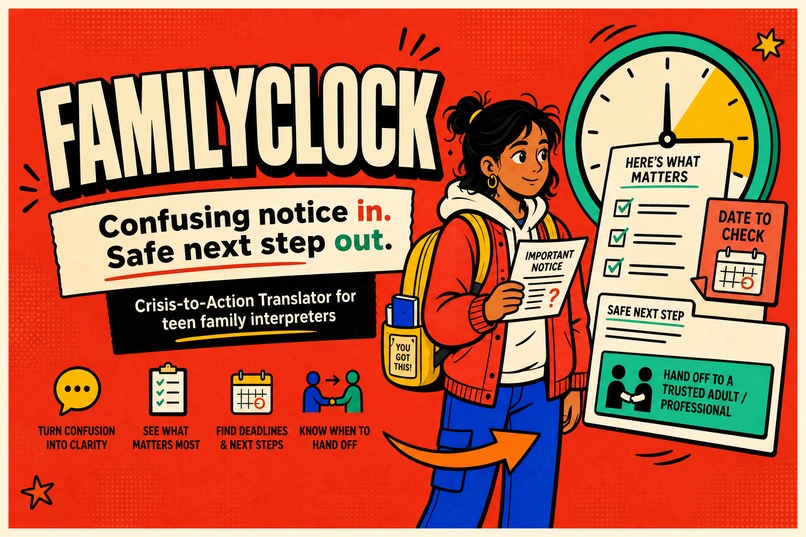
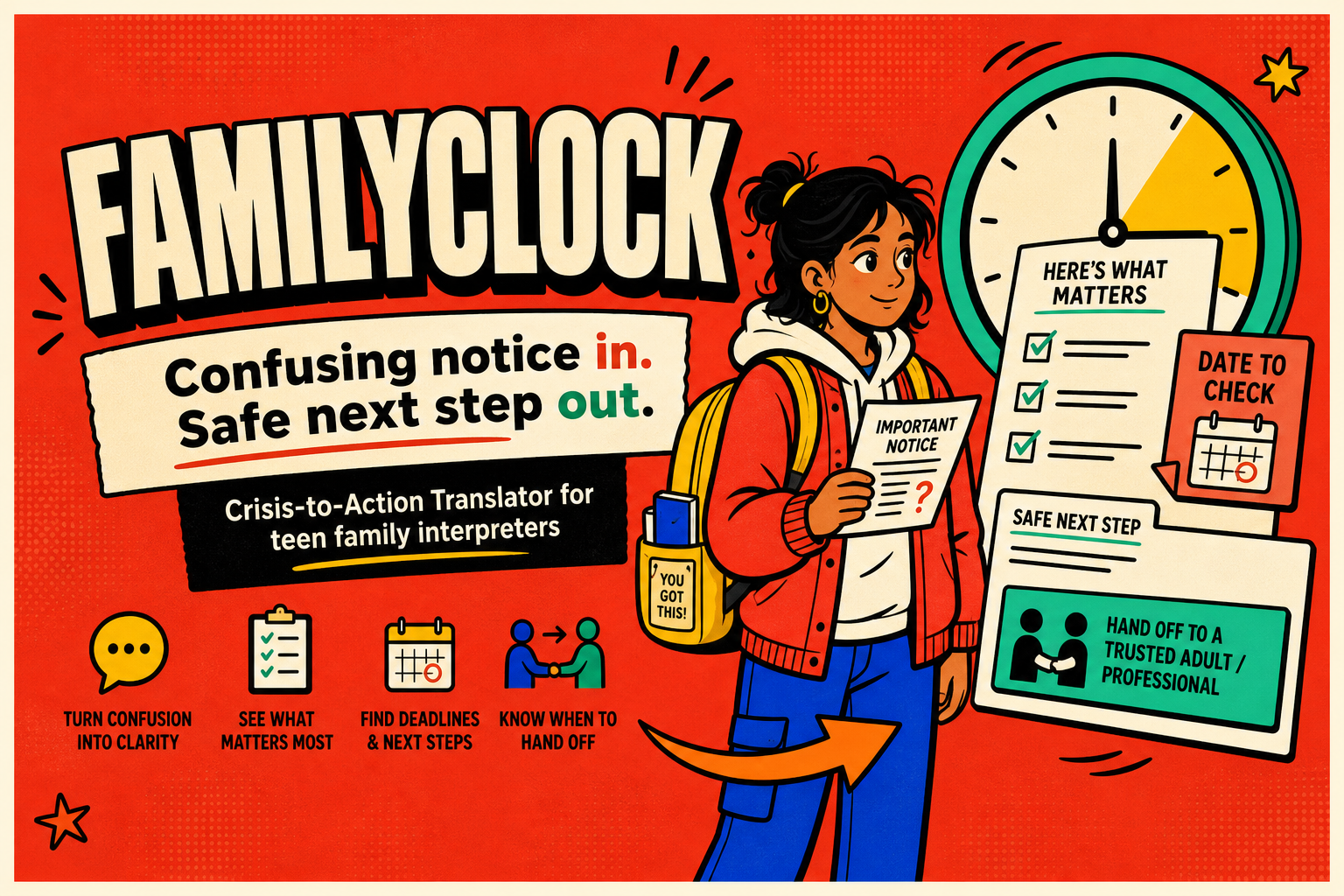
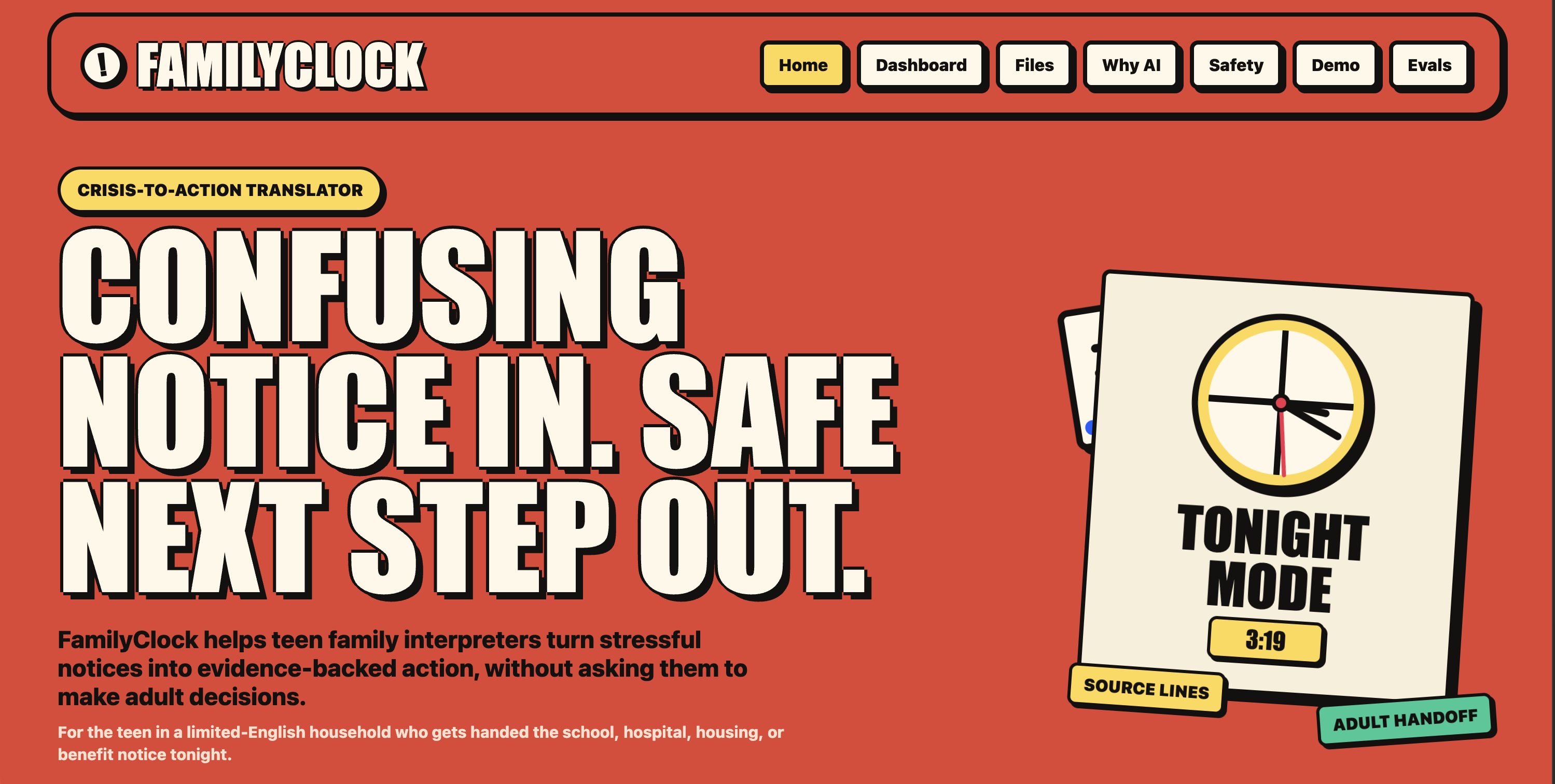
Cover Poster FamilyClock turns confusing notices into plain language, deadlines, safe next steps, and human handoff.
-
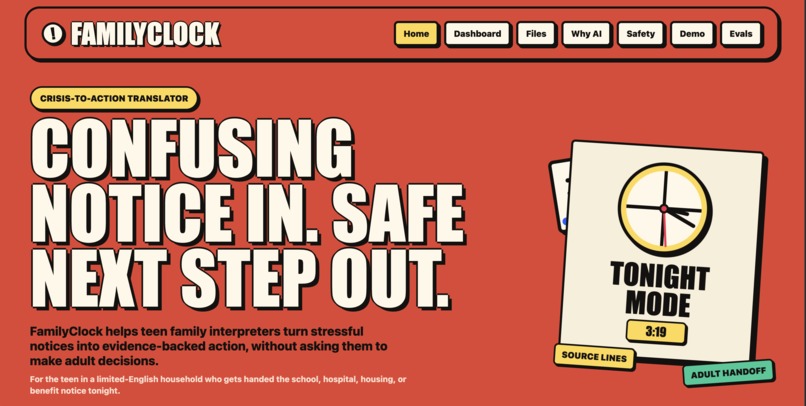
Product Overview / Homepage A teen can paste or add a school, medical, housing, or benefits notice and get a structured action dashboard.
-
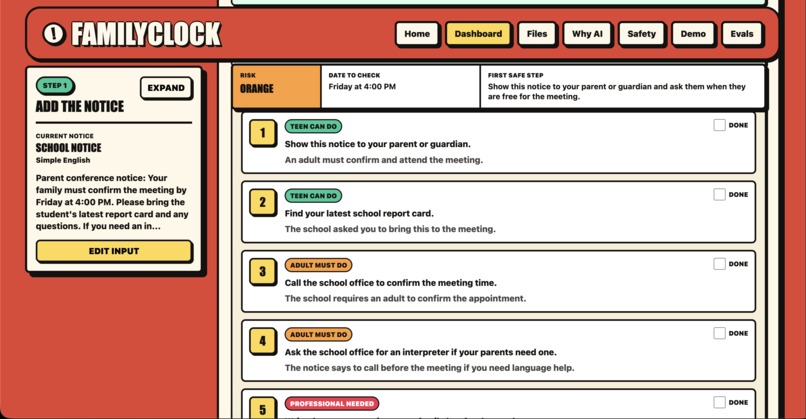
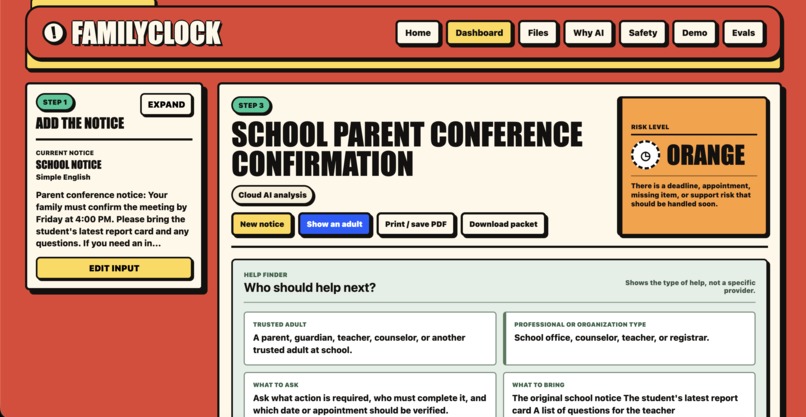
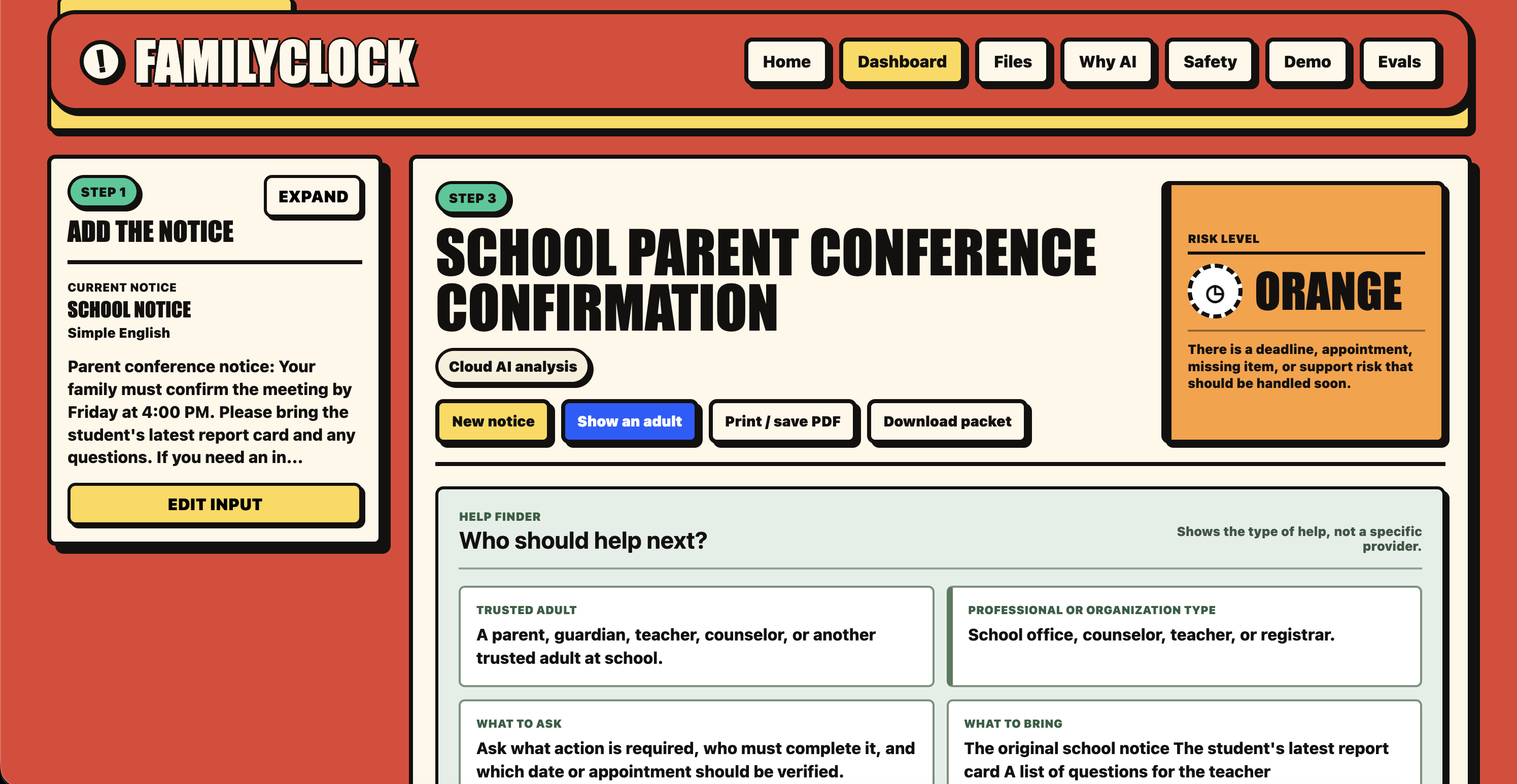
School Notice Dashboard FamilyClock extracts the plain meaning, key deadline, checklist, and source line from a confusing school notice.
-
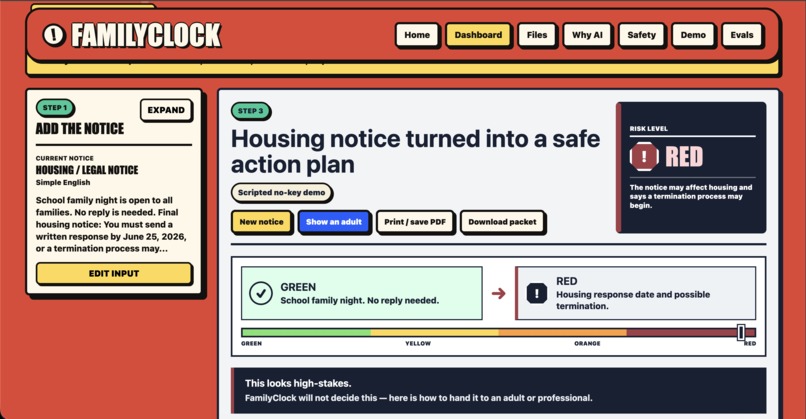
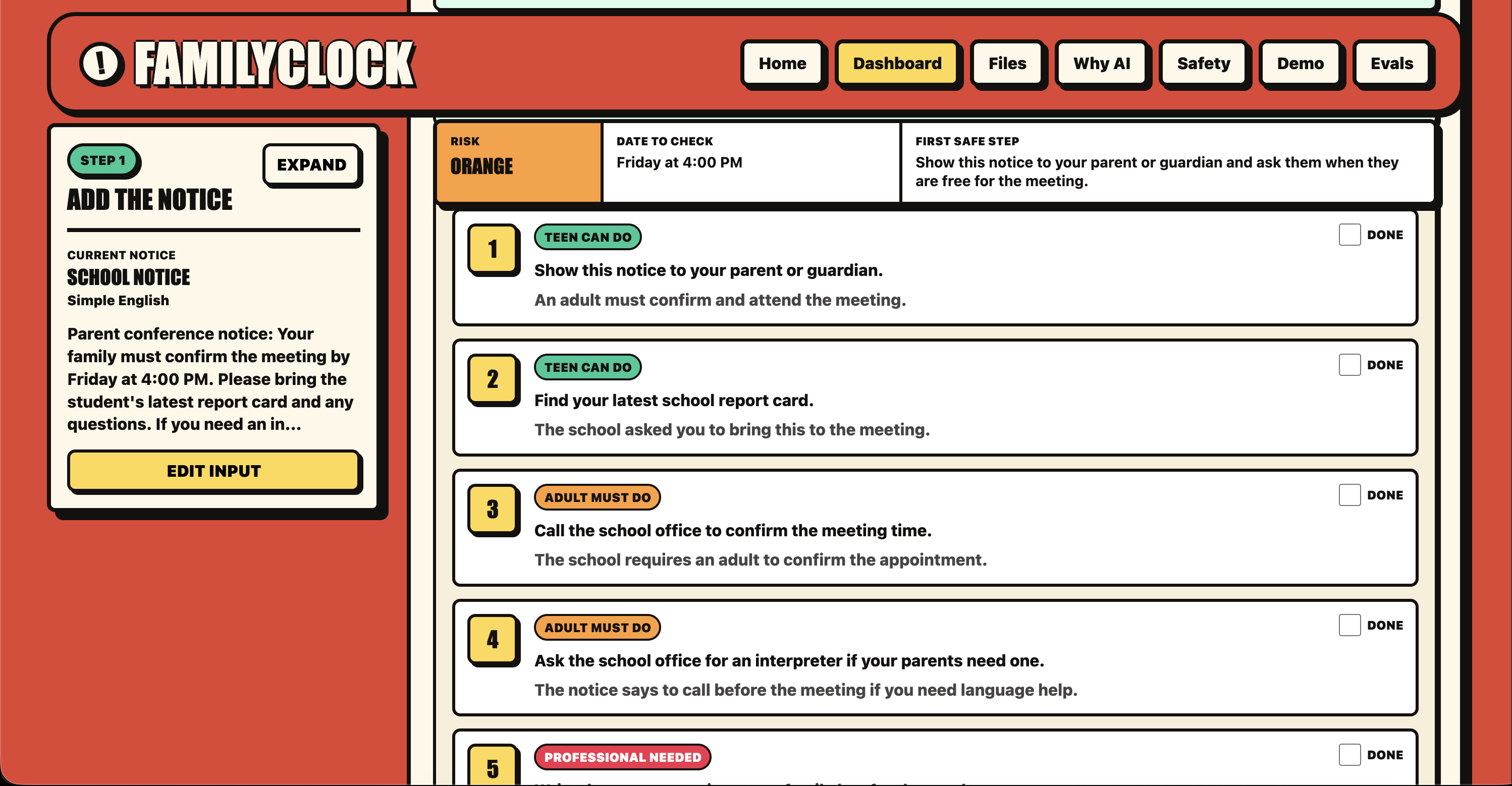
Role Split FamilyClock separates what a teen can safely do from what an adult or professional must handle.
-
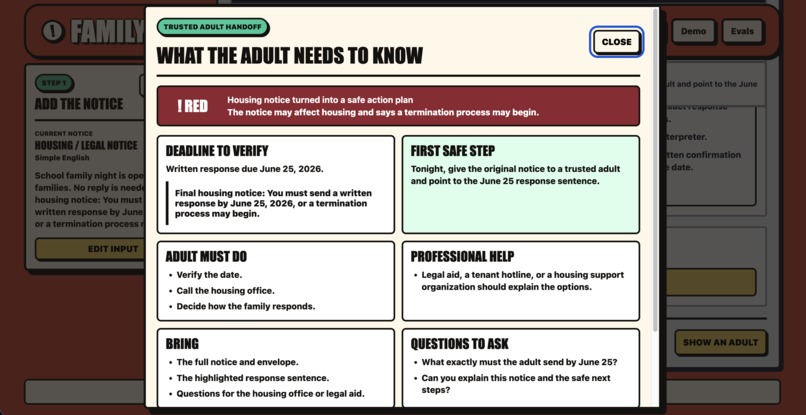
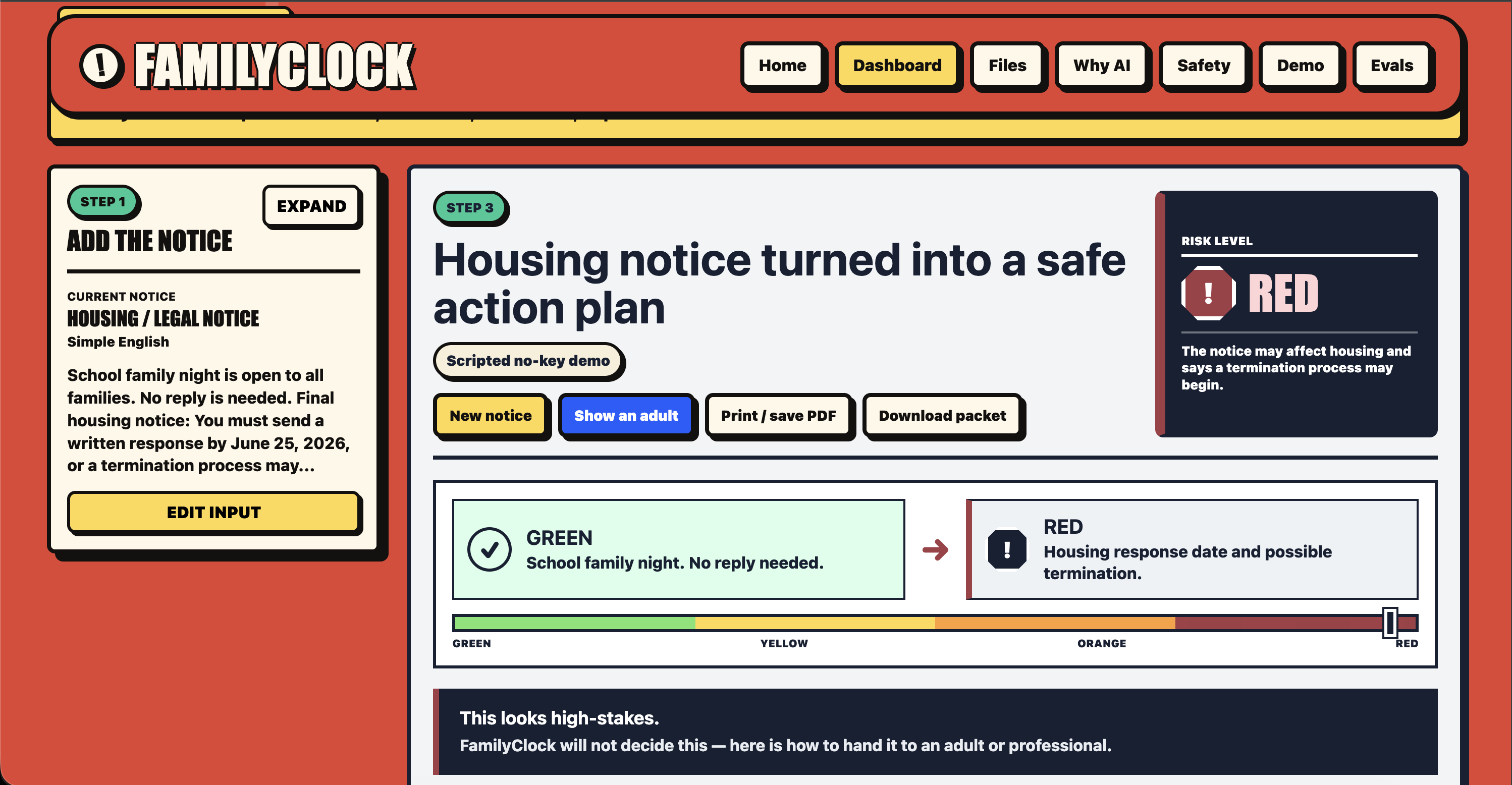
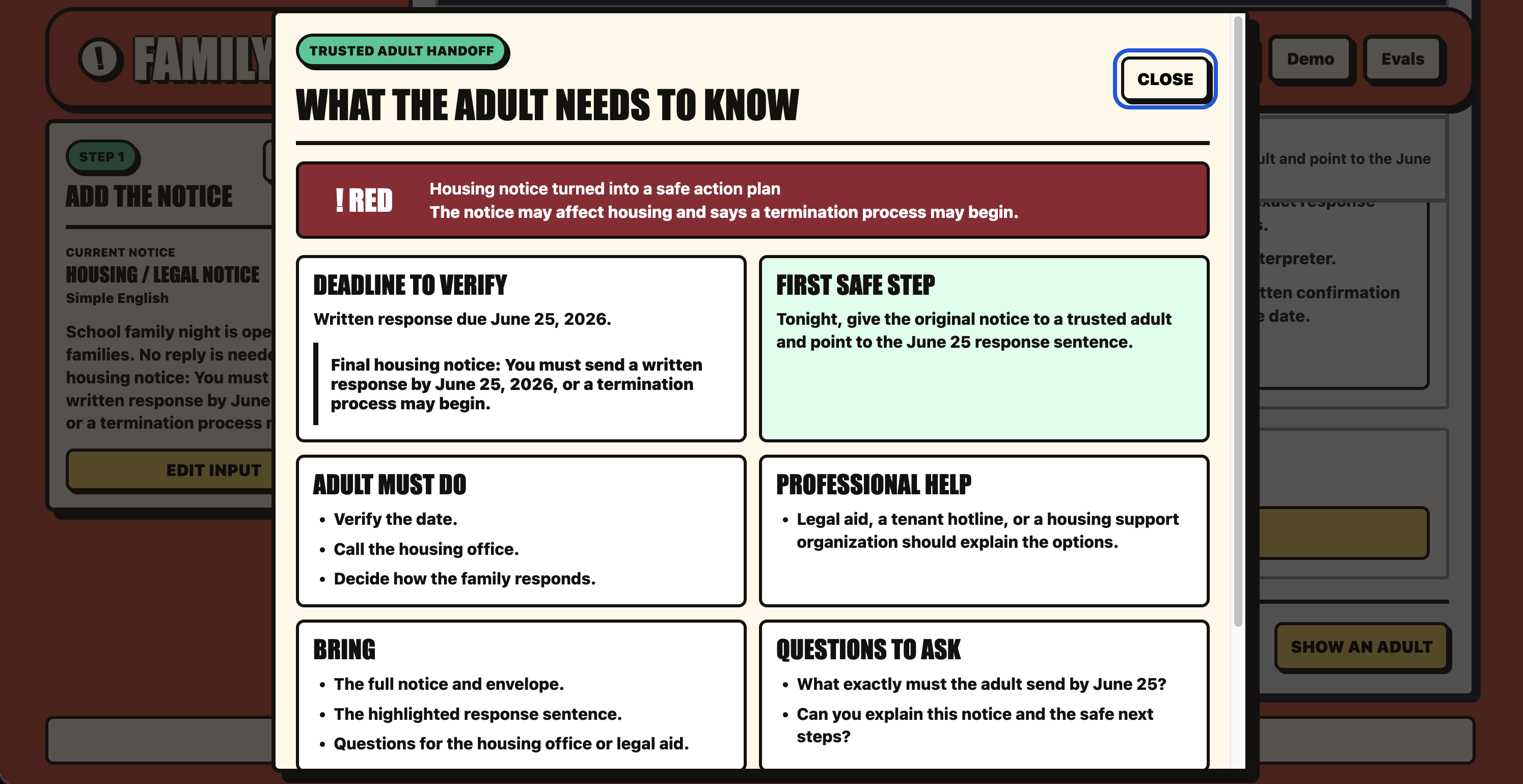
RED Mode + Adult Handoff For high-stakes notices, FamilyClock does not decide — it creates a calm handoff to an adult or professional.
-
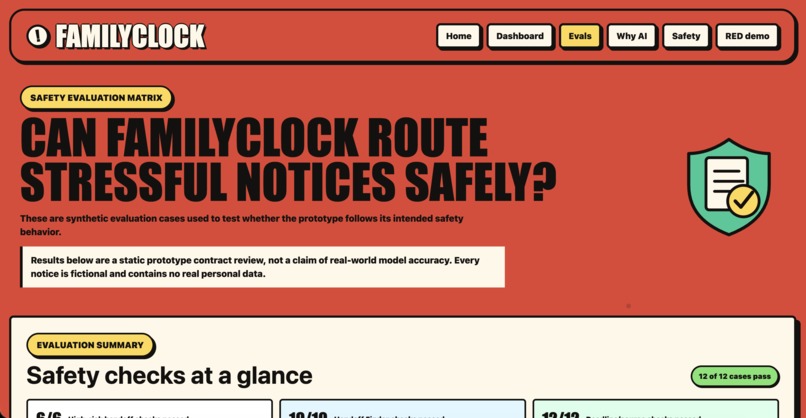
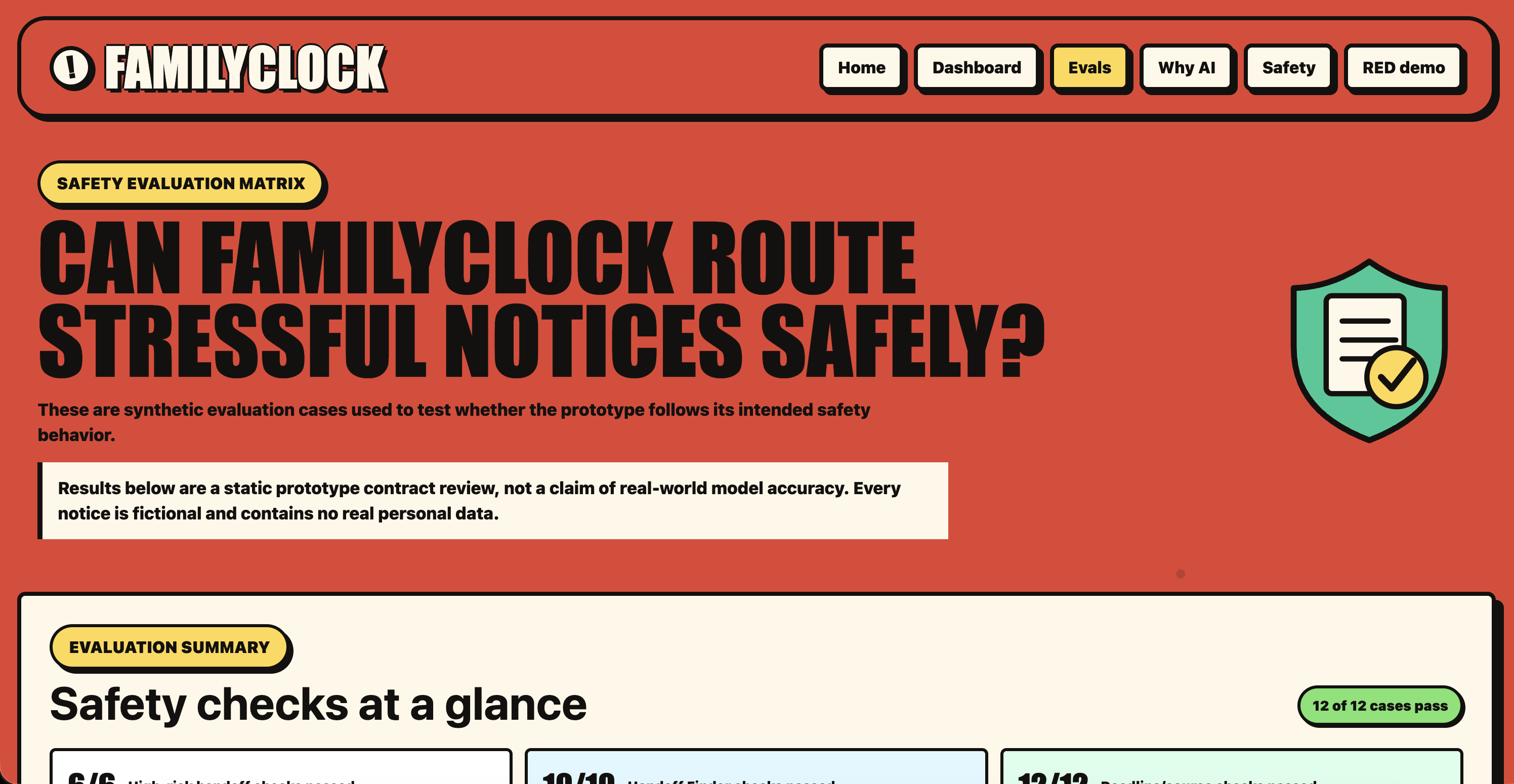
Safety / Evals Synthetic test cases check source lines, verification notes, privacy behavior, and high-risk human handoff.
Inspiration
YCFxAI asks students to imagine AI as an opportunity, not a threat. FamilyClock was built around that idea: AI should not replace people in serious family decisions. It should help them understand, organize, and know when a human needs to step in.
In many immigrant and limited-English families, one person ends up reading official mail, translating at appointments, and tracking deadlines for everyone else — and that person is often a teenager.
This is sometimes called child language brokering. It can be an act of care, but it can also become a heavy responsibility when the situation is serious: a hospital discharge letter, a housing notice, a benefits form, or a school deadline.
The problem is not just translation. The teen is trying to answer adult-level questions:
What does this mean? Is there a deadline? What happens if we miss it? Can I handle this, or should an adult or professional step in?
We wanted to build for one specific moment:
A teen is alone at the kitchen table tonight, holding a confusing notice, trying to figure out what matters before something gets missed.
That is why we built FamilyClock.
What it does
FamilyClock is an AI safety assistant for teen family interpreters. It turns confusing official notices into plain language, deadlines, safe next steps, and adult/professional handoff.
A teen can paste or add a confusing school, hospital, housing, or benefits notice. Instead of returning a long chatbot reply, FamilyClock creates a structured action dashboard:
- What it is — a plain-language explanation
- What matters most — the key action or risk
- Deadline or appointment — shown with the exact source line from the notice
- Risk level — GREEN, YELLOW, ORANGE, or RED
- One safe first step
- Role split — what the teen can do, what an adult must do, and when a professional is needed
- Family message — a short explanation the teen can share
- Handoff Finder — who should help next and what to ask
- Adult handoff packet — what to show a parent, guardian, school office, clinic, legal aid provider, or other trusted professional
The most important part is what FamilyClock does not do.
FamilyClock does not make legal, medical, housing, benefits, or safety decisions. Serious notices trigger a calm RED mode and a handoff to a trusted adult or professional.
The goal is not to make a teen replace an interpreter, doctor, lawyer, caseworker, or school official. The goal is to help the teen understand enough to safely organize action — without carrying the adult decision alone.
How we built it
We built FamilyClock as a web app using Next.js, TypeScript, and Tailwind CSS.
The interface is a card-based dashboard, not a chat window. We made that choice because the user is stressed and needs clear action, not a long AI conversation.
Our flow is:
- The user pastes text or adds a notice.
- FamilyClock warns against sharing private data and masks sensitive details where possible.
- The system classifies the notice type.
- It extracts the key action, deadline, appointment, and source sentence.
- It assigns a risk level from GREEN to RED.
- It generates one safe first step.
- It separates teen-safe tasks from adult-only or professional tasks.
- It creates a handoff packet and Handoff Finder card.
The AI is prompted to return a structured output instead of free-form advice. That structure helps the dashboard show evidence, uncertainty, role boundaries, and safety notes clearly.
We also built a deterministic mock fallback, so the demo still works even if no cloud model key is available.
A key design decision was why AI is needed instead of just search. A search engine can find pages. A FAQ can answer known questions. But a family notice is messy and unstructured. FamilyClock has to infer the notice type, extract hidden deadlines, classify risk, ground claims in the original text, and separate teen-safe tasks from adult or professional decisions.
Challenges we ran into
The hardest part was not translation. It was designing the guardrail.
In many AI products, the goal is to answer as much as possible. For FamilyClock, the safest behavior is sometimes the opposite: stop, show the source, explain the risk, and hand the problem to a human.
We had to design around a specific failure mode:
If the AI sounds confident but misunderstands a serious notice, a family could miss a deadline or make a risky decision — and the teen could feel responsible.
To reduce that risk, FamilyClock:
- shows source lines for serious claims
- marks uncertainty around deadlines
- asks users to verify with the original source
- masks private details where possible
- avoids legal, medical, housing, benefits, and safety decisions
- routes high-stakes cases to adults or professionals
- uses fictional and synthetic notices for the demo
We also had to keep the scope focused. FamilyClock could become a full family admin app, but that would be too broad for a focused prototype. We narrowed the MVP to one sharp flow:
notice → understand → verify → safe first step → handoff
That focus made the product clearer and safer.
Accomplishments that we’re proud of
We are proud that FamilyClock is not just another chatbot.
It creates a structured, source-grounded dashboard that helps a teen move from confusion to safe action.
We are especially proud of:
- the role-boundary engine: teen / adult / professional
- the calm RED serious mode for high-stakes notices
- the Adult Handoff card
- the Handoff Finder
- source-line evidence for deadlines and serious claims
- privacy warnings and redaction
- a GREEN → RED demo that shows how risk changes the output
- a fallback demo path that works without an API key
- keeping the product focused on safe handoff, not just summarization
One small detail we like is that high-stakes outputs become calmer, not louder. When the risk is higher, FamilyClock does not act more confident. It becomes more careful and pushes the decision toward an adult or professional.
What we learned
We learned that building AI that actually helps people is not just about making the model answer more questions. Sometimes the most helpful AI system is the one that knows when not to answer.
Sometimes help is hard to find because the person holding the notice does not know what the notice means, which part matters, what the deadline is, or whether they should be responsible for it.
We also learned that responsible AI is not a disclaimer at the bottom of a page. In FamilyClock, responsible AI is the product. It shapes the risk level, the source lines, the handoff card, the adult/professional boundary, and the decision not to answer certain questions.
The biggest lesson was this:
The innovation is not summarization. The innovation is safe handoff.
What’s next for FamilyClock
Next, we would improve FamilyClock by adding:
- stronger multilingual output for family messages
- more synthetic evaluation cases across school, medical, housing, and benefits notices
- partnerships with school counselors, clinics, legal aid groups, and community support workers
- better local support routing without choosing a provider or making the decision for the family
- a broader household support timeline that still protects teens from carrying adult responsibilities alone
FamilyClock makes AI useful without replacing human judgment. It makes support obvious, without making teens become the support system.


Log in or sign up for Devpost to join the conversation.