-
-
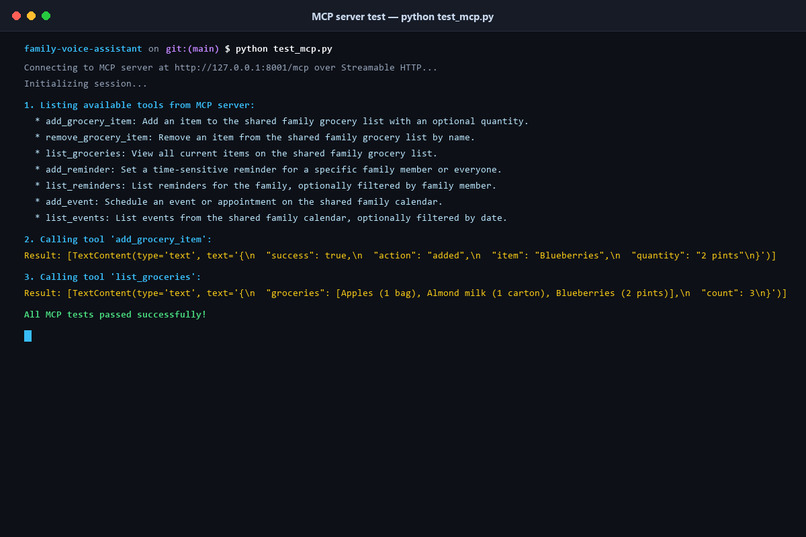
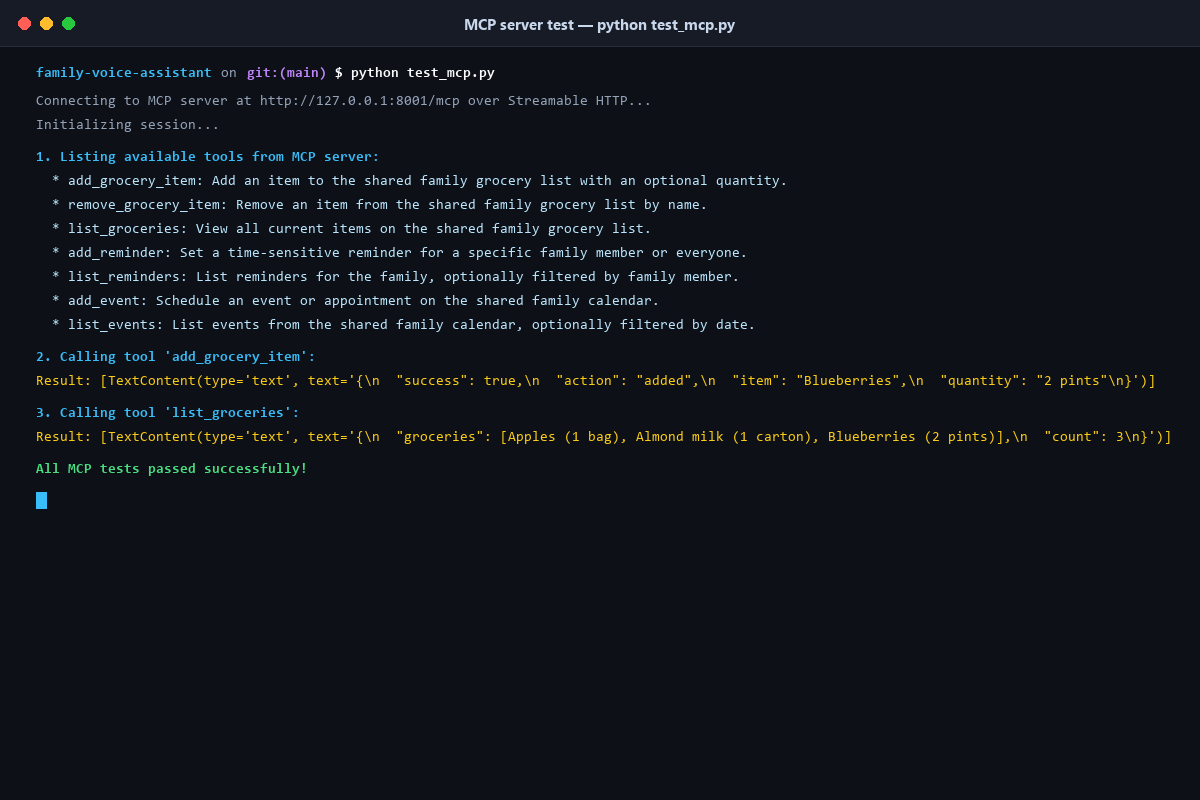
Streamable HTTP MCP server test verifying tool discovery and remote execution for external agents like Alexa+.
-
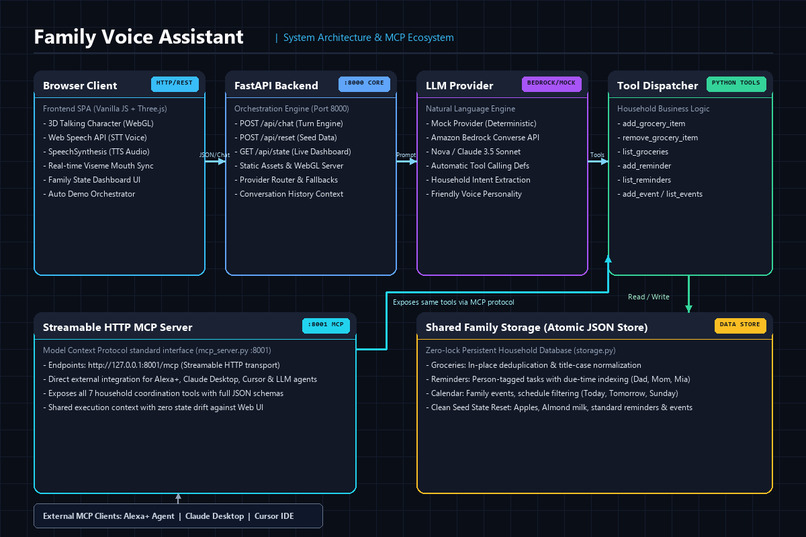
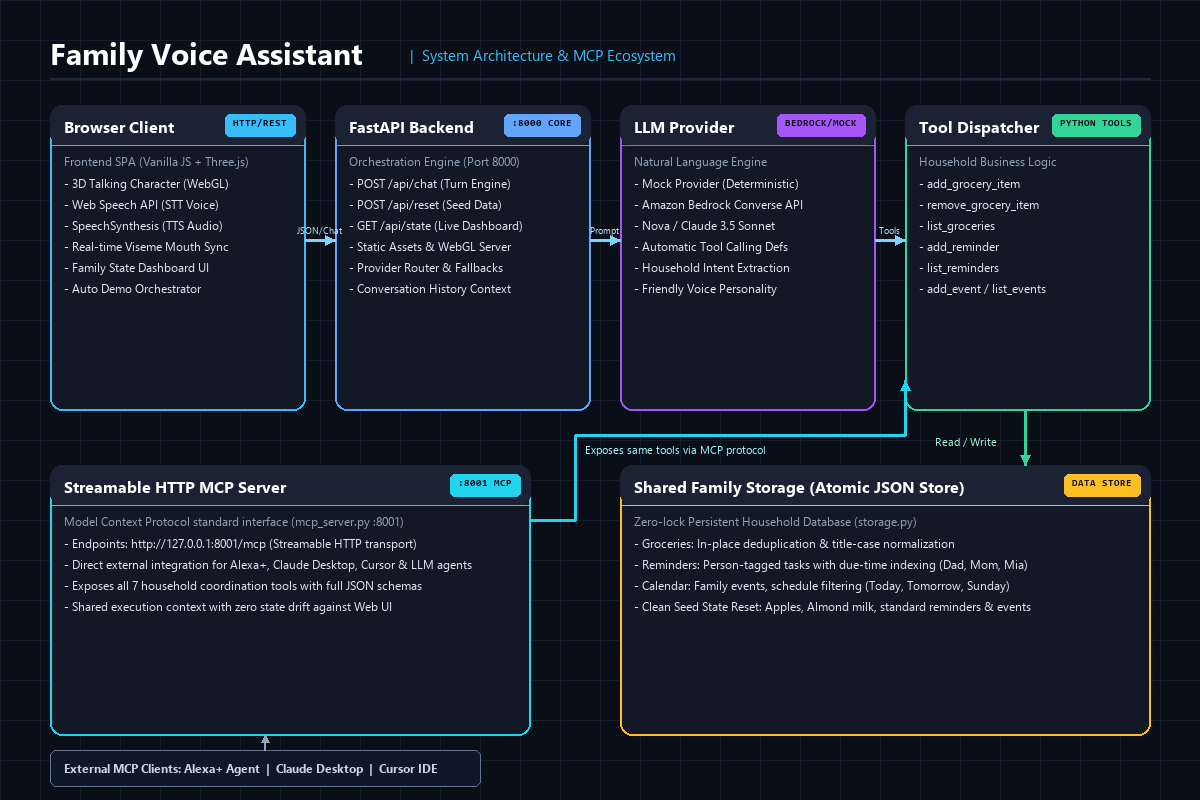
System architecture: 3D WebGL UI & FastAPI backend backed by Bedrock LLM, atomic store, and Streamable HTTP MCP server.
-
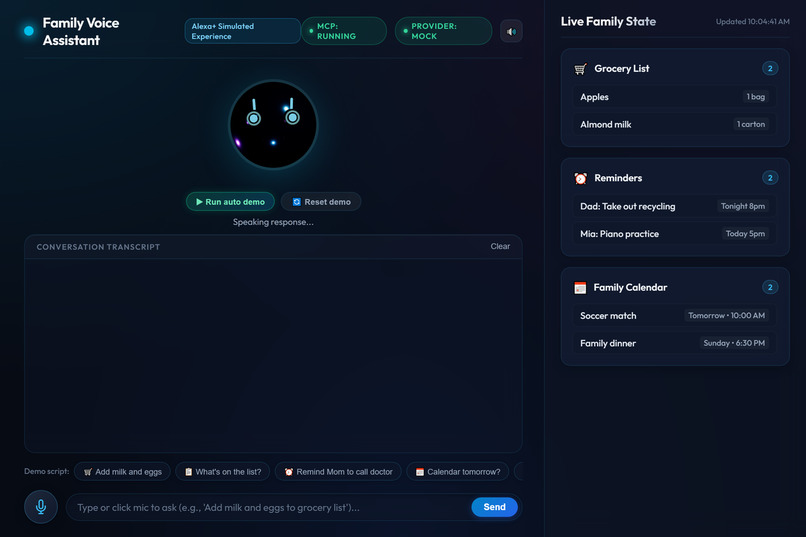
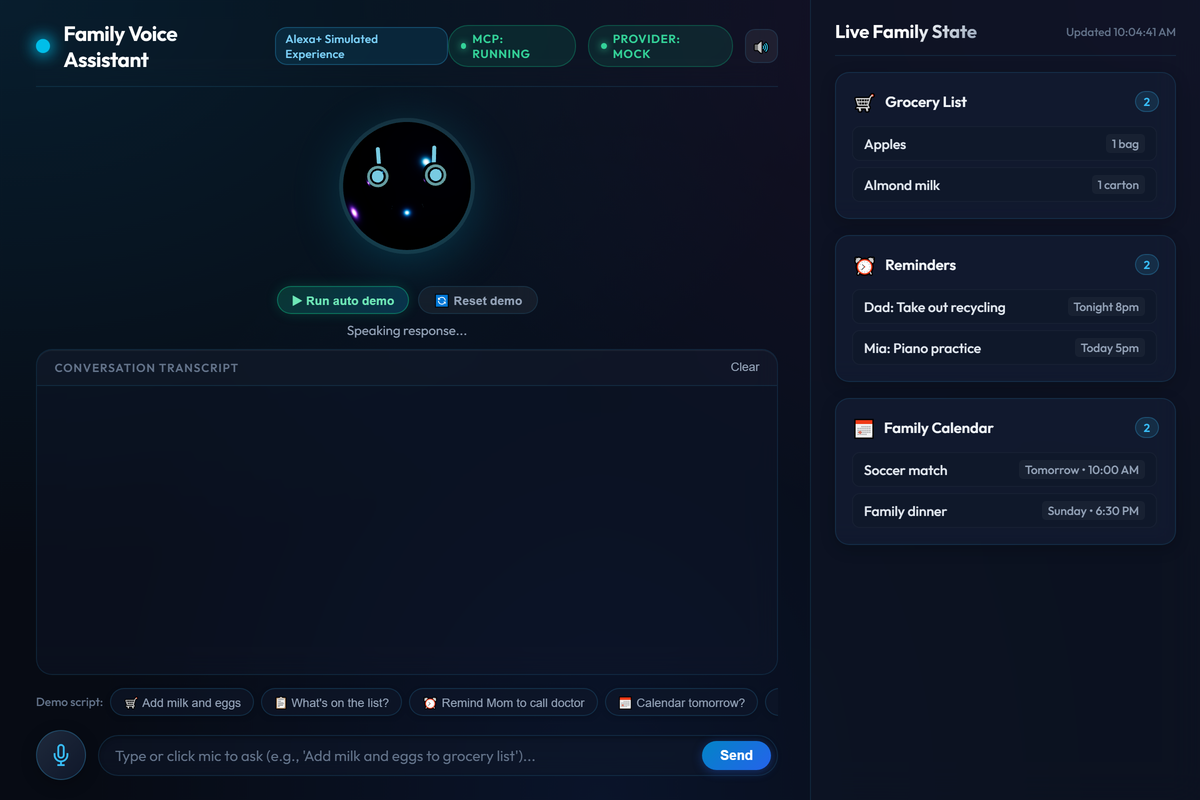
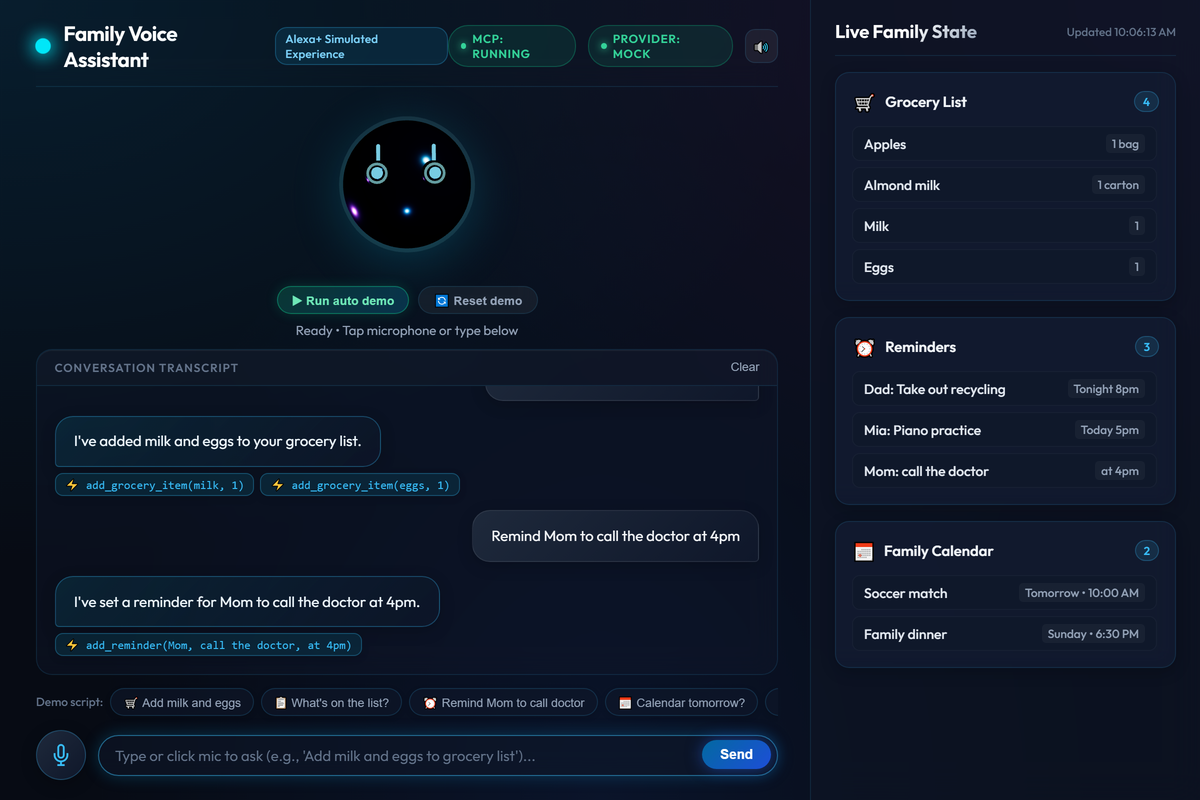
3D interactive avatar dashboard with real-time MCP and LLM status badges, ready for hands-free family voice commands.
-
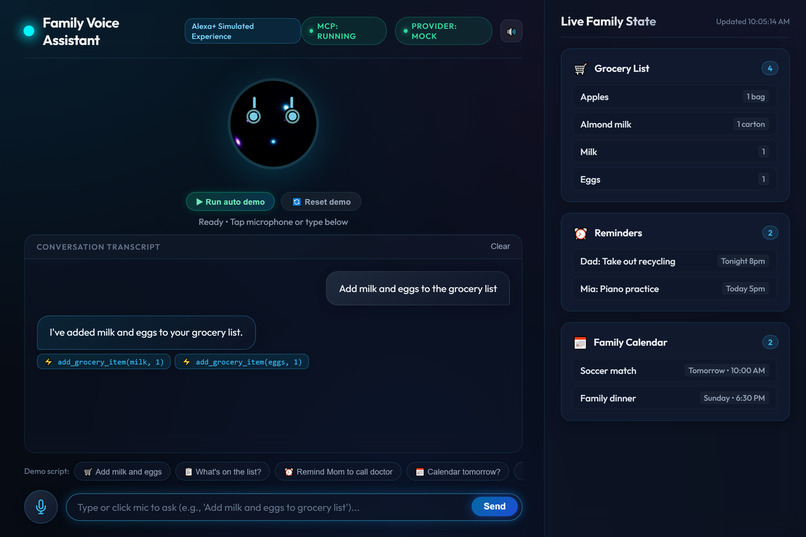
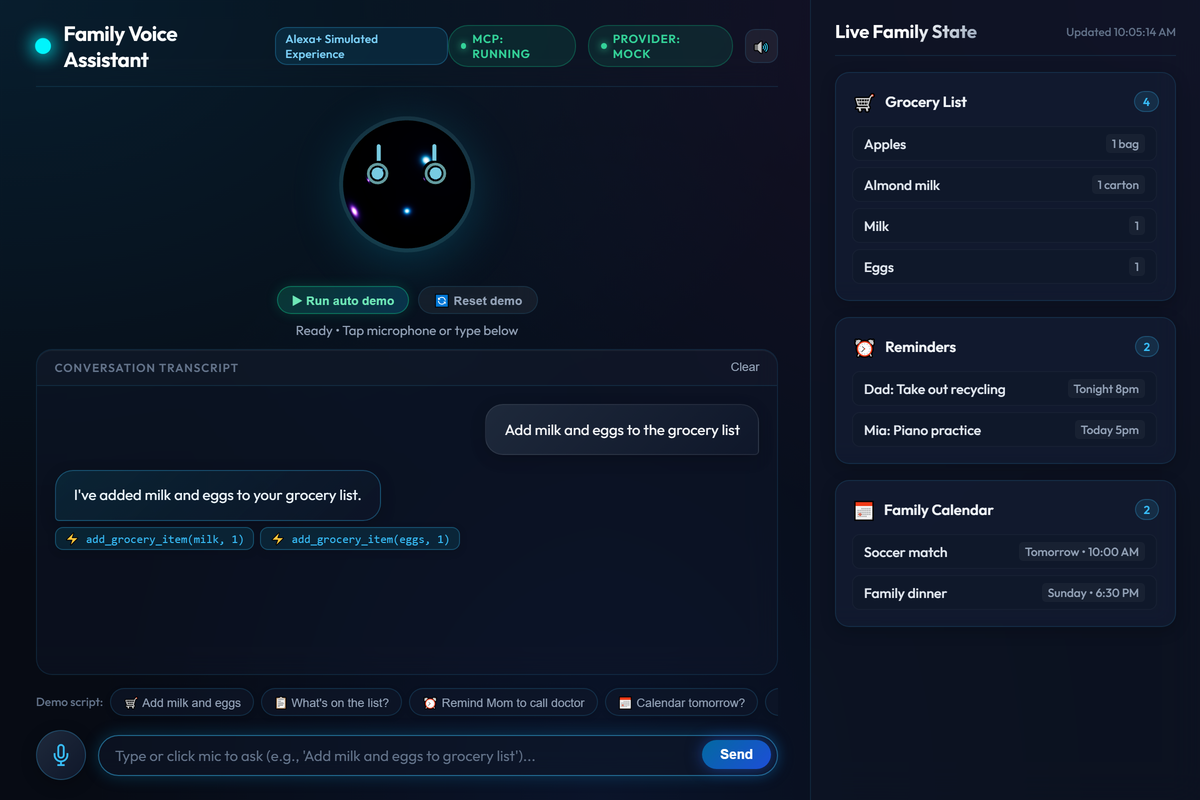
Autonomous multi-tool calling: parsing "milk and eggs" into separate tool executions and updating shared groceries.
-
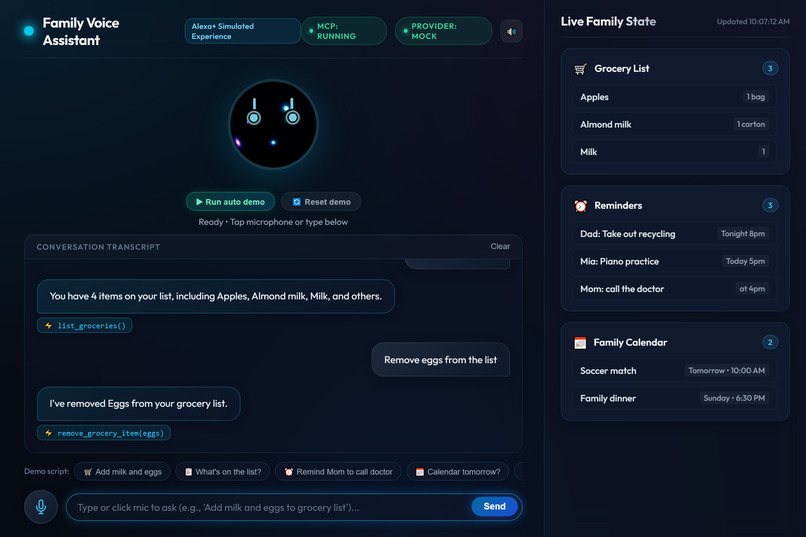
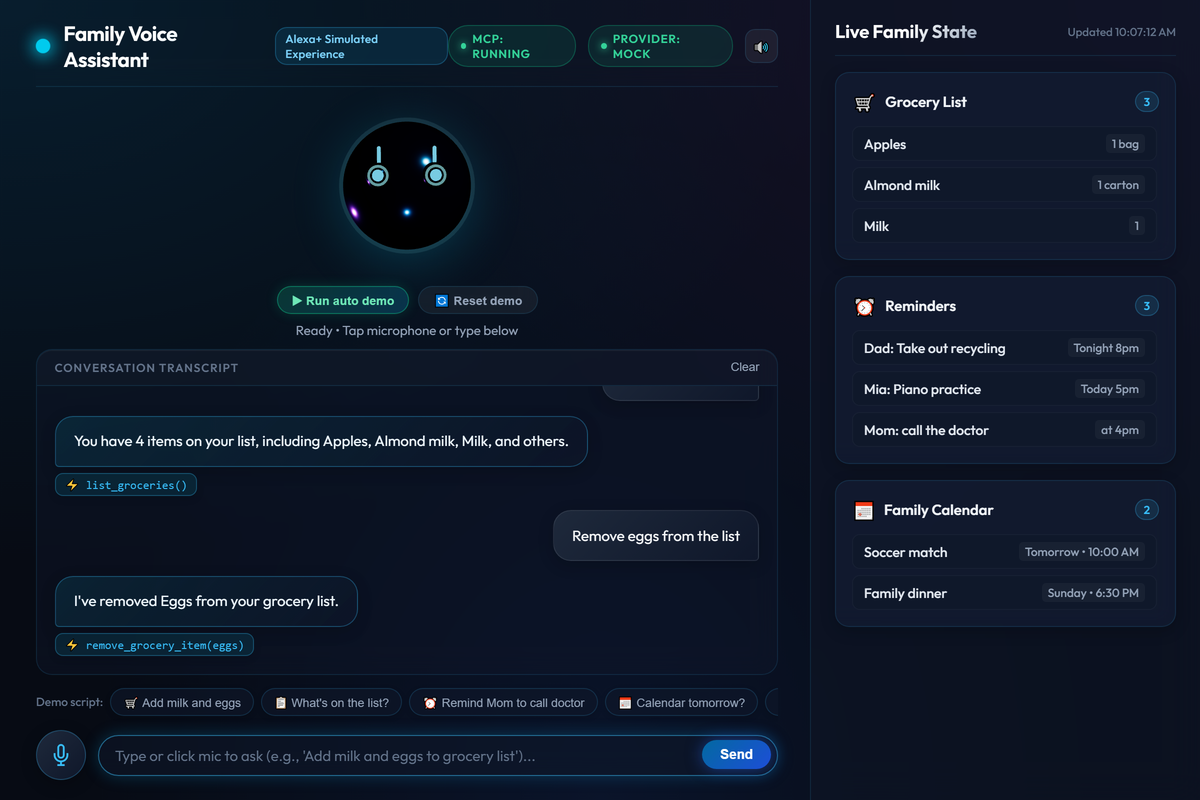
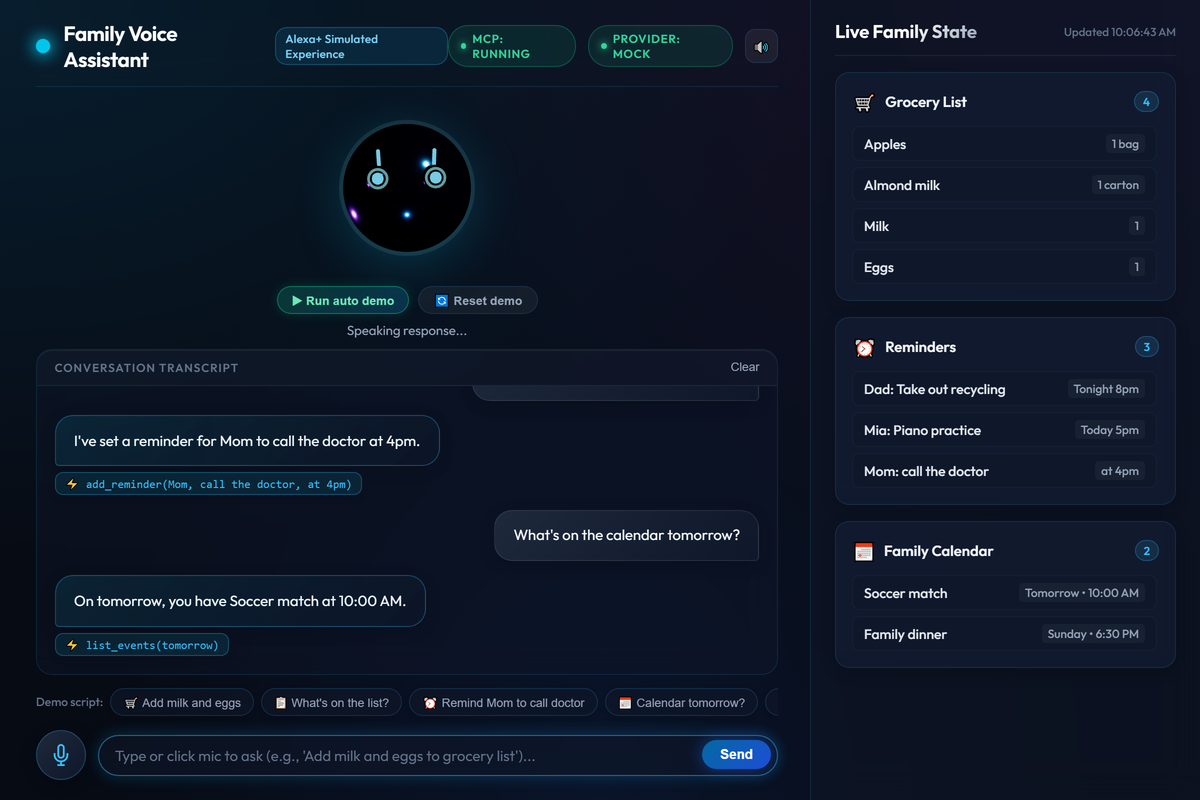
Full conversation demo showing grocery additions/removals, reminders, and calendar coordination in real time.
-
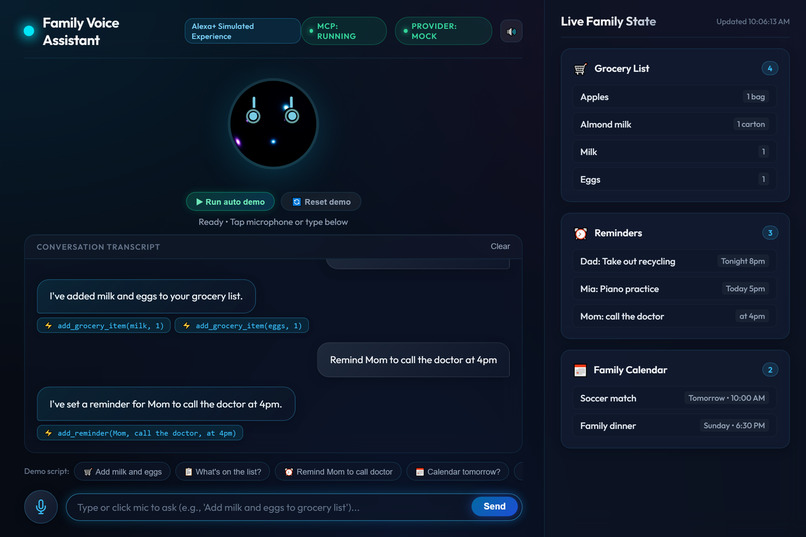
Context-aware reminder creation extracting person, task, and due time into the Live Family State board.
-
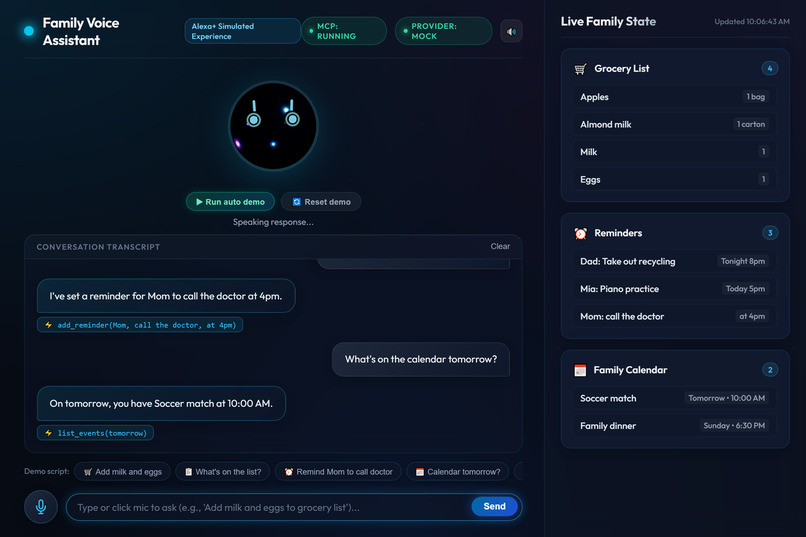
Schedule query via list_events tool, generating natural spoken speech and displaying upcoming family events.
Inspiration
Families juggle grocery lists, reminders and schedules across notes, chats and sticky notes. We wanted one friendly voice assistant that the whole family can talk to, instead of typing into yet another app.
What it does
Family Voice Assistant is a simulated Alexa+ experience that runs in the browser. A family member speaks or types a request, and a talking 3D avatar answers out loud. Behind the scenes, the assistant uses tools to:
- Manage a shared grocery list (add, remove and list items)
- Set and list family reminders ("Remind Mom to call the doctor at 4pm")
- Add and view events on a shared family calendar
A live "Family State" panel updates after every command, and each reply shows which tool was called. The same tools are also exposed through a self-hosted MCP server (Streamable HTTP), so any MCP client, including Alexa+, can use them.
How we built it
- Backend: Python and FastAPI
- Assistant engine: pluggable providers. A rule-based mock provider works with no API keys, and an optional Amazon Bedrock provider (Converse API with tool use) falls back to the mock provider if AWS is unavailable
- Tools: plain Python functions with JSON schemas, shared by the chat engine and the MCP server
- MCP server: the official MCP Python SDK over Streamable HTTP
- Frontend: plain HTML, CSS and JavaScript with a Three.js 3D avatar that animates while it listens and speaks
- Voice: the browser Web Speech API for speech-to-text and text-to-speech
- Storage: in-memory state saved to a local JSON file
- AI-assisted development: built with an agentic coding tool (Google Antigravity)
Challenges we ran into
- Making the assistant understand natural phrases reliably without depending on an LLM
- Keeping the avatar animation in sync with browser speech
- Keeping the demo working when cloud services or credentials are unavailable, which led to the mock-provider fallback
- Working with agentic tools that sometimes dropped their connection mid-task, so we broke the work into small stages
Accomplishments that we're proud of
- A complete end-to-end flow: voice or text in, tool call, live state update, spoken reply
- One set of tools shared by the web chat and an MCP server
- A demo that runs with no API keys, plus an open-source MIT repo with setup instructions
What we learned
Tool calling and MCP make an assistant's abilities reusable: the same tools power both our web chat and external MCP clients. We also learned to build the working core first and add extras afterward.
What's next for Family Voice Assistant
- Per-person profiles and permissions
- Medication reminders and daily check-ins for caretaking
- Smart-home actions
- Connecting the MCP server to a live Alexa+ account
Built With
- alexa
- amazon-alexa
- css3
- fastapi
- google-antigravity
- html5
- javascript
- mcp
- model-context-protocol
- python
- three.js
- uvicorn
- web-speech-api

Log in or sign up for Devpost to join the conversation.