
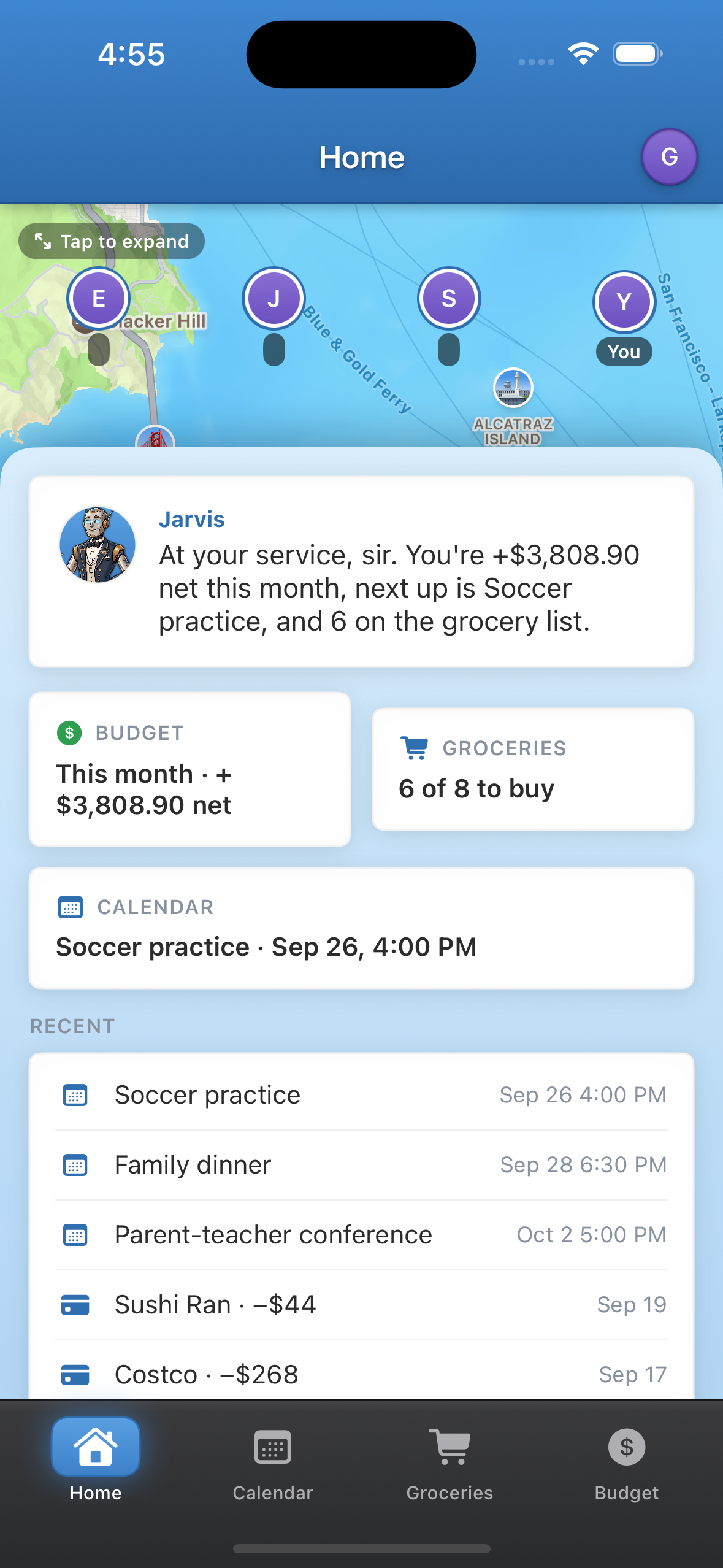
One app your whole family can use to help look after your household. Safety and location, budgeting, scheduling, and grocery planning are central to every family's life — and with Jarvis, your AI butler, you can coordinate and keep track of each one and see what needs your attention.
The problem
Every family can relate to this: money gets spent faster than it's being tracked, a doctor visit or a soccer practice that's been on the calendar for days still catches a parent by surprise, and whoever's out on the grocery run isn't answering texts to buy more milk. Safety, budgeting, scheduling, groceries — the things every family deals with every week — each is in a different app, or in one person's head, or on a sticky note, and none of them are connected to each other.
What Family Superapp is
The one app for your whole family: where everyone is, what's on the calendar, what's on the grocery list, and where the money goes — in one place, one subscription for the whole household. And Jarvis, an AI butler who actually knows your family — their routines, their plans, what's in the fridge, what they spend — and helps look after the house and family matters with you.
The only app that will serve your family like a personal butler.
What it does
- Know everyone's safe. A live family map, alerts when someone gets to home or school, and location history — the safety layer families open every day.
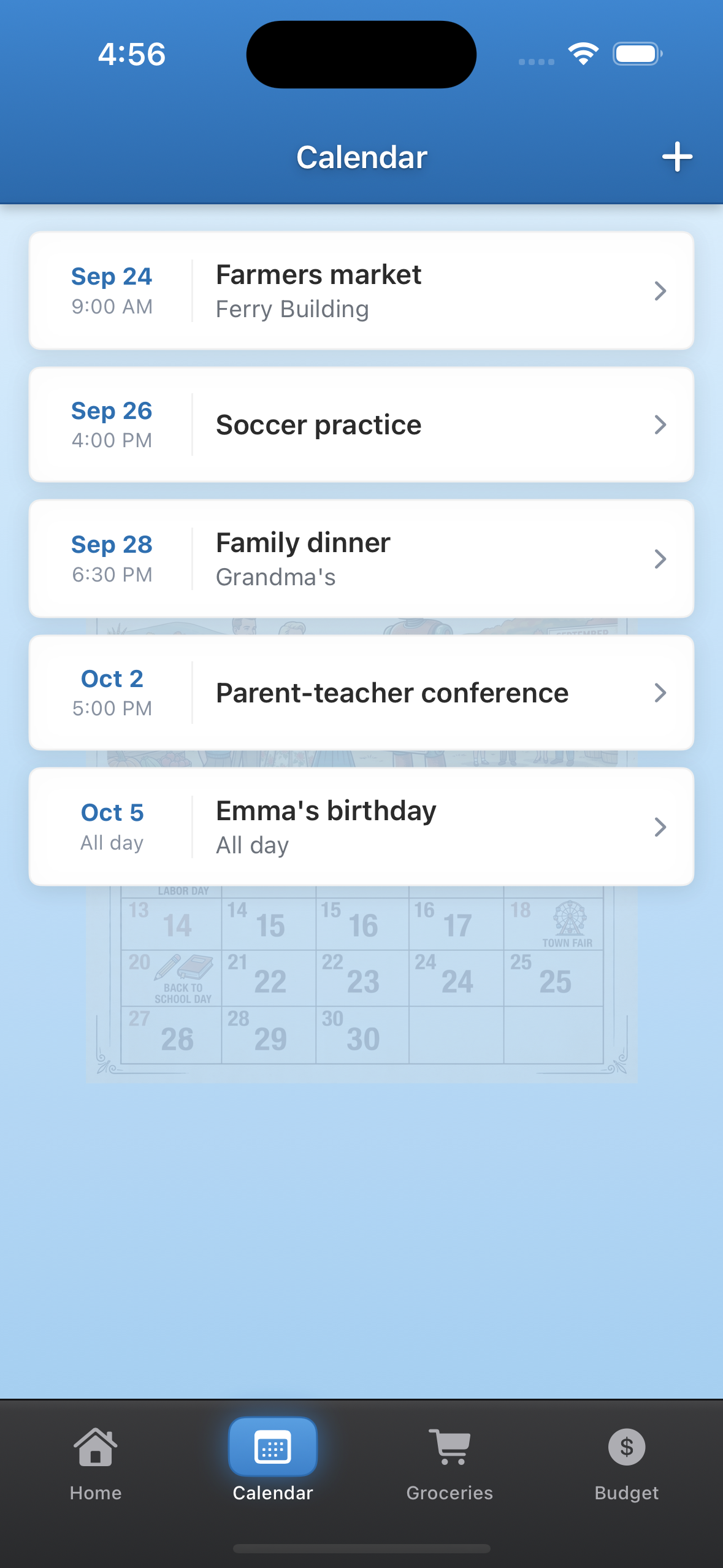
- Never miss what's next. A shared calendar the whole family sees and edits, so the kids' activities and family plans stay coordinated in one place.
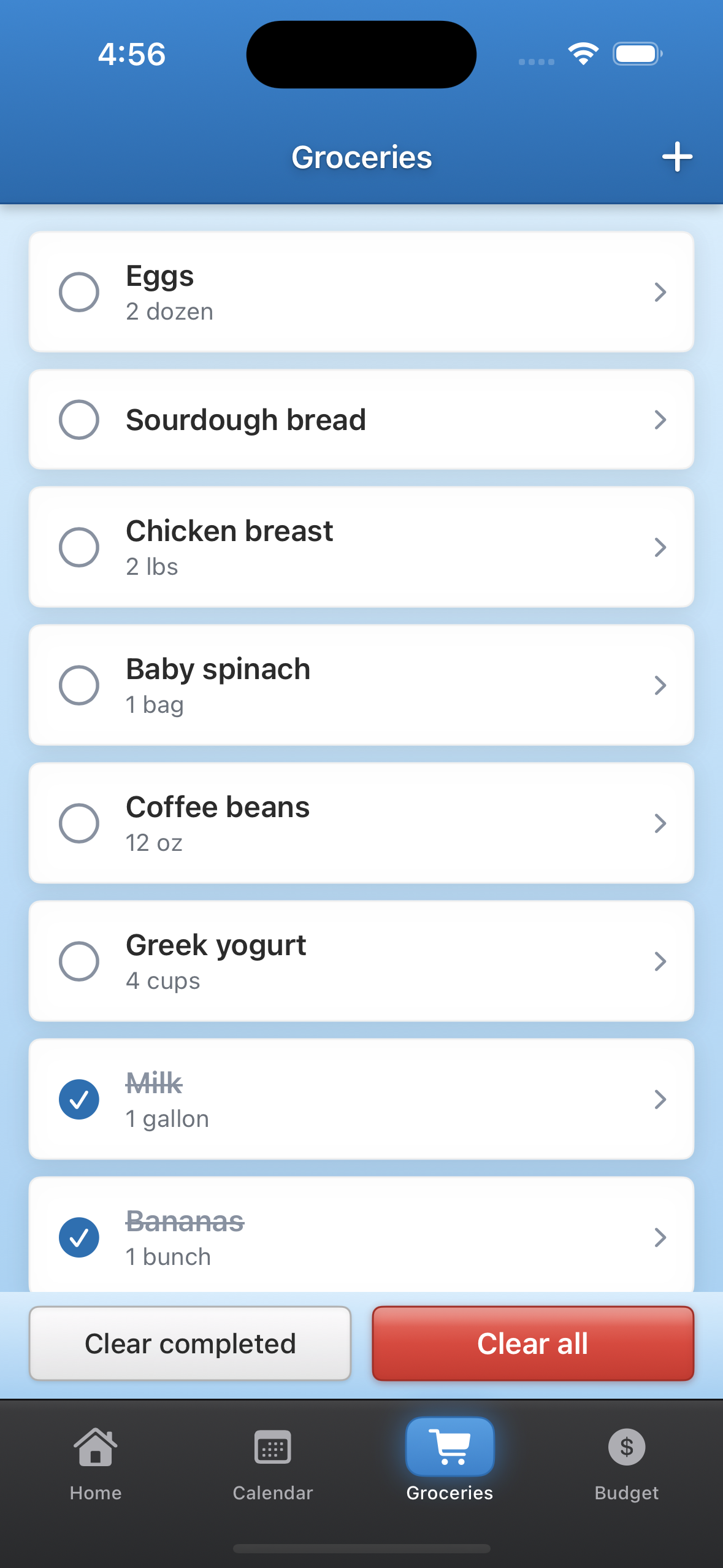
- Never forget the milk. A live grocery list that updates the second anyone adds or checks off an item, so everyone's shopping from the same list.
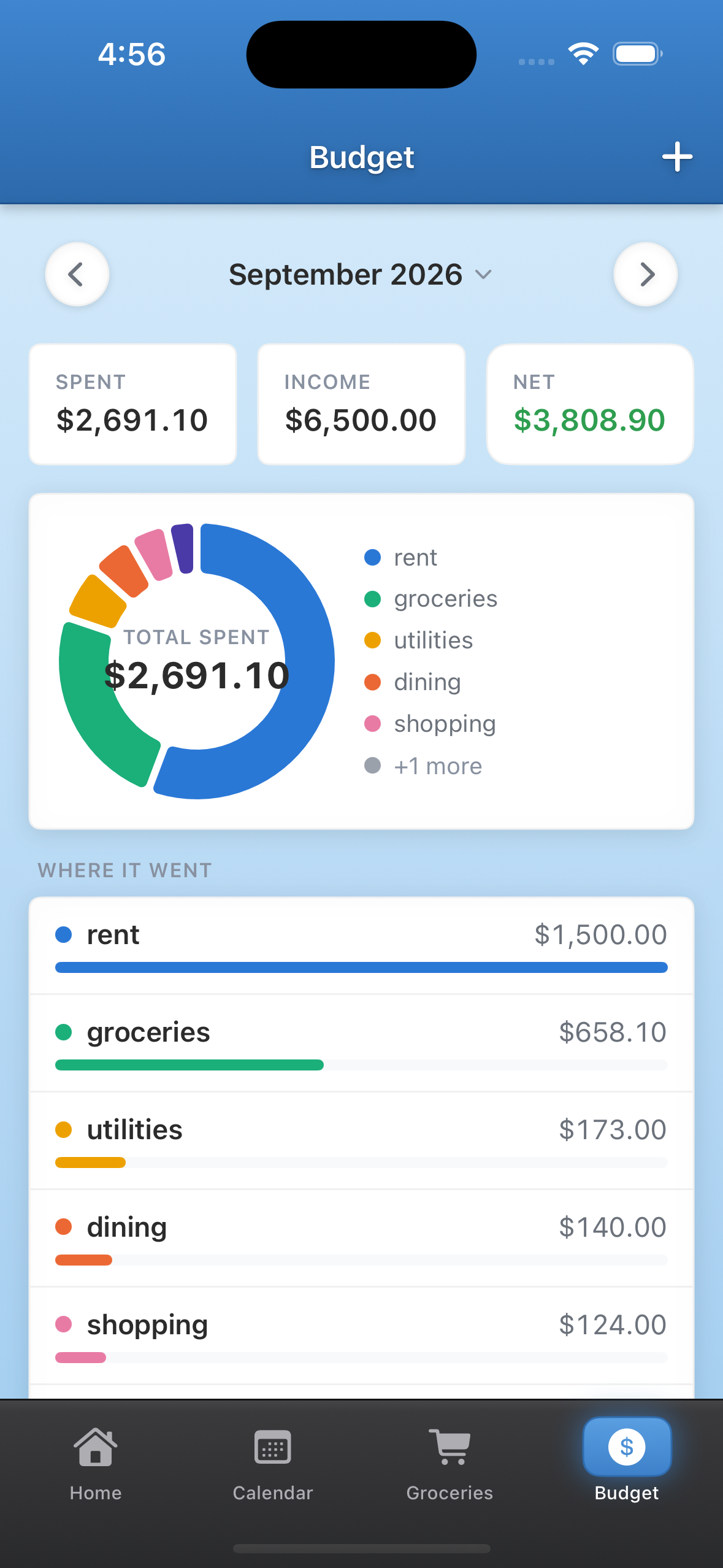
- See where the money goes. A budget the whole family shares, with spending trends and categories, so you always know where you stand.
Jarvis — a butler, not a chatbot
Jarvis is a butler: he knows who's where, what's planned, what's in the fridge, and what you spend, and he acts on it for the whole household, not just one person. He notices, suggests, and — with your say-so — does. The more your family uses the app, the more he learns about how your household works, exactly like a butler who's been with the family for years. Help you'd otherwise have to hire.
How it makes money
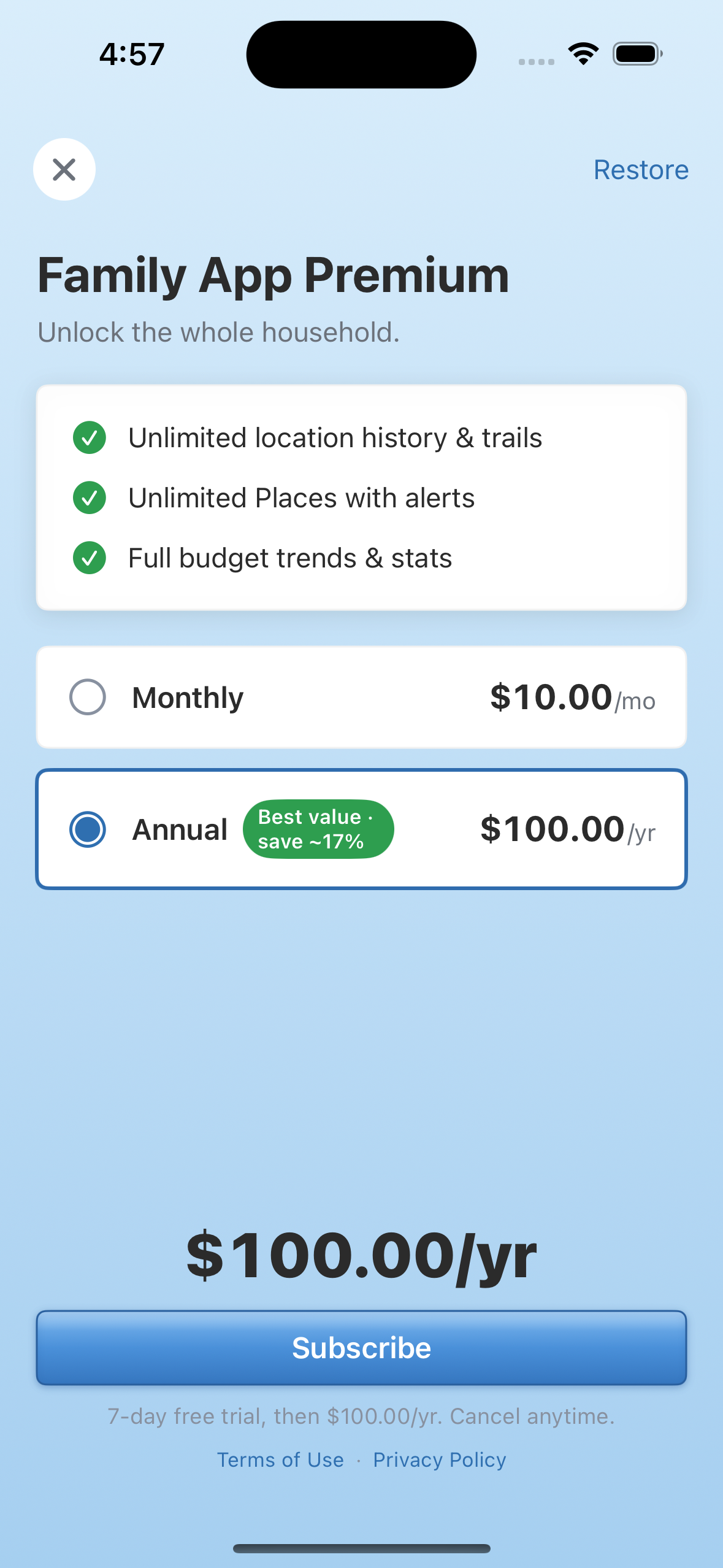
Most families use Family Superapp free, supported by ads. A small share subscribe for no ads, unlimited history and places, and full budget stats — one price for the whole household. One subscription replaces a paid location app, a paid family organizer, and a budgeting app.
Why it wins
Four things families already pay for — safety, scheduling, groceries, money — have never lived in one app that shares their data and acts on it. A location app never touches your money. A budgeting app never knows where anyone is. Family Superapp is the first to put all four in one place, with a butler acting across them — and the family data behind it is impossible to copy, compounding every day your family uses the app.
How we built it
- One Kotlin Multiplatform codebase with RIBs architecture, 5 native apps. Business logic, state, and navigation written once as shared KMP RIBs. Each platform renders its own native UI without any compromises unlike React Native or similar solutions. SwiftUI on iOS, Jetpack Compose on Android, AppKit on macOS, React on web — with the exact same application and business logic. No logic duplicated per platform and 80% of the code is reused with only the view layer being made and replicated bespoke for each platform.
- Sparrow, a custom design system, ported to every platform so the app looks like one product everywhere. We'll be taking advantage and adopting native look and feel and platform specifics such as liquid glass over time, since we have no limitations on this at all.
- RevenueCat across three stores from one integration. The same entitlement and offering drive StoreKit (iOS), Google Play Billing (Android/Play), and Samsung Galaxy IAP (Android/Galaxy). The app never calls a store billing SDK directly — it asks RevenueCat one question, "is this user premium," and the paywall, purchase, and restore flows are identical on every store.
Challenges we ran into
Setting up payments was the first challenge — getting one paywall to behave identically across the App Store, Google Play, and the Samsung Galaxy Store took real work. The bigger surprise has been store review. Even though we submitted weeks in advance, we still don't have Google Play approval — and counterintuitively, the Apple App Store approved us faster than the Android Play Store did. Big thanks to the Samsung Galaxy Store team, who accommodated us and approved the app remarkably fast.
Accomplishments that we're proud of
The application is truly just written once using KMP RIBs and then the view layer is dependency injected on each platform in its respective native language. This is not some React Native or Flutter where the UI is shared too and compromises have to be made, we have native apps and native UI for each platform and don't have to rewrite the app several times for each.
We're also very proud of the Sparrow design system we have - it's a reincarnation of an old design system from one of the best iOS and Mac email clients. It's having a new phoenix rebirth and adoptation in the Family Superapp and we hope to refine on it over time to make it even better and more native on each respective platform.
Built With
- appkit
- cloudflare
- express.js
- jetpack-compose
- kotlin-multiplatform
- react
- revenuecat
- ribs
- swiftui
- typescript

Log in or sign up for Devpost to join the conversation.