-
-
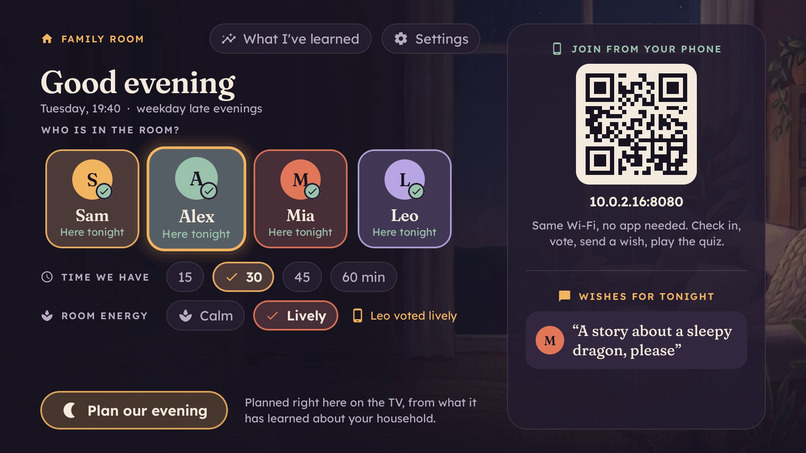
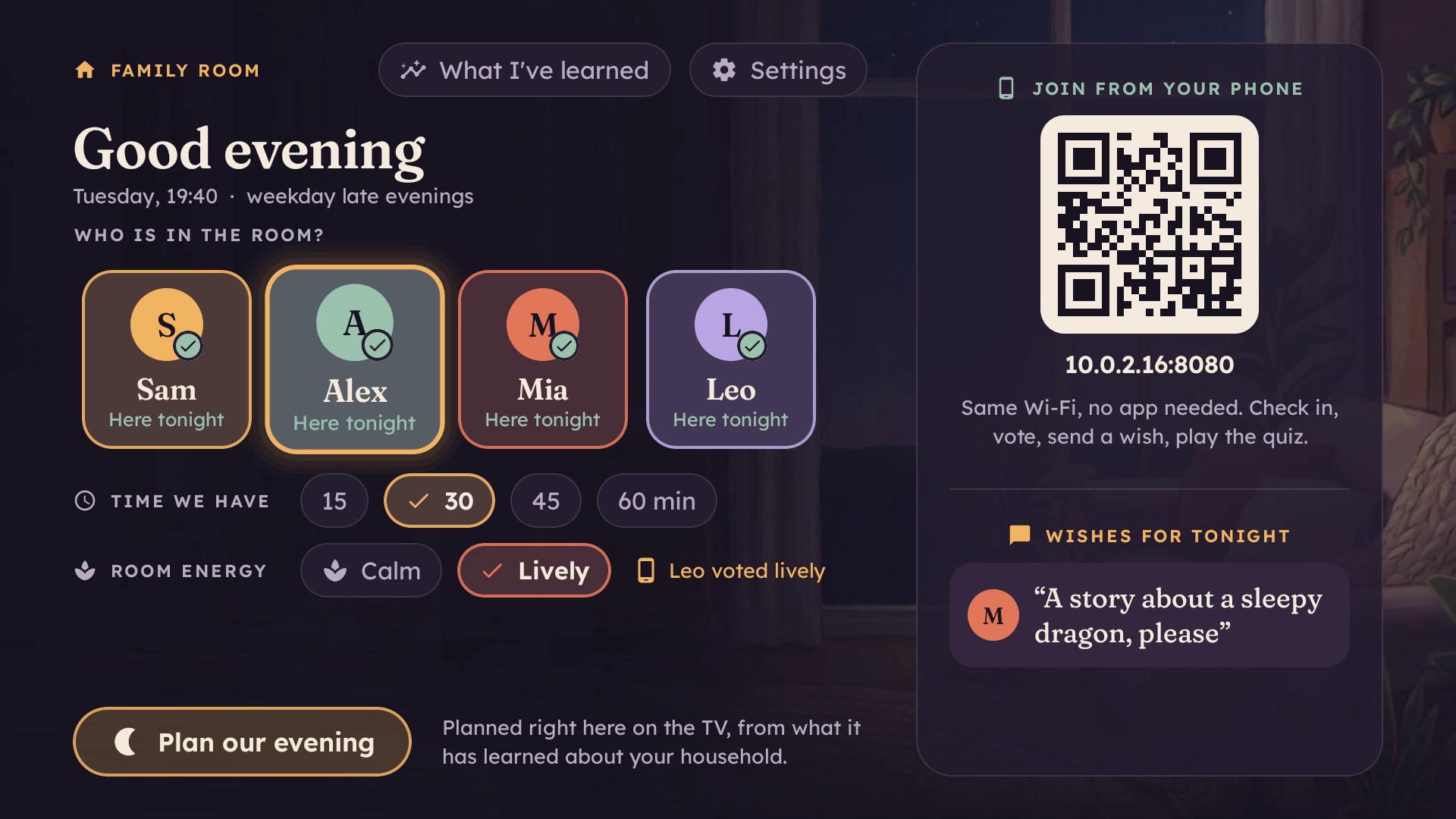
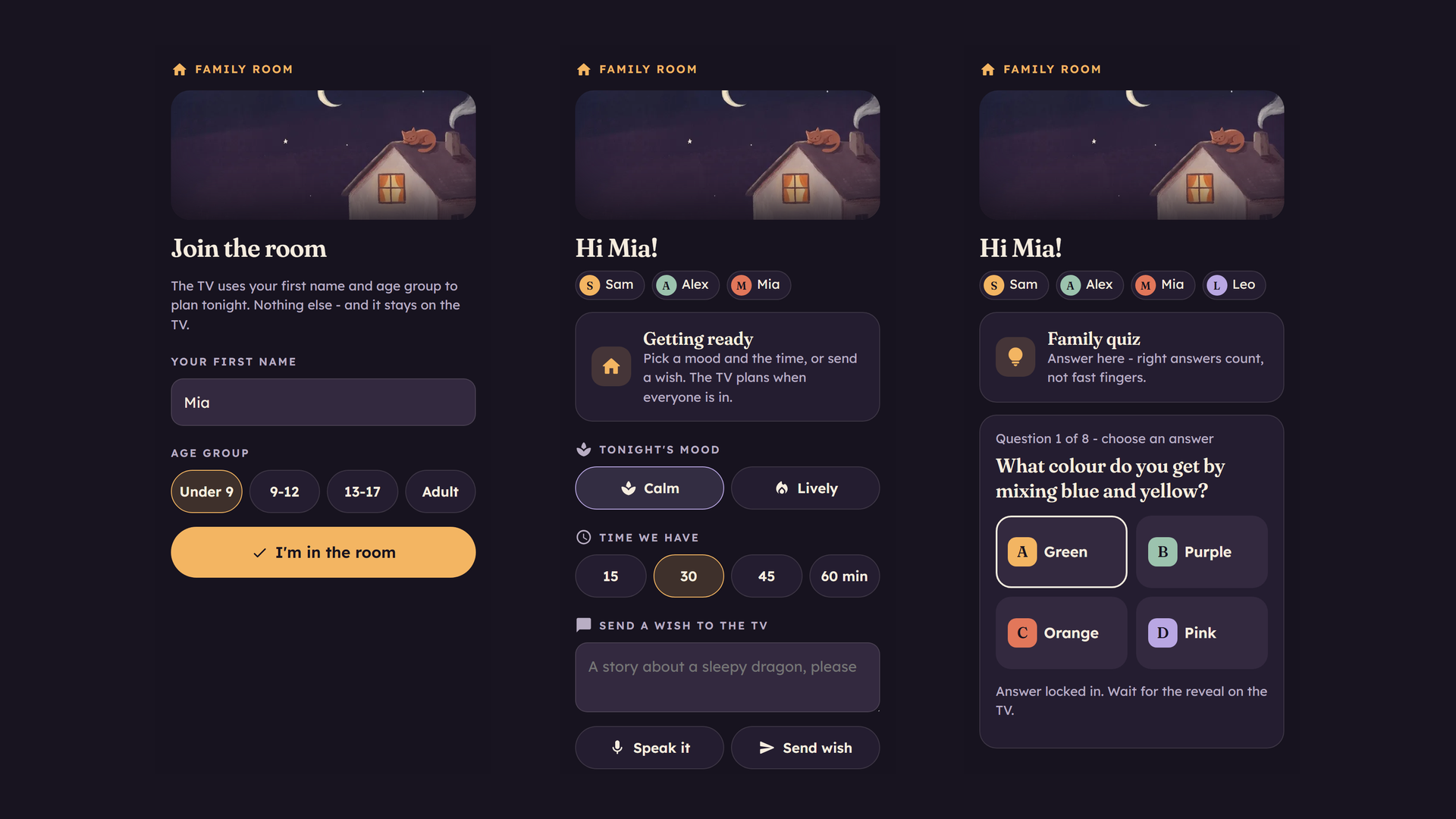
Check in: toggle who is here with the remote, or scan the QR code to join from a phone - no app, no account.
-
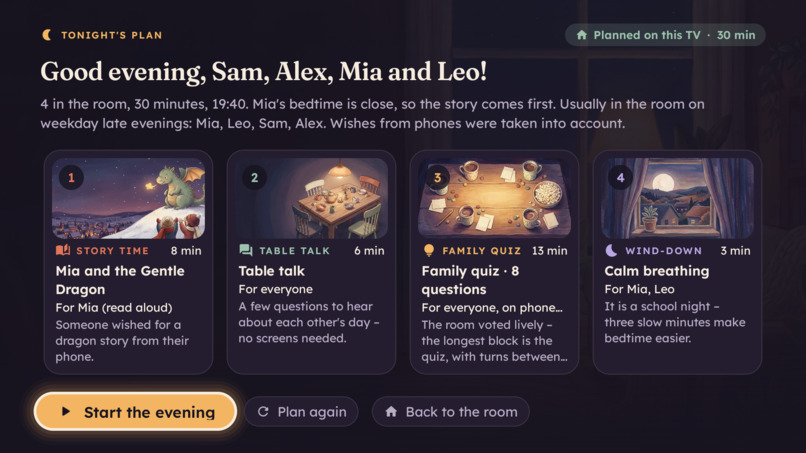
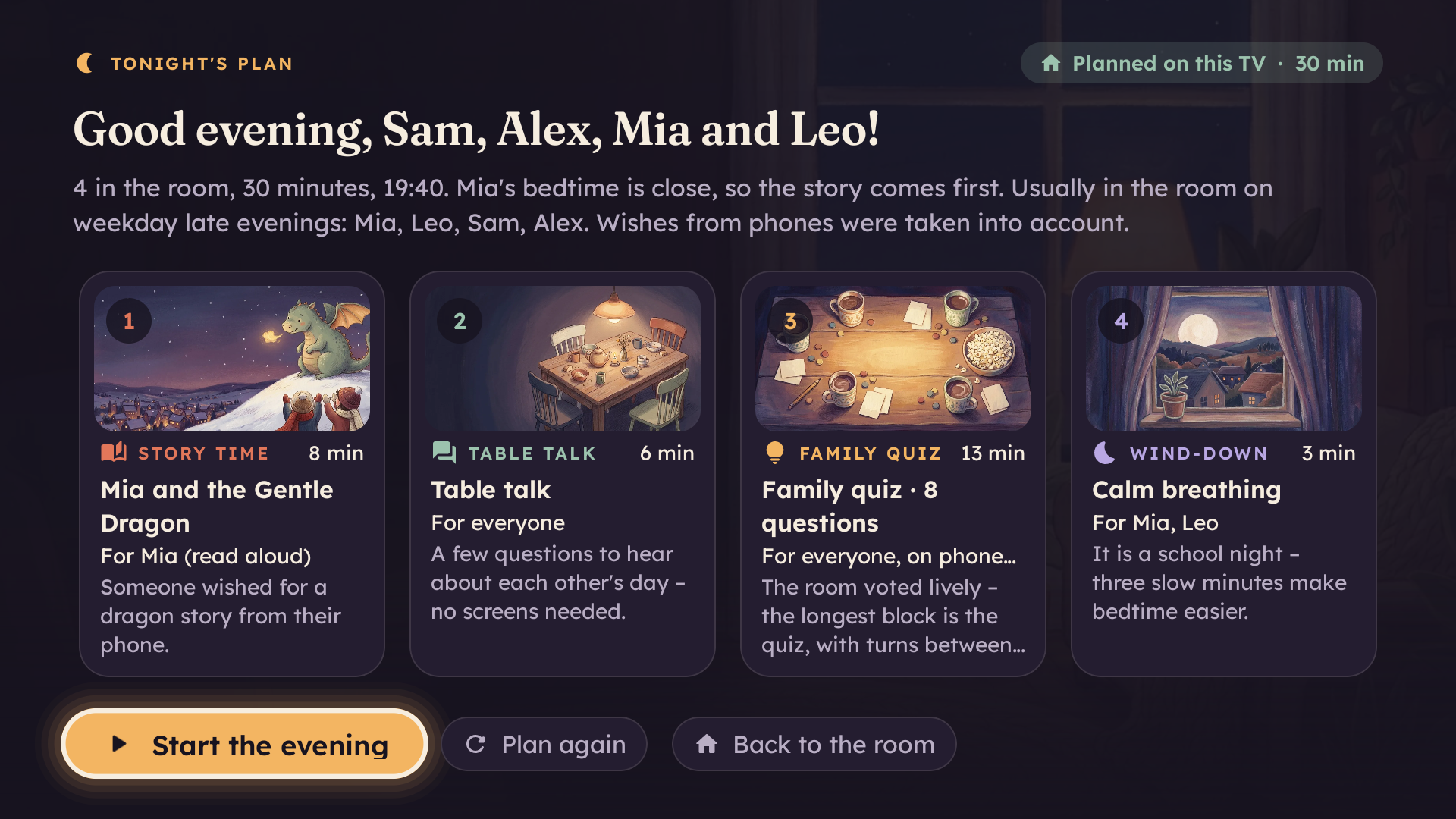
One press plans the evening on the TV, fitted to the time available and explained in plain language.
-
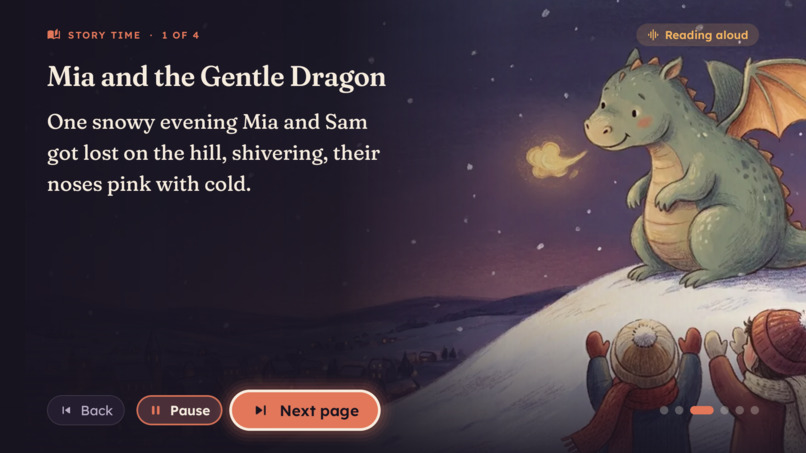
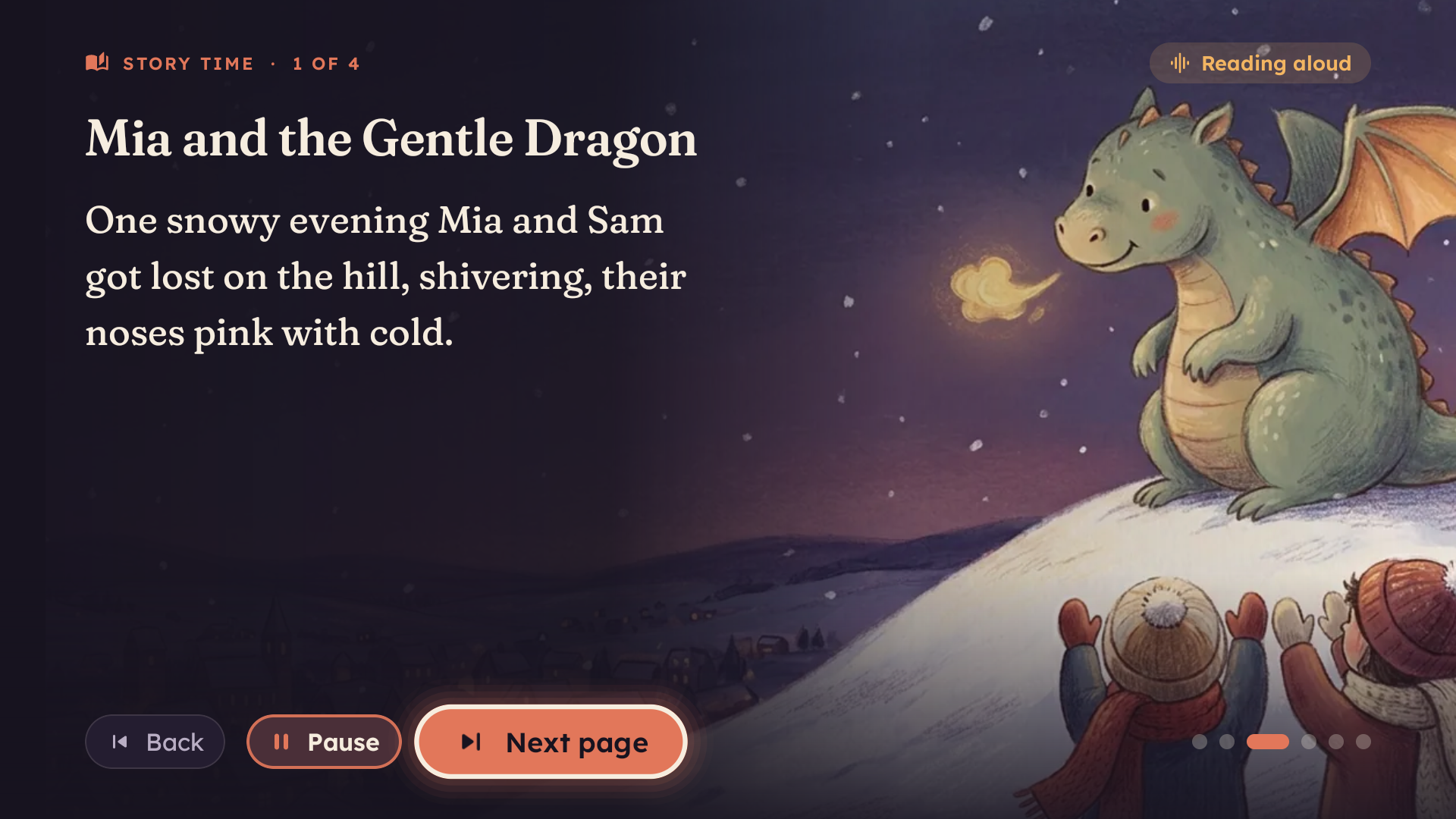
A story starring the children, with its own painted illustration, read aloud by the TV.
-
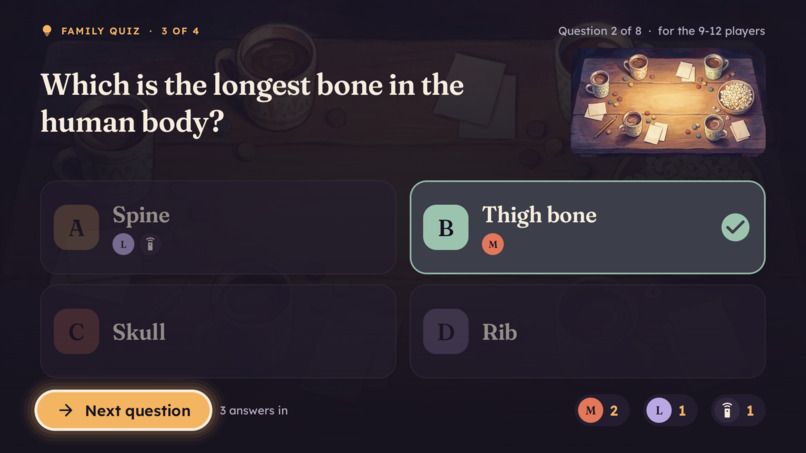
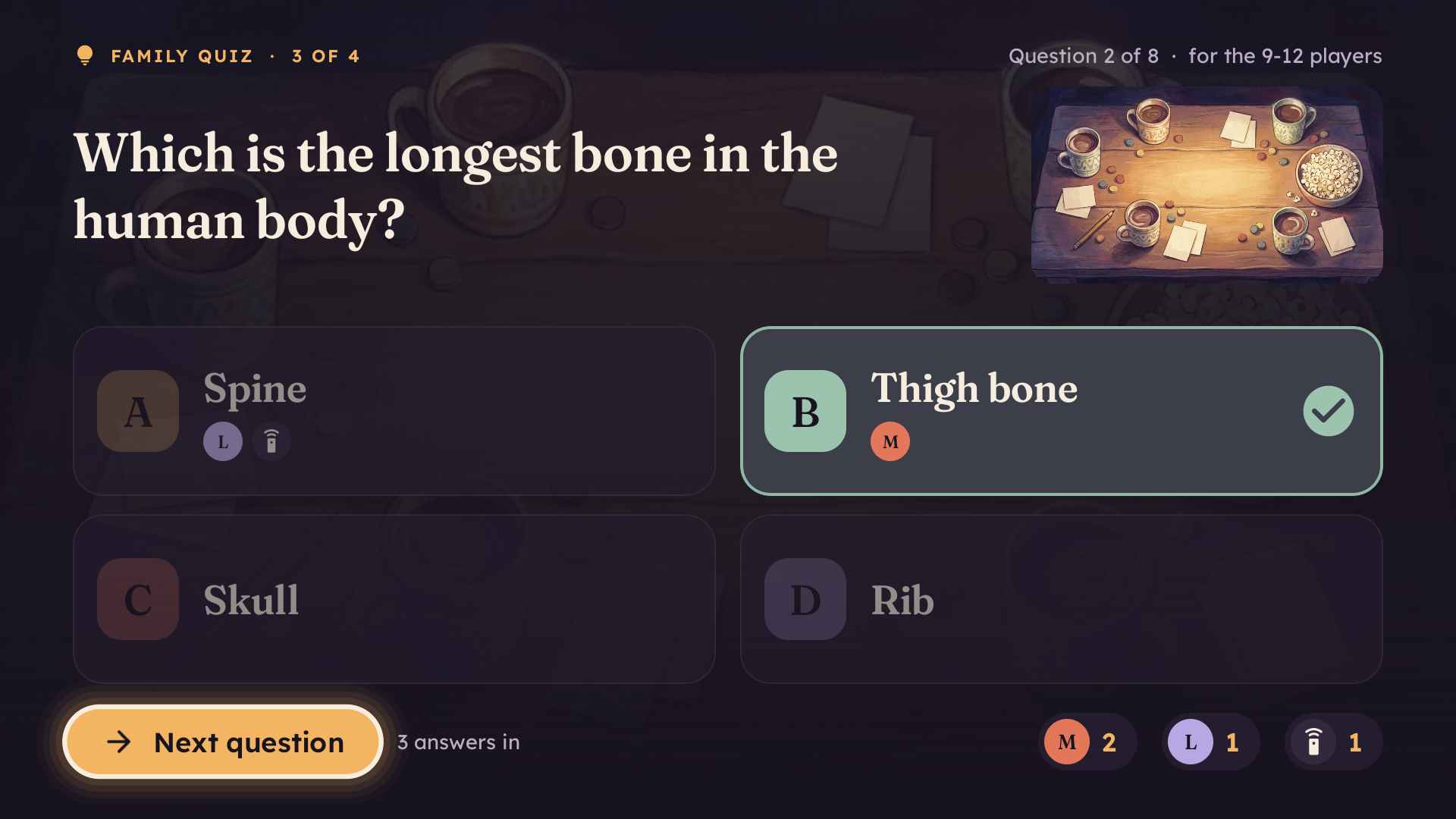
Family quiz: turns between ages, answered on phones or with the remote, scored on the big screen.
-
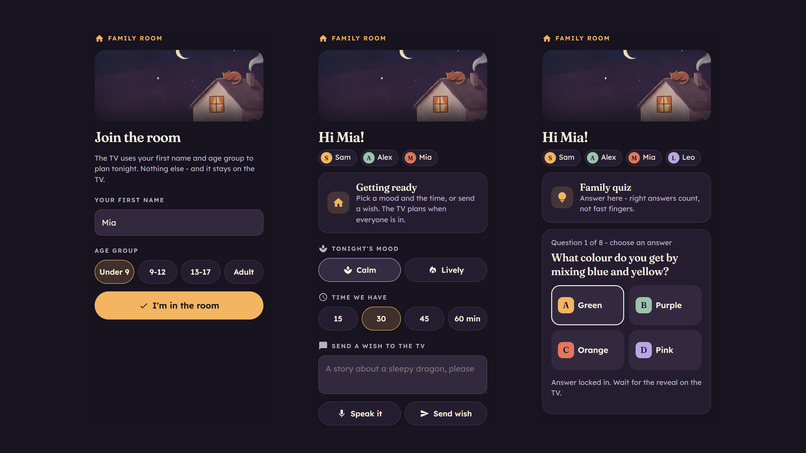
The phone companion page, served by the TV itself: join, set mood and time, send a wish, answer the quiz.
-
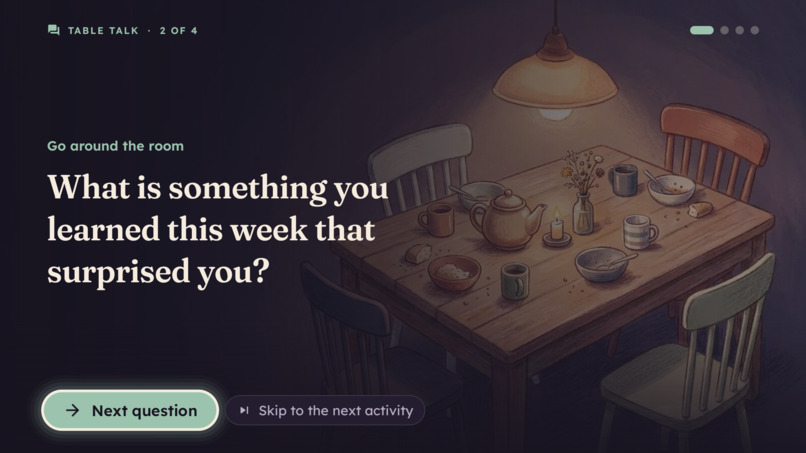
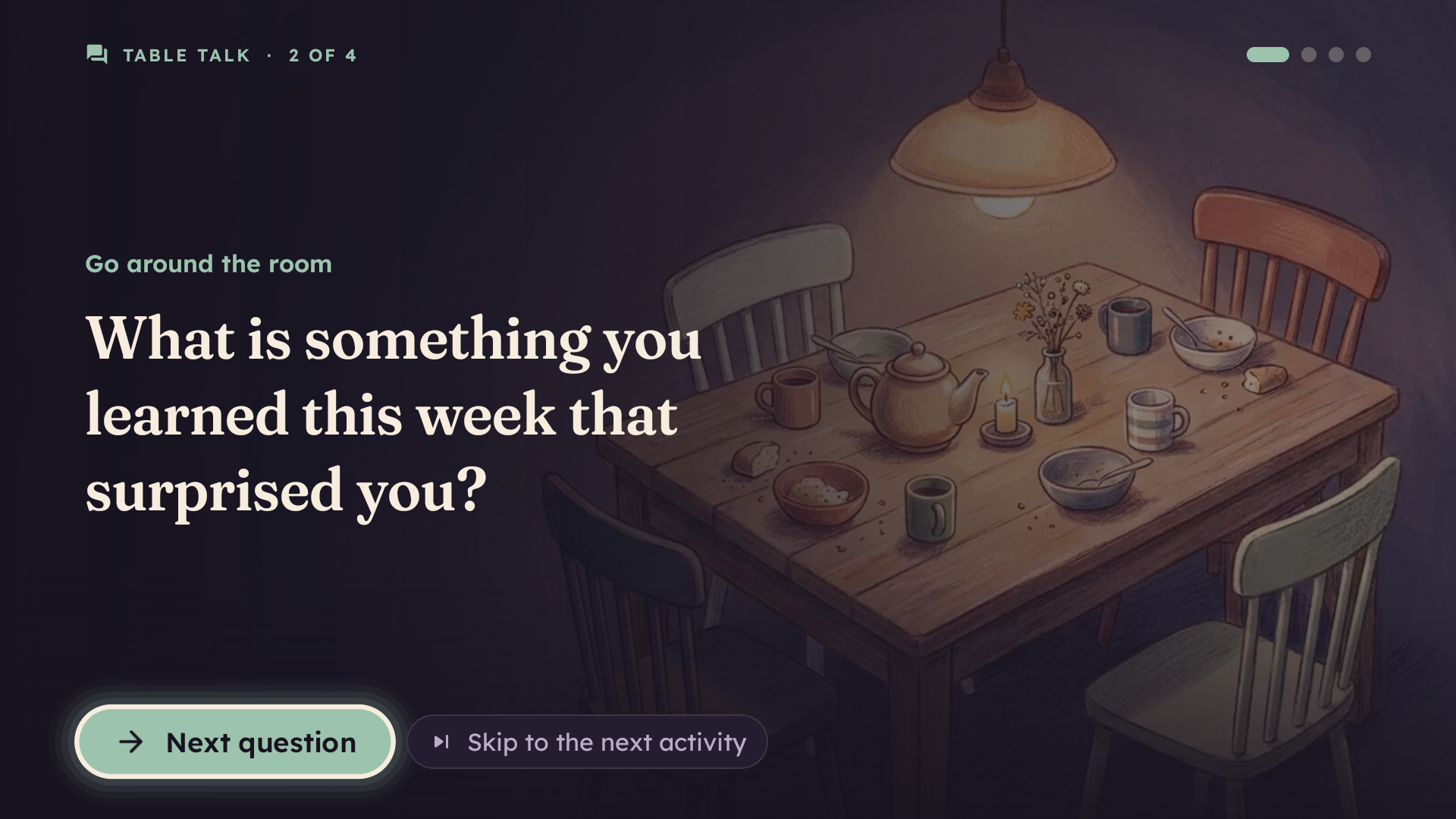
Table talk: prompts that get everyone around the room talking - no screens needed.
-
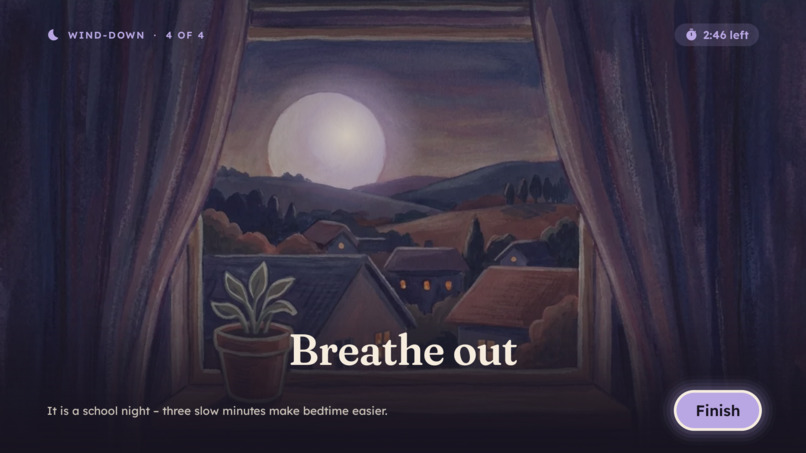
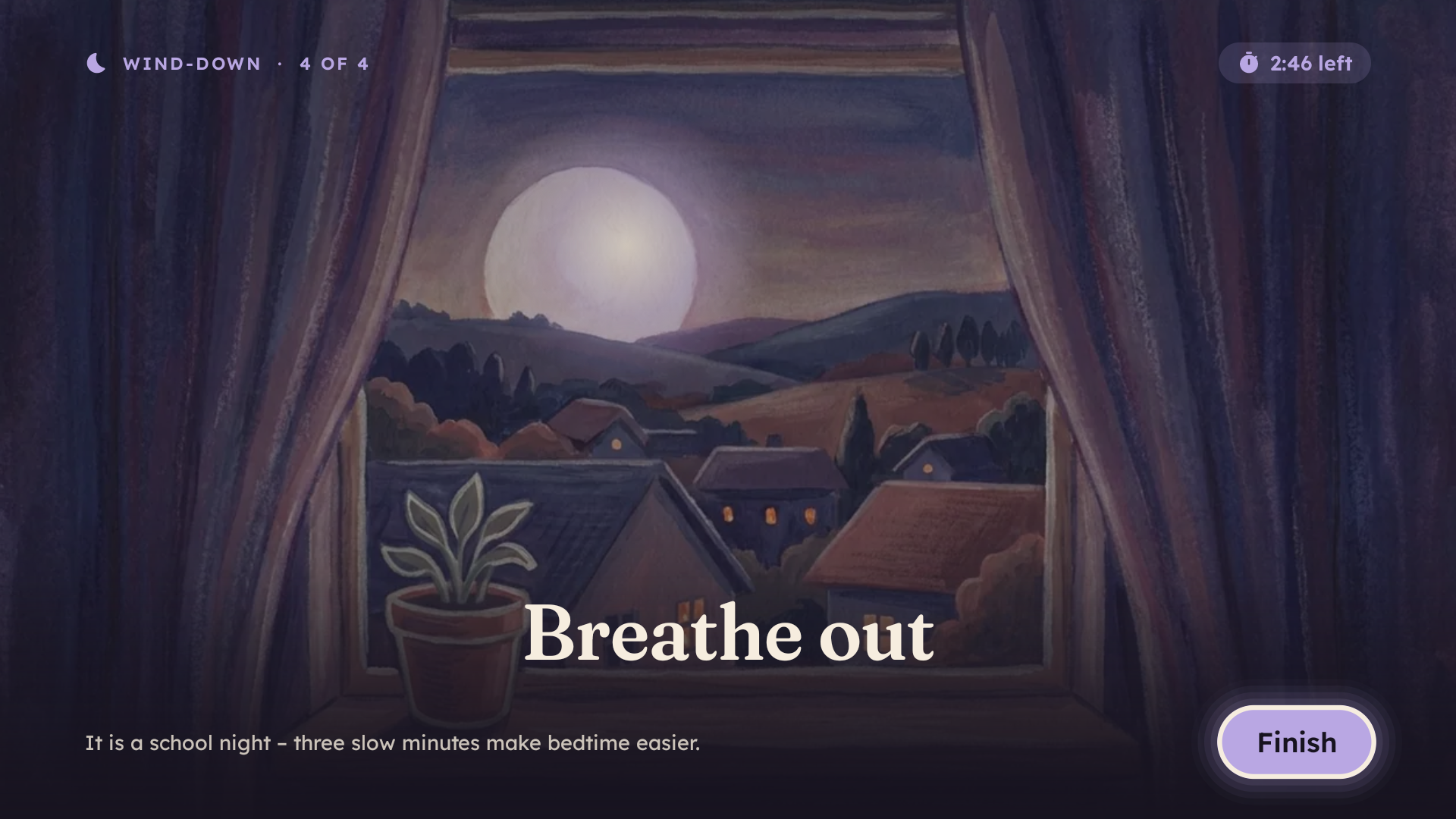
A guided breathing wind-down that follows the moon before bedtime.
-
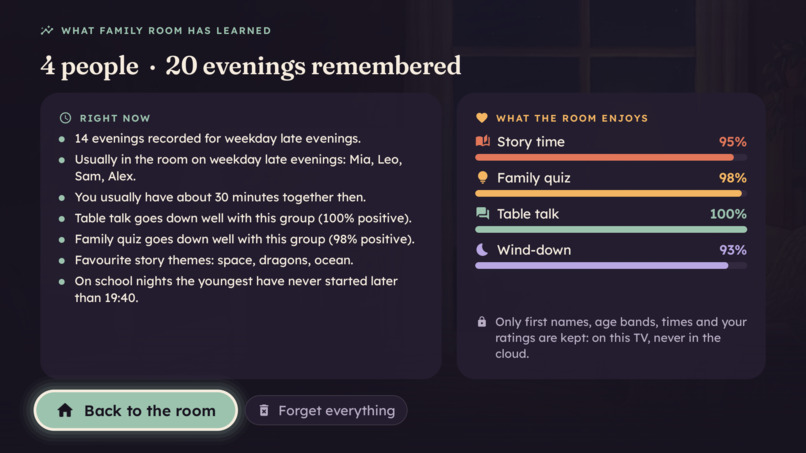
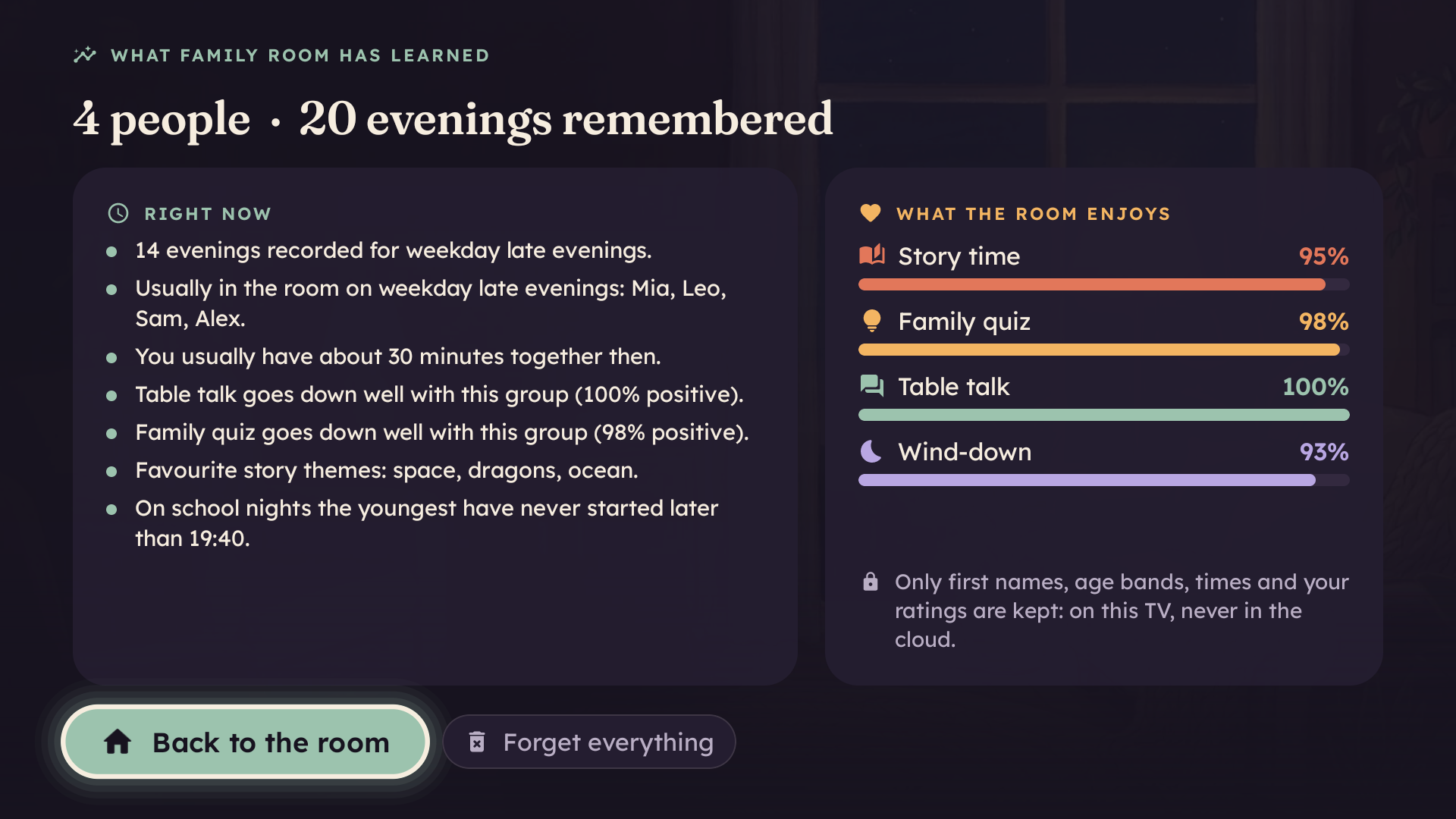
What I've learned: everything the TV knows about the household, stored only on the TV and deletable with one button.
-
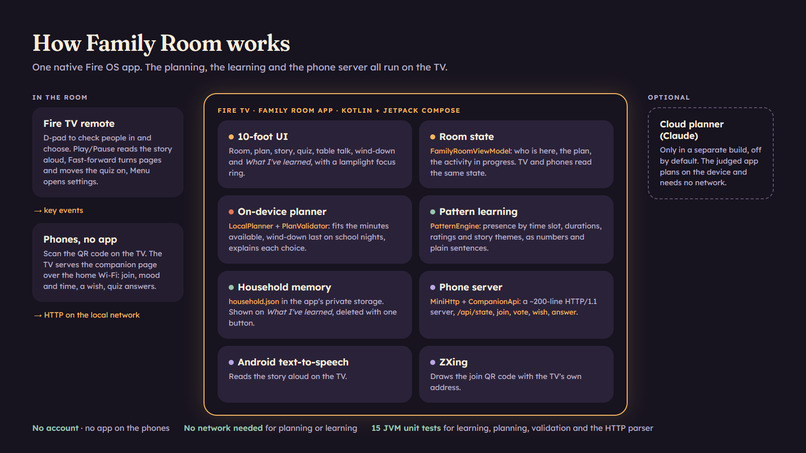
Architecture: one native Fire OS app; the planner, the pattern learning, the household memory and the phone server all run on the TV
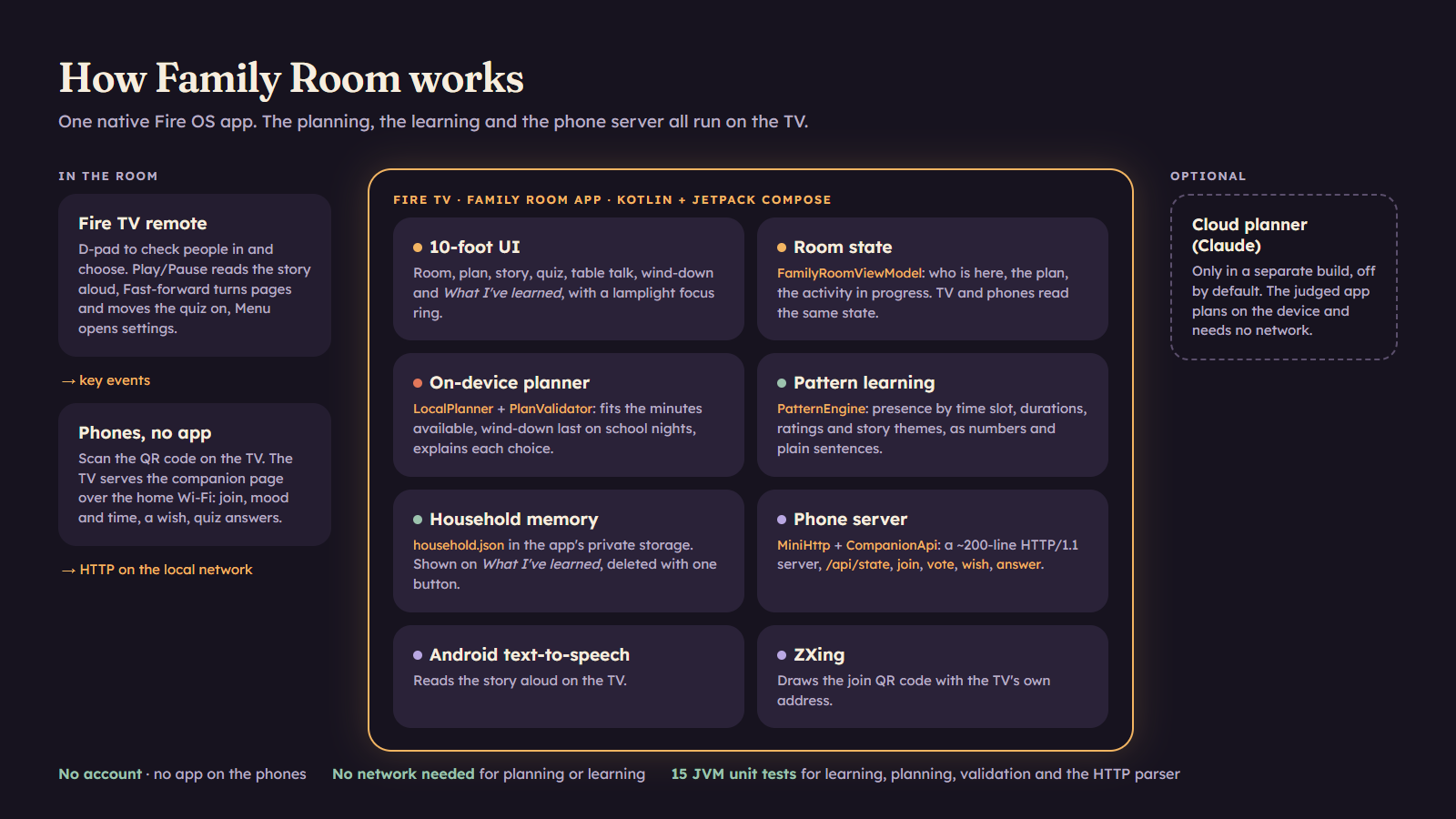
Family Room is a native Fire OS app that turns a Fire TV into a shared household screen: it notices who is in the room tonight, plans the evening for them on the device, and learns what goes down well - with everything it learns kept on the TV.
Built from scratch during the hackathon submission period (October 2026) for the Fire TV track. Demo footage is real capture of the app on the Android TV emulator, driven by remote-control events.
Inspiration
Evenings with children are short and fragile: twenty or forty minutes between dinner and bedtime, different ages in one room, and a big screen that usually pulls everyone apart - one person picks, everyone else scrolls on a phone. Every TV app assumes one viewer and a catalogue. We wanted the opposite: a TV that notices who is in the room tonight, helps them spend the time together, and then gets out of the way at bedtime.
What it does
Family Room turns a Fire TV into a shared household screen:
- Check in. People are toggled with the remote, or join by scanning a QR code with their phone - no app, no account; the TV serves the companion page itself over the home Wi-Fi. Phones can vote for calm or lively, set how much time there is, and send a wish ("a story about a sleepy dragon"), by typing or by voice.
- Plan. One press plans the evening, right on the TV. The planner uses who is present, their age bands, the time and day, the wishes and what the TV has learned about this household, and explains itself ("Mia's bedtime is close, so the story comes first").
- Live the evening. A story starring the children, with its own painted illustration, read aloud by the TV (Play/Pause and Fast-forward on the remote turn the pages); a family quiz that takes turns between ages, answered on phones or with the remote, scored on the big screen; table-talk prompts; and a guided breathing wind-down that follows the moon.
- Learn. After each activity the room rates it with one click. The TV learns who is usually present at each time of the week, how long they have, what goes down well, favourite story themes and how late the youngest have started on school nights - all stored only on the TV, all visible on What I've learned, all deletable with one button.
How we built it
- Native Fire OS app in Kotlin with Jetpack Compose: leanback launcher entry with a 320 x 180 banner, no touchscreen requirement, media keys, and Fire TV detection via the documented
amazon.hardware.fire_tvfeature. - A 10-foot design system ("living room at dusk"): a seven-colour palette, Fraunces for titles and stories and Lexend for the interface (both open licence, bundled), one icon family, and a focus state you can read from the sofa - the focused element grows, lifts and gains a lamplight ring and glow; selection never relies on colour alone. Animations respect the system "remove animations" setting.
- Illustrated, not decorated: every story has its own painting, and every activity has a quiet painted backdrop with real typography set over its empty third - consistent gouache-and-pencil picture-book style, curated and graded by hand.
- Phones without an app: a ~200-line HTTP/1.1 server written for the TV (bounded headers and bodies, one request per connection, an allow-list for the few static files) serves a single-file companion page in the same design system, with the fonts and header image served by the TV itself. Phones poll the room state, so the TV and every phone always agree on what is happening.
- On-device learning and planning: a
PatternEnginebuckets evenings into time slots and aggregates presence, durations, ratings and story themes into numbers and plain-language sentences; theLocalPlannerturns them into a plan that fits the minutes available, puts the wind-down last on school nights, and stretches the quiz to fill the time. No network needed. - A cloud planner (Claude) can optionally be switched on in a separate build; it is off by default.
- Tests: 15 JVM unit tests cover pattern learning, the planner's time fitting and bedtime rules, JSON round-trips, the plan validator, the HTTP parser and input cleaning.
Challenges we ran into
- Choosing the stack: web apps for Fire TV were retired in 2024 and the Vega SDK does not run on Windows, so we went native Fire OS and tested on the Android TV emulator.
- Text-to-speech was silently unavailable until we added the Android 11 package-visibility
<queries>entry - the kind of bug that ships unnoticed. - The emulator sits behind NAT, so the second-screen feature was exercised with port forwarding and a phone-sized browser; the QR address is correct on a real Fire TV.
- Making a TV interface calm: big type and strong focus without shouting, and illustrations that sit behind the words instead of competing with them.
Accomplishments that we're proud of
- A complete, remote-only evening flow on the TV, with phones as optional controllers.
- Learning that is useful and transparent: the "What I've learned" screen is the same data the planner uses, with one-click forgetting.
- A consistent visual world - from the launcher banner to the phone page to the bedtime story.
What we learned
- On a shared screen, who is present matters more than what is popular.
- Simple, explainable rules on the device go a long way when they are fed with good signals (presence, time, ratings) and say why they chose what they chose.
- Fire OS's Android foundation makes a remote-first app fast to build; the friction is in platform orientation and tooling around the code, not the code.
What's next for Family Room
- Alexa voice intents for "Alexa, plan our evening" and spoken quiz answers.
- More stories and quiz packs, and per-culture content and languages.
- Optional camera-based presence on Fire TV devices with cameras, opt-in and on-device only.
- Publishing on the Amazon Appstore after testing with families.
Artwork and AI disclosure
The story illustrations and backdrops were generated for this project with Google Flow (Nano Banana Pro) and then curated, cropped and colour-graded by us; no image contains text and none depicts a real person. The prompts are logged in design/GENERATED_ASSETS.md in the repository. The app icon, banner mark and music were made by us, and the code was written by us with Claude Code (Anthropic) as an AI pair programmer; the demo narration is a synthetic (neural TTS) voice. The demo video is real emulator capture with motion graphics - no generated video.
Testing instructions (for judges)
- Build and install from the repository (https://github.com/RuiCodex-dev/family-room-firetv - private, shared with the Amazon reviewers and [email protected]):
./gradlew :app:assembleDebug, thenadb install -r app/build/outputs/apk/debug/app-debug.apkon a Fire TV (ADB debugging on) or an Android TV emulator. No keys or signing setup are needed for the debug build. To skip the build, the signed APK (1.1.0) is attached to the repository's release https://github.com/RuiCodex-dev/family-room-firetv/releases/tag/v1.1.0-judges (SHA-256 in the release notes):adb install -r FamilyRoom-1.1.0-release.apk. - Press Menu (or open Settings) > Load sample household; optionally switch on the Demo clock to see the school-night behaviour at any hour.
- Back on the room screen, toggle who is here with the remote, choose time and energy, then Plan our evening > Start the evening. Phones on the same Wi-Fi can join by scanning the QR code. On the remote: Play/Pause reads aloud, Fast-forward turns story pages and moves the quiz on.
Built With
- android
- android-tv
- fire-os
- fire-tv
- html5
- hyperframes
- javascript
- jetpack-compose
- kotlin
- text-to-speech
- zxing
