-
-
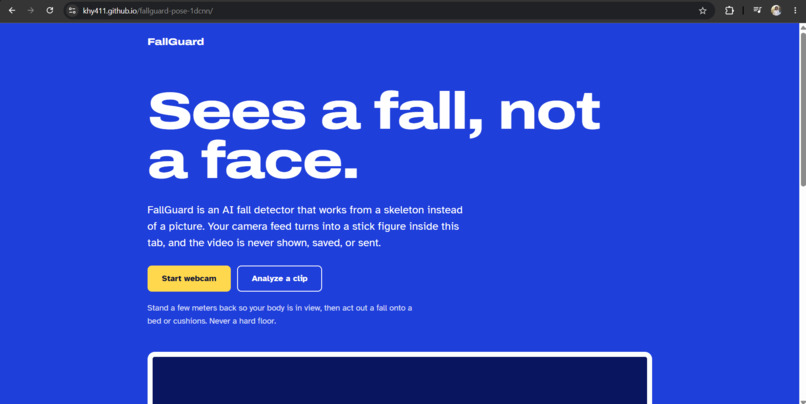
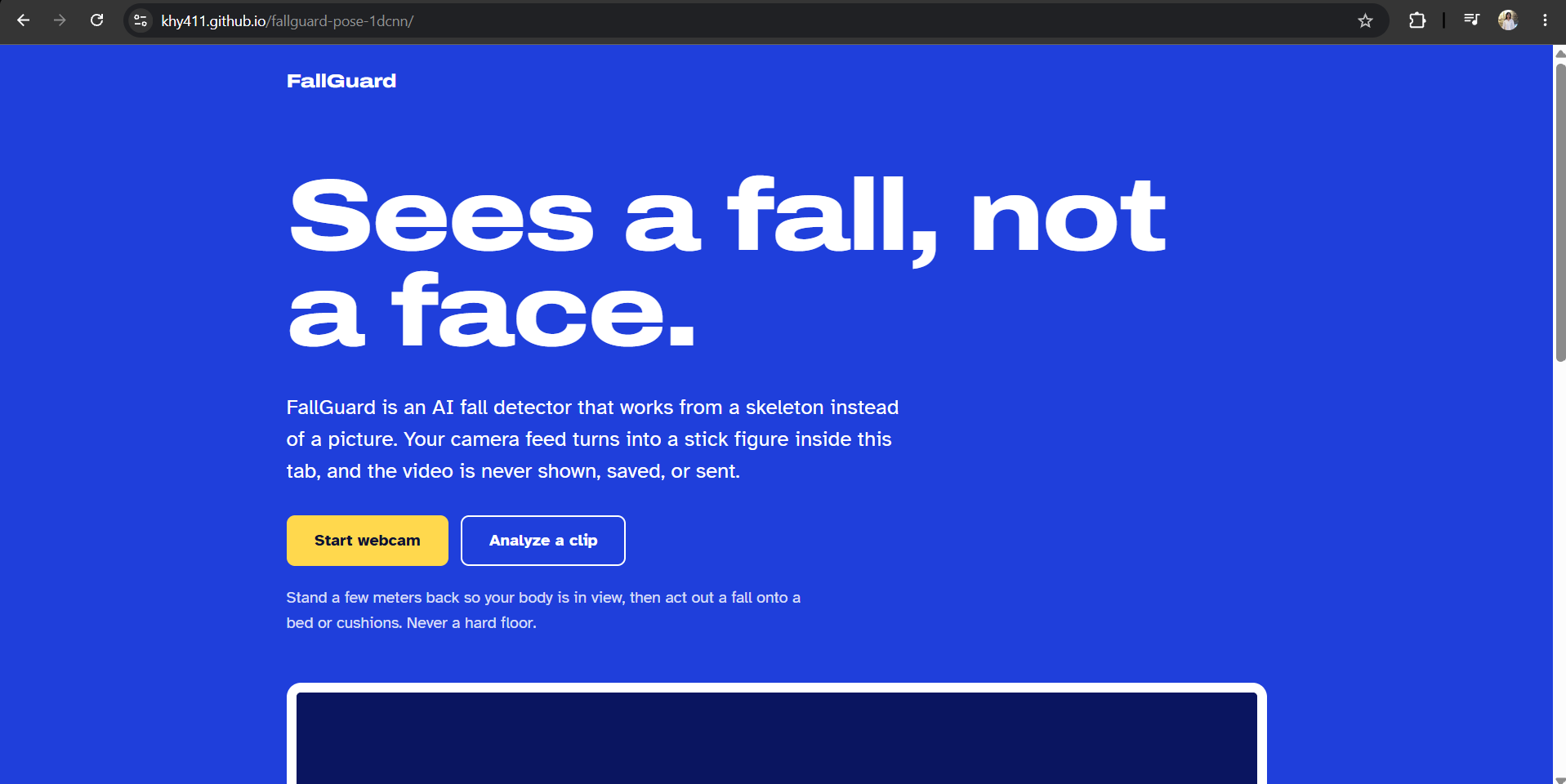
The FallGuard website. The AI runs entirely in your browser, so no video is ever uploaded.
-
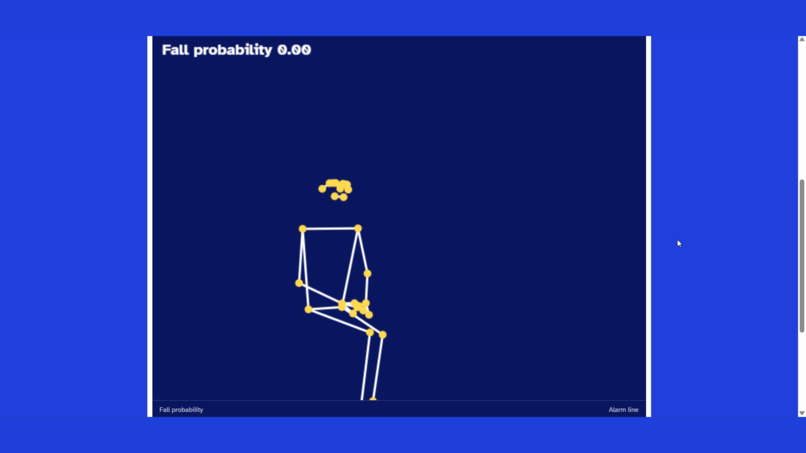
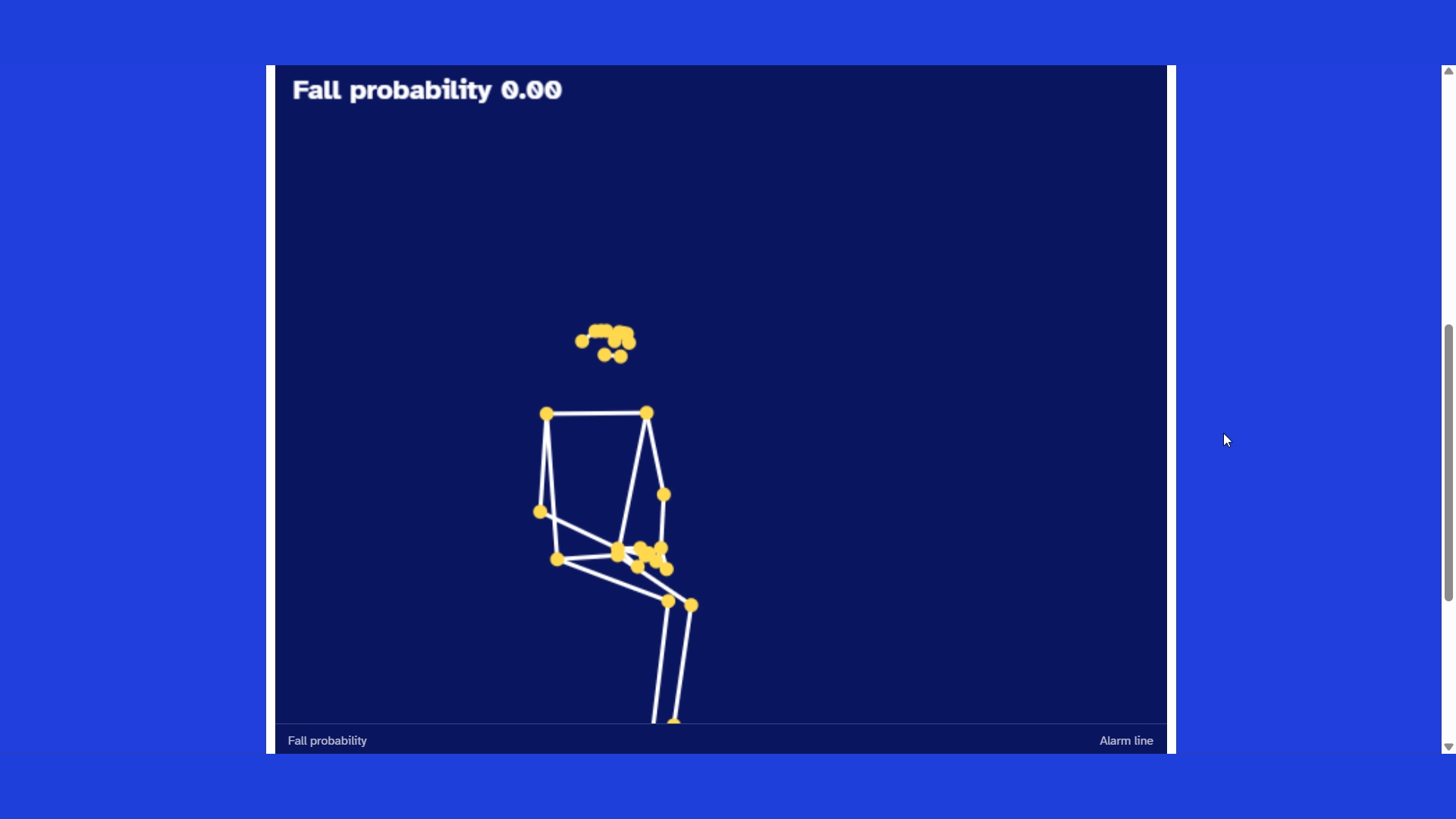
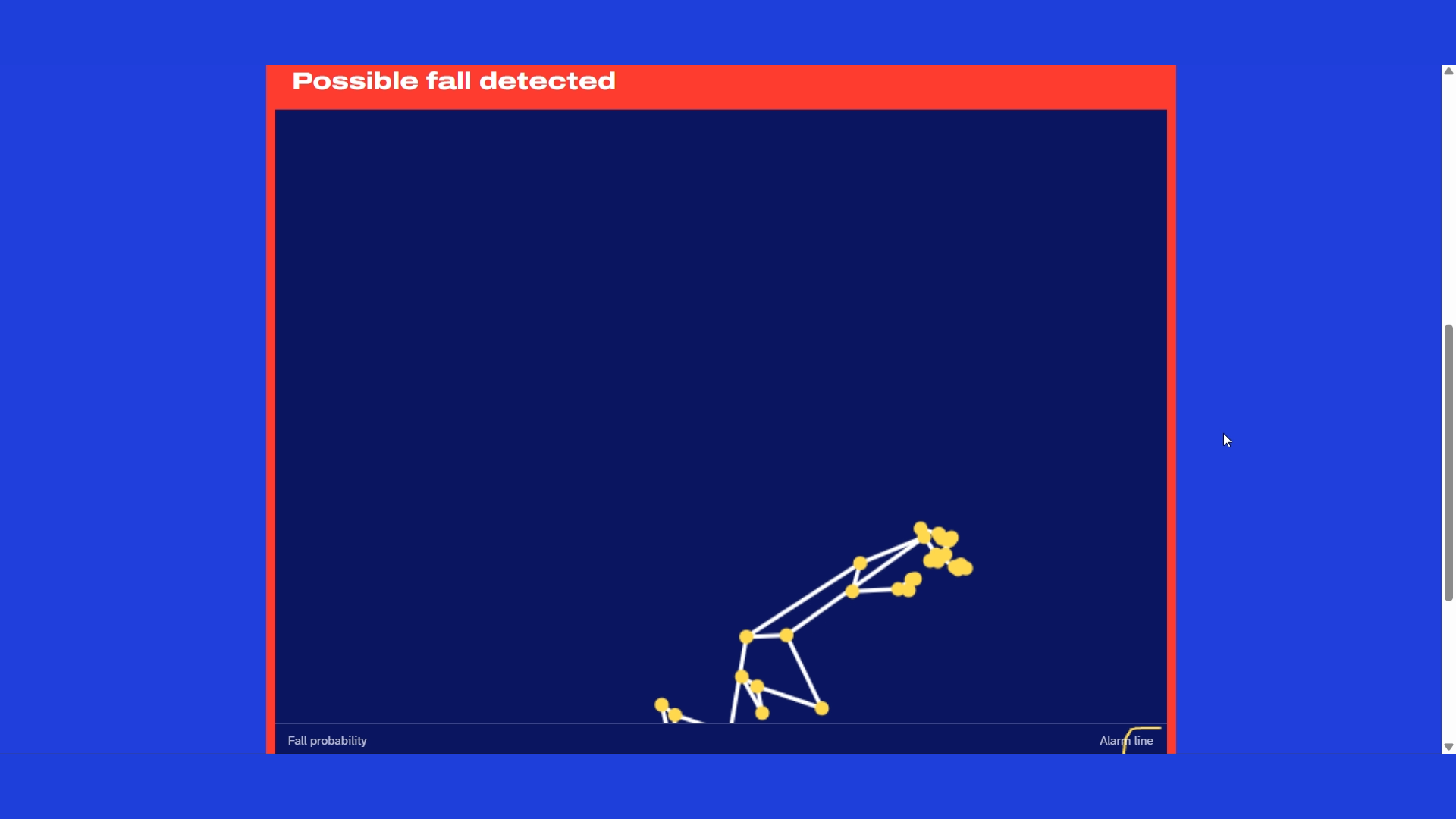
What FallGuard keeps: a skeleton. The camera image is never shown, stored, or sent
-
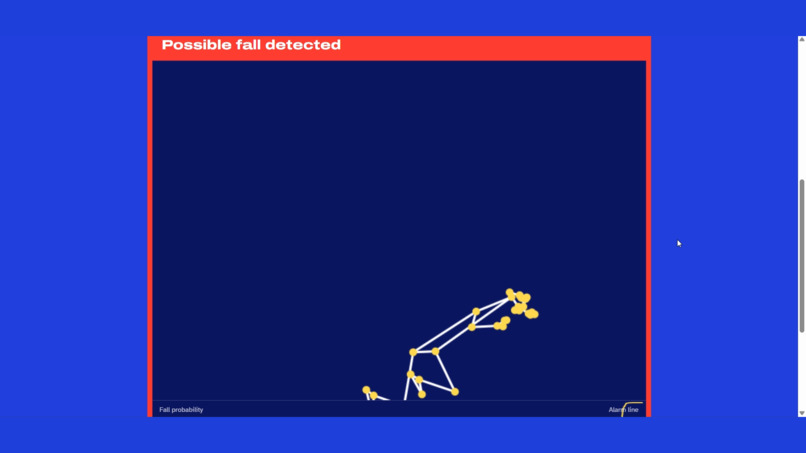
A fall is detected. The probability graph crosses the 0.6 alarm line, and the alarm fires after three consecutive windows.
-
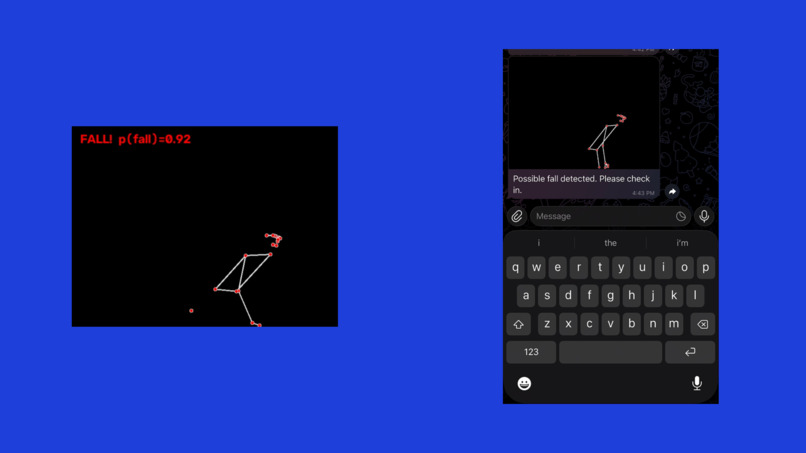
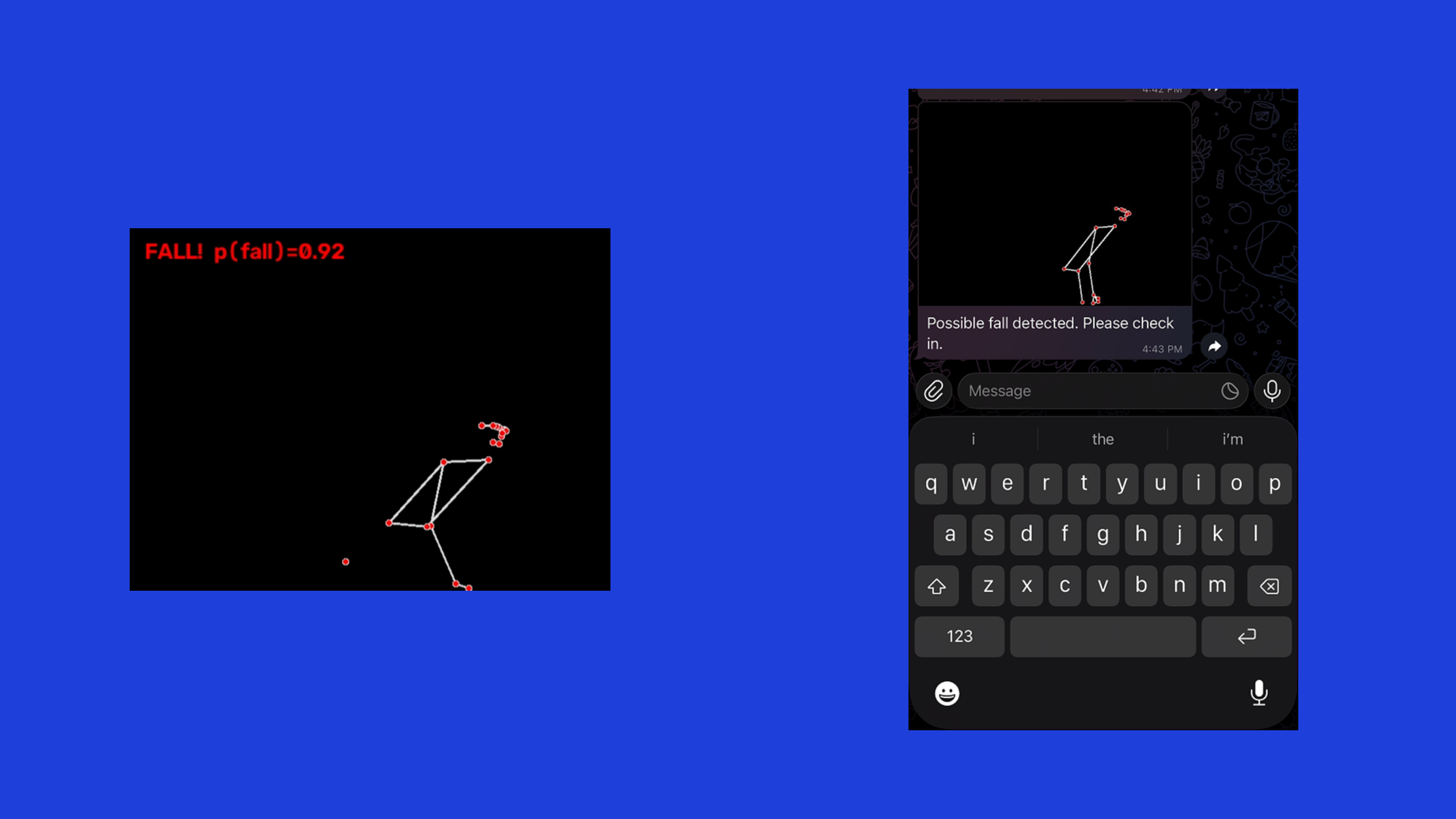
The caregiver alert: a Telegram message with a skeleton-only snapshot, not a camera image.
-
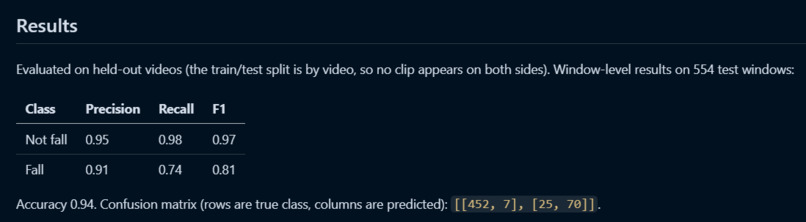
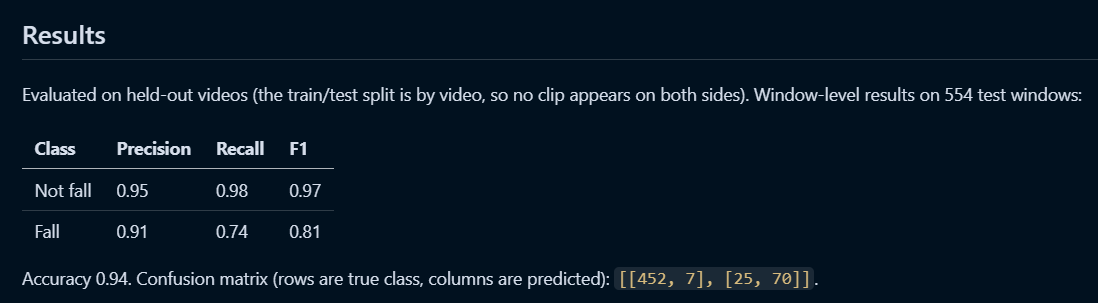
Results on 554 held-out windows, split by video: 94% accuracy, fall precision 0.91, recall 0.74. These are per-window numbers.
-
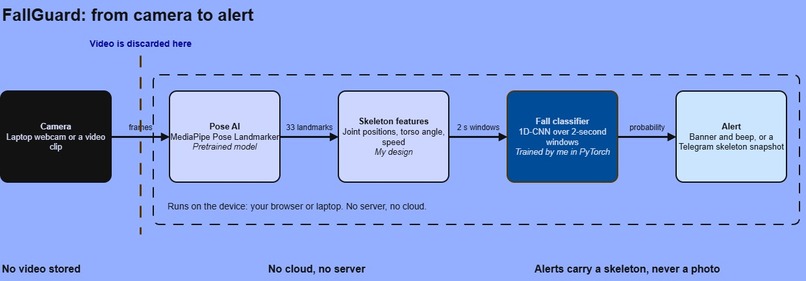
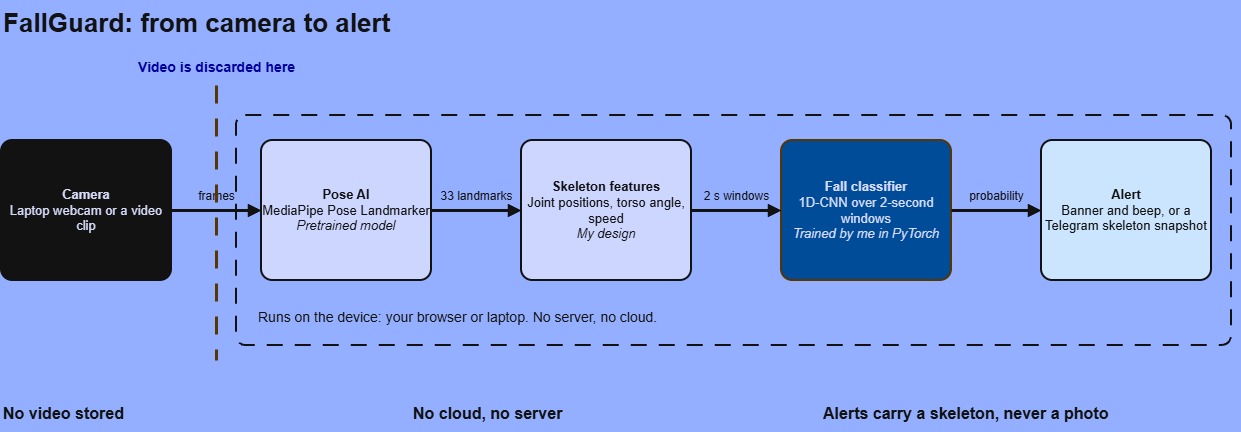
How FallGuard works: pose AI makes a skeleton, my classifier spots the fall, and the video is discarded.
Inspiration
I live with my grandparents. My grandfather, who recently passed away, had diabetes and a leg that never fully recovered from surgery, which made him prone to falling. Living in the same house, I saw up close how a fall risk shapes a family's days: the worry, the checking in, and the question of what happens if nobody is nearby when it happens.
That is the situation millions of families are in. Roughly one in four people over 65 falls each year, and the worst outcomes often come from lying on the floor for a long time before anyone notices. The existing options each have a catch. Wearables get forgotten or left uncharged, and ordinary cameras are a hard sell in a bedroom or bathroom, because nobody wants to be filmed in their own home.
I wanted to keep the useful part of a camera, knowing what the body is doing, and throw away the part people object to, the picture. FallGuard is my attempt at that, built for my grandparents' generation and for the families who look after them.
What it does
FallGuard is an AI fall detector that protects privacy by design. Two neural networks work together: a computer vision model turns each camera frame into a stick-figure skeleton, and a deep learning classifier that I trained decides whether the last two seconds of movement look like a fall. The raw video is never shown, stored, or sent.
- Website demo: runs entirely in your browser. Allow your webcam (or upload a clip) and you see only the skeleton, a live fall-probability graph, and an on-screen banner and beep when a fall is detected. Nothing is uploaded.
- Python app: the same detection with a Telegram alert. When a fall is detected, a caregiver's phone gets a message with a skeleton-only snapshot, so the privacy promise holds even inside the alert.
It is built for older adults living alone, their families, and care homes that want monitoring without recording residents.
How I built it
FallGuard is a two-stage AI pipeline, and both stages are neural networks.
- Stage 1, computer vision (pretrained): Google's MediaPipe Pose Landmarker, a deep learning pose estimation model, finds 33 body landmarks in every frame. After this step, the image is discarded and only the skeleton continues.
- Feature engineering (my design): I picked 13 joints, centered them on the hips, and scaled them by torso length so results don't depend on how far you stand from the camera. I added hip position, torso angle, body aspect ratio, and velocity channels. Frames are sampled at 15 fps into 2-second windows.
- Stage 2, deep learning (trained by me): a small 1D convolutional neural network, built in PyTorch, reads each window of skeleton motion over time and outputs a fall probability. I trained it on the GMDCSA-24 fall dataset plus my own recordings, and split train and test by video so no clip appears on both sides.
- Alert logic: an alarm fires after 3 consecutive windows above a 0.6 threshold, with a cooldown so one fall raises one alarm.
- On-device AI in the browser: I exported the classifier to ONNX and ported the feature code to JavaScript. The website runs both neural networks locally with ONNX Runtime Web and MediaPipe's web runtime, so no server, GPU, or cloud API is needed. The Python app uses the same models and can send a skeleton-only Telegram alert.
On 554 held-out windows the classifier reaches 0.94 accuracy, with fall precision 0.91 and fall recall 0.74.
AI assistance: I used Claude (Anthropic) as a coding assistant for debugging. The data collection, model training, evaluation, and design decisions are my own.
On 554 held-out windows the classifier reaches 0.94 accuracy, with fall precision 0.91 and fall recall 0.74.
Challenges I ran into
- Noisy fall labels. A fall lasts a fraction of a second inside a longer clip. My first labeling counted windows where the fall was barely at the edge, which taught the model to doubt itself. Keeping only windows where the fall sits clearly inside raised fall precision from 0.80 to 0.91.
- Matching Python and JavaScript exactly. The model only works if the browser computes the same features as the training code. I ported the feature code line by line and tested that both produce identical numbers on the same input.
- Two different pose runtimes. The training pipeline and the website use different MediaPipe interfaces, which can jitter slightly differently. I tuned the alarm threshold with this in mind.
- Window accuracy is not fall accuracy. One fall produces many windows and the alarm needs three in a row, so the per-fall catch rate differs from the 0.74 window recall. I report the window numbers honestly rather than dressing them up.
- Environment problems. MediaPipe would not install on the newest Python, and installing the ONNX tools later broke it through a protobuf version conflict. Both are documented in the README.
Accomplishments that I'm proud of
- A privacy claim that is verifiable, not just stated: the website runs entirely on the visitor's device, so judges can watch it work with nothing sent anywhere.
- An alert that carries a skeleton instead of a camera image.
- One feature definition running identically in Python and in the browser.
- Reporting honest numbers, limits, and unfinished features.
- Running two neural networks, pose estimation and a custom fall classifier, entirely inside a web browser, with no server or cloud AI.
What I learned
- That AI doesn't have to mean sending your data to the cloud. Small models running on the device can deliver useful, privacy-preserving results.
- How much label quality matters. A cleaner definition of "the moment of the fall" helped more than any change to the network.
- How to move a model from training to the browser, including exporting to ONNX and keeping preprocessing in sync.
- Evaluating by video instead of by window is essential, otherwise nearby windows from the same clip leak between train and test and inflate the score.
- Designing around privacy shapes the whole system. Throwing the image away early made the rest of the pipeline simpler.
What's next for FallGuard: Privacy-First Fall Detection
- An "I'm OK" button to cancel a false alarm before anyone is notified.
- Detecting a long lie on the floor after a fall, which is the real danger.
- Support for more than one person in the frame.
- Training on more people, rooms, and camera angles, and measuring per-fall detection rate formally.
- A phone app so a spare phone can act as the camera.
This is a prototype for one person in view, and it is not a medical device.
Built With
- artificial-intelligence
- computer-vision
- css3
- deep-learning
- edge-ai
- github
- html5
- javascript
- machine-learning
- mediapipe
- numpy
- onnx
- onnx-runtime-web
- opencv
- pose-estimation
- python
- pytorch
- scikit-learn
- telegram-bot-api

Log in or sign up for Devpost to join the conversation.