-
-
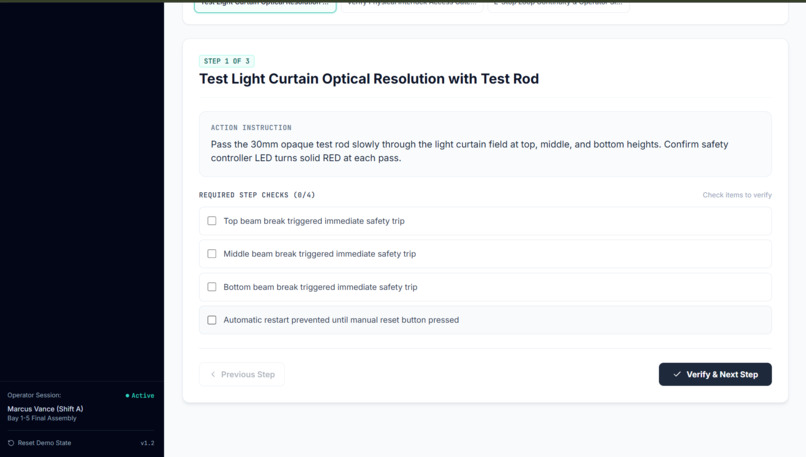
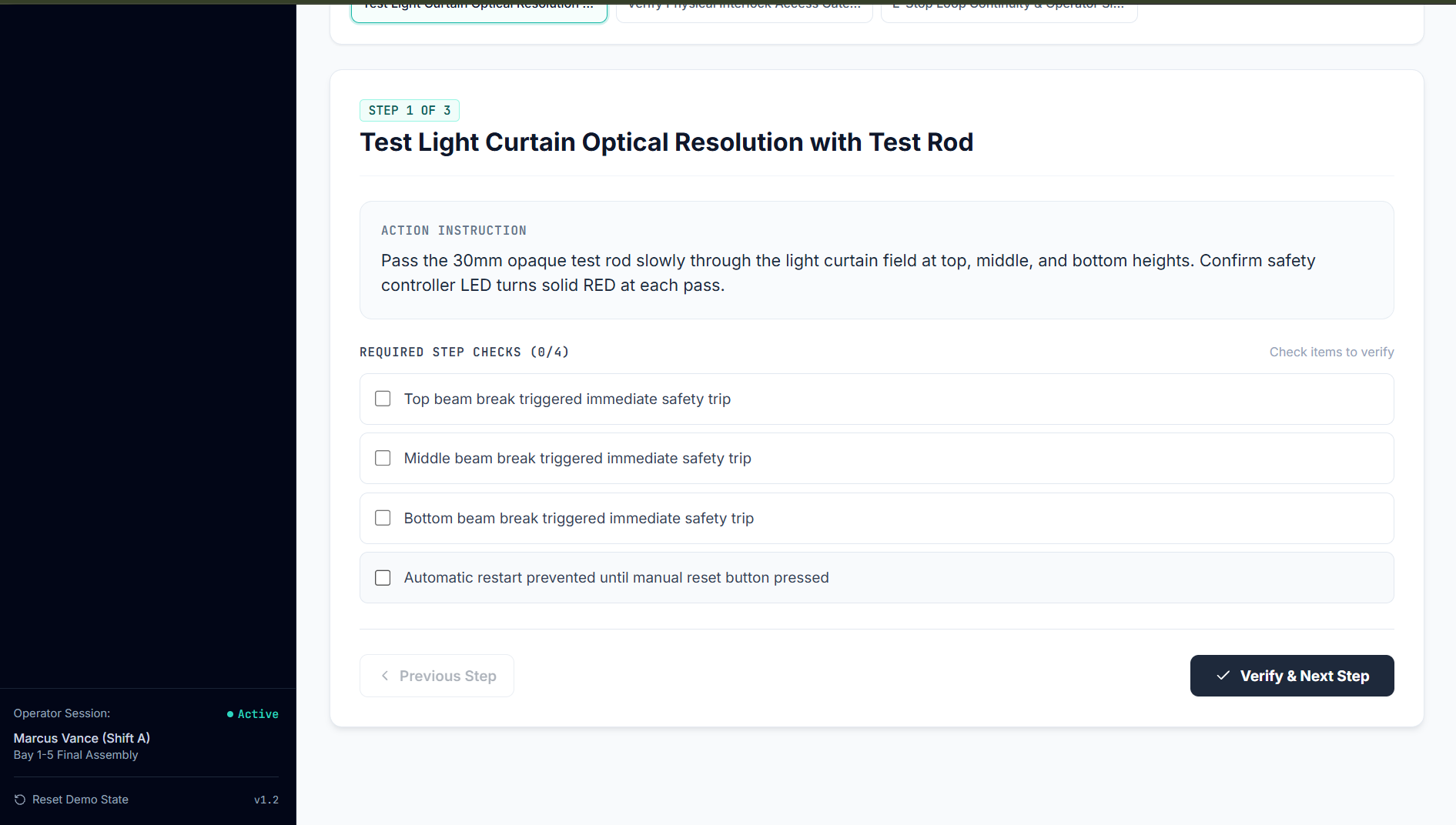
Interactive Safety Checklist Execution: Active verification step with action instructions and required verification checkboxes.
-
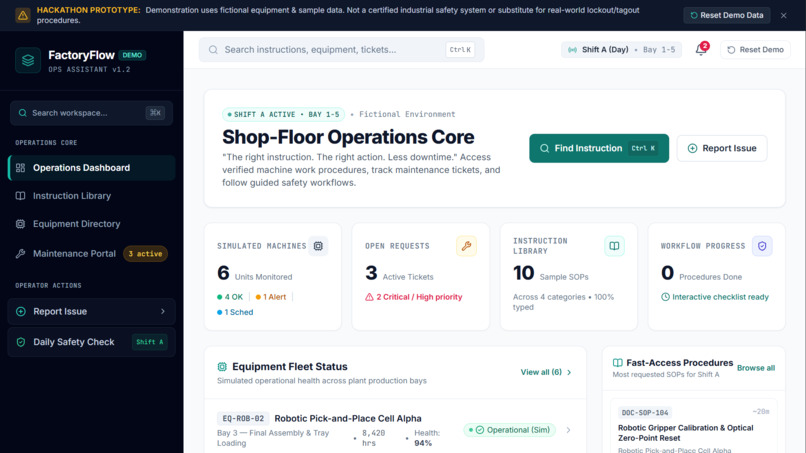
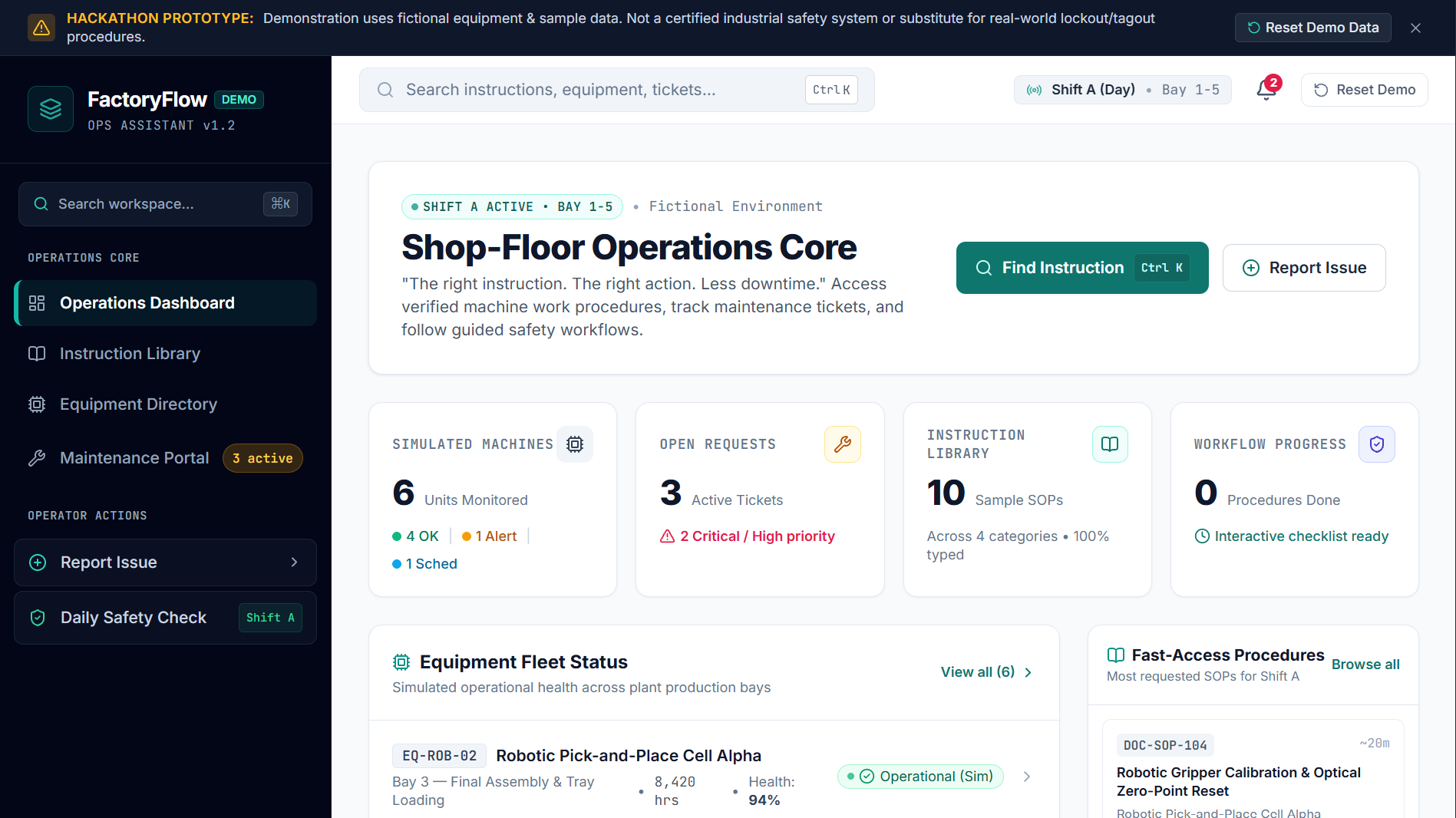
Operations Dashboard Overview: Central hub displaying real-time machine telemetry, active tickets, and quick SOP access.
-
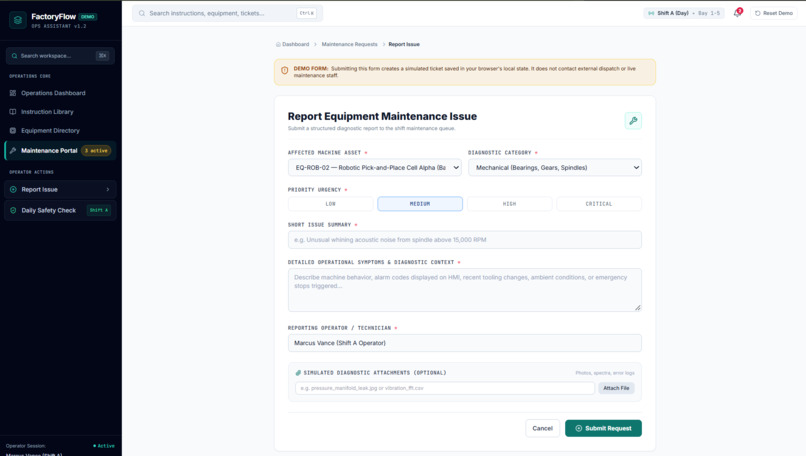
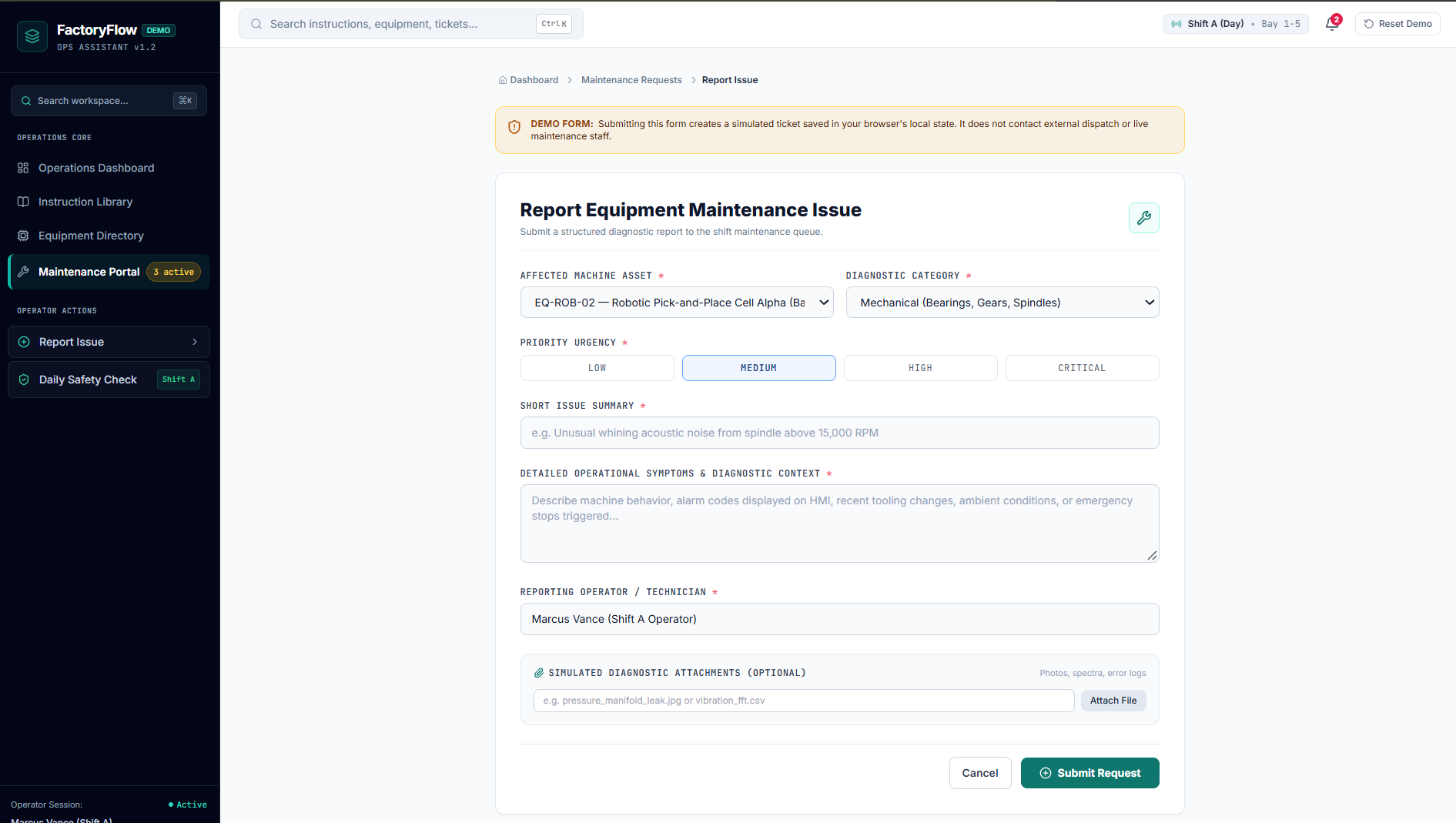
Issue Intake & Ticketing Form: Structured diagnostic submission portal to report equipment faults and attach error logs.
-
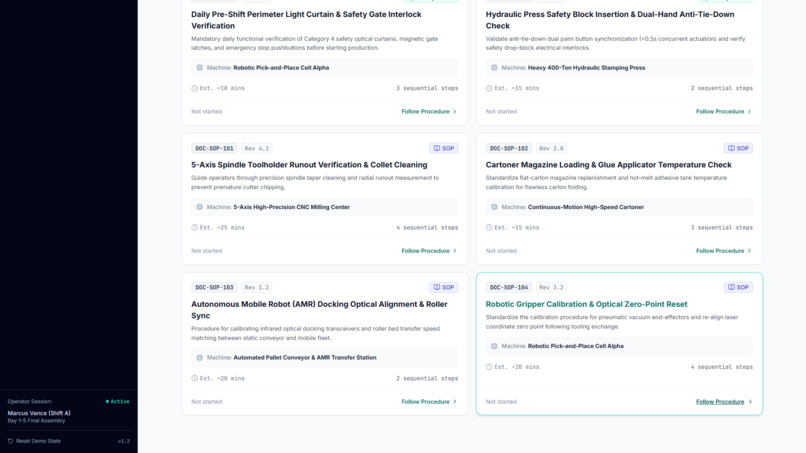
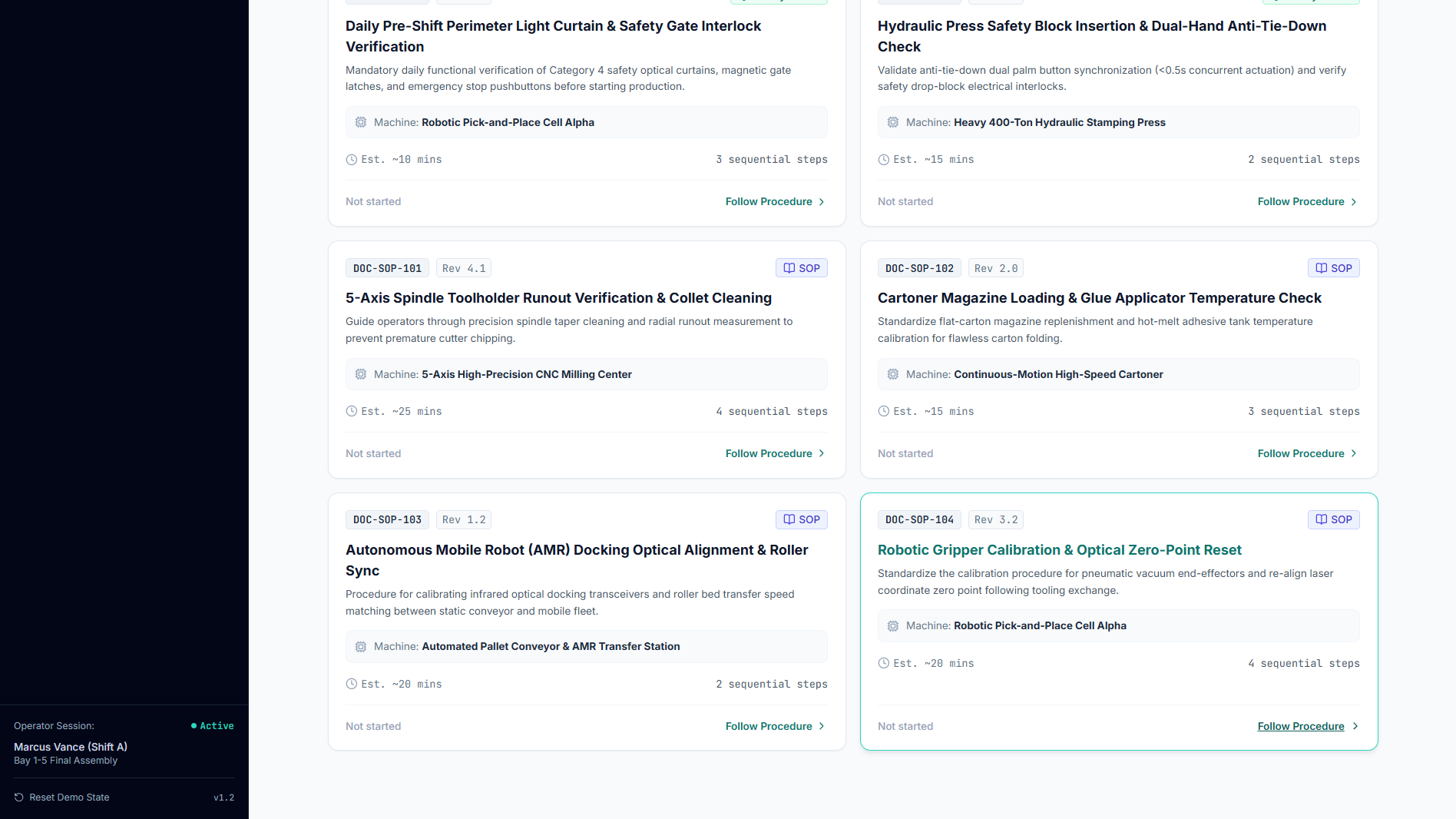
Interactive Standard Operating Procedures: Step-by-step SOP cards with estimated completion times and direct execution links.
-
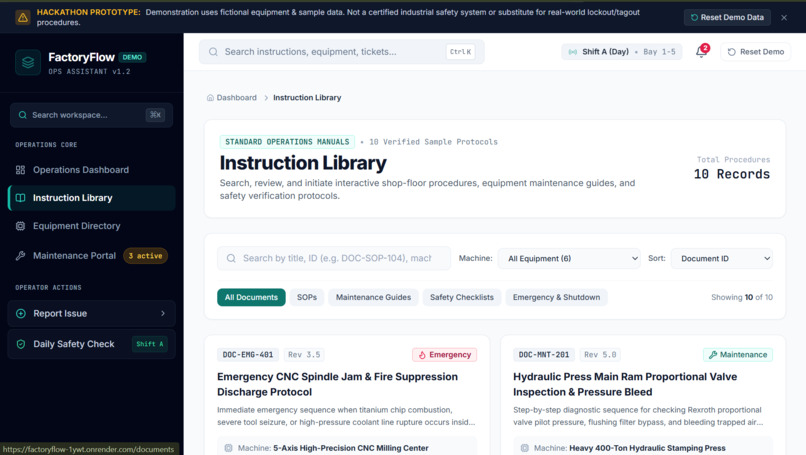
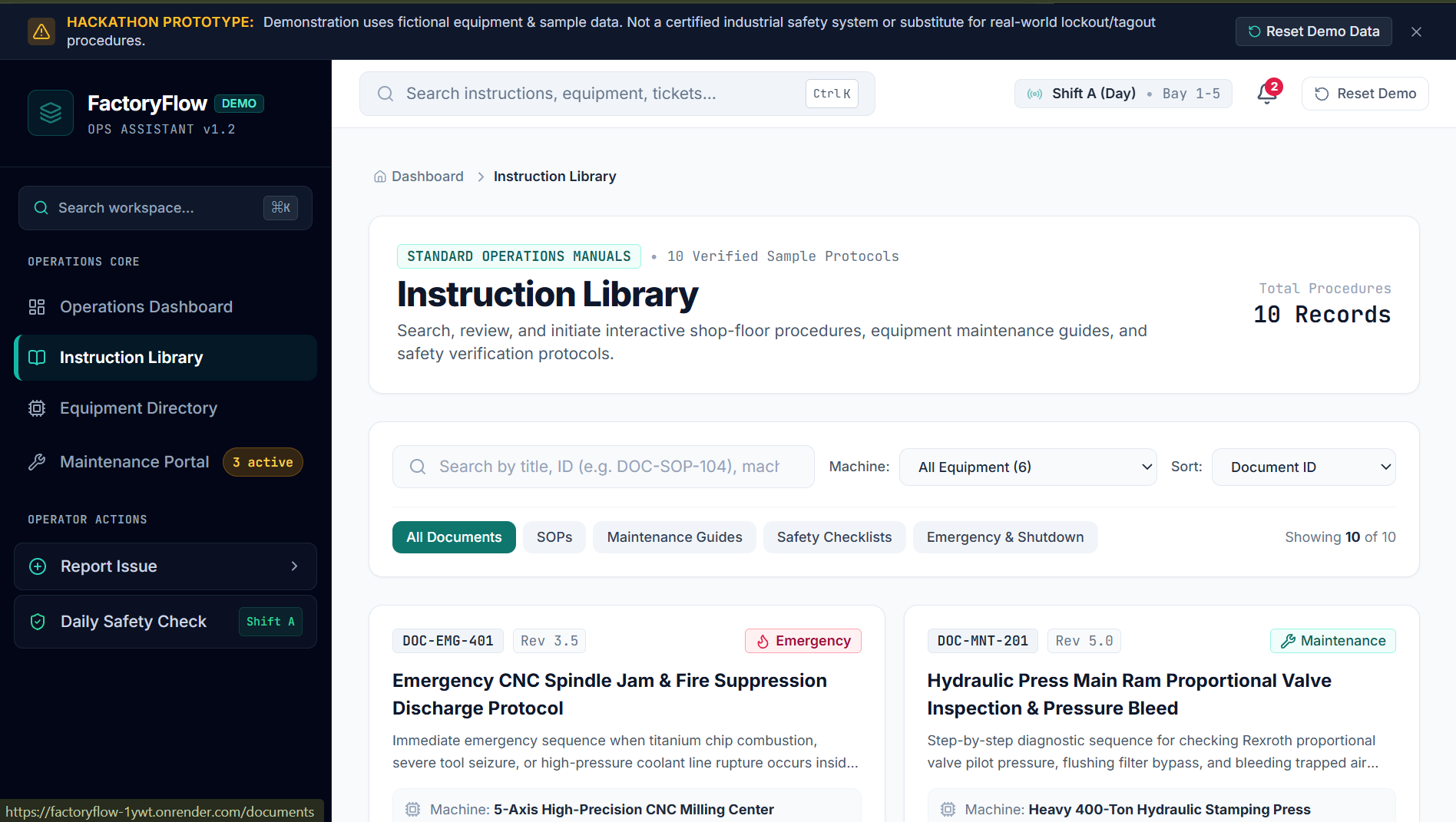
SOP & Safety Manual Library: Searchable repository of machine protocols, safety checklists, and emergency shutdown procedures
-
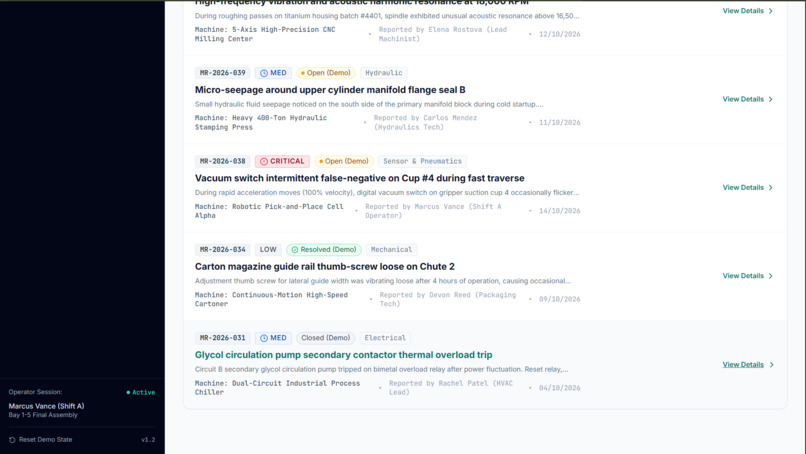
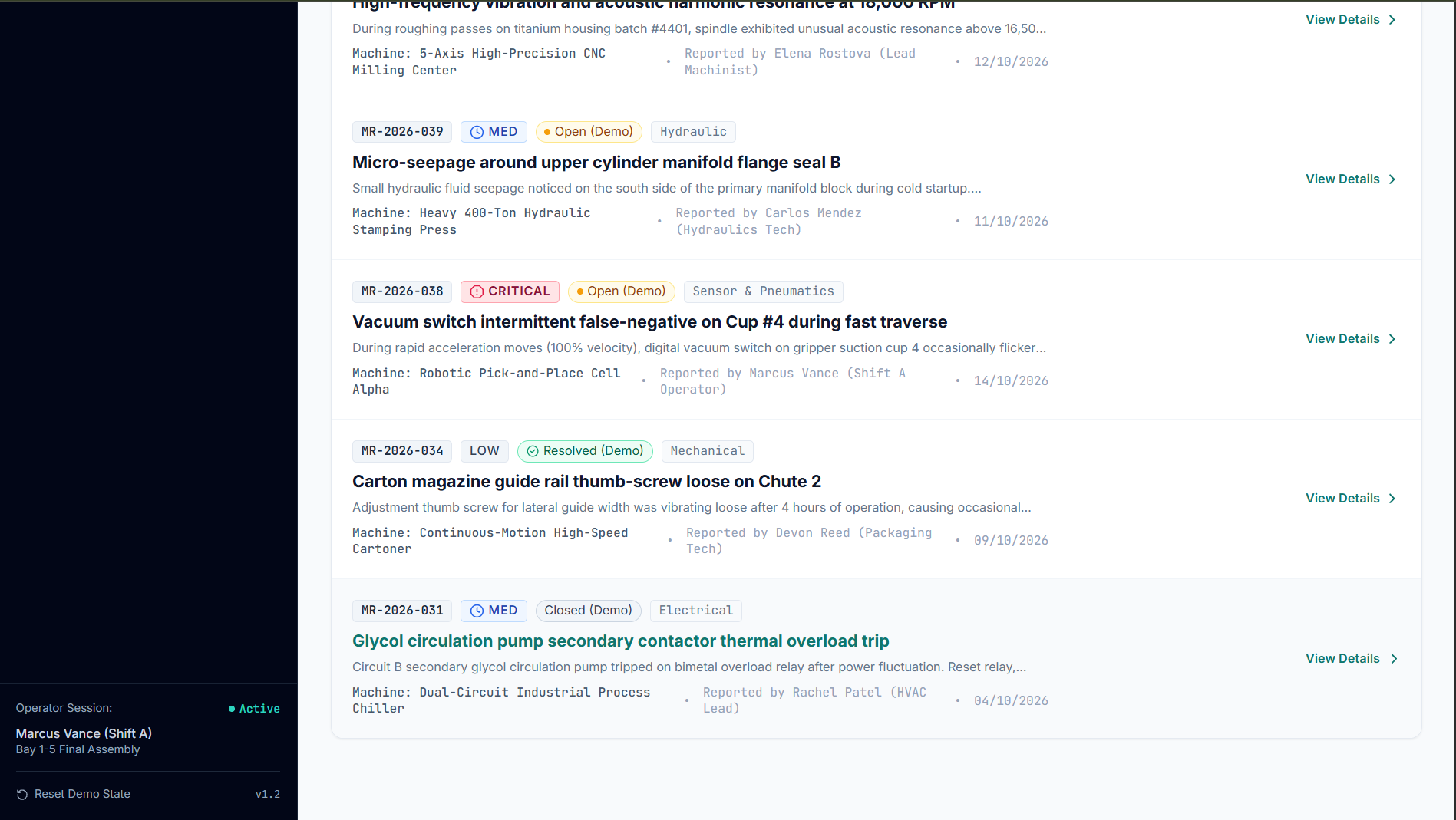
Detailed Maintenance Work Orders: Diagnostic issue logs categorized by severity level, machine asset, and reporting technician.
-
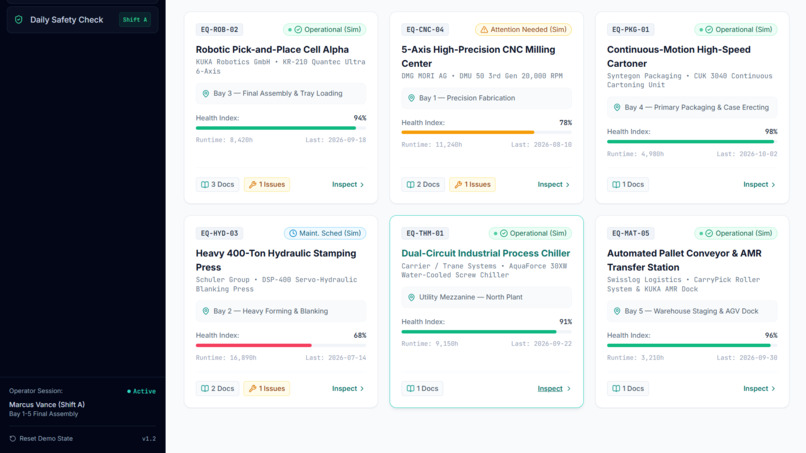
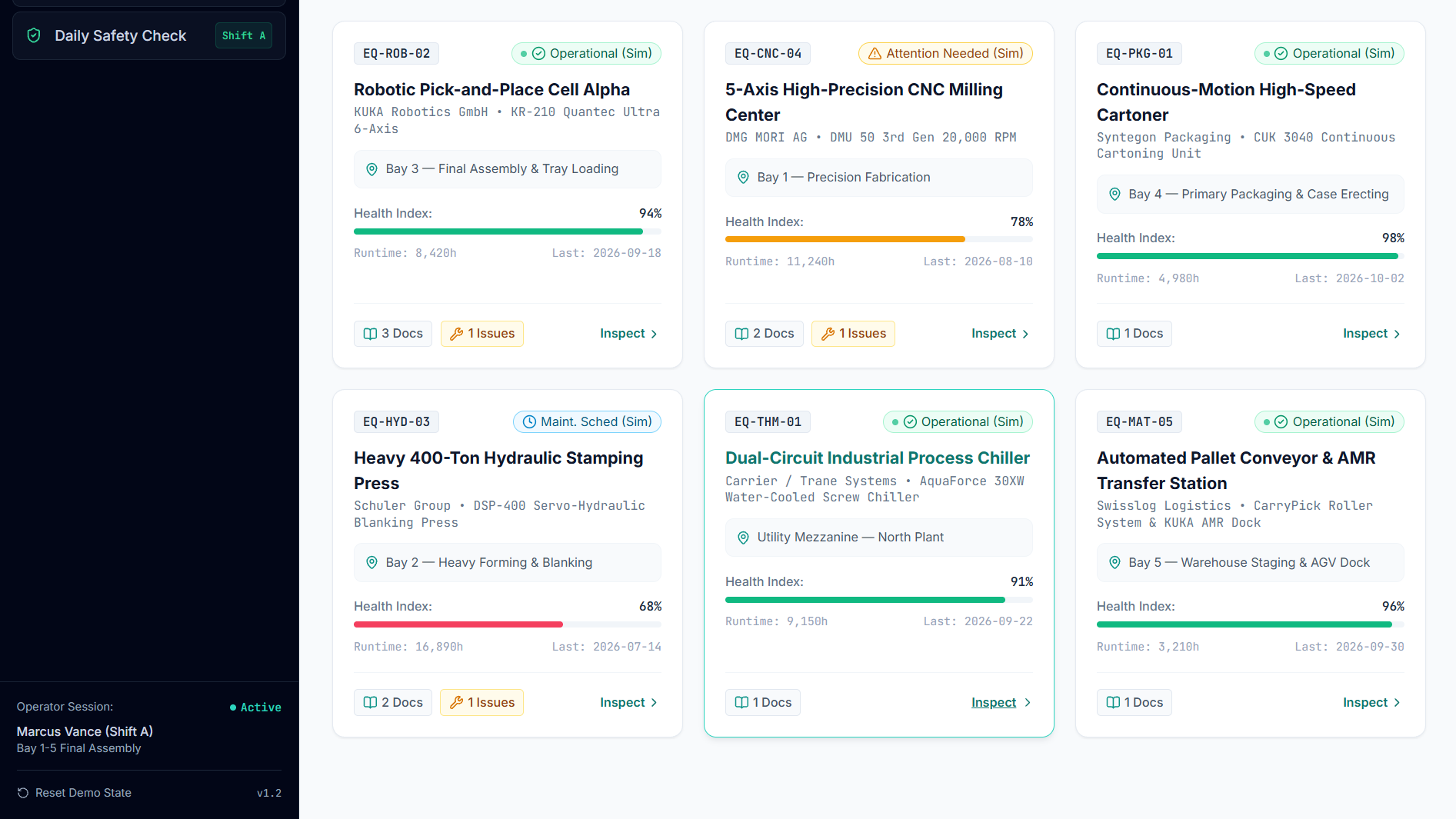
Detailed Machine Asset Cards: Bay-by-bay hardware tracking showing runtime hours, health scores, linked docs, and open issues.
-
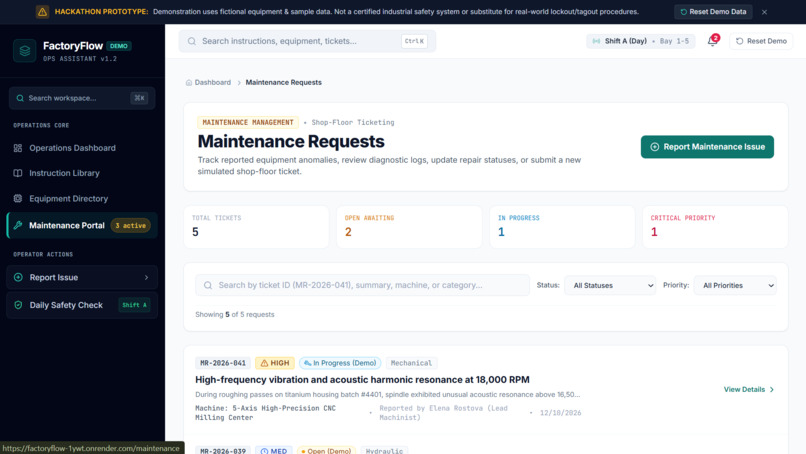
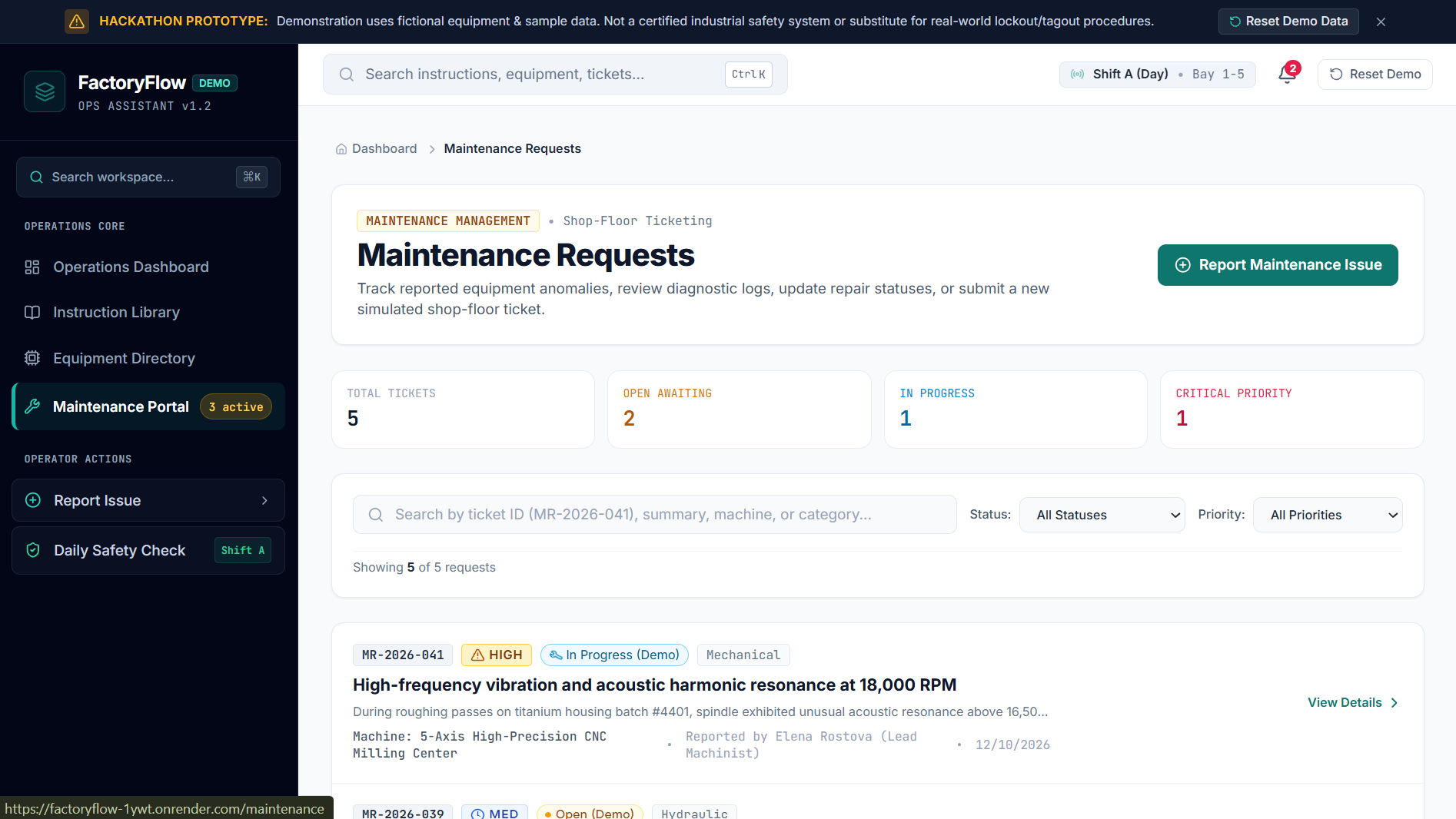
Maintenance Portal Queue: Shift ticket dashboard tracking open, in-progress, and critical machinery anomaly requests.
-
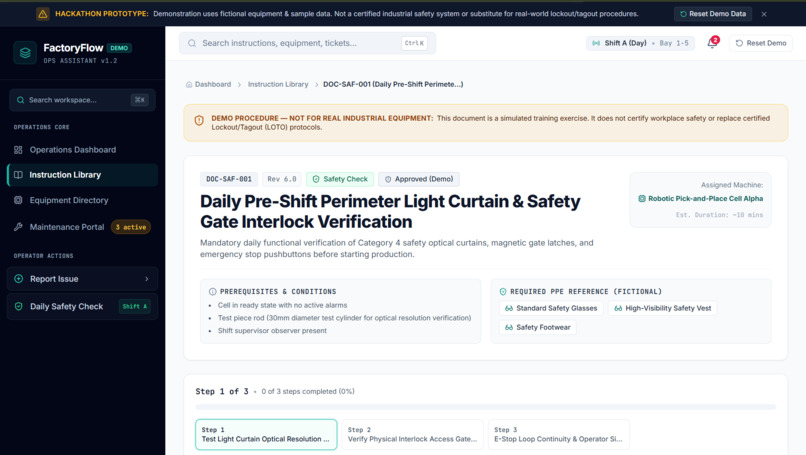
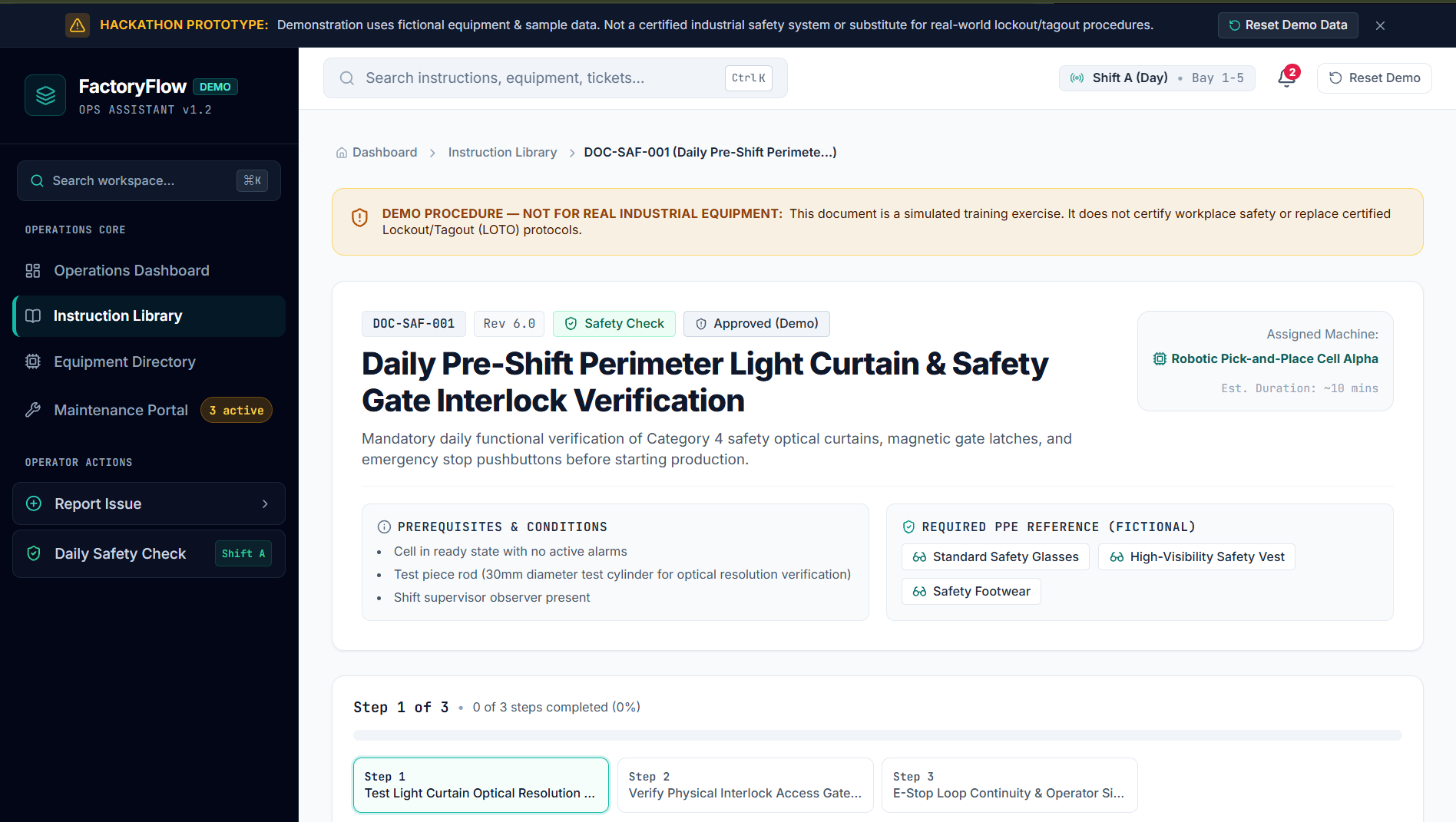
Guided Safety Verification Flow: Pre-shift digital checklist complete with PPE prerequisites and multi-step verification stages.
-
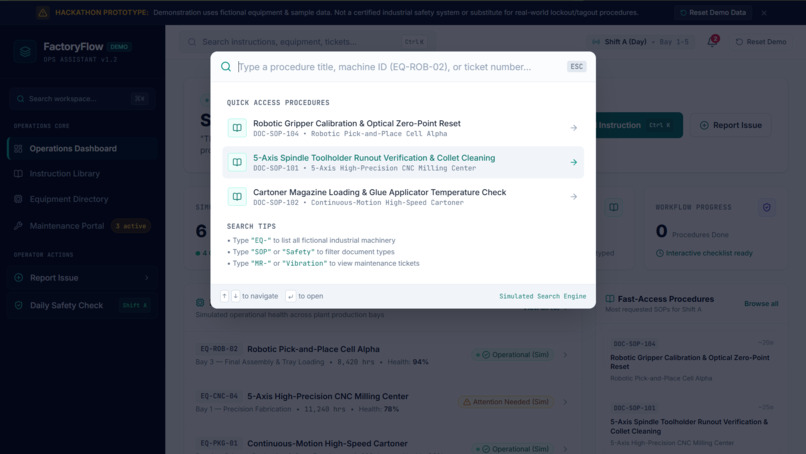
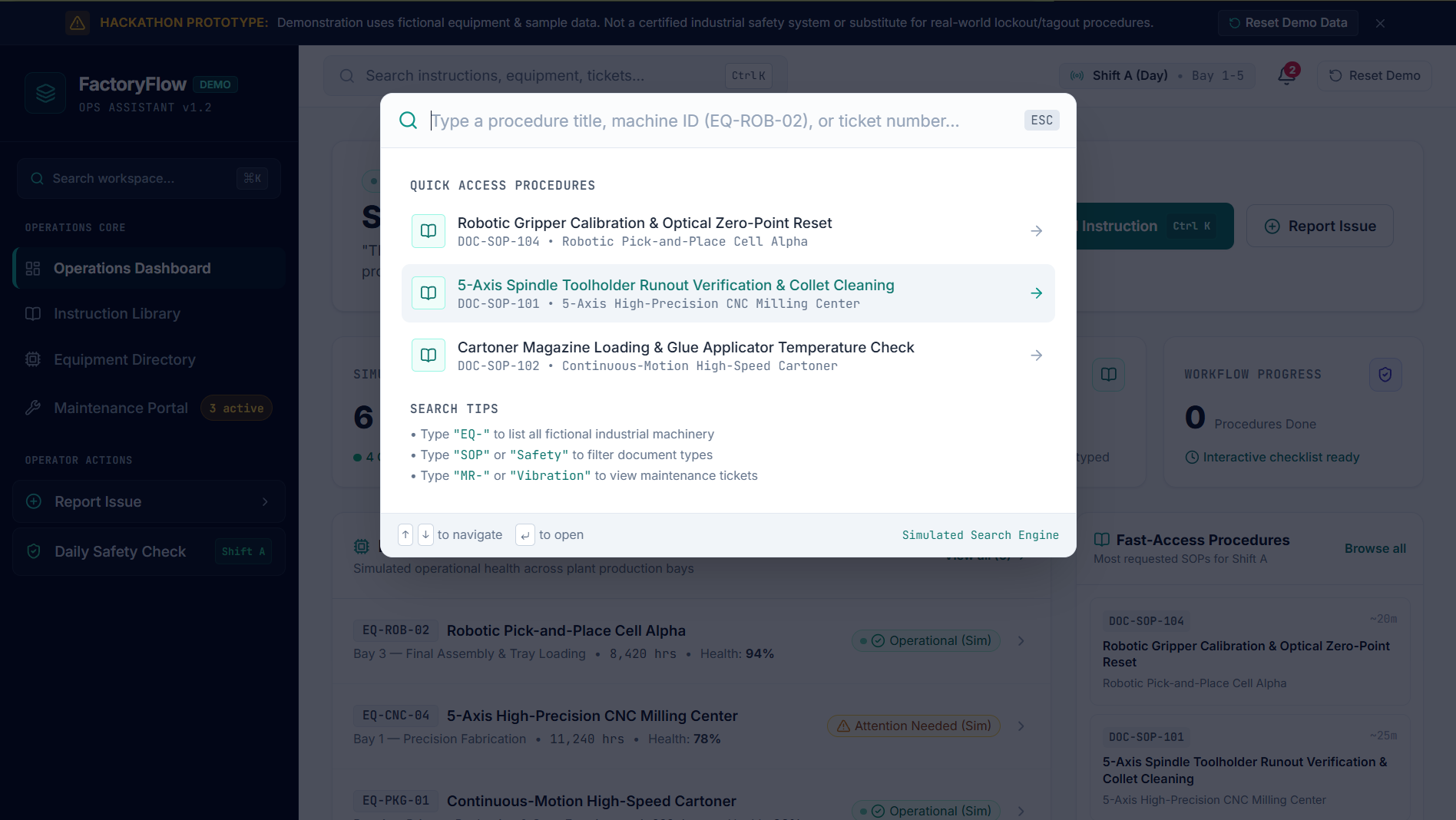
Command Palette Search Modal: Fast-access popup to quickly find procedures, machine IDs, and maintenance tickets.
-
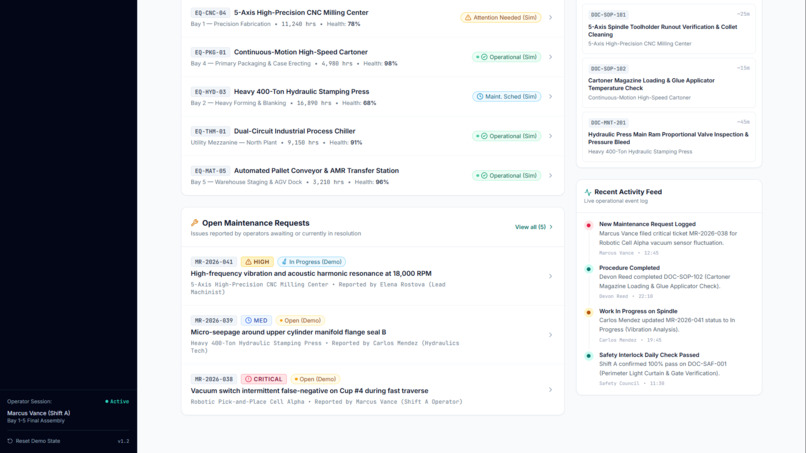
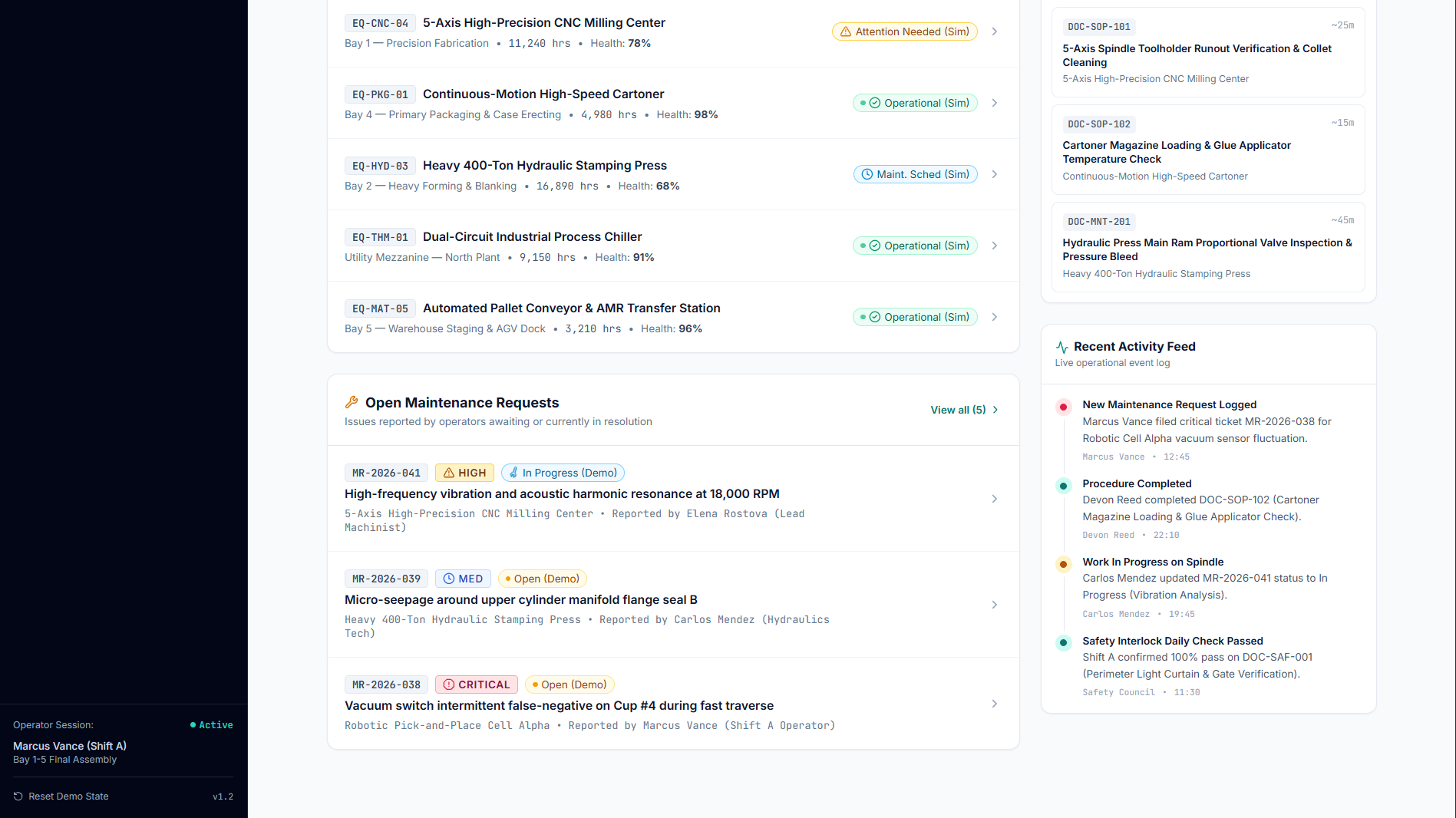
Fleet Health & Event Stream: Live status across shop bays alongside pending maintenance requests and recent activity logs.
-
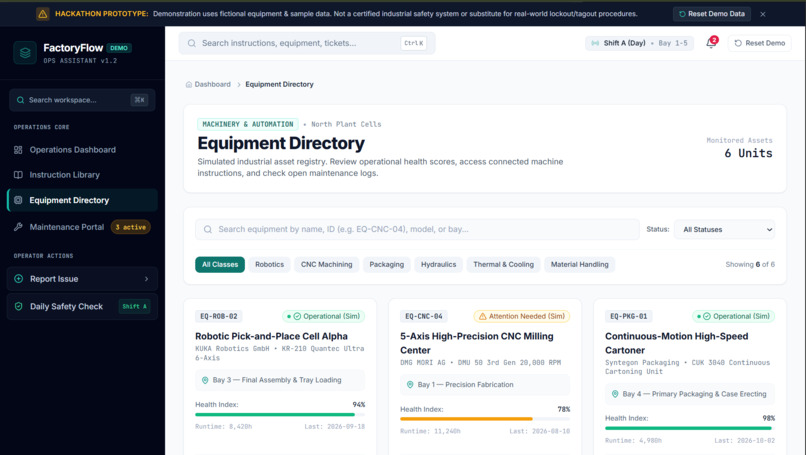
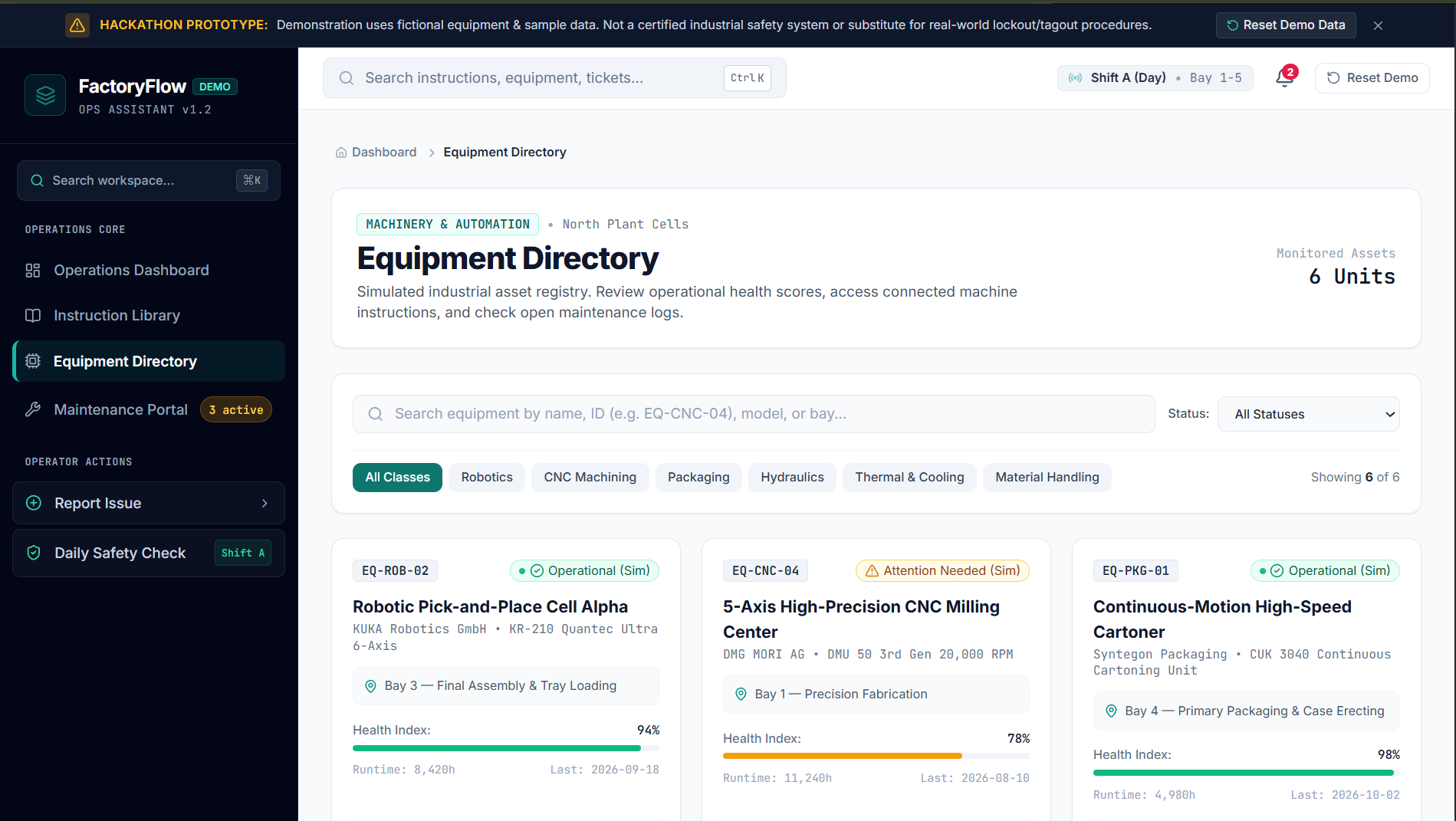
Equipment Directory Registry: Monitored asset overview categorized by machinery type with dynamic health index scores.
FactoryFlow — Industrial Operations Assistant
Inspiration
Modern manufacturing environments rely on work instructions, standard operating procedures (SOPs), equipment information, and maintenance records. When this information is scattered across different documents and systems, operators can spend valuable time searching for the right instructions or reporting equipment issues.
We created FactoryFlow to explore a simpler approach: bringing essential operational information into one intuitive, easy-to-navigate dashboard.
Our goal is simple: The right instruction. The right action. Less downtime.
What it does
FactoryFlow is a web-based industrial operations assistant prototype designed around the needs of factory operators and maintenance teams.
Its key features include:
- Operations Dashboard: Provides an overview of simulated equipment status, open maintenance requests, available instructions, and workflow progress.
- Instruction Library: Helps users find relevant work instructions and sample standard operating procedures.
- Equipment Directory: Organizes equipment information and displays simulated operational status.
- Maintenance Portal: Gives users a structured way to report equipment issues and track maintenance requests.
- Guided Procedures: Demonstrates how step-by-step instructions and checklists can help users follow a consistent workflow.
- Responsive Interface: Uses a structured dashboard layout designed to make important information easier to find.
FactoryFlow uses fictional equipment and sample data for demonstration. It is a prototype, not a certified industrial safety system, and it does not replace approved workplace procedures or real equipment controls.
How we built it
We developed FactoryFlow as a web application with a focus on usability, clear information hierarchy, and a consistent visual design.
The interface brings together dashboard cards, equipment status indicators, searchable information, procedure workflows, and maintenance reporting in a single workspace. We focused on making common actions easy to discover and reducing unnecessary navigation between different sections.
The prototype uses simulated operational information to demonstrate how the workflow could function. Its design can serve as a foundation for future enhancements, such as integration with authorized enterprise document repositories, maintenance management systems, and equipment monitoring platforms.
Challenges we faced
One of our main challenges was organizing different types of industrial information without overwhelming the user. Equipment status, instructions, maintenance requests, and workflow progress each require different information, but they must still feel like parts of one coherent system.
We addressed this challenge by creating a shared dashboard, using consistent visual components, distinguishing important statuses, and giving major operator actions clear entry points.
Another challenge was balancing an enterprise-style appearance with simplicity. We aimed to keep the interface professional while making it approachable for users who need to locate information quickly.
What we learned
Building FactoryFlow helped us understand that useful industrial software is not just about displaying data. It is also about how quickly people can find relevant information, understand the current situation, and complete the next step in a workflow.
We learned the importance of designing around real user tasks, maintaining consistency across screens, communicating system status clearly, and treating safety and transparency as essential parts of an industrial application.
What's next
Future improvements could include role-based access, document version management, advanced filtering, audit history, multilingual instructions, and integrations with authorized maintenance and document management systems.
We would also like to explore AI-assisted document search and retrieval, with answers linked to their source documents and appropriate safeguards for safety-critical information.
Our vision
FactoryFlow explores a more connected and user-friendly way to access industrial knowledge. By bringing instructions, equipment information, and maintenance reporting into one workspace, we aim to make everyday operational workflows clearer, more organized, and easier to navigate.
Built With
- css
- design
- html
- icons
- javascript
- localstorage
- lucide
- react
- responsive
- tailwind
- typescript
- vite
- web


Log in or sign up for Devpost to join the conversation.