Inspiration
Have you ever gone to the gym and forgotten to train your Hugging Face model? Have you ever wanted to show a friend your most recent Fortnite clip, but the file was stuck on your Mac?
We've all been there. In today's remote-first world, we're often physically separated from our most powerful tool: our personal computer. We're stuck on the go, desperately needing a local file, a specific app, or the ability to run a complex script that only exists on our Mac. Current remote desktop solutions are clunky, slow, and built for visual control, not quick, conversational commands. We were inspired to bridge this gap. What if you could control your computer as easily as you call a friend? We envisioned a world where you could just FaceTime or iMessage your Mac and tell it exactly what you need.
What it does
FaceTimeOS turns your Mac into a personal assistant you can call or text from anywhere.
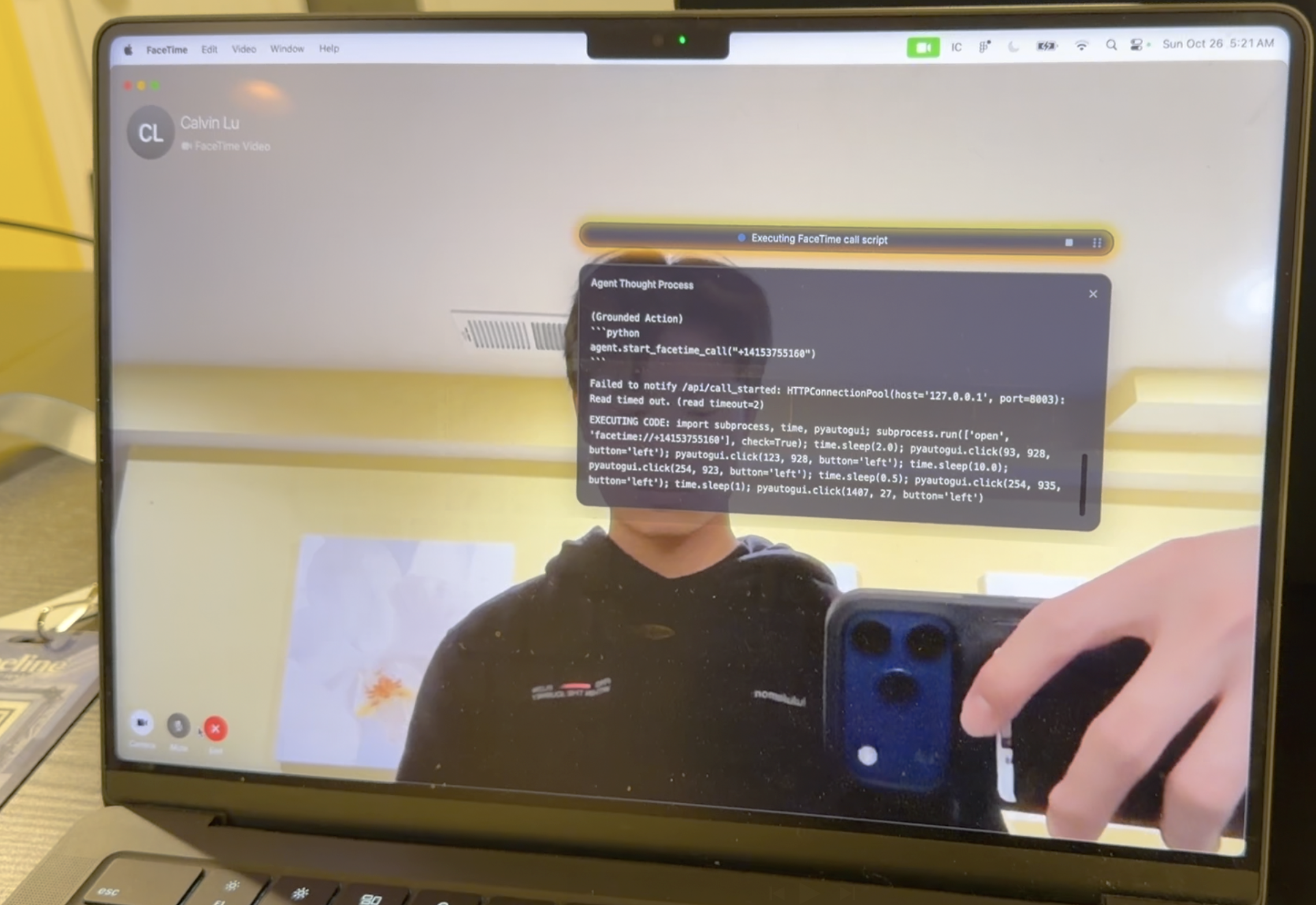
- Remote Control via FaceTime & iMessage: You can place a FaceTime call or send an iMessage to your Mac, and our AI agent answers. You can speak or type natural language commands, like "Find the screen recording I made yesterday about the product demo and upload it to Google Drive," or "Re-run my training script and let me know if it fails."
- Intelligent Task Automation: The agent doesn't just execute simple commands; it can handle complex, multi-step tasks. It can monitor scripts, identify errors, and even attempt to resolve them based on your instructions.
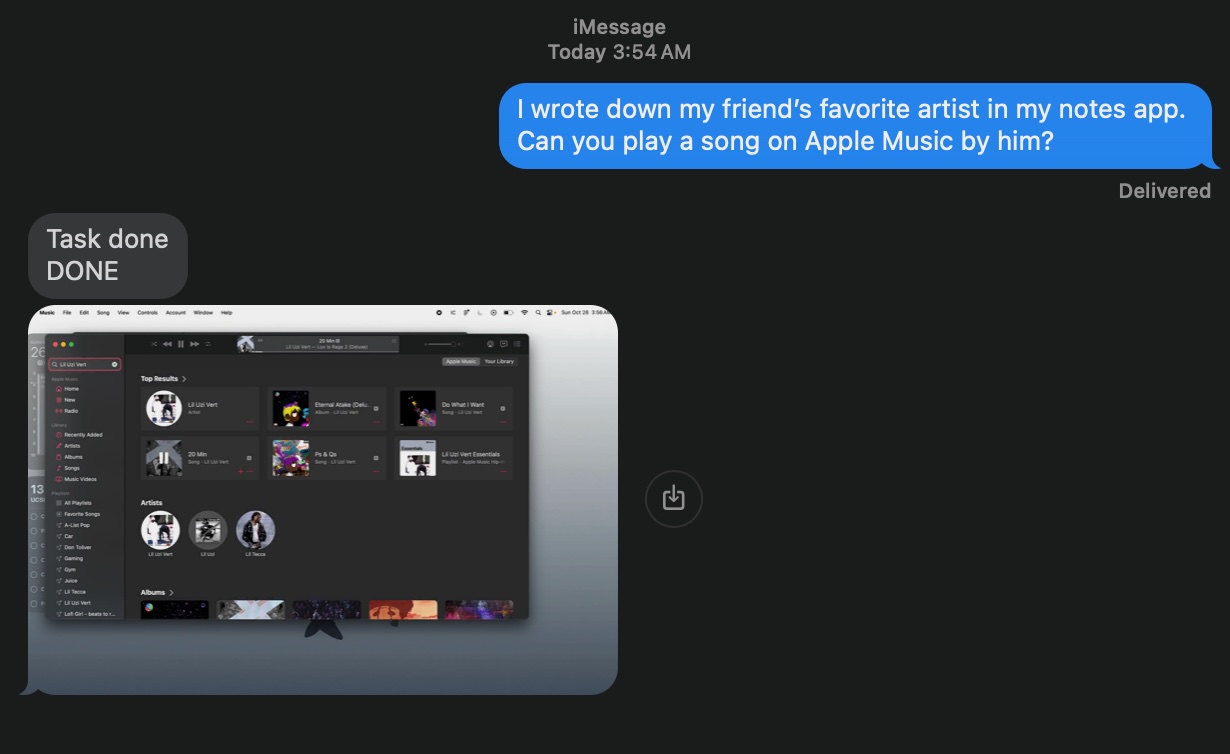
- Natural Language & Visual Feedback: The agent keeps you updated through natural speech in the FaceTime call (or via text). It summarizes its actions, so you're not left guessing. Critically, after completing a task, it sends a screenshot to your phone via iMessage to visually confirm the job is done.
How we built it
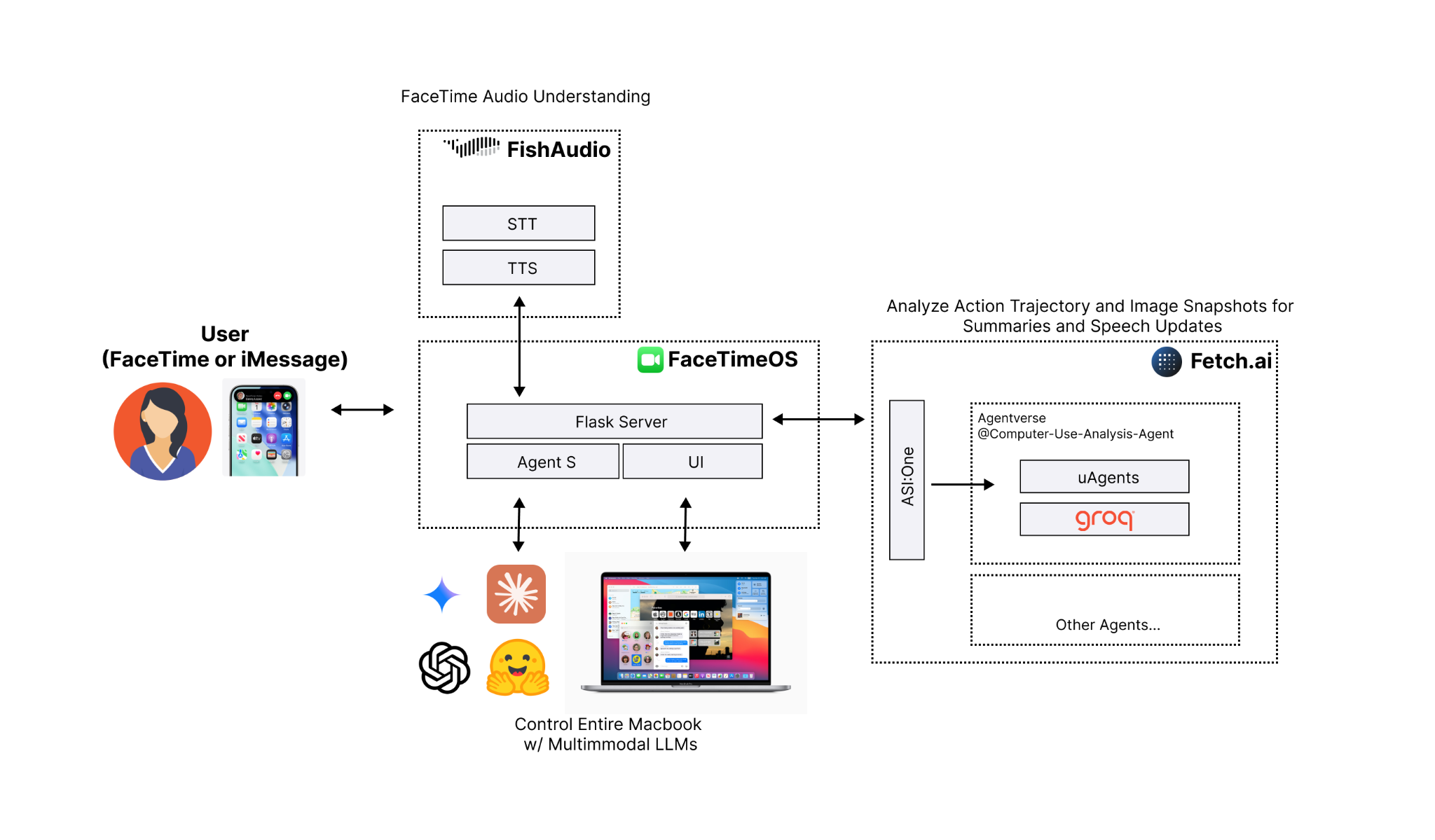
Our system is a multi-agent architecture orchestrated to create a seamless conversational experience.
- Core Orchestrator: We use Claude as the central orchestrator. It understands the user's high-level intent from the conversation and determines what actions to take.
- FaceTime Audio Integration: This was the core of our hack. We used Fish Audio to create a virtual microphone and speaker on the Mac. When a FaceTime call comes in, Fish Audio pipes the incoming audio to a speech-to-text service. This text is sent to our Claude agent, which processes the request and generates a text response. This response is then synthesized into speech and played back into the call through the virtual speaker.
- Task Execution & Summarization: To understand what the computer is doing and report back, we integrated fetch.ai. This agent monitors the "computer-use trajectory" (e.g., file access, app usage, script logs). When the user asks for an update, fetch.ai uses a model running on Groq to instantly summarize these complex actions into a concise, natural-speech update.
- Application & Backend: The agent itself is a desktop application built with Electron, React, and Tailwind CSS. The backend logic, REST API integrations, and agent coordination are handled by a Python and Flask server.
Challenges we ran into
- Smoothly Integrating Everything: Our biggest challenge was getting all the moving parts to talk to each other reliably. We had to create a robust system where the Fish Audio stream, the Claude orchestrator, the fetch.ai summarizer, and the Flask backend all communicated in real-time without dropping requests or getting out of sync.
- Real-time Audio Hijacking: Getting audio in and out of a closed system like FaceTime was extremely difficult. Configuring Fish Audio's virtual devices to intercept and inject audio in real-time—without creating echoes, feedback loops, or massive latency—took significant trial and error.
- Multi-Agent Orchestration: Teaching Claude how to be an effective "orchestrator" was difficult. We had to carefully craft our prompts to ensure it knew when to handle a request itself versus when to delegate to fetch.ai for a summary or to the Flask backend for a system action.
Accomplishments that we're proud of
- Implementing Voice (It Talks Back!): Our biggest "wow" moment. Successfully using Fish Audio to pipe audio from a live FaceTime call, get a response from our AI, and speak it back into the call felt like magic. We turned a simple video call into a powerful C&C interface.
- Native macOS Integration: This isn't just a web app. By using Electron and integrating directly with system audio via Fish Audio, our agent feels like a native part of the macOS ecosystem, answering FaceTime calls just like a real person.
- A True Multi-Agent System: We've built a pipeline where Fetch AI orchestrates multiple specialized models (Claude for reasoning, Groq for speed) to fulfill a single, complex user request.
- The Screenshot Confirmation: Getting the final screenshot sent back to iMessage was a key feature. It provides total peace of mind that the requested task was actually completed correctly, which is critical for a remote tool.
What we learned
- Specialized Agents Win: The "agent-of-agents" model is highly effective. Using Groq for its sheer speed in summarization, Fetch AI for orchestration, and Claude for its powerful reasoning allowed us to build a more robust system than one single model could provide.
- The Future is Conversational: Interfacing with complex systems via natural language (and getting visual feedback) is far more intuitive than traditional UIs for many tasks. Virtual Devices are a Superpower: Tools like Fish Audio are incredibly powerful. They let you integrate AI into existing, closed platforms (like FaceTime) without needing an official API.
What's next for FaceTimeOS: AI Mac Agent
Proactive Assistance: We want the agent to be proactive. It could monitor your computer and ping you—for example, "I see that your training script just failed with the same CUDA error. Would you like me to try and fix it?"


Log in or sign up for Devpost to join the conversation.