-
-
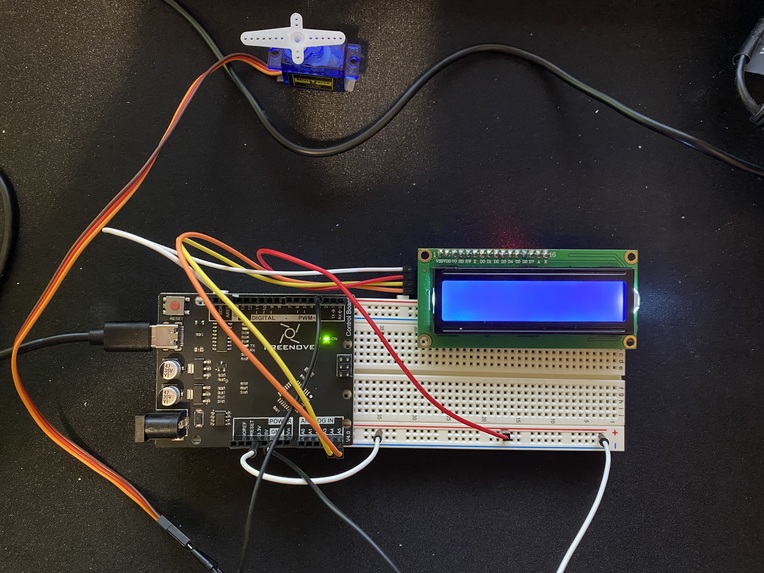
The system is compact enough to be fastened to any kind of firesafe box/vault/door.
Inspiration
The story is a bit funny! I came up with the idea by watching the Amazing Spider-man. And although everyone can't be Spider-man, we can all be Peter Parker. In the movie, Peter has his own door locking mechanism which locks his door at the press of a button. I wanted to take it one step further, and have it lock/unlock at the sight of my face.
As a computer engineering student, I love the links between both hardware and software, and I've shown that in this projectt by employing a perfect use case for both.
What it does
faceLock is built with a Raspberry Pi and Arduino. The Raspberry Pi is constantly scanning for my face with its webcame. If it's detected, it'll send a transmission to the Arduino to turn the servo motor exactly 180 degrees (the premise of this is so that the servo arms can be attached to some sort of latch for real life use).
Why a Raspberry Pi and Arduino?
In my opinion, a Raspberry Pi is one of the best solutions for this, as it makes it extremely portable. Coming it at ~$30, it is also extremely affordable compared to a traditional computer setup. Regardless, the small form factor of the Raspberry Pi makes it easy to mount faceLock on any of your safekeepings.
How we built it
We ran Python scripts using the OpenCV libraries for face detection. The scripts are running on the Raspberry Pi with an external webcam. There are scripts to generate a dataset for your face, train the model of your face, as well as the base script which is always running to identify your face.
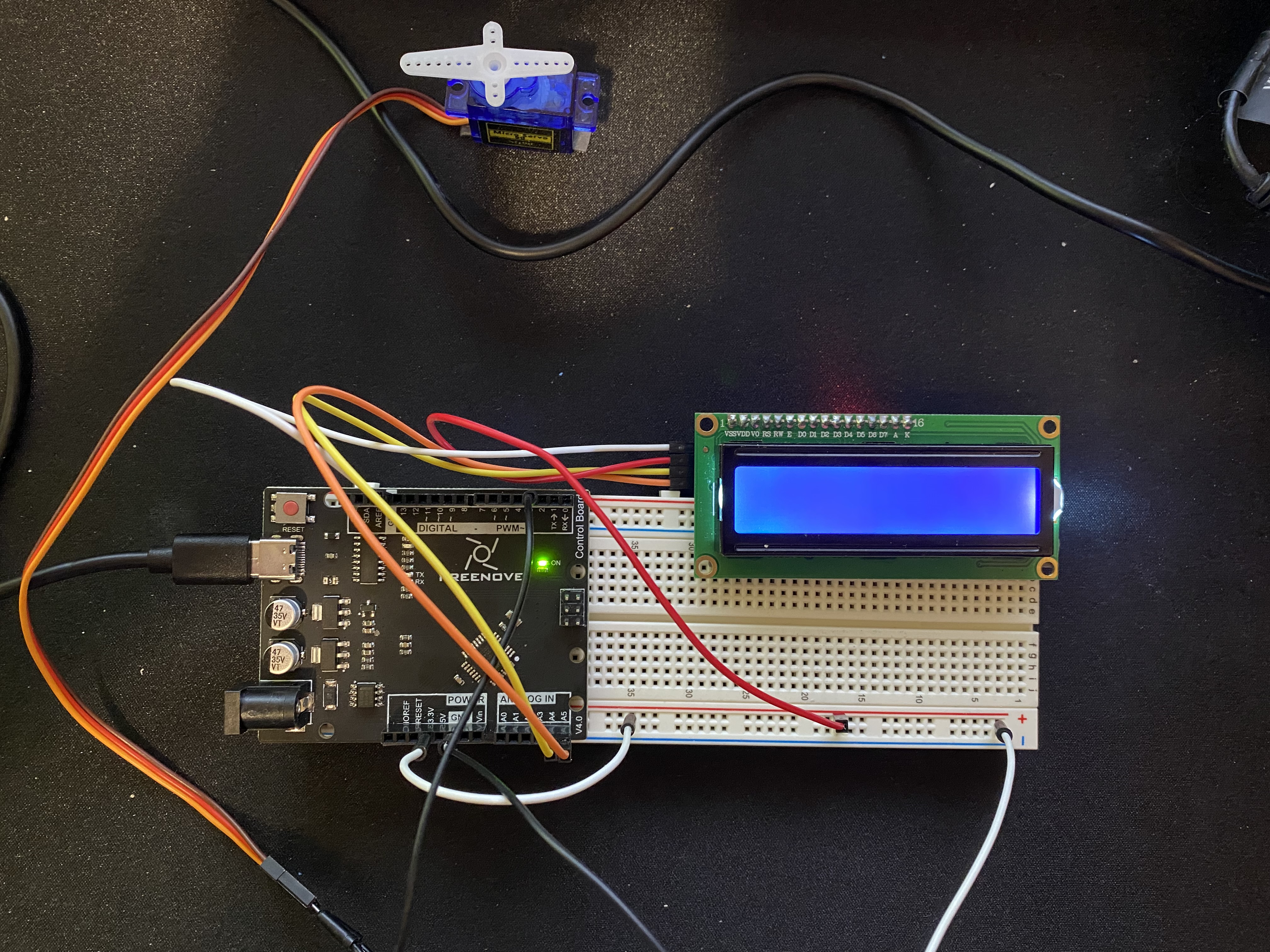
Connected to the Pi, through UART communication is an Arduino. The Arduino itself is connected to an I2C LCD Display which displays the status of faceLock. Furthermore, the Arduino is also connected to a servo motor, which will do the main "unlocking" and "locking" for your belongings. It simply needs to be attached to a latch, and it will work :).
Challenges we ran into
By far the biggest challenge was finding a communication protocol which could support my needs. I tried using SPI and I2C, but found that I had a few broken pins on my Pi which made this not plausible. I eventually settled on a UART transmission, as that was adequate enough for the signals I was transmitting and receiving between the Arduino and Raspberry Pi.
Accomplishments that we're proud of
I was proud that I was able to get adequate scripts up and running for the face identification modules.
What we learned
There are tons of communication protocols, all with their own unique set of strengths and weaknesses. It is often confusing which one to choose. We learned that you don't always need to go for the most high-end communication protocol if you are only transmitting one string of data at a time.
What's next for faceLock
In the future, I'd love to integrate faceLock with some kind of website database, so that individuals could see any time a failed access attempt was attempted. I'd also like to see a more powerful motor which could perhaps open the actual door itself, as well as a mechanism to lock faceLock from the inside.
At times, the video is really laggy, so it may appear as if I am talking without moving my mouth. Sorry about that!


Log in or sign up for Devpost to join the conversation.