-
-
-
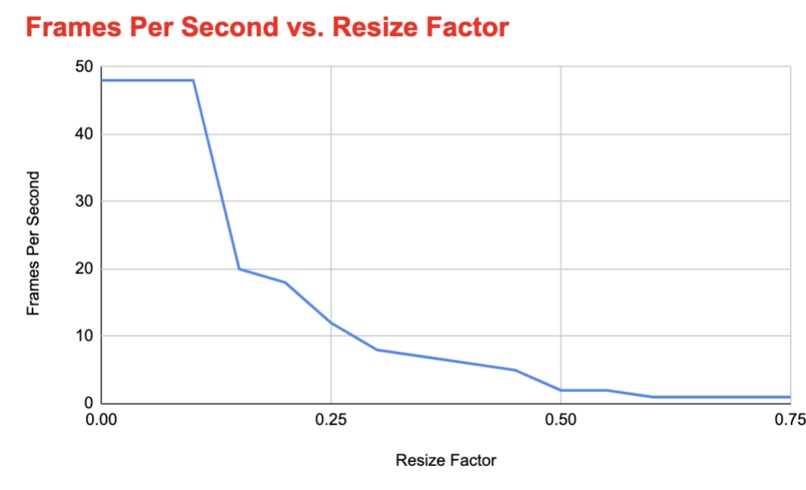
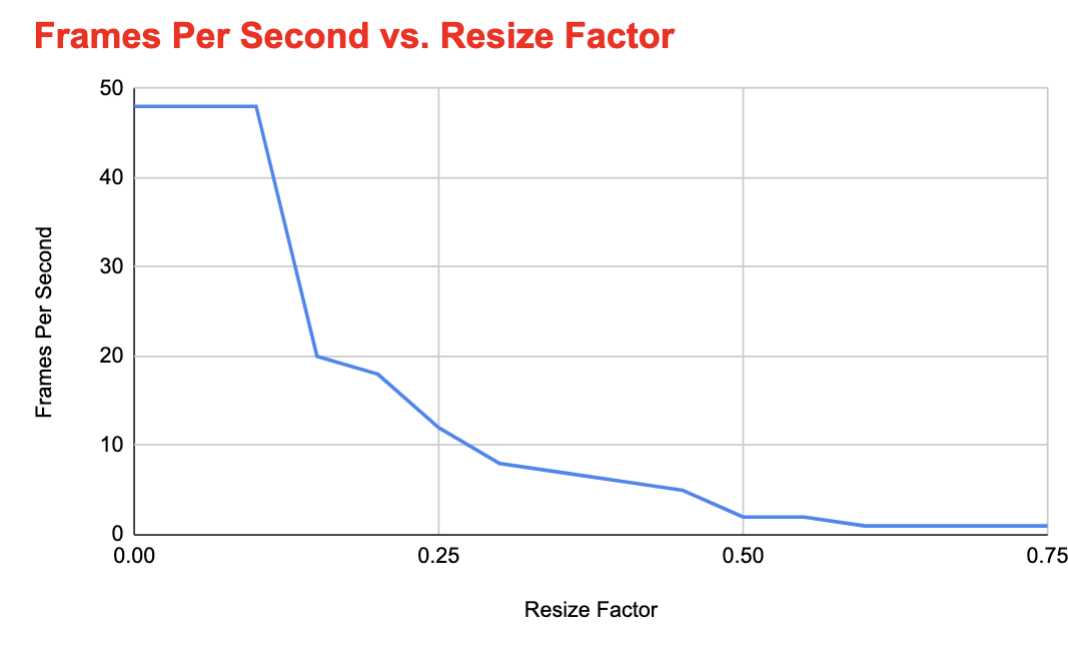
Relationship between Resize Factor and FPS
-
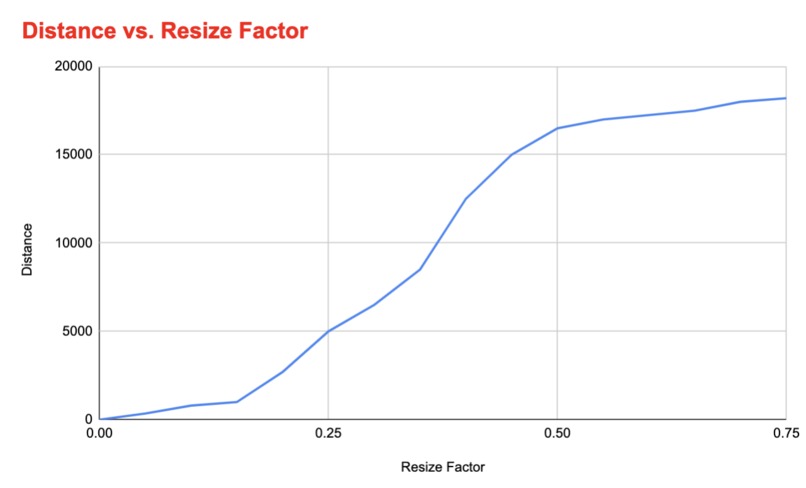
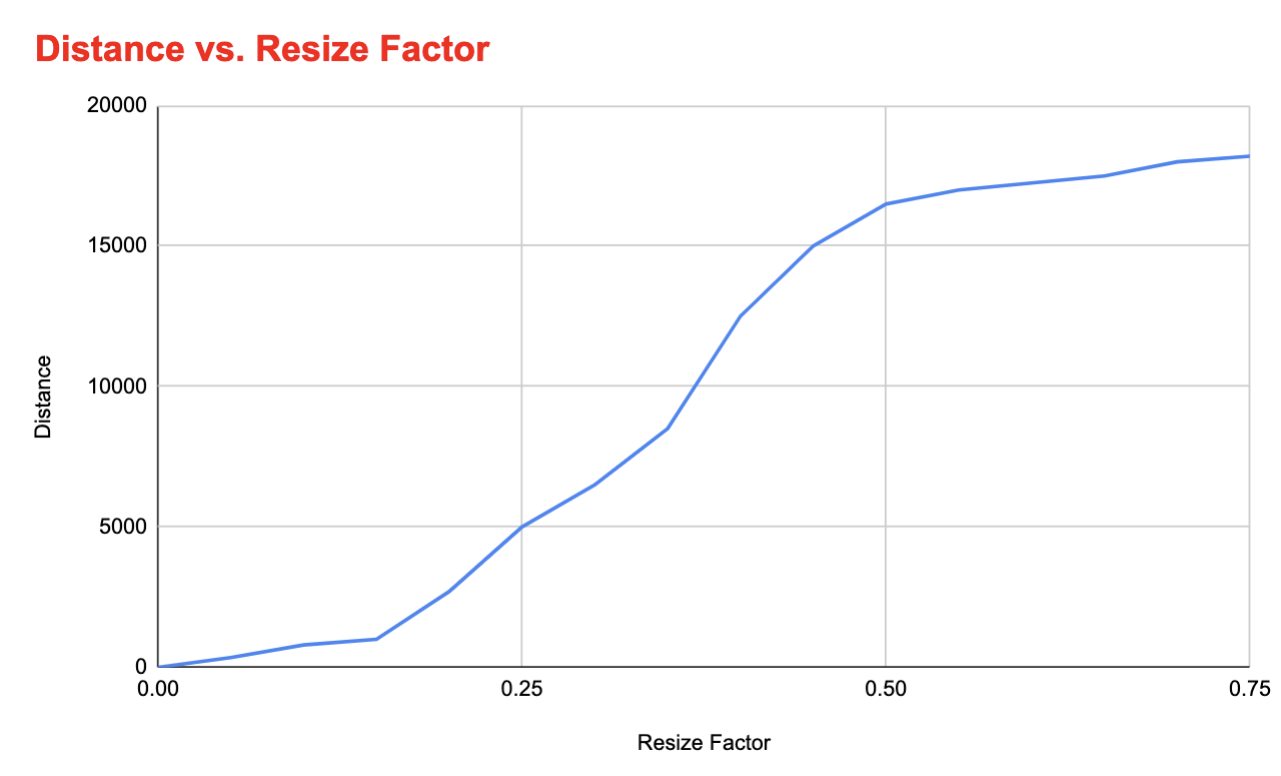
Relationship between Resize Factor and Distance
-
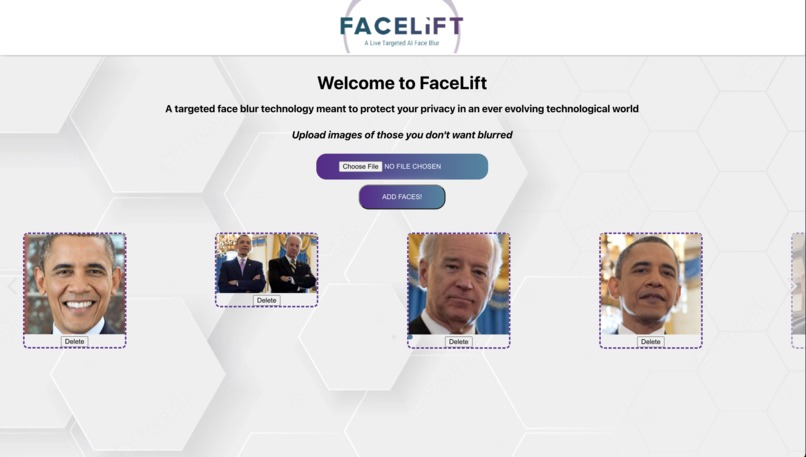
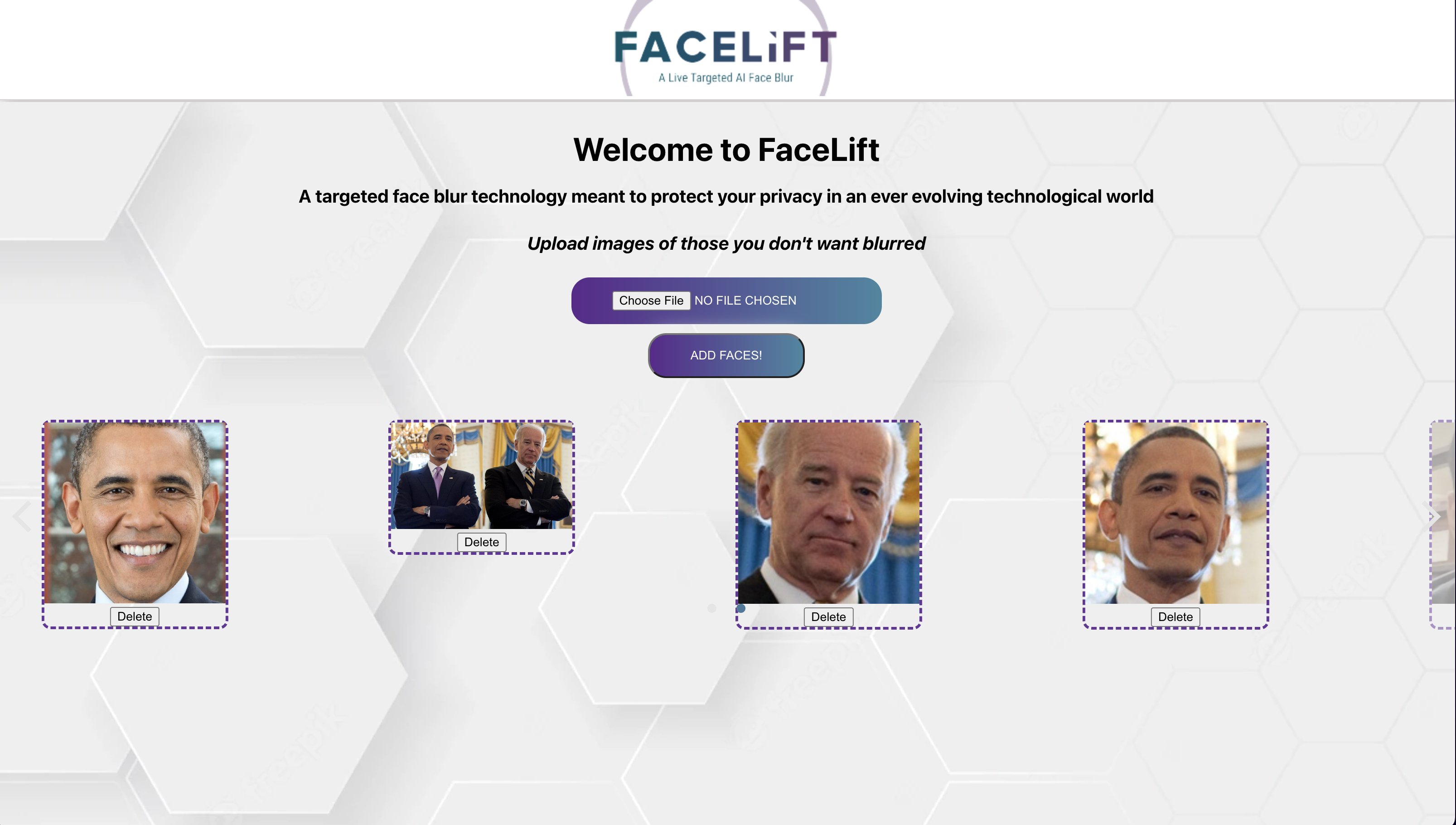
FrontEnd
Inspiration
Modern society has become increasingly interconnected, and video recordings have become more widespread, especially in public. Naturally, privacy has become a major concern, as it is not terribly uncommon to find yourself being recorded in public, often without consent. This is especially an issue for organizations such as news broadcasters as they may want to film segments live in public, making it impossible to blur the faces of bystanders by editing post-filming. FaceLift aims to alleviate this problem through the use of artifical intelligence.
What it does
FaceLift allows users to train a machine learning model to blur unwanted faces in real-time. Users can upload faces that FaceLift will recognize, and all other faces will be blurred when the webcam is accessed.
How we built it
The back-end for FaceLift was coded entirely in Python, using the OpenCV and FaceRecognition libraries to recognize and blur faces. More specifically, FacelRecognition was used to recognize faces in general, while OpenCV was used to recognize individual facial features to make recognition of partial faces possible. The front end was built using ReactJS with Flask used as the web framework.
Challenges we ran into
An early challenge we faced was the recognition of faces that were only partially in frame. The main library we used, FaceRecognition, could only recognize full frontal faces. To make it so that faces that were partially off screen would still be blurred, OpenCV was used to detect facial features, like eyes, that would be found on one side of the face. We modified our code so that detected faces would be placed in two arrays: known and unknown (unblurred and blurred). All eyes detected in the frame were then checked to see if their coordinates existed within the coordinates of the detected faces. If they weren't, it was assumed that those eyes belong to a partial face, and a blur is approximated based on the location of the detected eye. This solution worked quite well at close distances, although it becomes less reliable the farther the face is from the camera. Future iterations of FaceLift could make use of a wider variety of facial features to increase accuracy.
We also ran into trouble with the linking of the front-end with the back-end, as our team did not have much experience with using a ReactJS front-end along with a Python back-end.
Tradeoffs
When building the backend for the best user experience, an immediate tradeoff we had to deal with was distance and FPS. Distance refers to how far a person who needs to be blurred can be from the webcam for the software to still work adequately. FPS is as we know it. Resize factor refers to how much we compressed the live image from the webcam as the backend is running to display the blur faces. A resize factor of 1 means no compression was done. This led to the greatest distance that we were able to blur faces from at the compromise of poor performance in terms of FPS since the total number of pixels that needed processing was massive. On the contrary, a resize factor of 0.16 was found to hit the sweet spot between FPS and distance. This achieved between 20-30 FPS and was able to blur faces from a relatively far distance. This was one of the bigger hurdles we've had to overcome throughout this project and with better allocations of our resources, the resize factor could have been further improved to increase both the distance and the FPS.
Accomplishments that we're proud of
We are proud that we were able to create an easy-to-use experience, especially since we intend for this to be a widely used tool that a wide variety of users can benefit from. We are also proud of how varied our tech stack was for this project as it allowed us to learn a lot and pick up tools that we hadn't touched before.
What we learned
Developing FaceLift allowed us to learn a lot about artificial intelligence and how to implement it to solve real-world problems. Using OpenCV also allowed us to gain experience with one of the most popular computer vision libraries in the world.
What's next for FaceLift
Since we intend for FaceLift to be used in a wide variety of settings, including professionally, it is a must for future iterations of FaceLift to have much better performance/FPS as the current version is quite choppy. It would also be integral for us to allow FaceLift to be used alongside more traditional video cameras, rather than simply through a webcam.


Log in or sign up for Devpost to join the conversation.