-
-
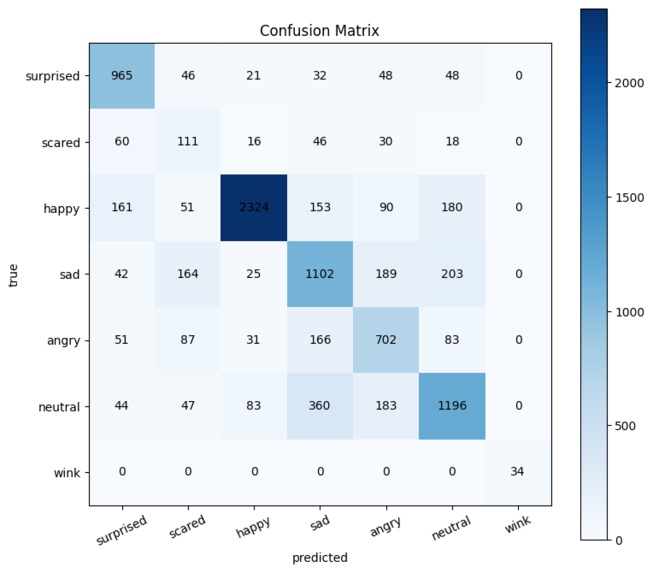
Confusion Matrix of the Model, showing the accuracy
-
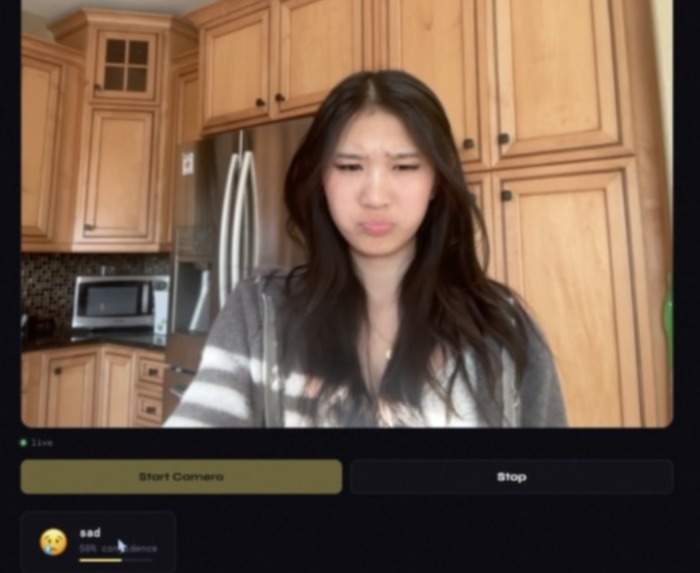
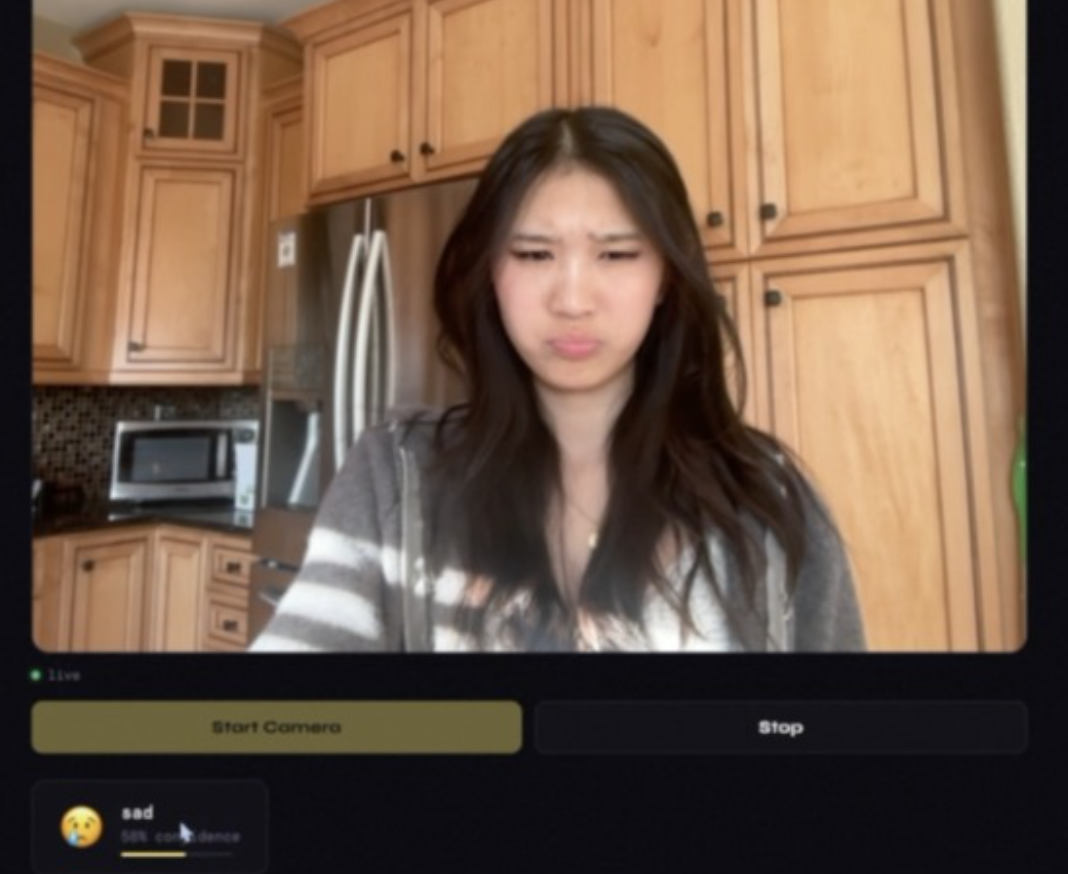
Example of the website working with Live Camera
-
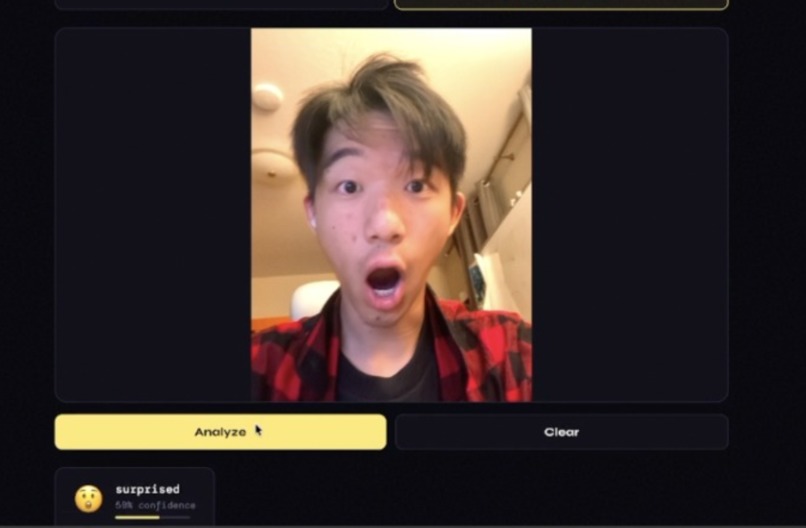
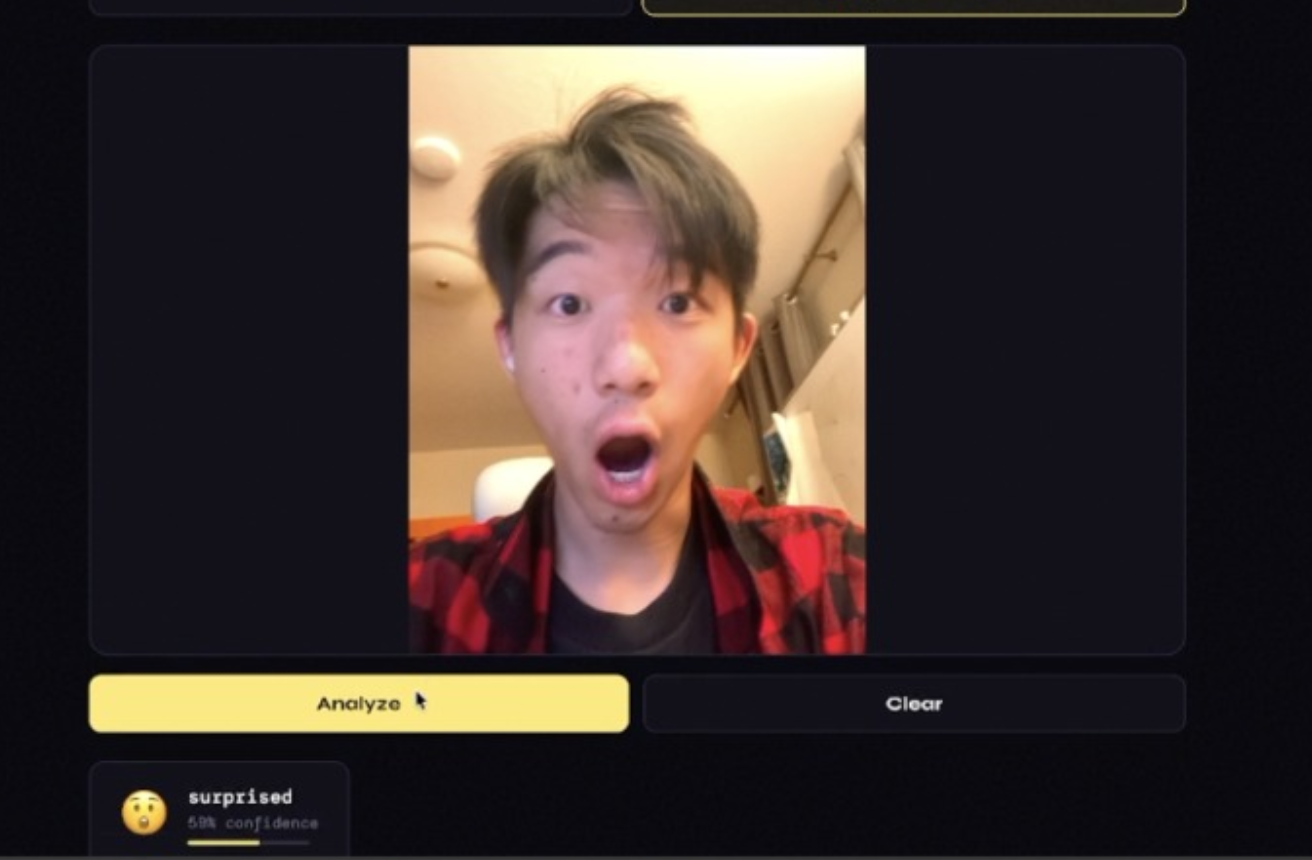
Website in use -- photo upload
Inspiration
Everyday we text people, and when people are busy, they can use text to speech to send messages without touching their phone. We were inspired by how this technology converts one form of information (sound) into another (words/texts to send). We realized there weren’t any systems that interpret facial expressions and convert them to emojis, yet emojis are really important in texting because it helps convey tone through a screen. We thought it’d be really interesting to connect human facial expressions to that kind of digital expression, and using our skills of computer vision, machine learning and web interaction, we believed we could achieve this.
What it does
This is Face2Emoji, a web based application that reads a user’s live facial expression and translates it into an emoji in real time. In this application, users would open the website, and the website uses the camera to capture live facial expressions from the user. Then, the machine learning model embedded in the website analyzes the face and predicts the emotion. The matching emoji and label will then appear on the screen. Predictions will continue updating in real time as the user changes their facial expression as well.
How we built it
First, we organized and collected a bunch of facial expression datasets, into the following classes: happy, sad, angry, scared, surprised, wink, and neutral. There are 9112 images total. Then, we used a ResNet18 model, or a Convolutional Neural Network (CNN) with resized 160x160 images, 24 epochs and batch sizes of 64 to train the model to classify emotions. This CNN first learns simple features such as edges, lines and curves. Then, in the next layers, it combines these simple features into larger parts such as eyes and mouth. In the deeper layers, it learns more complex patterns related to the specific expressions. After combining all of these learned patterns, the model is able to distinguish between emotions. Then we exported the final .pth model for inference and to connect it with the website. As for the website, the backend was written in Python involving a web framework to handle routing, running the ML model we incorporated. The frontend was created using HTML and uses webcam to capture live video input from the user directly in the browser.
Challenges we ran into
Throughout our project, we encountered many challenges and learnt lessons from them. On the machine learning side, the initial hiccup we faced was figuring out what model to use–whether it being a CNN or a R-CNN–to produce the best results. While the model achieved good metrics, it was very difficult for it to classify images with different lighting, angles, and subtle expressions. As for the website, setting up a backend environment was especially challenging as it involved handling real-time data input from different sources (file uploads and live webcam frames encoded in base64), and converting them into a compatible format with our ML pipeline.
Accomplishments that we're proud of
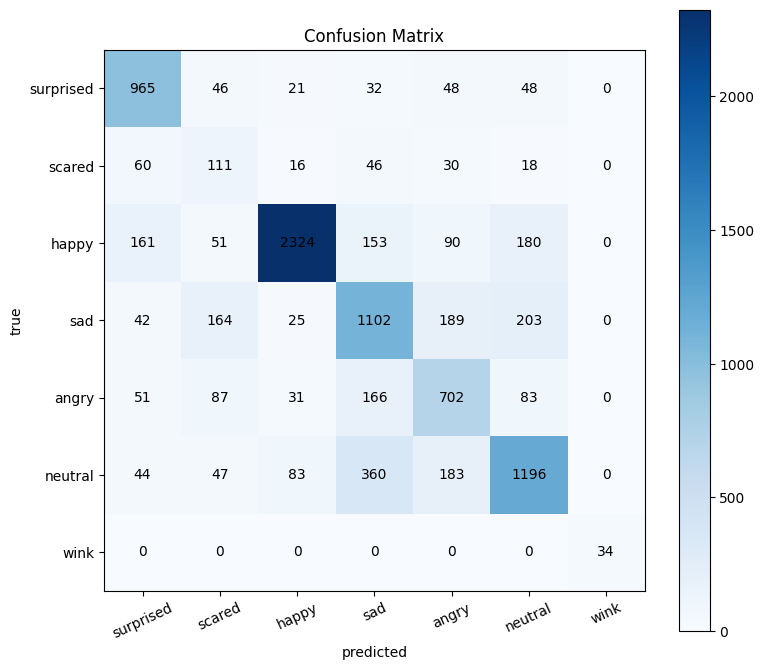
Something that we’re extremely proud of is the accuracy of the model. The model reached a final overall accuracy of 70%. Even though it may not seem very high, it is really significant as there are 7 different classes (emotions). Distinguishing between emotions is really challenging because some expressions, such as scared and surprised, can look very similar to each other so the model can confuse them. We are extremely proud that the model was still able to learn useful facial patterns and produce strong predictions across these classes. We are also proud that we successfully connected the trained model to a live website and are able to output the predictions in real time, which is really difficult to do as the website would have to update every second and display both the predicted emotion and matching emoji. Building the entire pipeline–data organization, model training, and evaluation to deployment–was also really difficult and we are extremely pleased with how it turned out.
What we learned
Through all this, our team learned that building a machine learning model is more than just training it successfully or finding the right model, but about making sure it performs well in real world situations. One major lesson was that strong evaluation metrics does not signify strong performance on live webcam input, as factors such as lighting and camera angle can affect predictions a lot. We also learned how important preprocessing is, especially resizing, normalization, and making sure the face is clearly visible to the model. We also gained a lot of experience connecting a trained model to a live website and using it for real time inference, moving from model training to deployment and user interaction. Overall, this project taught us that machine learning is not only about building a model, but also about debugging, testing, evaluating, and making the system usable in real life conditions.
What's next for Face2Emoji
The next step is making Face2Emoji actually usable in everyday communication. We can make this possible by connecting it to messaging softwares so that this can be used in real conversations rather than just a website, making this project more useful for real users. Another important improvement would be expanding the number of supported emojis, since 7 classes doesn’t fully capture the expressions people want to use. We would also like to improve the model so it performs better on real world images with different lighting, angles, accessories, and subtle expressions, meaning that we would need to collect more data for these special cases. Overall, the next steps for Face2Emoji is to make it more scalable and useful in real world communication.
Built With
- colab
- github
- google-drive
- jupyter
- kaggle
- python
- pytorch
- resnet18
- teslat4gpu


Log in or sign up for Devpost to join the conversation.