-
-
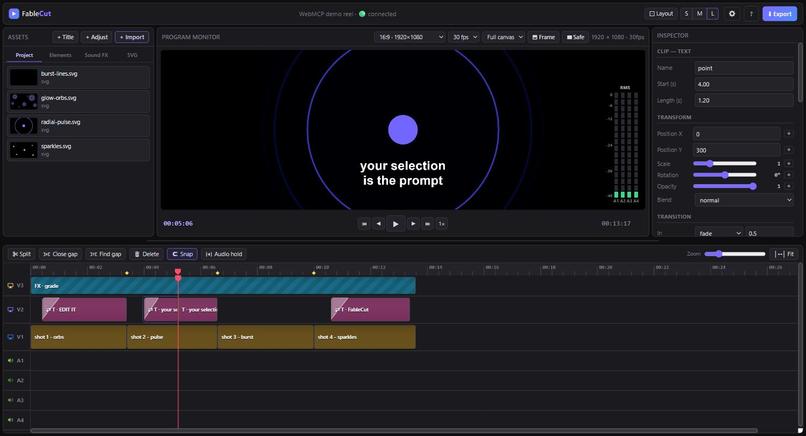
Agent moves the playhead, selects a clip, splits it, then undoes it. The edit lands on your undo stack, so Ctrl+Z reverses it
-
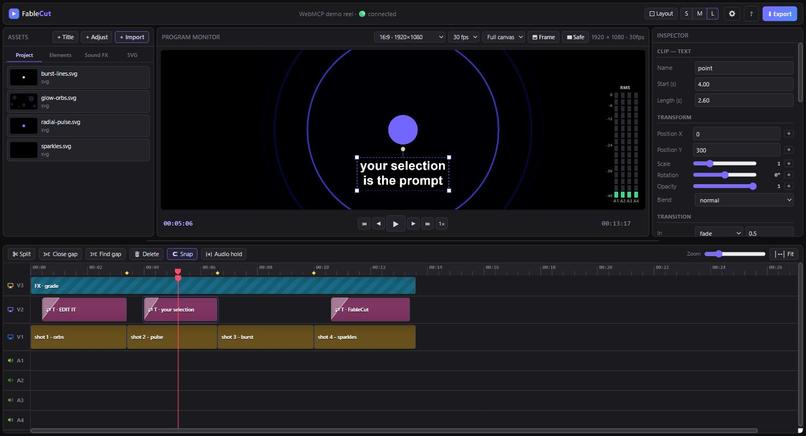
You select a clip with your mouse. The agent reads it with get_selection. No clip ids, no filenames, no describing what you mean.
-
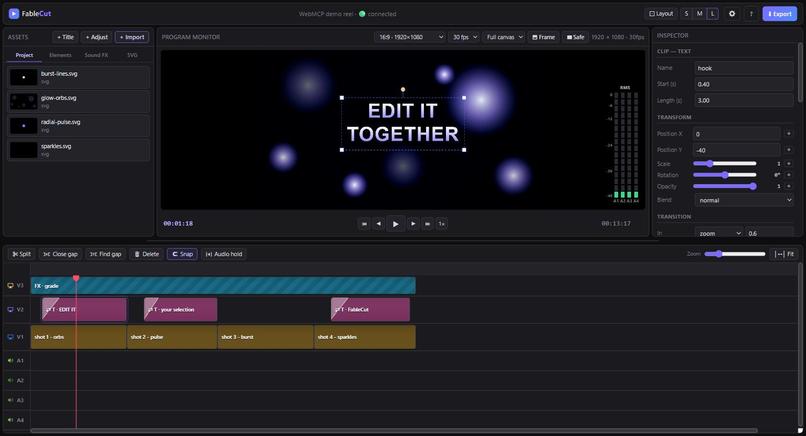
A real non-linear editor in the browser. Three video tracks, four audio, transitions, keyframes, all exposed to an agent as WebMCP tools.
-
 GIF
GIF
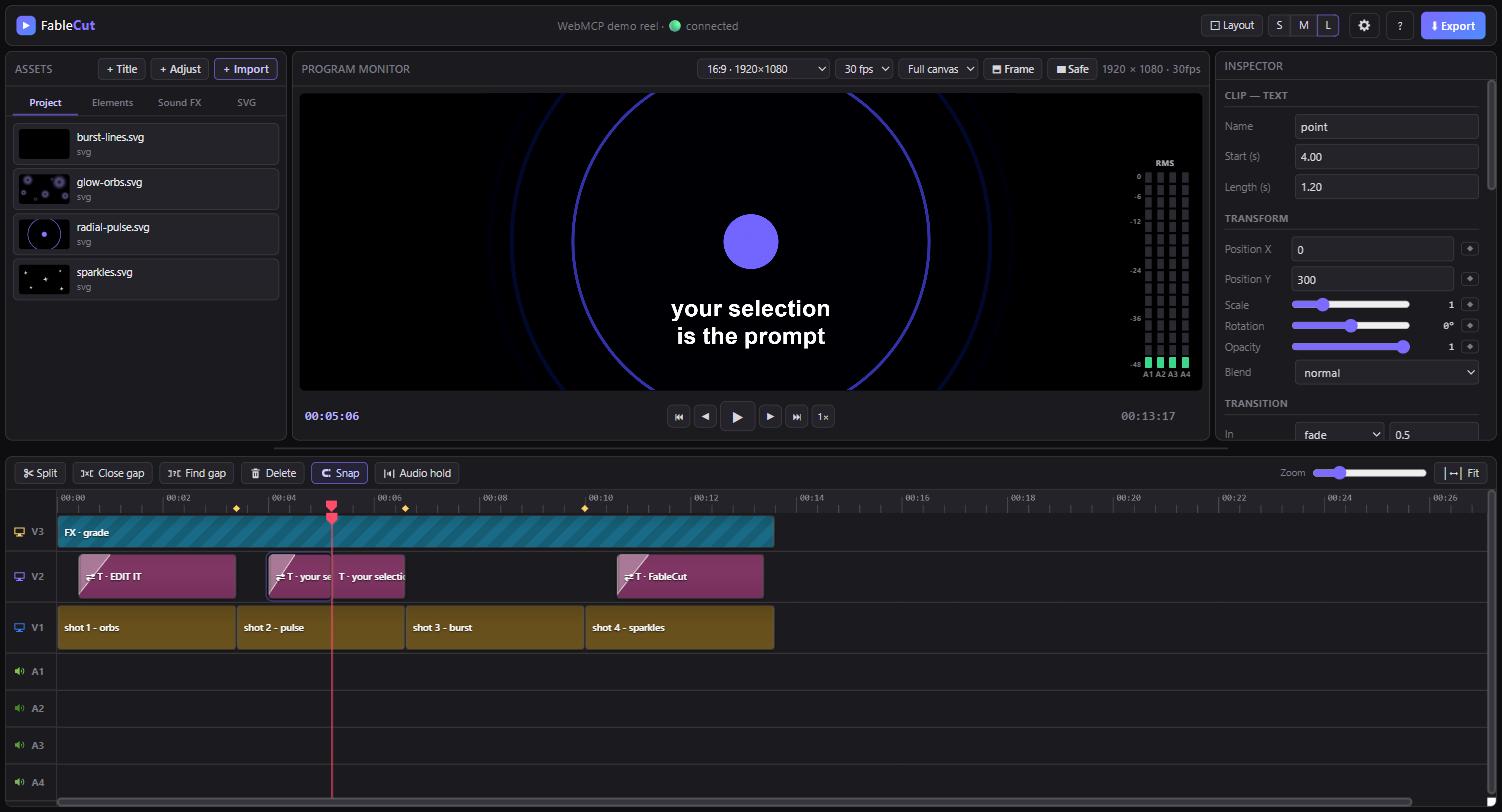
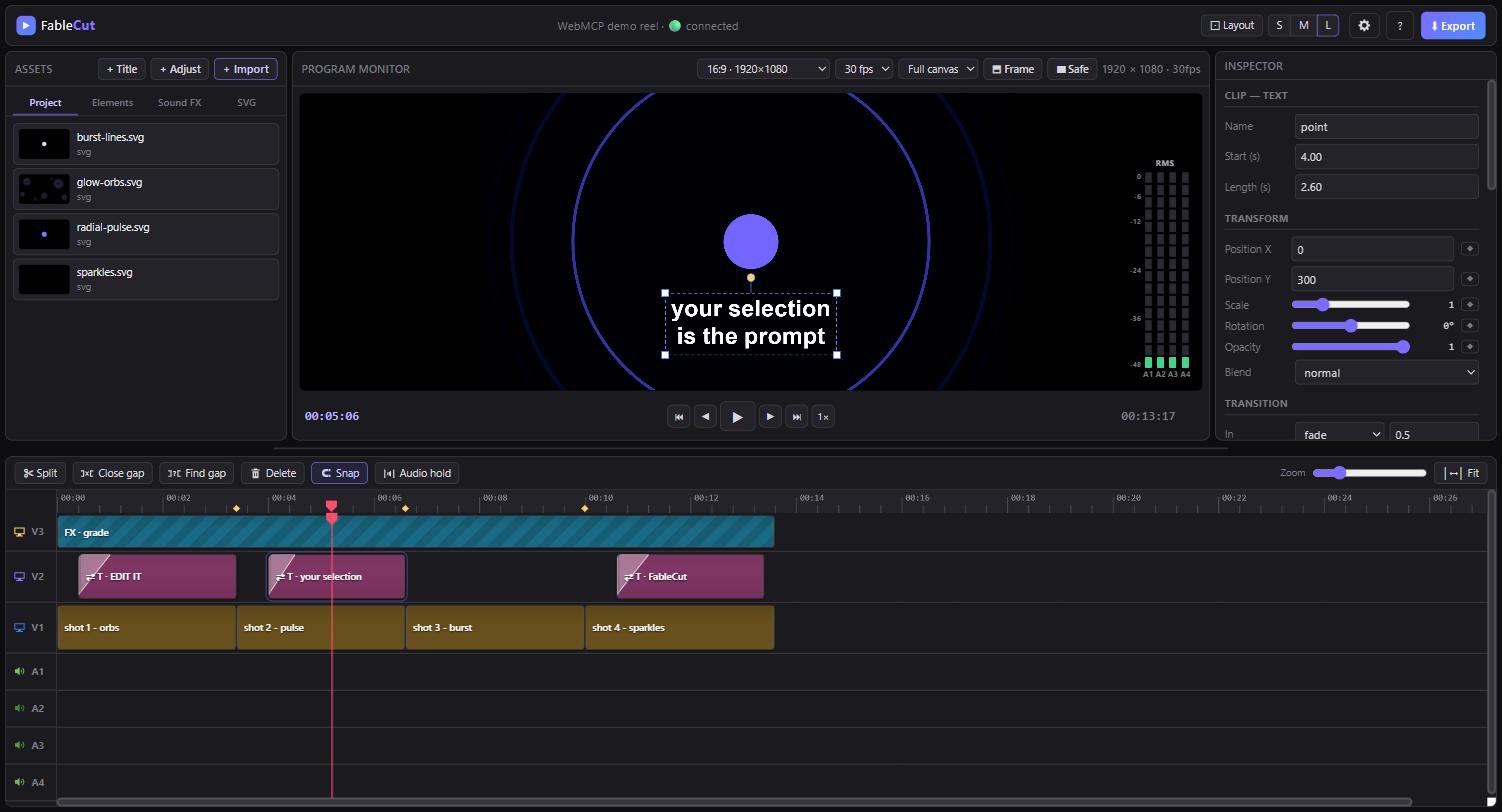
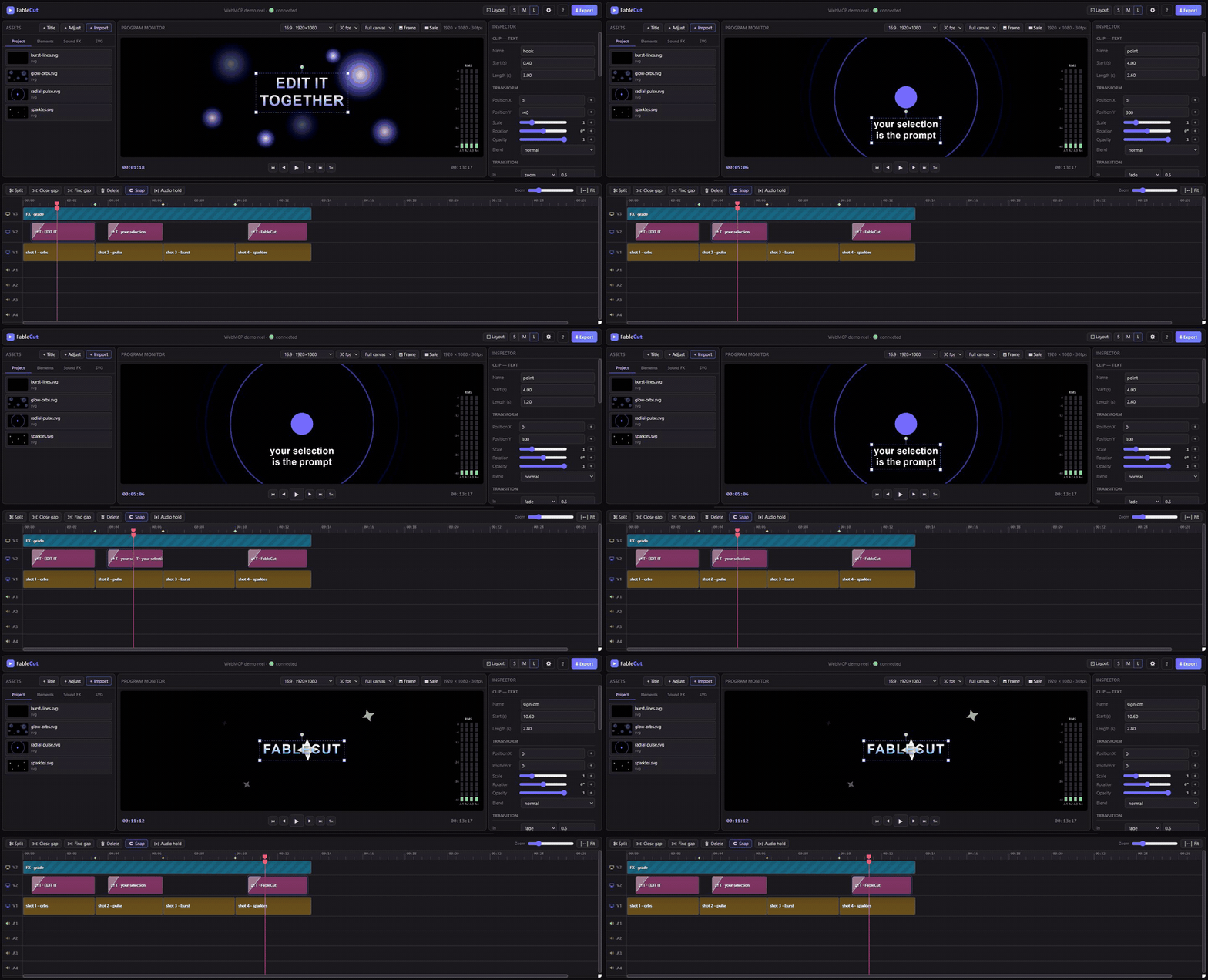
Just after split_at_playhead. One V2 clip became two and the length dropped 2.60 to 1.20. The agent made this edit, not the human.
-
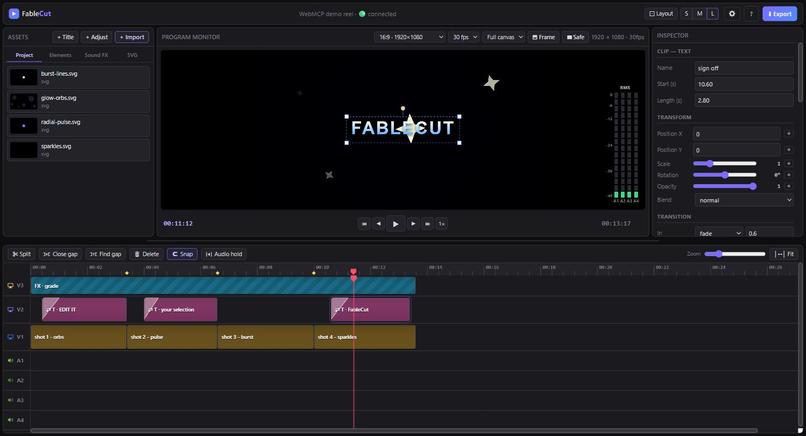
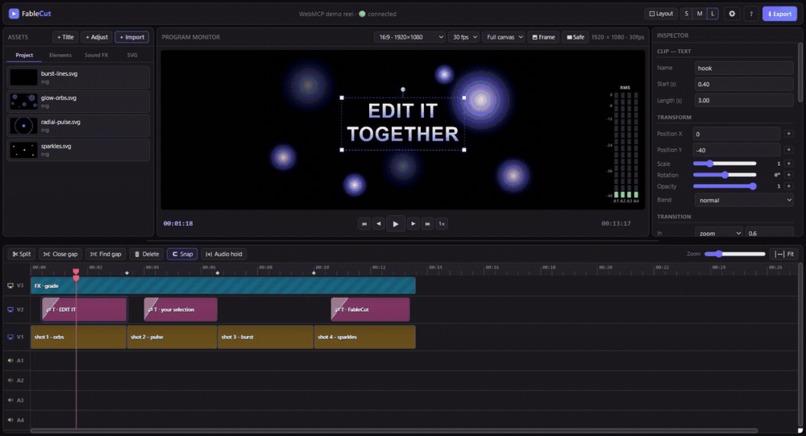
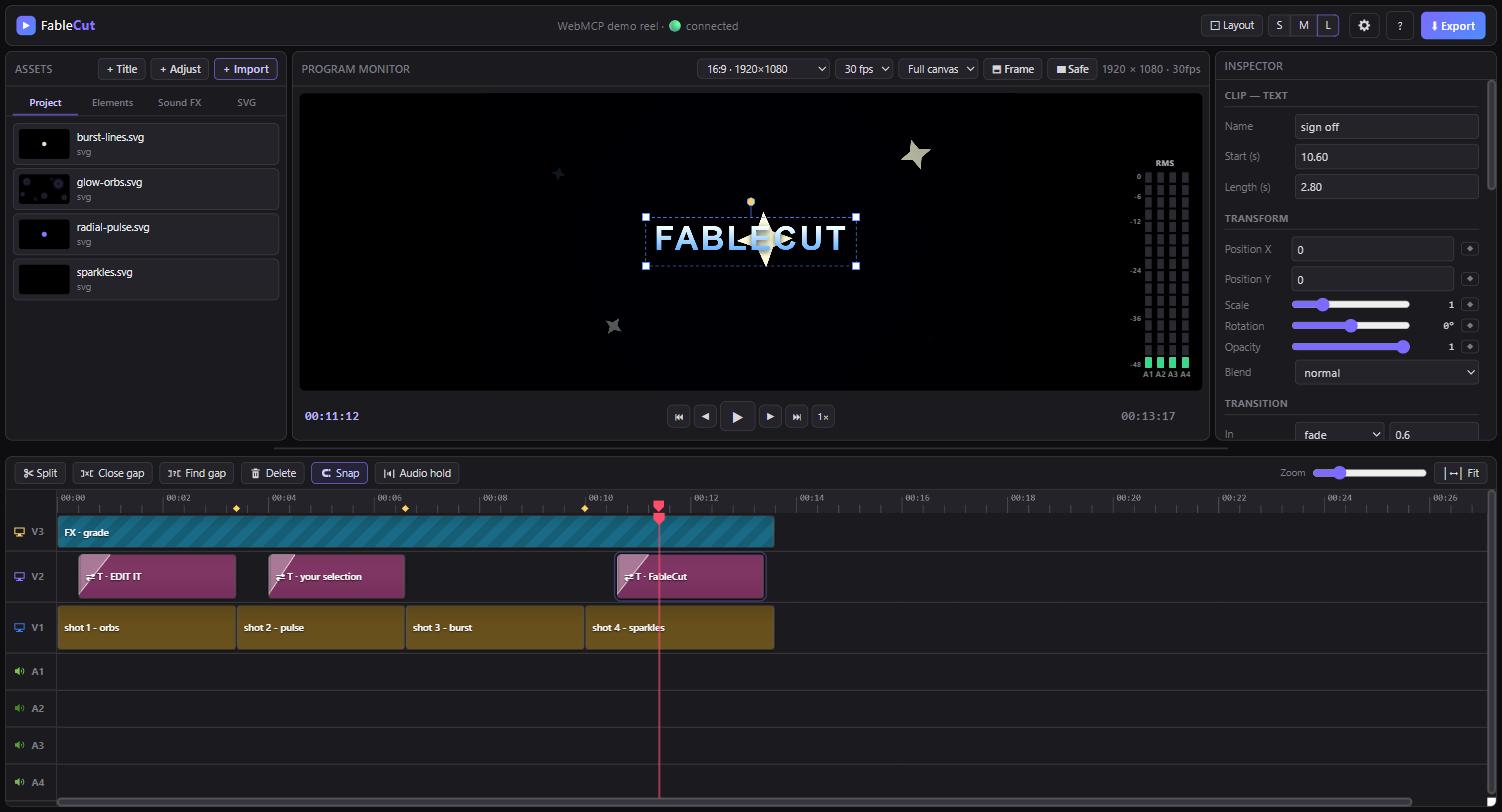
The full demo timeline. Vector shots on V1, titles on V2, one grade across everything on V3. Either of you can edit any of it.
Inspiration
I wanted to edit video without paying for it. Premiere Pro is a subscription, and Palmier Pro needs macOS, so between the two of them the door is shut for a lot of people who just want to cut clips. That felt wrong for a community that mostly runs on free and open tools. So I built FableCut.
The WebMCP part came later, out of a limitation I already knew about. FableCut could be driven by an agent over MCP, but the agent was always editing a file on disk while I was sitting in front of a timeline in a browser tab. Two views of the same edit, held together by a file watcher. WebMCP closes that gap, because the tools live inside the page the human is already looking at. A video editor is about the best possible thing to put WebMCP into, since the whole session is already live in the tab.
What it does
FableCut is a browser based, zero dependency video editor that an AI agent can drive. Three video tracks, four audio tracks, trimming, splitting, keyframes, transitions, real waveforms, and export, all running in the browser off one node server.js.
The original idea was that project.json is the interface. The entire timeline is one JSON document, so any agent that can read and write JSON can edit video, and the open tab hot reloads in about 150ms. That still works and it is still how the MCP server operates.
For this challenge I added a WebMCP layer, and it does something the file based approach cannot. It registers 11 tools on document.modelContext that talk to the running editor instead of the file. The interesting ones are the ones that have no on disk equivalent at all:
- get_selection reads what you have selected right now and where your playhead is. You point at a clip with your mouse and say "tighten this". No ids, no filenames, no describing what you mean.
- get_frame_context reports what is actually composited at a given instant, topmost first, with transforms. The flat clip list cannot answer "what does the viewer see here".
- set_playhead and select_clips let the agent move your cursor and your selection, so it can show you what it means before it changes anything.
And the piece that makes it actually usable: every tool that changes something calls pushUndo() first. The agent's edits go onto the same undo stack as yours. Ctrl+Z reverses the agent exactly the way it reverses you. There is no separate "review the AI's changes" panel to approve or reject, because there is one timeline, one history, and two people editing it.
How we built it
FableCut itself was built before this hackathon. No third party libraries, no dependencies, free, and drivable by agents from day one. We used Claude Code to build it over a weekend and posted it on a random Thursday.
For this challenge the new work is a single file, webmcp.js, plus one line in index.html to load it. The repo is deliberately structured so you can see exactly that. The first commit is an unmodified export of FableCut as it stood before the submission period, containing zero WebMCP code. Every commit after it is challenge work, so git diff against that first commit is the submission. WEBMCP.md spells this out.
One thing that cost real time was figuring out which API to write against. The spec and Chrome's own docs say document.modelContext.registerTool(), but most of the tutorials and blog posts still in circulation show navigator.modelContext with a batch provideContext() call, which is an older draft shape. We could not control which build a judge would open it in, so the layer feature detects both and prefers the spec form.
Challenges we ran into
Frame rendering and clip transitions were rough early on, and got fixed in a recent build.
Clips and audio were not really consumable by an agent. It could see that a clip existed but not what was in it, so we had to start transcribing audio and placing beats and effects against volume peaks and drops.
For the WebMCP layer, the hard problem was reversibility. An agent that edits your timeline and cannot be undone is worse than no agent. Routing every mutating tool through the editor's existing undo stack solved it and turned out to be the best part of the whole thing.
Testing was its own problem, since WebMCP needs Chrome 149 with a flag or the ChatGPT in app browser. We ended up exposing the tool set on window.FableCutWebMCP so every tool can be executed and verified in a normal browser without the flag.
Accomplishments that we're proud of
FableCut hit the Show HN front page with 98 points and sat at #2 for a whole day, and picked up 200 GitHub stars in the first 5 hours. It is listed in the official MCP registry and has been written up on several blogs, tech news sites, and social platforms.
We also got a repost from Marcos Rico Peng, founder of Palmier Pro, on a post comparing FableCut with the existing tools in that space. The repo is past 640 stars and still climbing, with people contributing regularly.
Most of that happened before this hackathon, so we are not claiming it as challenge work. We mention it because it means agent native editing has somewhere real to land. There are already people using this thing every day.
What we learned
SSE, a lot of ways to edit video, and how to reimplement an existing production clip or ad from scratch. Building MCP servers for free and open source agent tooling pulled us into context sharing and tool calling as a field.
WebMCP added a distinction we had not thought about before. There is a real difference between an agent editing your document and an agent editing your session. The first one needs you to describe everything. The second one can just look at what you are pointing at.
What's next for FableCut
- More features, and simpler prompts for complex edits
- A library/marketplace of media built specifically for FableCut: SVGs, SFX, effects, and transitions
Built With
- canvas
- css
- html
- javascript
- mcp
- node.js
- sse
- web-audio-api
- webcodecs
- webmcp


Log in or sign up for Devpost to join the conversation.