-
-
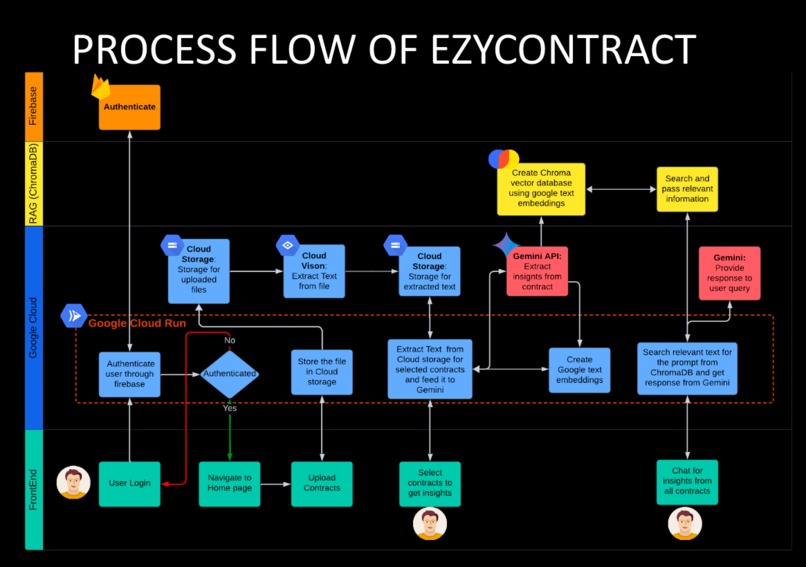
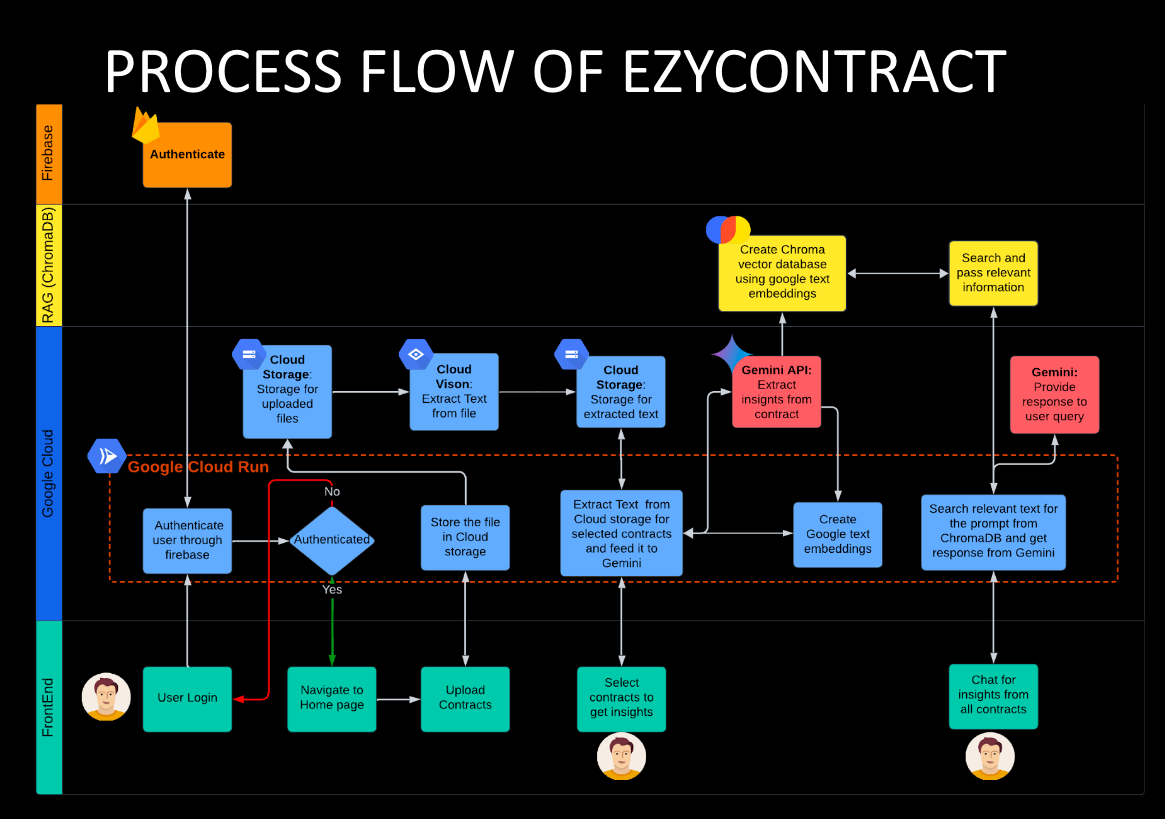
Process Flow
-
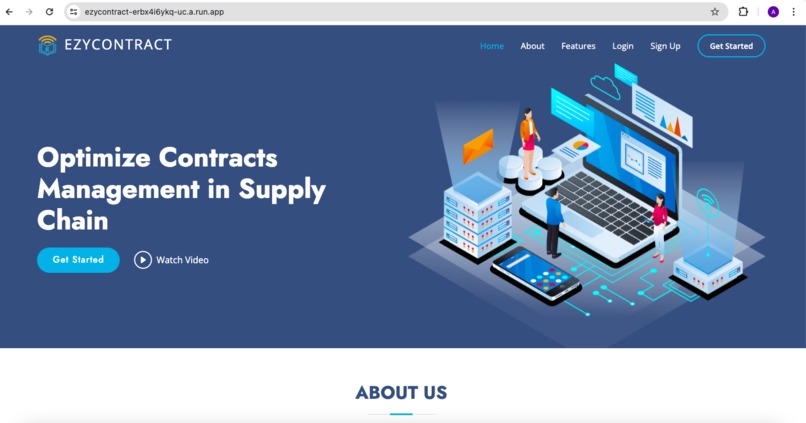
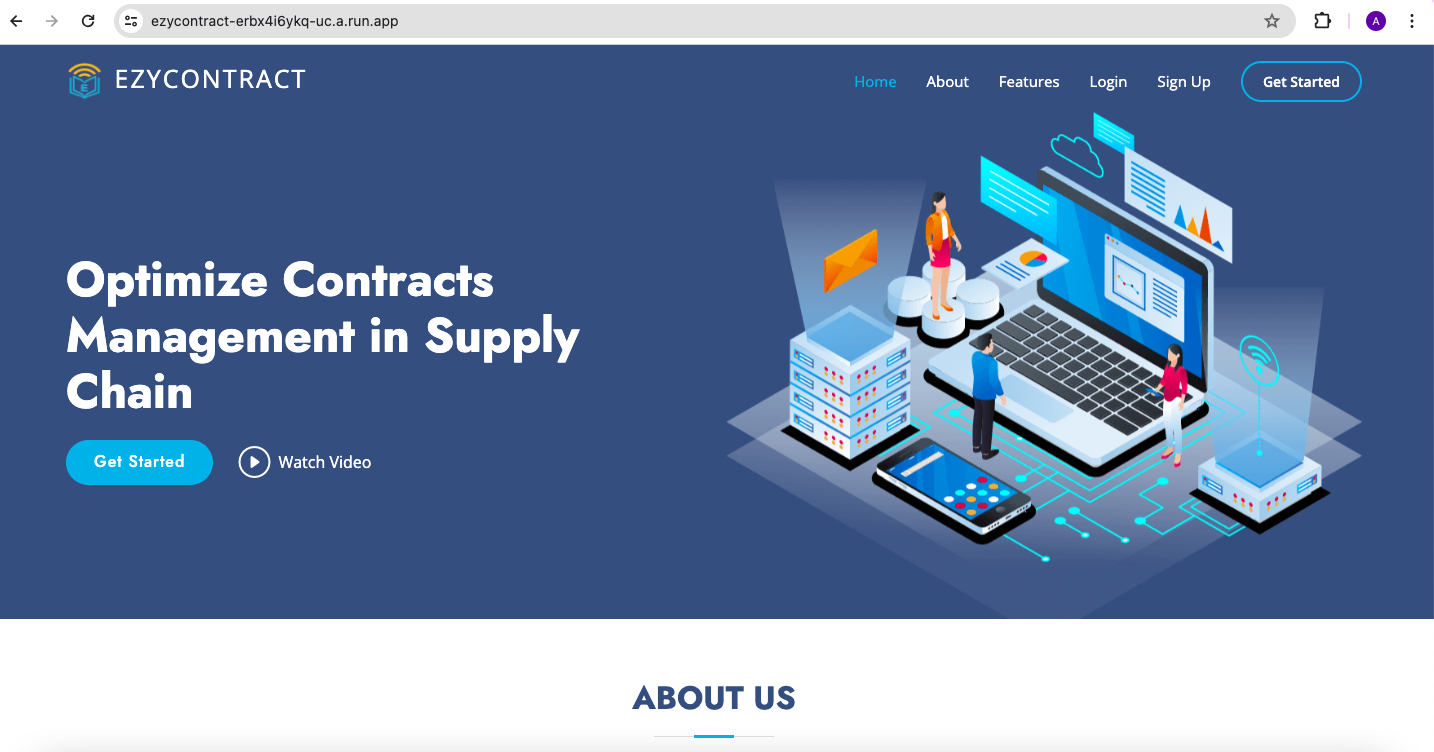
Landing screen
-
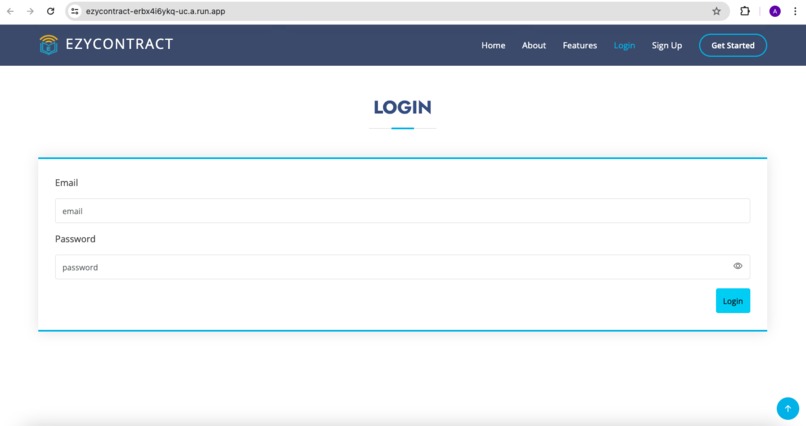
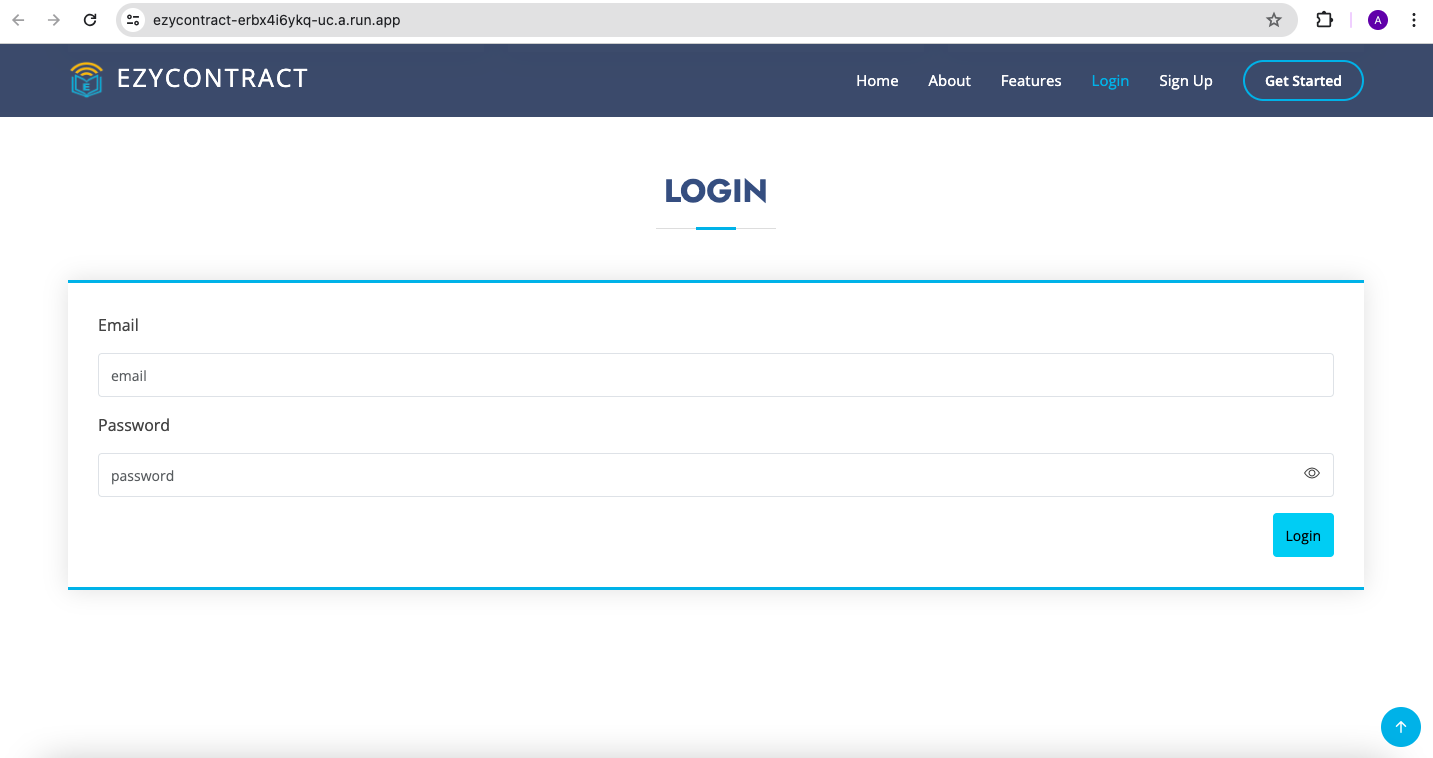
Login
-
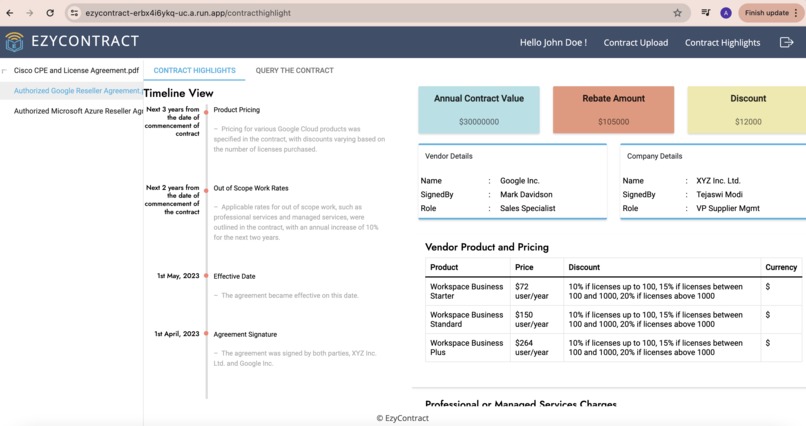
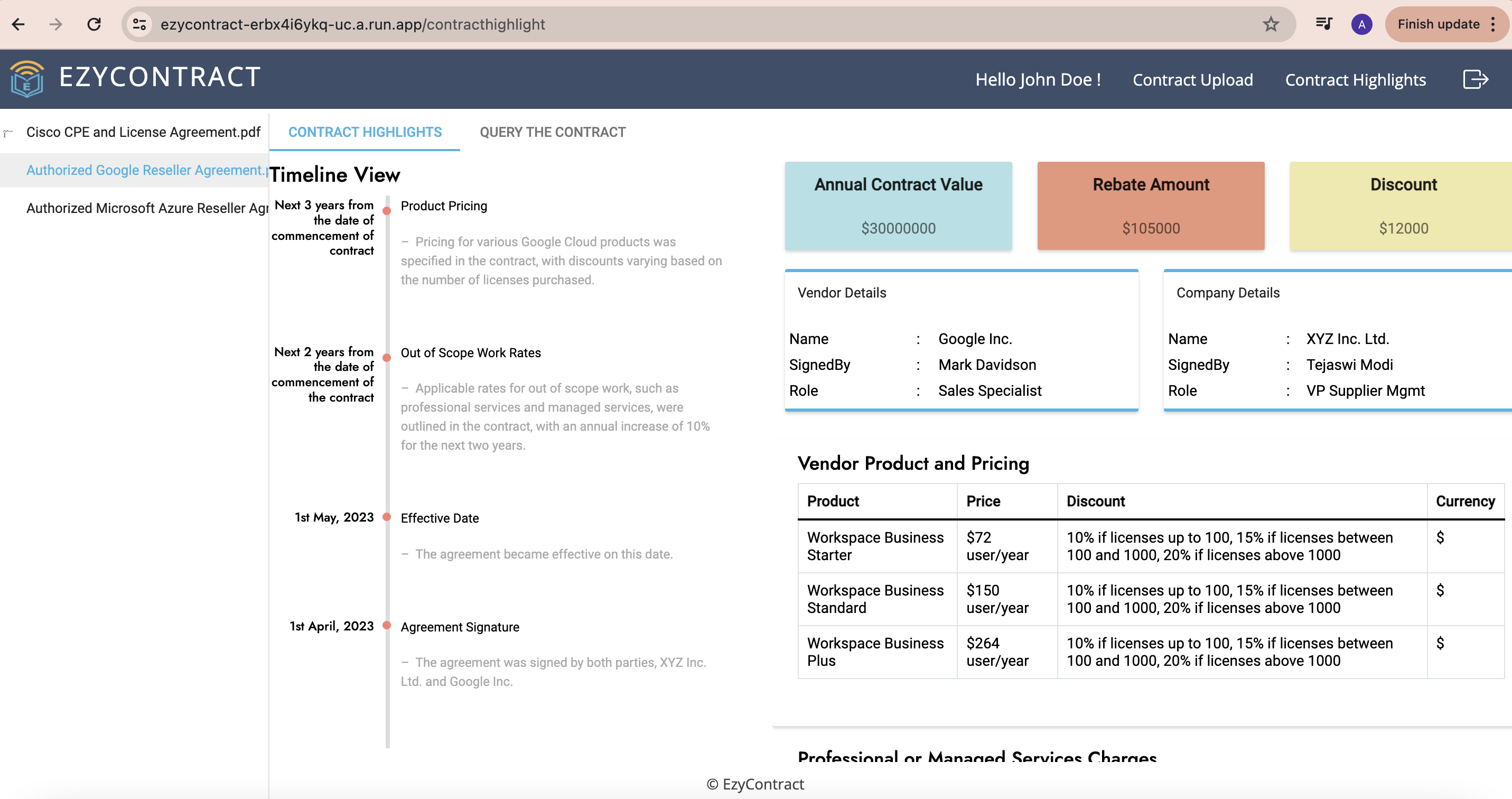
Contract Highlights
-
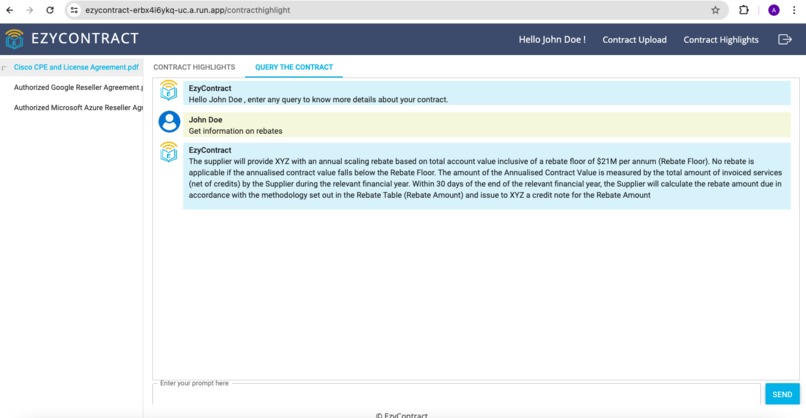
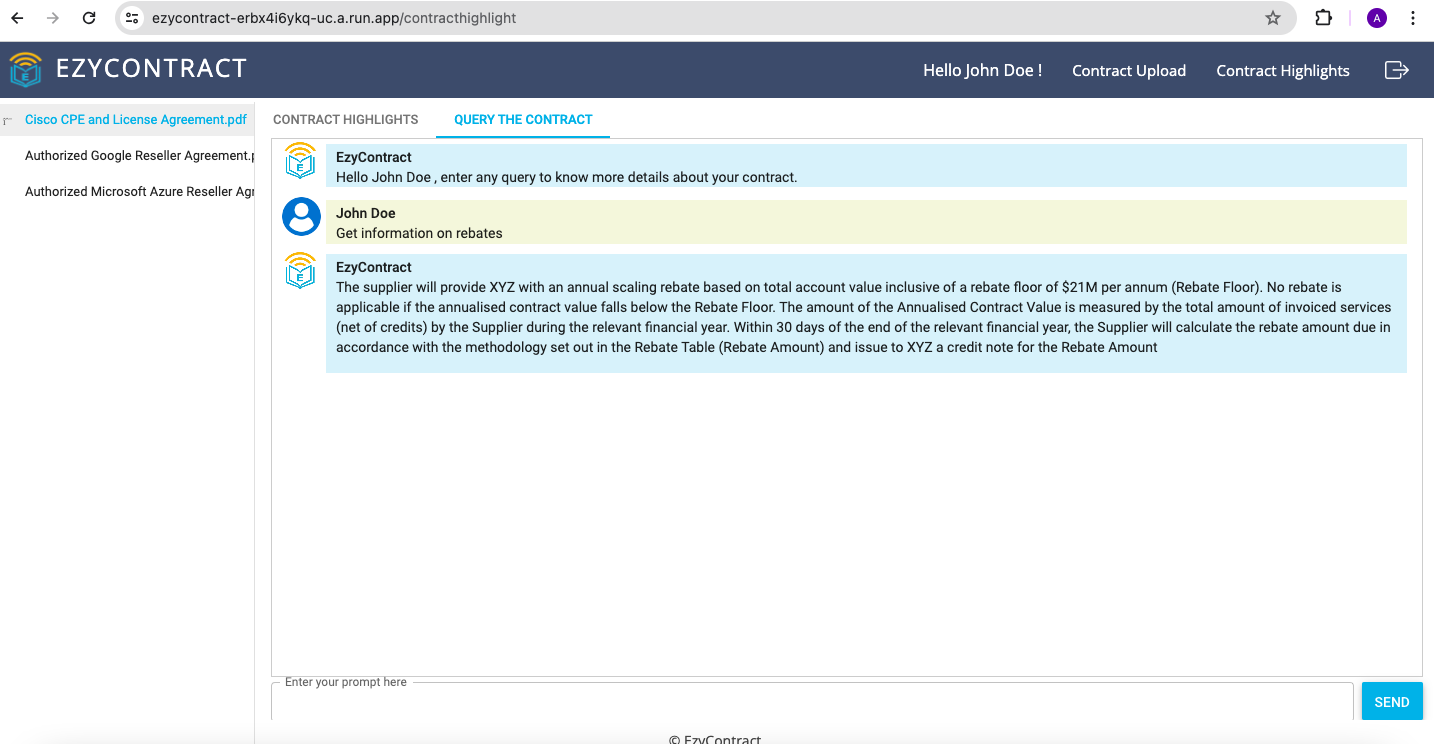
Contract Querying
-
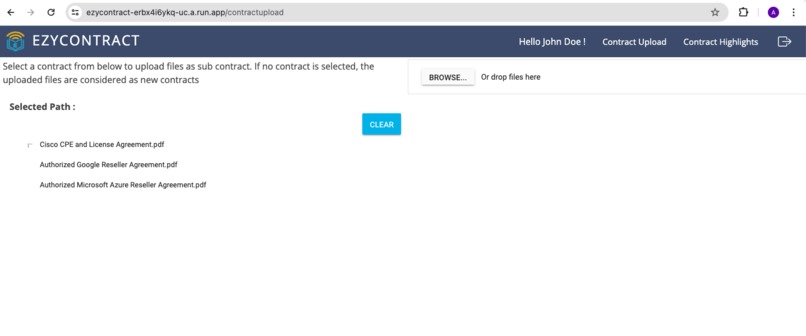
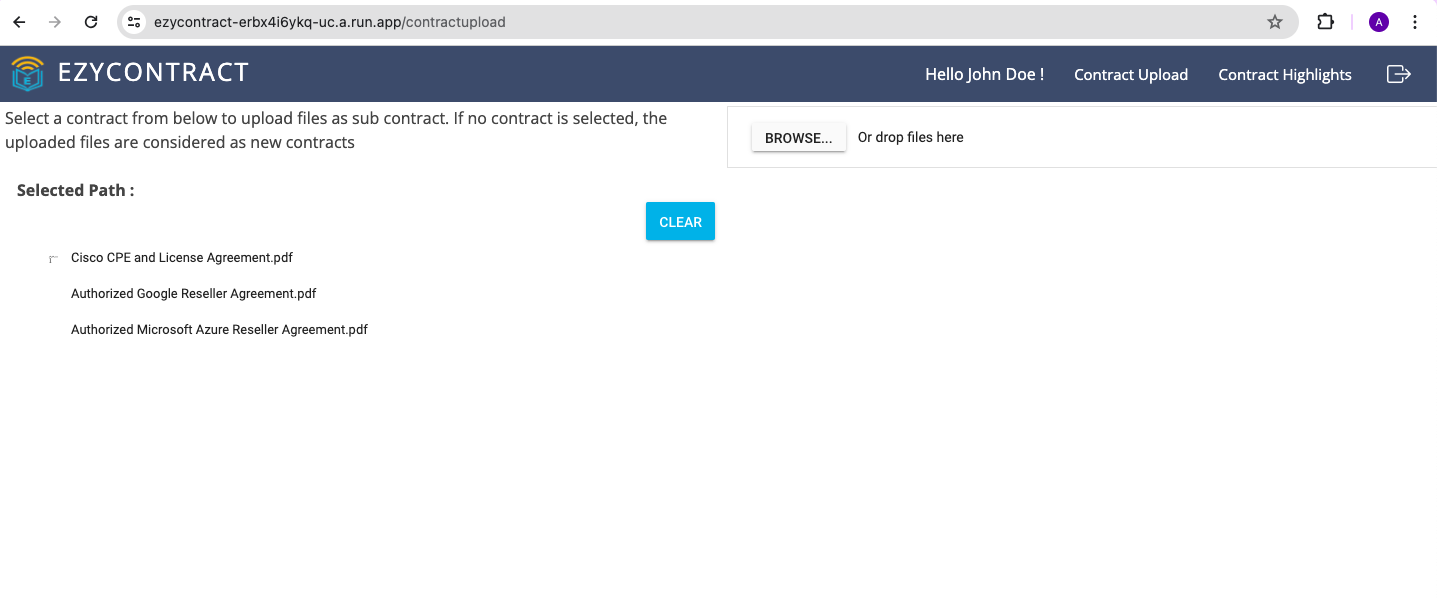
Contract Upload screen
Inspiration
As part of large organisation to interpret contractual terms for negotiating discounts with vendors, getting rebates on invoiced value from suppliers and price increases to customers. Specialists from top tier consulting firms are employed to understand the contracts and provide information to requested teams for enforcement. This is a tedious process of going through contract by contract manually with no automated alerts. With the advent of advancements in Large language models we thought of using LLMs to speed the process of interpreting the contracts fetch relevant information from 100s of supplier contracts and 1000s of customer contracts.
What it does
We have created EzyContract as a contract management tool (CMT) which holds all the contracts for the enterprise or it can be paired with an existing CMT. User can upload contracts which are saved into Cloud storage. EzyContract has all the contracts, their amendments and it can also be connected to ERP and CRM of the enterprise. When user selects contract, EzyContract summarises the contract highlights along with timeline of all the events in the contract like Signed date, Commission date, Renewal Date and amendment date etc and can query the contracts for specific insight.
How we built it
We have built our web application on Python Flask framework hosted on Google Cloud run.Using Google Cloud Storage as object store to save contracts and extracted text from files. EzyContract extracts text from contracts using Google Cloud Vision and then requests Google Gemini API to fetch insights. Additionally for querying a contract using Chroma vector database (RAG) is used before requesting Gemini. For user authentication and management using Google Firebase.
Challenges we ran into
We have challenges in getting data like, contracts for the tool. Most of the enterprise contracts are confidential which can't be used directly in the application. Hence, taking inspiration from the lengthy (approx. 140 pages) enterprise contracts we have written our own vendor contracts for dummy company XYZ Inc. for our application Ezycontract.
Technical challenges we faced are with respect to Gemini 1.0 pro which has a limit of 32,760 tokens and unable extract insights from contracts. We have resolved this issue by getting access to Gemini 1.5 pro. Deploying to Cloud Run was also challenging initially because of some package issues. We faced some challenges because of 5 requests per minute limit lo Gemini 1.5 pro
Accomplishments that we're proud of
We are able to fetch insights from contracts almost as good as manually insights. Getting timeline of events from the contracts and its amendments, specific highlights on products pricing, summary on discounts and rebates in single page has simplified the job of analyzing the contracts and interpreting them easier.
What we learned
We have gained knowledge on the workings of LLMs (Gemini) and their capabilities, which can be used in different areas of the business.
What's next for EzyContract
- Adding Customer Contracts - Similar to vendor contracts customer side contracts can also be included
- Integrating both customer and vendors contracts - Instead of looking at contracts in silos on vendor and customer side. Integrating both will provide combined profitable opportunities
- Alerts based on spend and revenue data - Integrating with ERP, Spend or Revenue systems providing alerts on discounts, rebates or price increases to prevent leakages
- Access control - Control authorization to different users based on their access level to information in organization
- Recommendations on clauses to include - Based on product, industry and various other factors giving recommendations on what clauses to include aiding in contract preparation
Testing Instructions
- Download source code from !https://github.com/akhilquotes/EzyContract
- To start the application, run python app.py from terminal
- Sign up as new user or login using below credentials Email : johndoe@gmail.com Password : Testhacks@12
- Once logged in, user is redirected to ContractHighlight page
- Select a contract to get insights from. All highlights like Vendor details, Products etc.. can be seen under Highlights tab.
- Additionally user can query the selected contract under Query Contract tab.
- In contract upload page, user can upload new contract or any amendment to exixting contract can be uploaded as sub contract by selecting the parent contract.
Built With
- chromadb
- firebase
- flask
- gemini
- gemini-api
- google-cloud
- google-cloud-build
- google-cloud-run
- google-cloud-vision
- python

Log in or sign up for Devpost to join the conversation.