-
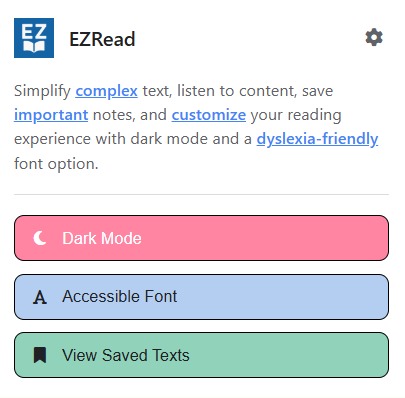
Popup
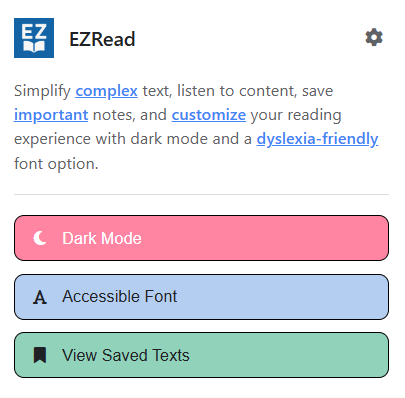
Inspiration
EZRead started from a seminar where I kept rereading a paragraph and still couldn’t understand it. It made me think: if I’m having this much trouble, it’s probably even harder for people who process information differently.
There aren’t many tools that make online reading more accessible in a practical way, so Emma and I decided to build something lightweight but useful. We ran a quick survey to understand what features people actually wanted, and used that feedback to shape EZRead into a tool that simplifies, reads, and saves content to better support different reading needs.
What it does
EZRead is a Chrome extension that:
- Simplify selected text with three levels of rephrasing (minimal → maximum)
- Read aloud with Google TTS and real-time word highlighting
- Save, revisit and delete important content and notes
- Toggle dark mode for low-light or light-sensitive users
- Switch to a dyslexia-friendly font (OpenDyslexic)
- Adjust speech speed and simplification strength
How we built it
We built EZRead as a Chrome extension using JavaScript, HTML, and CSS for the frontend. For the backend, we used Python with Flask to handle API routes for simplification, speech generation, and saving content to MongoDB.
The core of our simplification feature relies on the Gemini API, which rewrites selected text based on the user's preferred accessibility level. We designed prompts that adjust the complexity of the output to support different reading styles and needs.
To make content audible, we used Google Cloud’s Text-to-Speech API with SSML markers to sync spoken words with real-time highlighting. User data is saved using session IDs, allowing personalized history without requiring logins.
Challenges we ran into
Syncing the text-to-speech with real-time word highlighting was one of the harder parts. Getting the SSML markers to work right with Google’s Text-to-Speech API took some trial and error.
We also had some early issues with MongoDB because our IPs weren’t added to the network access list, which blocked our database connection until we fixed it. On the frontend, we had to make a lot of small design tweaks so the toolbar didn’t break websites or feel intrusive.
Using the Gemini API was mostly smooth, but we still had to test different models and prompts to make the simplifications sound clear and helpful. Making everything work together in a way that felt clean and easy to use took some time.
Accomplishments that we're proud of
We’re proud that we built a fully working Chrome extension that simplifies, reads, and saves web content in a more accessible way. It connects to a backend, handles API calls, syncs audio with highlighted text, and stores data in MongoDB.
It was our first time building a Chrome extension and working with MongoDB, so getting everything to talk to each other smoothly felt like a big win. We also made the UI clean and lightweight so it works across different sites without being disruptive.
Most of all, we’re proud that we created something that could actually make reading online a little easier for people who need extra support.
What we learned
We learned how to build a full-stack Chrome extension from scratch and connect it to external services like the Gemini API and MongoDB. It was our first time using both, so we had to figure out routing, and how to handle API requests between the extension and the backend.
We also got more comfortable debugging across different layers of the project from frontend to backend to browser permissions. On top of that, designing a clean UI that works across all kinds of websites helped us think more about accessibility and user experience.
Overall, this project helped us improve at breaking down problems and connecting different tools and technologies into a single, working product.
What's next for EZRead
We’re planning to keep working on EZRead after the hackathon. Some of the next features we want to build include user accounts for saving personalized settings, a pause button for speech, and a back button that lets you return to the original text after simplifying. We also want to add an option to simplify text into bullet points, which could be helpful for studying or quick reference.
Beyond that, we’re looking into AI-powered summaries, more font options, and a focus mode for distraction-free reading. We’d also love to add collaboration tools for sharing simplified content and expand to multiple languages to support a wider audience.


Log in or sign up for Devpost to join the conversation.