-
-
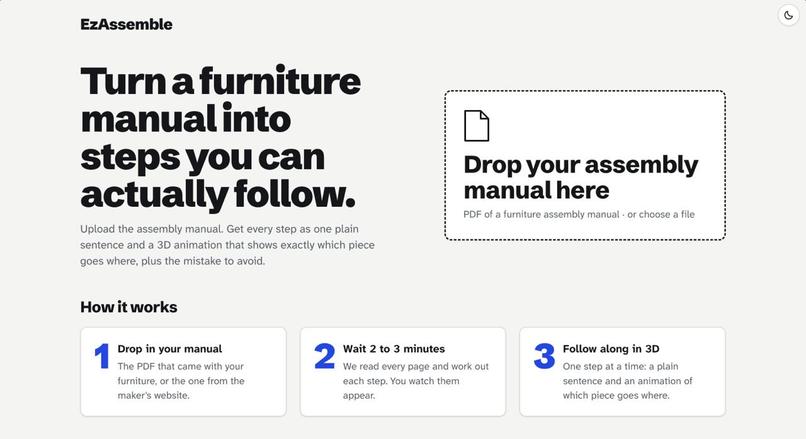
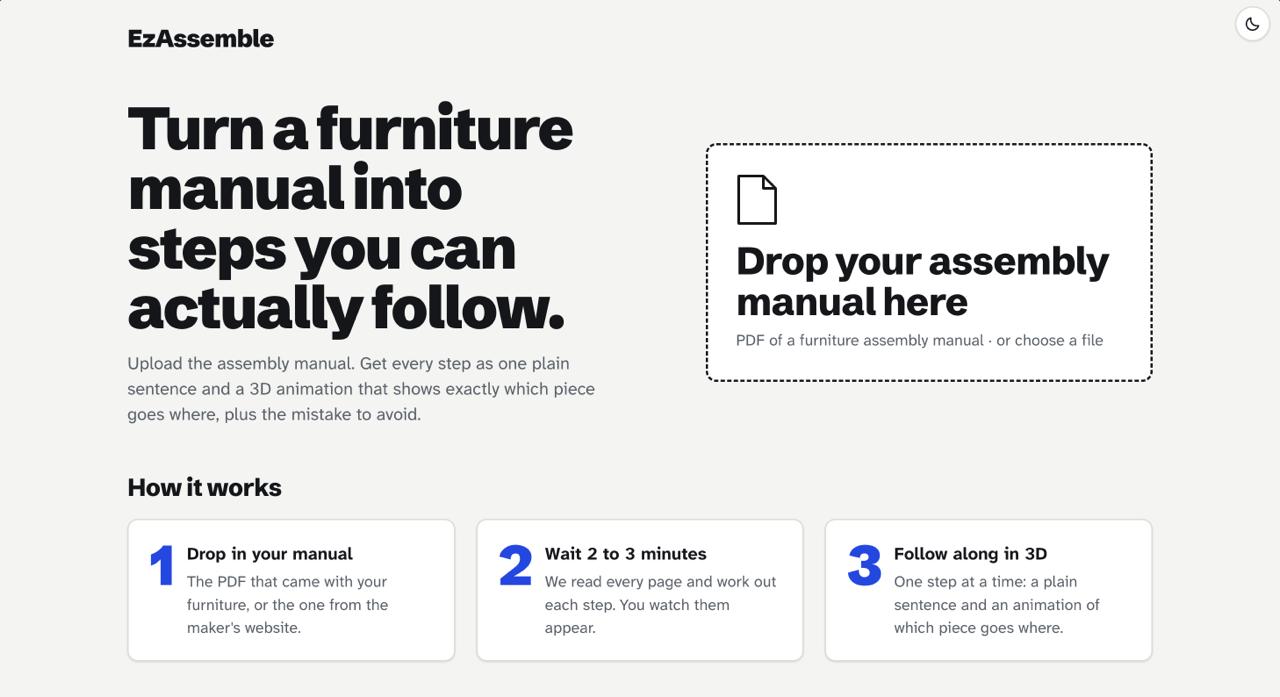
HomePage
-
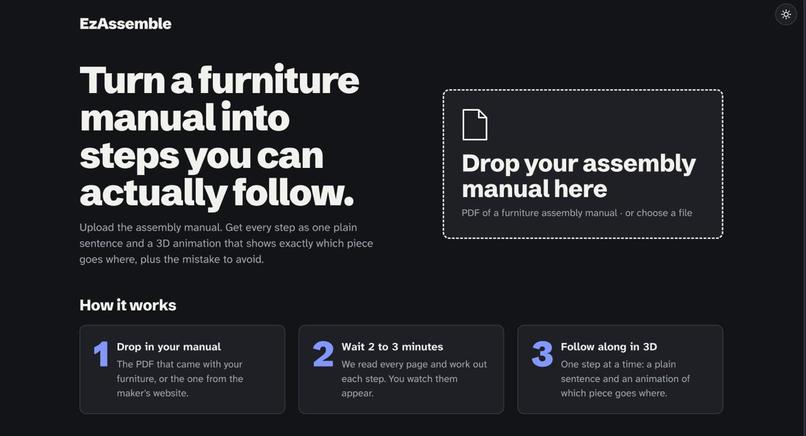
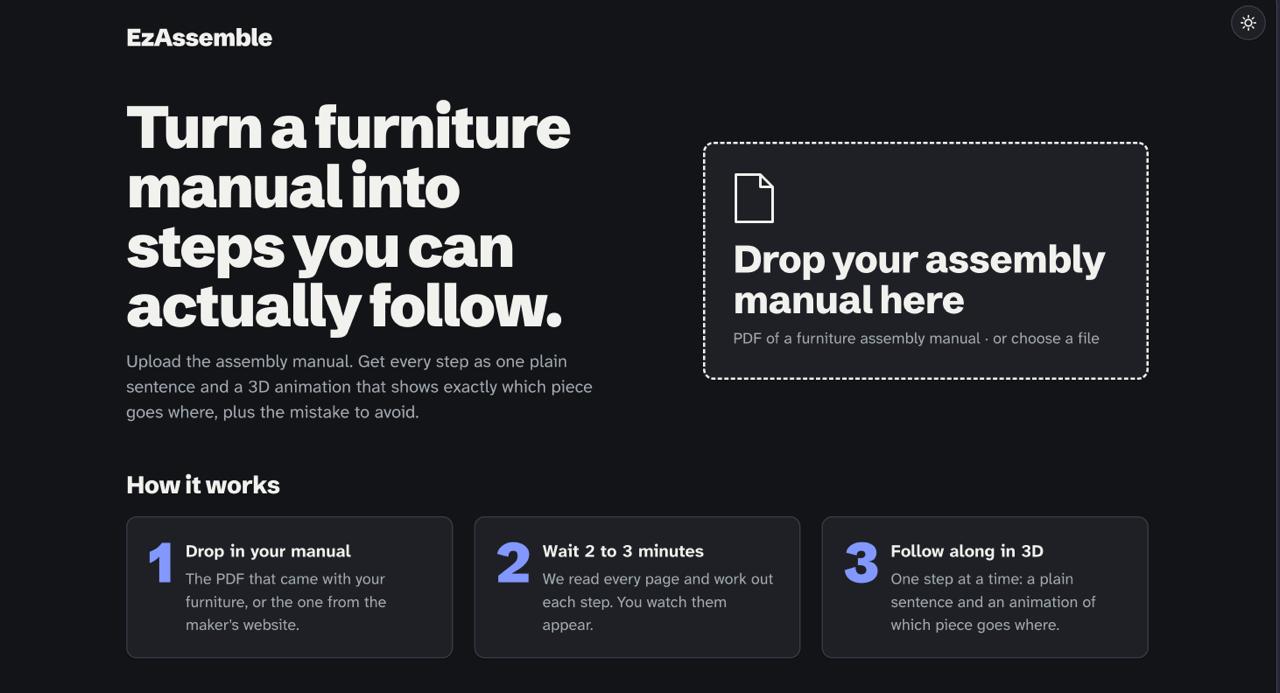
HomePage Darkmode
-
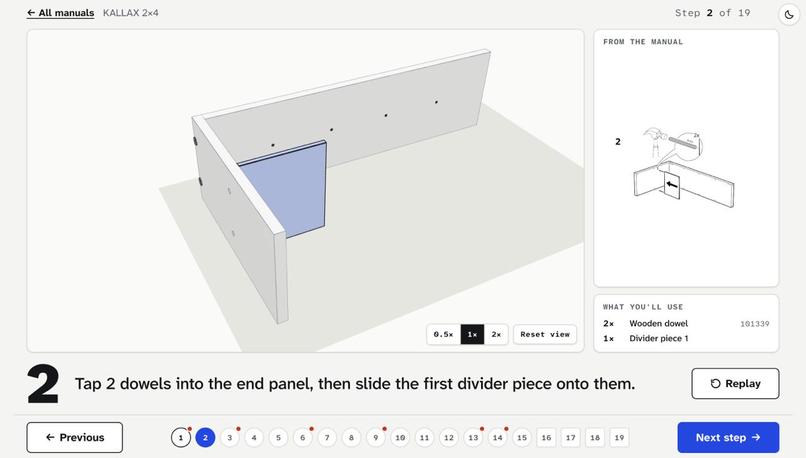
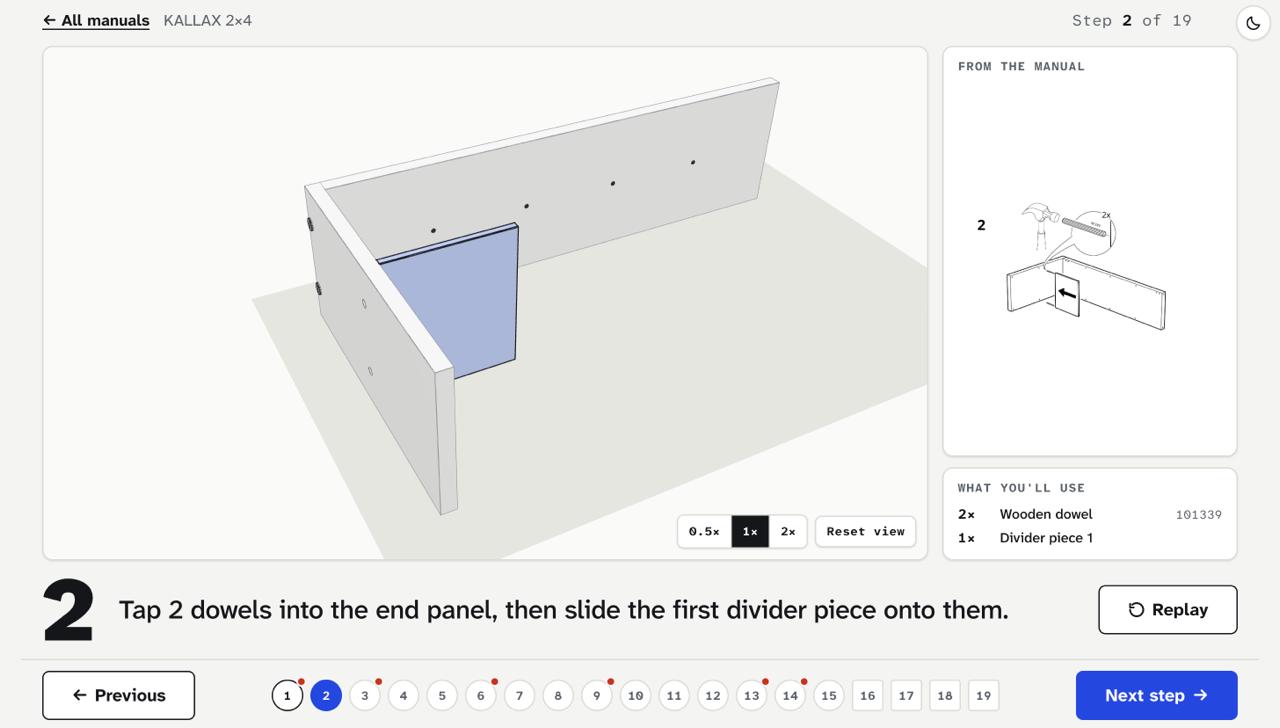
Working 3d model in light mode
-
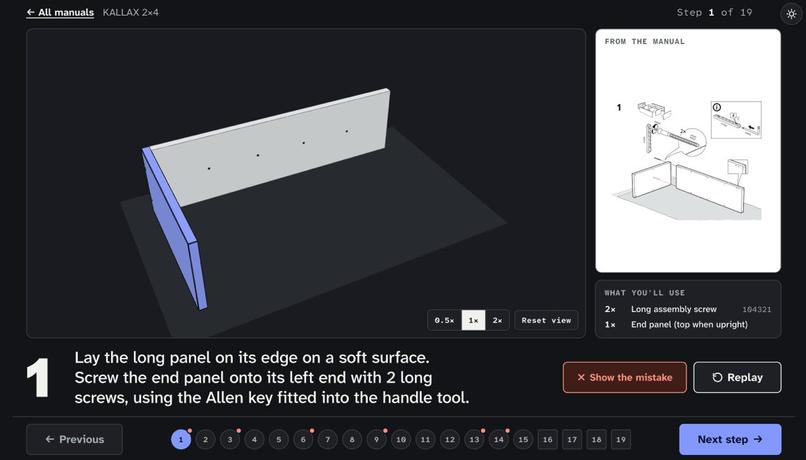
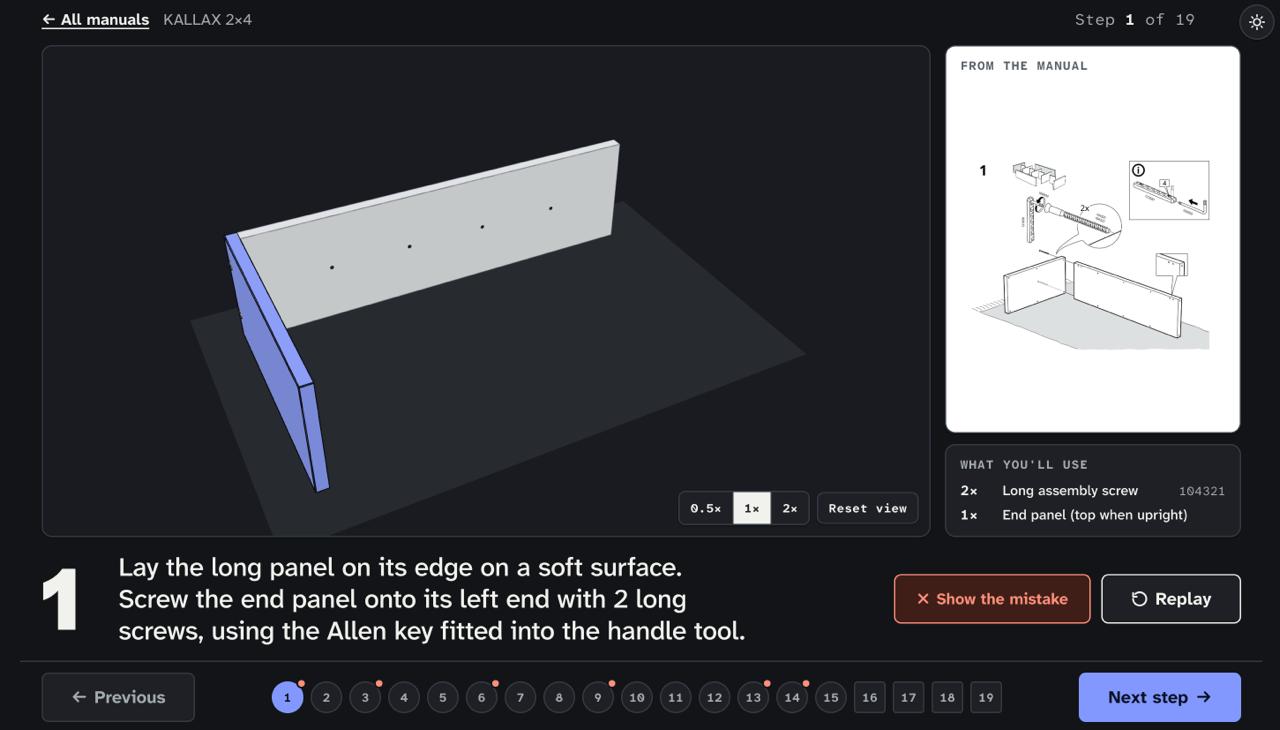
Working 3d model in Dark mode
Inspiration
Everyone on our team has built flat-pack furniture, and everyone has taken some of it apart again. IKEA manuals have no words: each step is a line drawing with arrows, part numbers and tiny zoomed details. You pick the wrong panel, or put the right one in backwards, and only find out five steps later when the holes don't line up.
The manual tells you what goes where. It never shows you how it moves, or what the wrong way looks like. We wanted to fix that.
What it does
Upload an IKEA assembly manual as a PDF. For every step, EzAssemble shows:
- the original diagram, so you can compare and trust it;
- a plain-English instruction, like "Tap 2 dowels into the long panel and push the first shelf onto them";
- a short interactive 3D animation of exactly which piece moves where, which you can replay, scrub, slow down and orbit;
- where there is evidence for it, a wrong-vs-right ghost: a red copy of the panel in the wrong orientation that turns into the correct one.
How we built it
The core idea is a strict split: the AI decides what happens; our code decides where and how it moves.
Gemini (through Vertex AI) never writes code and never outputs coordinates for a step. It only fills in small, strict forms:
- Index each page: which steps are on it, and where.
- List the parts and roughly where each panel sits in the finished product.
- Describe each step using six verbs (
insert,attach,screw,lock,place,flip) and six faces.
Every answer is checked against a schema (Zod), then against meaning rules ("does this part exist?", "are more dowels used than are in the box?"). A bad answer is sent back with the errors, up to two retries. After that the step falls back to "follow the original diagram". A bad AI answer can never crash the app.
Everything after that is deterministic code we wrote:
Cleaning up the layout. The AI gives each panel a rough size and centre as fractions of the product. Our snapLayout turns those into exact centimetres:
$$\text{centre}_{cm} = \text{homeFrac} \times \text{productSize}$$
then snaps thicknesses to real board sizes, pushes outer panels flush, spaces repeated shelves evenly, and trims every panel so it stops exactly where it meets the next one.
Placing hardware. The AI only says "2 dowels into the long panel, for shelf 1". We project the shelf onto the panel's face to find the strip where they meet, then space the dowels along it. For $n$ pieces, piece $i$ sits at
$$f_i = 0.25 + 0.5 \cdot \frac{i}{n-1}$$
of the strip's length.
Animating. Each verb has a fixed motion recipe (dowels tap in, screws make three full turns, panels glide in from the face they join), eased with a cubic curve and drawn with three.js and React Three Fiber.
Stack: Next.js, React 19, TypeScript, three.js, React Three Fiber, Zod, pdf.js, Vitest, Gemini on Vertex AI, deployed on Vercel.
Challenges we ran into
- The AI is bad at exact positions. That is why it never gives any. Getting from "roughly a quarter of the way along" to a model with no gaps and no overlaps was the riskiest piece, so we built and tested it first.
- Our own tolerance was wrong. We planned to snap anything within 4% of its neighbour. Testing with ±8% random error showed that could never work, because a panel at the far end of the unit can be off by 8% of the whole length. We measured it and changed the number instead of guessing.
- Some things can't be recovered from the layout alone. At the outer corners, two panels meet and one has to run through. The difference is 3.8 cm, smaller than the noise. Across 2000 random trials our code gets it right about 96% of the time, and we know why the rest fail.
- Three people, three AI coding sessions, one repo. We split the code by folder, wrote the data shapes down as contracts before writing any code, and let nobody change a contract silently.
- [FILL IN: a real challenge from the AI pipeline, e.g. prompt accuracy on a specific step]
Accomplishments that we're proud of
- The 3D engine rebuilds the whole scene from data on every step, so going backwards and forwards always shows the correct state.
- The layout cleaner recovers the hand-measured KALLAX geometry to within 0.5 cm from input that is off by up to 8%.
- Warnings are honest. A ghost appears only when the manual itself draws the mistake, or when the geometry proves a panel could go in backwards. We never call anything a "common mistake".
- [CHECK: the same pipeline, with no per-manual code, also processes LACK and MALM]
- [FILL IN: accuracy numbers from eval, e.g. "X% of KALLAX actions correct against hand-made answers"]
Built With
- gemini
- next.js
- three.js
- typescript
- vercel

Log in or sign up for Devpost to join the conversation.