-
-
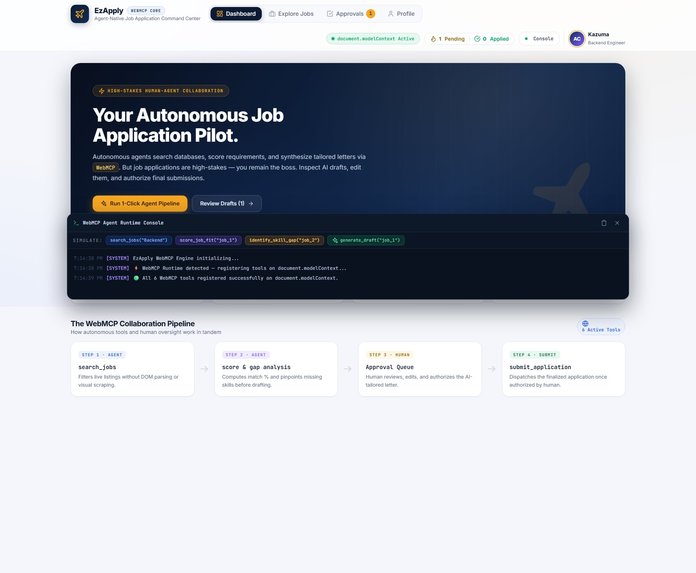
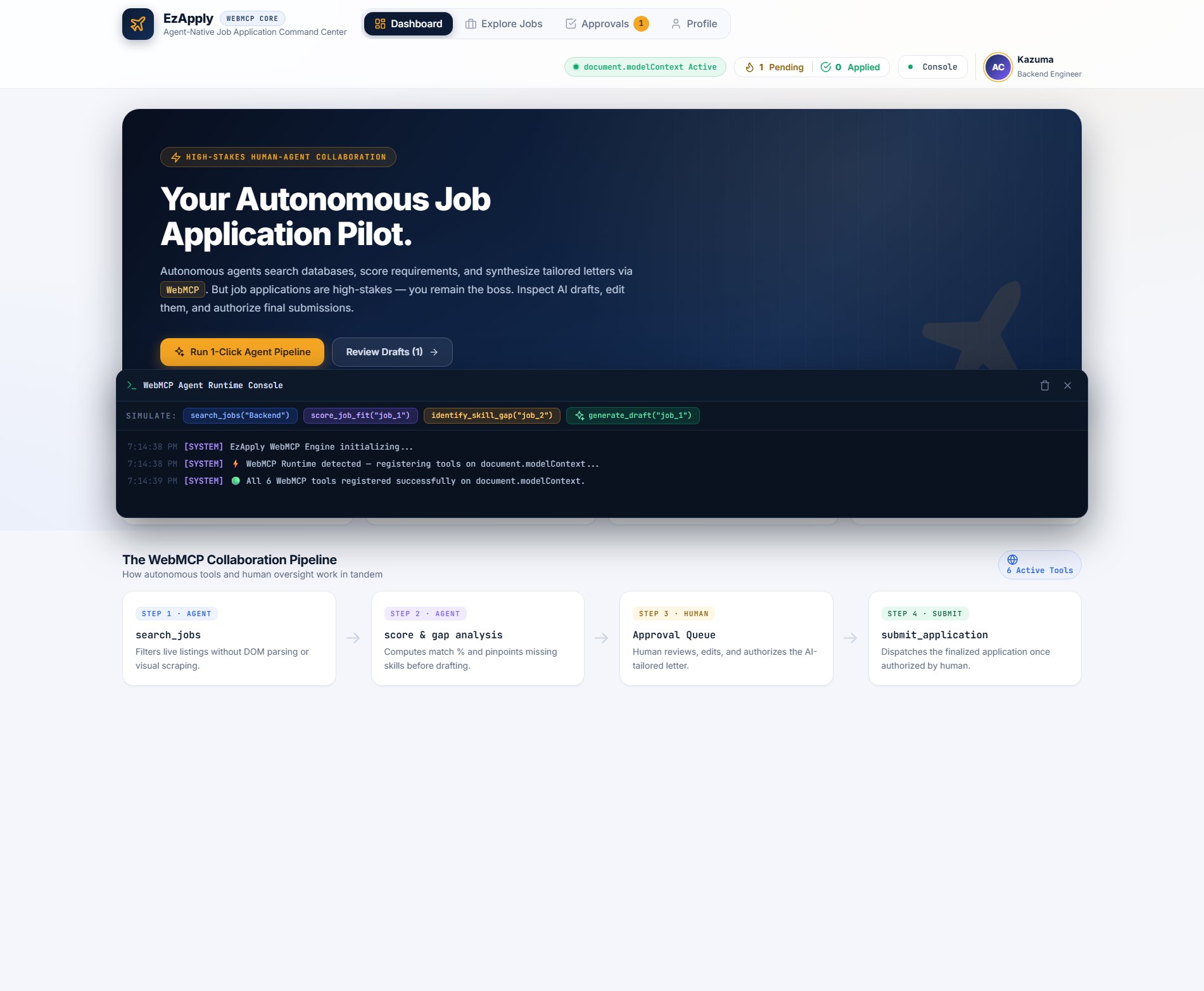
the home page
-
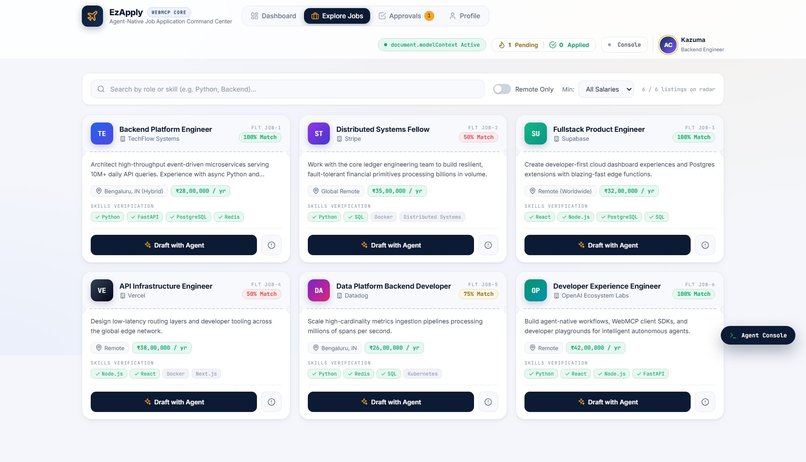
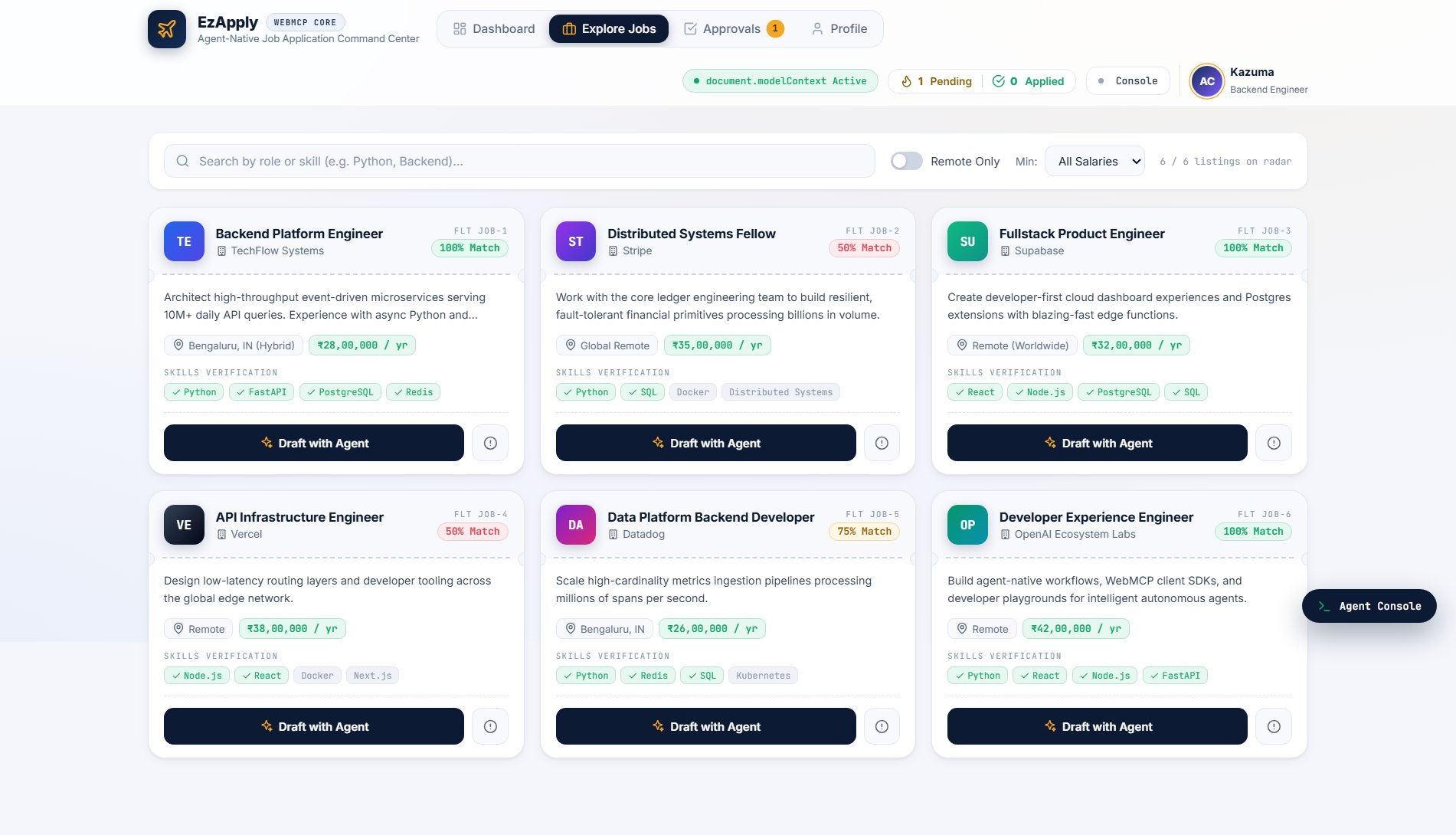
the jobs section
-
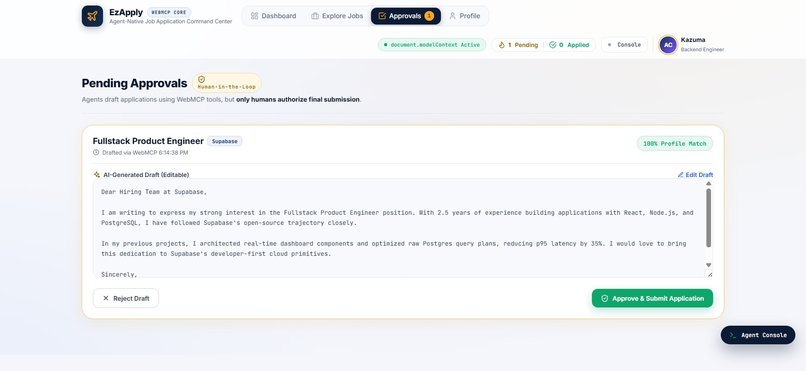
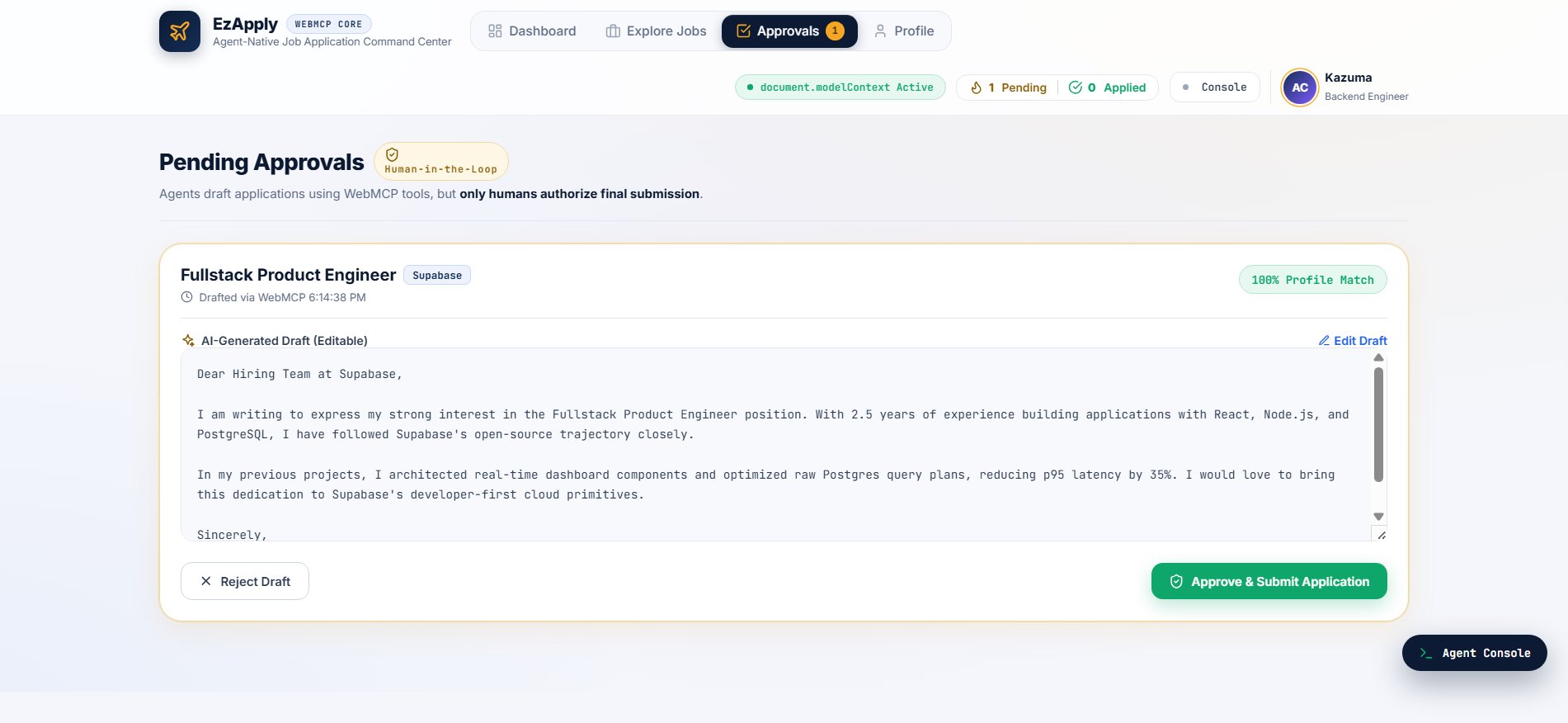
the draft editing section
-
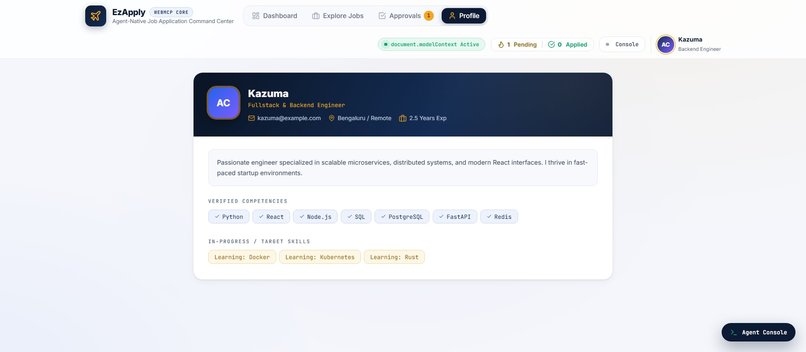
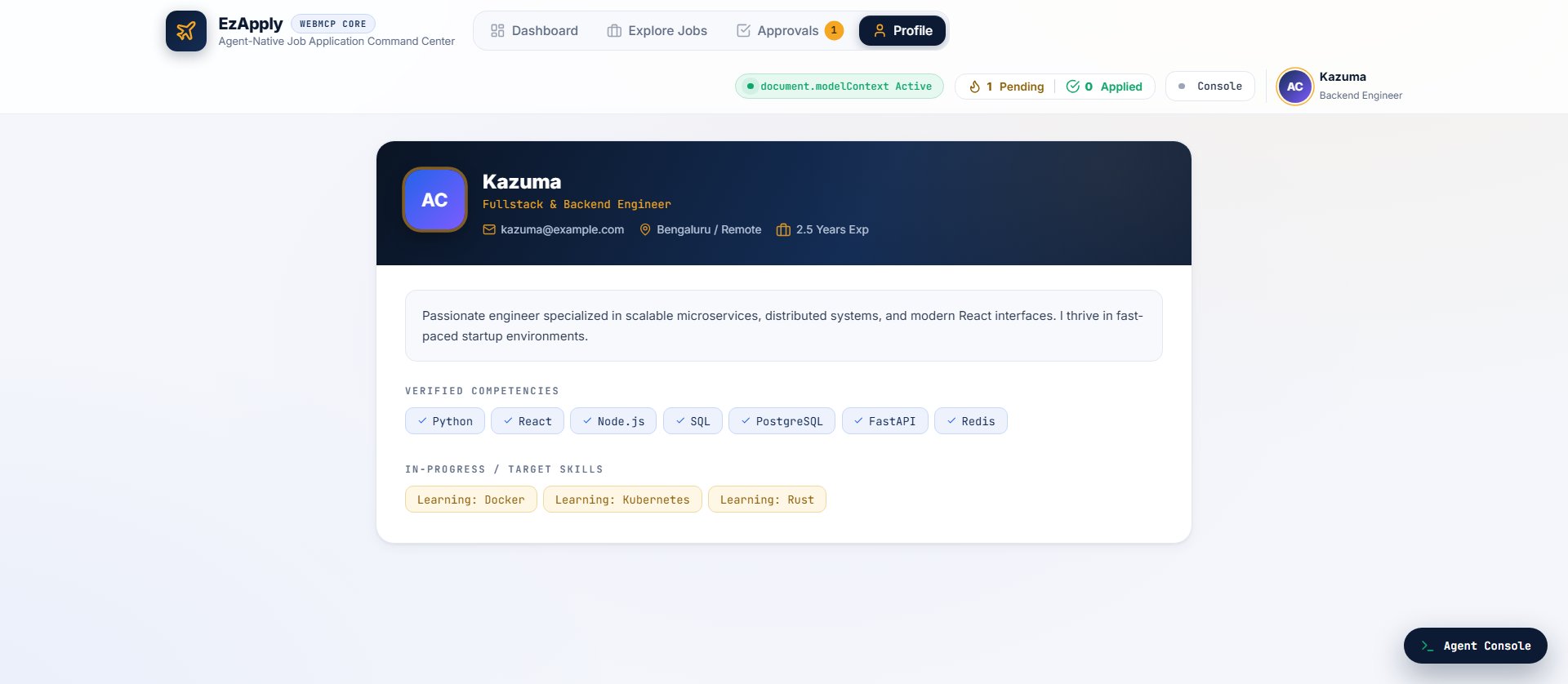
the profile section
Inspiration
Applying for jobs can be exhausting. You can spend hours searching through listings, comparing requirements, figuring out where your skills fit, and writing a different cover letter for every application.
AI agents can make a lot of that process much faster. They can search, analyze job descriptions, identify skill gaps, and even write application drafts. But there is one part we didn't want an agent to handle on its own: actually submitting the application.
That led us to the idea behind EzApply.
We wanted to build something where the agent takes care of the repetitive work, while the candidate stays in control of the decisions that matter. When we came across WebMCP, it felt like a natural fit. Instead of an agent trying to scrape a page or interact with a UI blindly, WebMCP lets the website expose structured tools that an agent can use directly.
So we thought: what if applying for jobs felt less like filling out endless forms and more like having an AI co-pilot?
That's what EzApply is built around.
What it does
EzApply is a Job Application Command Center built with WebMCP.
The agent can take a job from discovery all the way to a ready-to-submit application, but the candidate always has the final say.
We currently expose six WebMCP tools:
search_jobs— Finds jobs based on keywords, salary requirements, and remote preferences.score_job_fit— Compares the candidate's skills with a job's requirements and calculates a fit percentage.identify_skill_gap— Shows which skills are missing and gives suggestions for improving the candidate's resume.generate_application_draft— Creates a tailored cover letter and sends it to the Approval Queue.save_to_drafts— Saves changes made by the candidate to an AI-generated application.submit_application— Handles the final submission, but only after the candidate explicitly confirms it.
Human-in-the-Loop Approval
This is the part of EzApply we're most proud of.
AI can prepare an application, but it doesn't get to decide when it is submitted.
Every generated application goes into an Approval Queue. The candidate can read the cover letter, make changes directly, and then approve it.
The submit_application tool also checks for candidateConfirmation: true inside its execute() function. This means the safety check isn't only part of the interface. The tool itself refuses to submit an application without explicit confirmation.
We wanted this to be a real safety boundary rather than just a button that looks like one.
Agent Console
We also wanted users to understand what the agent was actually doing.
The Agent Console displays WebMCP tool calls as they happen, including timestamps and status information. This makes the agent's actions visible instead of turning the whole process into a black box.
The 1-Click Pipeline
EzApply also has a one-click workflow that demonstrates how the tools can work together:
Search → Score → Identify Skill Gaps → Generate Draft → Human Review
The agent handles the tedious parts in sequence, while the candidate takes over when a decision actually matters.
How we built it
One of our goals was to keep the project simple enough that the WebMCP integration remained the focus.
The entire application is contained in a single HTML file of roughly 70KB, with inline CSS and JavaScript and no production dependencies.
We register our tools through document.modelContext using WebMCP's registerTool() API and provide proper inputSchema definitions so an agent knows what each tool expects.
For example:
document.modelContext.registerTool({
  name: "search_jobs",
  description: "Searches available tech jobs by keywords, salary, and remote status.",
  inputSchema: {
    type: "object",
    properties: {
      query: {
        type: "string",
        description: "Job title or skill keyword"
      },
      minSalary: {
        type: "number"
      },
      remoteOnly: {
        type: "boolean"
      }
    },
    required: ["query"]
  },
  execute: async (input) => {
    const results = jobs.filter(j => matchesQuery(j, input));

    return {
      success: true,
      count: results.length,
      jobs: results
    };
  }
});
We also added a small in-memory modelContext fallback. If WebMCP isn't available in the browser, the app can still be explored normally. When WebMCP is available, the same tools are exposed through the native protocol.
For the interface, we went with an aviation-inspired command-center theme. Job cards look like boarding passes, jobs have flight-style codes, and the overall interface is designed to feel like you're managing a journey from discovery to application.
The project is deployed on Vercel using Vite as a minimal static setup.
Challenges we ran into
Getting the human approval step right
We didn't want the approval step to feel like unnecessary friction. At the same time, we didn't want to hide an important decision behind a single confirmation button.
We ended up using an inline-editable application draft so the candidate can make changes without leaving the workflow. The approval card is intentionally prominent, making it clear that this is the point where the human takes control.
Making WebMCP visible
One challenge with a protocol like WebMCP is that most of the interesting work happens behind the scenes.
A user doesn't necessarily know that an agent just called search_jobs or score_job_fit.
That's why we built the Agent Console. It turns those normally invisible interactions into something users can actually watch, which also helped us understand and debug the agent workflow while building the project.
Keeping everything in one file
We deliberately challenged ourselves to keep the application lightweight.
Instead of reaching for a framework, component library, or large collection of dependencies, we built the application with plain HTML, CSS, and JavaScript.
That made the project easier to deploy and kept the focus on what we were actually trying to demonstrate: WebMCP and human-agent collaboration.
Accomplishments that we're proud of
- Six working WebMCP tools that can be used together as a complete workflow
- A 1-click agent pipeline that demonstrates tool orchestration from job search to application draft
- A genuine human approval boundary for the final submission step
- The
candidateConfirmationcheck is enforced inside the tool itself, not just in the UI - A complete application in roughly 70KB with zero production dependencies
- A real-time Agent Console that makes agent activity transparent
- A polished interface that makes an otherwise abstract WebMCP concept easy to understand
What we learned
Building EzApply changed how we think about agents on the web.
The biggest lesson was that agents don't always need to control the entire experience. In many cases, the better approach is to give the agent well-defined tools and let the human remain responsible for important decisions.
WebMCP made that model much easier to explore. Instead of relying on DOM scraping or trying to interpret screenshots, the website can expose structured tools with clear inputs and outputs.
We also learned that human-in-the-loop isn't necessarily a compromise. The approval step actually makes the experience feel safer because the user can see exactly what the AI produced before anything important happens.
And because the tools run directly in the browser, we were able to build and deploy the prototype without creating a separate backend just to demonstrate the agent interaction.
Most importantly, EzApply showed us a different way of thinking about the web: not just as pages that agents have to figure out, but as experiences that can actively provide agents with useful capabilities.
What's next for EzApply — WebMCP Job Command Center
EzApply is currently a prototype, but there are several directions we'd like to take it.
Real job listings
Connect the search workflow to real job sources such as LinkedIn, Indeed, and Greenhouse so the agent can work with actual opportunities.
Resume parsing
Add a WebMCP tool that can process an uploaded resume and automatically extract skills, experience, and other relevant information.
Multi-agent workflows
Experiment with separate agents for different parts of the process — for example, one for job research, one for application writing, and another for reviewing the final draft.
Application tracking
Keep track of submitted applications and let the agent help with follow-ups and status updates.
Interview preparation
Once an application is submitted, use the job description to generate role-specific interview questions and preparation material.
Ultimately, we'd like EzApply to become more than an application generator. We want it to be a job-search co-pilot where the AI handles the work, but the candidate stays in control.
Built With
- css3
- github
- html5
- javascript
- vercel
- vite
- webmcp


Log in or sign up for Devpost to join the conversation.