Inspiration
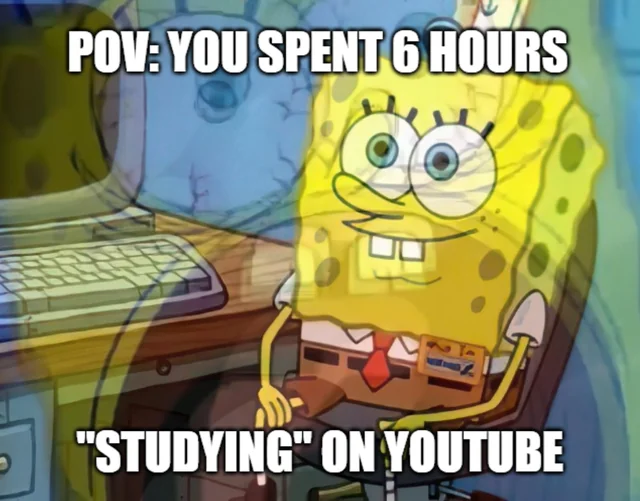
Youtube is a great place to learn, but is also governed by algorithms that can distract you. Numerous times my roomate has caught me going down the rabbit hole of content. If you are in the same boat as me, worry not, "Eyes on You" has its eyes on you. We’ve all opened YouTube to “learn one thing” and ended up deep in unrelated videos. We wanted a tool that doesn’t block the internet, but respects your stated goal and gently nudges you when you drift. We were inspired by focus techniques (e.g. stating an intention) and by how well modern AI can understand both text and images so we could compare “what I said I’d do” with “what’s actually on my screen” and make browsing more intentional.
What it does
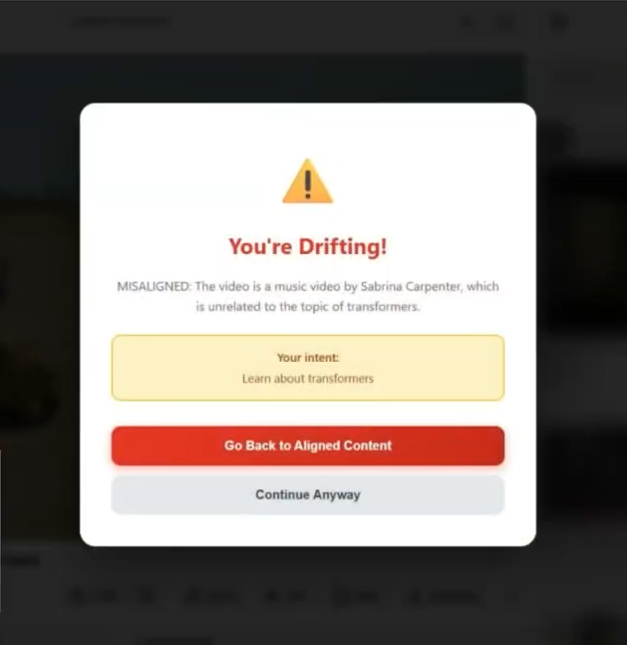
A Chrome extension that helps you stay focused by aligning your browsing with your intention. Set your intent -> Click the extension, hit “Start Session,” and type your goal (e.g. “Learn how to cook pasta” or “Study for my exam”). Monitor on YouTube -> On YouTube, we detect which video you’re watching and periodically capture a screenshot of the page. AI alignment check -> We send the screenshot and your intent to our backend, which uses Google Gemini to decide if the content is aligned (on track) or distracted (off track), and we show you that feedback on the page. Predefined distractions like Home page and suggestion side panels are blurred Notes and recap -> You can add notes to videos and, when you end the session, get an AI-generated session summary. For educational sessions, we also generate a short quiz to reinforce what you watched. Gentle reminders -> At 30 minutes and 1 hour we remind you of your intent so you can decide whether to keep going or wrap up.
How we built it
Chrome extension (Manifest V3) Vanilla JS: popup (start/end session, add notes), content script (intent modal, YouTube URL/video detection, alignment and duration UI, notes modal, summary/quiz UI), and a service worker (screenshot capture, calling the backend, 30/60 min timers). Backend : Spring Boot (Java) , with REST endpoints for: starting a session, checking alignment, last-aligned video, saving video notes, and generating session summary. We use PostgreSQL for sessions, alignment cache, notes, and summaries. Gemini API : We use Gemini 2.5 Flash in two ways: Multimodal (image + text): For alignment, we send the user’s intent (text) and the screenshot (image) in one request; Gemini returns ALIGNED/MISALIGNED and a short reason. Text summarization: For the session recap we send structured recap data (JSON) as text; Gemini returns a concise summary and, when the session is educational, multiple-choice quiz questions. Flow — Extension → our API → DB for persistence and caching; our API → Gemini for alignment and summary; results back to the extension and into the UI (modals, toasts, quiz).
Challenges we ran into
Content script not receiving messages : The popup couldn’t talk to the content script on some pages. We fixed it by checking for restricted URLs (e.g. chrome://), programmatically injecting the content script when needed, and making sure we were testing on real sites (e.g. YouTube) and reloading the tab after installing the extension. Race conditions with alignment : Users sometimes changed videos before the screenshot was analyzed. We added checks in the service worker (e.g. confirm the tab’s video ID before and after capture and before applying the result) and skipped or aborted stale checks. Extension context invalidation : After reloading the extension, chrome. calls in the content script failed. We added detection for “Extension context invalidated” and showed a clear “Refresh this page” message instead of silent breakage. Backend + DB setup : Getting Java 21, Maven, PostgreSQL, and the productivity_extension database set up on Windows (e.g. JAVA_HOME in PowerShell, creating the DB) took some iteration; we documented the steps for teammates and for the submission.
Accomplishments that we're proud of
IT ACTUALLY WORKS!!!!! Cached alignment per session + video to save cost and latency, and we handle video changes and extension reloads so the product behaves predictably. It not only tells you when you are drifting but it takes you back to the intended video.
What we learned
Chrome extension messaging :How popup, content script, and service worker communicate; that content scripts don’t run on chrome://; and that injecting the script when needed improves reliability. Multimodal APIs : How to send text + image in one Gemini request (e.g. Part with text and InlineData for base64 PNG) and parse structured output (ALIGNED/MISALIGNED, summary JSON). Backend design : When to cache (alignment by session+video), how to keep session context (intent from DB) for each alignment check, and how to structure recap data so Gemini can generate summaries and quizzes reliably.
What's next for Eyes on You
More platforms : Extend alignment monitoring beyond YouTube (e.g. Reddit, Twitter/X) with platform-specific prompts and UI. Intent templates & time-boxing : Pre-set intents (“Learn X”, “Research Y”) and optional “Focus for 25 min” timers to reduce friction and encourage short focus blocks. Clearer “why” when distracted : Show Gemini’s reason in the warning (e.g. “This suggested video isn’t about cooking”) so it feels instructive, not punitive. Focus score & trends : Per-session “% aligned” and simple insights (“You’re most focused in the morning”) in the popup or a small dashboard.
Built With
- gemini
- java
- javascript
- postgresql
- springboot


Log in or sign up for Devpost to join the conversation.