-
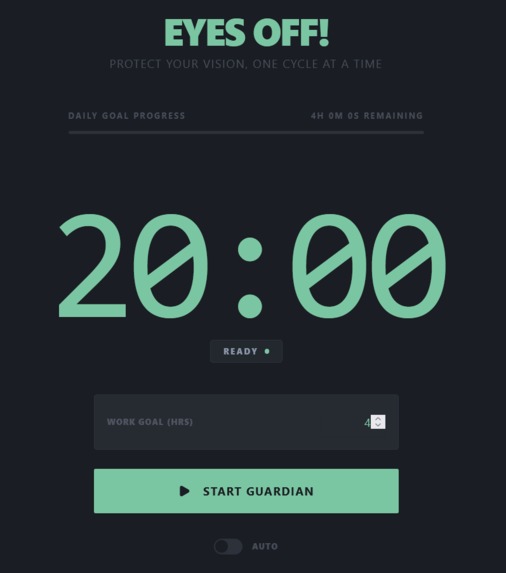
Eyes Off! Landing page
Inspiration
We’ve all been there: deeply locked into a coding session, writing an essay, or doom-scrolling through data, only to look up hours later with burning, dry eyes and a dull headache. Computer Vision Syndrome (digital eye strain) is a modern epidemic. While the clinically proven 20-20-20 rule (look away every 20 minutes at something 20 feet away for 20 seconds) is the perfect remedy, human beings are notoriously bad at remembering it when "in the zone."
Existing timer apps are often jarring, demanding, and ironically increase cognitive fatigue with flashing red lights and harsh alarm buzzes. We wanted to build a companion that protects your eyes gently—an app that feels like a breath of fresh air rather than a strict drill sergeant. That’s how Eyes Off! was born.
What it does
Eyes Off! is an elegant, micro-animation-powered eye strain management application designed to seamlessly blend into a developer or remote worker's workflow.
Key features include:
- The 20-20-20 Engine: Automatically tracks 20-minute focus intervals, followed by a fluid, calming 20-second break notification.
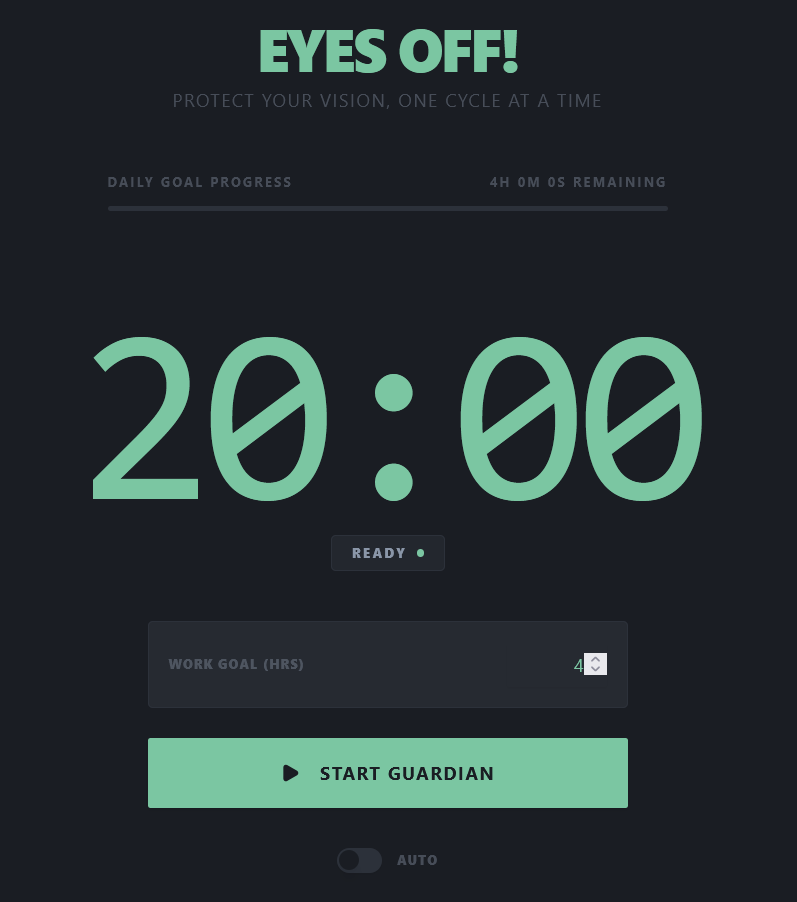
- Eye-Strain Friendly UI: Built entirely using low-contrast dark mode palettes (deep slate, dark sage, and soft mint accents) to eliminate harsh, blinding light glare.
- Smart Automation Modes: Switch between Manual Mode (requires a click to confirm you took a break) and Fully Automated Mode (hands-free looping for an uninterrupted workflow).
- Expected Work Boundaries: Users can input their total target work time, which is systematically depleted in 20-minute chunks, preventing unintentional overtime.
- Quality of Life Extras: Features a gentle "singing bowl" chime instead of an aggressive alarm, a smart 5-minute snooze button (capped to prevent cheating), and a post-session statistics dashboard.
Challenges we ran into
One of our biggest hurdles was perfecting the user notification experience. Standard operating system notifications are easily ignored or blocked, while aggressive pop-up modals disrupt a user's typing rhythm. We went through several iterations before striking the perfect balance: a smooth, full-window backdrop blur and fade-in overlay that gently guides the user's eyes away from their active text without breaking their application state.
Another challenge was synchronized time mathematics—specifically making sure that pausing a session, snoozing a break, or finishing early dynamically recalculated the overall work session statistics accurately without cumulative timer drift.
Accomplishments that we're proud of
- The UX Aesthetic: We succeeded in creating an app that actually feels relaxing to look at. The subtle, pulsing "breathing" animation on the timer provides a genuinely calming focal point.
- Bulletproof Automation Logic: The seamless hands-free loop mode works beautifully, transitioning from focus to break and back to focus without demanding a single click from the user.
- Intentional Design: Turning down the volume on traditional "productivity urgency" and turning up user well-being.
What we learned
We learned a profound amount about digital ergonomics and accessibility design. Building a tool meant to reduce sensory strain meant we had to unlearn aggressive UI habits (like bright red warning colors or sharp alert sounds) and instead study the psychology of calming UI, soft-frequency audio cues, and low-contrast palettes.
Built With
- medo

Log in or sign up for Devpost to join the conversation.