Inspiration
Over 2.2 billion people worldwide live with some form of visual impairment. Existing assistive tools are often expensive, require dedicated hardware, or depend on sighted volunteers being available at the right time. I wanted to build something that anyone could use instantly, no app download, no special device, no waiting. Just open a link on your phone and have an AI companion that sees the world for you and talks to you naturally about it.
The idea for Eyeris came from a fundamental problem with Be My Eyes: you're sharing a live video feed of your private life with a complete stranger. Every time a blind user needs to read a prescription bottle, check if their outfit matches, or navigate their own kitchen, they're broadcasting their home, their belongings, and their personal space to a random volunteer, and hoping someone picks up. The latency of waiting for a human connection, the awkwardness of the interaction, the lack of privacy, and the dependency on volunteer availability are all issues that could arise. What if instead of calling a stranger, you had an AI companion that sees what you see, responds instantly, remembers your preferences, and never shares your data with anyone?
What it does
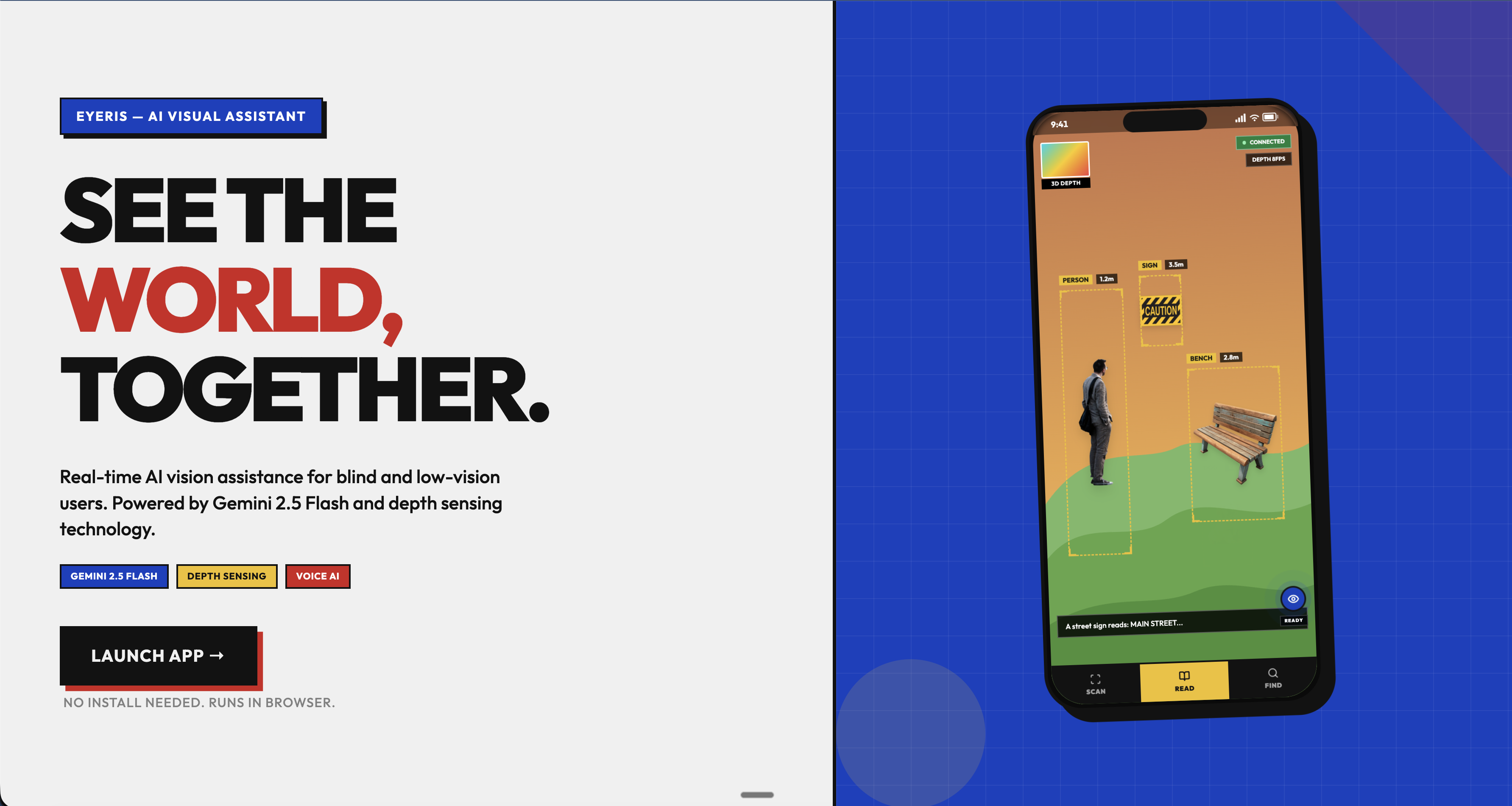
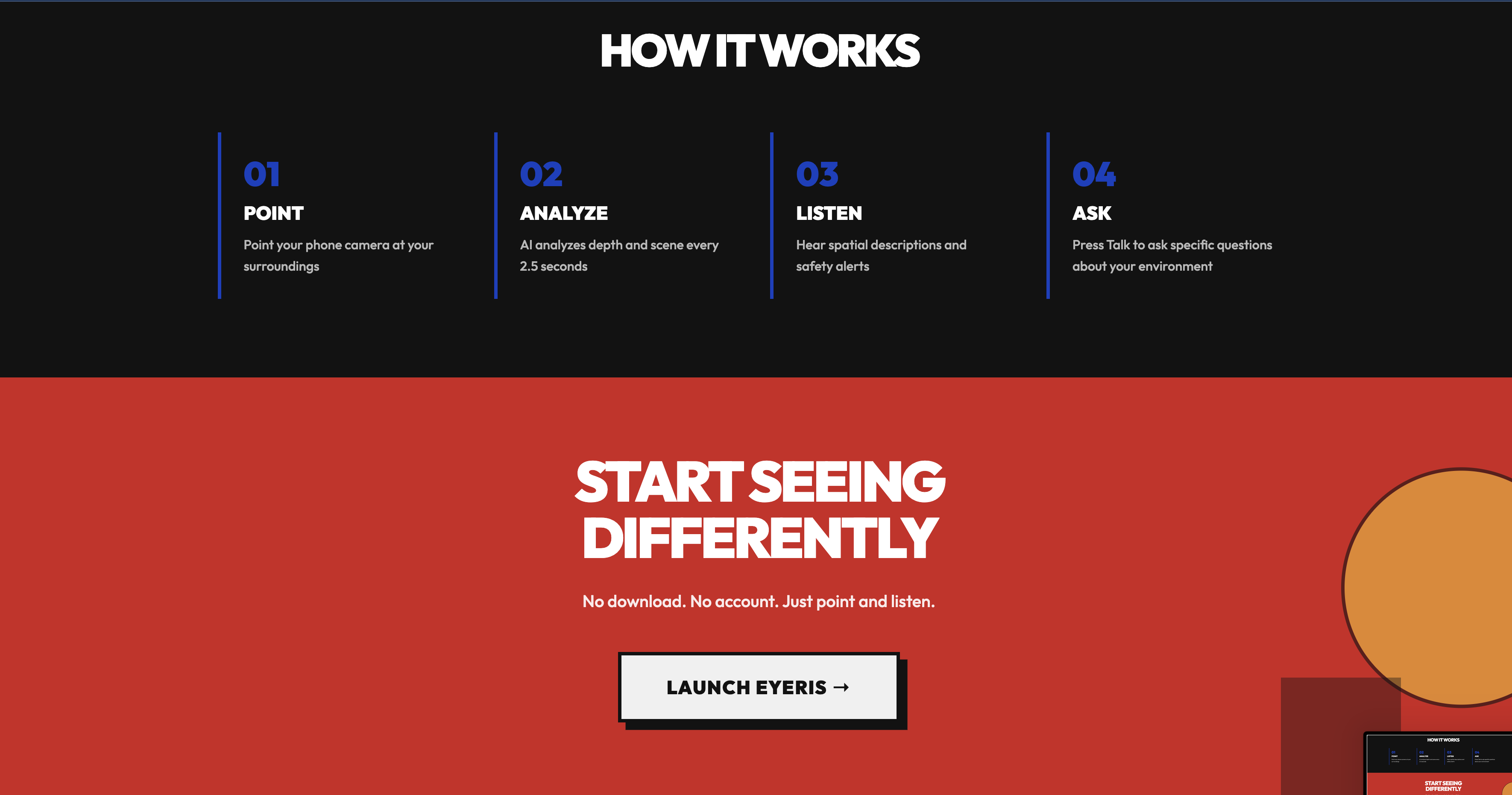
Eyeris is a real-time AI visual assistant that runs entirely in the browser. You open a link, grant camera and mic access, and Eyeris greets you: "Hey, how can I help?"
From there, you just talk. Ask "What's in front of me?" and it describes the scene. Say "Read that sign" and it reads every word. Ask "Where's the door?" and it highlights the door with a pulsing bounding box and tells you it's to your left, about 3 meters away.
Three modes work together seamlessly:
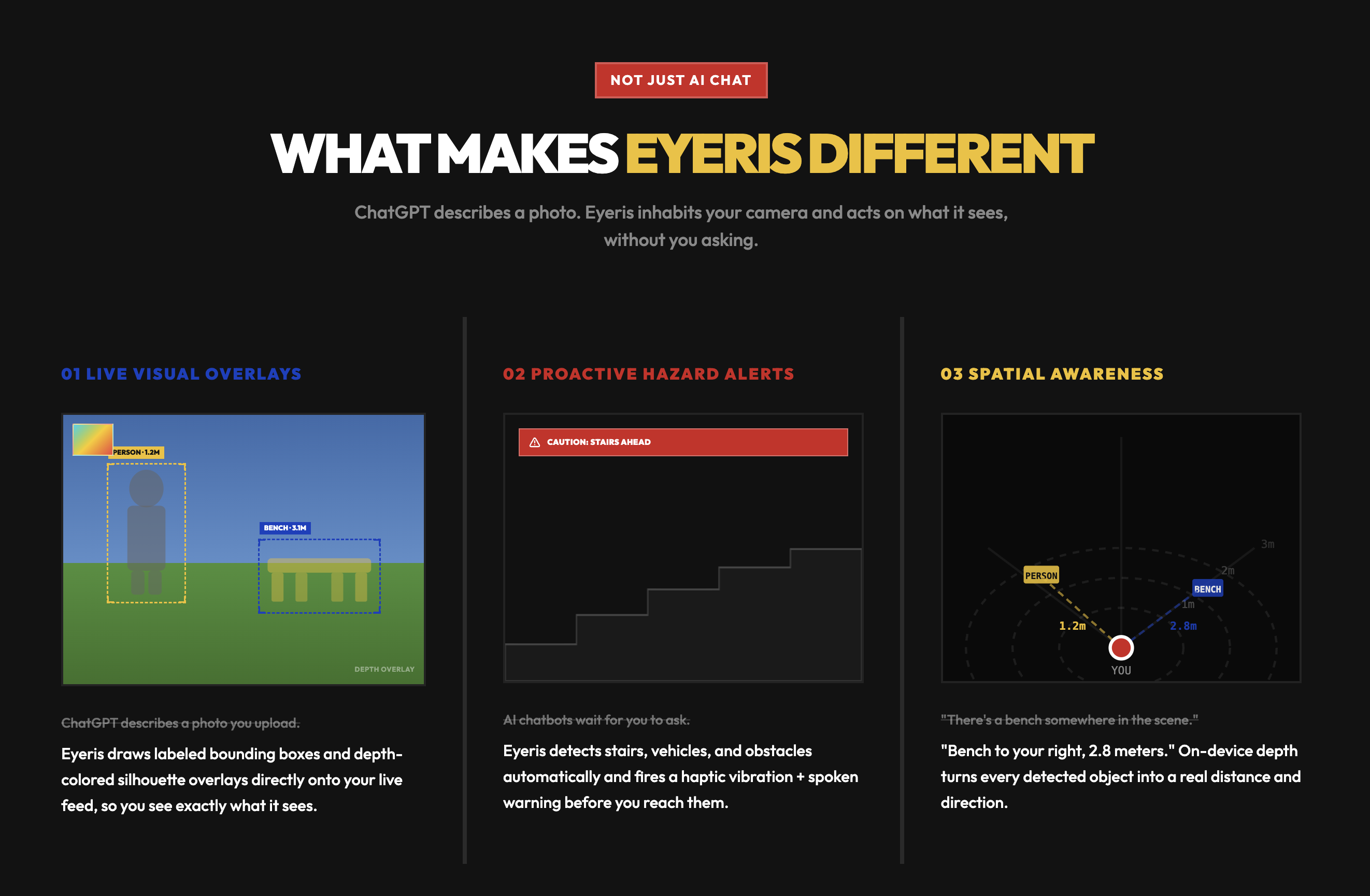
- SCAN continuously detects objects and draws labeled bounding boxes on the camera feed
- READ gives a full spatial description of the scene plus reads any visible text word-for-word
- FIND locates specific objects you ask about and gives directional guidance
All three modes support multi-turn conversation, you can ask follow-ups like "What color is it?" or "Is anyone else nearby?" without repeating context. Eyeris remembers the last few exchanges.
On-device depth estimation runs in parallel, sensing how close objects are and overlaying depth-colored masks on detected objects. If something gets dangerously close, you get an automatic haptic vibration and spoken warning, no question needed this includes staircases, crossing the road ect.
How we built it
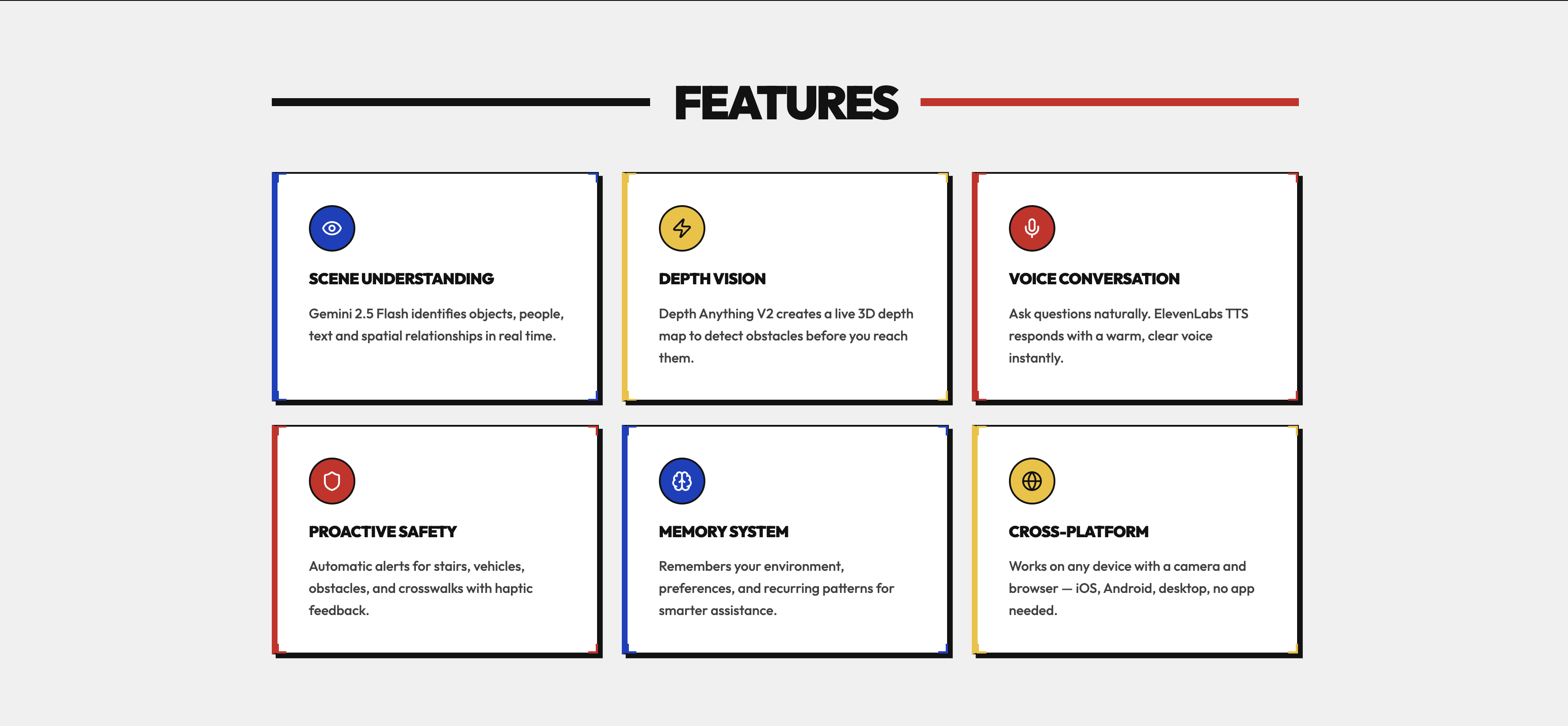
Vision & Language: Gemini 2.5 Flash processes camera frames via REST API, returning structured JSON with object bounding boxes, scene captions, and conversational responses. We disabled Gemini's thinking tokens and increased output limits to prevent JSON truncation.
Depth Sensing: Depth Anything V2 Small runs on-device through @huggingface/transformers, using WebGPU (fp16) with automatic WASM fallback. Cross-origin isolation headers (COOP + COEP: credentialless) enable SharedArrayBuffer for the ONNX runtime. The depth buffer feeds both a live mini-map heatmap and per-object silhouette overlays computed from median depth sampling.
Agent Orchestration: Built with Railtracks, which coordinates the always-on scan loop, voice handling, and mode switching as a coherent agent system. Railtracks manages the event-driven flow between continuous scene analysis, voice triggers, and TTS responses — keeping everything in sync without race conditions.
Voice Input: OpenAI Whisper handles speech-to-text. We built custom Voice Activity Detection using the Web Audio API's AnalyserNode — RMS-based energy detection triggers recording on speech onset, and 800ms of silence triggers transcription. A ttsActive flag with 600ms cooldown prevents echo (the mic picking up Eyeris's own voice).
Voice Output: ElevenLabs Flash v2.5 delivers sub-second time-to-first-audio through sentence-chunked streaming — as Gemini streams text back, we split on sentence boundaries and fire off TTS requests in parallel. Barge-in support lets users interrupt mid-response.
Frontend: React 19 with Zustand for state management, Framer Motion for animations, and Tailwind CSS with a custom Bauhaus-inspired design system (high-contrast, bold typography, geometric layouts). Everything is accessibility-first with full ARIA support.
Zero backend. No server, no proxy, no infrastructure. Every API call goes directly from the browser. Open the link and it works.
Challenges we ran into
Getting Gemini to return valid JSON consistently was another battle. Gemini 2.5 Flash's internal "thinking" tokens were consuming the entire output budget, resulting in truncated JSON that broke parsing. Setting thinkingBudget: 0 and building a robust JSON parser that handles unquoted keys, trailing commas, and single quotes solved this.
The biggest challenge was reliably running depth estimation in the browser. Vite’s module transform system injects client-side HMR code into dependencies, causing the ONNX runtime’s WebAssembly to silently crash in Web Workers. After hours of tracing, we discovered that ort.bundle.min.mjs creates SharedArrayBuffer-backed memory at module load, requiring cross-origin isolation headers. Adding Cross-Origin-Embedder-Policy: credentialless (instead of require-corp) unlocked SharedArrayBuffer while keeping external API calls functional.
Accomplishments that we're proud of
- Sub-second voice response latency through sentence-chunked streaming TTS
- Natural multi-turn conversations where you can ask follow-ups without repeating context
- On-device depth sensing at 10+ FPS via WebGPU, with automatic WASM fallback
- Depth-aware object overlays that mask the actual object silhouette, not just a rectangle
- Fully accessible design with ARIA labels, haptic feedback, and voice-only operation after launch
Built With
- Gemini 2.5 Flash
- Depth Anything V2 (Hugging Face Transformers.js)
- OpenAI Whisper
- ElevenLabs Flash v2.5
- React 19
- Zustand
- Framer Motion
- Tailwind CSS
- Vite 5
- Railtracks

Log in or sign up for Devpost to join the conversation.