-
-
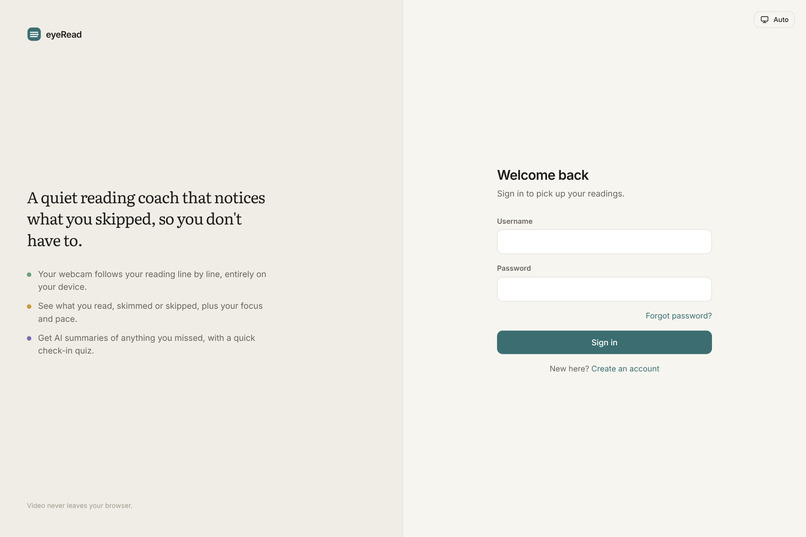
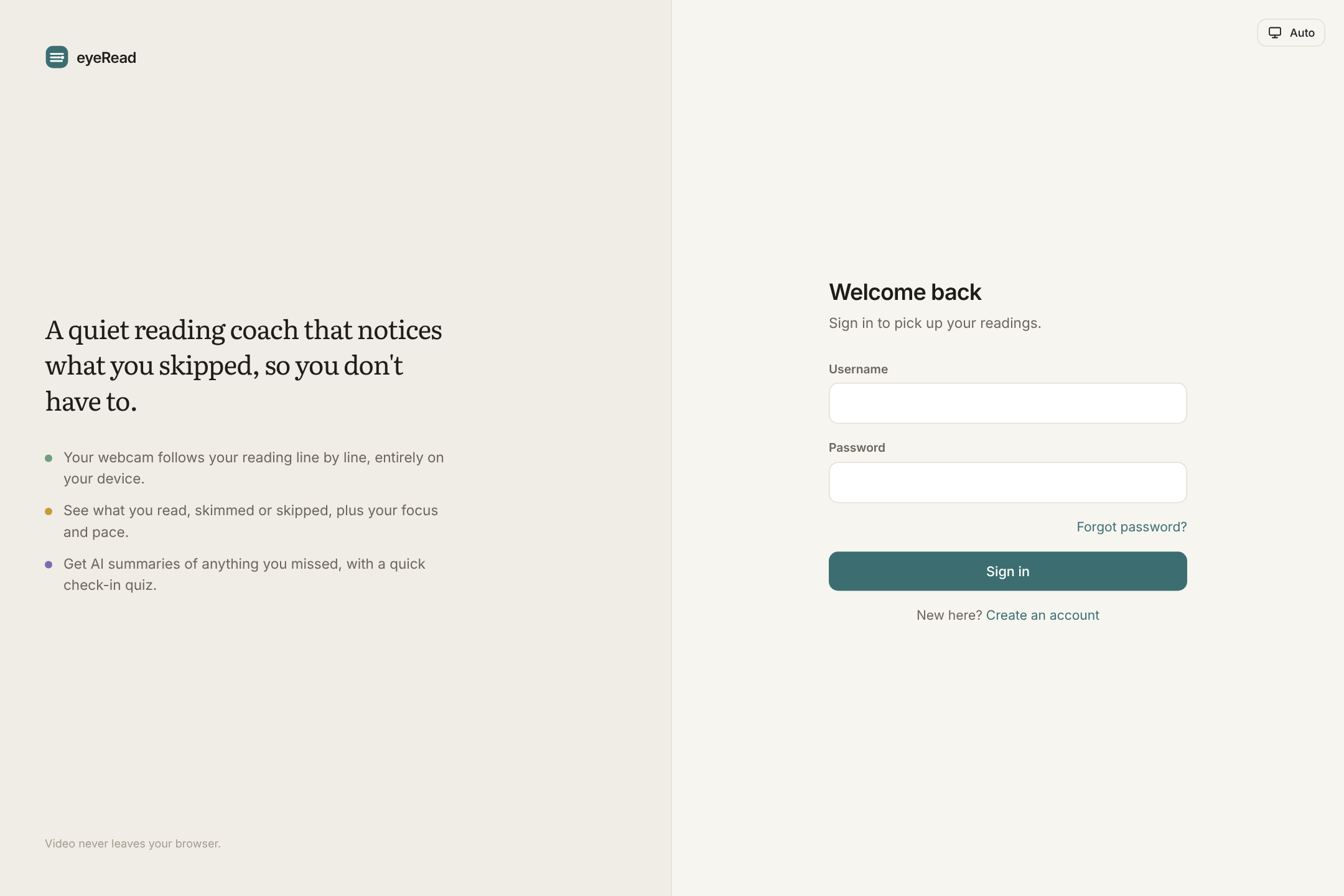
Sign in to eyeRead. Your webcam video never leaves your browser.
-
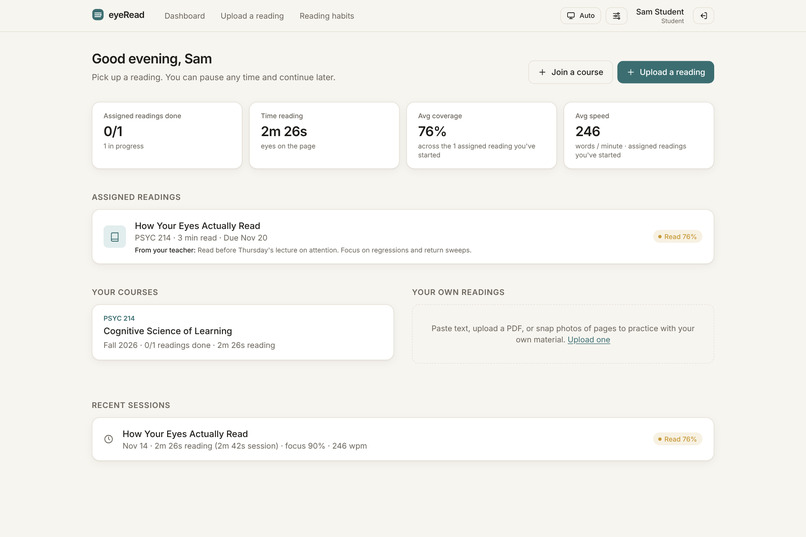
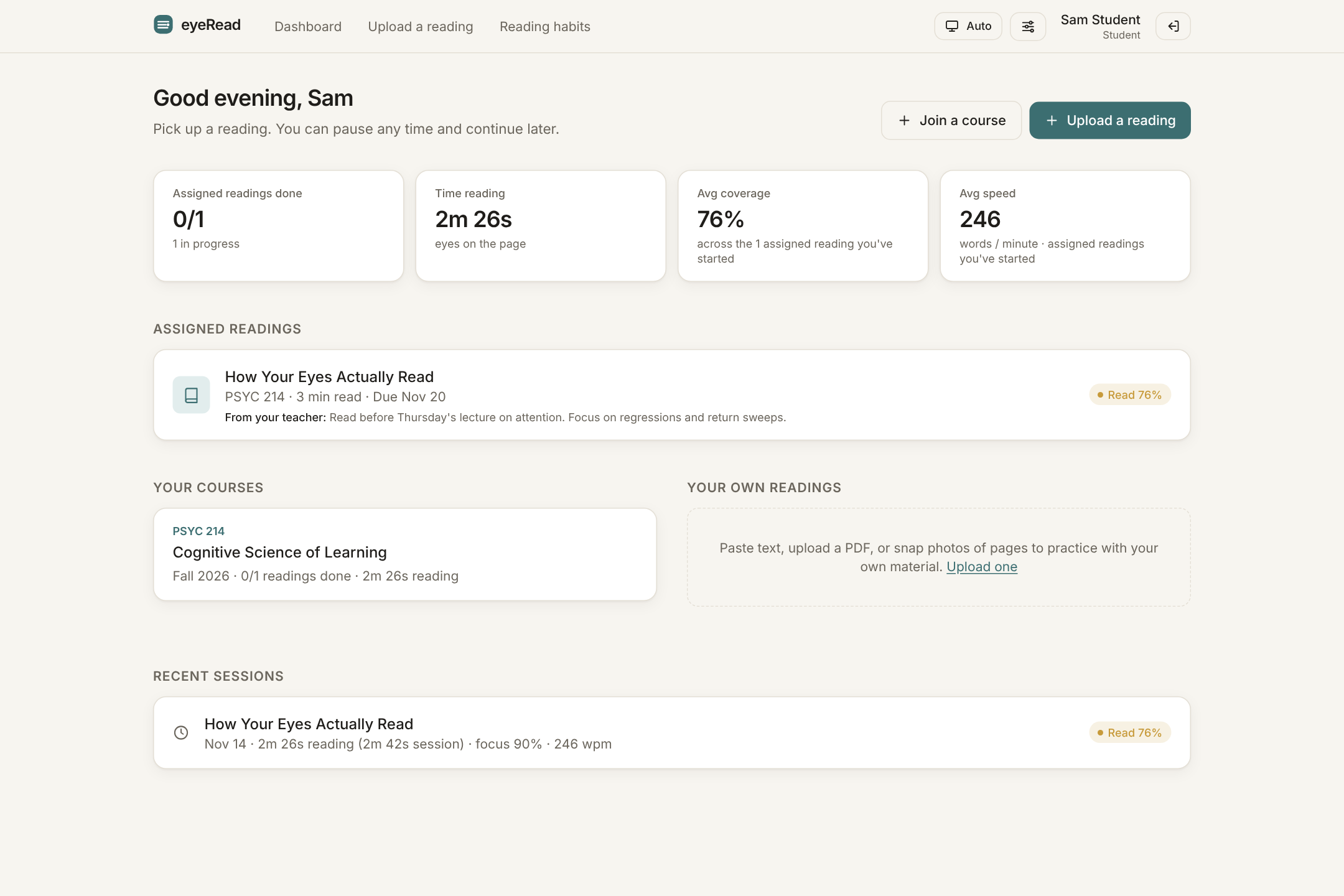
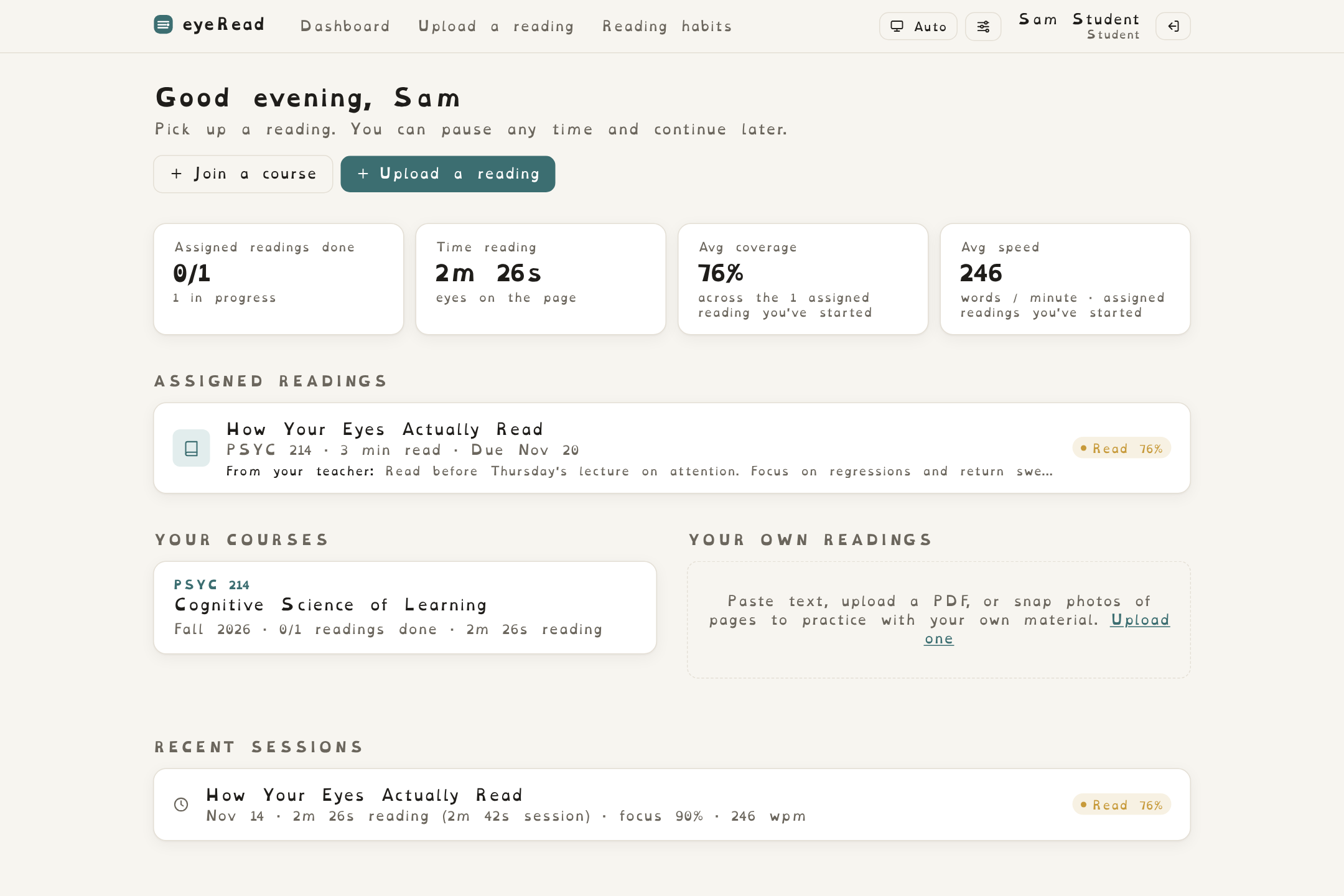
Student home: assigned readings, time spent reading, coverage, and speed at a glance.
-
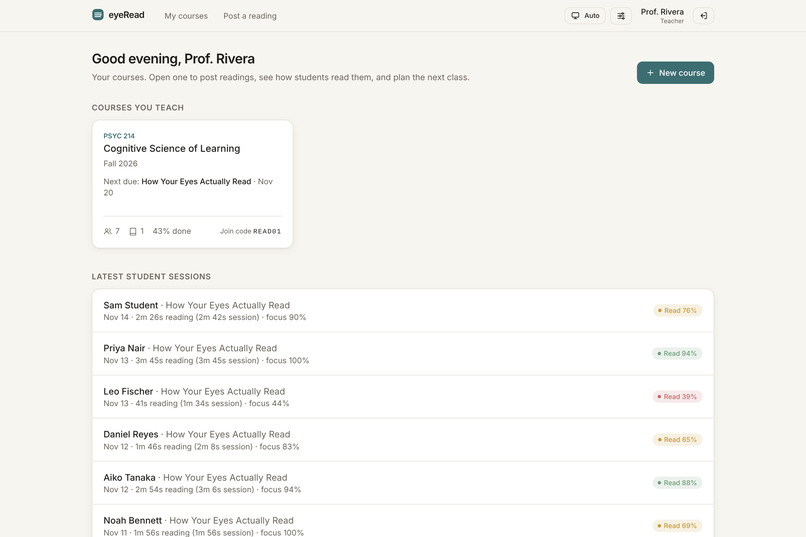
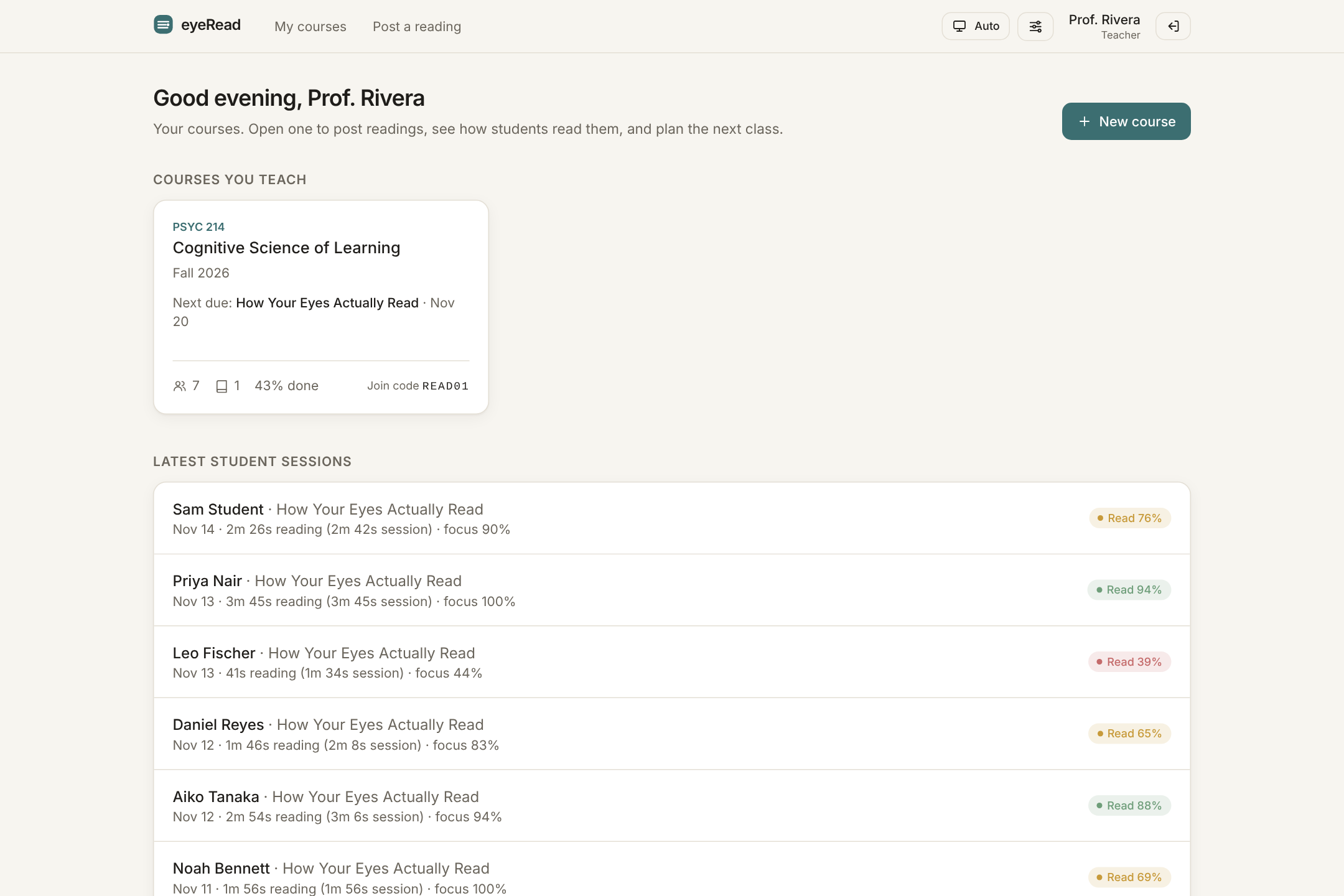
Teacher home: your courses and the latest reading sessions from every student.
-
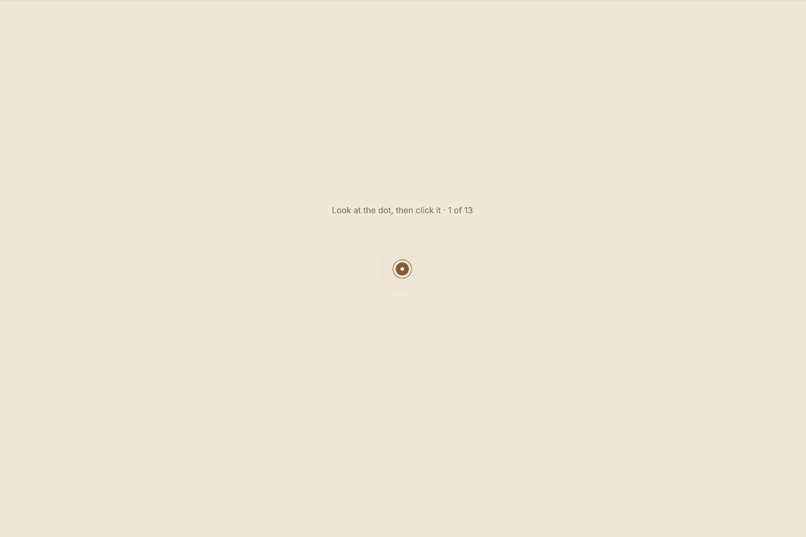
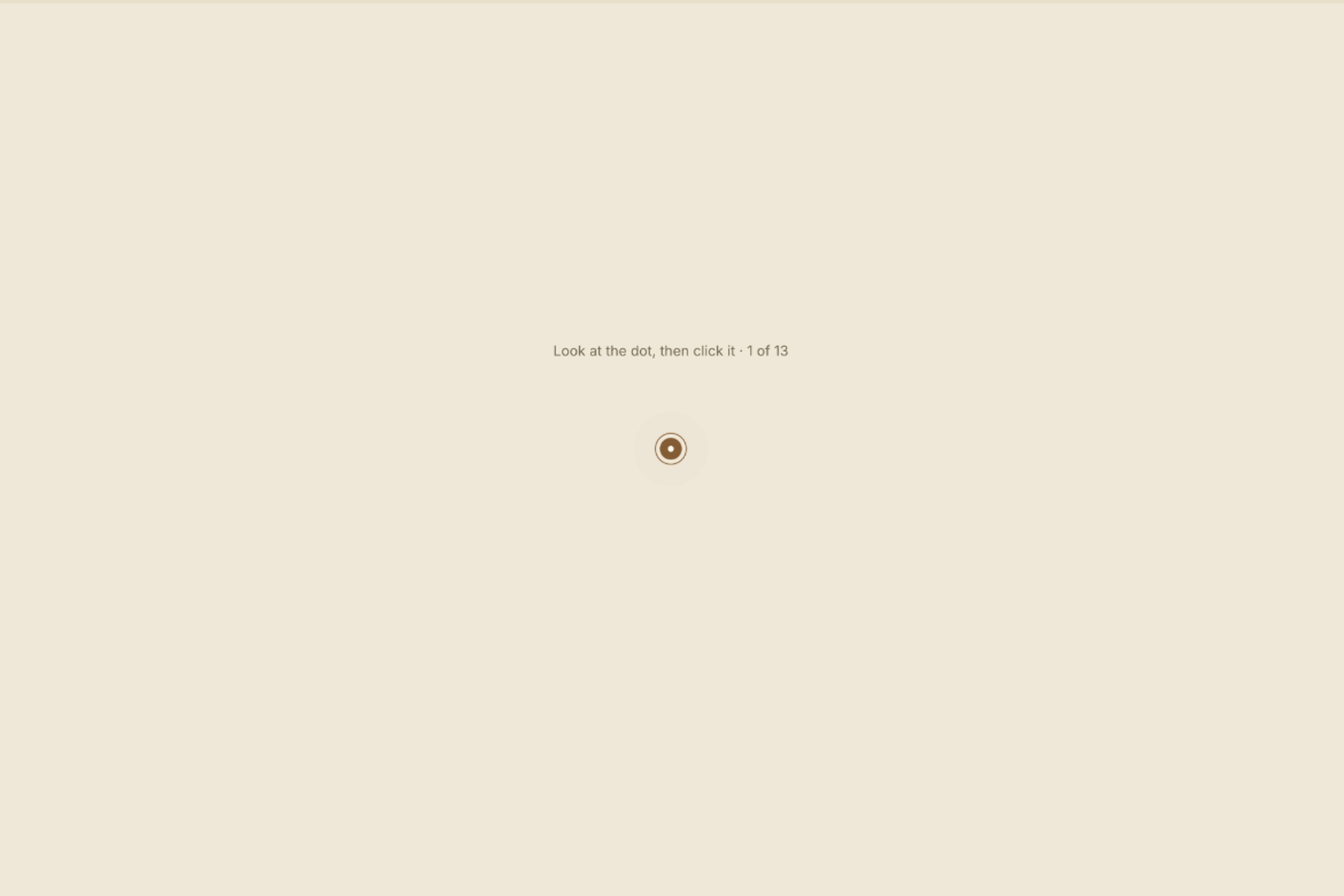
Calibration: look at 13 dots and click each one so eyeRead learns where your eyes land.
-
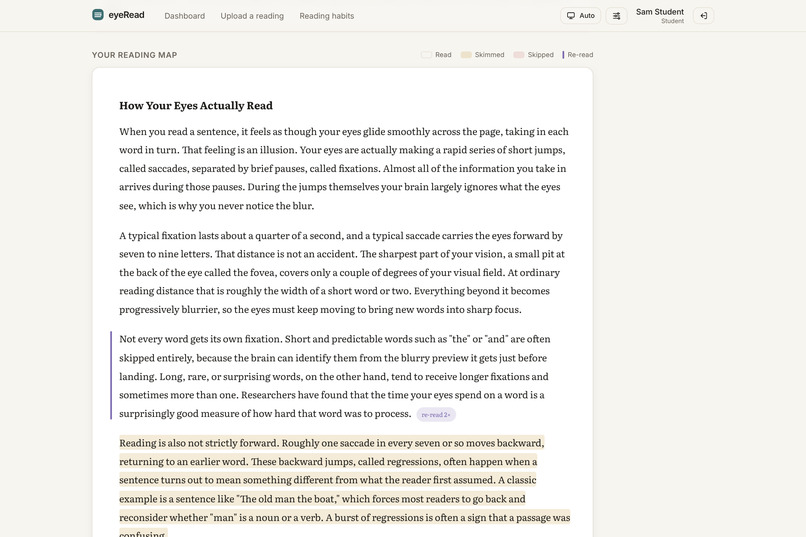
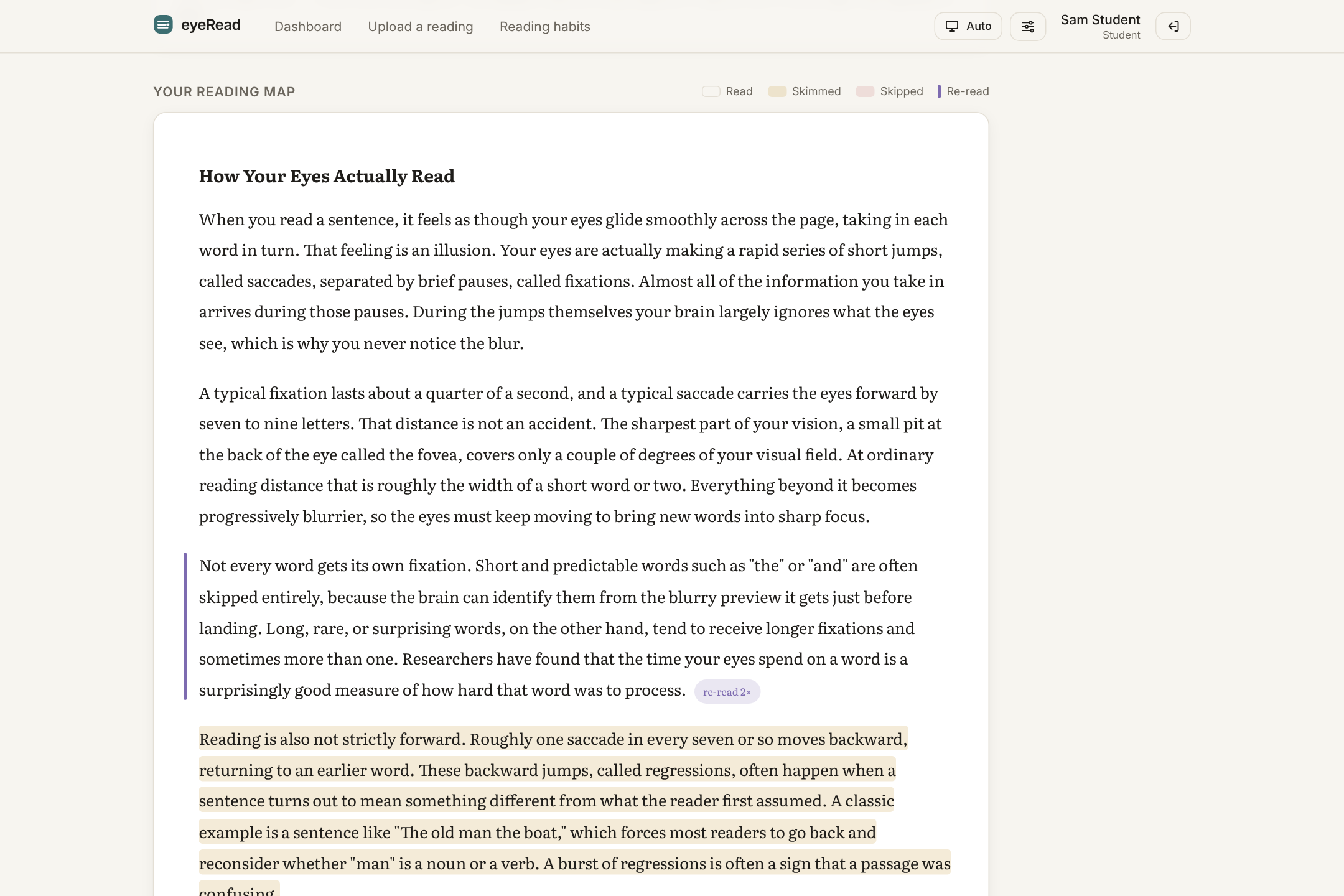
Your reading map: every paragraph marked as read, skimmed, skipped, or re-read.
-
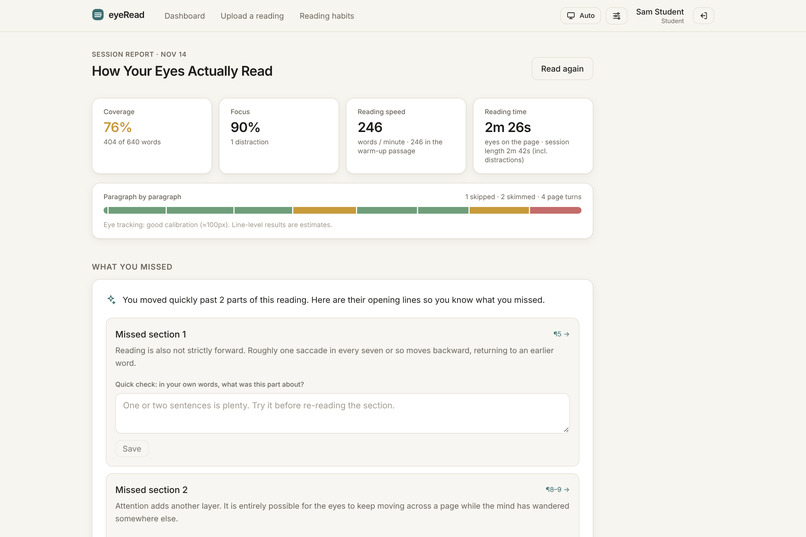
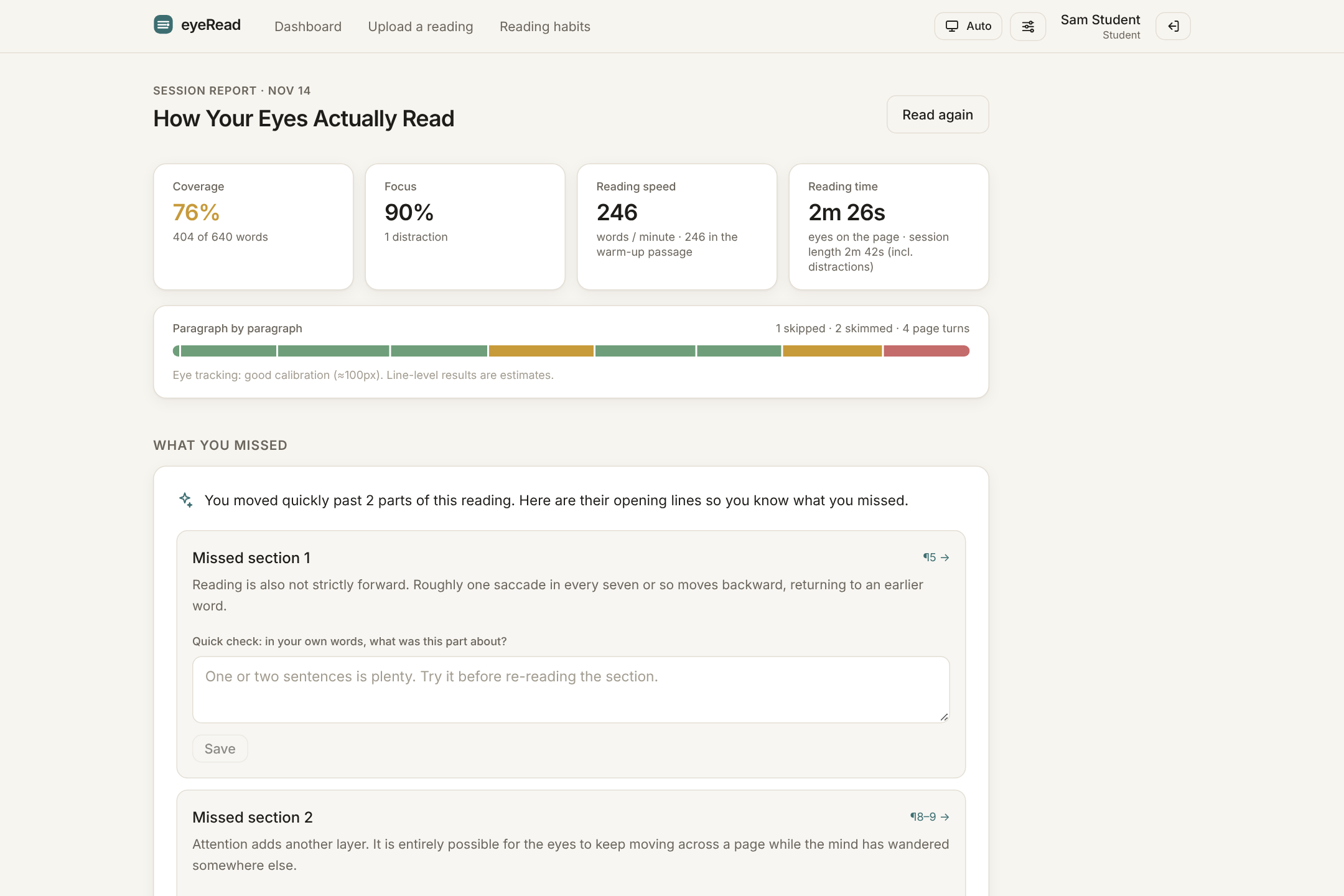
Session report: coverage, focus, reading speed, and reading time for one sitting.
-
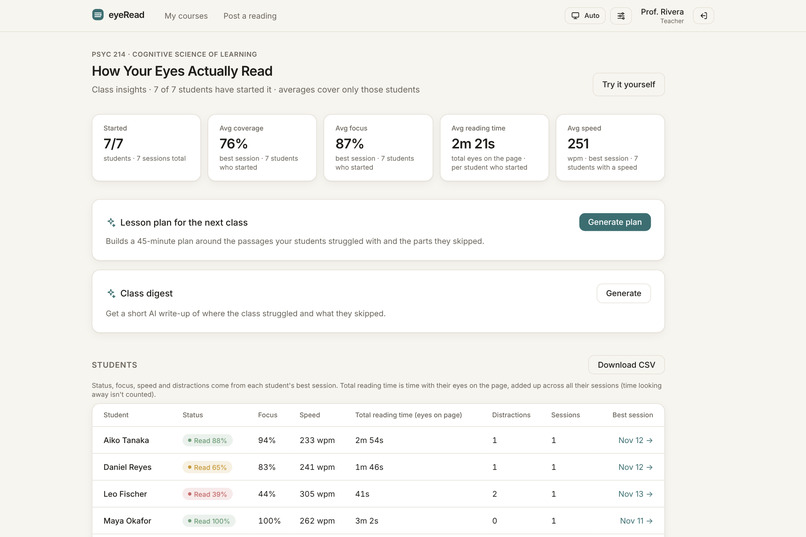
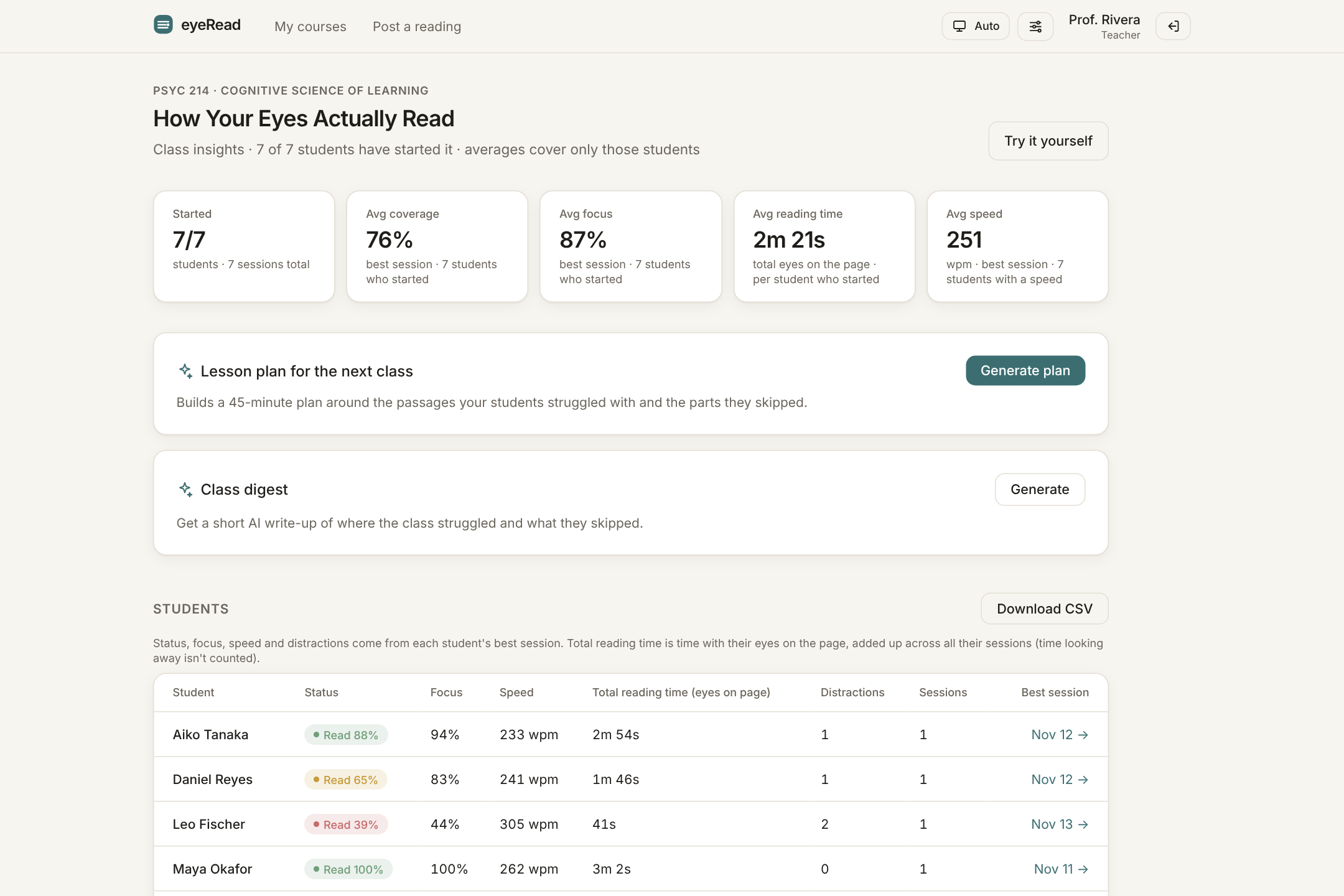
Class insights: who started the reading, plus coverage, focus, and speed for each student.
-
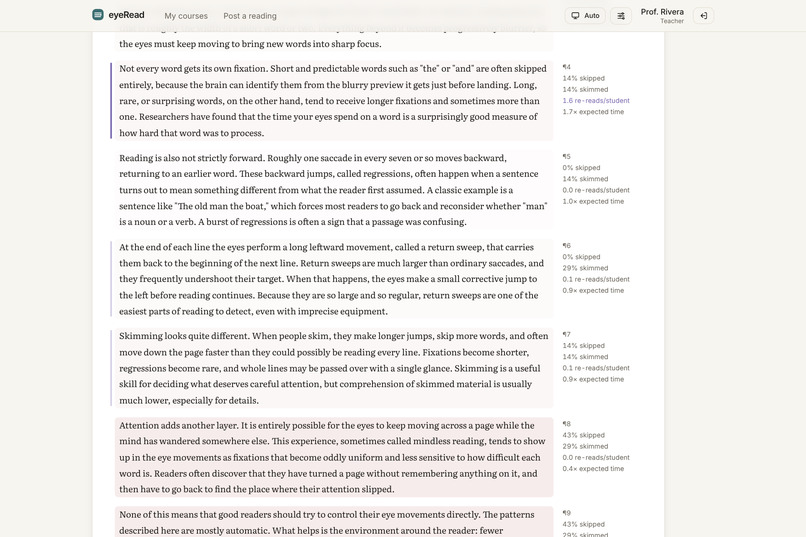
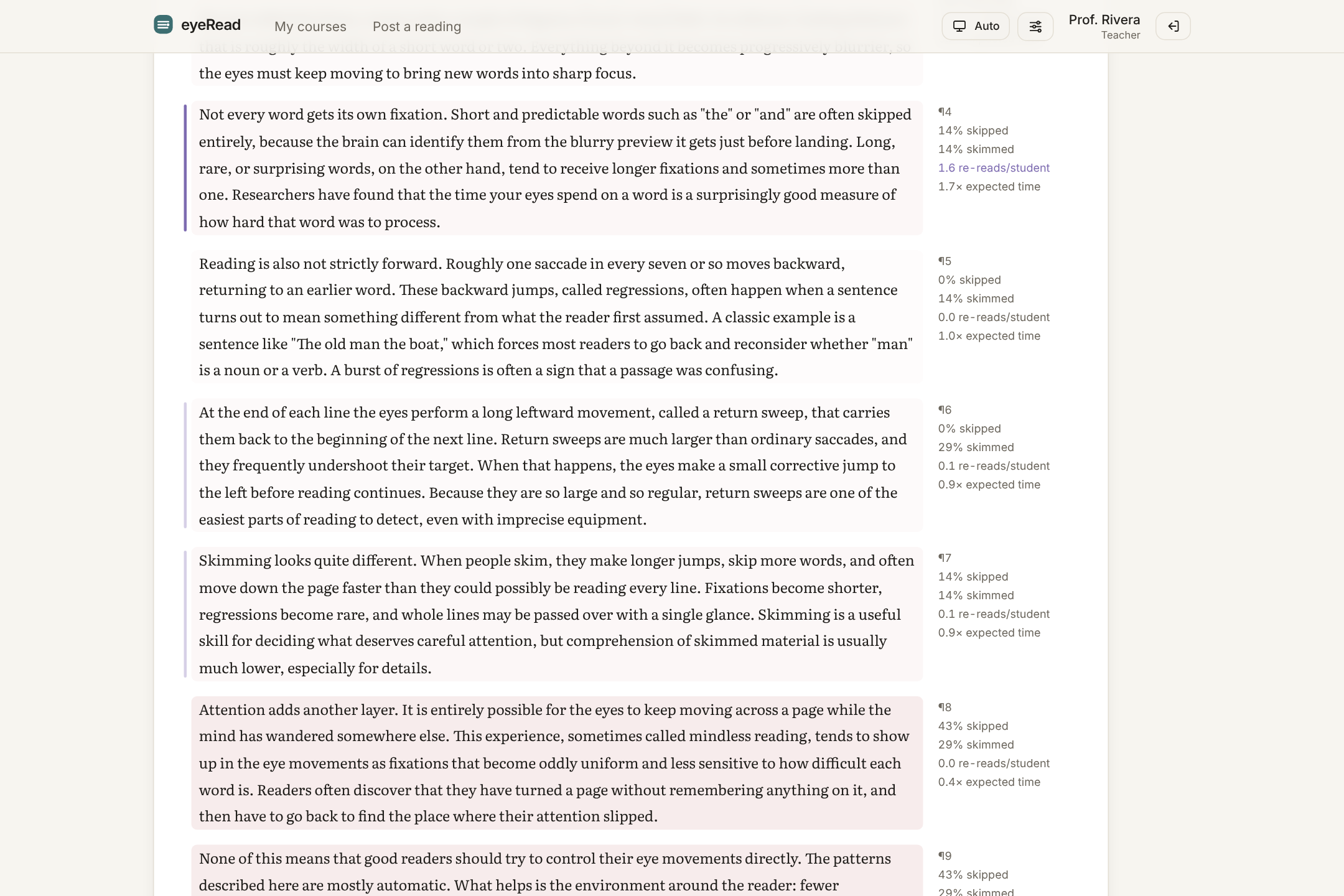
Class reading map: the passages most students skipped or went back to re-read.
-
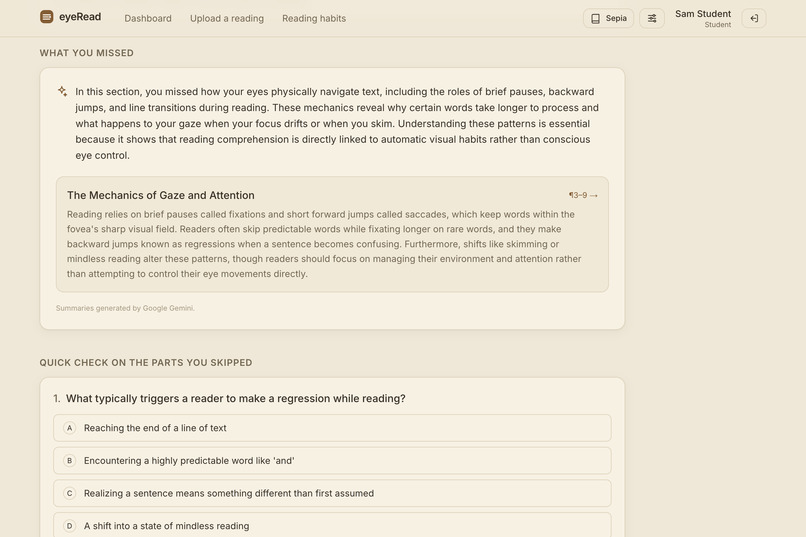
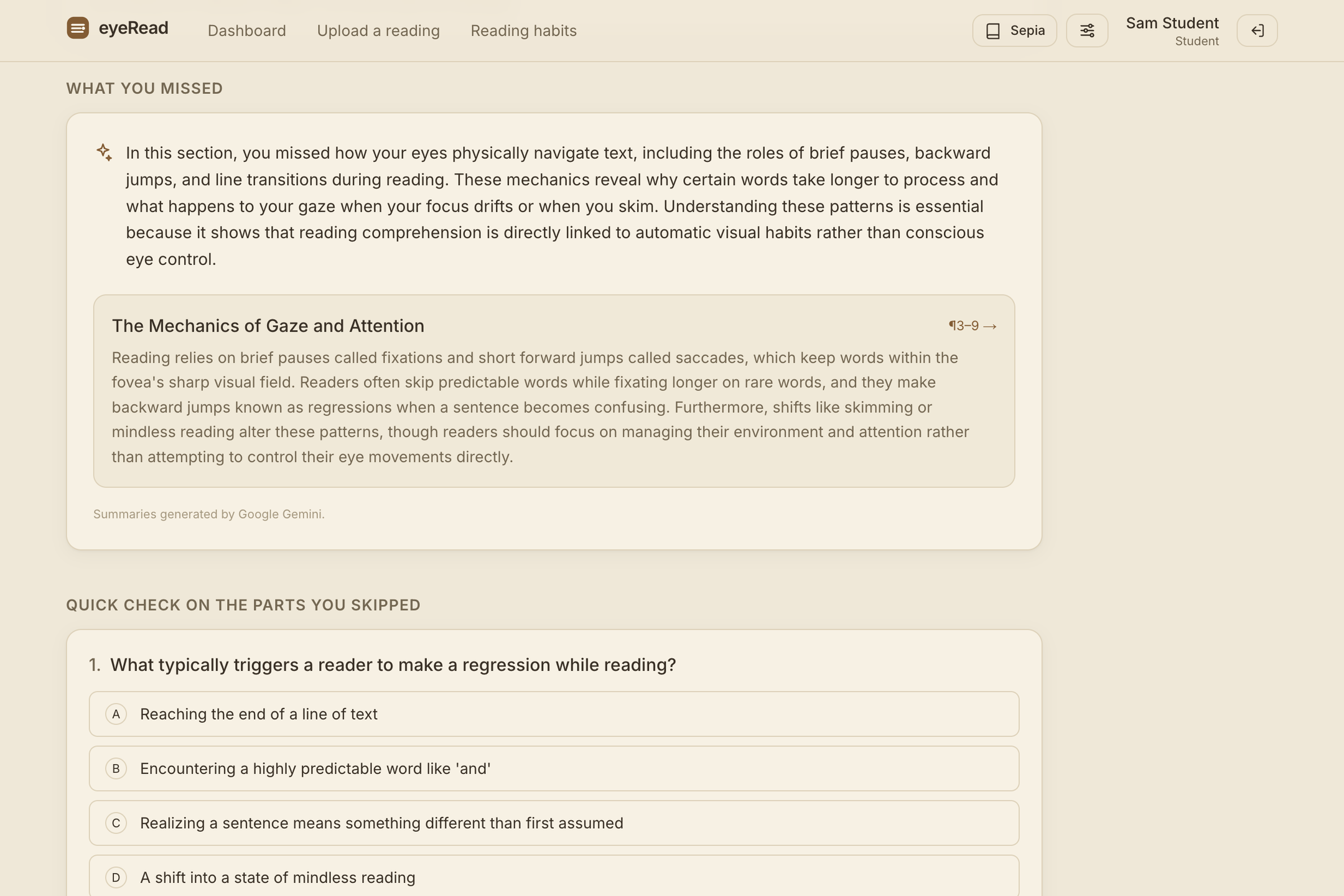
What you missed: Google Gemini summarizes only the sections you skipped.
-
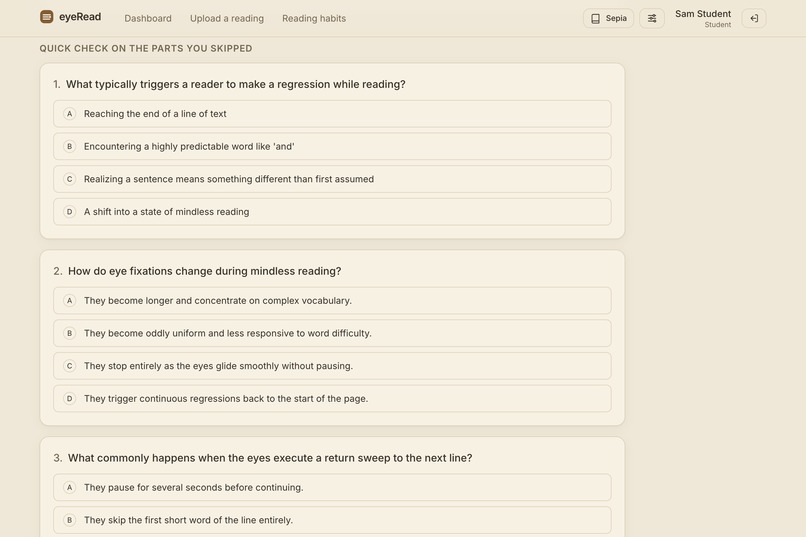
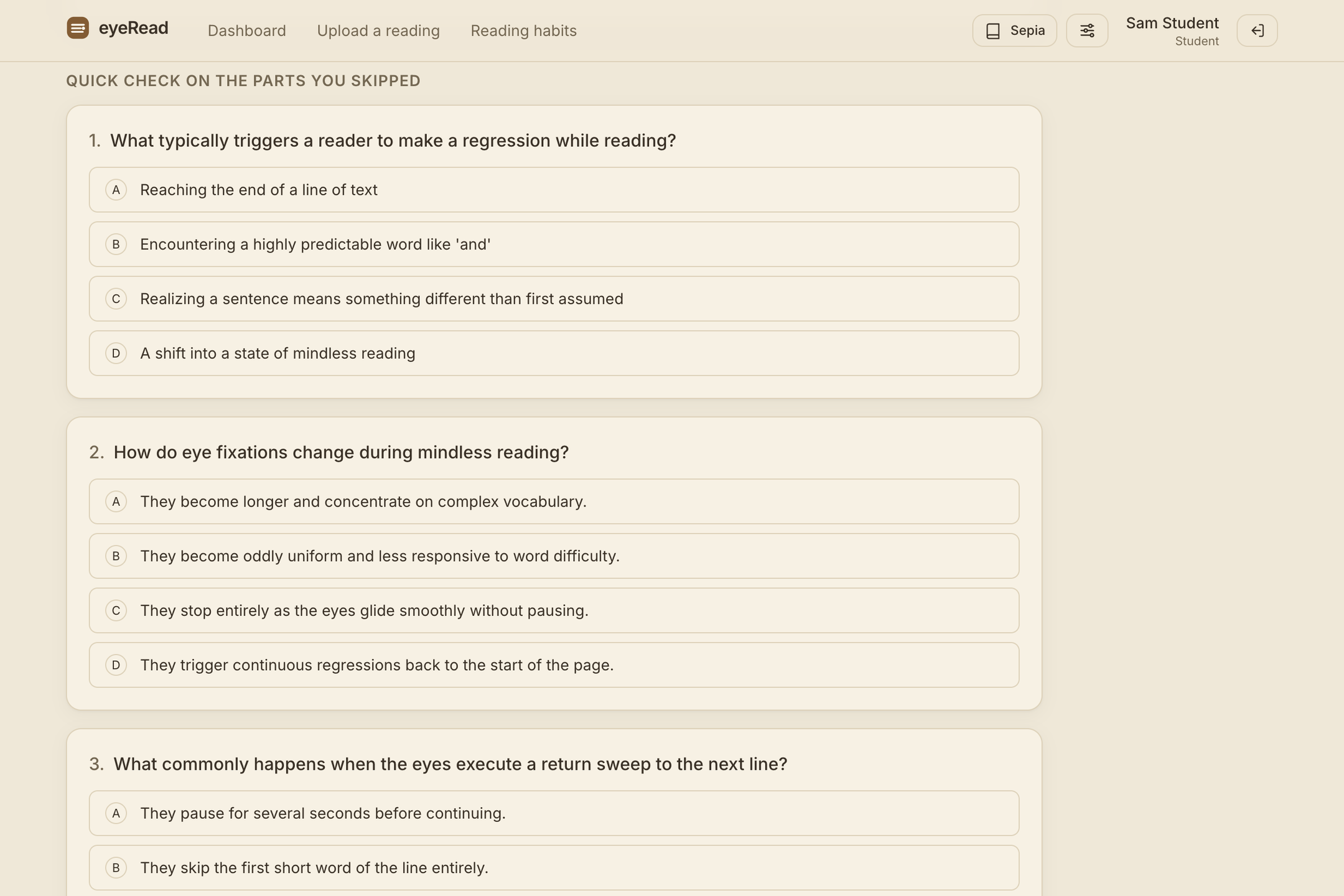
Quick check: a short AI quiz on the parts you skipped, to see what you still need.
-
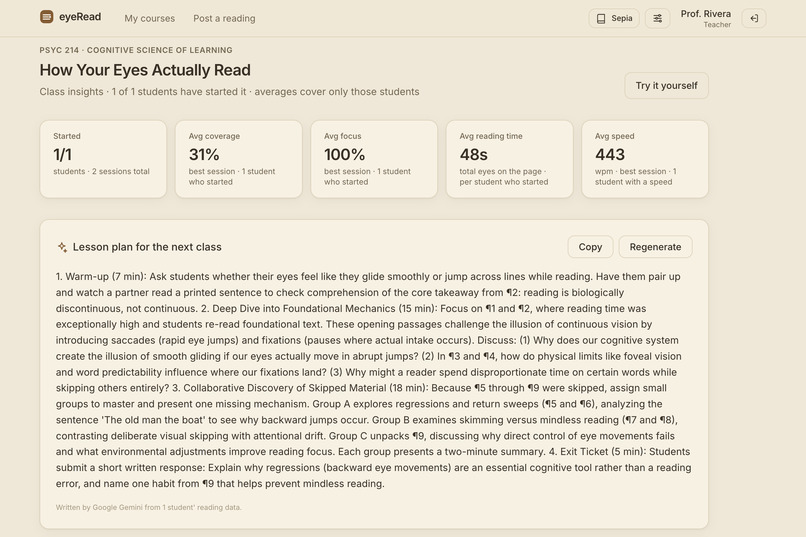
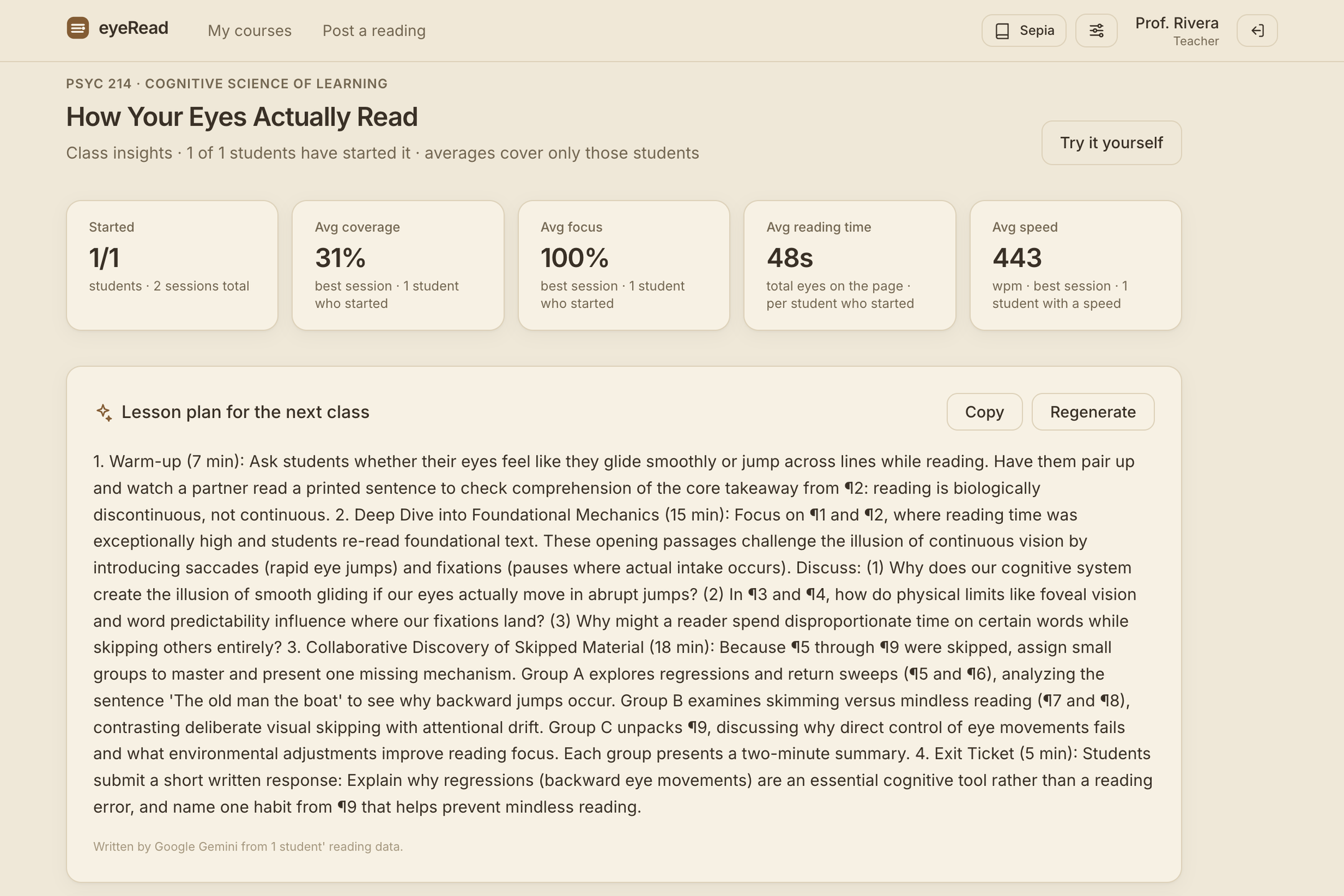
Lesson plan: Gemini builds the next class around the passages students struggled with.
-
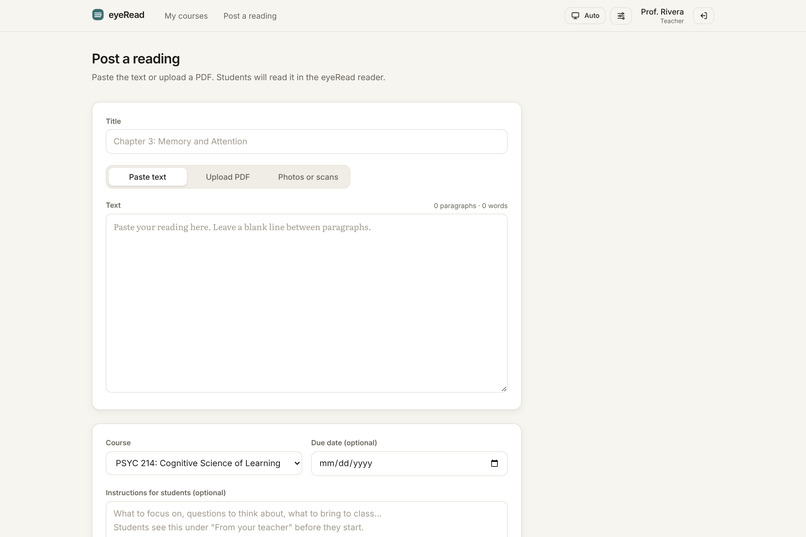
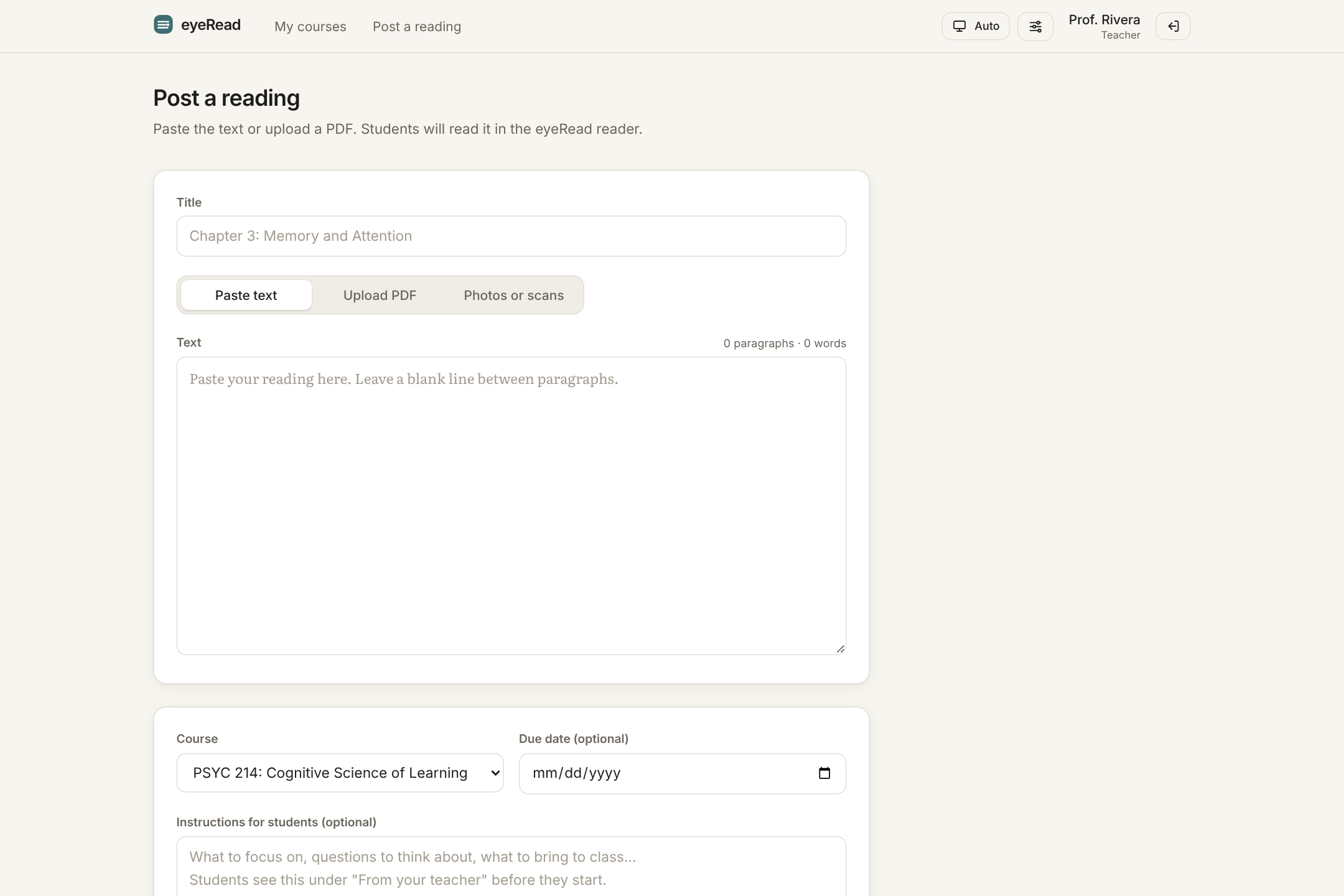
Posting a reading: paste text, upload a PDF, or snap photos of pages, then set a due date.
-
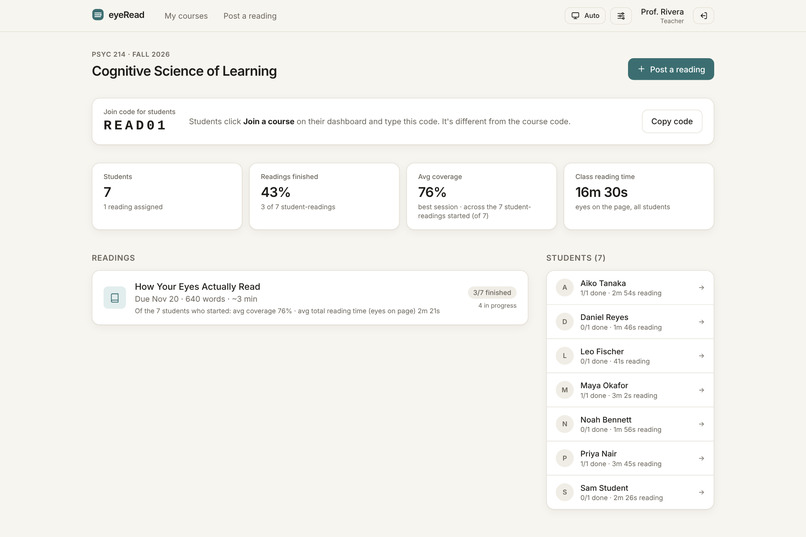
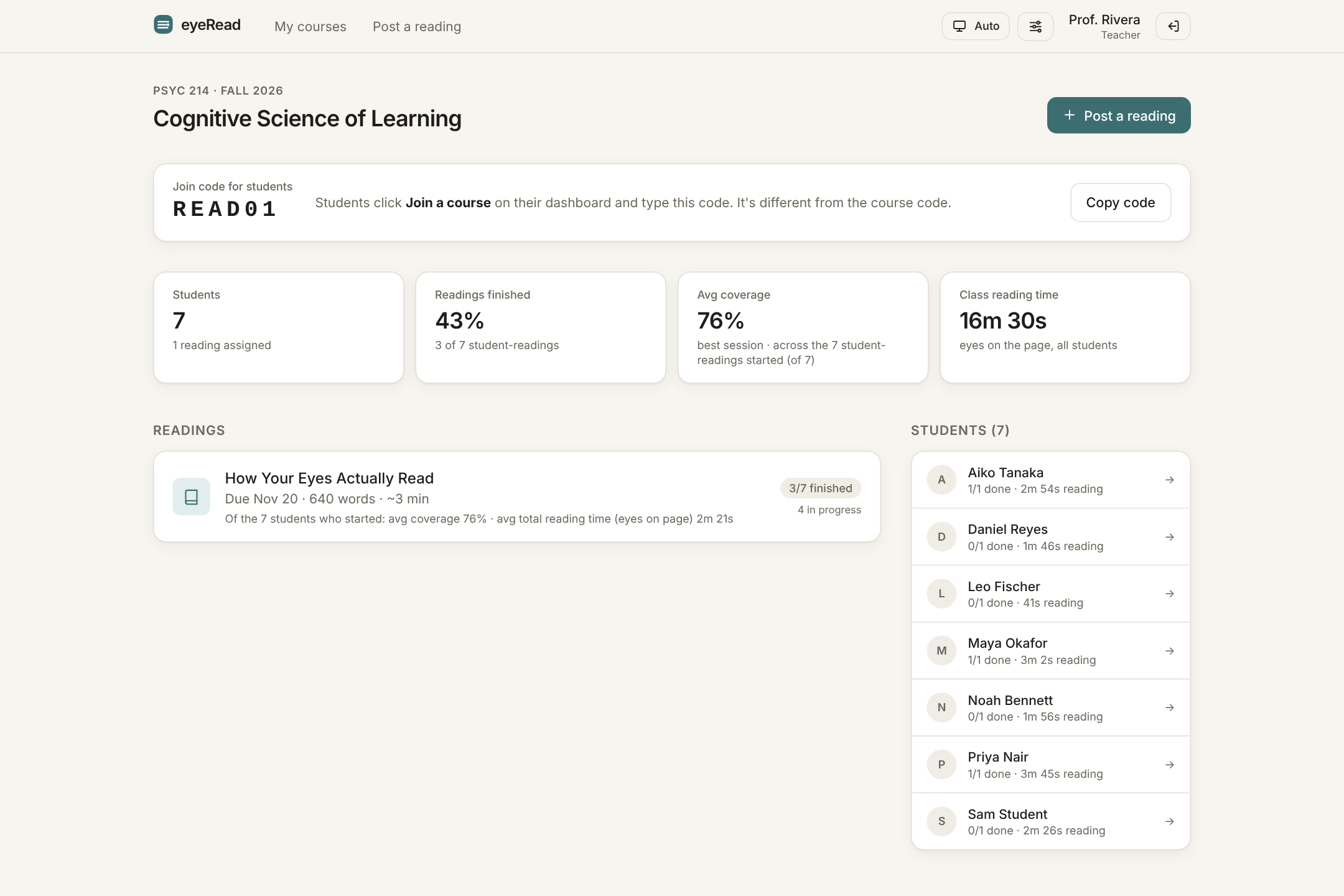
Course page: join code, class averages, readings, and every student's progress.
-
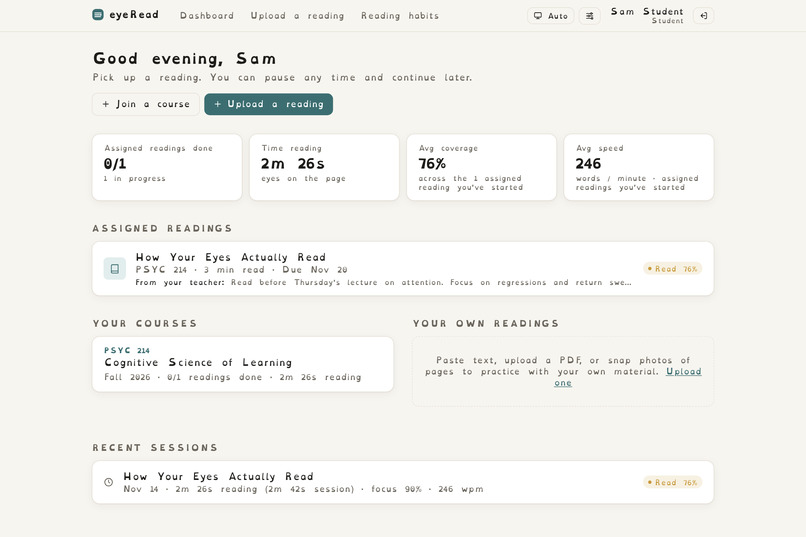
Dyslexia-friendly font: one setting switches the whole app to OpenDyslexic.
-

Browser extension: see how much of any article you read, with skipped sections listed.

Inspiration
In our own experience and observations, many students are choosing to forgo reading assignments and use AI tools to summarize instead. At the same time, short-form content and instant gratification prevent younger people like ourselves from taking the time to engage with text. Teachers don’t know what students are actually learning or skipping, since it is becoming increasingly easy to cheat on comprehension tests with AI. Overall, classrooms are less efficient, with teachers taking time to prepare lesson materials on content that students may have outsourced to an LLM and thereby unprepared to engage with in class. Our goal was to create a platform where teachers could assign readings and automatically get feedback on what parts of the reading students struggled with, while guaranteeing that the students spent time trying to understand. We also recognized that this tool is applicable outside the classroom too. One common issue we noticed in our own lives was the skimming of news articles. Rather than fully digesting the significance of a certain event, we would read the exaggerated headline and skip the nuances of the story. This could lead to the worst possible outcome, where we think we know what we are talking about without understanding all perspectives.
What it does
There are three main ways to use eyeRead: in the classroom as a student or teacher, or in your everyday life. Teachers can create classes that multiple students can join. Under each class, teachers can create reading assignments by pasting text or uploading a PDF. Those assignments appear for each student. When the student wants to complete the reading, they will start by doing a quick eye-tracking calibration with their laptop camera. They will then read a sample text to determine their normal reading speed. Once that is complete, they can begin reading their assignment as usual. Our algorithm uses “return sweeps”, which are large horizontal eye movements across the screen when reading a new line to track a student’s position on the page. By aggregating the eye-tracking data, return sweeps, and reading speed, we can track whether the student read, skimmed, or skipped a certain portion of the text. We can also determine if students re-read a portion of the text. Once the student is finished reading, they will receive a reading report based on their session, highlighting the parts of the text they may have missed. It will point out when in the session the student was reading, re-reading, skimming, or skipping. To correct for possible mistakes and to ensure the student understands the content of the material they skipped, we had Gemini create unique quiz questions based on the paragraphs skipped. This takes advantage of the testing effect, which increases retention of content without the teacher needing to create generalized reading checks. As students complete the assignment, the teacher gets a similar report aggregated across all students who completed the assignment. The teacher can see what sections were commonly skipped or re-read, demonstrating that those sections were particularly difficult. Gemini automatically creates a unique lesson plan based on what students struggled with. Using these insights, teachers can manage class time more efficiently by covering pain points before diving deeper. Outside of the traditional course website, we created a Chrome extension that detects an article. After activating the eye-tracking, you can read the article as usual. At the end, eyeRead generates a similar report of what sections were skimmed or skipped. That way, the nuances present in any news story are brought to the forefront of our attention.
How we built it
eyeRead is a Next.js web app backed by a SQLite/libSQL database, and all of its eye tracking runs inside the browser. MediaPipe Face Landmarker finds the iris and head position in every webcam frame. A short dot calibration then fits a ridge-regression model for each student that turns those features into a point on the screen. Webcam gaze is far too noisy to pick out a single line on its own. So we built a hidden Markov model over the lines on the page that combines the noisy gaze with how people actually read: left to right, then a sweep back to the start of the next line. The tracker recalibrates as you read, using the first line of each page, every return sweep, and every page turn. From that, it measures which paragraphs were read, skimmed, or skipped, along with re-reads, reading speed, and time spent looking away. The reader is paginated instead of scrolling, with wide line spacing and full-screen mode, which makes each line easier to read. We use the Google Gemini API to summarize the parts of a reading a student skipped or skimmed, and to write a short quiz so they can check what they understood. On the teacher's side, Gemini turns the whole class's results into a summary of where students struggled and a lesson plan for the next class. We also built a Chrome extension that reuses the same gaze code to measure reading on any website. When you open a page, the extension finds the article on its own, similar to “reader modes” where ads and comments are filtered out. It then splits the article into paragraphs and measures each line of text as it actually appears on screen. When you turn on eye tracking, the same software runs. Unlike our paginated reader, news sites scroll, so the extension keeps re-measuring which lines are on screen as you scroll and adds new paragraphs as the page loads more text. When you finish, the toolbar button shows how much of the article you covered, your reading time, and which sections you skipped. It can also color each paragraph on the page green, yellow or red. If you choose to connect the extension to your eyeRead account, those articles appear next to your other readings on your home page.
Challenges we ran into
The most challenging aspect was the eye tracking. The main source of error was not random noise but drift. We therefore made the tracker constantly adjust its position based on page turns and the return sweep at the end of each line. A return sweep is the quick jump the eyes make from the end of one line to the start of the next. Because it's large and regular, it's easy to detect even with a noisy webcam, so we use it to follow which line you're on, to keep recalibrating the tracker while you read, and to tell reading from skimming. We built our own gaze lab to use the same camera frames across models, and we found that while the new deep learning model was smooth, it had a large vertical error of 2.5 lines, while the MediaPipe pipeline had an error of 0.9 lines, so we reverted to our tracking. We also found out the hard way that sometimes changes made to improve the simulation do not work with a real webcam. Lighting, glasses, and head movement can also vary a lot between users.
Accomplishments that we're proud of
We are most proud of the Chrome extension implementation. For many tools hosted on websites, users will quickly forget about them. However, an extension will always appear on your screen. From now on, when I do my daily Wall Street Journal reading, I’ll be able to track what parts of the article I’m actually picking up on and which parts I ignore. I’ll take pride in the fact that I was proactive and built something that’s self-correcting on an issue I face every day.
What we learned
We found that understanding how people read did more for accuracy than switching to a bigger neural network. By that, we mean people read lines from top to bottom, and at the end of each line their eyes make one large, quick jump back to the start of the next line. A page turn also tells us exactly where the reader's eyes just were, so building these predictable patterns into our model lets it follow the right line and keep correcting its own drift, even when the webcam's gaze estimate was blurry. Most importantly, we learned that eye data is an estimate, not proof. Students read differently, for example, those with dyslexia or ADHD, so we present reports as a study aid with honest confidence levels, never as an automatic grade.
What's next for eyeRead
The clear next step would be to try this out in real classrooms and see what real users have to say. While we tested the product many times ourselves, we will never know for certain how real students and teachers will interact with such a system. It is likely that there could be some concerns about privacy and being recorded. One other step is to make this a mobile app. Whether it is for checking emails or reading articles, it will always be useful to know what you know and know what you don’t know.
Built With
- chrome-extensions-api
- css
- gemini-api
- javascript
- libsql
- mediapipe
- next.js
- node.js
- pdf.js
- react
- sqlite
- tailwind
- tensorflow
- tesseract
- turso
- typescript
- webassembly
