EyeQ - Real-time Audio Describer
About the project
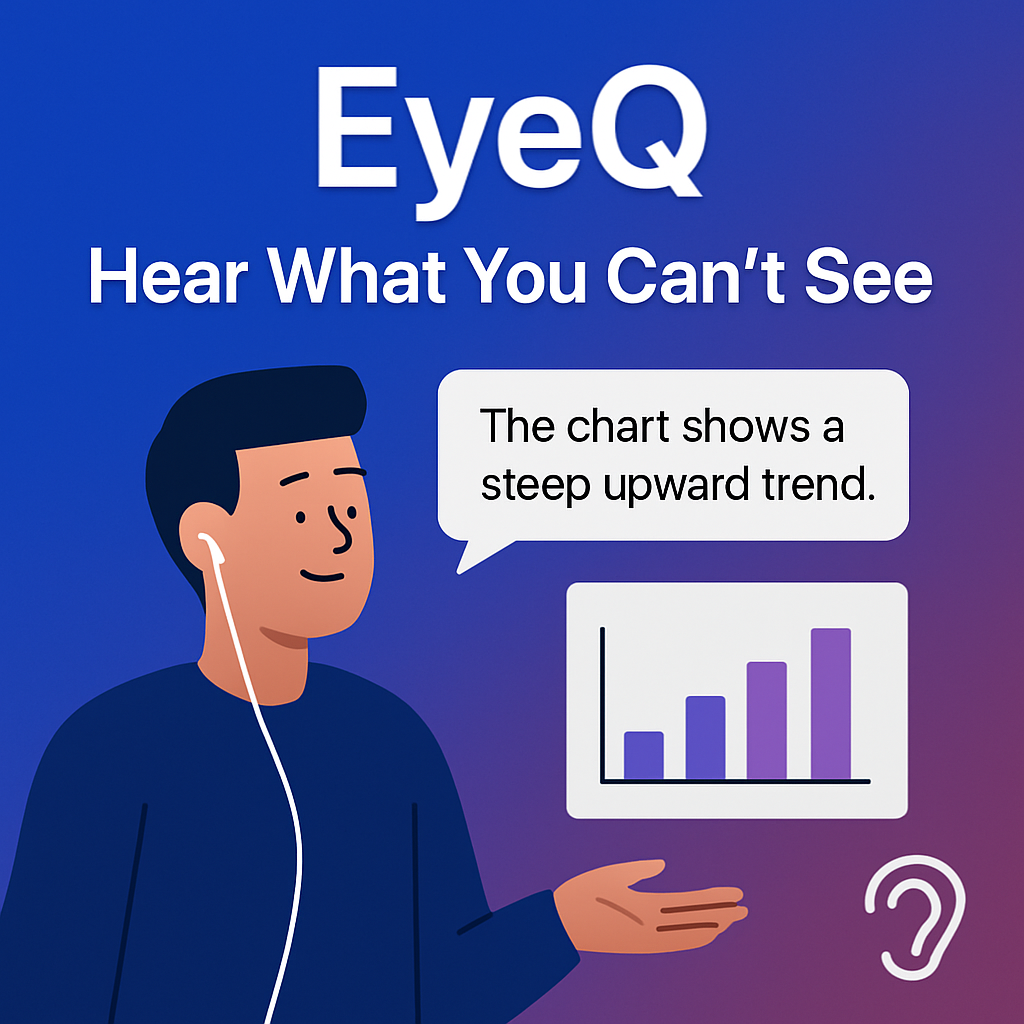
EyeQ is an AI-powered accessibility tool that provides real-time audio descriptions for live events, making visual content accessible to people with visual impairments. By combining speech recognition, AI analysis, and text-to-speech technologies, EyeQ transforms any live event into an inclusive experience.
Inspiration
The inspiration for EyeQ came from recognizing a significant gap in accessibility for live events. While pre-recorded content often includes audio descriptions, live events like webinars, sports games, conferences, and emergency broadcasts typically lack real-time visual descriptions. This creates barriers for people with visual impairments who want to fully participate in and understand live experiences.
We were inspired by the power of modern AI to solve real-world accessibility challenges. The idea was to create a tool that could intelligently identify when visual descriptions are needed and generate concise, contextual audio descriptions in real-time—essentially acting as a live audio describer that's available anytime, anywhere.
What it does
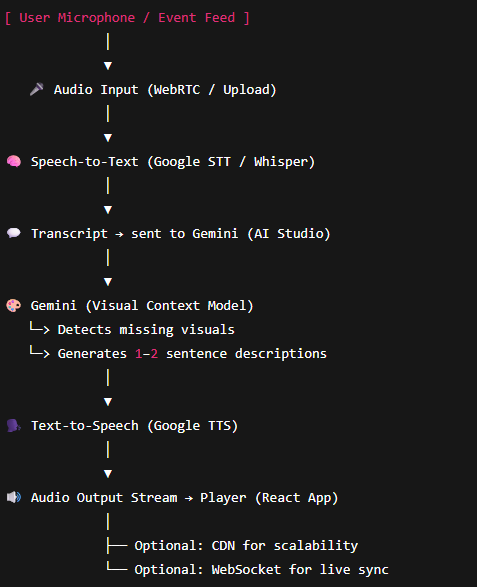
EyeQ listens to live audio from any event and uses AI to analyze the transcript in real-time. When it detects cues that indicate visual information is being presented (such as phrases like "as you can see here" or natural pauses in speech), it generates a concise audio description of what's likely happening visually.
The application supports multiple event types, each with tailored description styles:
- Webinars & Presentations: Describes slides, charts, graphs, and demonstrations
- Sports Events: Provides energetic descriptions of player positions, scores, and key plays
- Conference Talks: Describes speaker body language, audience reactions, and visual aids
- Emergency Broadcasts: Delivers critical safety information with maximum clarity
- General Events: Adapts to any live event with contextual descriptions
Users can also adjust the detail level (minimal, standard, or detailed) to match their preferences and needs. The descriptions are spoken aloud using text-to-speech, creating a seamless, hands-free experience.
How we built it
EyeQ is built as a modern web application using React and TypeScript, running entirely in the browser for maximum accessibility and ease of use.
Frontend Architecture:
- React 19 with TypeScript for type-safe, component-based UI
- Tailwind CSS for responsive, modern styling with a cosmic-themed design
- Web Speech API for real-time speech recognition (browser-native, no external services needed)
AI Integration:
- Google Gemini 2.5 Flash for intelligent transcript analysis and description generation
- Custom prompt engineering to identify when visual descriptions are needed
- Event-type-specific system instructions to tailor descriptions appropriately
- Token optimization to ensure fast, reliable responses
Key Technical Features:
- Continuous speech recognition with automatic restart on errors
- Intelligent transcript accumulation and batching (waits for 2-second pauses before analysis)
- Real-time interim transcript display for user feedback
- State management for listening, analyzing, and speaking states
- Graceful error handling and recovery mechanisms
User Experience:
- Beautiful, accessible UI with glassmorphism effects and cosmic theme
- Real-time status indicators (listening, analyzing, speaking)
- Transcript display showing both interim and final results
- Customizable event types and detail levels
Challenges we ran into
Real-time Processing Complexity: One of the biggest challenges was managing the asynchronous flow between speech recognition, AI analysis, and text-to-speech. We had to implement careful state management to prevent race conditions and ensure descriptions don't interrupt each other.
Token Limit Issues: Initially, we encountered MAX_TOKENS errors where responses were truncated before any content was generated. We solved this by optimizing prompts to be more concise and adjusting token limits, while also implementing graceful fallbacks.
Speech Recognition Reliability: Browser-based speech recognition can be unpredictable—it sometimes stops unexpectedly or has varying accuracy across browsers. We implemented automatic restart mechanisms and error recovery to maintain continuous operation.
API Response Parsing: The Gemini API response structure required extensive fallback logic to extract text reliably across different response formats. We implemented multiple extraction methods to handle various response structures.
Balancing Speed vs. Accuracy: We needed to find the right balance between analyzing transcripts quickly (for real-time feel) and accumulating enough context for accurate descriptions. The 2-second pause detection was a key solution that allows natural speech flow while ensuring meaningful analysis.
Browser Compatibility: Ensuring the Web Speech API works across different browsers (Chrome, Edge, Safari) required careful feature detection and fallback handling.
Accomplishments that we're proud of
We're particularly proud of creating a fully client-side solution that works entirely in the browser—no backend server required. This makes EyeQ incredibly accessible and easy to deploy.
The intelligent transcript analysis system that can distinguish between when visual descriptions are needed versus when they're not (returning "NONE" appropriately) was a significant achievement. This prevents unnecessary interruptions and ensures descriptions are only provided when truly helpful.
We're also proud of the beautiful, accessible UI design that makes the application pleasant to use while maintaining focus on functionality. The cosmic theme with glassmorphism effects creates an engaging experience without being distracting.
The robust error handling and recovery mechanisms mean the application can gracefully handle network issues, API errors, and browser quirks, providing a reliable experience even when things go wrong.
Finally, the event-type-specific customization system allows EyeQ to adapt its description style to match the context, making it truly versatile for different use cases.
What we learned
This project taught us a lot about real-time audio processing and the complexities of working with browser APIs. We learned how to effectively manage asynchronous operations in React, using refs and callbacks to maintain state across renders.
We gained deep experience with prompt engineering for AI models, learning how to craft prompts that are both concise (to save tokens) and effective (to get accurate results). Understanding token limits and how to optimize for them was crucial.
Working with the Web Speech API taught us about browser-specific implementations and the importance of feature detection and graceful degradation. We also learned about managing media streams and ensuring proper cleanup to prevent memory leaks.
The project reinforced the importance of user experience design—balancing technical capabilities with usability, ensuring the application feels responsive and natural even when processing happens asynchronously.
We also learned about accessibility from a technical perspective, understanding how to build applications that are not just accessible in terms of features, but also in terms of code structure and error handling.
What's next for EyeQ
Multi-language Support: Expand beyond English to support events in multiple languages, making EyeQ globally accessible.
Custom Vocabulary: Allow users to add domain-specific terms and names to improve recognition accuracy for specialized events.
Mobile App: Develop native mobile applications for iOS and Android to provide a more integrated experience and better microphone access.
Recording & Playback: Add the ability to record sessions and play back descriptions later, useful for reviewing events or sharing with others.
Integration with Video Platforms: Create browser extensions or integrations with platforms like YouTube, Zoom, and Teams to provide descriptions directly within those environments.
Community Features: Allow users to share and rate descriptions, creating a community-driven improvement system.
Advanced AI Models: Explore using vision models when video input is available, providing even more accurate descriptions based on actual visual content.
Accessibility Standards Compliance: Work towards WCAG 2.1 AAA compliance and integrate with screen readers for users who prefer that interface.
Analytics Dashboard: Provide insights into description frequency, accuracy, and user preferences to continuously improve the service.
Built With
- css3
- google-ai-studio
- html5
- react
- typescript


Log in or sign up for Devpost to join the conversation.