-
Team members plus other interns
-
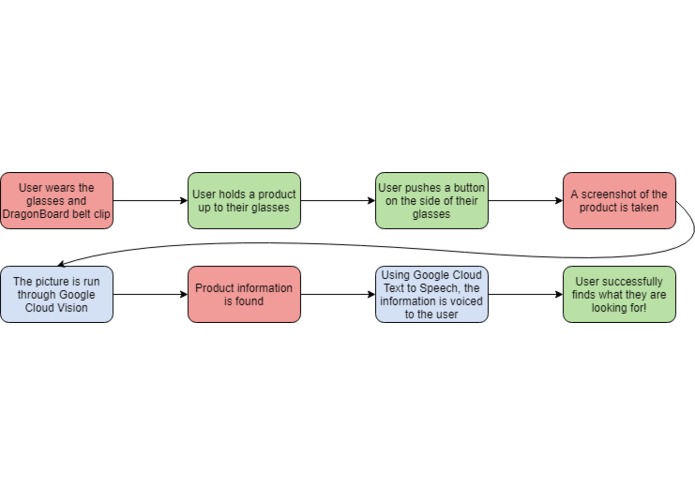
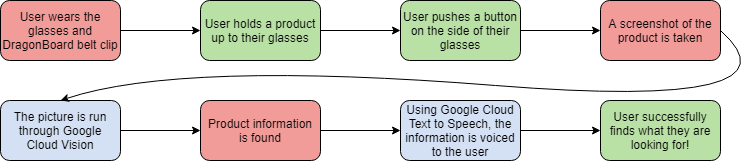
Flowchart of process
-
Google Cloud Text to Speech
-
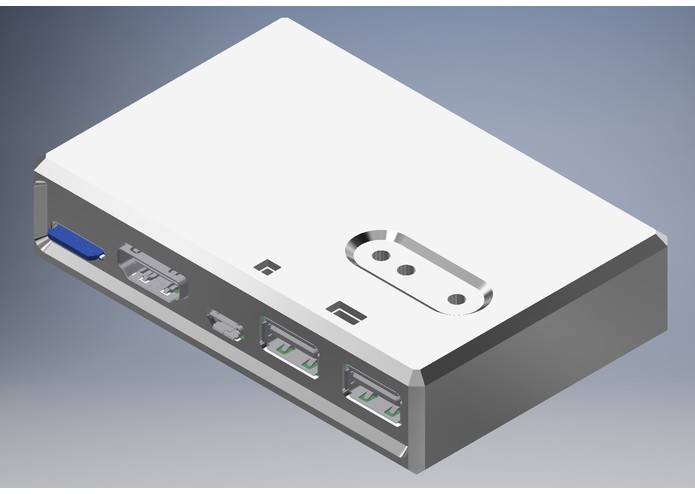
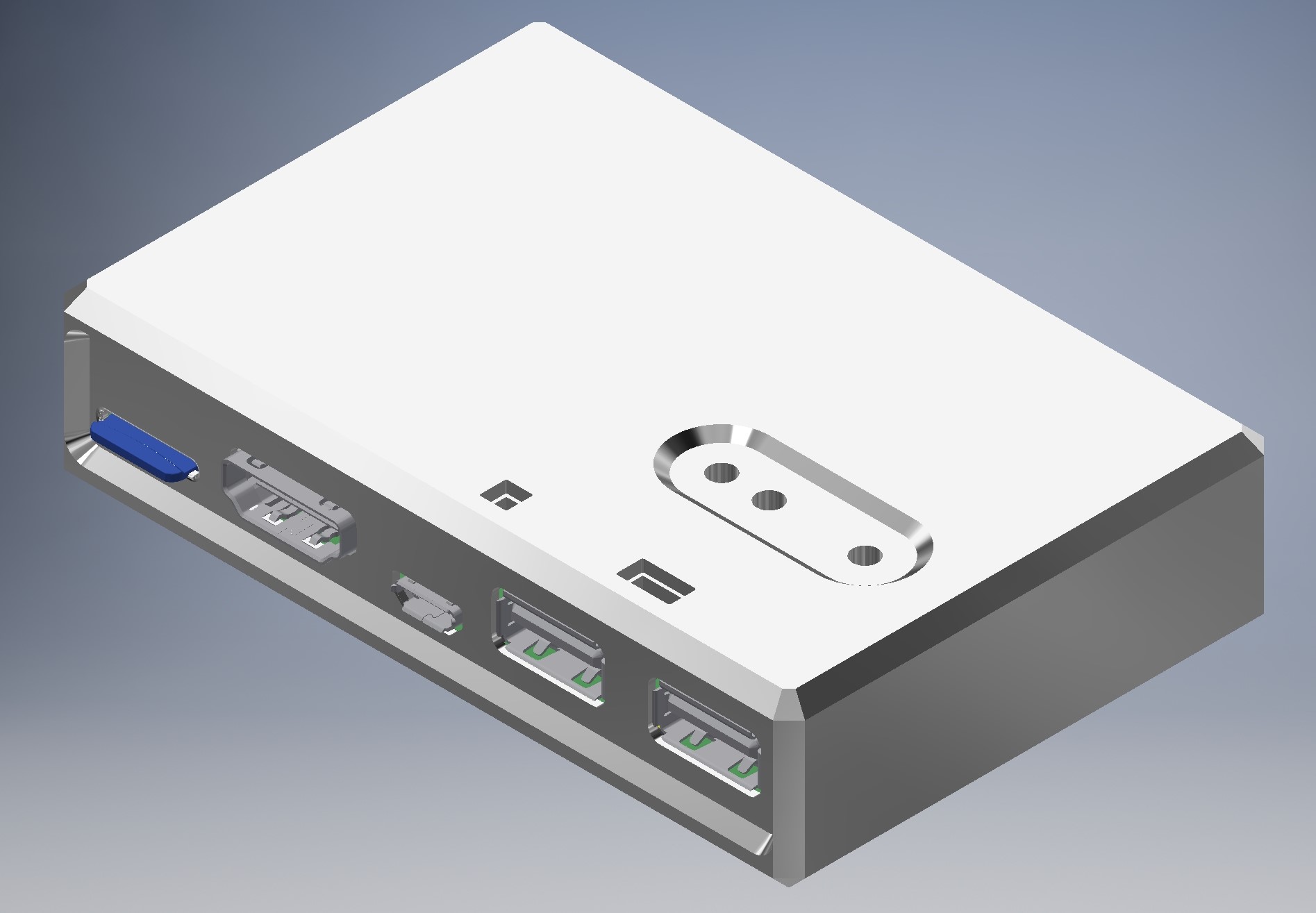
Qualcomm Dragonboard and Case
-
Google Cloud Vision
-
Qualcomm Logo
-
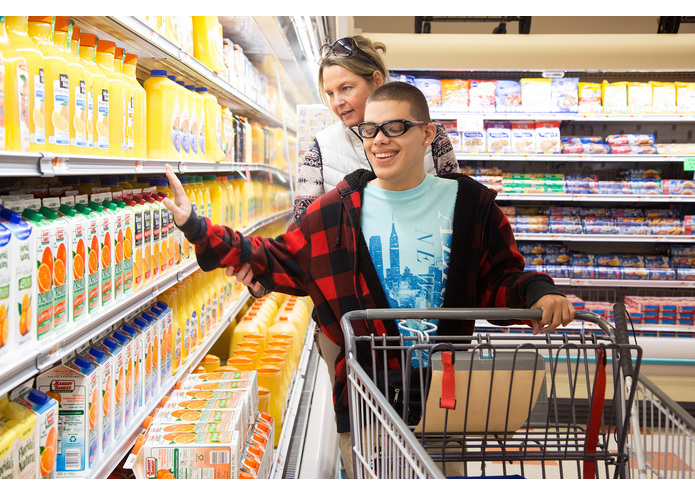
Example of product demand
-
logo

Inspiration
Some of our team members have lived with and worked with people with disabilities for many years. Seeing their struggles and challenges inspired us to create a product to help improve their daily lives.
What it does
EyeEnabler allows the user to hold a product up to their glasses and voice the product information back to them, so that they can select what products they want to buy or use.
How we built it
Using a Qualcomm Dragonboard 410c with a camera, Google Cloud Vision and Text to Speech, and Bluetooth speakers, the board allows the camera to take a picture with the click of a button. The picture is used with Google Cloud Vision to search for similar products and read the text off of the product. Then, the information is passed through Google Cloud Text to Speech, and the information is voiced to the user via a Bluetooth speaker or headphones.
Challenges we ran into
-Qualcomm board did not detect mouse and keyboard -We are not as proficient in programming -We ran into authentication errors with Google
Accomplishments that we're proud of
-Getting the speaker to say Flaming Hot Cheetos and Mountain Dew -Getting the camera to take the picture and process the information
What we learned
-How to work with the Qualcomm Dragonboard 410c -How to use Google Cloud APIs
What's next for EyeEnabler
-Improve the accuracy and speed of the program
Built With
- google-cloud-text-to-speech
- google-cloud-vision
- python
- qualcomm-dragonboard-410c
Log in or sign up for Devpost to join the conversation.