-
-
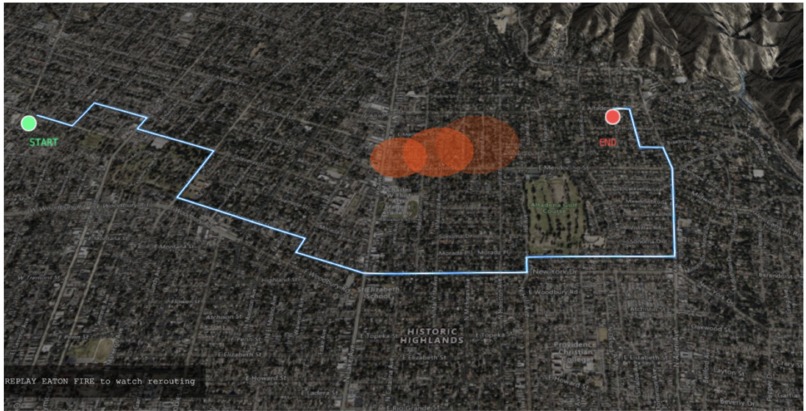
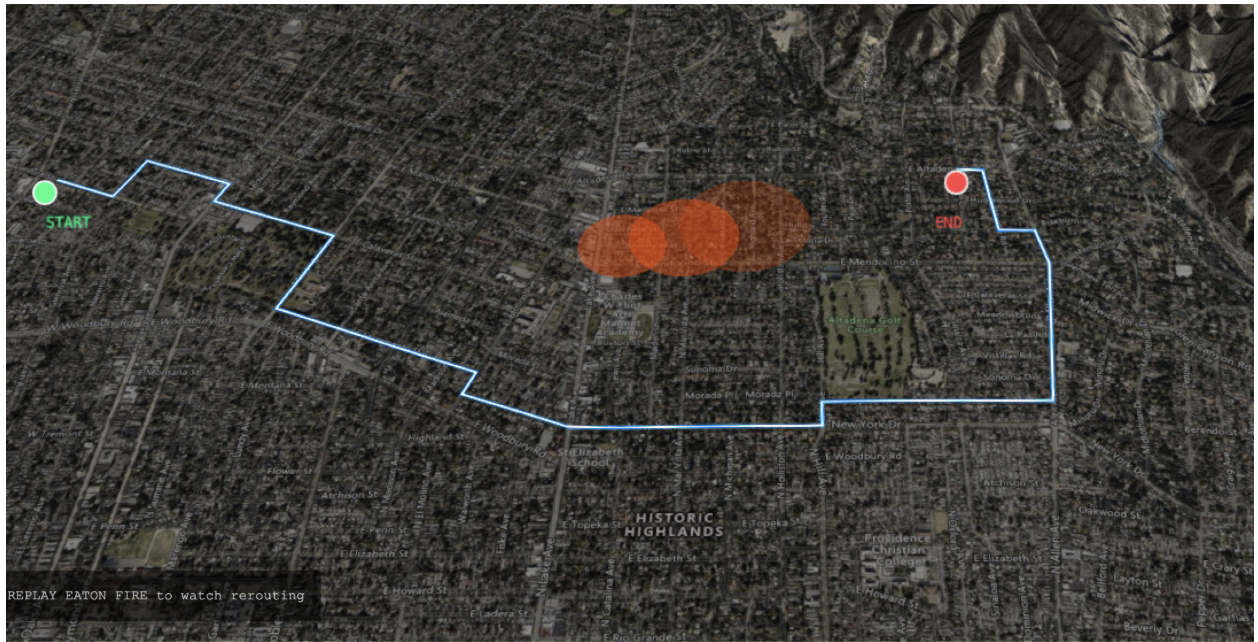
Simulated fire in red with scheduled path in blue.
-
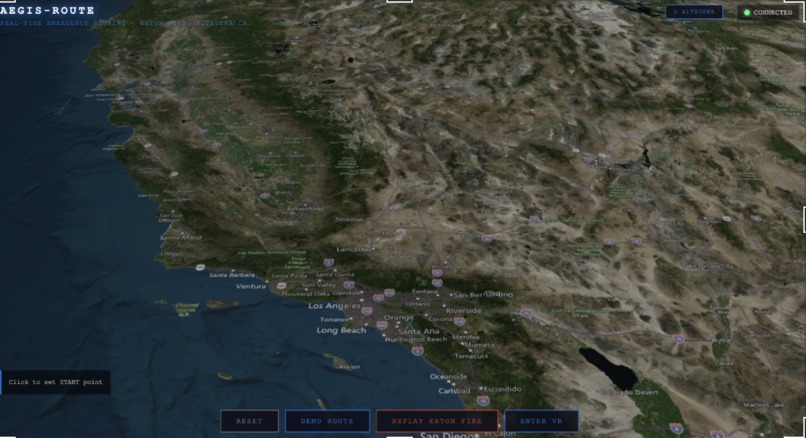
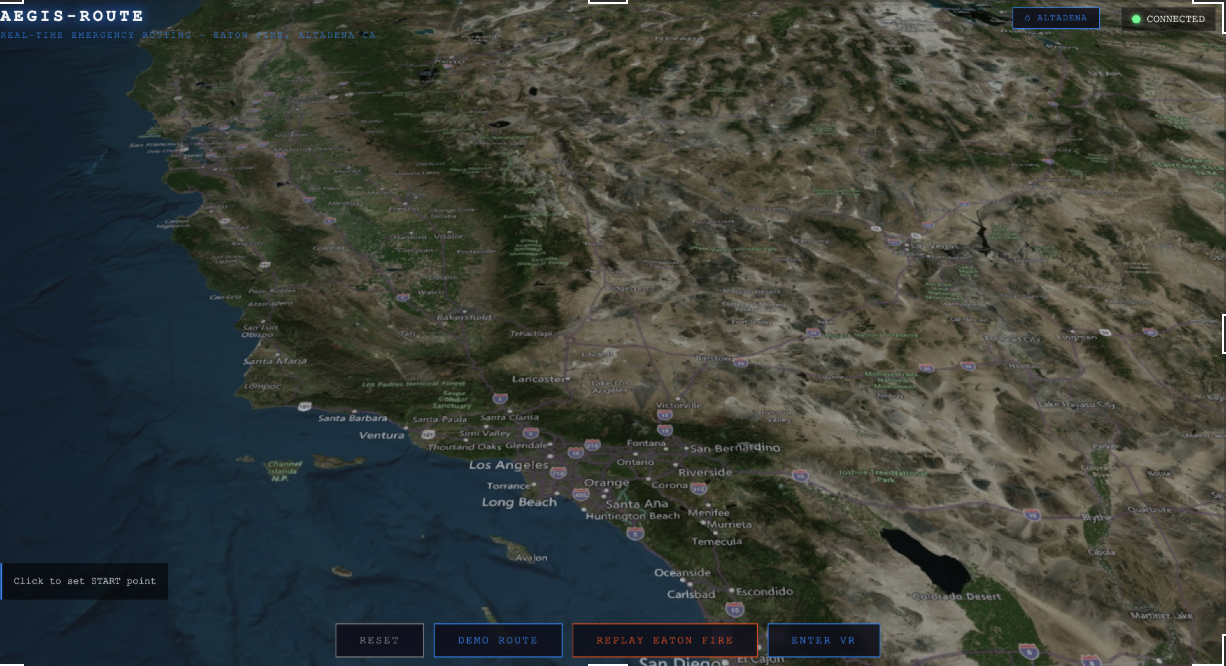
Zoomed out view of California
Eye in the Sky
Eye in the Sky: is a real-time wildfire situational awareness and hazard-aware routing system which uses Cesium and WebXR to provide a birds eye view style control center of an entire city, combining live hazards, route updates, and replayable fire spread to enable firefighers to simulate disasters precisely and accurately in seconds.
About the project
Inspiration
Wildfire response is a moving-target logistics problem:
- Roads that were safe minutes ago can become dangerous or impassable.
- Conditions change quickly (wind shifts, flare-ups, debris, downed lines).
- Dispatch decisions only work when there is a shared operating picture across roles (command center, drivers, field units).
Eye in the Sky was inspired by the gap between static navigation (which assumes the road network is stable) and emergency reality (where hazards are dynamic and uncertainty is high). We wanted to prototype a system where hazards and routes are first-class shared state, so routing can adapt as conditions evolve.
What we built
Eye in the Sky has three visible layers that work together:
1) Shared backend state (FastAPI)
The backend exposes an API contract for:
POST /route— compute a route between start/end coordinatesPOST /hazard— inject hazards (fire/blocked) into shared statePOST /field-report— accept a field report (optionally parsed into hazards)GET /state— return full state (hazards + routes) for visualizationGET /health— health check
The frontend polls /state about every 2 seconds so the UI becomes a live command center rather than a one-shot request/response app. Persistence is optional via MongoDB; the system still works with in-memory state for laptop demos.
2) Hazard-aware routing
Routing is treated as a dynamic optimization problem where hazards alter the cost/feasibility of candidate paths. In simplified form:
$$ \text{minimize } \sum_{e \in \text{path}} \Bigl(\text{baseCost}(e) \cdot (1 + \text{hazardPenalty}(e))\Bigr) $$
where hazards increase the effective cost of edges/areas and “blocked” zones can be modeled as near-infinite cost.
To support both realism and demo reliability, the backend supports pluggable routing engines:
- Demo grid router (fast, stable): routes on a coarse grid, useful to prove end-to-end hazard injection + reroute logic.
- Road-following router (realistic): routes on an OpenStreetMap road graph (OSMnx + NetworkX A*), producing paths that follow streets.
3) Visualization + interaction (Cesium + WebXR)
The frontend provides:
- Desktop Cesium globe: a “big picture” view of hazards and routes.
- VR (WebXR) god view: an immersive command center where you can set start/end points and dispatch routes while seeing hazards in 3D.
We also implemented demo-safe fallback behavior:
- If the backend is unavailable, the frontend falls back to mock state/route data.
- A replayable hazard sequence (“Eaton Fire replay”) generates hazards over time even without external services.
What we learned
- Coordinate systems matter. When terrain is built from WebMercator tiles but overlays are placed using linear degrees-to-meters approximations, routes/hazards drift and appear “wrong” even if the underlying math is locally consistent.
- Demo reliability requires fallbacks. External services (imagery, terrain, model APIs, live datasets) can be flaky during a hackathon; fixture-first modes and deterministic fallbacks keep the demo stable.
- WebXR UX is all about friction removal. Controls must be discoverable, stable on-device, and include an in-VR exit path back to the normal web app.
How we built it
Backend
- FastAPI + Pydantic for the API surface and request/response validation.
- A routing service that loads a routing engine module and injects the current hazard set before computing routes.
- Optional MongoDB persistence for routes/hazards/field reports (Motor/PyMongo).
Routing
- Started with a fast grid engine to validate the hazard-aware control loop.
- Added a road-graph A* engine for realistic street-following paths.
- Ensured returned polylines visually attach to the user-selected start/end coordinates even when the road graph “snaps” to nearest nodes.
Frontend / VR
- Cesium renders a globe view with hazards and route polylines.
- Three.js + WebXR renders a VR scene with:
- terrain generated from Mapbox satellite + terrain-rgb
- hazard overlays and route tubes above the terrain
- fixed-to-view UI to exit VR
- The frontend polls
/state, dispatches/routerequests, and posts hazards during replay.
GIS + simulation (demo pipeline)
- FIRMS fire points and wind observations can load from committed fixtures.
- A fire spread simulation expands a perimeter over time based on wind direction/speed and posts hazards (or exports snapshots for offline replay).
Challenges we faced
- Dev tooling interop: Cesium depends on some CJS/UMD packages, which can trigger runtime “no default export” errors unless bundler pre-optimization and interop are configured carefully.
- Hazard + route alignment: route lines and hazard overlays must share the same projection as the terrain/imagery; otherwise they appear detached from the world.
- Network/credentials variability: DNS/TLS and API availability can break demos; we designed fixture-driven fallback paths to keep the presentation smooth.
Built with
Languages
- Python
- JavaScript
Frontend
- Vite
- CesiumJS
- Three.js
- WebXR
Backend
- FastAPI
- Uvicorn
- Pydantic
Routing + GIS
- NetworkX
- OSMnx (OpenStreetMap road graphs)
- Shapely
- NumPy / SciPy
- GeoJSON tooling
Database (optional)
- MongoDB
- Motor / PyMongo
APIs / data sources
- NASA FIRMS (fire detections)
- Iowa Environmental Mesonet (ASOS wind observations)
- Mapbox (satellite imagery + terrain-rgb)
- Cesium Ion (world terrain, optional)
Agents / AI (optional)
- Fetch.ai
uAgents+ Chat Protocol - Google GenAI SDK (Gemma) + deterministic fallback parser
Tech feedback (hackathon notes)
MongoDB
- What went well: great option for “optional persistence” without blocking the app’s core behavior.
- Pain points: SRV/DNS/TLS can be brittle on some networks; having an in-memory fallback kept development/demo unblocked.
CesiumJS
- What went well: excellent for a “command center” view; strong ecosystem for globe + layers.
- Pain points: bundler interop can be tricky with modern toolchains; once configured, it’s very stable.
Mapbox tiles (imagery + terrain-rgb)
- What went well: fast path to high-quality terrain and convincing visuals in VR.
- Pain points: requires tokens and can rate-limit; we treated it as optional and built fallbacks.
Google GenAI (Gemma)
- What went well: convenient for turning messy human text into structured, machine-actionable data.
- Pain points: model availability/latency can vary; deterministic fallback kept the system usable offline.
Generative AI usage
Did you implement a generative AI model or API in your hack this weekend?
Yes — we integrated the Google GenAI SDK (Gemma) to parse natural-language field reports into structured, actionable hazard data:
- Attempt to extract
{lat, lng, status, confidence, location_description} - Post the parsed report to the backend
- If status is “blocked” and confidence is high, automatically create a “blocked hazard” update
We also implemented a deterministic fallback parser so the demo still works if the model/API is unavailable.

Log in or sign up for Devpost to join the conversation.