Inspiration
43 million people worldwide are fully blind. Few people can help them every day, and a paid guide costs about $15 an hour. Most assistive apps either can't describe the surroundings or send the camera feed to a server. We wanted an assistant a blind person can use alone, anywhere, in their own language.
What it does
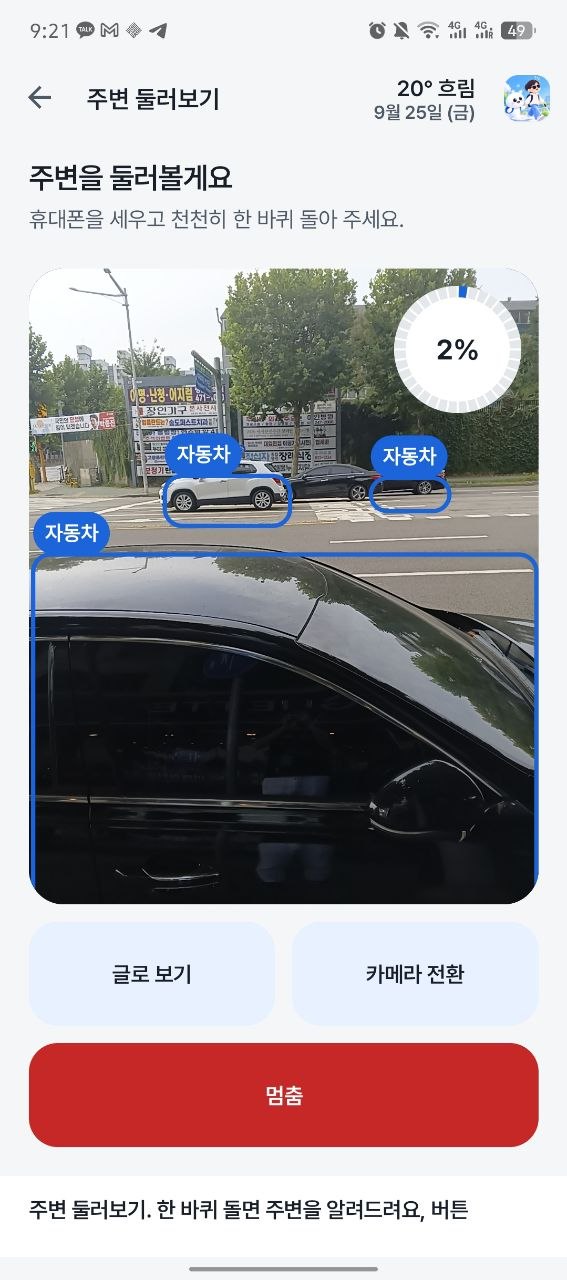
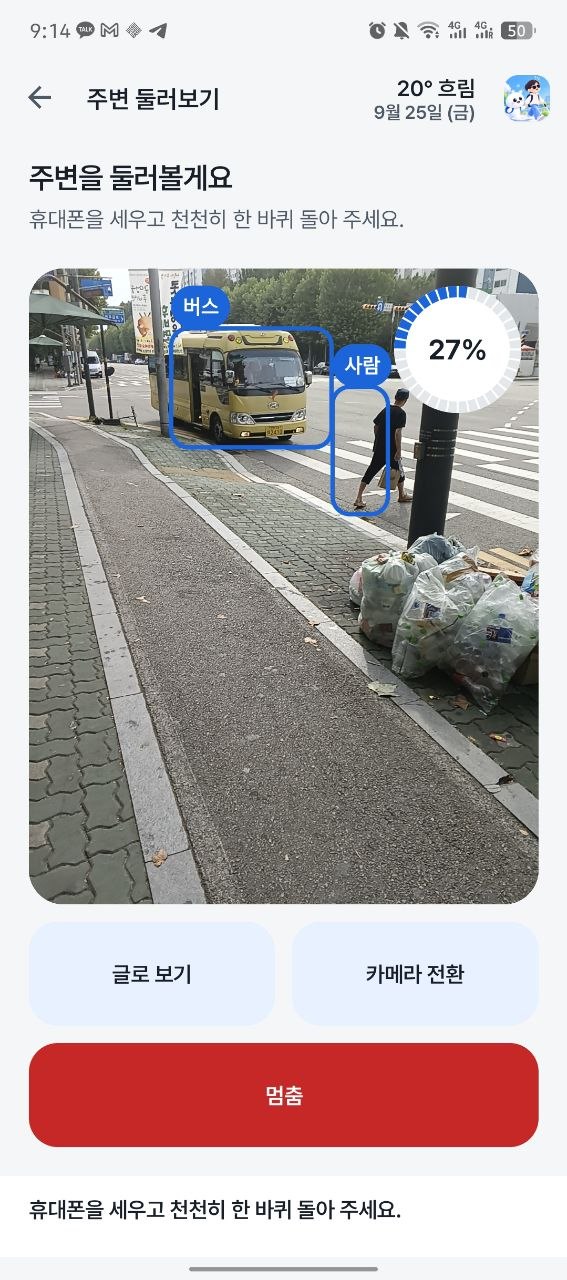
EYE (눈길) is an on-device scene assistant in English and Korean. It works without internet.
- 🔄 Look around — turn once and hear what is around you, where it is and what colour it is: "3 blue chairs in front; a black laptop on your right."
- 🔍 Find — say "find my bag": beeps speed up as you point at it, and the phone vibrates when it's straight ahead.
- 👤 Saved people & objects — save a face with one turn of the head; EYE names them during scans.
- 📖 Reader — reads QR codes, barcodes and printed text aloud.
- 🚶 Walk mode — ARCore depth warns about walls, steps, stairs, drops, people and cars.
- 📍 Places — "save this place as home", "take me home"; without internet it still points the way.
- 🎙 Voice control — wake word "Eye" / "눈길아"; the app goes silent the moment you speak.
How we built it
- Kotlin + CameraX Android app
- MediaPipe EfficientDet-Lite2 for object detection
- Our own sensor fusion: compass heading + camera field of view give every object a direction in a 360° scan
- ML Kit + FaceNet-512 (TensorFlow Lite) for faces, MobileNetV3 embeddings for saved objects
- ARCore depth for walk mode
- Offline speech recognition and text-to-speech with an English/Korean command parser
Challenges we ran into
- Counting: in a 360° turn the same chair appears in dozens of frames, so we use the highest count seen in any one frame, never the total.
- Hearing itself: the microphone picked up the app's own voice, so we added a wake word and silence every sound when the user speaks.
- ARCore crashes: it crashed when restarting in the dark or while the camera was hidden. We changed when it restarts, and EYE now says when it's too dark.
- False alarms: walls were mistaken for stairs, and elevators triggered floor-change alerts, so we rewrote the depth rules.
Accomplishments that we're proud of
- On-device AI — camera images never leave the phone
- Fully bilingual voice control and speech
- 360° scan with direction — we found no open-source project that combines detection with compass heading
- Tested on a real street, with real blind people
What we learned
- For a blind user, every extra word costs attention. Saying less, at the right moment, beats detecting more.
- A real street finds bugs a desk never shows.
- Running ML on a phone is mostly tuning: thresholds, model size, and falling back from GPU to CPU.
What's next for EYE
- 🇰🇷 Korean OCR for signs and menus
- 🦯 Testing with blind users and improving EYE from their feedback
- 🚦 Crosswalk and bus-number detection
- 🏢 Indoor navigation where GPS fails
- 🎧 Earbuds and smart glasses support, then a Google Play release


Log in or sign up for Devpost to join the conversation.