-
-
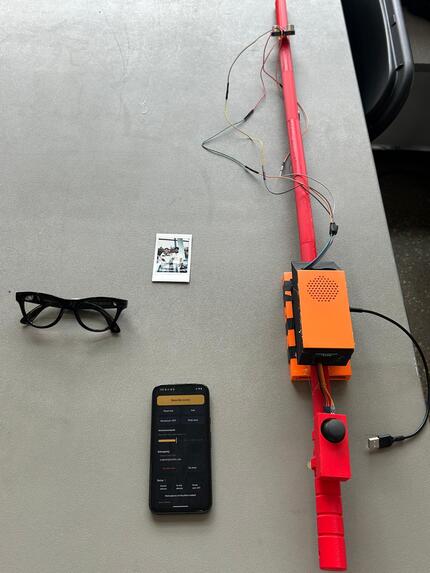
Our set Up
-
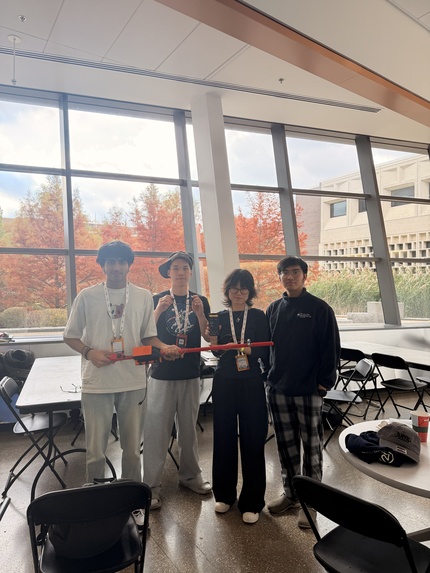
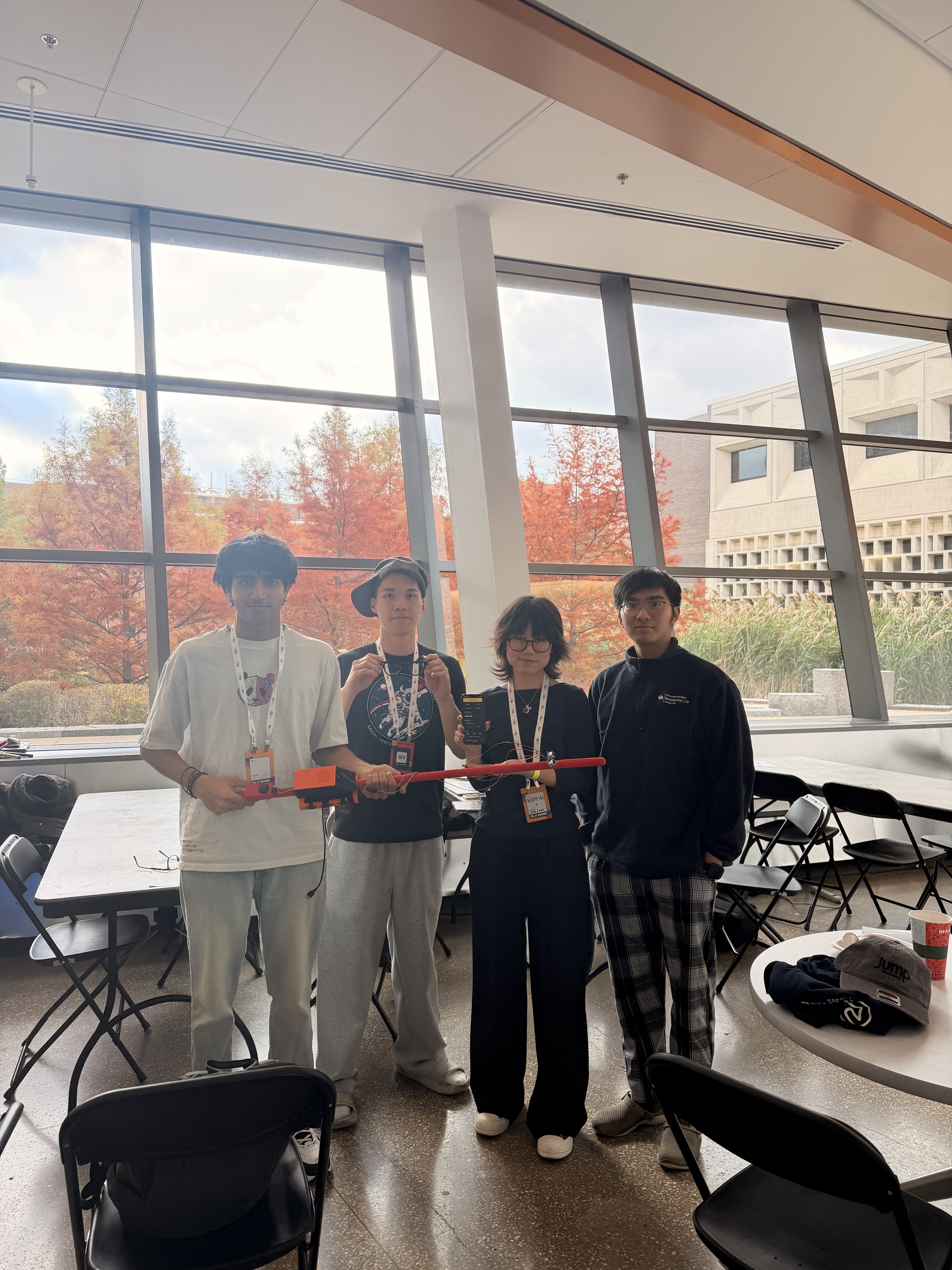
goated team
-
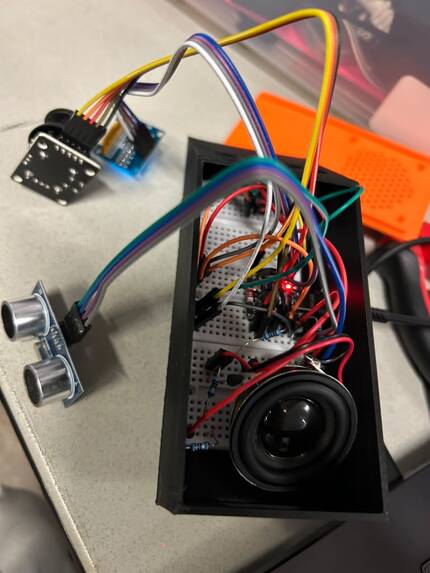
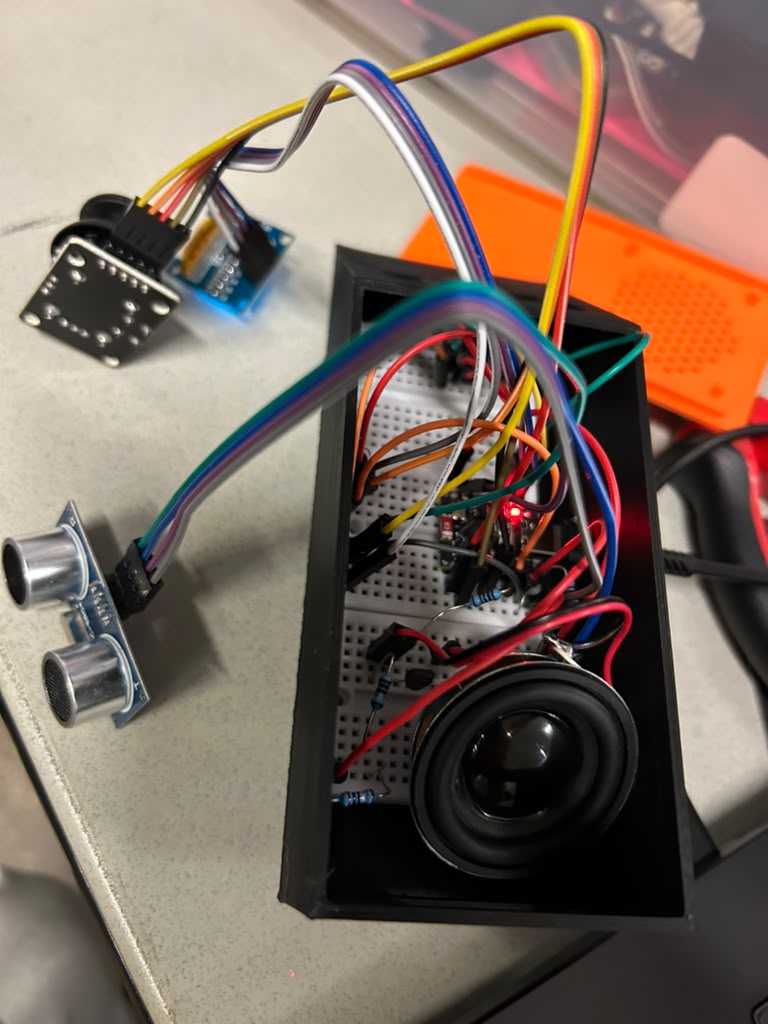
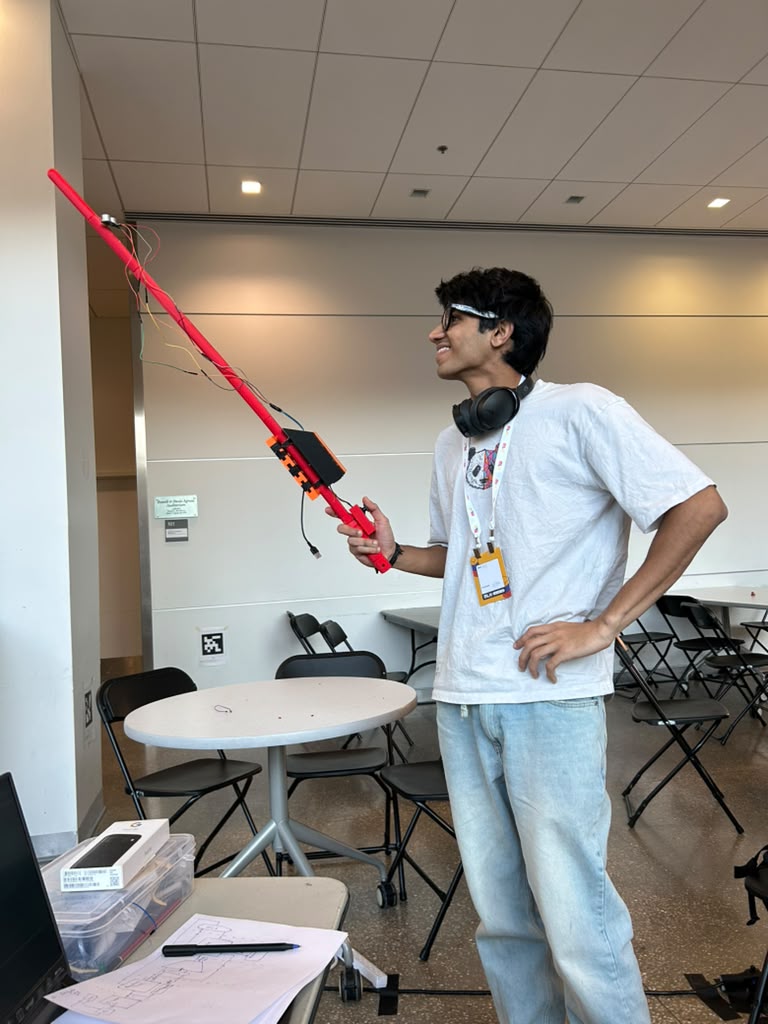
hardware that we made
-
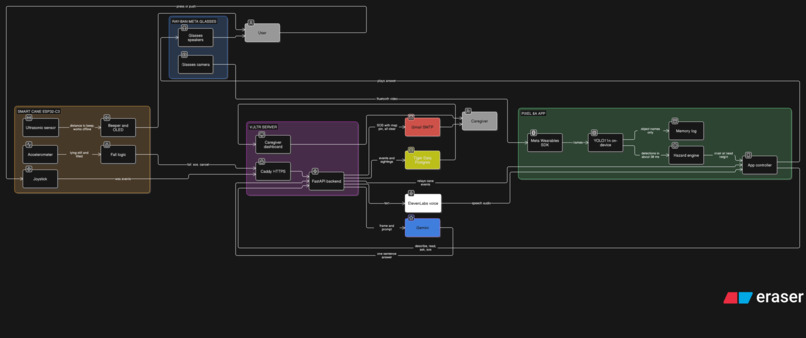
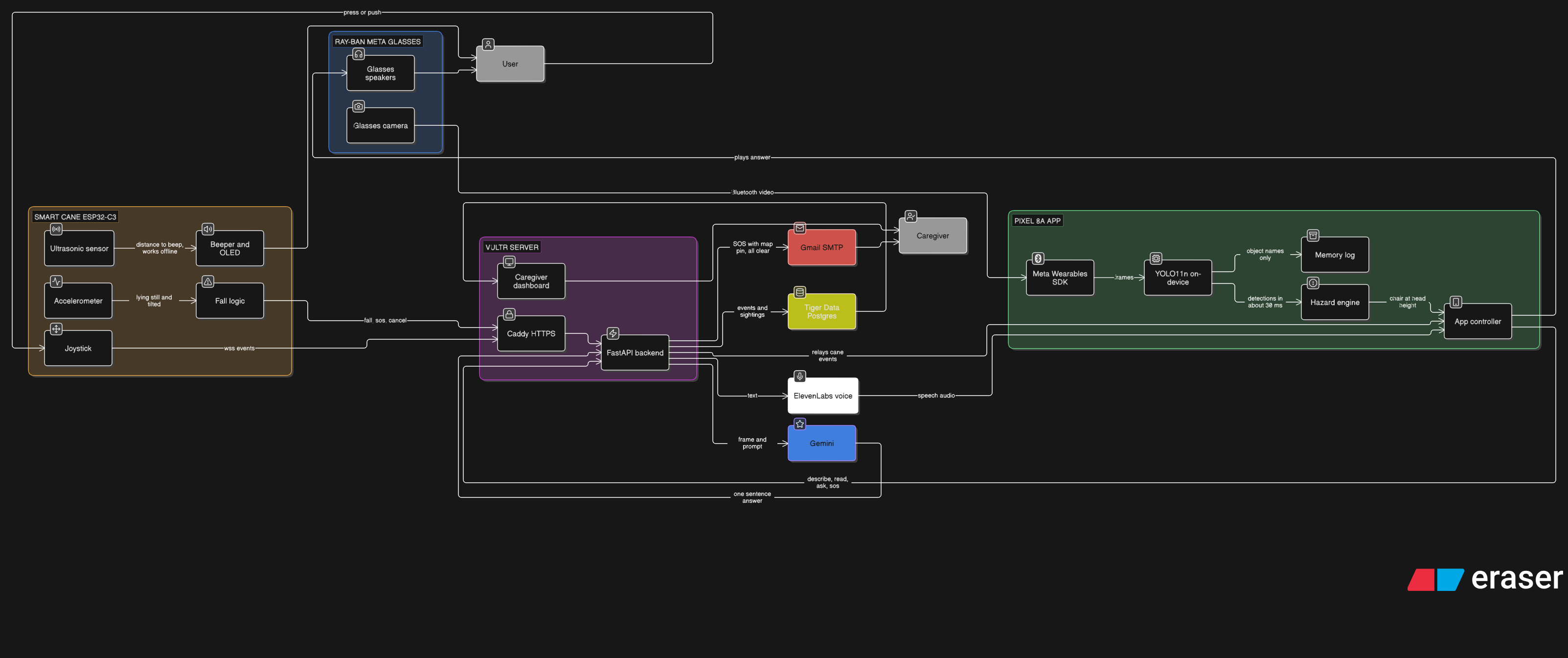
Pipeline
-
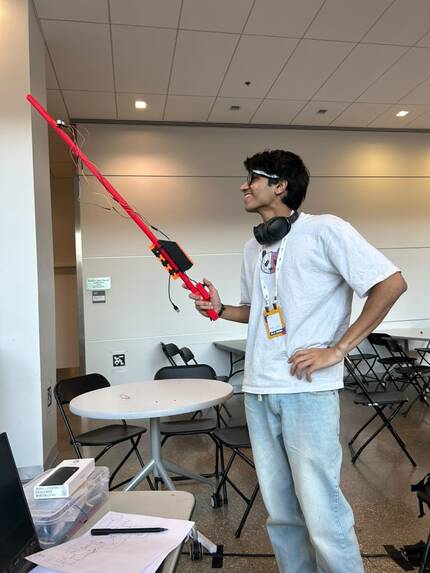
He is him
"Chair at head height. Duck."
That's an actual line from our test logs. It's also the one warning a white cane can never give you.
Inspiration
Around 2.2 billion people live with some kind of vision impairment, and the main tool most of them carry is a stick that hasn't really changed in a hundred years. The white cane is great at one thing: the floor right in front of you. It has no opinion about the open cabinet door at eye level, the sign on the bus stop, or the menu taped to a window. And if you trip and go down when nobody's around, it just lies there with you.
Then we looked at a pair of Ray-Ban Meta glasses and realised they already have a camera, microphones and speakers sitting on your face. So the idea was simple: let the glasses do the seeing and talking, and give the cane a brain so it can feel what's ahead, warn you, and call for help when something goes wrong.
What it does
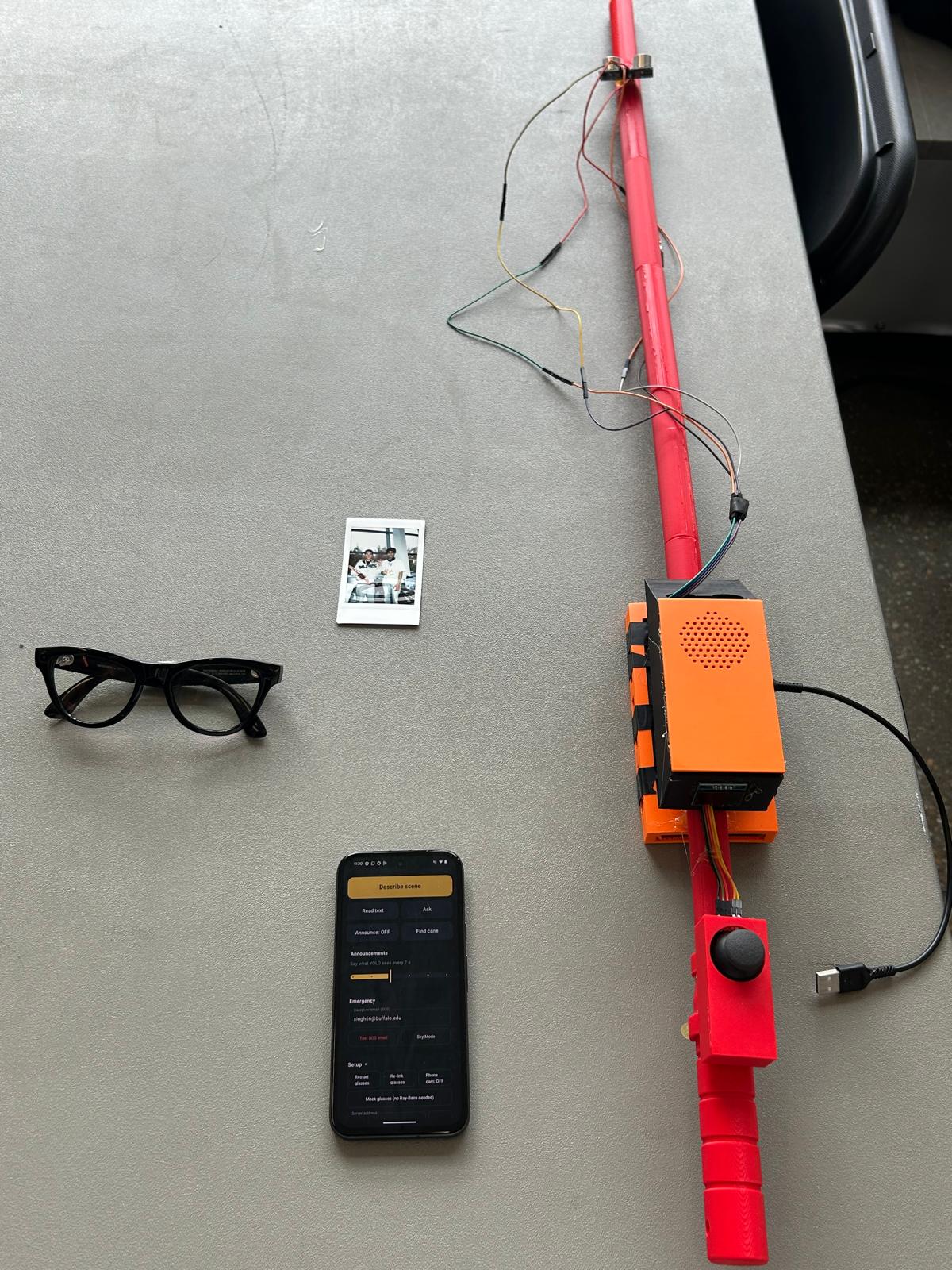
Smart Eyes is a pair of Ray-Ban Meta glasses, an Android phone and a cane we built ourselves, all working as one assistant.
The cane warns you about what's ahead. An ultrasonic sensor on the cane beeps faster as you get closer to something, and holds a steady tone when you're about to walk into it. This part works with no internet at all, because a safety beep shouldn't depend on campus WiFi.
The glasses tell you what's around you. The glasses stream their camera to the phone, which runs YOLO object detection right on the device in about 30 to 40 milliseconds a frame. Every few seconds it tells you what's nearby, and it warns you straight away about anything at head height. That's where "Chair at head height. Duck." came from.
A joystick instead of a screen. There's a small joystick on the cane handle, and it's the only control you need. Press it and Gemini describes the scene in one sentence. Push it the other ways to read text out loud (signs, labels, menus), ask a question with your voice ("is that door open?"), repeat the last answer, or turn the announcements off. ElevenLabs reads every answer through the glasses' speakers, so you never have to pull out your phone.
It notices if you fall. If the cane ends up lying still on the ground, it starts a siren and gives you five seconds to cancel. If nobody does, your caregiver gets an email with a Google Maps pin to where you are. If it was a false alarm, one press (or just picking the cane up) cancels it and sends a second email saying you're okay. You can also hold the button for three seconds to call for help on purpose.
It remembers where you left things. The phone keeps a log of what it has seen (just the names of objects, never photos), so you can ask "where did I leave my backpack?" and actually get an answer.
Caregivers get a dashboard. A web page shows the cane's live readings, any SOS alerts with a map link, and a history of what happened.
How we built it
The cane is an ESP32-C3 SuperMini running Arduino C++. It has an HC-SR04 ultrasonic sensor, an ADXL345 accelerometer, a joystick, a tiny OLED screen and an 8 ohm speaker driven through a 2N2222A transistor, plus a lot of jumper wires and optimism. It connects to our server over a secure WebSocket.
The phone app is Kotlin and Jetpack Compose on a Pixel 8a. We used Meta's Wearables Device Access Toolkit to get the camera feed from the glasses and ONNX Runtime to run YOLO11n. The app even benchmarks two ways of running the model when it starts up and keeps whichever one is faster on that phone.
Everything else lives on a Vultr server: a FastAPI backend in Docker behind Caddy for HTTPS. It passes messages between the cane and the phone, keeps all the API keys off the phone, sends the SOS emails, and stores events and sightings in Tiger Data (Postgres with Timescale). Gemini handles describing, reading and answering questions, and it automatically falls back to another model if one is busy. ElevenLabs Flash does the talking, quickly enough that it feels like a conversation.
Challenges we ran into
Our SOS feature was lying to us. The first version sent a text message from the phone and happily announced "Text sent to your caregiver". Then we noticed our Pixel didn't have a SIM card. Not a single text had ever gone out. We moved the SOS to the server, which now sends an email with the location, and if it ever fails, the app says so instead of pretending.
The cane didn't know which way was up. Our fall detection waited for a hard impact and assumed the accelerometer was mounted a certain way. We dropped the cane on a bed. Nothing happened. We dropped it again. Still nothing. In the end we measured which direction "upright" actually is for our cane and now check for the cane lying still, far from that position. Seeing the first real SOS email show up with the correct map pin was a very good moment.
The glasses would quietly stop talking to us. Sometimes the glasses connection dropped without telling the app, which then sat on "starting" forever. We added a watchdog that notices when the video stops and reconnects on its own.
Campus WiFi. The ESP32 only speaks 2.4 GHz, the laptop hotspot only wanted 5 GHz, and the phone kept getting blocked on the device network. Putting the backend on Vultr finally got the laptop out of the picture.
AI rate limits. Some Gemini models were unavailable or rate-limited on our key, usually right when we wanted to show someone. The backend now tries a list of models with a strict time limit, so the user always hears something.
Accomplishments that we're proud of
The whole thing runs wirelessly on real hardware: glasses, phone, cloud and cane, with the laptop switched off.
We did a real fall test and got a real SOS email with a map pin to where we were standing, and then an "all clear" when we cancelled it.
The hazard warnings come from YOLO on the phone, so they're instant. Gemini only runs when you ask it something, which keeps it fast, cheap and more private.
What we learned
Test on the real hardware as early as you can. Our two worst bugs, the missing SIM card and the sideways accelerometer, only showed up once we held the actual devices.
Safety features have to fail loudly. An SOS button that quietly does nothing is worse than not having one.
Keep the important stuff offline. The obstacle beeps never touch the internet, and they never should.
What's next for Smart Eyes
A second sensor pointing down to catch stairs and curbs. Vibration in the handle for loud streets. Push notifications for caregivers, and a backup network so the cane works off campus. And most importantly, getting it into the hands of blind and low-vision people, because they're the ones who'll tell us what actually matters.
Built With
- android
- arduino
- c++
- caddy
- docker
- elevenlabs
- esp32
- fastapi
- gemini
- jetpack-compose
- kotlin
- meta-wearables-sdk
- onnx-runtime
- postgresql
- python
- ray-ban-meta
- smtp
- tiger-data
- timescaledb
- vultr
- websockets
- yolo
