-
-
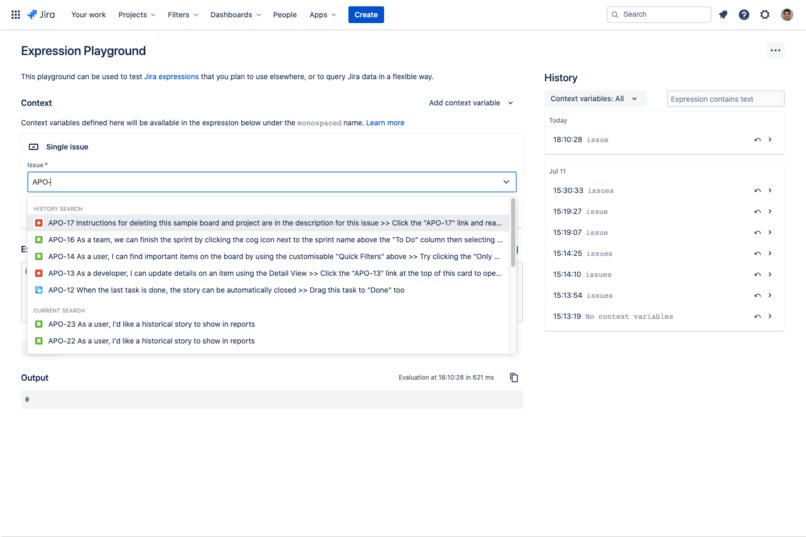
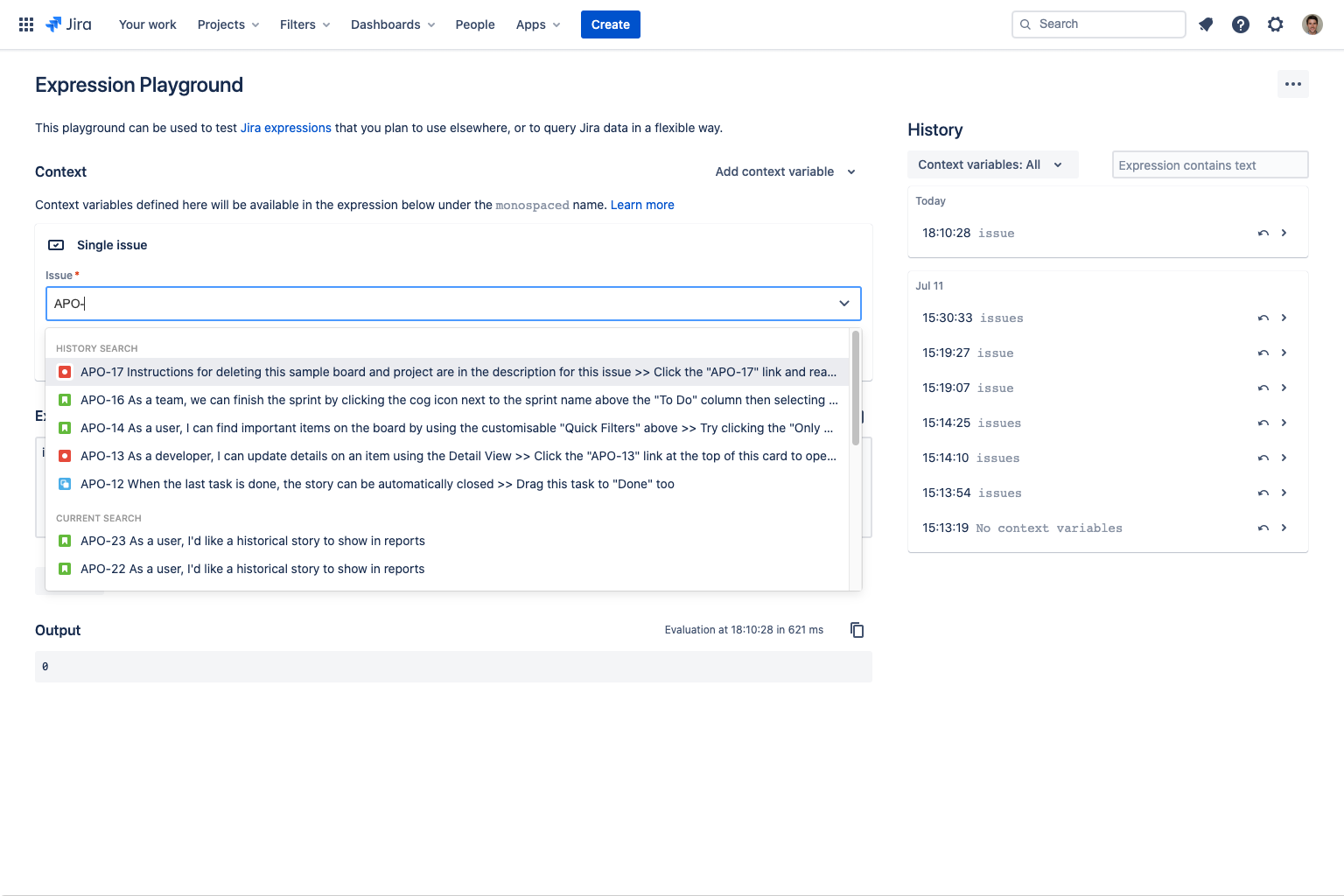
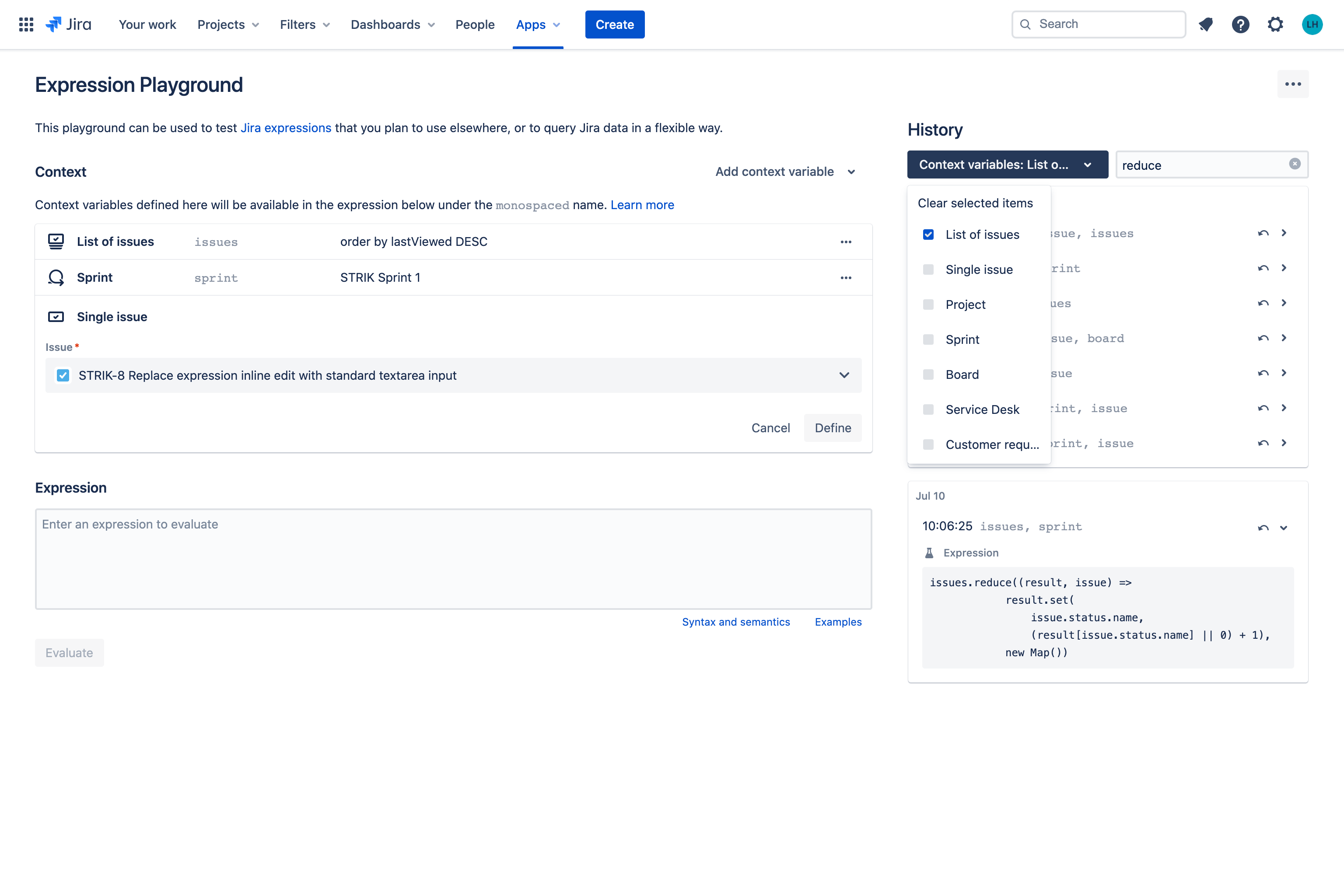
Text search makes defining context variables a breeze
-
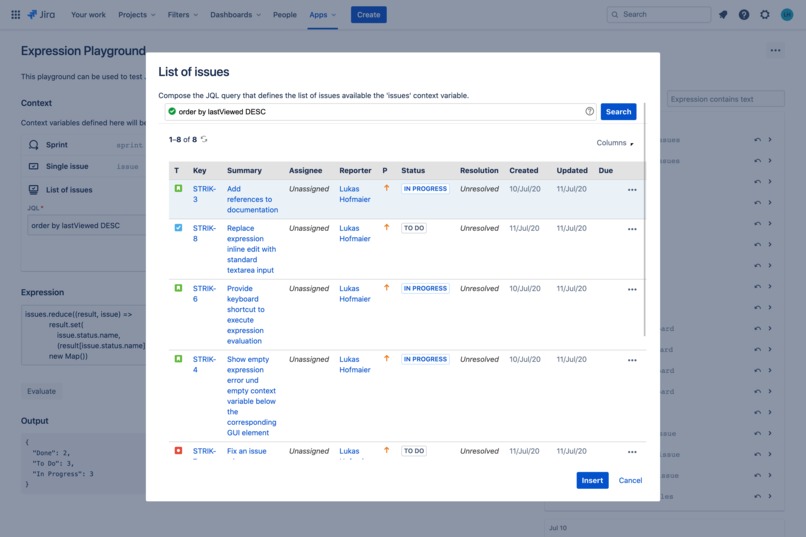
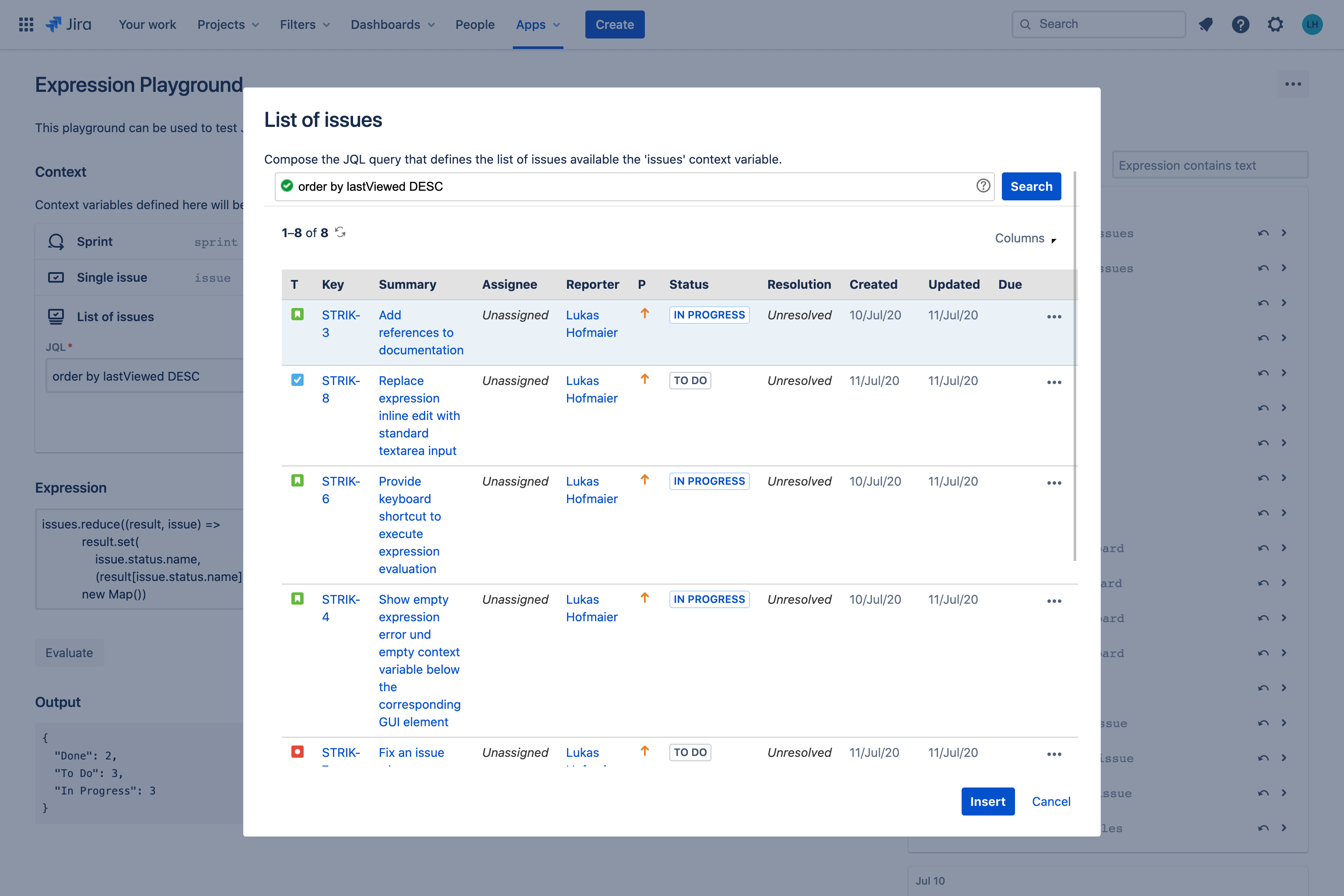
Easily define an "issues" context variable with JQL assistance and preview
-
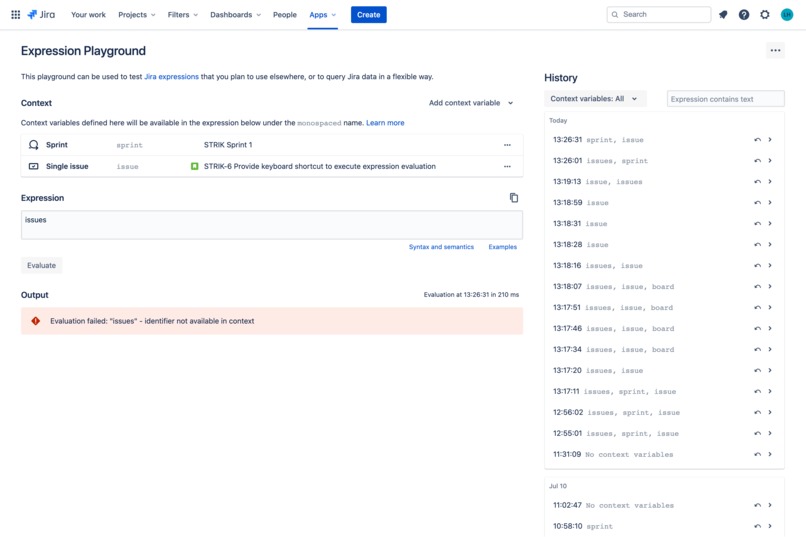
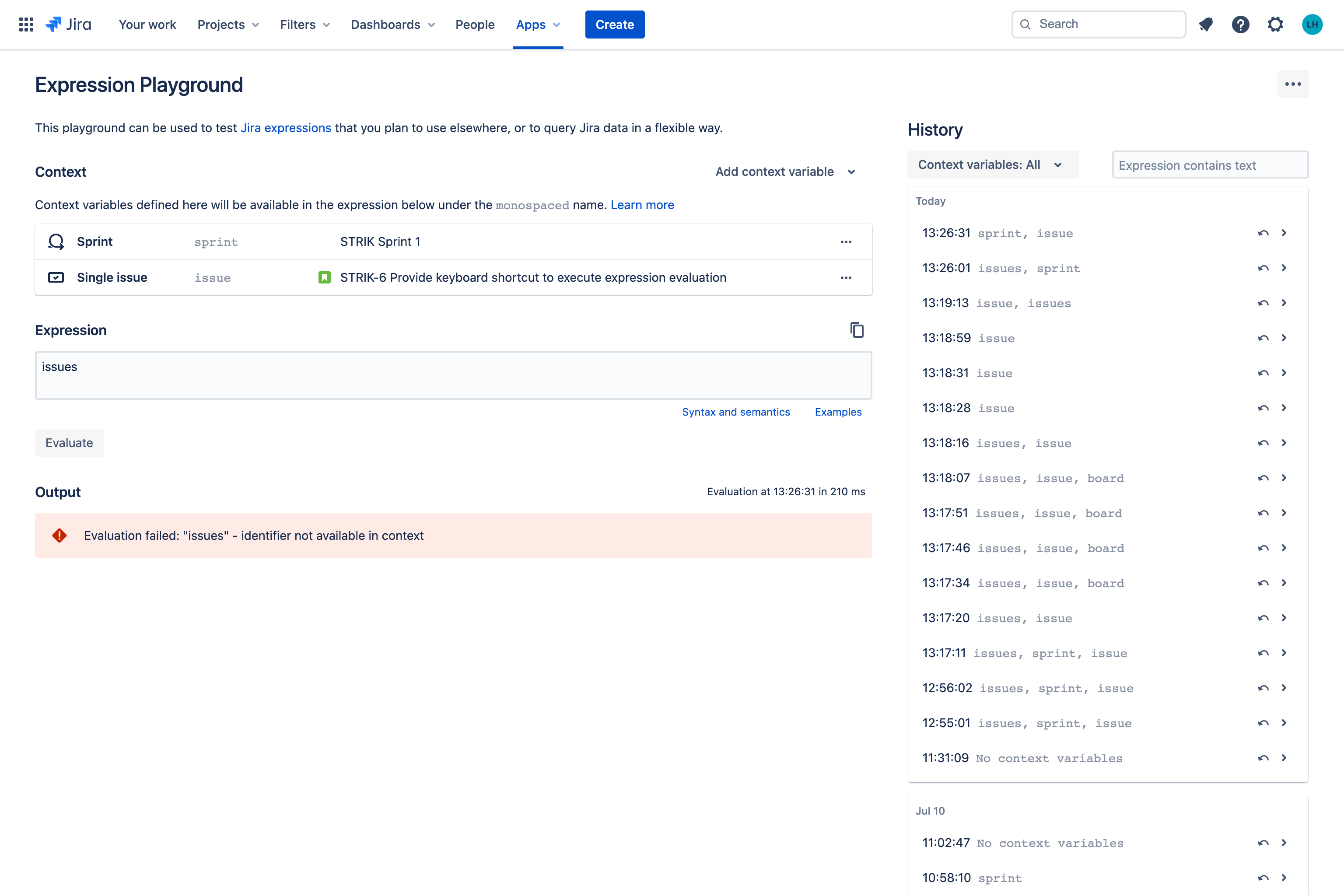
Get clear feedback on any issues that may occur with your Jira expression
-
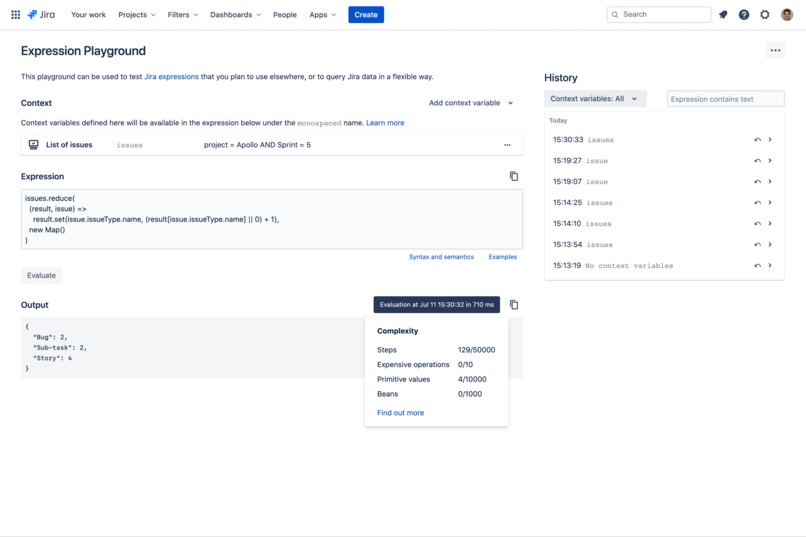
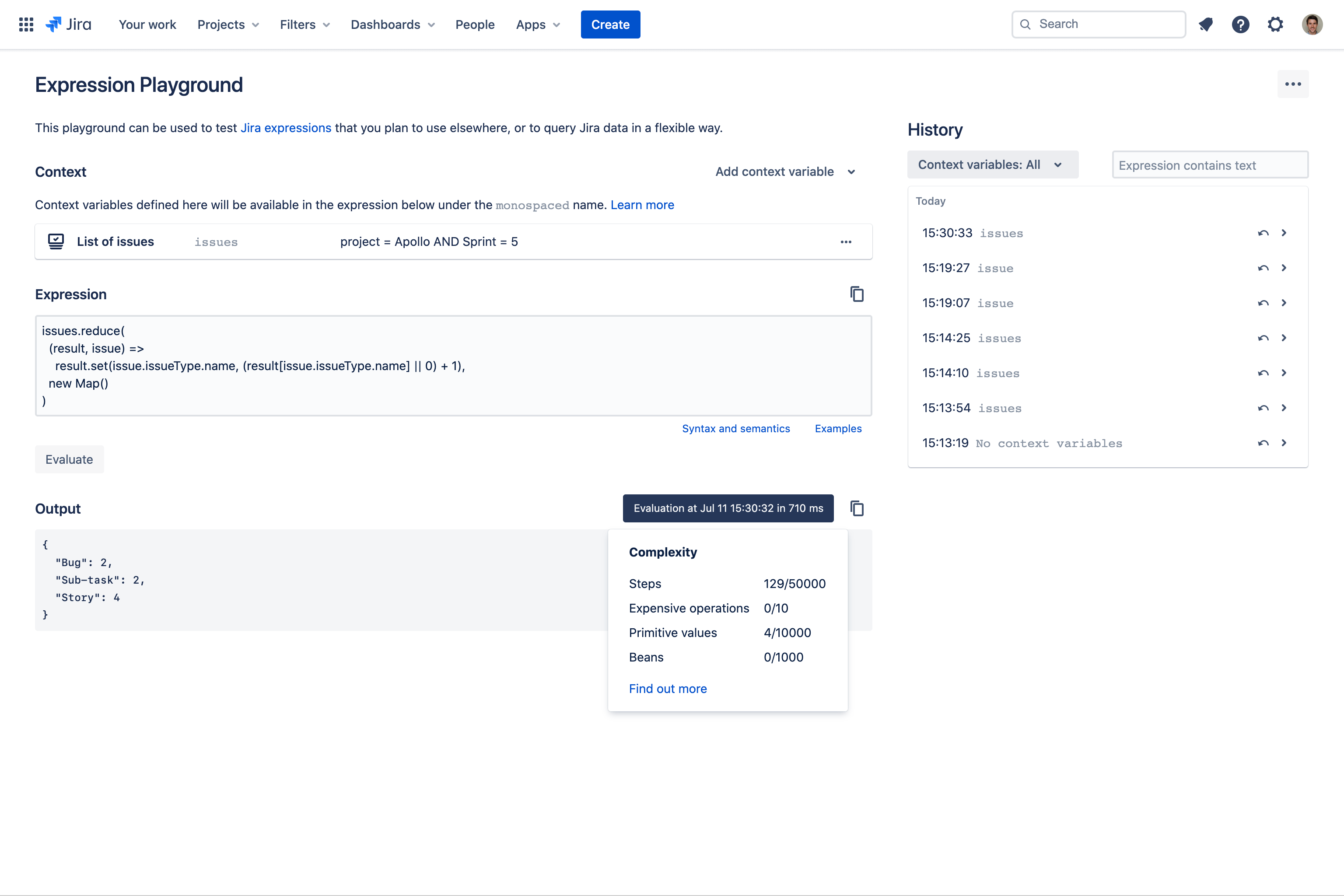
Inspect the expression complexity go get a better understanding of your expression's performance
-
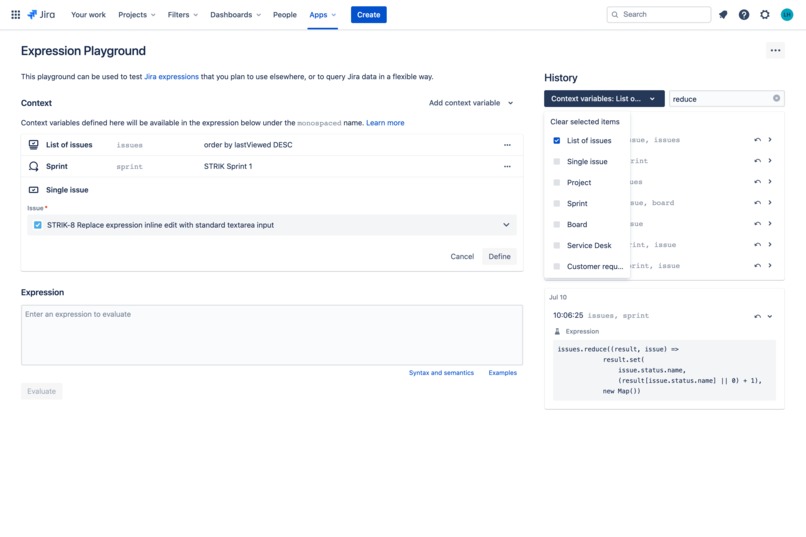
Filter the evaluation history to find exactly what you are looking for
Inspiration
With the introduction of Jira expressions, admins and developers have a new, powerful yet lightweight tool to query Jira entities. Expressions can be evaluated by calling the REST API or by defining a workflow validator or condition. Unfortunately, it is a rather tedious process to test expressions via the REST API because one has to look up entity ids for context variables all the time. Jira currently lacks a tool to explore the capabilities of Jira expressions and to easily develop and test them. But not anymore - Expression Playground for Jira makes expression accessible to everyone.
What it does
Expression Playground for Jira provides an easy to use UI to create, develop, and test Jira expressions. Context variables for various Jira entities can be defined with a few clicks and text search makes finding a Jira entity a breeze. The expression editor analyzes the user's expression and provides immediate feedback if an expression contains syntax errors. Users evaluate expressions with a single click and inspect the result in the UI. In order to reuse expressions, the playground offers an evaluation history that contains context variables and expressions. The context variable and text search make it easy to find a previously evaluated expression. Additionally, history items can be restored with a single click.
How we built it
We used Figma for paper-prototyping, design, and conception. To develop the application we used Typescript, React, and Atlaskit components to get a nicely integrated app that follows Atlassian’s style guidelines. With the entire application running in the web browser and by leveraging Jira entity properties for persistence we have built an app that stands directly on top of Jira’s permission and security schemes and runs without any third-party server involved.
Challenges we ran into
Lukas: As a Java enterprise application developer it was challenging to learn and apply the React framework in a very short amount of time. Another big challenge was to develop a UI concept that is intuitive and productive. Tobias: The biggest challenge was to come up with an intuitive and efficient UI concept that makes expressions simple and easy to explore. The fact that we worked in different time zones (CET and MYT) required us to work asynchronously and regularly align our work.
Accomplishments that we're proud of
After a few development iterations of the UI prototype and the user workflow, we were able to deliver an appealing and intuitive playground for Jira expressions.
What we learned
Lukas: I learned React and how to create an entire Connect app that only runs in the browser. Tobias: Developing the expression playground gave me a much better understanding of Jira expressions and how to use them in my own day to day work and in other projects.
What's next for Expression Playground for Jira
With Expression Playground for Jira, we have laid out the groundwork to make Jira expressions accessible. As a next step, we are looking to apply the design concepts established for Expression Playground to the workflow editor in order to give admins the means to define custom workflow validators and conditions without having to leave the UI.
Built With
- atlaskit
- react
- typescript


Log in or sign up for Devpost to join the conversation.