-
-
Logo
-
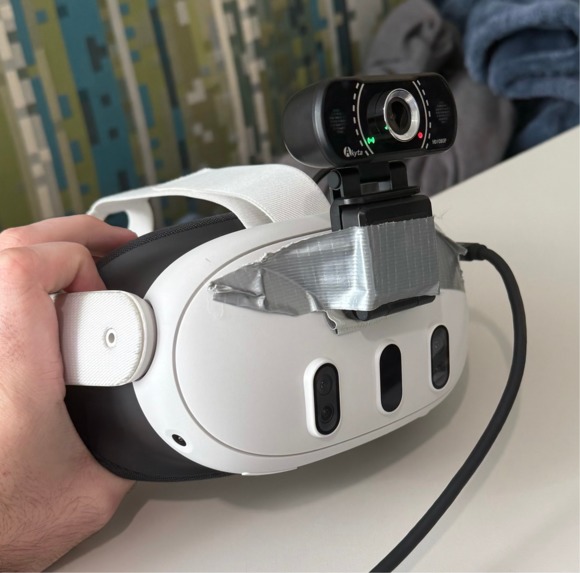
Headset with the additional camera for OpenCV
👋 Learning Facial Expressions through AR
Learning facial expressions through augmented reality (AR) leverages immersive, interactive technology to teach individuals how to identify and interpret emotions, making it particularly useful for those who may struggle with social cues, such as individuals with Autism Spectrum Disorder. AR applications can detect real-time facial expressions and overlay visual cues to guide users in recognizing emotions like happiness, sadness, and surprise.
🫳 What it does
This Unity AR application, powered by OpenCV, is designed to help individuals with Autism Spectrum Disorder recognize and interpret facial expressions, enhancing social skills through interactive experiences. By detecting real-time emotions such as happiness, sadness, and surprise, the application overlays visual cues on detected expressions, guiding users in identifying and understanding various facial cues. With instant visual feedback that reinforces learning, this AR tool creates a supportive and engaging environment for practicing social interactions.
👊 How I Built It
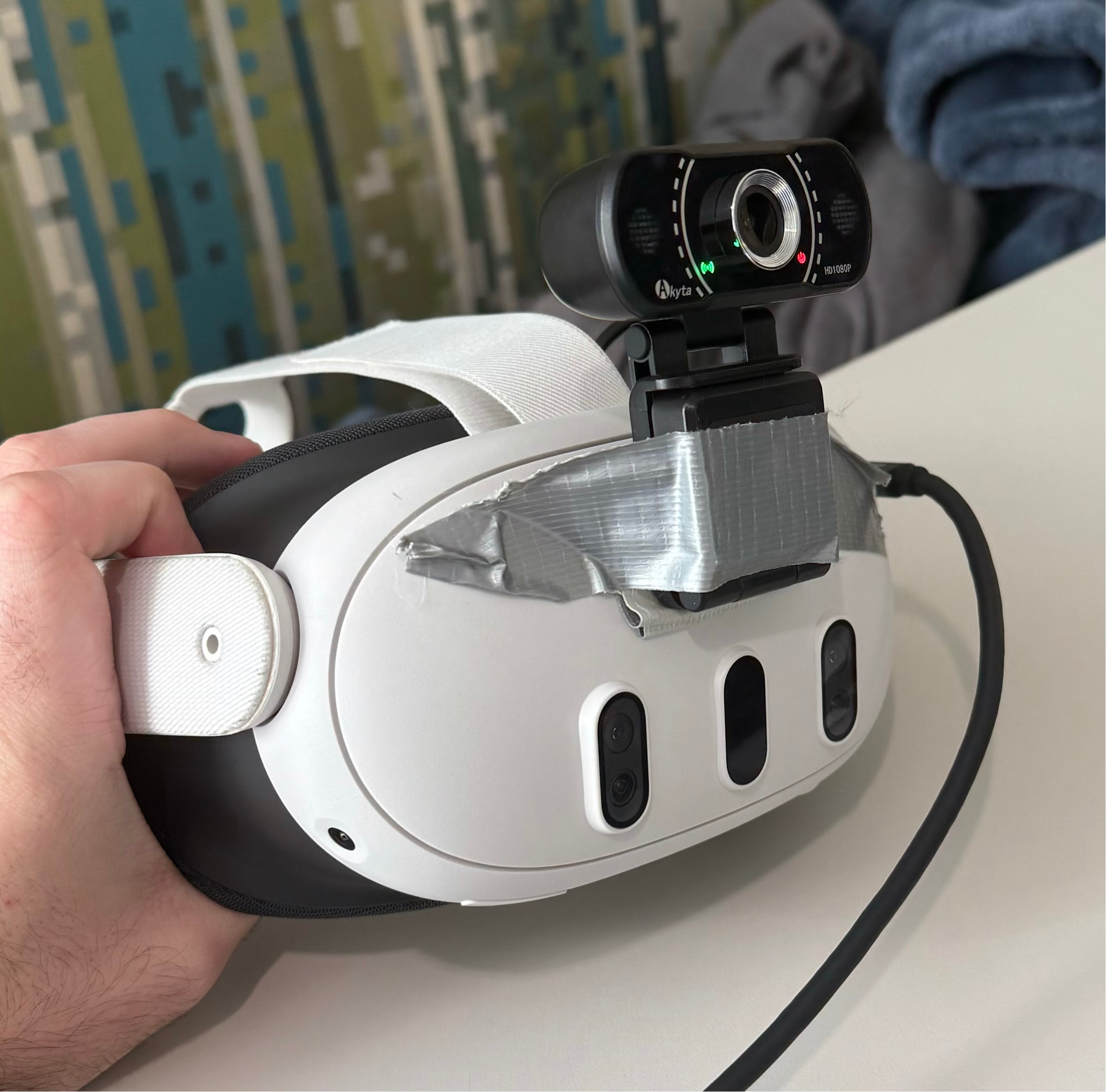
The application primarily runs on the Meta Quest 3 Mixed Reality Headset, an Akyta 1080p USB webcam with a microphone, and a high-performance gaming laptop. Locally on the laptop, a Keras model for Facial Expression Recognition (FER) processes facial data and communicates via a TCP server. The Meta Quest 3 acts as a client to this server, receiving real-time facial expression data periodically (roughly once a second if actively taking input over the TCP link).
The Unity application was developed within the GroKit Core framework, leveraging the Meta XR All-in-One SDK. The environment incorporates Gemini 1.5 Flash for language model and chat capabilities, OpenAI’s tts-1 for text-to-speech, OpenAI’s Whisper for speech recognition, and DALL-E 3 for image generation. The rest of the application is built with custom C# scripting in the Unity Game Engine.
💪 Challenges I Ran Into
- Python Version Issues: I discovered that my computer was running Python 3.13.0, which is incompatible with libraries like Pillow, NumPy, and REF. Additionally, I hadn’t installed the necessary C/C++ Build Tools via Visual Studio, adding to the setup challenges.
- Working Solo: This was my first hackathon experience working entirely solo, which brought unique time management challenges. If I got stuck, it was entirely on me to troubleshoot. Typically, I focus on backend development and general functionality, so diving into UI was outside my comfort zone (UI design isn’t my favorite!). Shoutout to the Figma to Code workshop—which I’ll definitely be using for my next hackathon!
- Unity UI: Creating UIs in Unity is challenging and time-consuming due to managing different scaling, hierarchies, materials, and shading, which was less enjoyable.
🙌 Accomplishments I’m Proud Of
- Developing a TCP server that communicates with the Meta Quest 3 headset
- Integrating various API models seamlessly within the Unity environment
- Completing a hackathon completely solo
🫶 What I Learned
Originally, while designing the logo for ExpressAR, I considered using a rainbow puzzle piece. However, I later learned that this symbol can be offensive to some members of the autism community, who prefer the infinity sign. I’m grateful to have been corrected and to deepen my understanding of these sensitivities.
🤞 What's next for ExpressAR - Facial Expression Gamification using AI
I’d like to revisit the Unity UI to make it more visually appealing, which, admittedly, isn’t my strong suit. Additionally, I would like to further optimize the latency of models to make the interactions faster.



Log in or sign up for Devpost to join the conversation.