
Watch Demo 1: Kubernetes Explained in 60 Seconds
Watch Demo 2: The Ursidae Family Brought to Life
Inspiration
A picture is worth a thousand words, but it doesn't make something click the way a good video does. The problem is that making a good explainer video normally takes hours.
The obvious shortcut, "just ask AI to generate the video," has its own problem: anyone who's tried it has seen what it looks like. Characters that shift between shots, objects that flicker or melt, a style that never quite holds together from one second to the next. Anddd it's expensive.
We wanted the middle path: structured, illustrated slides that actually stay consistent and readable, brought to life with real, deterministic animation instead of AI-guessed motion. That's Explainer Kit.
What it does
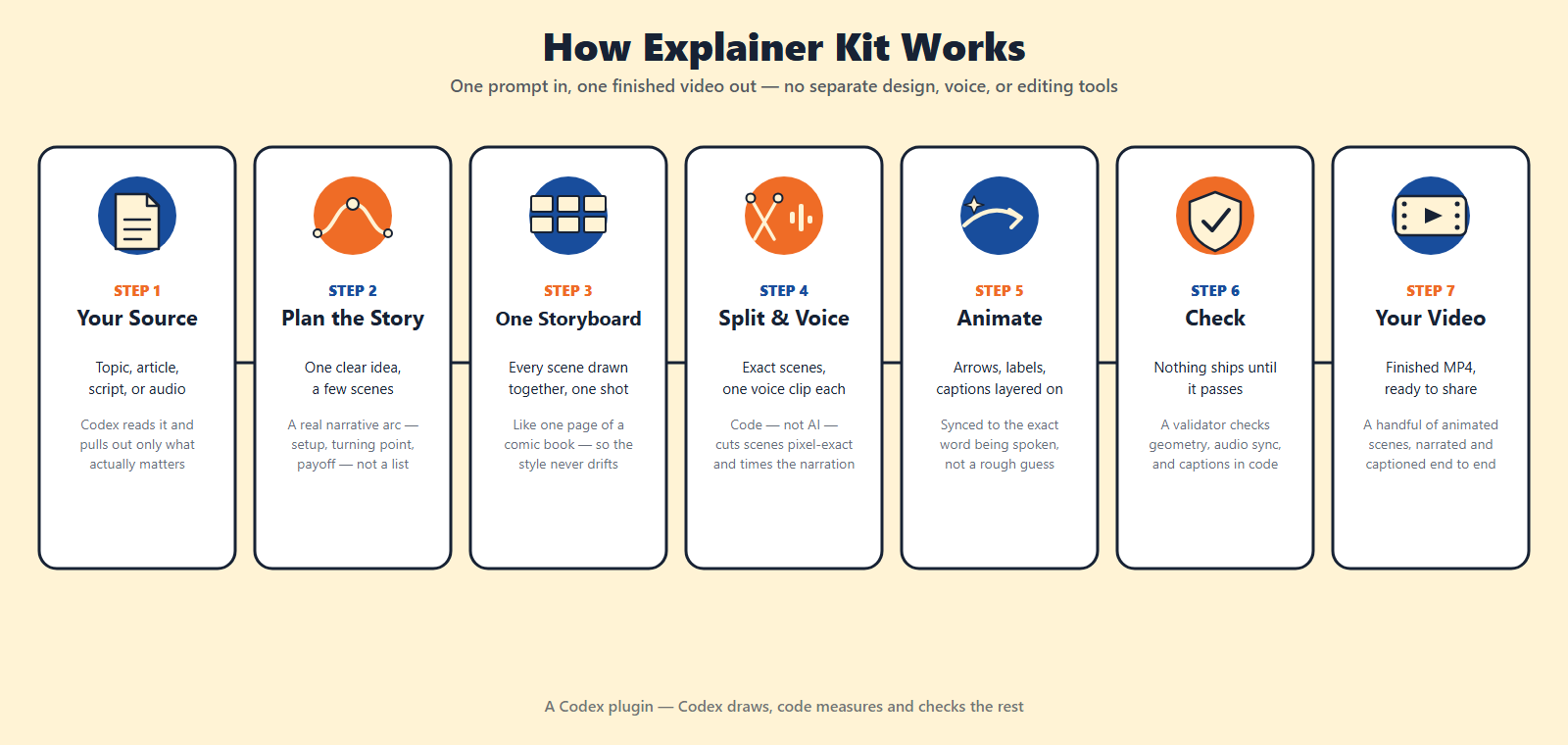
Explainer Kit is a Codex plugin that turns a topic, script, article, or narration audio into a finished explainer video, end to end, inside a Codex workspace.
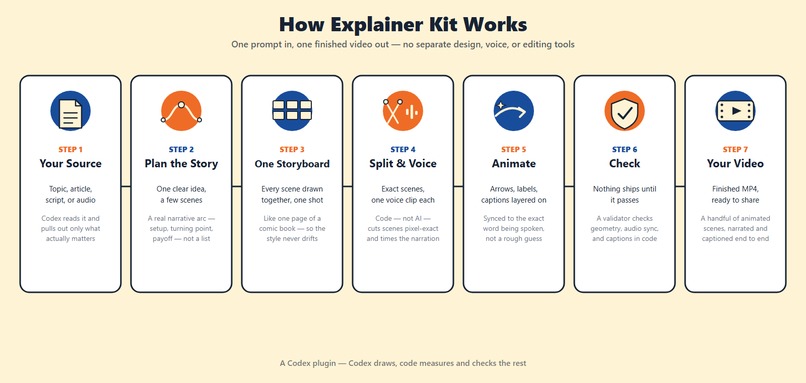
- Reads the source and extracts only what matters: a central idea, the essential supporting points, no invented facts. Then it builds a truthful causal story around it (an audience proxy, real stakes, a turning point, a payoff), capped at 3-6 scenes so nothing gets padded out just to hit a duration.
- Generates the entire storyboard in one single image-generation call, every scene together on one contact sheet, like a page of a comic book, plus (when a character or object recurs) a row of matching cutouts drawn once on a chroma-key background so it's never redrawn from scratch.
- Hands that sheet to deterministic code, not another AI call, to slice it into pixel-exact scenes. Image models can't reliably count pixels, so a local compositor rebuilds the exact geometry itself.
- Generates narration per scene, not as one giant voiceover, measuring each clip's real duration so the video's timeline is built from actual audio instead of a guess.
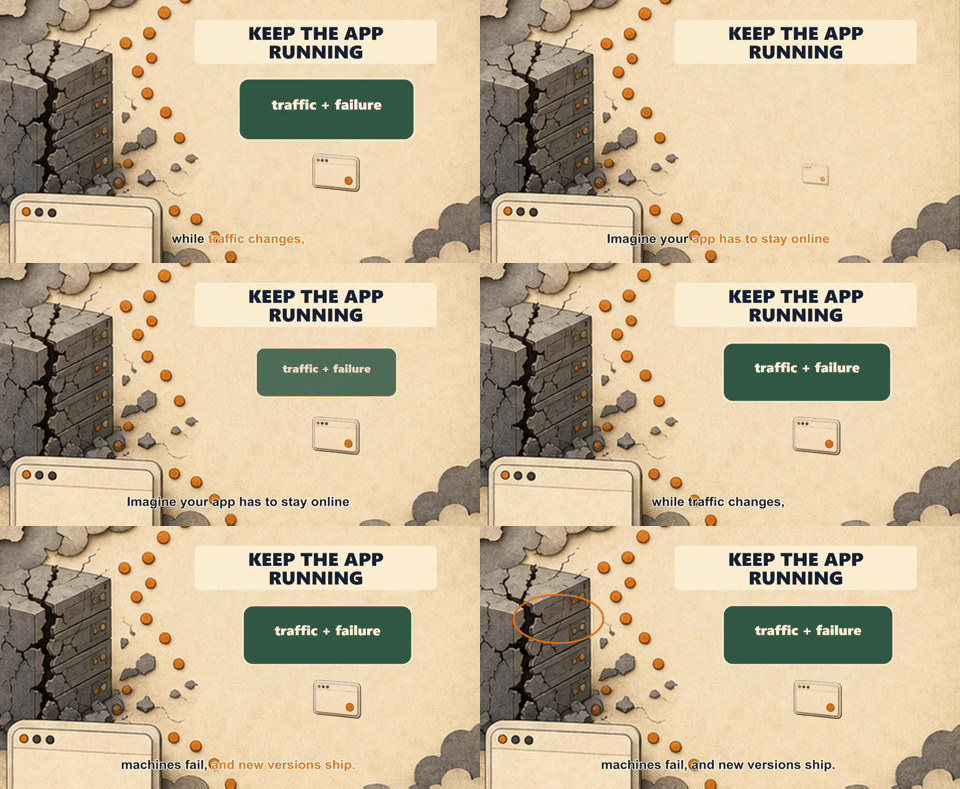
- Word-aligns the narration to drive karaoke-style captions and reveal timing. An arrow or label appears exactly when the narrator says the word it corresponds to.
- Renders the deterministic motion layer (arrows, highlights, transitions, reused cutouts) over the illustrated backgrounds with Remotion. Titles and labels are never baked into the AI-generated image, so they stay exact and editable.
- Runs a validator before it's allowed to call the job done: exact scene geometry, one voice clip per scene, audio and video synced to the millisecond.
The result is a handful of animated, narrated scenes and roughly a minute of video explaining something that might otherwise take pages to understand.
Watch Demo 1: Kubernetes Explained in 60 Seconds
Watch Demo 2: The Ursidae Family Brought to Life
How we built it
We told Codex to build the plugin itself. Codex building a Codex plugin, editing its own future toolset. Sol handled planning: story-engine design, the skill contracts, the overall pipeline architecture. Terra and Luna picked up the smaller implementation tasks underneath that plan, split by difficulty, using the Superpowers plugin with brainstorming, plan and subagent-driven development to break the work into concrete, checkable steps instead of one giant undirected build. Watching Codex extend itself this way and later catch and fix its own bugs in a plugin it wrote was one of the most fun parts of this project!
...However human intervention was definitely needed (see the "Challenges we ran into" section). So we would go back and forth from Codex building big chunks to checking and adding fixes along the way after testing the plugin.
Under the hood, Explainer Kit is a set of skills (structured markdown instructions Codex reads and follows) plus deterministic local tooling for the parts that shouldn't be left to AI judgment.
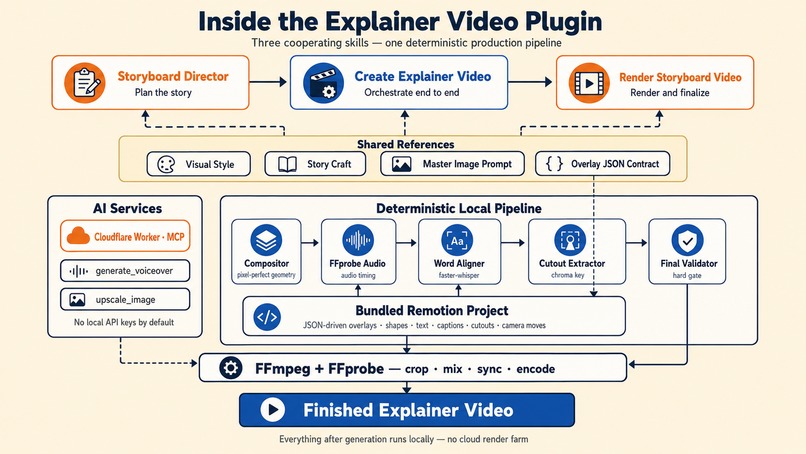
- Three cooperating skills: a storyboard-director skill (planning: essence, story engine, narration, slide plan, image prompt), a render-storyboard-video skill (rendering: split, voice, sync, captions, Remotion, finalize), and a create-explainer-video skill that orchestrates both end to end. Shared rules (visual style, story craft, the master image prompt, the overlay JSON contract) live in reference files the skills point to, instead of being duplicated three times.
- Deterministic scripts own anything that must be exact: a compositor that rebuilds pixel-perfect 4:3/16:9 geometry after generation, an FFprobe-based audio analyzer, a word-level aligner (faster-whisper) for captions and reveal timing, a chroma-key cutout extractor, and a final validator that hard-gates completion.
- A bundled Remotion project renders the deterministic overlay layer (shapes, text, animation cues, layered cutouts, camera moves) driven entirely by a JSON project file the skills generate, never by more AI generation.
- A small Cloudflare Worker (MCP server) wraps OpenAI's TTS and an upscaling model behind two tools (
generate_voiceover,upscale_image) the skill calls mid-task, so the plugin needs no local API keys by default. - Everything downstream of generation (cropping, mixing, syncing, final encoding) runs locally with FFmpeg and FFprobe. No cloud render farm.
Challenges we ran into
- The gap between "the skill says to" and "Codex actually does." A real end-to-end run skipped the deterministic geometry step, generated one giant voiceover instead of per-scene clips (which broke sync), never consulted the style reference (drifting into an unrequested visual style), and produced twice as many scenes as intended... and still reported success, because nothing was actually checking. We fed that failed run straight back into Codex and had it fix its own plugin: turn every "should" into a script that exits non-zero and blocks completion if it's skipped.
- Windows on ARM64 broke rendering for two unrelated reasons. Remotion's native compositor has no ARM64 build at all, so the template needs to run under x64 Node. Separately, a native-dependency chain (word-alignment's backend) needed the same x64-vs-arm64 check. Every native binary in the stack had to be verified on the actual target architecture, nothing about it was assumable from the OS alone.
- Deciding what AI should own vs. what code should own. Image generation is great at "draw a believable scene" and bad at "produce an exact 4:3 canvas." The fix was to never ask the model for precision it can't deliver: let it draw, and let deterministic code measure, crop, and verify.
- Instruction cost. An earlier version of the skill files repeated the same visual-style and prompt-template rules across three separate files, which was expensive and time consuming on every single run. Splitting shared rules into reference files the skills point to (instead of duplicating them) cut the combined skill instructions from roughly 650 lines to about 135, same behavior, a fraction of the tokens.
Accomplishments that we're proud of
The first iteration of the plugin was a complete disaster. The images were blurry, everything was out of sync and, cherry on top, it used a programable voice library which made the whole thing sound very creepy. Seeing it come together neatly with overlays, text and audio synced perfectly was very satisfying!
|

|

|
What we learned
- Anything an agent can skip, it eventually will. The reliable fix for that is a script that fails loudly, not a stronger sentence in the instructions.
- The best output came from constraining the AI less on style guesses and more on geometry and timing. In other words: draw with AI, measure with code.
- The most confusing failures come from small platform details (native architecture mismatches, a missing optional dependency) that are invisible until the pipeline is actually run end to end on the real target machine, not something you catch by reading the code.
What's next for Explainer Kit
- Self-hosting docs so the media service doesn't depend on a single shared endpoint.
- Vertical (9:16) and multi-aspect-ratio polish for short-form platforms, more catered to content creators.
- A wider house visual-style library so users pick a look instead of only getting the default.
- A fast, cheap smoke-test path that verifies the plugin works without requiring a full multi-minute generation.
Built With
- codex


Log in or sign up for Devpost to join the conversation.