-
The splash screen
-
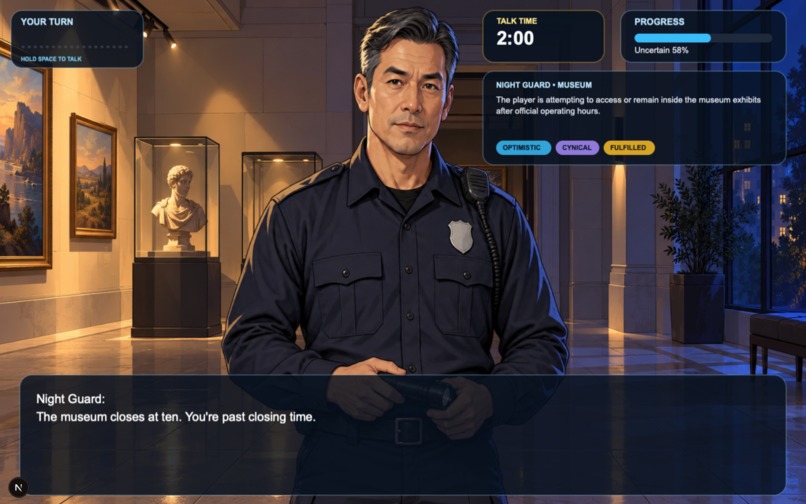
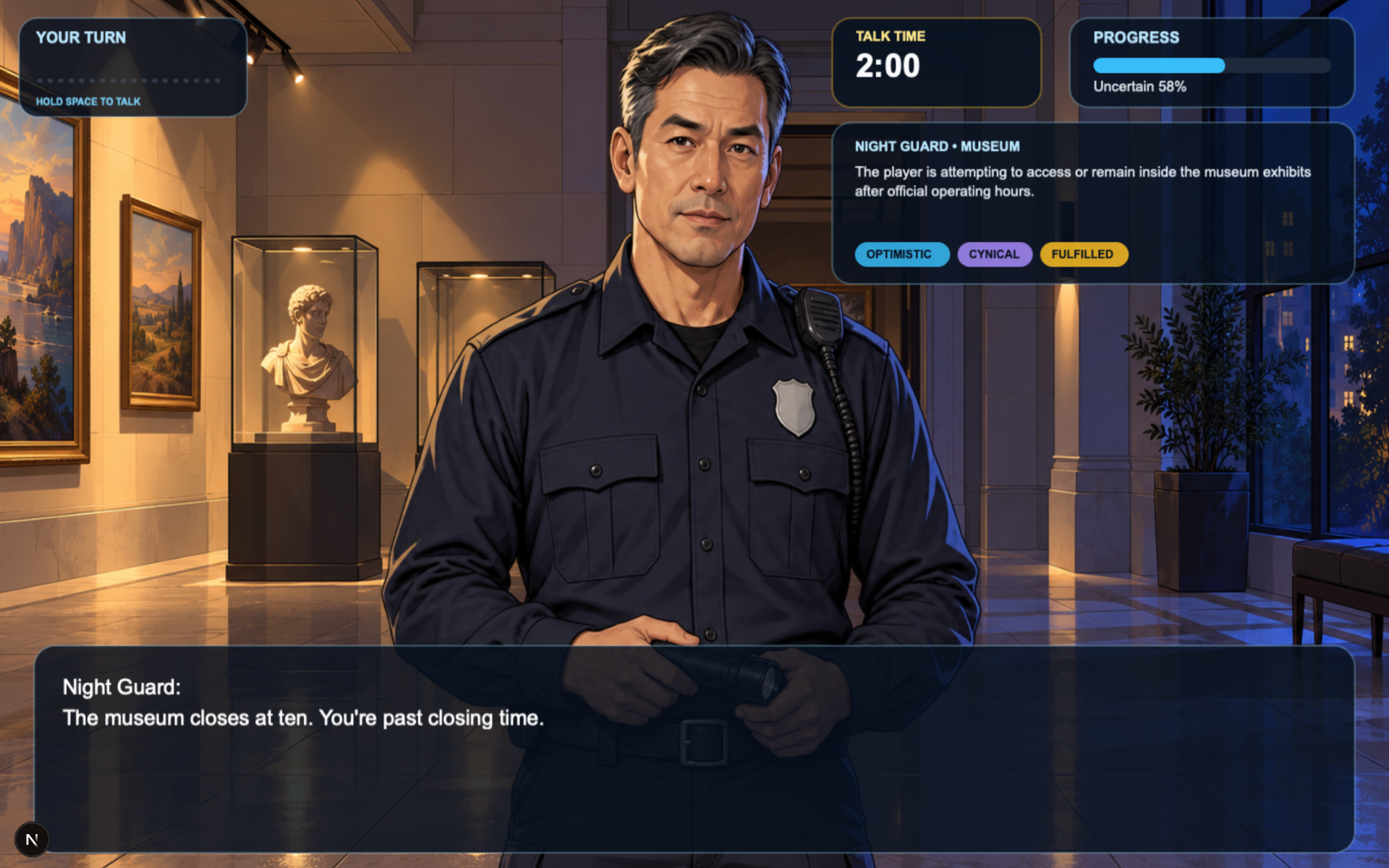
Argument with night guard
-
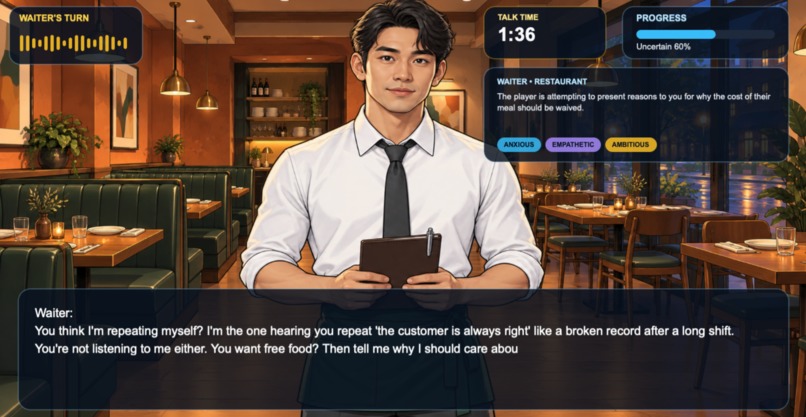
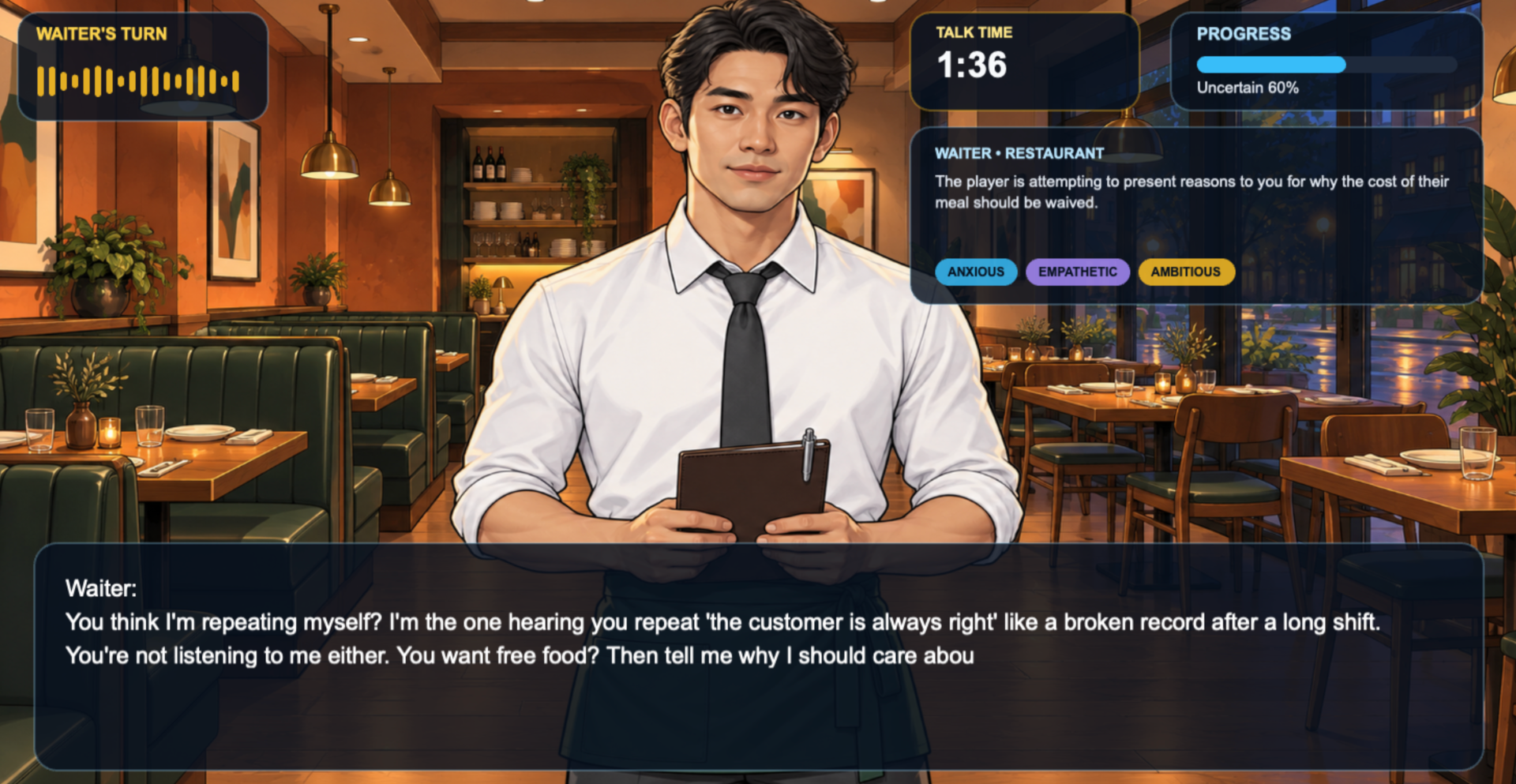
Confronting a waiter in a restaurant
Explain Yourself
Inspiration
We wanted to explore what happens when persuasion becomes an interactive game rather than a multiple-choice system.
In Explain Yourself, the player must convince an AI character to approve a request. Every situation is different: the player might be trying to enter a club, persuade a professor to reconsider a grade, access a military base without identification, or convince a landlord to delay an eviction.
The goal was to make each interaction feel personal. The AI is not just responding to text; it has a role, location, personality traits, voice, facial expressions, and a specific reason to resist the player.
What We Built
The game combines:
- Phaser for the interactive game world.
- Next.js for the application and API routes.
- NVIDIA Nemotron through an OpenAI-compatible API.
- ElevenLabs for character voice generation.
- Browser microphone capture using
AudioWorklet. - Custom illustrated backgrounds and character expressions.
- A dynamic success meter that responds to each player turn.
The player holds Space to speak. Their microphone audio is recorded, converted to WAV, and sent to Nemotron along with the current game state. Nemotron evaluates the argument and returns a structured response containing:
{
  "npcResponse": "The character's dialogue",
  "successDelta": 0.12,
  "progress": "in_progress",
  "gameOver": false
}
The game applies the score change, updates the character expression, displays the response, and sends the NPC dialogue to ElevenLabs using the selected character’s voice.
How It Works
Each situation begins with:
- An occupation.
- A location.
- A background objective.
- Three personality traits.
- A starting success probability.
- A character-specific voice.
The game keeps the system messages and the most recent conversation history:
$$ 2\text{ system messages} + 6\text{ recent turns} = 8\text{ messages maximum} $$
This keeps the context focused and helps avoid unnecessarily large model requests.
The player has a total of two minutes of speaking time per situation. The timer measures cumulative speaking time across multiple push-to-talk segments rather than resetting every time the player releases Space.
Progress is resolved by the game engine:
- At
95%or higher, the player automatically wins. - At
5%or lower, the player automatically loses. - Between
80%and95%, the player becomes a win candidate. - Between
5%and20%, the player becomes a loss candidate. - In the candidate ranges, the AI can determine whether the conversation ends successfully or unsuccessfully.
The game also bounds and reshapes model deltas so normal turns create gradual movement while especially strong arguments can move the score more quickly.
Building the Experience
The Phaser implementation is split into focused scenes:
BackgroundScenerenders the location.CharacterScenerenders the AI character and expression changes.DialogueScenedisplays the NPC response with a typewriter effect.ProgressScenerenders the success meter, timer, situation overview, and trait pills.SpeakingSceneshows the active speaker and animated waveform.EndScenemounts the final result screen.GameScenecoordinates microphone capture, model requests, game state, audio playback, and round transitions.SplashScenehandles asset loading, microphone permission, audio activation, and the Play button.
The visual layer uses exported 16:9 artwork with separate background and character-expression assets. Mouse parallax creates depth between the character and environment, while a thought bubble and subtle character pulse indicate that the AI is considering the player’s response.
The ending screen is mounted as a presentation layer over the game canvas and supports:
- Win, loss, and timeout outcomes.
- Final approval probability.
- Time remaining.
- Scenario information.
- Final NPC dialogue.
- Retry and new-scenario actions.
What We Learned
Browser audio requires user activation
A browser can allow microphone access while still blocking audio playback. We learned that permission to use the microphone does not automatically grant permission to play generated voice audio.
To handle this, the splash screen uses the player’s Play click to unlock browser audio. If playback is still blocked, generated audio is queued until the next valid user gesture.
We also added lifecycle instrumentation for:
playingpausedwaitingstalledtimeupdateended
This helped distinguish API problems from browser playback problems.
AudioWorklet is better suited for streaming input
The microphone recorder originally used a deprecated ScriptProcessorNode. We replaced it with an AudioWorkletNode, allowing microphone processing and fixed-size PCM chunking to happen away from the main UI thread.
The recorder:
- Captures mono audio.
- Resamples to
16,000 Hz. - Produces predictable
1,024-sample chunks. - Converts the completed recording to WAV.
- Cleans up the microphone stream and audio context safely.
Model output needs application-level rules
A language model can recommend a win or loss, but it should not have complete authority over game state.
We added a controller layer that:
- Applies bounded score changes.
- Enforces terminal thresholds.
- Validates candidate win/loss ranges.
- Prevents the model from ending a game from the middle of the score range.
- Selects appropriate dialogue for continued play, winning, losing, or timeout.
This makes the game rules deterministic while still letting the model provide judgment and personality.
Requests need resilience
NVIDIA’s local worker limit can return:
503 ResourceExhausted: Worker local total request limit reached
The Nemotron route now:
- Serializes local requests.
- Retries temporary capacity errors.
- Uses backoff between attempts.
- Returns
Retry-Afterwhen the provider remains saturated.
The conversation context is also limited to eight messages to reduce unnecessary request size.
Challenges
Synchronizing multiple asynchronous systems
Each turn involves several asynchronous operations:
- Microphone capture.
- AudioWorklet processing.
- WAV conversion.
- Nemotron evaluation.
- Progress calculation.
- Character expression changes.
- ElevenLabs voice generation.
- Browser audio playback.
We had to make sure the player could not start a new turn while the AI was still speaking or while a previous request was still being evaluated.
Avoiding stale rounds
When the player starts a new situation, old API requests and audio playback must not update the new situation. The game now uses round-level lifecycle management and abortable requests so stale work can be ignored or cancelled.
Making AI dialogue fit deterministic outcomes
The model may generate a line that sounds like approval even when the score does not support a win. To prevent contradictory behavior, the game separates evaluation from final dialogue selection. The engine decides the actual outcome, then selects the appropriate dialogue branch.
Handling server and browser boundaries
Phaser runs in the browser, while API keys and server-only SDK usage belong on the server. We also encountered issues from importing browser-incompatible modules such as node:fs into the Phaser bundle.
The final architecture keeps:
- Phaser and microphone capture in the browser.
- Nemotron and ElevenLabs API keys on the server.
- Prompt assets in browser-accessible public assets.
- Audio playback in the browser.
Final Result
Explain Yourself is a voice-driven persuasion game where every conversation becomes a negotiation between the player and a character with a specific identity, situation, personality, and voice.
The player is not trying to select the correct answer. They are trying to make their case convincingly enough that the character changes their mind.
Built With
- elevenlabs
- nemotron
- nextjs
- react

Log in or sign up for Devpost to join the conversation.