-
-
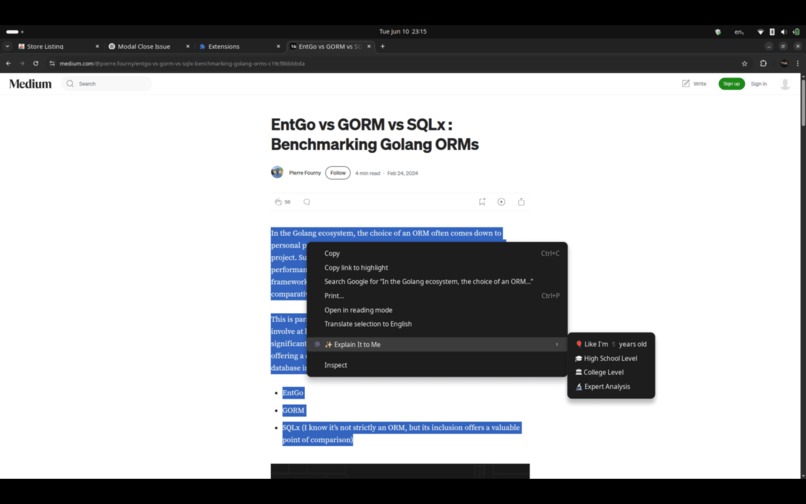
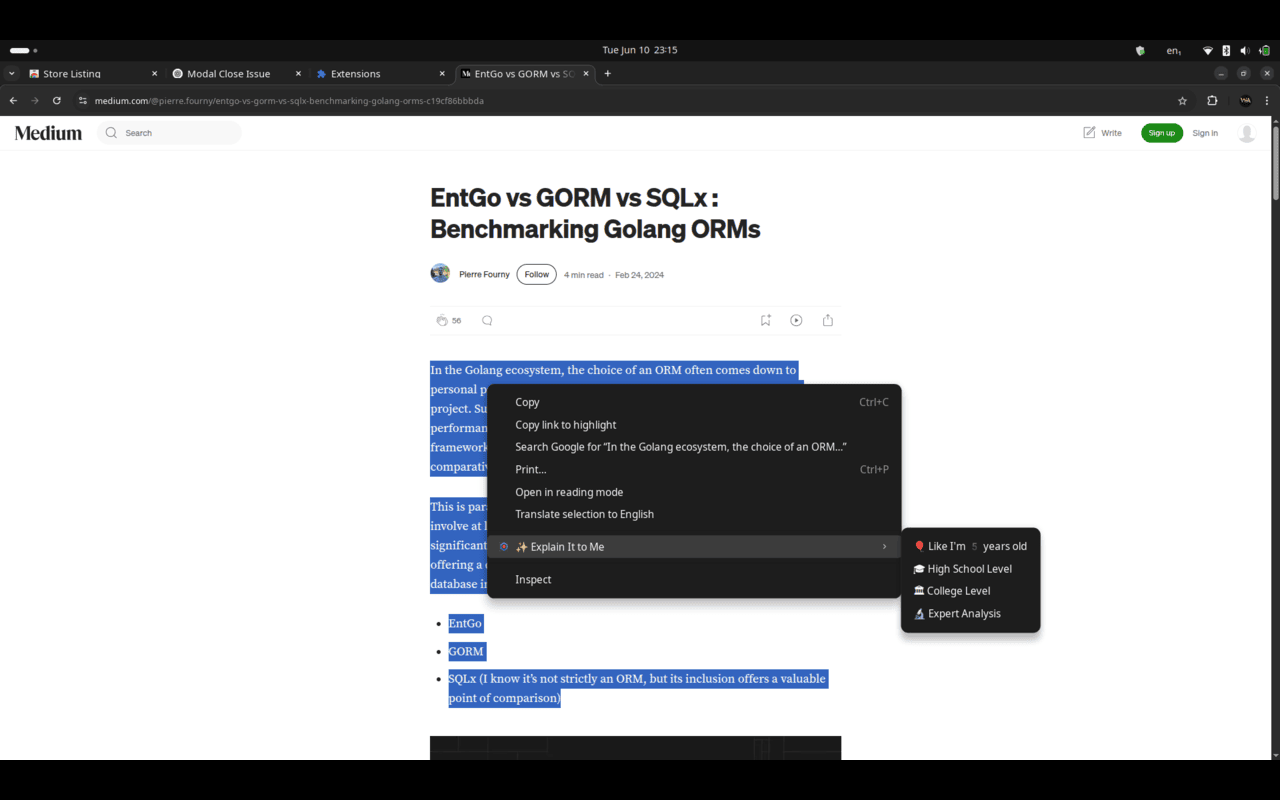
Levels
-
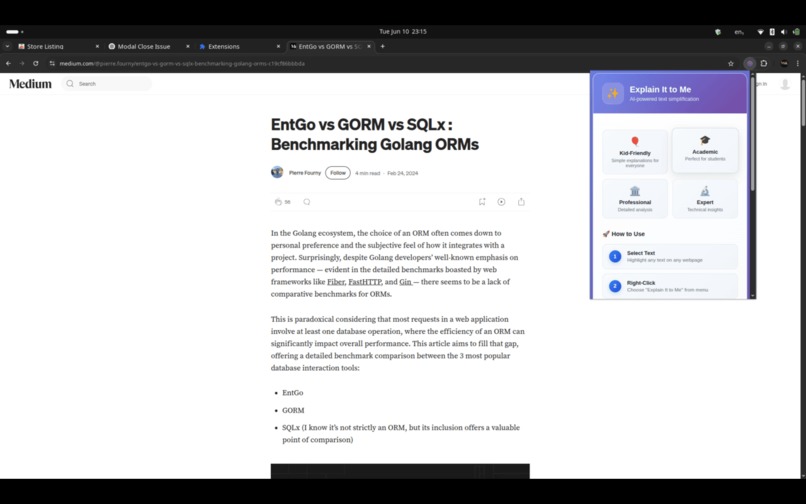
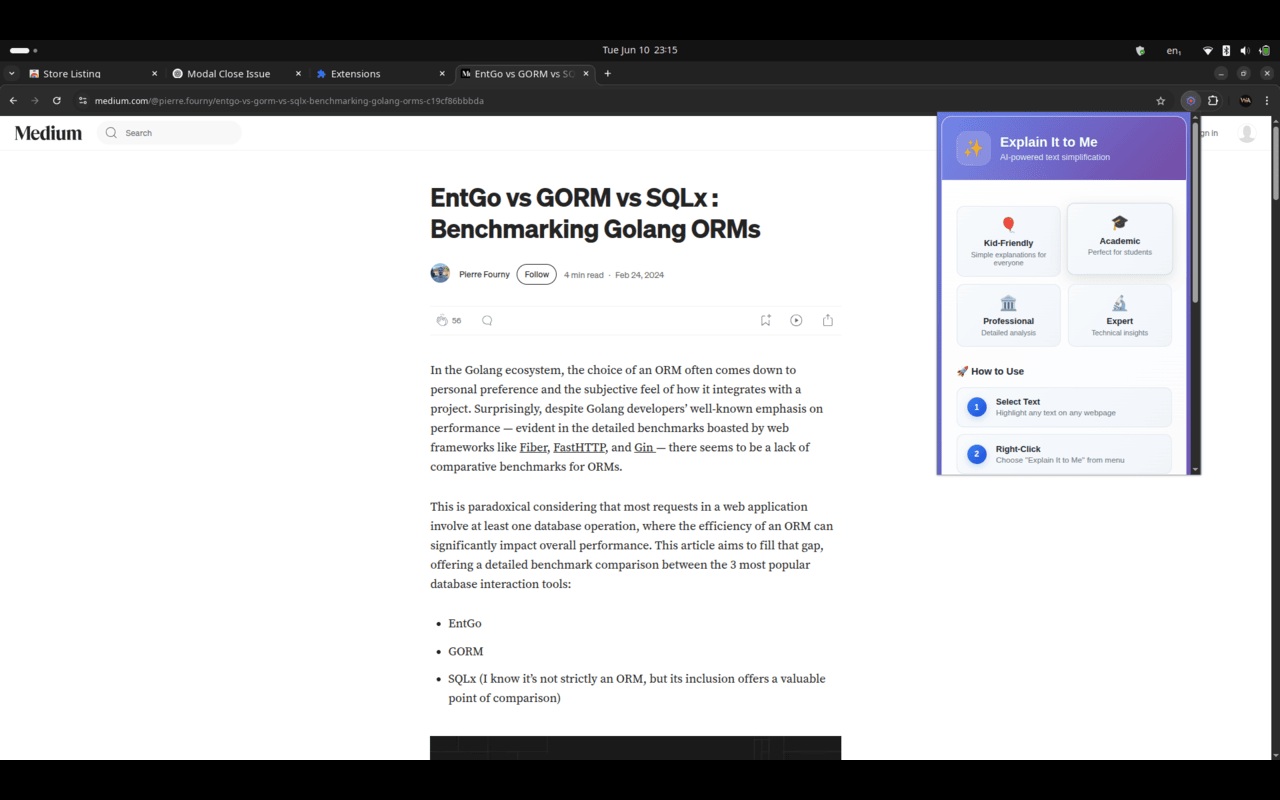
popup 1
-
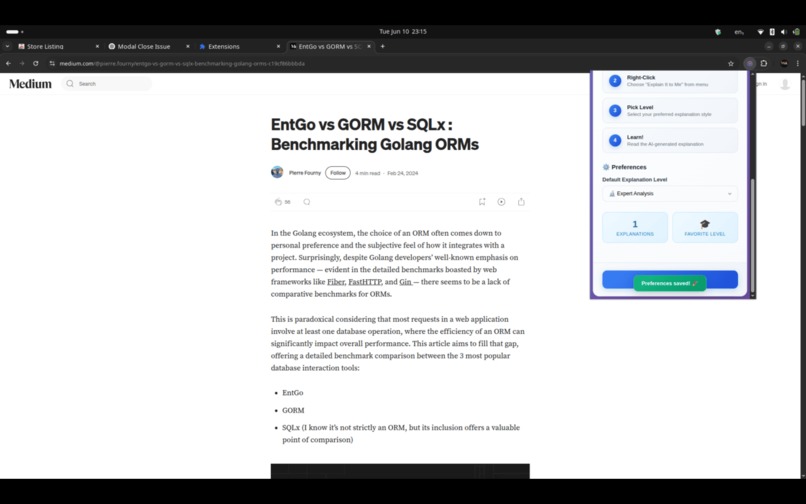
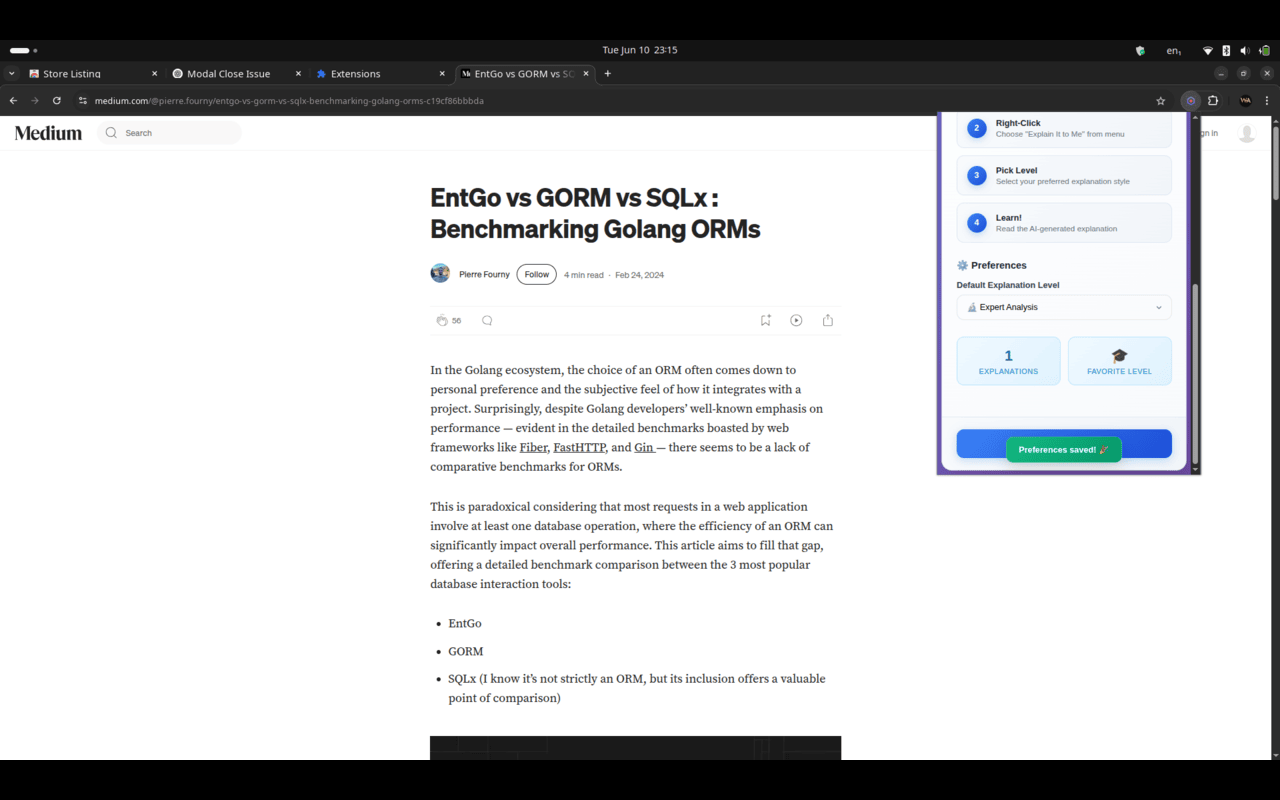
popup 2
-
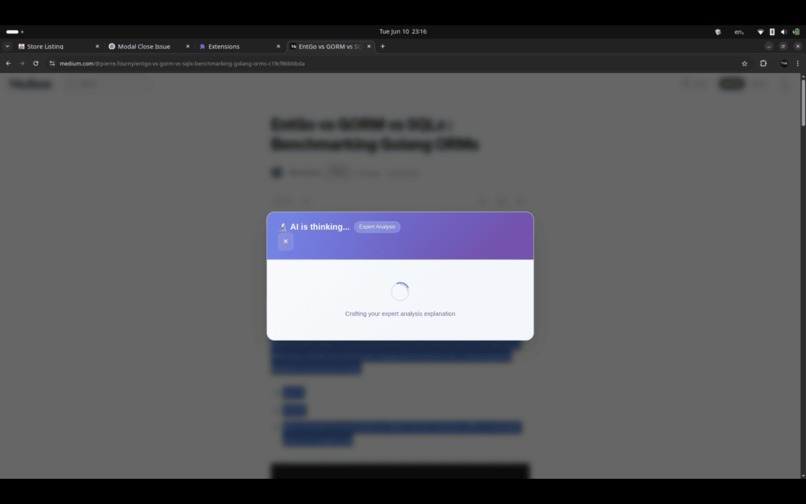
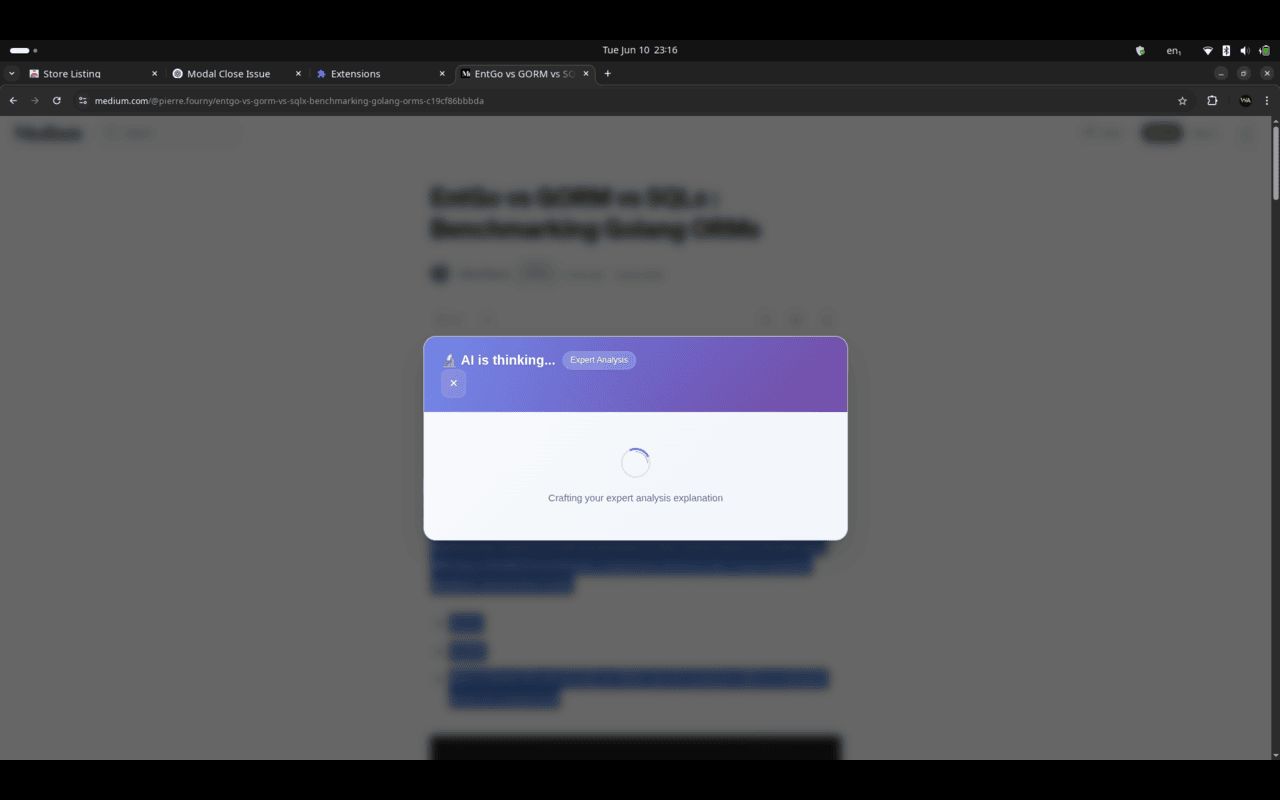
Loading
-
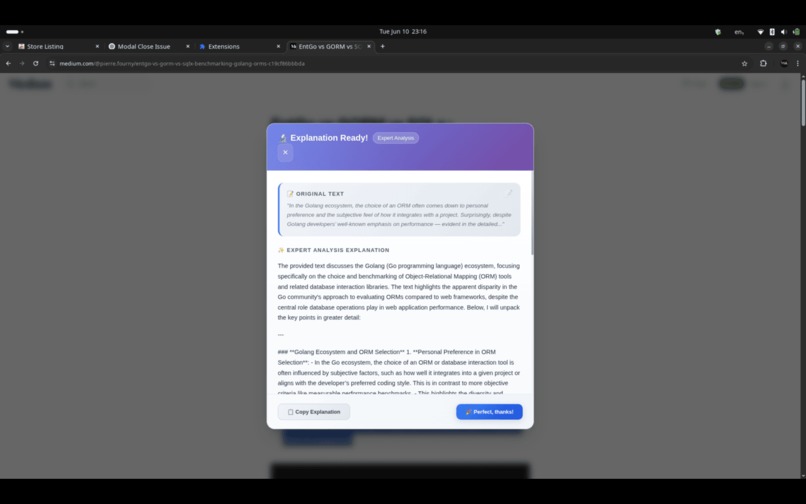
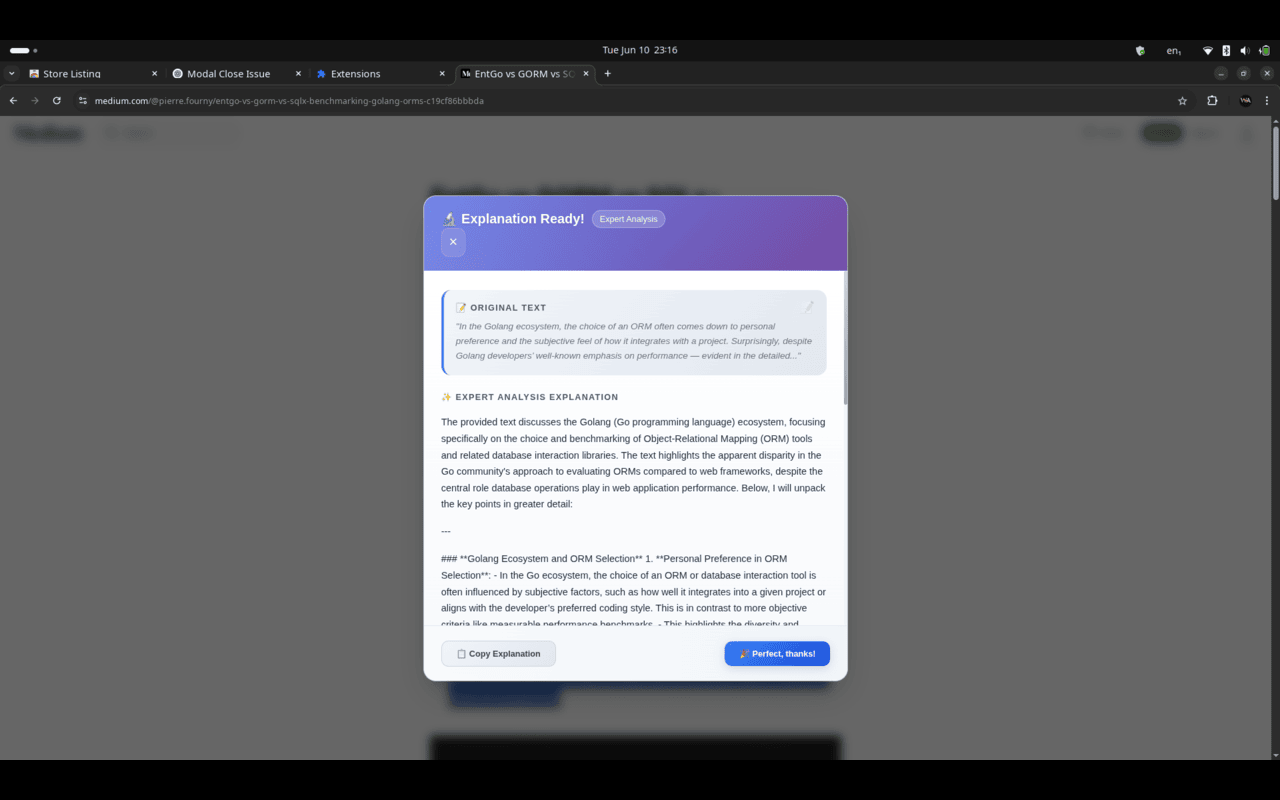
response AI
## Inspiration
"Explain It to Me - AI Text Simplifier" was born out of a simple observation: even well-educated individuals often encounter web content that's difficult to understand. Whether it’s academic papers, technical documentation, or dense news articles, the need to break down complex language into simpler terms is universal.
The inspiration came from real-world frustrations—reading something and thinking, “Why can’t someone just explain this to me like I’m five?” That question sparked the idea for a Chrome extension that empowers users to control how they understand information on the internet, using the power of AI.
The idea for Explain It To Me was inspired by the frustration many people feel when reading overly complex content online—whether it's scientific articles, legal terms, or technical documentation. We wanted to build something that could instantly simplify any web text using the power of AI, making it accessible to all reading levels.
## What it does The extension allows users to highlight any text on a webpage and receive a simplified explanation based on their preferred level of understanding. It offers four tiers of explanation:
- Kid-Friendly
- High School
- College
- Expert Using AI, it transforms difficult text into a format that is easier to digest. It also remembers the user’s selected level and provides a sleek, responsive interface.
## How we built it
- Frontend: HTML, CSS, and JavaScript for a modern, animated UI
- Chrome Extension APIs: To manage tabs, context menus, and storage
- OpenAI API: For generating explanations dynamically
- Manifest V3: Ensuring compliance with the latest Chrome standards
- The extension includes a background service worker, content script, and popup interface, all working together seamlessly.
## Challenges we ran into
- Script injection issues: Making modals behave consistently across various websites without breaking existing site functionality
- Cross-origin API requests: Ensuring secure and reliable communication with OpenAI endpoints
- Performance and UI bugs: Preventing the extension from freezing or becoming unresponsive when interacting with complex pages
- Permission management: Minimizing requested permissions while still providing full functionality
## Accomplishments that we're proud of
- A fully functioning, polished Chrome extension with multiple explanation levels
- A user-friendly and accessible design that works across the web
- Successfully integrating AI to deliver accurate and context-aware simplifications
- Implementing persistent memory for user preferences
## What we learned
- Deep understanding of Chrome Extension architecture and best practices
- Handling asynchronous communication between content scripts and background services
- Managing user settings and state across sessions
- Using AI responsibly in browser environments
## What's next for Explain It To Me (Chrome Extension)
- Voice Explanations: Add text-to-speech support so users can hear explanations
- PDF and Docs Support: Expand to work inside Google Docs, PDFs, and other embedded formats
- Theme Customization: Let users personalize the appearance of the modal
- Learning Tracker: Build a dashboard that tracks improvement over time
- Offline Mode: Provide basic local simplifications without needing an internet connection
- Better AI Feedback: Let users rate responses to help improve future explanations
Built With
- and-background-scripts-html/css-?-for-building-a-clean-and-responsive-ui/ux-inside-the-popup-and-modal-chrome-extensions-api-(manifest-v3)-?-managing-permissions
- and-storage-openai-api-?-for-generating-intelligent
- chrome
- chrome-extension-api(manifest-v3)
- chrome-storage-api
- context-menus-api
- css
- html
- javascript
- level-based-text-explanations-using-gpt-chrome-storage-api-?-to-store-and-recall-user-preferences-(e.g.
- modals
- openai
- scripting
- tabs

Log in or sign up for Devpost to join the conversation.