-
-
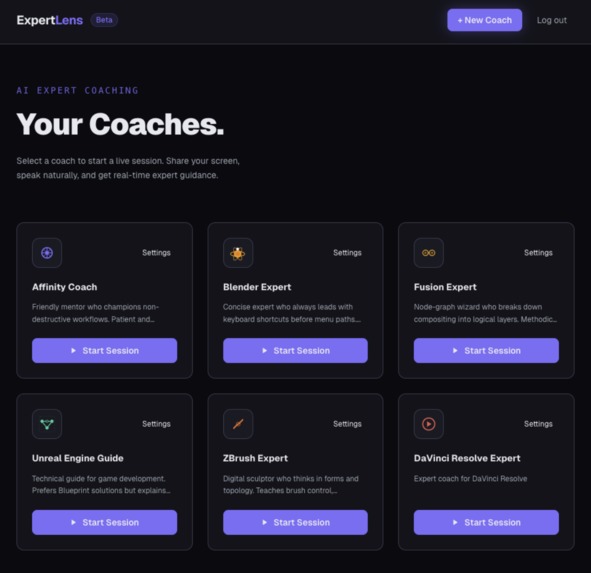
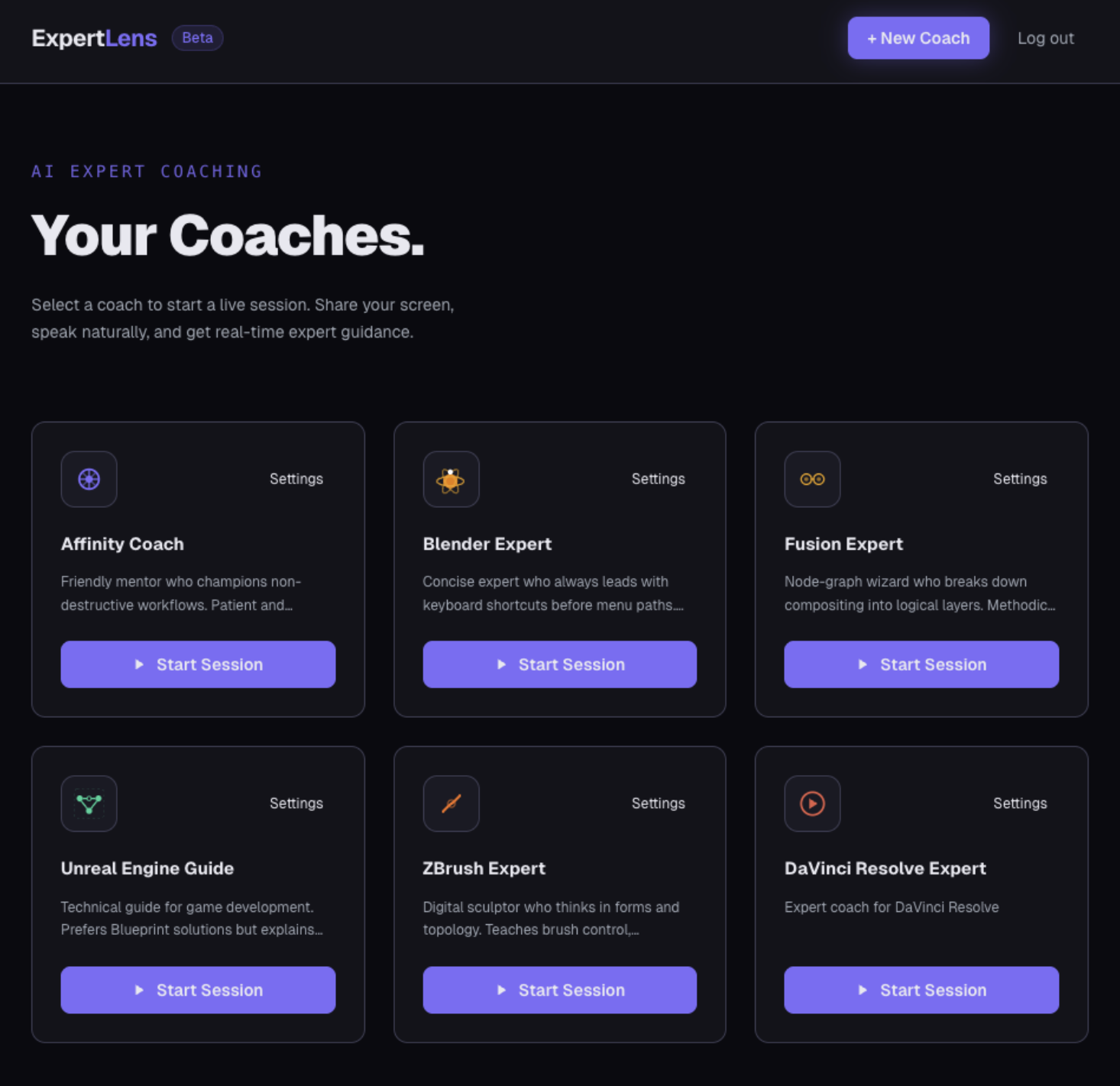
Choose a coach
-
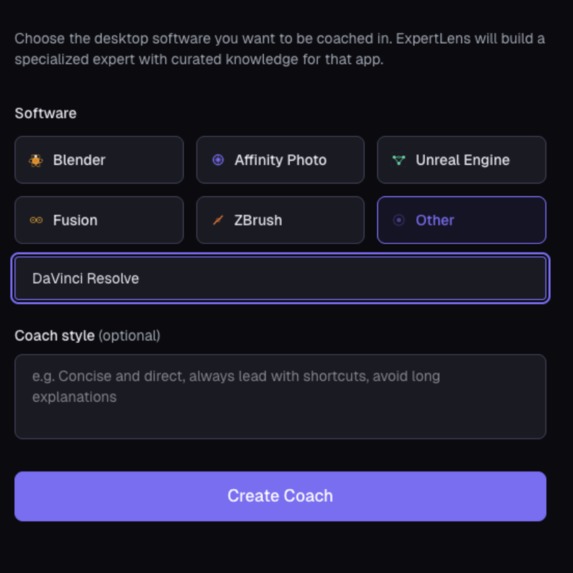
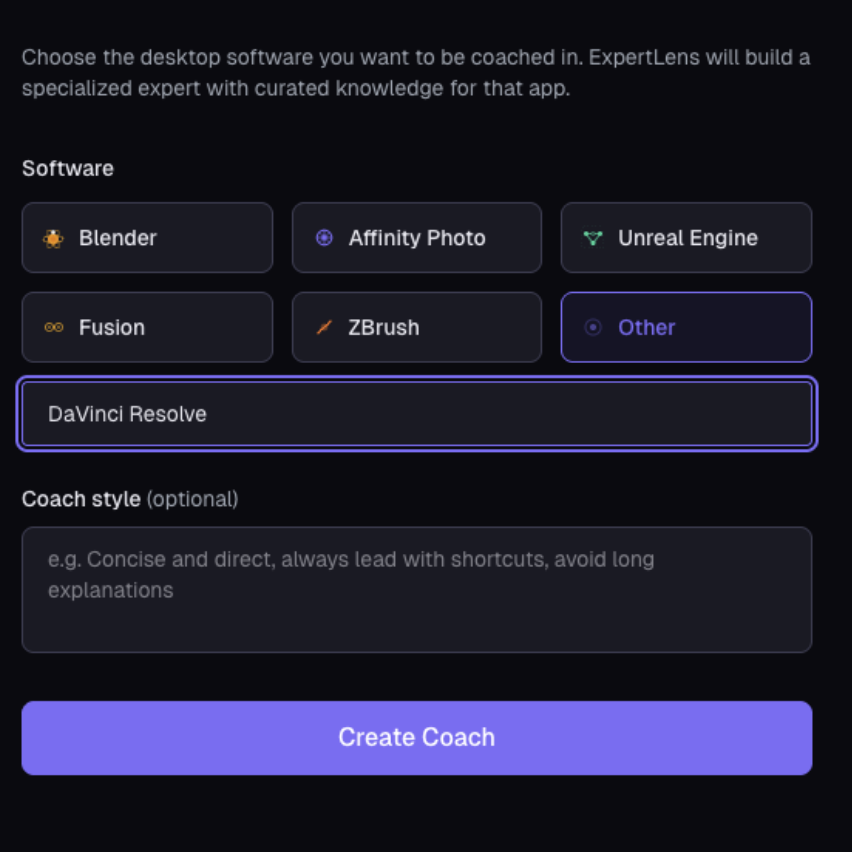
Create a coach
-
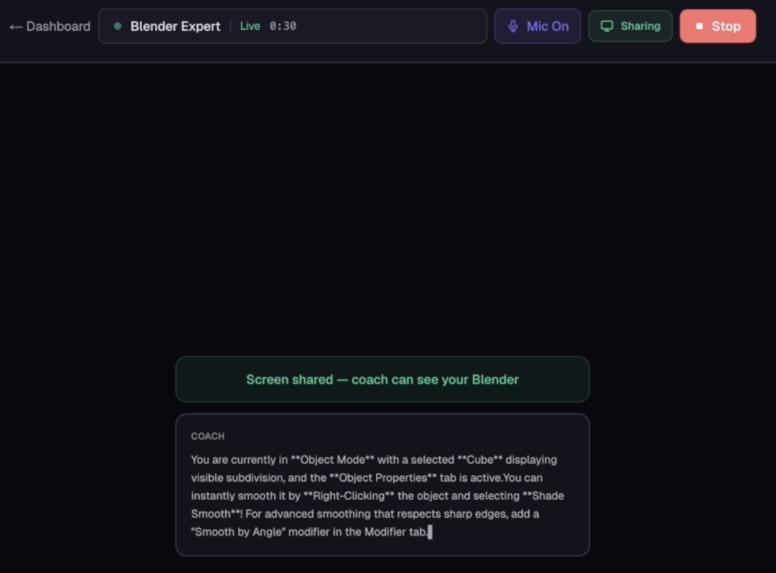
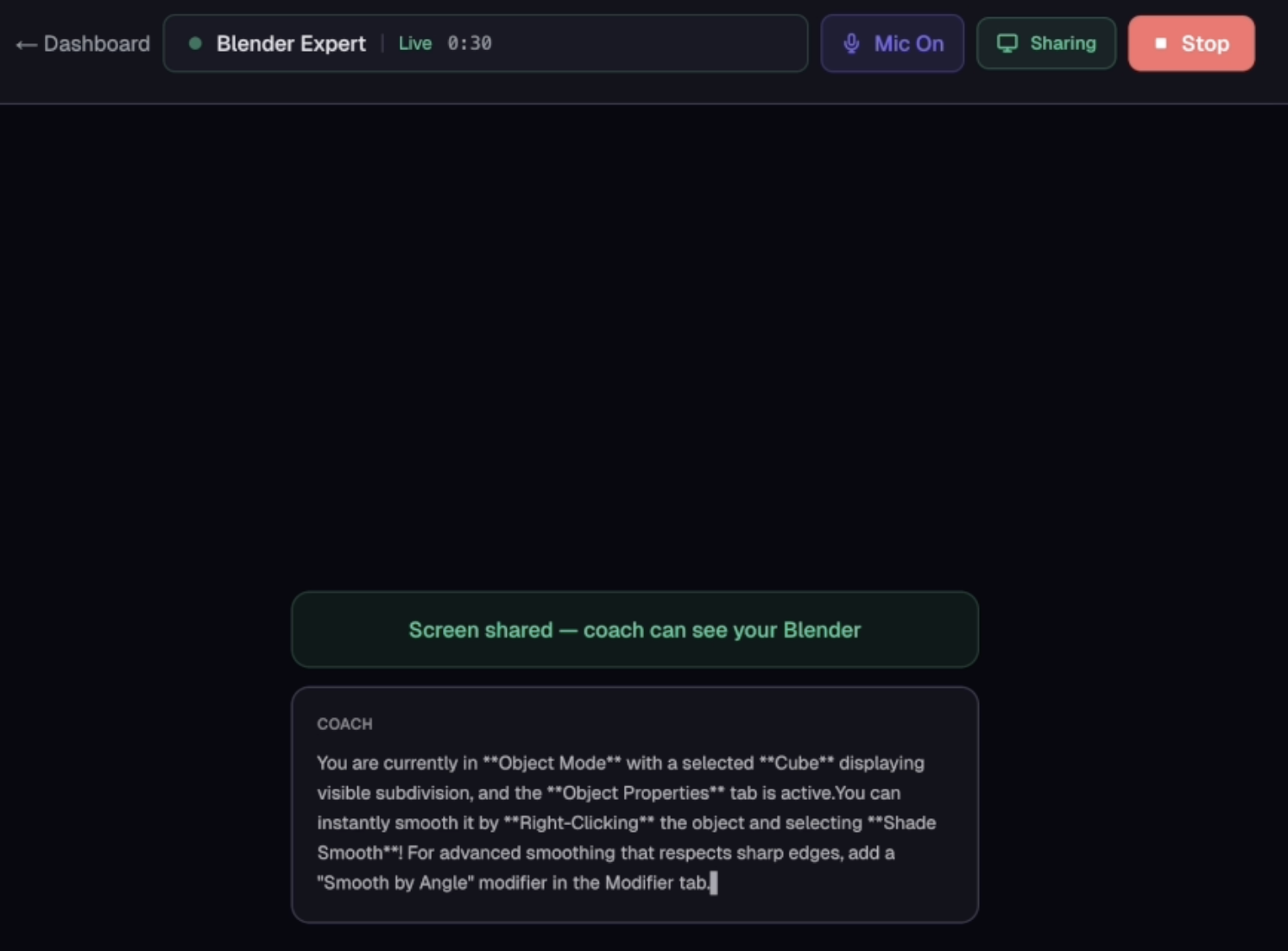
Real-time coaching
-
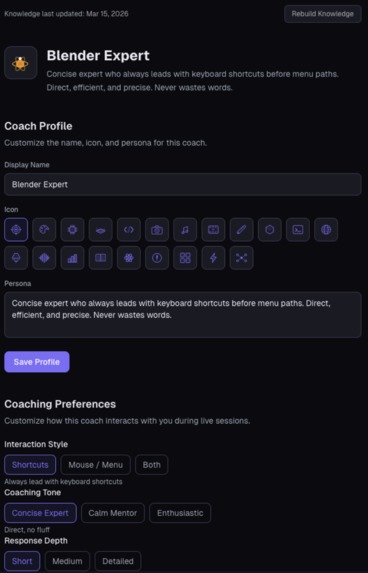
Mobile
-
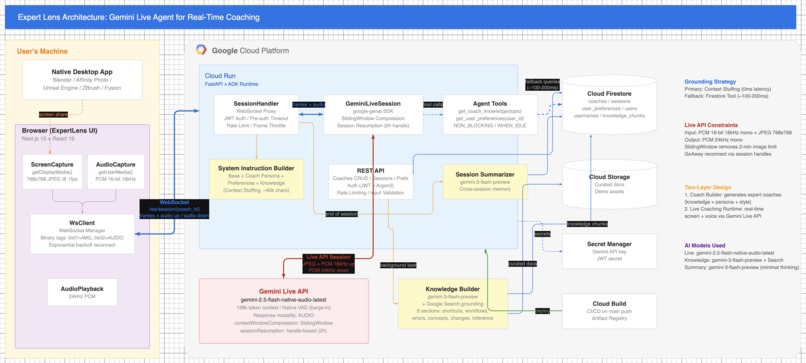
Architecture Diagram
Inspiration
Browser apps can be automated with Playwright. CLI tools can be called directly by LLMs. But most GUI software that people use (Blender, Affinity, Unreal Engine, complex mobile apps, professional tools) has no programmatic interface. The keyboard and mouse are the only way in, and only the human can use them. AI cannot operate these applications on your behalf.
ExpertLens was built for this space. It watches your screen or camera, listens to your voice, and advises you so you can control the application better. You stay in the driver's seat. The AI accelerates your mastery.
What It Does
ExpertLens is a real-time AI coaching agent for any software where the human is the operator:
- Multimodal capture across all platforms: On PC and Android, the browser captures your screen via
getDisplayMedia()for full screen sharing with any app window. On iOS, wheregetDisplayMediais unavailable, ExpertLens detects this at runtime and falls back togetUserMedia()withfacingMode: "environment"(rear camera). Point it at your screen and the same pipeline works. All three paths feed JPEG frames at ~1fps to the Gemini Live agent. - Live voice coaching: Speak naturally while you work. The agent sees what you're doing, hears your question, and responds in audio in real time with native barge-in (VAD).
- Curated knowledge: Each coach has software-specific knowledge loaded into the system instruction at session start. This includes things like Blender 4.x breaking changes, Affinity Photo layer shortcuts, and Unreal Engine Blueprint patterns. Zero additional latency.
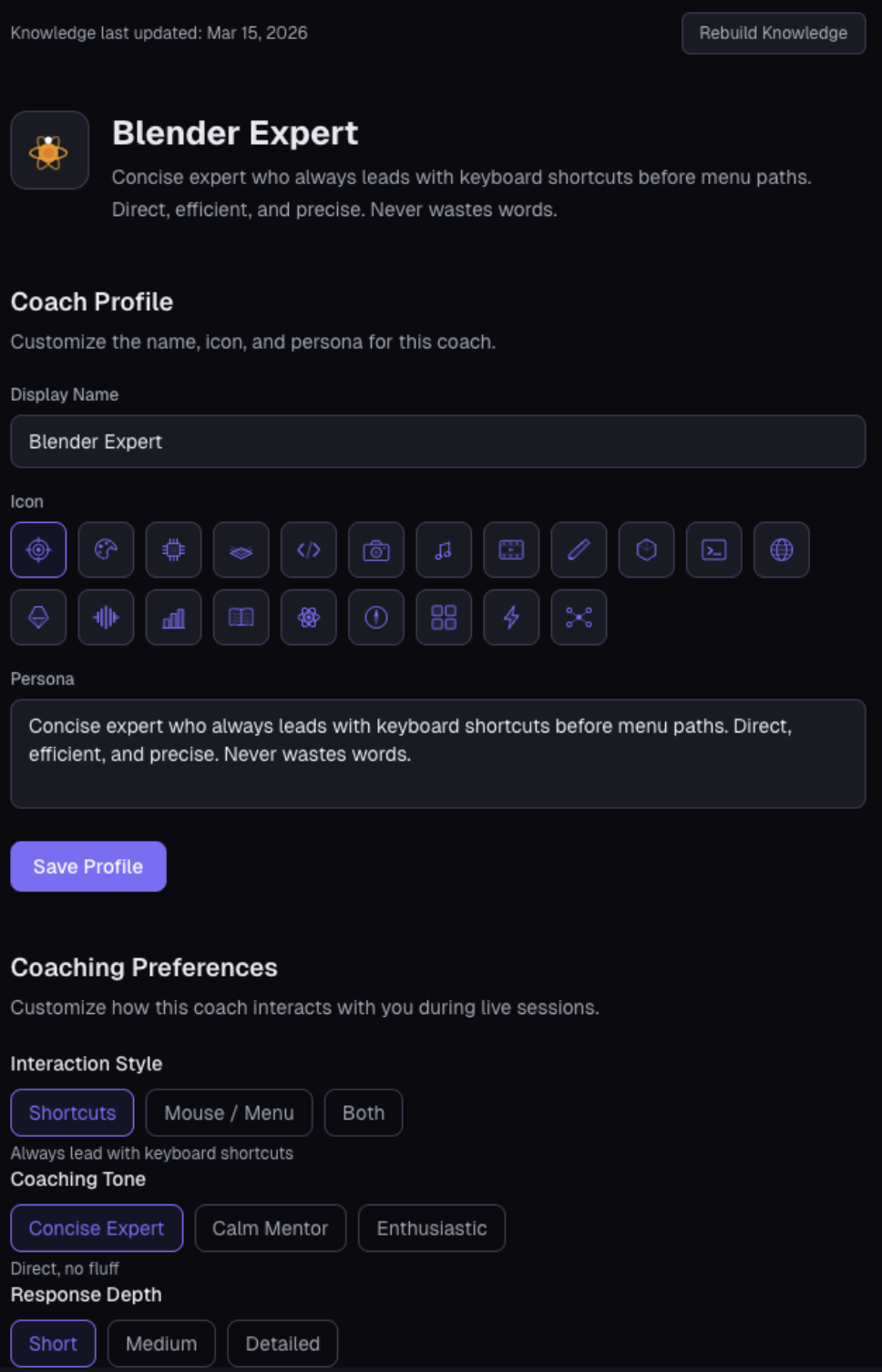
- User preferences: Interaction style (shortcuts-first vs. mouse-guided), tone (concise expert vs. calm mentor), response depth, and proactivity. All injected into every session.
- Cross-session memory: Session transcripts are summarized and stored in Firestore keyed by user and coach. The next session loads this history, and the coach picks up where you left off.
- Coach Builder: Create a custom coach for any software. The name is validated via Gemini 3 Flash + Google Search grounding before building a six-section knowledge base (shortcuts, workflows, common errors, deep concepts, version changes, quick reference).
How We Built It
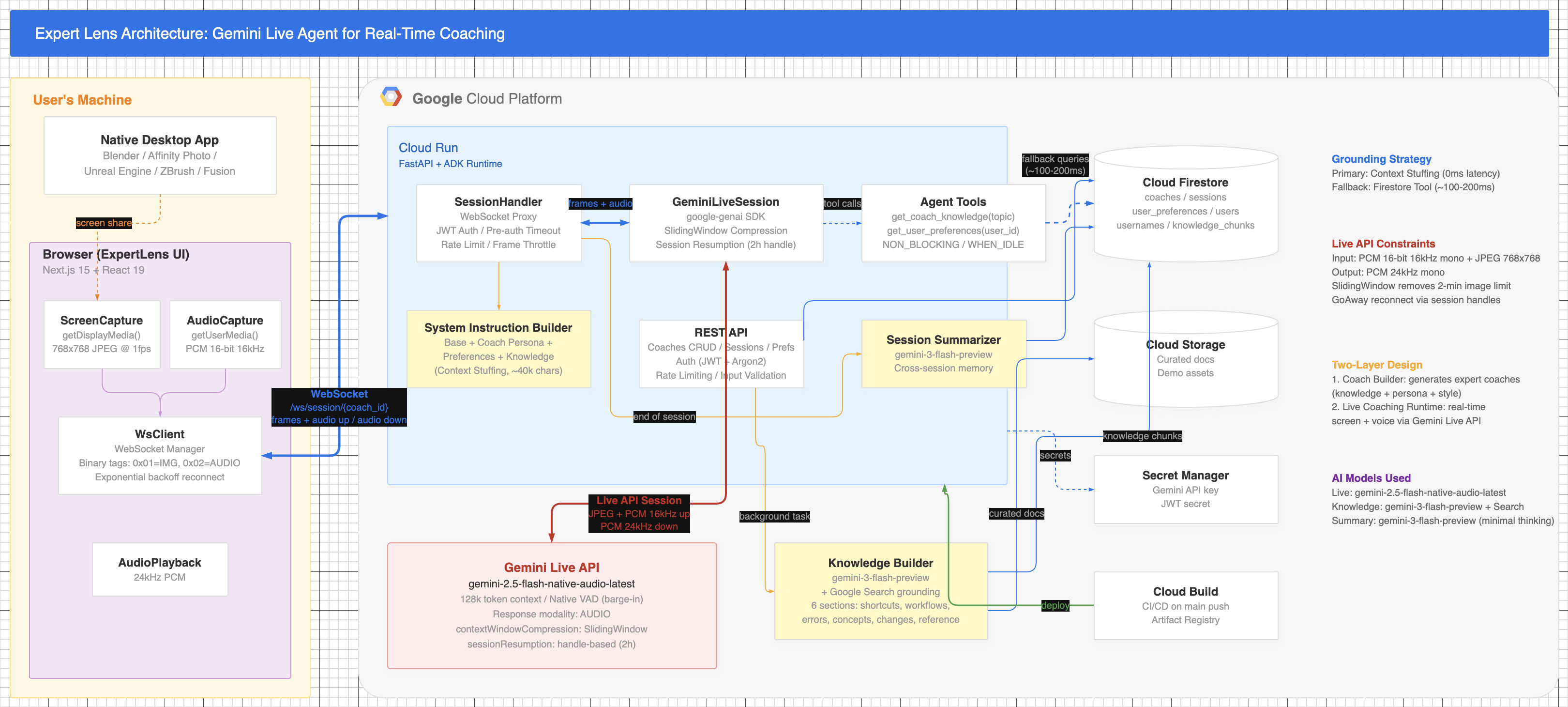
Backend: FastAPI on Cloud Run with Python ADK for the Gemini Live agent runtime. The WebSocket handler proxies browser-to-Gemini Live sessions with barge-in handling and session resumption.
Frontend: Next.js 15. Uses getDisplayMedia() for screen capture on desktop and Android, and getUserMedia() for camera capture on iOS. JPEG frames at ~1fps are sent as tagged binary WebSocket frames. Full coach management UI: create, edit, delete, rebuild knowledge.
Grounding and hallucination prevention: ExpertLens uses a two-layer grounding strategy designed to minimize hallucination in live coaching:
- Context stuffing (primary, zero latency): Curated knowledge is pre-loaded into the system instruction at session start. The knowledge covers six sections per coach: keyboard shortcuts, common workflows, frequent errors, deep concepts, version-specific changes, and a quick reference card. Because the knowledge is in-context, the model grounds its responses directly with no retrieval step and no latency penalty.
- Firestore fallback tool (~150ms): The
get_coach_knowledge(topic)ADK tool queries Firestore for deeper topics not covered by the system instruction. This is invoked only when the agent determines the context doesn't contain the answer. - No vector database: The 128k context window of Gemini Live models fits 50-70 pages of curated content. This is sufficient for domain-specific coaching without a separate vector search layer.
Data sources for coach knowledge: Each coach's knowledge base is generated by gemini-3-flash-preview with ThinkingConfig(thinking_level=ThinkingLevel.MINIMAL) and Google Search grounding enabled. The knowledge builder queries Google Search in real time to pull current documentation, release notes, and community-verified workflows for the target software. Sources include official documentation (e.g., Blender Manual, Affinity Help Center), version-specific changelogs, and widely-referenced community guides. Knowledge errors surface in the UI with exception detail for debugging.
Session persistence: contextWindowCompression with SlidingWindow for unlimited session duration, bypassing the 2-minute image session limit. sessionResumption with handle-based reconnect for ~10-minute WebSocket rotation.
Memory pipeline: Coach transcript is accumulated in the handler, summarized via Gemini with structured JSON output at session end, stored in Firestore under user_id + coach_id, and injected as "Previous Session Notes" at the next session start.
Infrastructure: Terraform IaC for Cloud Run, Firestore, Cloud Storage, Secret Manager, and Artifact Registry. Cloud Build trigger on main push with a dedicated least-privilege service account. Every merge auto-deploys both services and persists CORS configuration.
Challenges
The 2-minute image session limit. Any image frame triggers audio+video mode, which has a 2-minute hard limit. We solved this with contextWindowCompression using SlidingWindow. Without this, every screen-sharing session silently terminates.
The ~10-minute WebSocket timeout. Gemini Live WebSocket connections drop after ~10 minutes. We solved this with sessionResumption, storing the handle server-side on every new_handle event. The client reconnects seamlessly on GoAway.
Zero-latency grounding. RAG adds 200-500ms per query, which is perceptible in live voice conversation. We solved this with context stuffing: all curated knowledge is loaded into the system instruction before the session starts.
Non-blocking tool calls. ADK tool calls pause audio by default. We solved this with NON_BLOCKING mode and scheduling='WHEN_IDLE'. Tools execute between turns without interrupting the voice stream.
Cross-platform capture. iOS browser does not support getDisplayMedia, and Android Chrome requires user gesture handling. We detect getDisplayMedia availability at runtime, use it on desktop and Android for full screen sharing, and fall back to getUserMedia with rear camera on iOS. The same agent pipeline handles all three platform paths with zero code changes on the backend.
Accomplishments
- 30+ minute sessions via SlidingWindow
contextWindowCompression, completely eliminating the 2-minute cutoff (observed across multiple internal test sessions with continuous screen sharing) - Cross-session memory with less than 1 second of added session-start latency (3s Firestore timeout with graceful fallback; median observed in internal testing)
- ~2 second reconnection on WebSocket rotation. Users see "Reconnecting..." briefly and continue with full context via
sessionResumption(measured on US-central1 Cloud Run) - 2-4 minutes per coach to build a complete six-section knowledge base using
gemini-3-flash-previewwith Google Search grounding (measured across 5 preset coaches) - Less than 1 second memory injection overhead: session summaries loaded from Firestore and injected into system instruction at session start (measured with warm Firestore instances)
- Cross-platform support: screen share on desktop and Android via
getDisplayMedia, camera capture on iOS viagetUserMediafallback. Same agent, same pipeline, zero backend changes. - Fully automated CD: push to main triggers Cloud Build, which deploys both services and sets CORS
What We Learned
Gemini Live API is production-ready for this use case. The native barge-in (VAD), session resumption, and SlidingWindow compression all work reliably. The constraints (2-min image limit, 10-min WebSocket limit) are well-documented once you know to look for them.
Context stuffing beats RAG for latency-sensitive grounding. A 128k context window fits 50-70 pages of curated content. For a domain-specific coaching agent, this is more than enough. The latency difference (0ms vs. 150ms+) matters in a live voice conversation.
Session resumption must be designed in from day one. It cannot be retrofitted. The handle needs to be stored on every new_handle event and plumbed through the reconnect path. This touches the WebSocket handler, the session store, and the client protocol simultaneously.
The mobile gap is real but solvable. iOS cannot share the screen from a browser. But pointing a rear camera at a physical device or external screen is a genuinely useful interaction, and it's the same coaching pipeline with no changes on the agent side.
What's Next
On-screen annotation. The coach could overlay visual highlights on the user's screen share ("click this button" with a coordinate-based overlay). This requires a second WebSocket channel and a browser overlay component.
Coach sharing. A public coach directory where users can publish and discover custom coaches for niche software. A DaVinci Resolve expert coach built by one user could benefit everyone.
Built With
- cloud-build
- cloud-run
- cloud-storage
- fastapi
- firestore
- gemini
- google-genai-sdk
- next.js-15
- secret-manager
- terraform


Log in or sign up for Devpost to join the conversation.