Inspiration
I've always wanted a simple, flexible way to track my expenses without constantly typing numbers into spreadsheets or opening an app every time I bought something.
For me, the biggest problem with expense tracking is friction. Most apps require you to open them, select a category, choose a date, enter an amount, and fill in several fields. It's no surprise that many people stop using them after a couple of weeks.
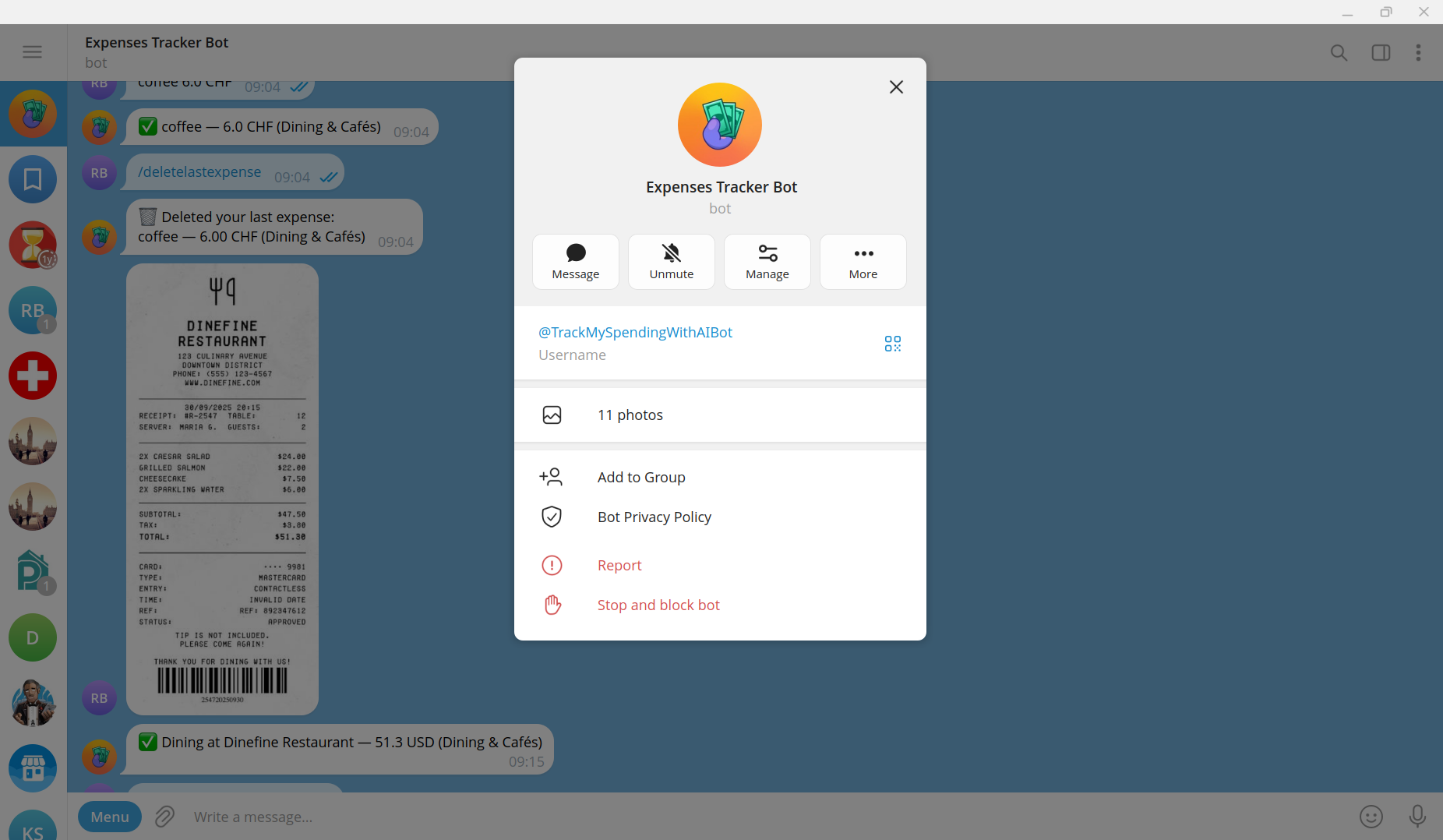
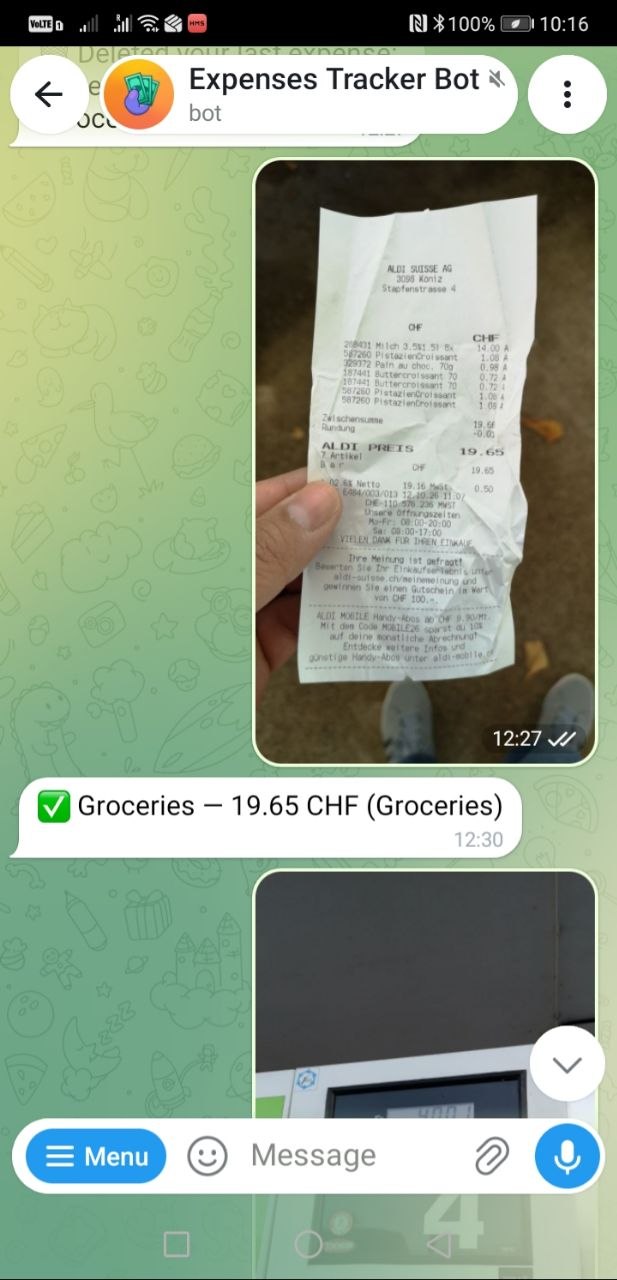
Telegram is already part of my daily routine, so I decided to build an expense tracker directly into a chat. I can simply type something like "coffee 3.5" or send a photo of a receipt, and AI takes care of extracting the details and categorising the expense.
The goal is simple: make tracking expenses so effortless that you actually stick with it.
What it does
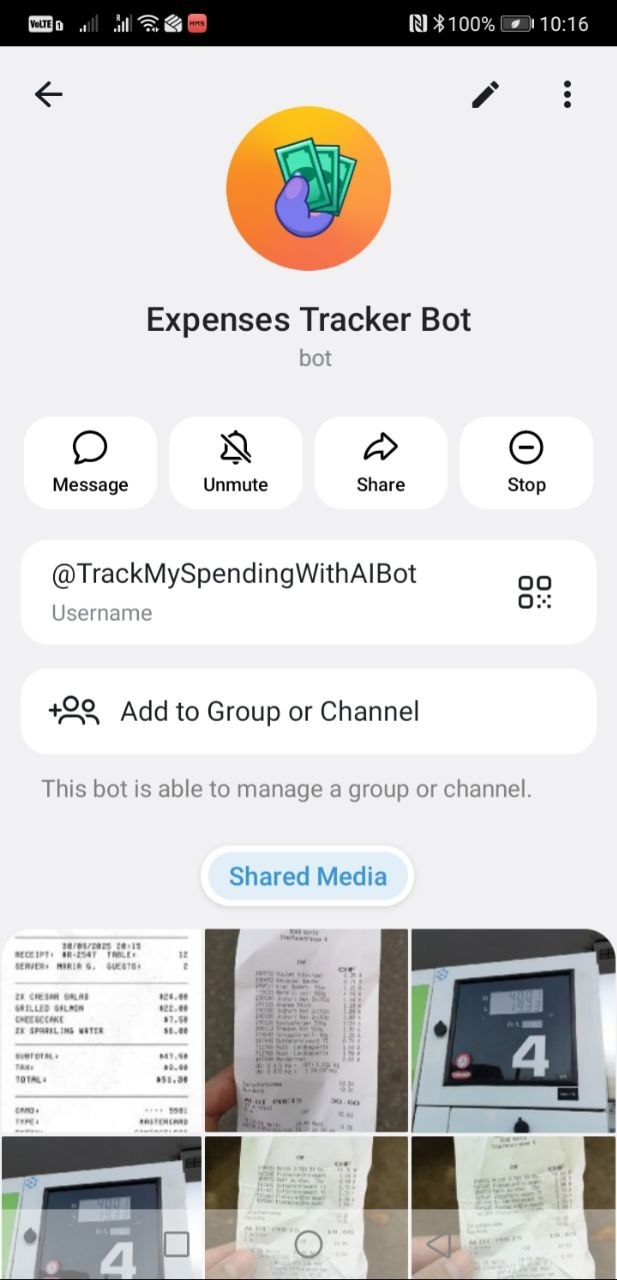
Expenses Tracker Bot is a Telegram bot that turns everyday messages and receipt photos into structured expense records, then delivers spending reports automatically.
- Quick onboarding — On first contact, the bot asks for your default currency and preferred reporting frequency: daily, weekly, monthly, or none. Expenses are processed only after onboarding is complete.
- Effortless expense tracking — Send a message like
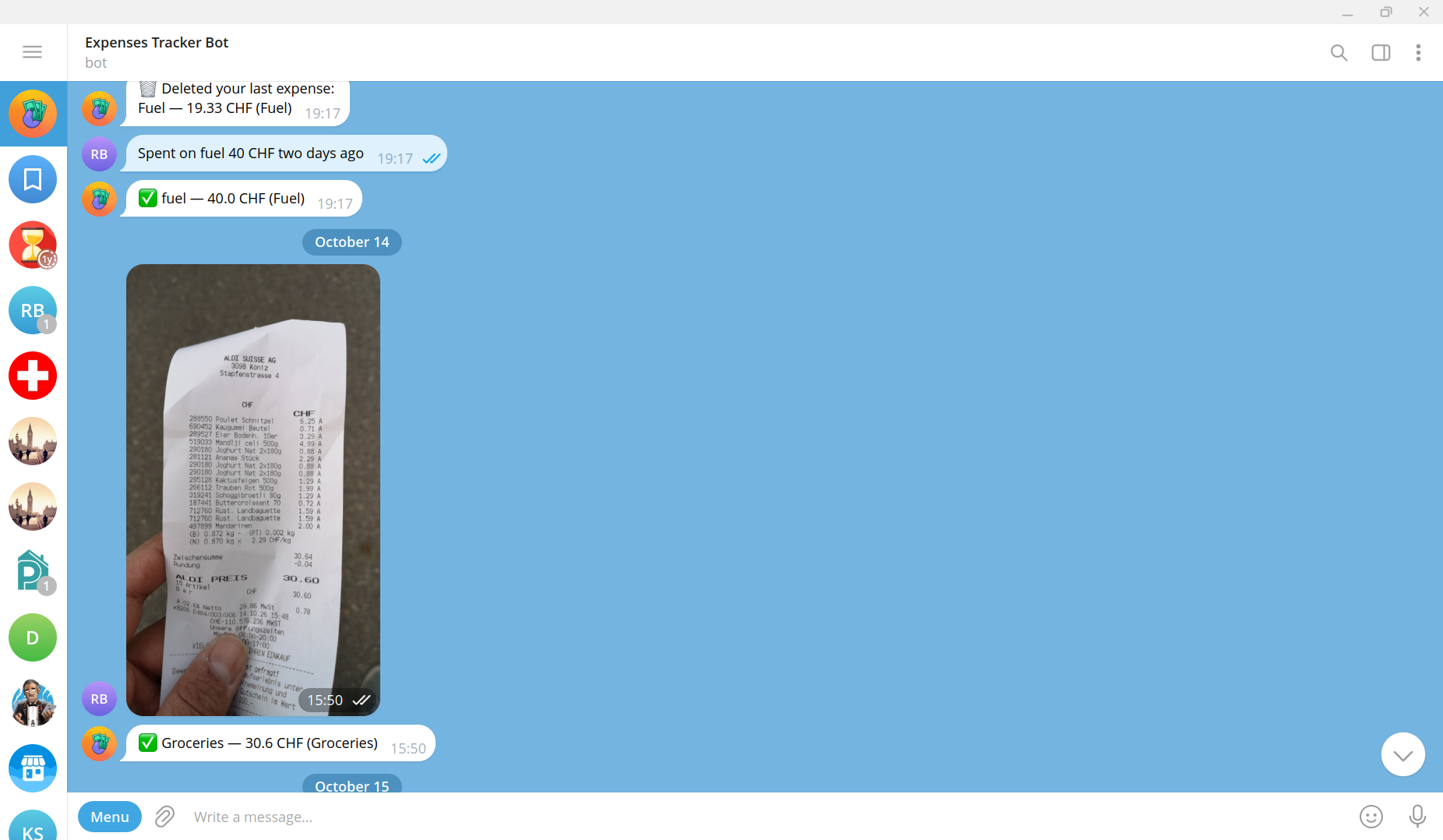
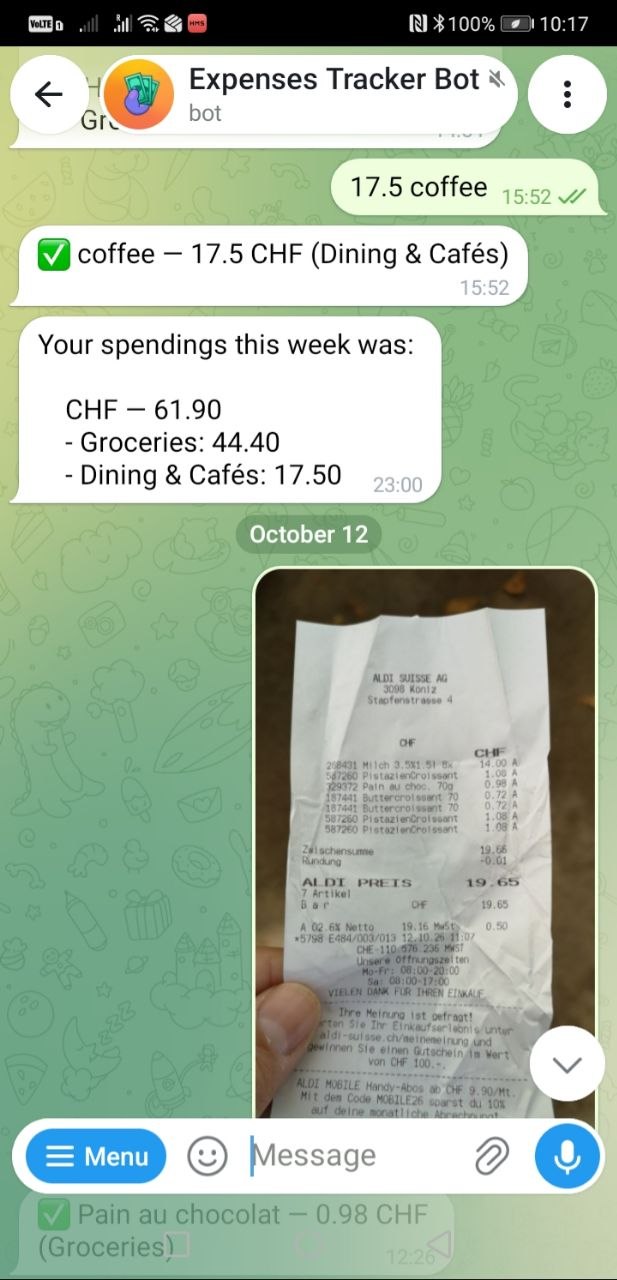
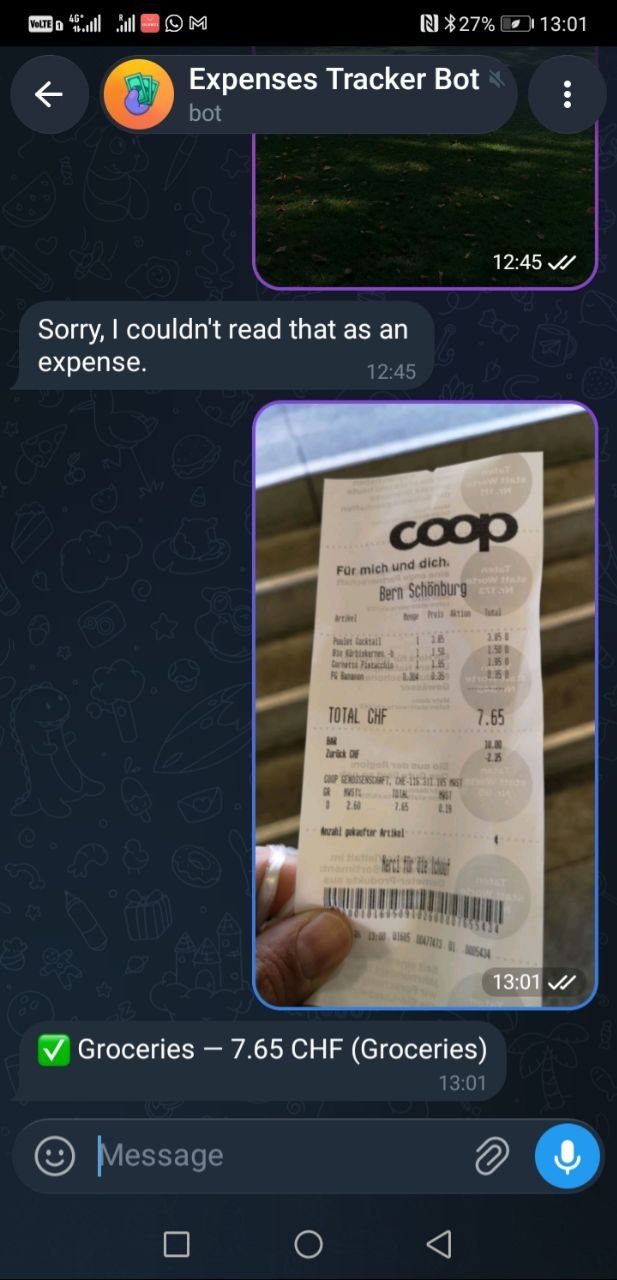
coffee 3.5ortrain ticket 4.80. An LLM extracts the expense name, amount, currency, date, and category automatically. - Receipt scanning — Send a photo of a receipt or ticket, optionally with a caption to provide additional context. A vision model extracts the expense details.
- Automatic categorisation — Every expense is assigned to one of 30+ categories, including Groceries, Dining & Cafés, Rent / Mortgage, Travel, Fuel, and Subscriptions. No manual category selection required.
- Multi-currency support — Expenses retain their original currencies. Reports group spending by currency and category, so CHF, EUR, and USD are never accidentally added together.
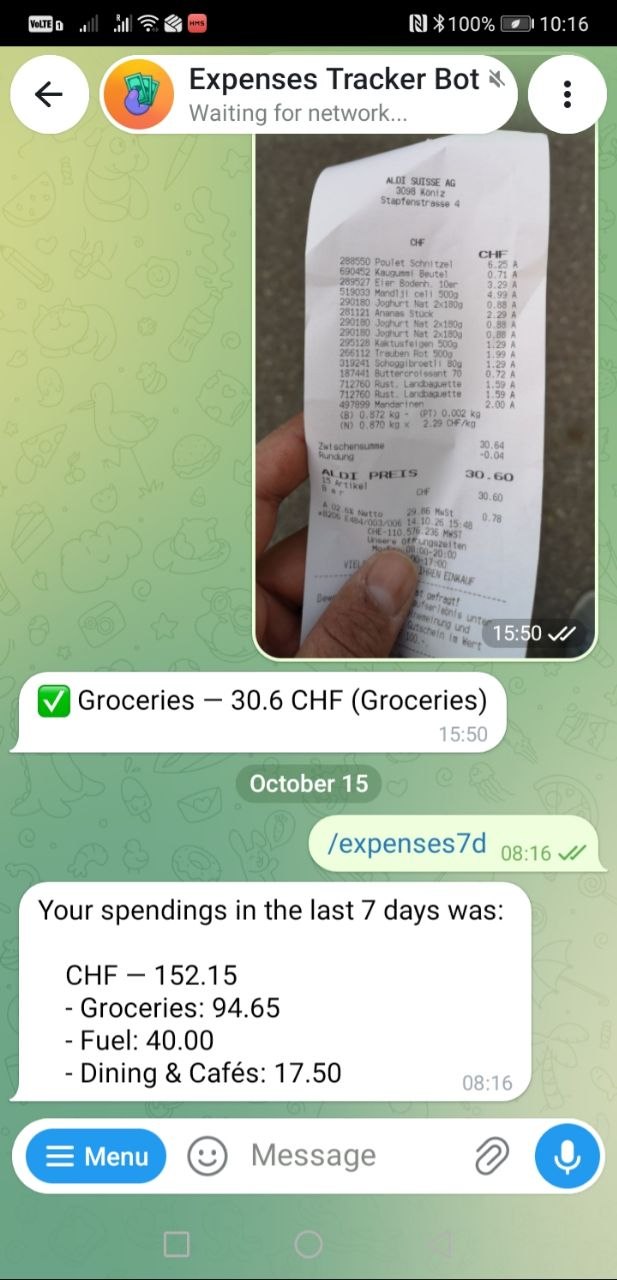
- Scheduled reports — Receive daily, weekly, or monthly summaries directly in your private Telegram chat, with spending totals broken down by currency and category.
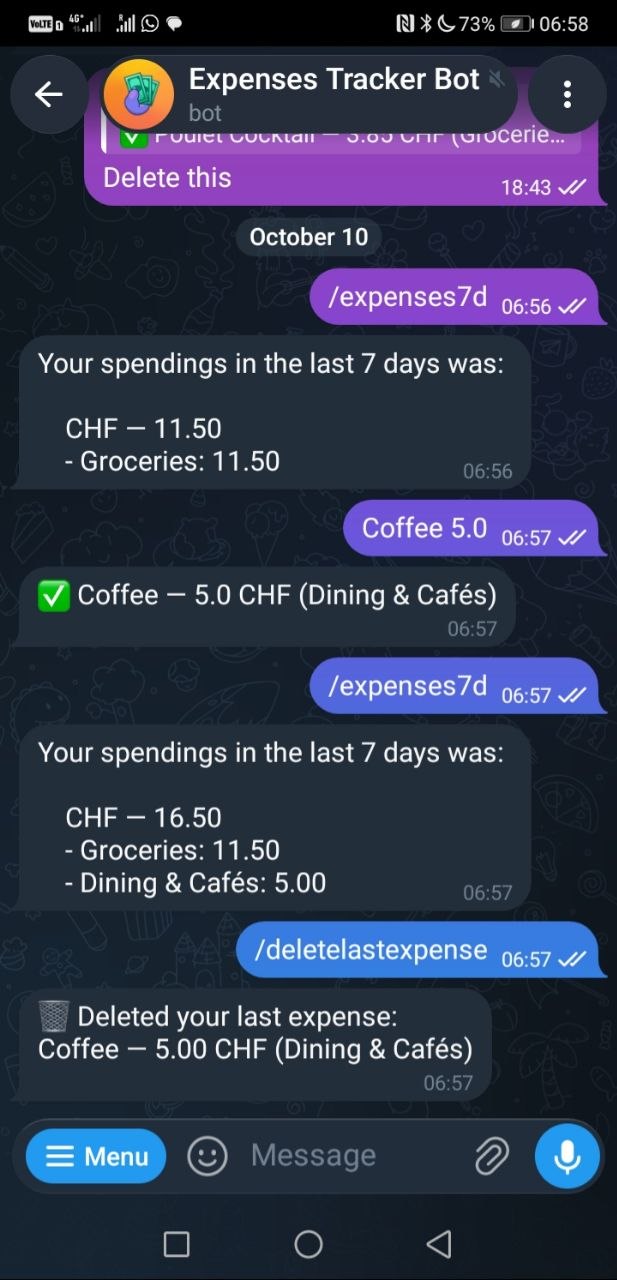
- On-demand history — Use
/expenses7d,/expenses30d,/expenseslast3m,/expenseslast6m, or/expenseslast1yto review your spending over different periods. - Full data control — Delete your latest expense with
/deletelastexpense, or permanently erase all your data using/deletedatafollowed by/dataconfirmdelete. An explicit confirmation step helps prevent accidental deletion.
No spreadsheets, no forms, and no separate app to install. Just send a message and let AI do the rest.
How I built it
Expenses Tracker Bot is built with Django and integrates directly with Telegram through a webhook. AI-powered expense extraction runs through Nebius Token Factory using NVIDIA open-source models.
Tech stack
- Backend: Python 3.12, Django 6, Gunicorn, and WhiteNoise.
- Database: SQLite by default.
- Background processing: Huey and Redis for scheduled reports and background tasks.
- Telegram integration: A webhook handled by
tracking.views.telegram_webhook, with the main bot logic intracking/handlers.py. - AI inference: Nebius Token Factory's OpenAI-compatible API at
https://api.tokenfactory.nebius.com/v1/.
AI-powered expense extraction
The bot uses different models depending on the input:
- Text messages:
nvidia/NVIDIA-Nemotron-3-Nano-30B-A3B(Nemotron) extracts expense details from natural language. - Receipt photos:
openbmb/MiniCPM-V-4_5analyses images and extracts the relevant information.
Both models are configurable through the NEBIUS_TEXT_MODEL_ID and NEBIUS_VISION_MODEL_ID environment variables.
Structured output and validation
LLMs can return unpredictable output, so I designed the extraction process around a strict JSON schema.
The model is instructed to return a single JSON object containing the expense name, date, amount, currency, and category, using only the permitted category values.
The response is parsed with json.loads, then validated and normalised by _clean_expense. This includes checking that the name is present, the amount is numeric, the currency is a three-letter code, the category belongs to the predefined choices, and the date has a valid value or defaults to today.
Only valid expenses are saved. Invalid responses result in a controlled error rather than an application crash.
Cost-efficient inference
Not every message deserves an AI request. Before calling the model, the bot checks whether a text message looks like an expense by requiring a digit and at least two words. This simple filter helps avoid unnecessary inference costs for casual conversation.
The bot also includes a ping → pong health check.
Reliable webhook processing
Telegram may redeliver updates when a webhook request isn't acknowledged promptly. Without protection, this could create duplicate expenses and waste AI inference credits.
To prevent this, each expense stores Telegram's update_id in a unique database column. The bot checks for previously processed updates before making an AI request, making processing idempotent and protecting against duplicate records.
The original Telegram payload is also stored alongside each expense for traceability.
Privacy-conscious receipt processing
Telegram's file URLs contain the bot token, so passing those URLs directly to a third-party vision API would expose a sensitive credential.
Instead, the bot downloads the image itself and sends its contents to the vision model as a base64-encoded data: URL. This avoids sending the token to the AI provider.
Performance instrumentation
Rather than guessing where time is spent, the bot records each processed update as a RequestTrace, with individual StepTiming records for operations such as user creation or updates, model inference, validation, and database writes.
This makes it easier to identify bottlenecks and improve the user experience.
Automated reports
Huey periodic tasks in tracking/tasks.py aggregate expenses using Django's Sum, grouping results by currency and category.
Reports are sent only to users who have opted in to the relevant reporting frequency. Users without expenses during the reporting period are skipped, avoiding unnecessary notifications.
Testing
Django tests in tracking/tests.py cover the webhook, onboarding, text and photo processing, validation, reporting, and authentication-failure handling.
The result is more than an AI-powered prototype: the core functionality is backed by tests and designed to handle common failure scenarios.
Challenges I ran into
1. Extracting the correct total from receipt photos
Reading receipts reliably turned out to be the biggest remaining challenge. Vision models can misinterpret totals, confuse individual item prices with the final amount, or struggle with poorly formatted receipts.
Improving this is a priority. I plan to benchmark different vision models and explore confirmation steps when the extracted total is uncertain.
2. Handling currencies correctly
A user might enter an expense without specifying a currency. Without a default, the model could choose the wrong one.
I addressed this by introducing a user-defined default currency, while preserving explicitly stated currencies for individual expenses.
3. Getting consistently valid JSON from an LLM
LLMs sometimes wrap their responses in Markdown code blocks or add explanations around the requested JSON.
I improved reliability with a strict system prompt that defines the required fields, provides an example, and lists the allowed categories. A separate validation layer ensures malformed responses fail gracefully instead of breaking the application.
4. Preventing duplicate expenses
Telegram's webhook retry mechanism introduced the risk of processing the same expense more than once.
I addressed this with a unique update_id and a fast duplicate check before calling the model. This prevents duplicate processing of updates that have already been recorded.
5. Protecting the Telegram bot token
Telegram's file URLs contain the bot token, making it unsafe to pass those URLs directly to an external vision service.
Downloading the image and sending its contents as a base64 data URL solved this specific credential-exposure risk.
6. Making reports meaningful across currencies
Adding CHF, EUR, and USD into a single total would produce misleading results.
I therefore group expenses by currency first and then by category, sorting the largest spending categories first. This keeps reports useful even when users spend money in multiple currencies.
7. Building onboarding that doesn't trap users
Onboarding introduces state that must be handled consistently. An unexpected answer shouldn't leave a user stuck or silently configure the wrong settings.
I implemented onboarding as a small state machine on the user model. Unrecognised answers trigger another prompt, while unknown states restart the flow cleanly.
Accomplishments that I am proud of
- A three-second expense entry. Record an expense with a single message or receipt photo, without opening a dedicated app or filling out a form.
- A complete, integrated product. Onboarding, expense capture, validation, storage, scheduled reports, spending history, data deletion, an admin interface, a landing page, and automated tests work together.
- Reliable AI integration. I went beyond prompting an LLM by adding structured output, validation, idempotency, graceful error handling, and performance instrumentation.
- A practical use of NVIDIA open-source models. Nemotron through Nebius Token Factory handles frequent, structured extraction tasks, demonstrating how open models can power a real application.
- Privacy-conscious architecture. The bot avoids exposing its Telegram token to the AI provider and gives users a way to permanently delete their stored data.
- Useful reports without manual categorisation. With more than 30 expense categories, spending is organised automatically and ready to analyse.
Most importantly, I built something designed for everyday use rather than just demonstrating that an LLM can extract information from text.
What I learned
Small, specialised models can deliver impressive results.
A well-defined task, a clear schema, and a carefully designed prompt can make a smaller open model a strong choice. For expense extraction, reliability and speed matter more than using the largest available model.
Prompt engineering is only half the solution.
The surrounding application code matters just as much. Parsing, validation, normalisation, and graceful failure handling are essential when turning probabilistic model output into structured financial records.
Webhooks require idempotency.
Webhook providers may retry requests, so applications must be designed to handle the same event more than once. Detecting duplicates before making expensive AI calls improves both reliability and cost efficiency.
Latency and cost are product decisions.
When AI is part of a frequently used feature, model selection directly affects responsiveness and running costs. Choosing the right model is an important part of product design, not just a technical detail.
Multi-currency support requires careful data handling.
Real-world spending doesn't always happen in one currency. Preserving the original currency and grouping reports accordingly prevents misleading totals and makes the tracker more useful for everyday life.
Reducing friction can be more valuable than adding features.
The best expense tracker isn't necessarily the one with the most charts or configuration options. It's the one that makes recording an expense so easy that users actually do it consistently.
What's next for Expenses Tracker Bot
There's plenty of room to make the bot smarter and more useful.
- Better receipt recognition: Benchmark different vision models, improve total extraction, and introduce a confirmation step when the model is uncertain.
- Budgets and spending alerts: Let users define monthly budgets and receive notifications when spending in a category approaches or exceeds a limit.
- Richer financial reports: Include income tracking, month-over-month comparisons, spending trends, and visual charts.
- In-chat corrections: Allow users to say things like "make that groceries" or "it was 30, not 3" instead of deleting and re-entering an expense.
- More ways to capture expenses: Add voice notes, forwarded bank notifications, and recurring expenses.
- Shared household budgets: Support multiple users contributing to and viewing a shared household budget.
- Improved self-hosting: Make deployment more robust with PostgreSQL and Docker, while keeping the project open source under the MIT licence.
The long-term vision is to make personal expense tracking almost invisible: capture spending naturally, let AI handle the organisation, and get useful insights without the administrative work.

Log in or sign up for Devpost to join the conversation.