-
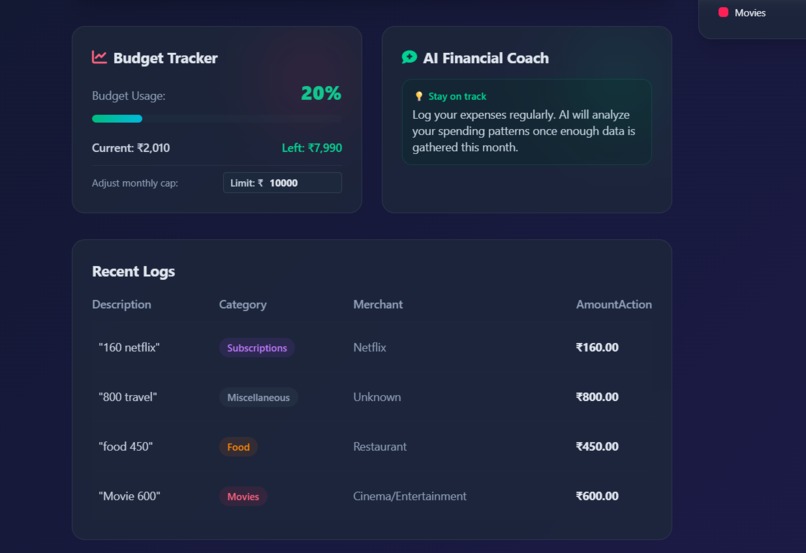
this is the interface
-
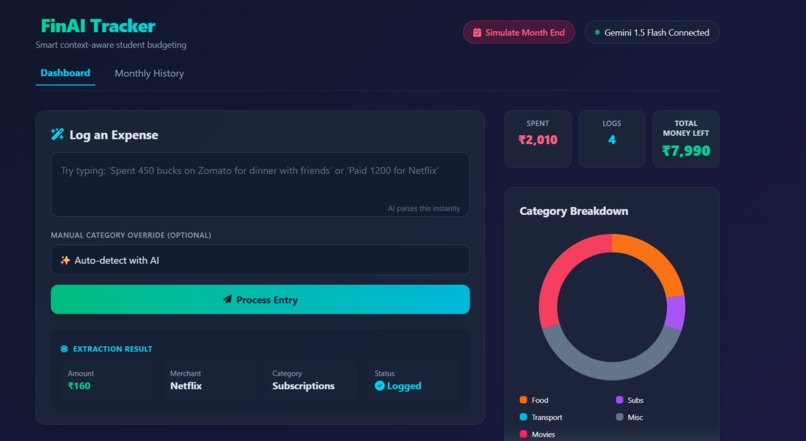
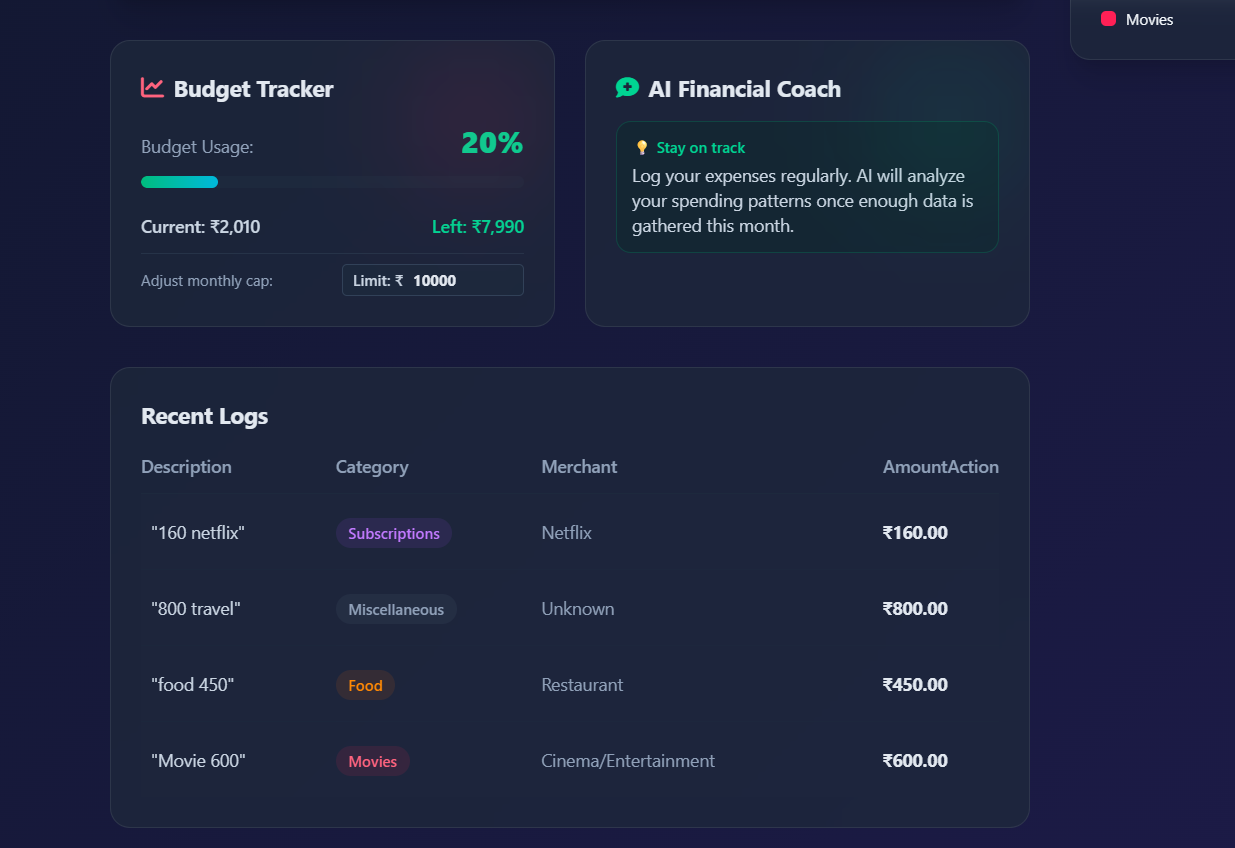
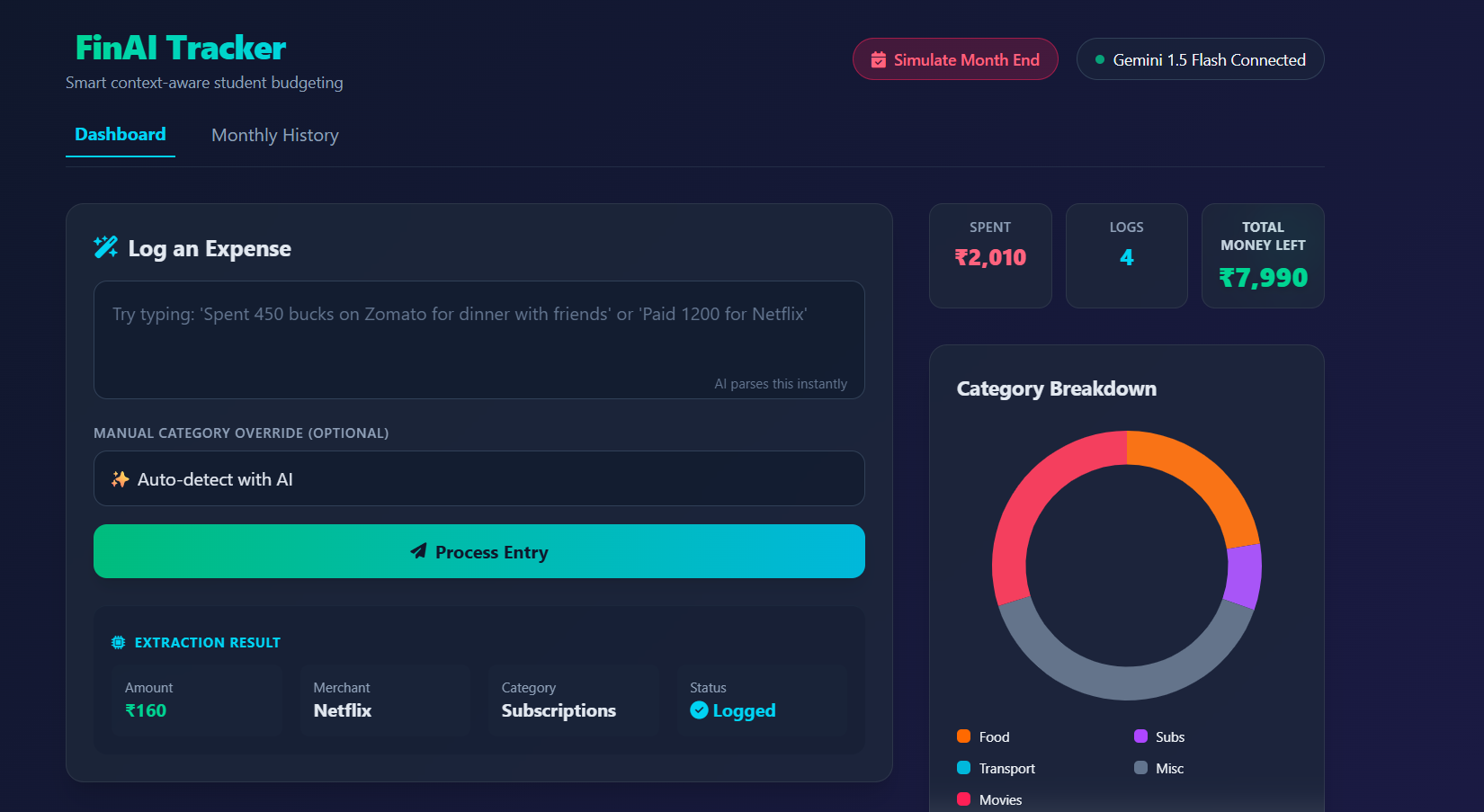
Catchy Pitch A simple student budget tracker where you just type what you spent. No confusing forms, just natural tracking.
Inspiration College students struggle to track their pocket money. Most budgeting apps have too many confusing menus and forms. We wanted to make an app that feels as easy as sending a text message. With FinAI Tracker, you just type what you bought, and the app does the rest.
What it does FinAI Tracker is a web app that acts like a smart financial helper.
Easy Typing: You can just type "Spent 500 on Zomato." The app automatically figures out the price and the category (like Food).
Instant Charts: As soon as you log an expense, a pie chart updates immediately to show where your money is going.
Budget Warnings: You set a monthly limit. If you spend too much, the "Money Left" box automatically turns from green to red to warn you.
History Saving: At the end of the month, you can click a button to save your current dashboard to a history tab and start fresh.
How we built it We focused on making the website fast and nice to look at.
Basic Setup: We used plain HTML, CSS, and JavaScript. We did not use any heavy frameworks so we could practice our core coding skills.
Design: We used Tailwind CSS to create a modern, dark-mode design.
Charts: We used a tool called Chart.js to draw the pie charts.
Smart Logic: The app uses JavaScript to search the text you type for numbers and keywords (like "Uber" or "Netflix") to automatically sort your expenses.
Challenges we ran into Updating the Screen: Making sure the total budget, the history list, and the chart all updated at the exact same time without refreshing the page was tricky.
Color Changes: Figuring out how to make the code automatically swap the colors from green to red when a user goes over their budget took some trial and error.
Mobile View: Making sure the data tables and charts looked good on small phone screens.
Accomplishments that we are proud of We are really proud of how the website looks. The design feels modern and clean. We are also proud of the smart text feature because it turns a boring chore (filling out a form) into just typing one sentence. Finally, the app feels incredibly fast because everything happens on a single page.
What we learned We learned a lot about writing complex JavaScript code. We also learned how to bring in outside tools like Chart.js to make our data look better. Overall, we learned that good design and clear colors help people understand their money better.
Built With
- css
- geminiapi
- html
- javascript
- node.js
- vscode


Log in or sign up for Devpost to join the conversation.