
ExpensePilot AI
Inspiration
Submitting expense reports is often a repetitive and time-consuming task. Employees still spend valuable time manually entering receipt information, checking merchant details, categorizing expenses, and organizing reports.
We wanted to simplify this workflow by combining OCR, AI, and government open data into a single application that turns receipts into structured expense reports in seconds.
What it does
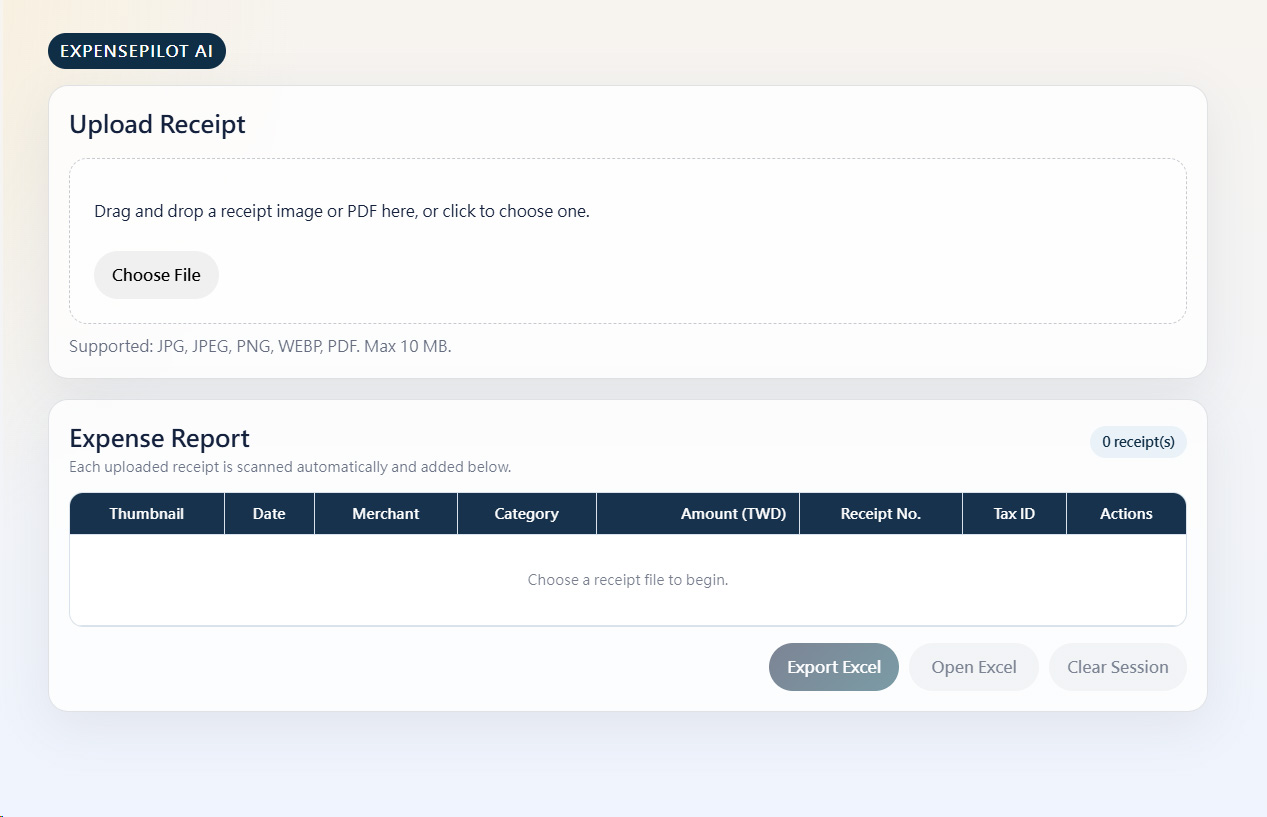
ExpensePilot AI is an AI-powered expense reporting assistant designed for Traditional Chinese receipts.
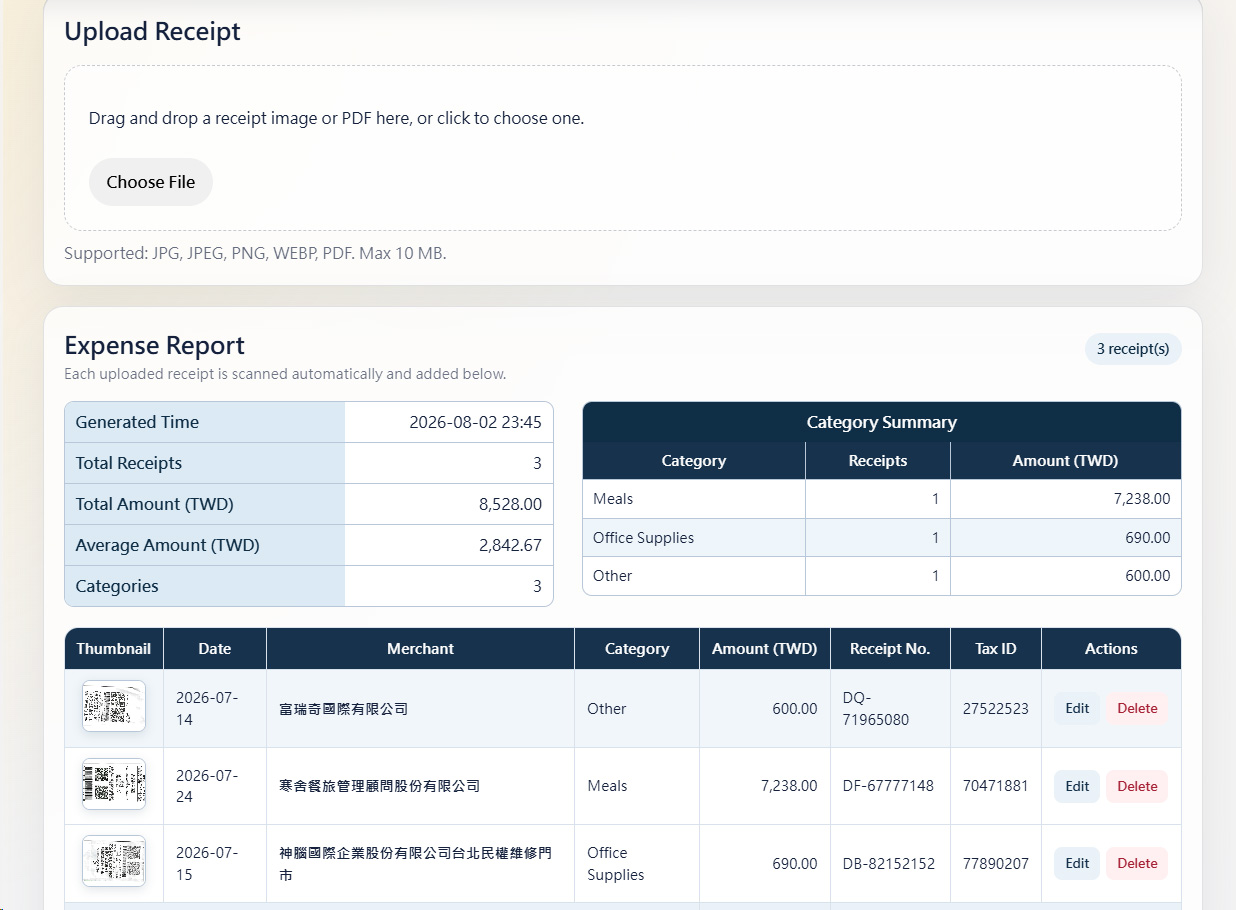
Users can upload receipt images or PDF files, and the system automatically:
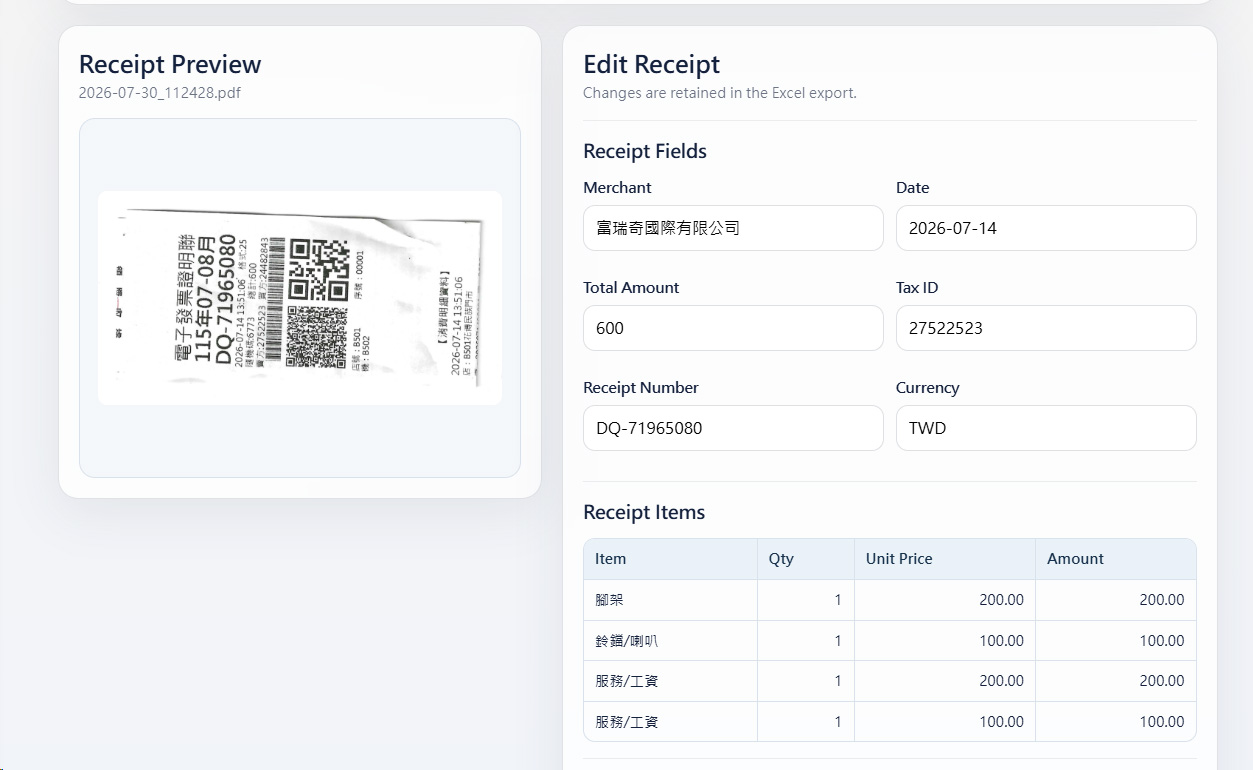
- Extracts receipt information using OCR
- Recognizes merchant, date, receipt number, and amount
- Categorizes expenses using Gemini AI
- Verifies merchants with Taiwan Government Open Data
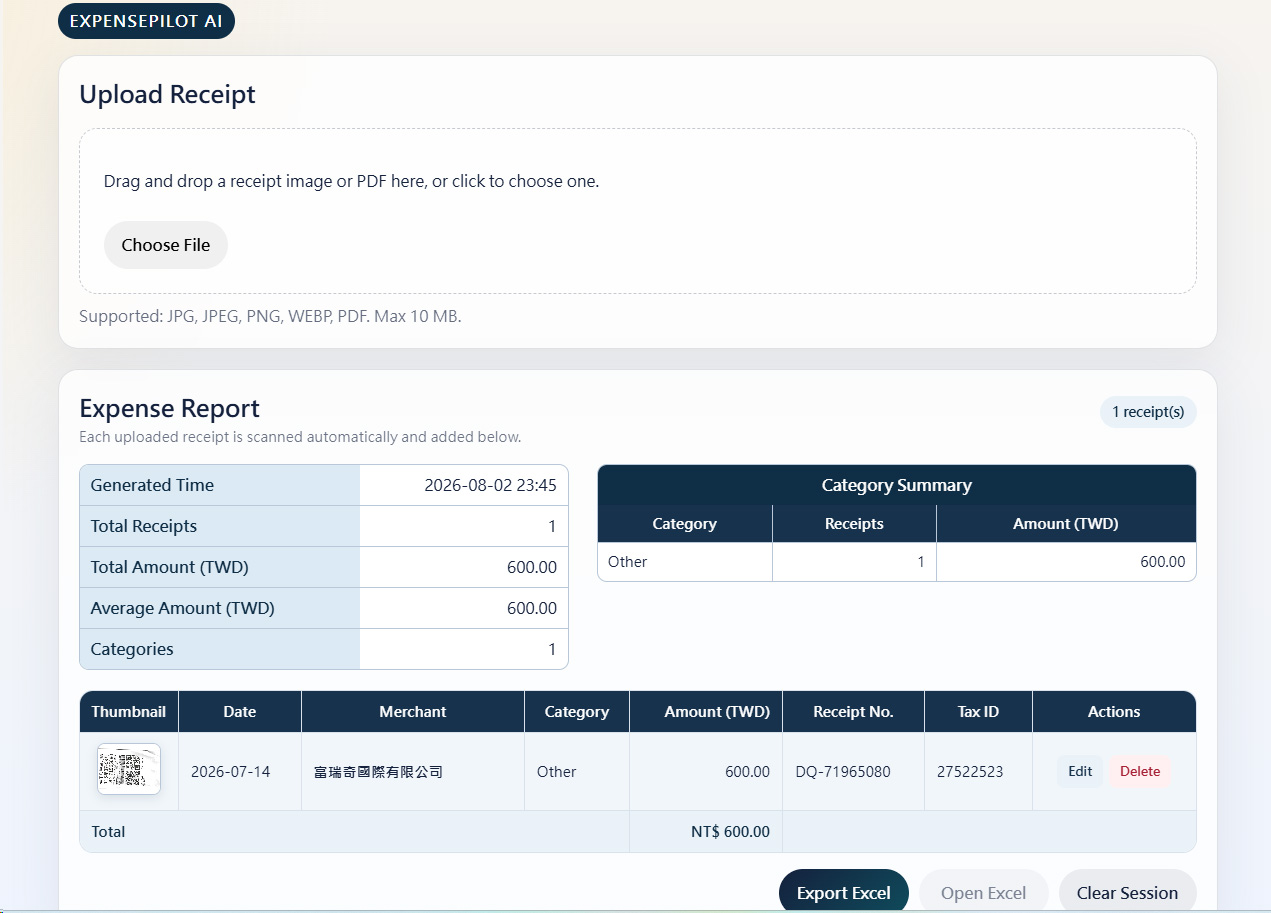
- Organizes multiple receipts in one workspace
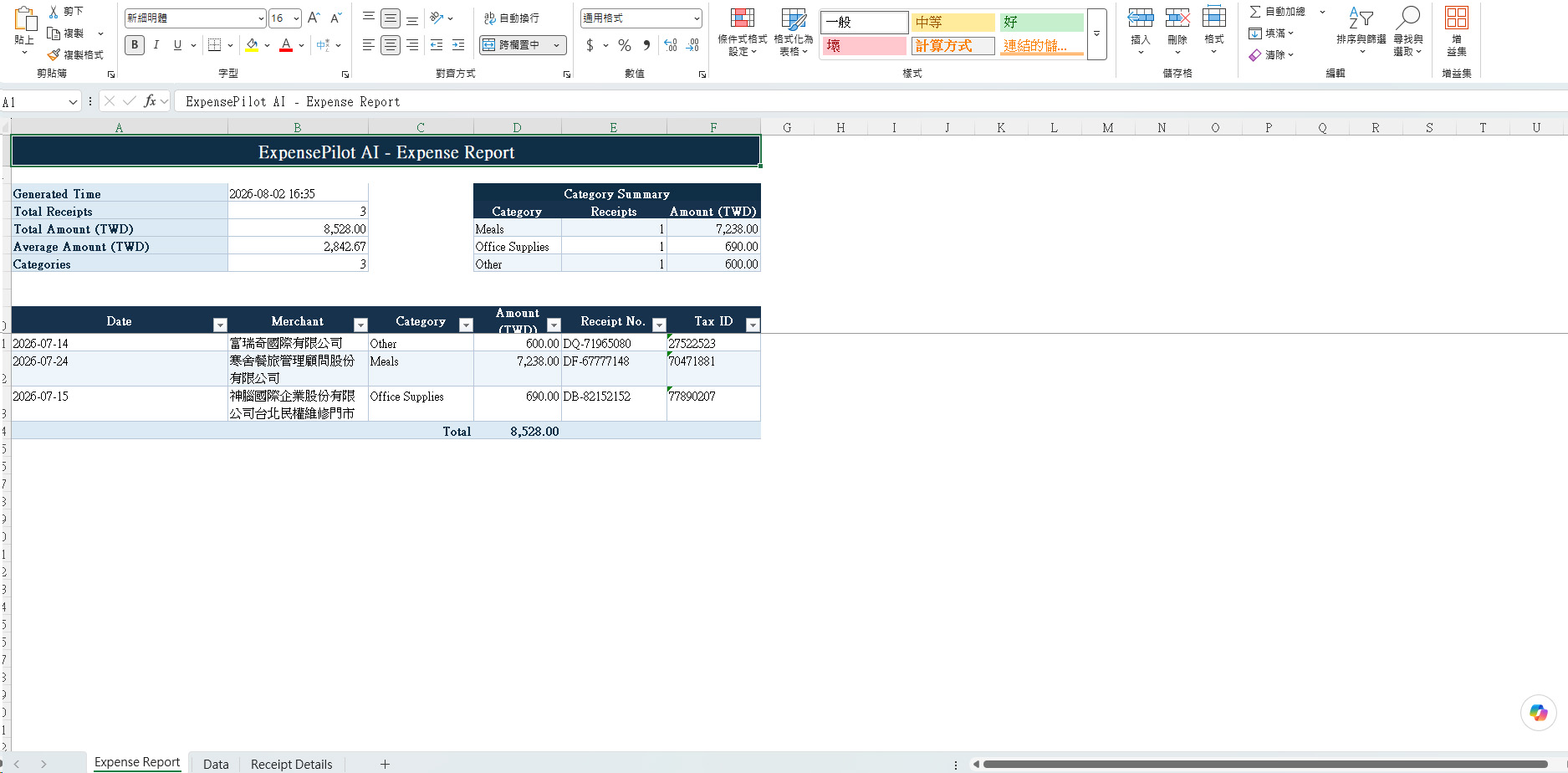
- Exports a structured Excel expense report
The goal is to reduce manual work while improving the accuracy and efficiency of expense reporting.
How we built it
ExpensePilot AI combines several technologies into one workflow.
Frontend:
- Vue 3
- Vite
Backend:
- Python
- FastAPI
AI & OCR:
- PaddleOCR
- Google Gemini
Data:
- Taiwan Government Open Data API
Export:
- openpyxl (Excel)
The application supports both mobile devices (PWA) and desktop browsers.
Challenges we ran into
One of our biggest challenges was handling Traditional Chinese receipts from different merchants.
Receipt layouts vary significantly, making OCR extraction difficult. We also needed to clean and organize OCR results before sending them to Gemini for AI analysis.
Another challenge was verifying merchant information accurately using government open data while keeping the workflow responsive and user-friendly.
Accomplishments that we're proud of
We successfully built a working prototype that demonstrates the complete expense reporting workflow.
Our application can:
- Process Traditional Chinese receipts
- Support image and PDF uploads
- Use AI to categorize expenses
- Verify merchants automatically
- Export organized Excel expense reports
Most importantly, the system works across both desktop and mobile devices.
What we learned
This project helped us better understand how OCR, LLMs, APIs, and frontend/backend integration can work together to solve a real business problem.
We also learned the importance of designing a workflow that is not only technically functional but also practical for everyday users.
What's next for ExpensePilot AI
Future improvements include:
- Batch processing for larger expense reports
- Company reimbursement policy checking
- ERP integration
- Cloud synchronization across devices
- Support for additional receipt formats and languages
