-
-
logo
-
teaser
-
-
-
-
-
-
-
-
-
-
-
-
Inspiration
Most money apps want your bank login, your spending habits, or your attention for ads. We were tired of that trade: “track your expenses” quietly becoming “give us a profile of how you live.”
I wanted something we could hand to a family member without worrying what it was doing in the background. Fast enough to log a coffee in a few taps. Honest enough to show a real budget. And clear about one rule: your data stays on your device unless you decide otherwise.
That became Expense Trail — a privacy-first expense tracker for iOS, Android, and the web. No ads. No account required. No selling of spending data. Guest mode is the full product, not a teaser.
What it does
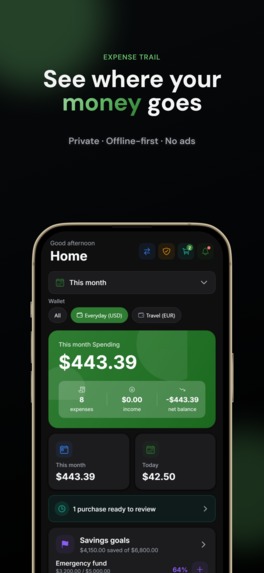
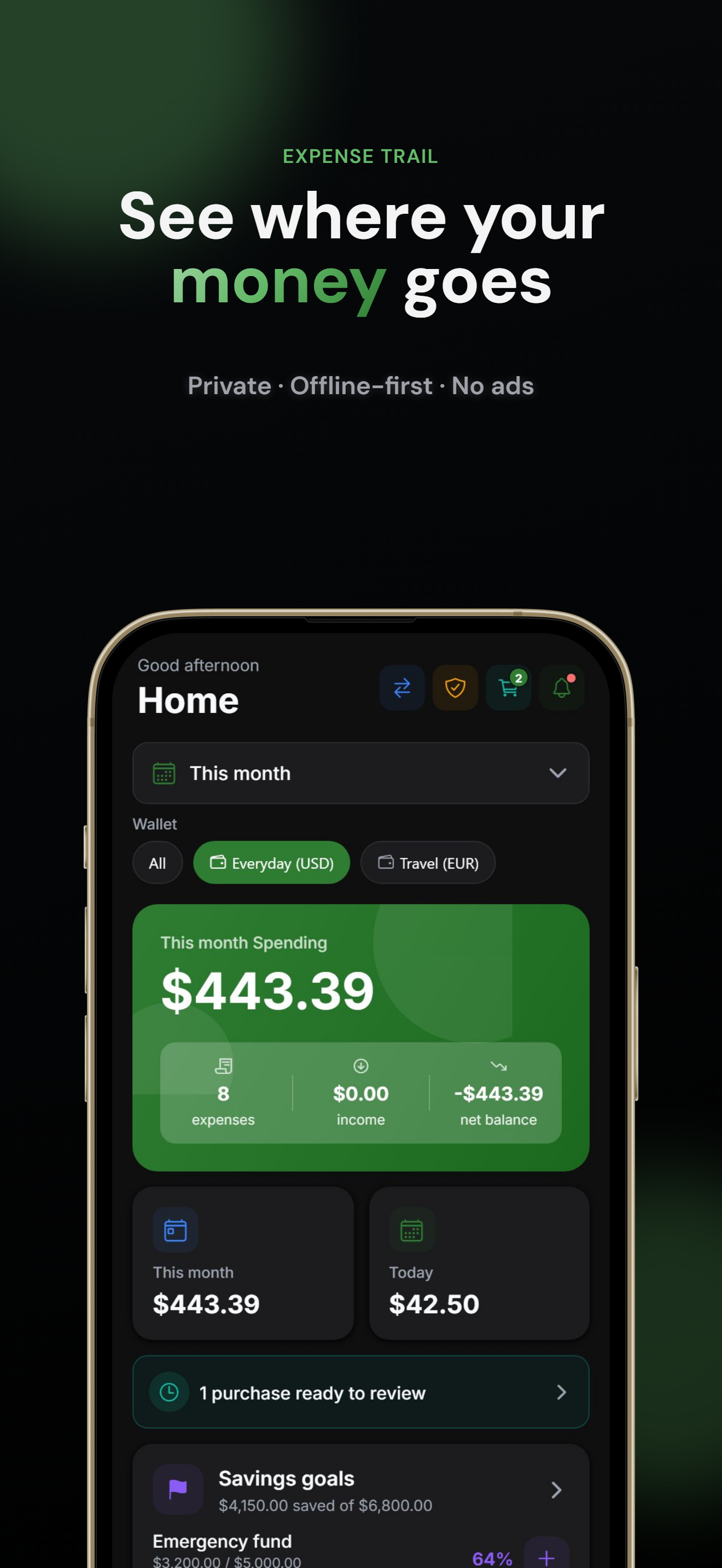
Expense Trail gives you a private view of where money goes — then optional tools when you want more.
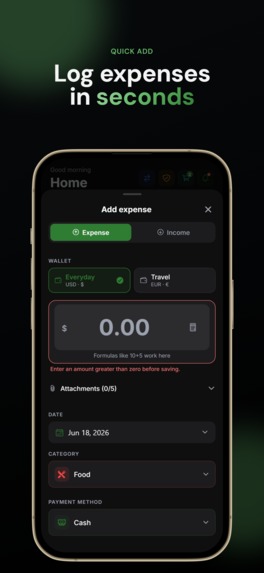
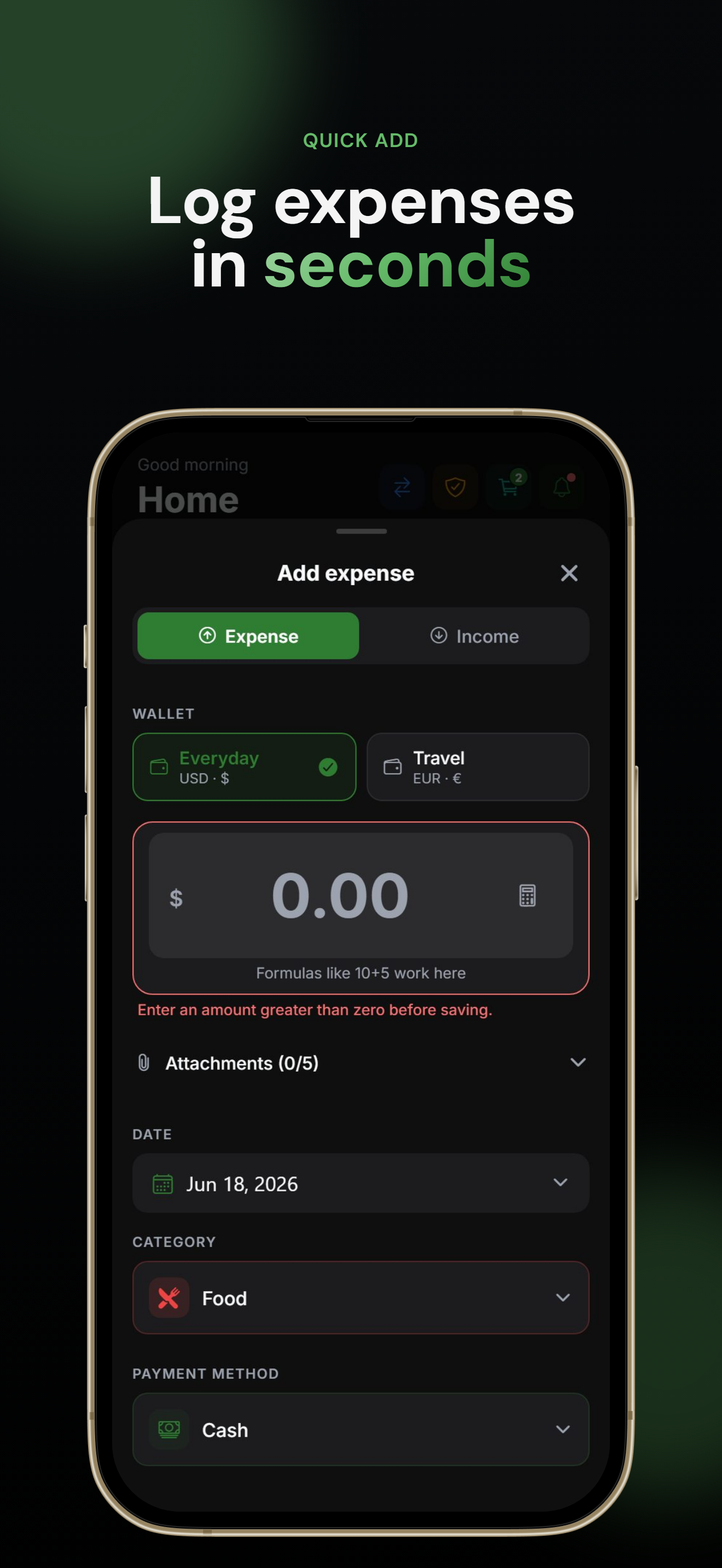
Log in seconds. Add an expense or income with category, payment method, notes, tags, a custom date, and an optional receipt photo. Move money between wallets with multi-currency support. Search, filter, sort, and export to CSV or JSON.
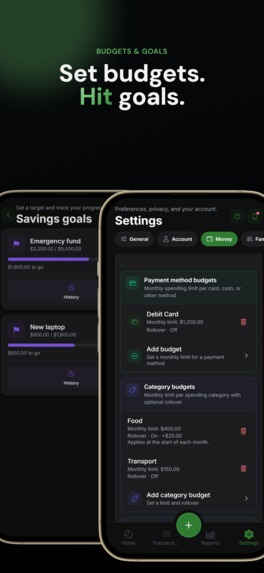
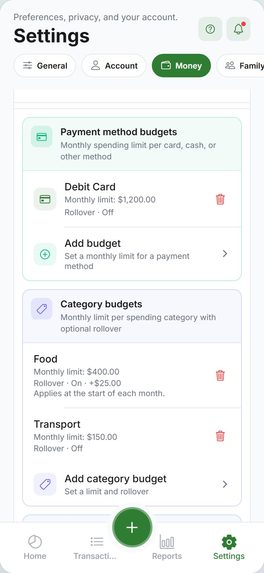
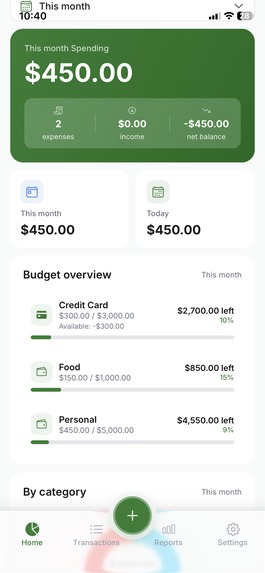
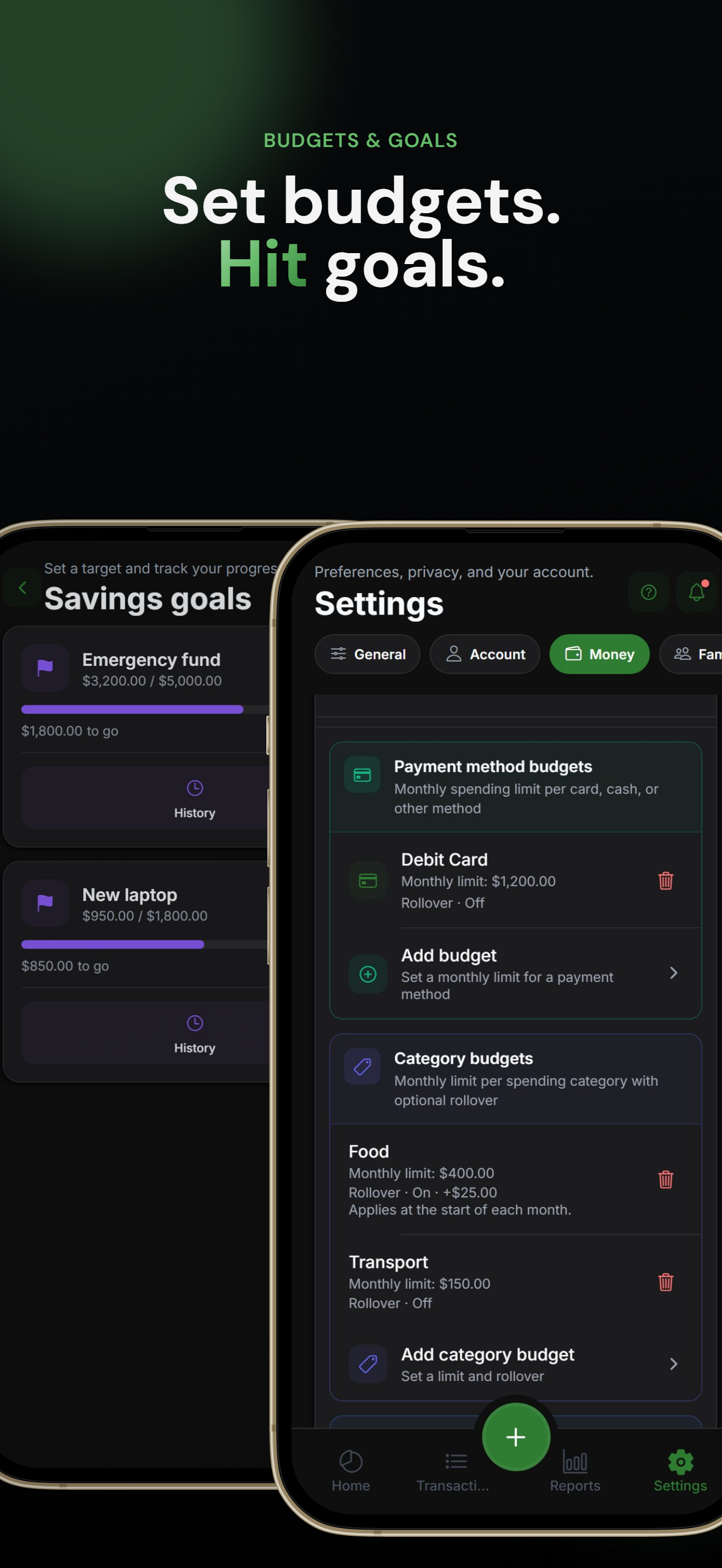
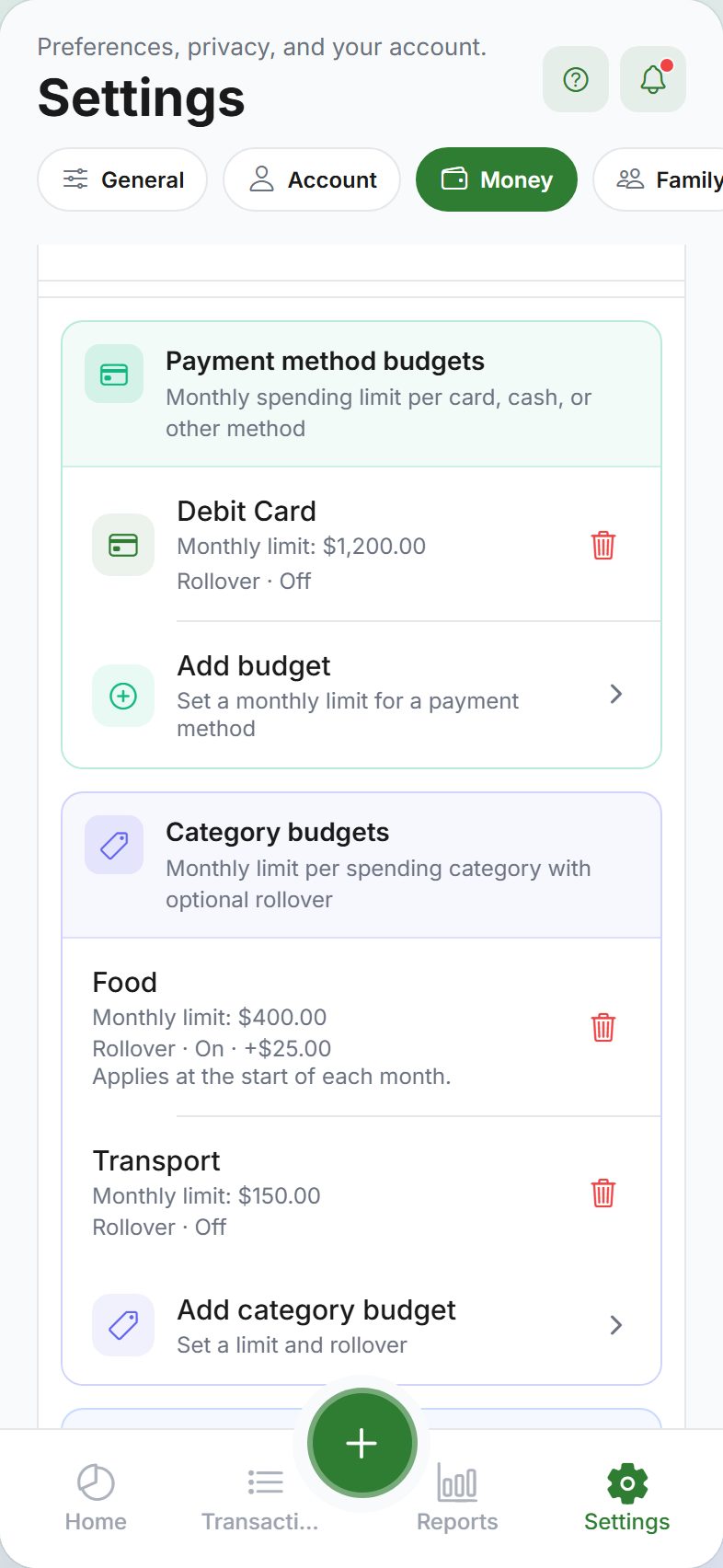
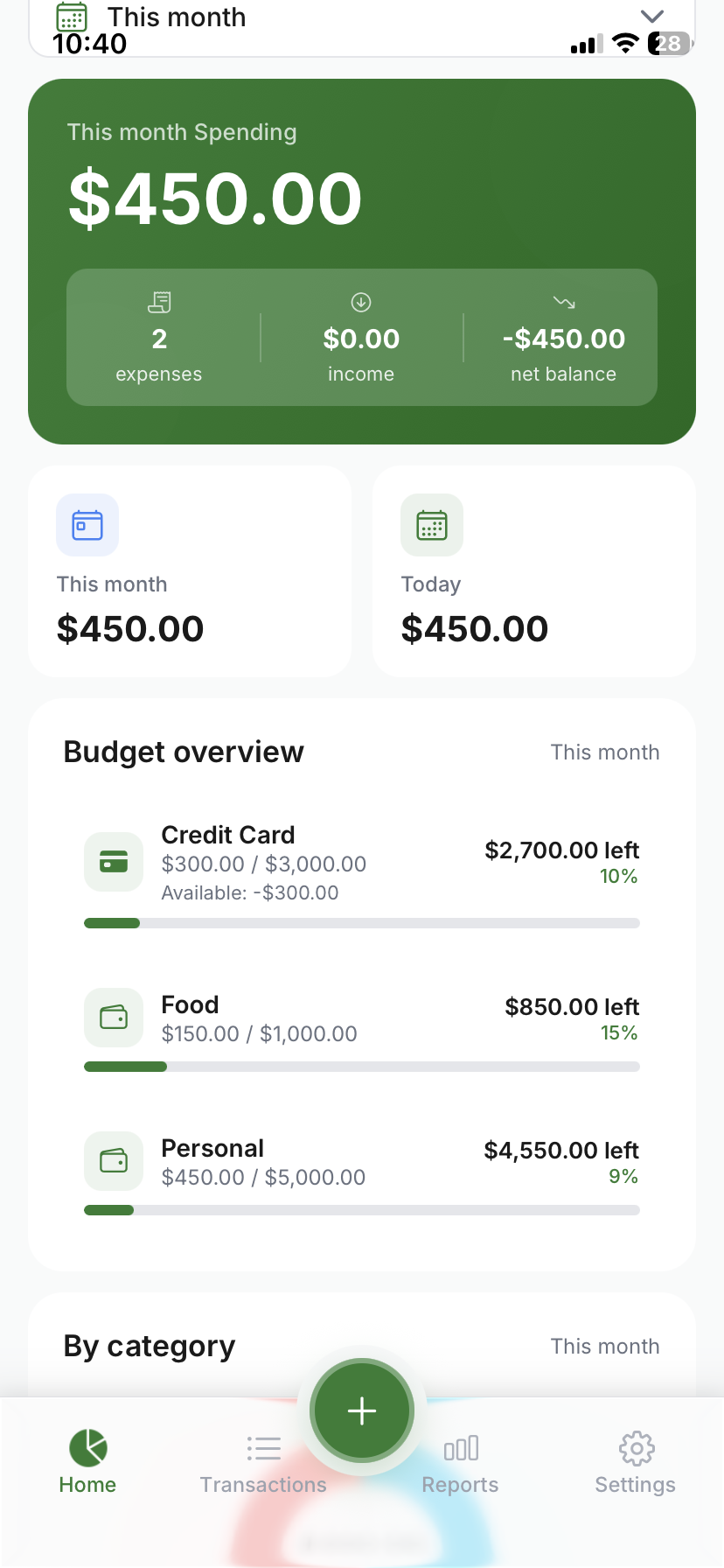
Budgets that warn you before you overspend. Set monthly limits by category, payment method, or wallet. Track a no-spend streak for days without discretionary spending.
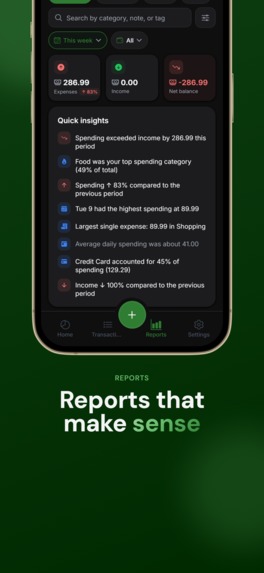
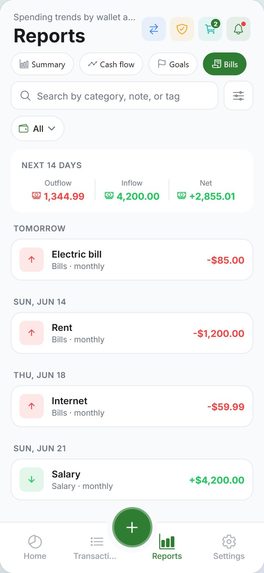
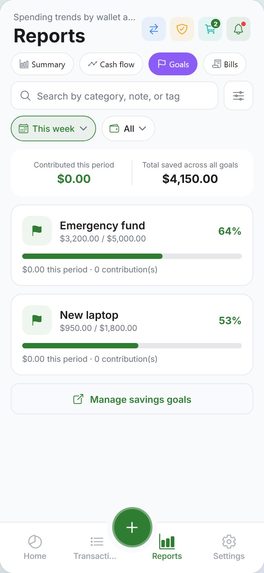
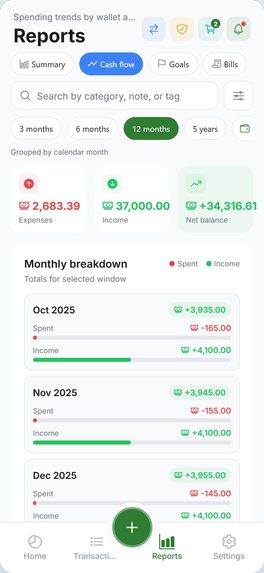
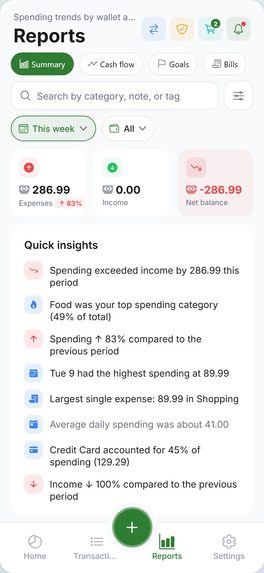
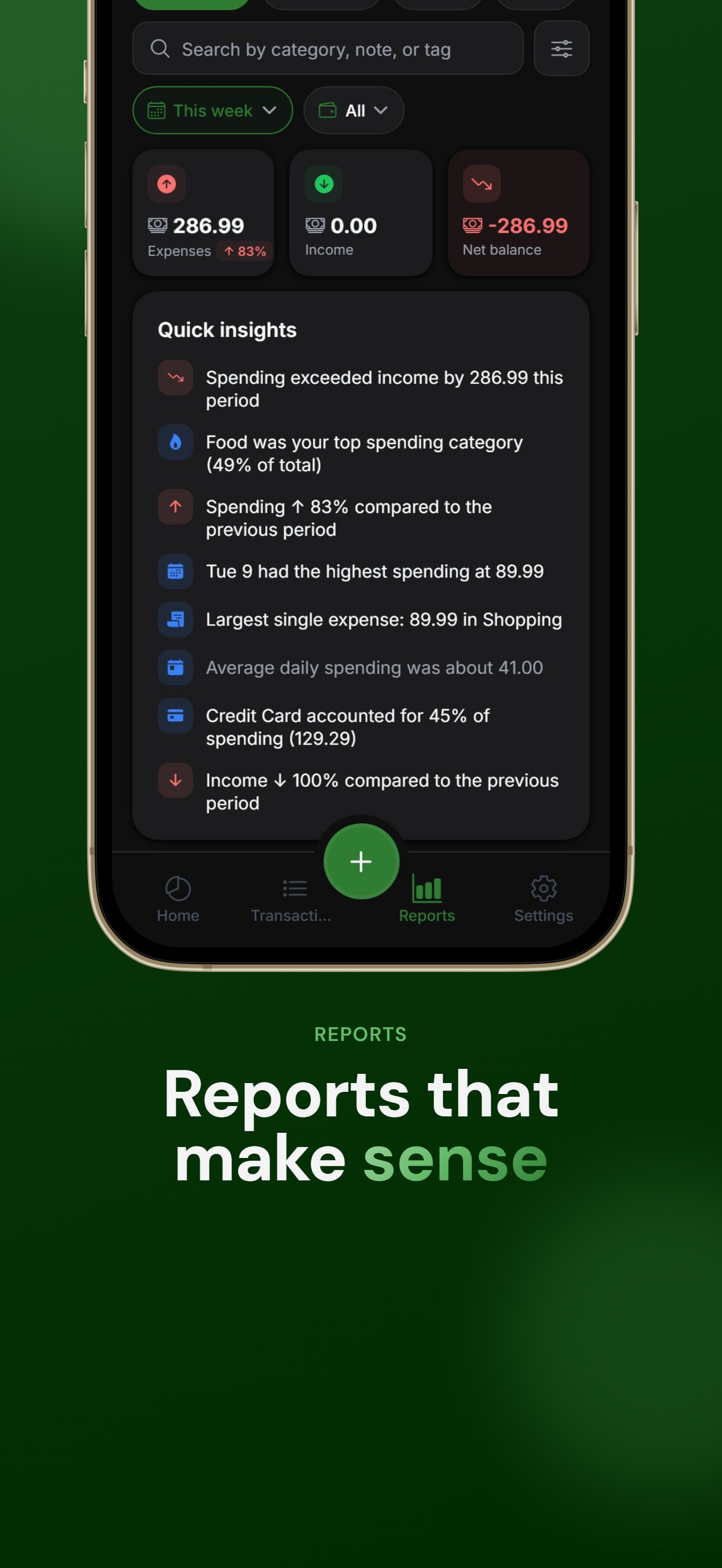
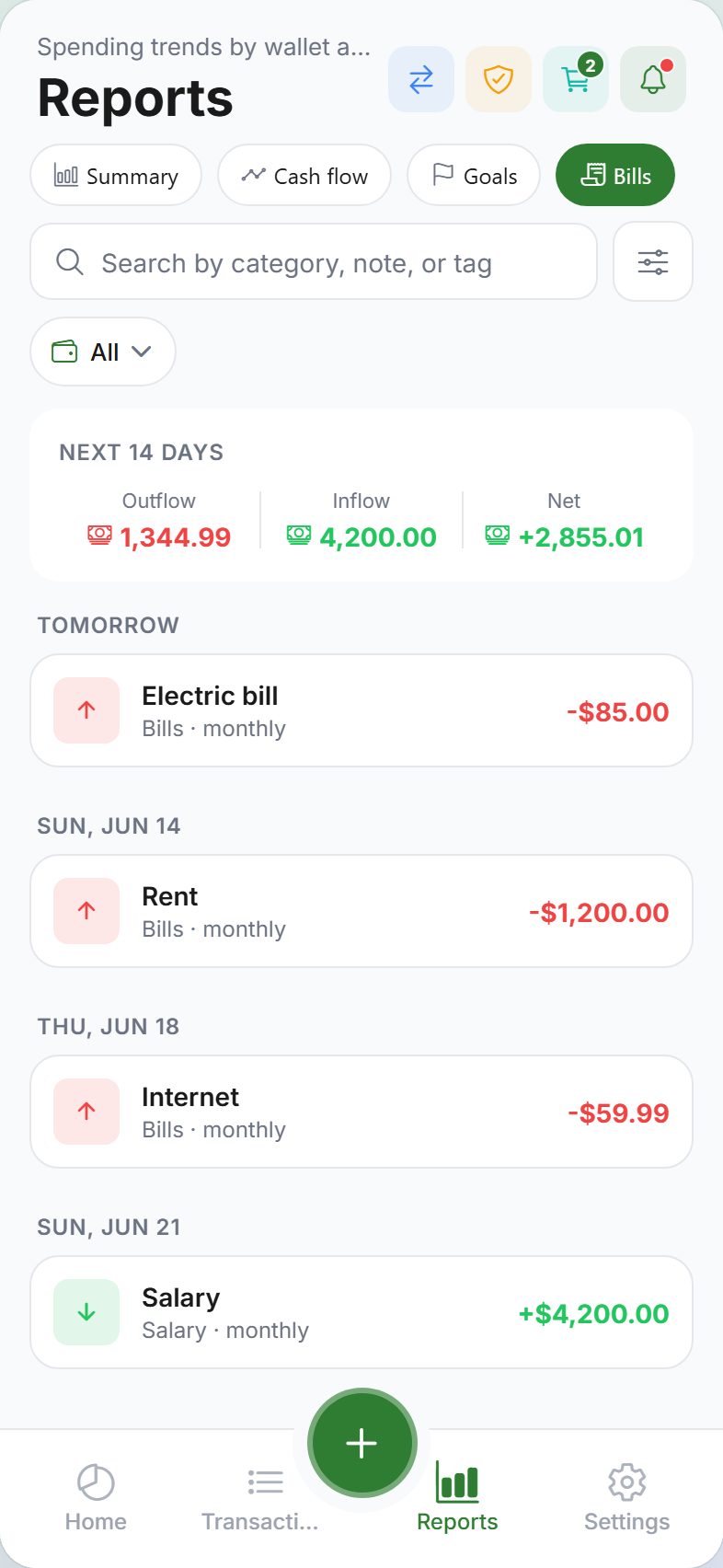
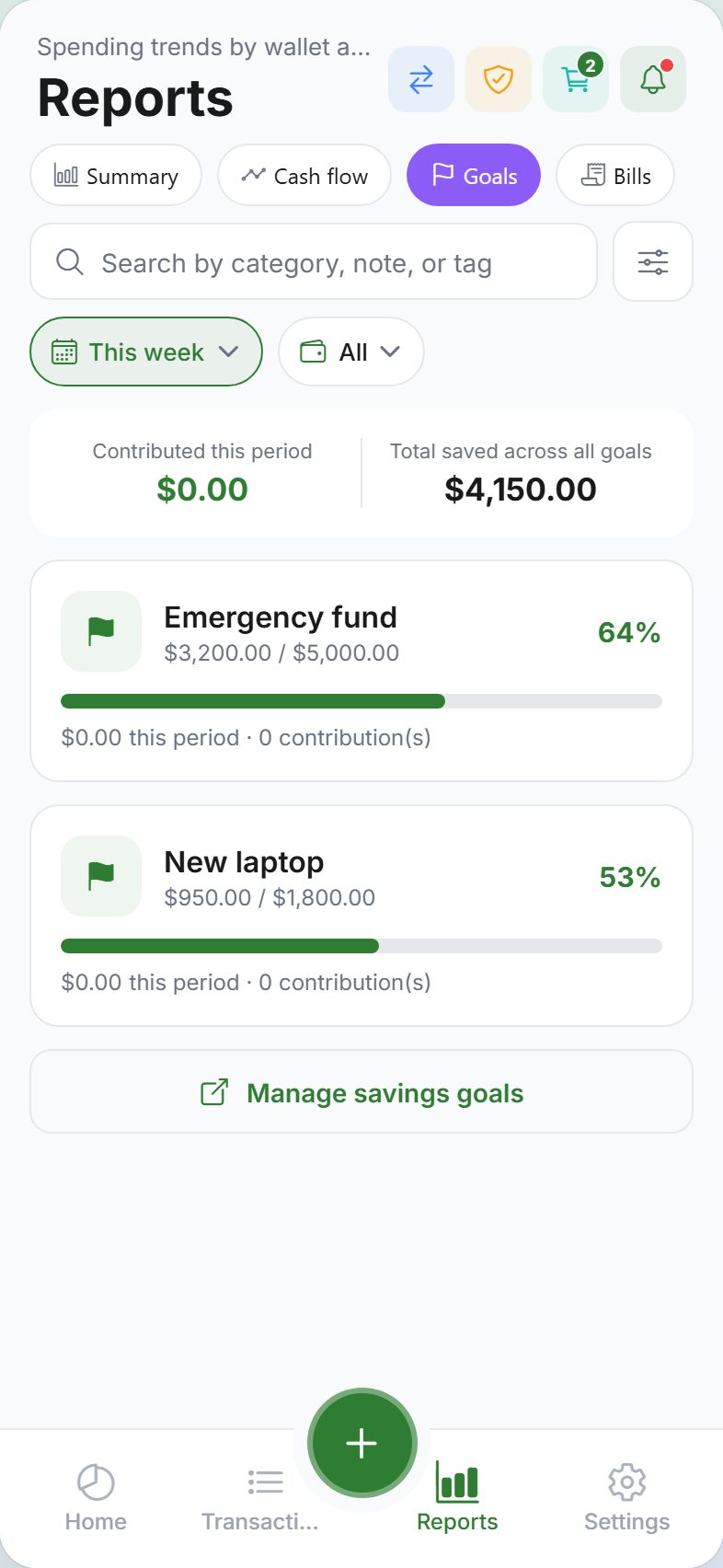
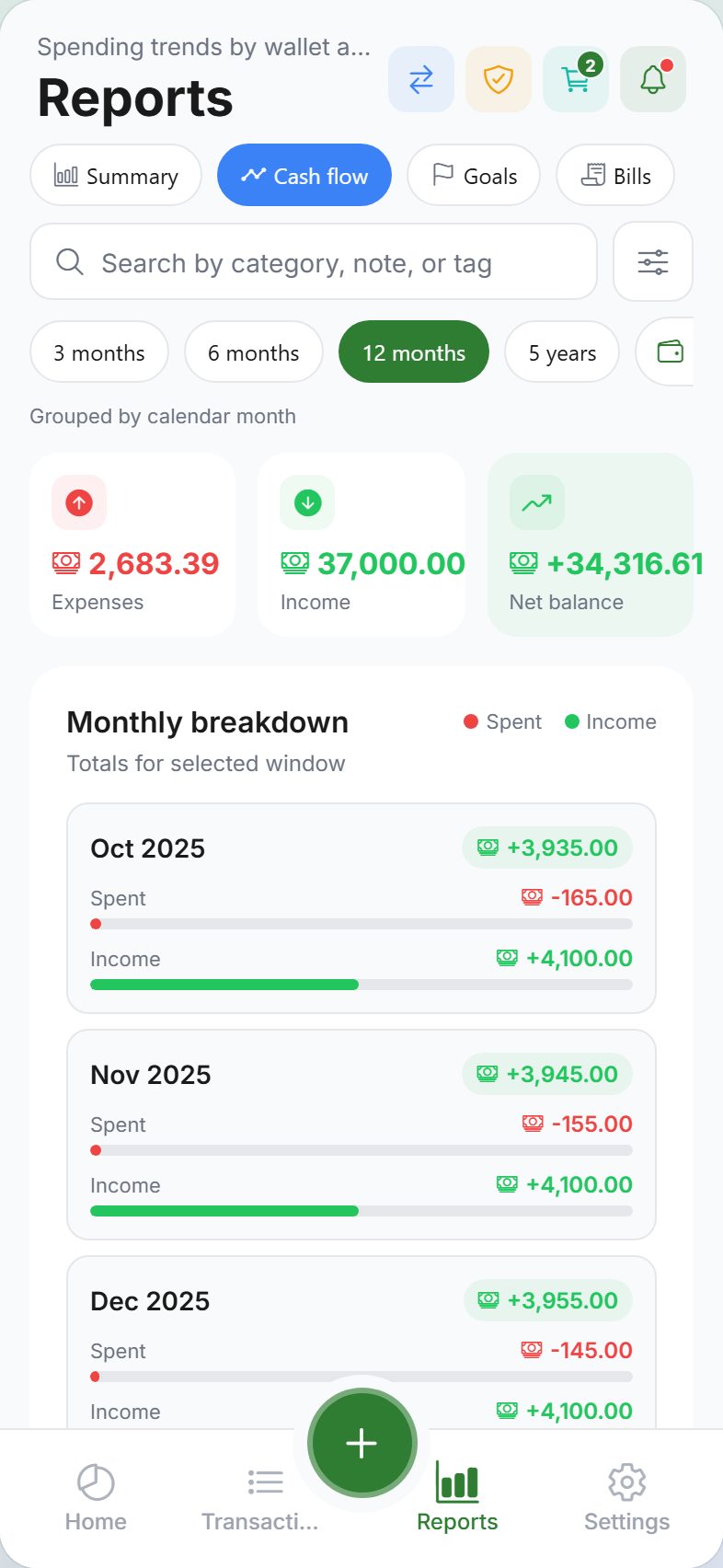
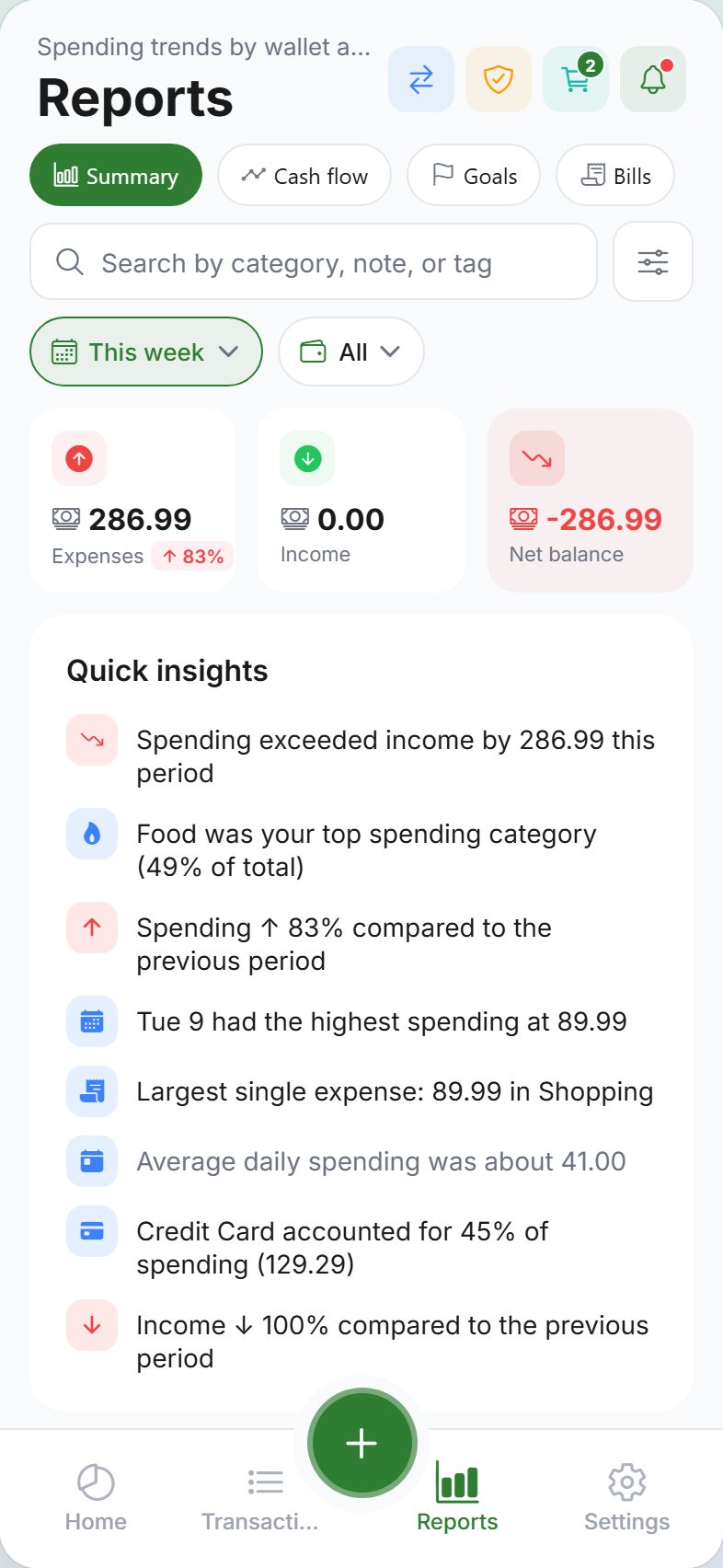
Reports that explain patterns. Summary (daily / weekly / monthly, top categories, budget use, period-over-period). Cash flow for long-term trends when cloud sync is on. Goals in one place. A 14-day bill calendar of upcoming scheduled expenses and income.
Planning tools. Multiple wallets with opening balances. Savings goals with milestones and deadlines. Recurring entries (daily, weekly, monthly, yearly). A 48-hour purchase wishlist to slow impulse buys. Balance adjustments when the numbers don’t match.
Split without a shared account. TRAIL- invite codes or QR codes connect contacts. Track who owes what, settle up in-app, and share a household ledger when cloud sync is on.
Reminders you control. Budget alerts, logging nudges, weekly/monthly summaries, goal milestones, bill reminders, split settle-up prompts — and location reminders when you arrive at or leave a saved place. Location is processed on-device and never leaves the phone.
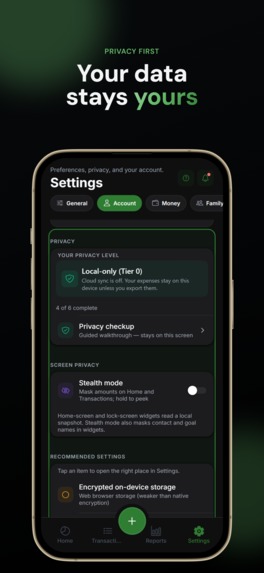
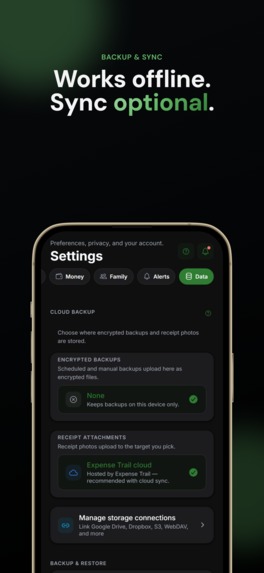
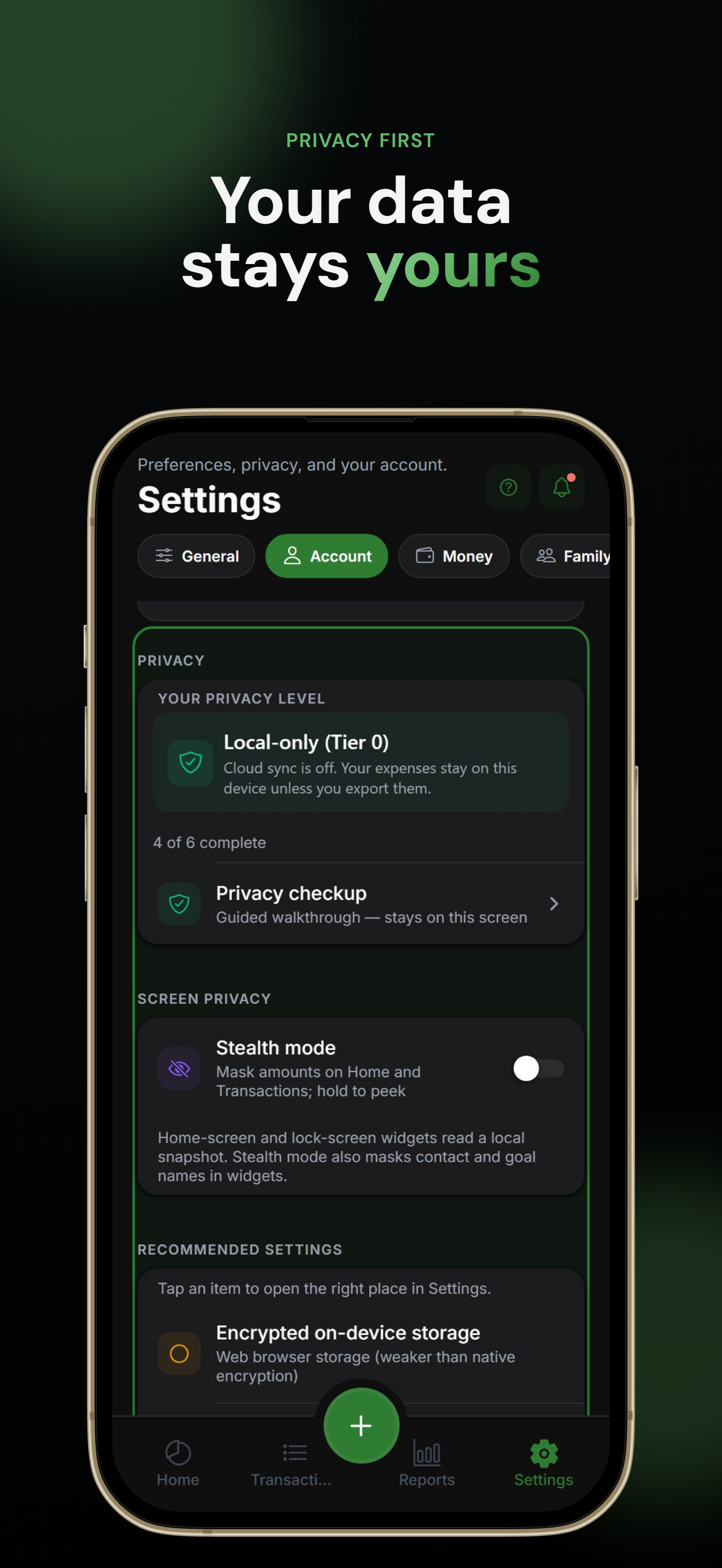
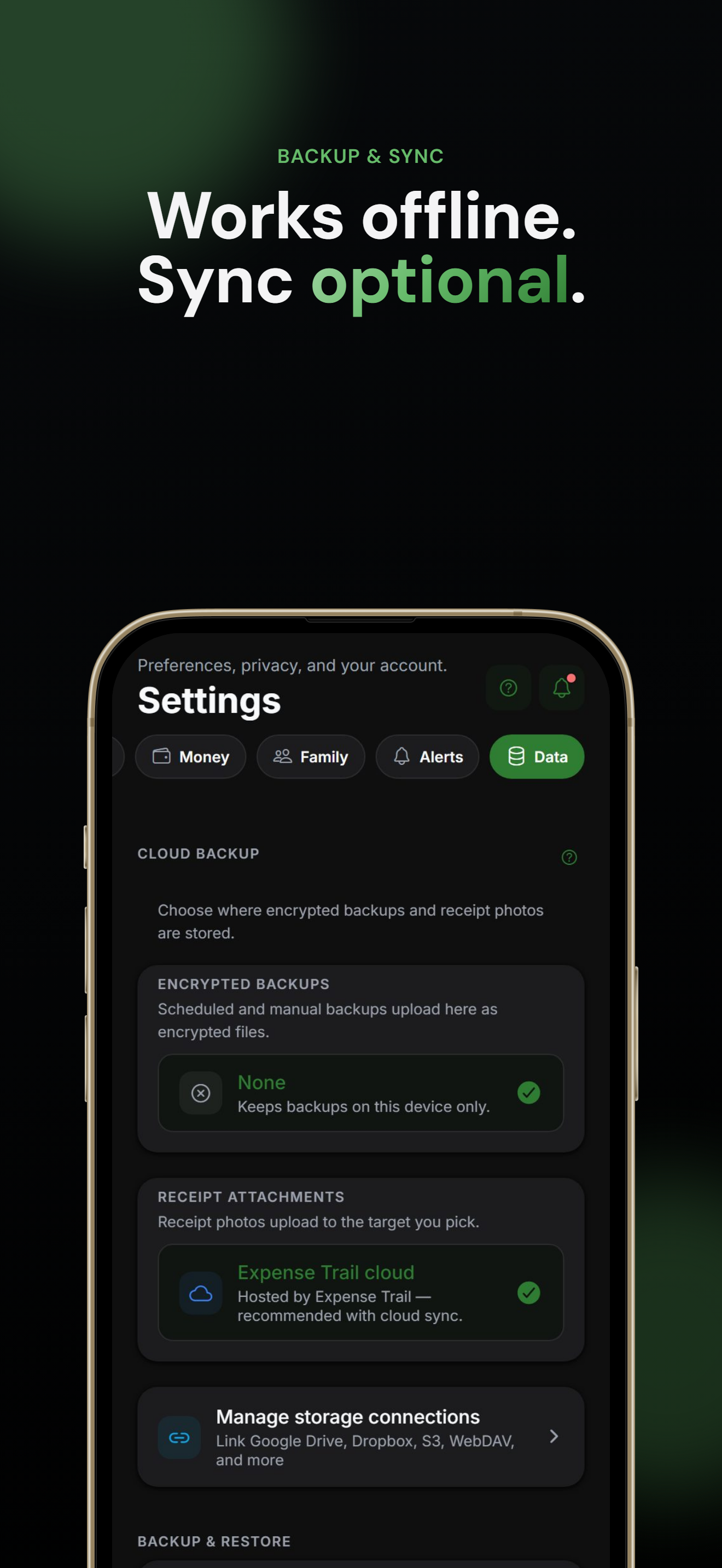
Your data, your control. Password-encrypted backups. Optional 12-word recovery phrase for end-to-end encrypted cloud sync. Automated backups to Google Drive, Dropbox, WebDAV, S3, and more. LAN sync on the same Wi-Fi with no internet. PIN lock, Face ID / Touch ID, stealth mode (hides amounts), and screenshot blocking.
Start in under a minute. Reports are free. Enable sync only when you want it.
How we built it
Expense Trail is a pnpm + Turborepo monorepo, not a single app with a backend bolted on.
- Mobile & dashboard: Expo Router (SDK 56) for iOS, Android, and a web PWA. Feature-first layout (
features/,lib/,shared/), TanStack Query, and a design system of theme tokens — no Tailwind on native. - Local-first data: SQLCipher on native (key in SecureStore). An owner-scoped offline queue so guest and signed-in users can keep working offline, then reconnect in a defined order (preferences → pending entities → invalidation).
- API: Express 5 REST at
/api/v1. OpenAPI is the contract; Orval generates Zod for the server and React Query hooks for the app. Drizzle talks to Postgres in production and SQLite in tests so CI does not need a live database. - Optional cloud: Cloud backup, multi-device sync, and household sharing are opt-in. E2EE mode stores ciphertext on the server; the 12-word phrase never leaves the user. BYOS credentials are encrypted at rest with per-user keys; secrets never appear in API responses.
- LAN sync: Peers pair with a 6-digit code plus ECDH; payloads use AES-256-GCM. Native uses pinned HTTPS; the blob stays encrypted even on web.
- The rest of the product: Vite marketing site, Fumadocs user guide, Next.js admin console, 14 locales (including Arabic and Urdu RTL), structured logging (Pino + request IDs), and
pnpm verify(migrations → typecheck → tests → build) after every change.
Privacy is a product surface, not a settings graveyard: guest mode, Privacy Checkup, consent versions, generic vs detailed lock-screen push, and a rule that existing features stay free forever.
Challenges we ran into
Three data planes at once. Offline guest, standard cloud sync, and E2EE cannot share one naive “just POST the JSON” path. Reconnect order, dirty-flag preferences, and “server must not decrypt E2EE aggregates” all had to stay consistent. Goal milestone pushes, for example, run on the server for standard sync and locally after decrypt for E2EE users.
Offline is the default, not a fallback. Recurring entries run on app open, not a silent server cron that creates expenses. The pending queue had to migrate from expense-only to wallets, goals, transfers, and more — then merge a guest device into a user namespace on sign-in without double-applying ops.
Native vs Expo Go. SQLCipher, LAN TCP + TLS pinning, and geofences need a prebuild / dev client. Web cannot host inbound LAN TLS, so we kept the sync blob encrypted and documented the trade-off instead of pretending parity.
Serverless vs always-on. In-process cron works on a VM; Vercel needs CRON_DISABLED and authenticated HTTP buckets. Rate limits, consent retention, and push all had to work in both worlds.
Privacy that still feels useful. Stealth mode, screenshot blocking, and generic push copy fight the instinct to show amounts everywhere (widgets, notifications, celebrations). We chose “never leak amounts” over flashy social proof.
Fourteen languages, no translation mill. Every new string is edited in locale JSON by hand so placeholders stay intact and RTL is real, not an afterthought.
Accomplishments that we're proud of
- A complete finance app that does not require an account. Guest mode is the full ledger, budgets, reports, goals, split, and exports.
- End-to-end encrypted sync you can explain. A 12-word recovery phrase, ENC4 backups, and a server that is designed not to read E2EE ledgers.
- LAN sync that never touches the internet. Pairing, ephemeral keys, and AES-GCM on the local network.
- Bring-your-own storage. Attachments and backups can go to your Drive, Dropbox, WebDAV, or S3 — credentials encrypted, never returned on GET.
- Split without a shared login. TRAIL- codes and QR, settle-up in-app, household ledger only when you opt into cloud.
- On-device location reminders with a store story that matches the code: location does not leave the phone.
- A production-shaped monorepo: OpenAPI → codegen, dual-dialect tests, five deployable surfaces (marketing, API, dashboard, guides, admin), and 14 locales including RTL.
- Free core as a hard rule. New AI capability may become premium later; nothing that ships today gets locked away to force an upgrade.
What we learned
Privacy is an architecture, not a paragraph in the privacy policy. Guest vs cloud vs E2EE changes query paths, push, reports, and even what the API is allowed to compute. If you add a “smart” server feature later, E2EE users must still work locally.
OpenAPI-first pays for itself. One spec driving Zod and the mobile client beats three hand-kept types drifting apart.
Offline queues are product design. Retry, owner scoping, and “don’t apply GET while a reconnect is in flight” are UX bugs when they fail — not just sync bugs.
Constraints make a calmer app. Four tabs, one global add sheet, stack routes for optional tools. Extra tabs and parallel create flows would have been easier short-term and worse to live in.
i18n and RTL are features. Shipping Arabic and Urdu correctly forced layout, numbers, and copy discipline that English-only apps skip.
Trust is the product. PIN, stealth, encrypted export, and a one-tap account delete are not extras; they are why someone might actually put real money data in the app.
What's next for Expense Trail
The core stays free and local-first. Next work is intelligence that does not become a new data harvest.
- On-device AI (opt-in): clipboard text already parses into a draft. Next: receipt OCR, voice, smarter categorization, and a local assistant — financial semantics on device, cloud AI only with explicit consent, never a raw ledger sent to a model. Manual entry never blocks. Premium, if it exists, is new AI capability, not a lock on today’s features.
- A home screen that answers three questions: How am I doing? What happened recently? What should I do next? Customizable dashboard blocks, synced as preferences when cloud is on.
- Private wins, not leaderboards. Streaks, goal milestones, and feature discovery — no public scores, no dollar-amount “high scores.”
- Native polish: widgets, quick actions, and platform feel on iOS and Android without breaking the PWA.
- Keep the exits. Portable exports, BYOS, LAN sync, and account deletion stay first-class. The goal is software you can leave with — and still choose to stay.


Log in or sign up for Devpost to join the conversation.