-
-
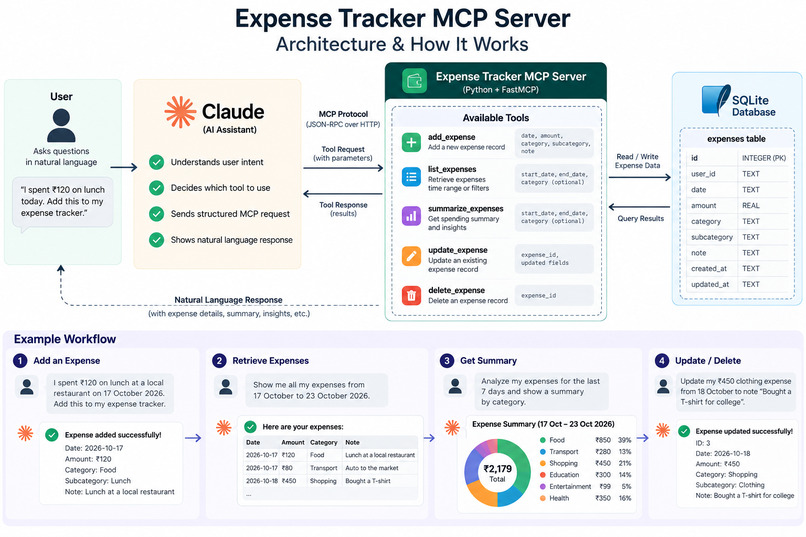
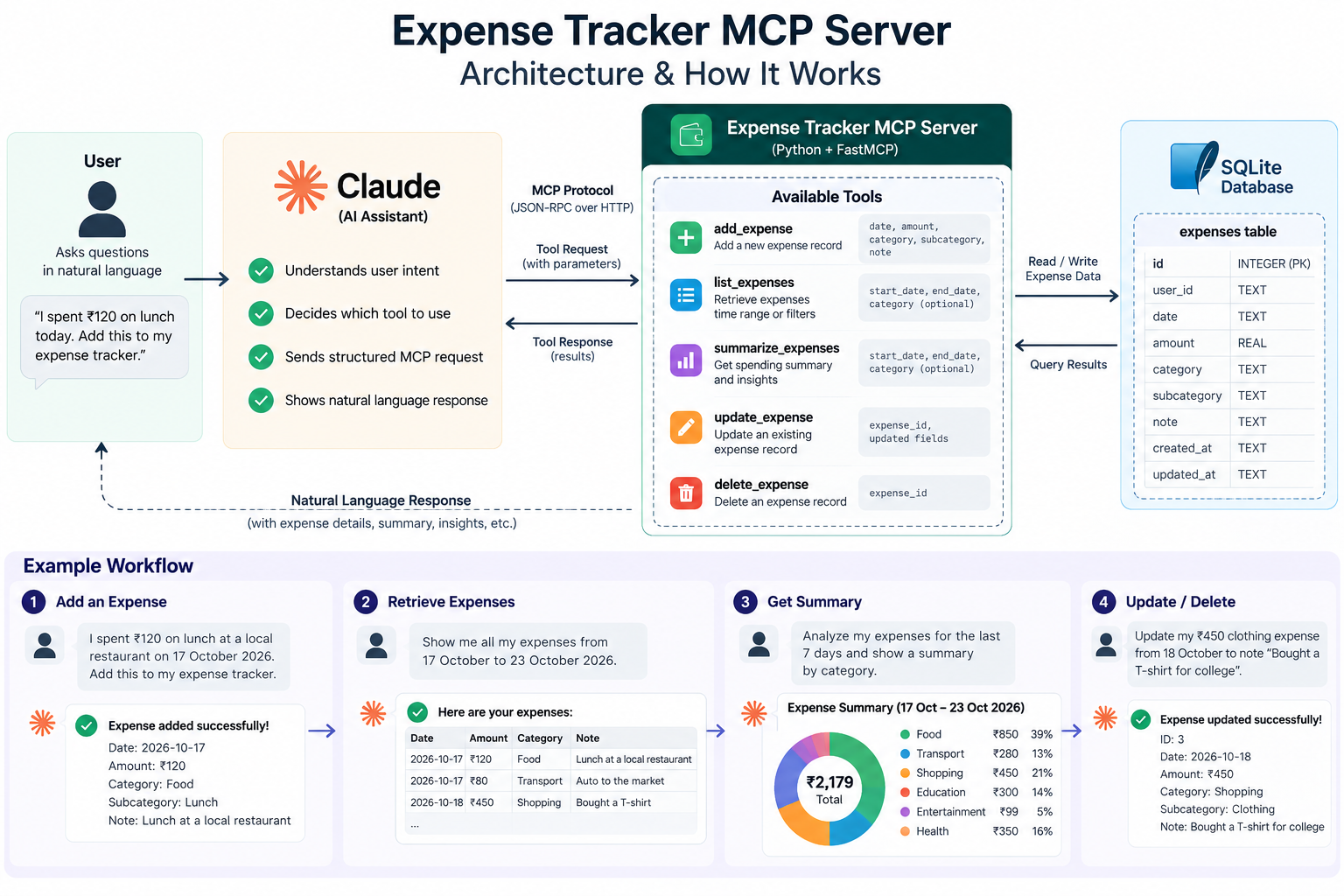
Complete Architecture diagram & How It Works
-
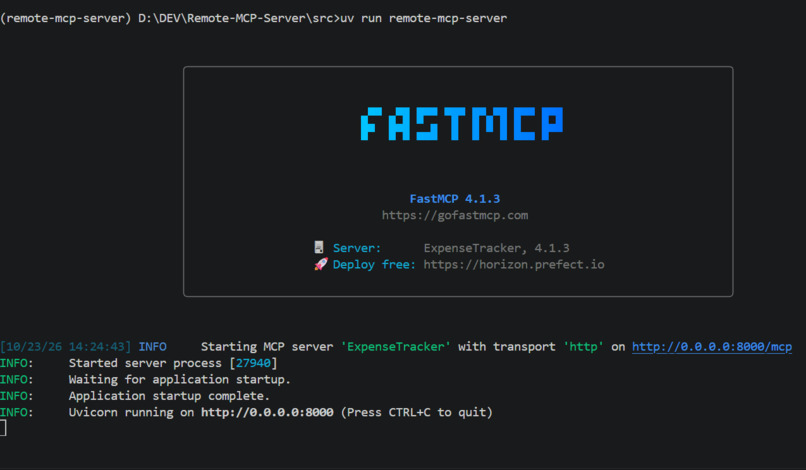
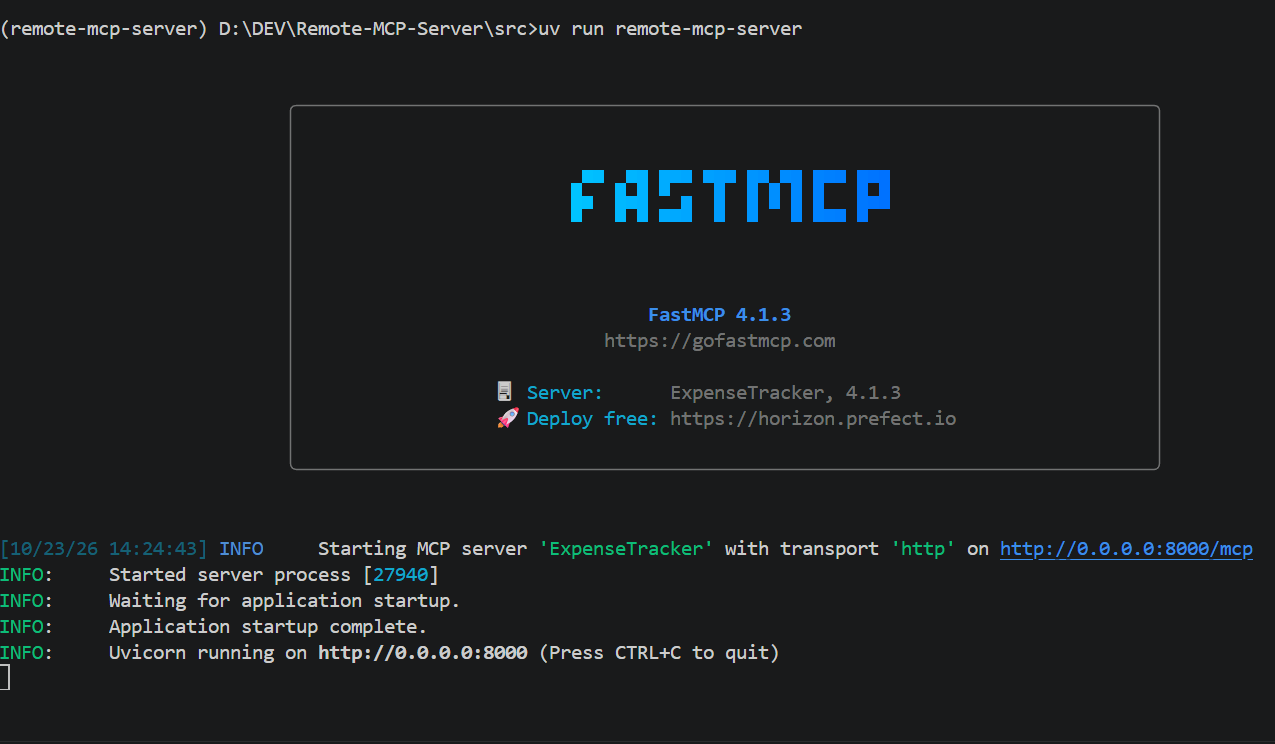
My Expense Tracker Running Locally on My Terminal
-
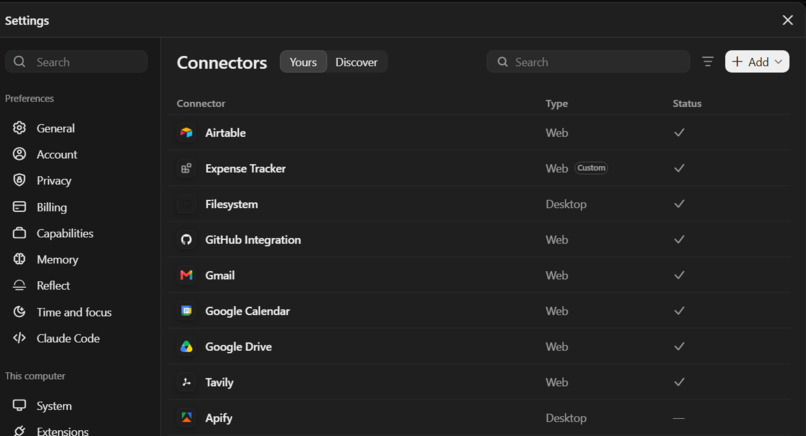
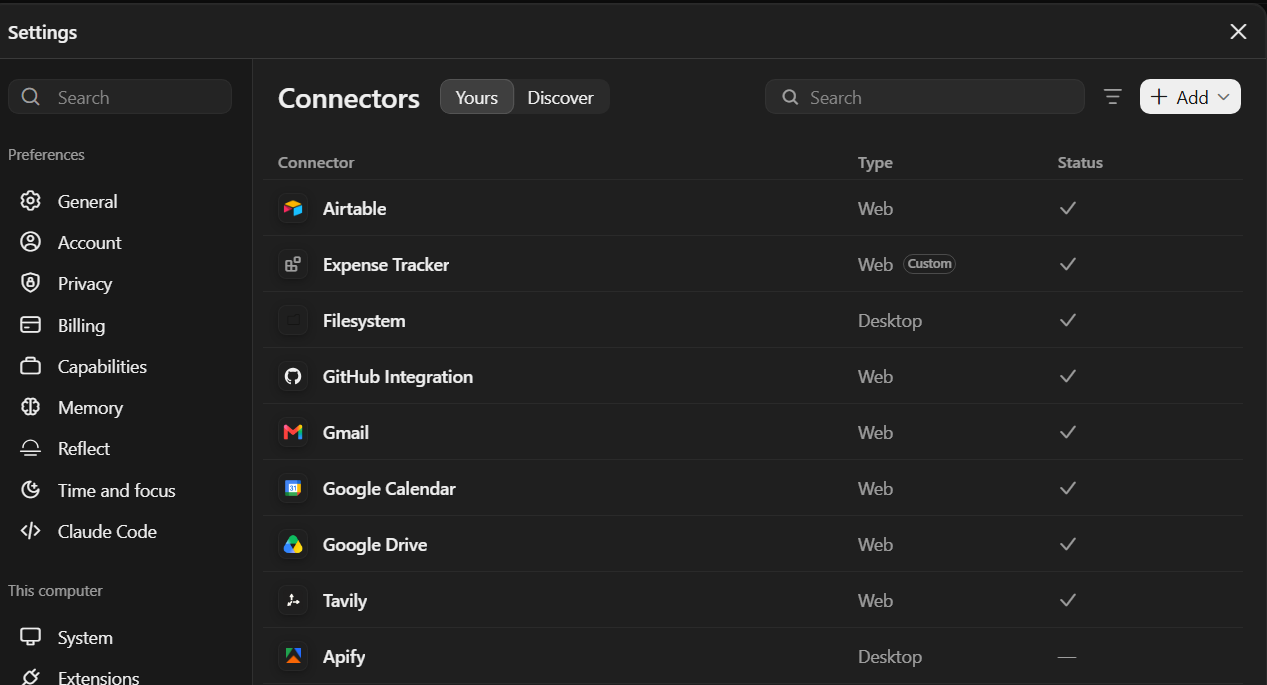
Connected My Remote MCP server to Claude
-
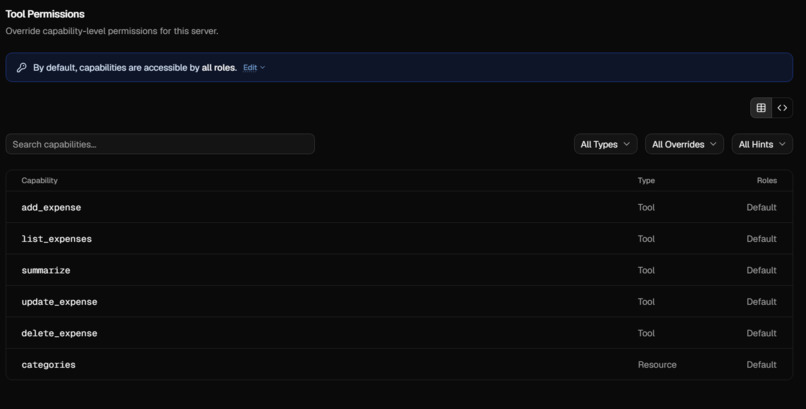
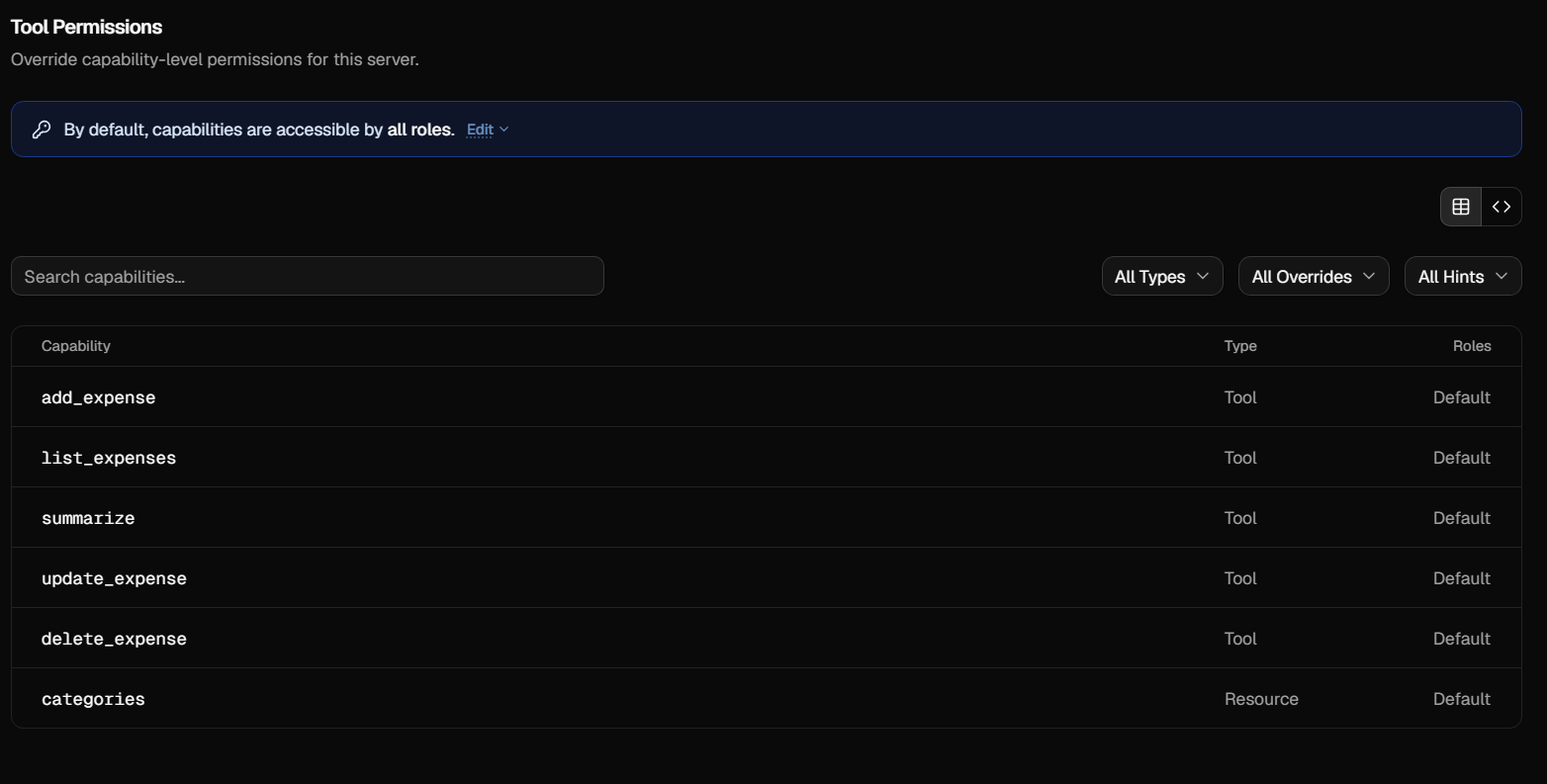
All Tool Capabilities does MCP have
-
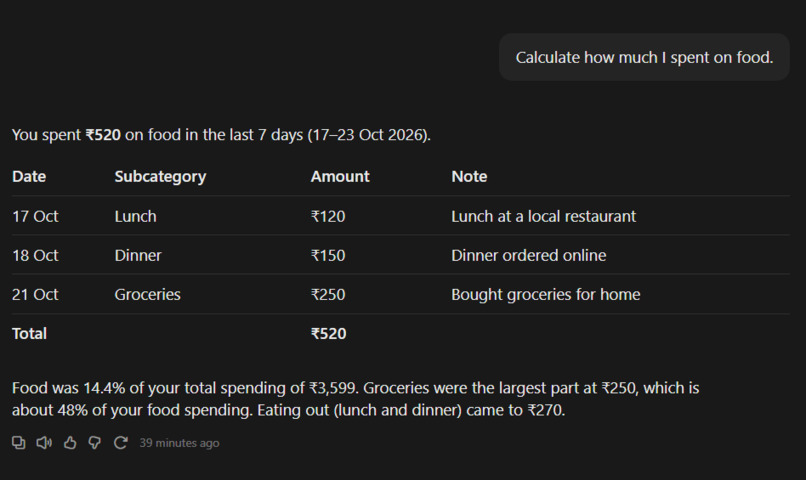
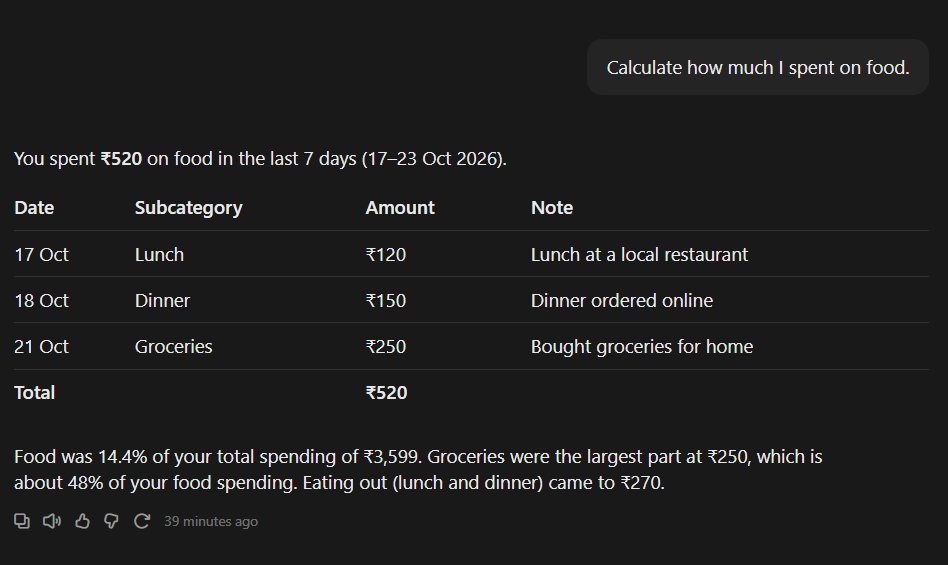
asking claude how much i spend on food in last 7 dayes
-
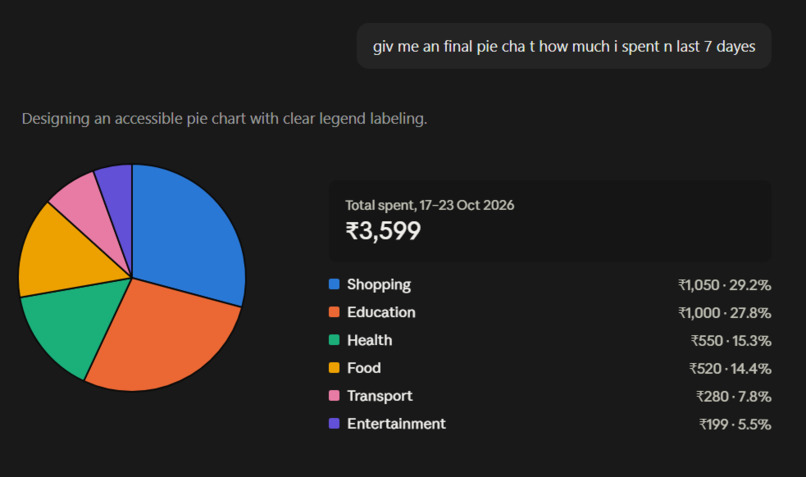
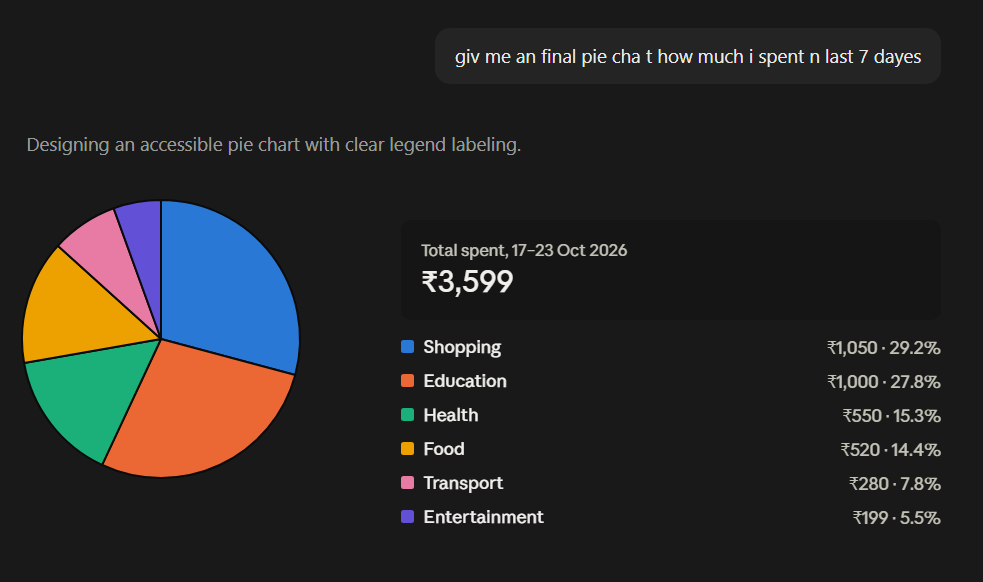
Asking Claude My overall spending in last 7 dayes
-
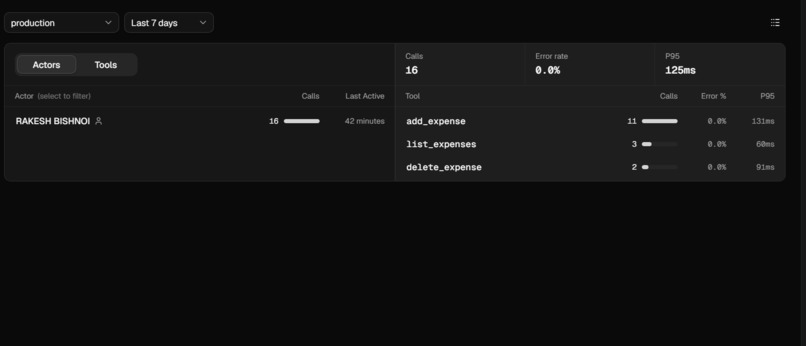
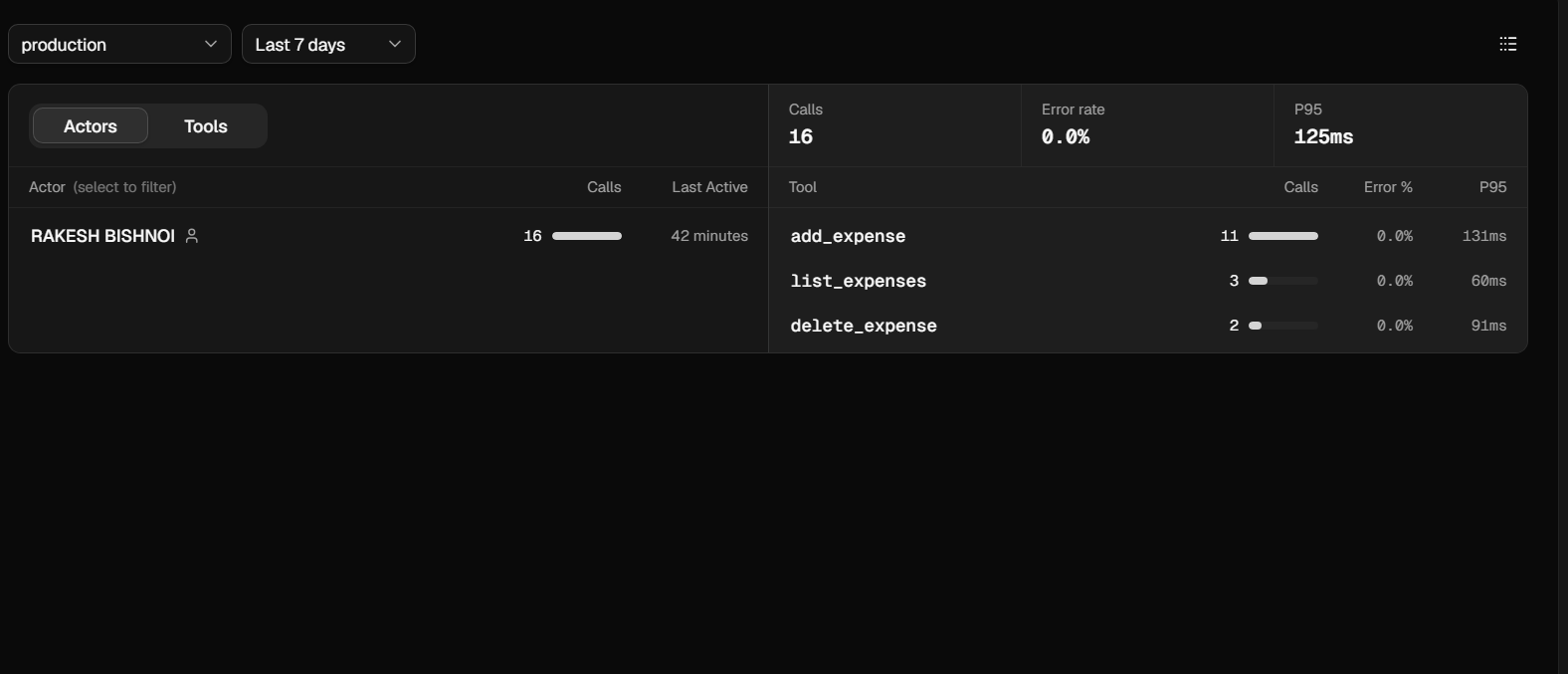
Shown Tool uses by Fast MCP
-
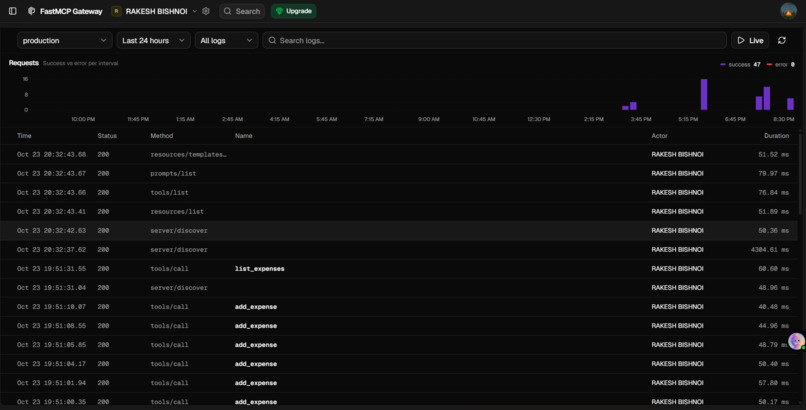
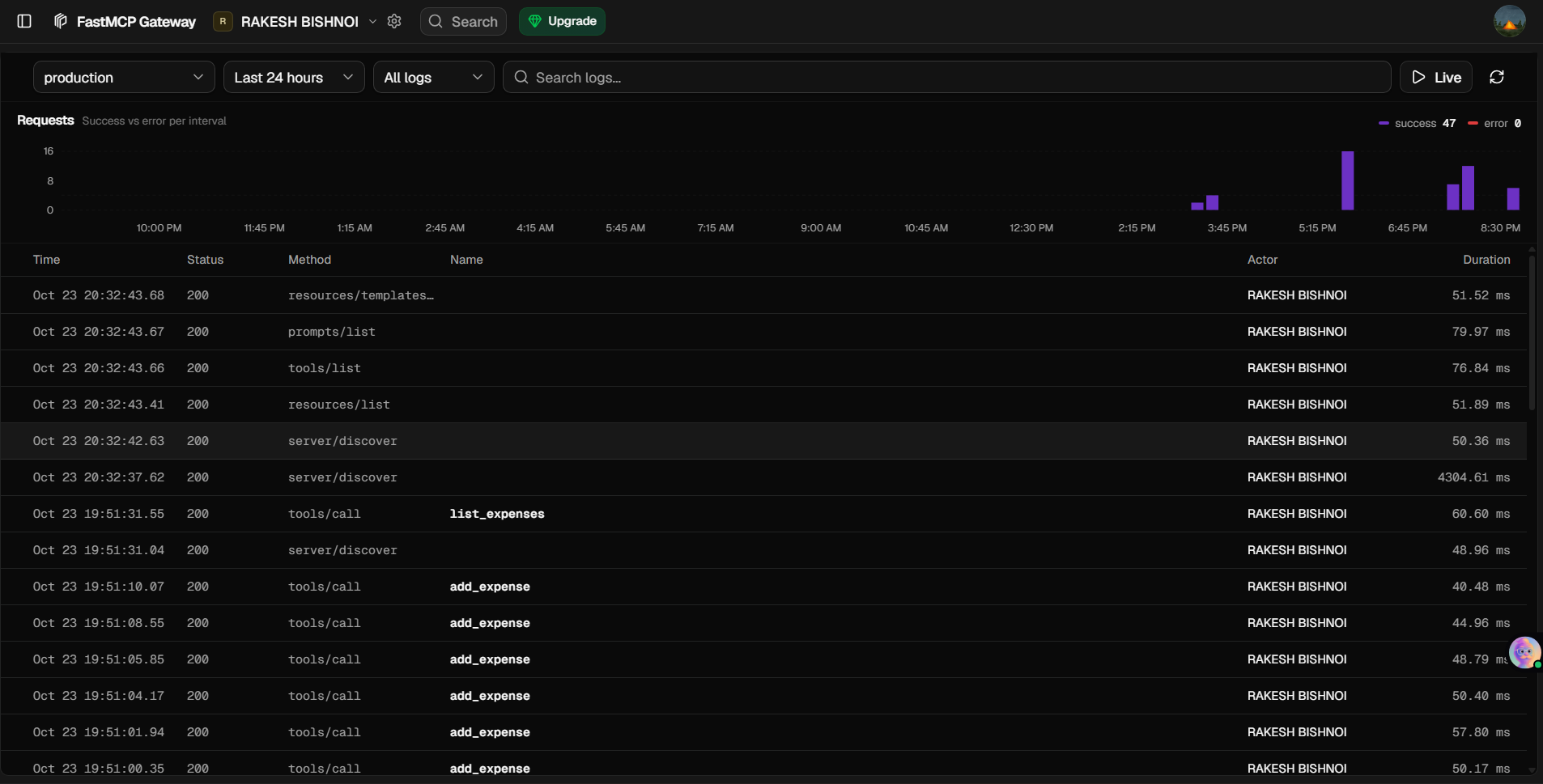
MCP server Traffic Logs shown by the Fast MCP
Inspiration
Managing daily expenses manually using spreadsheets or expense-tracking apps can be time-consuming. We wanted to make expense management simpler by allowing users to track and analyze their spending through natural language using AI assistants. This inspired us to build an MCP server that connects AI assistants with real expense-management tools.
What it does
Expense Tracker MCP Server allows users to manage their expenses through compatible AI assistants like Claude.
Key features include: Add Expenses: Record expenses by specifying the date, amount, category, subcategory, and notes. List Expenses: Retrieve transactions for a specified date range. Summarize Spending: Analyze expenses over a period, optionally filtered by category. Update Expenses: Modify existing expense records. Delete Expenses: Remove expense records when they are no longer needed. Remote MCP Access: Connect compatible AI clients to the remotely hosted server.
Users can interact with these tools through natural-language prompts instead of manually entering data into a traditional interface.
How we built it
We built the project using Python and FastMCP to expose expense-management functionality through the Model Context Protocol (MCP).
Our technology stack includes: Python: Core application logic and expense-management operations. FastMCP: Exposes expense operations as MCP tools. SQLite: Stores expense records. Auth0: Intended authentication integration for identifying users and supporting authenticated access. FastMCP Cloud: Hosts the remote MCP server so compatible clients can connect without running it locally.
The server provides tools for adding, listing, summarizing, updating, and deleting expenses. An AI assistant can discover and invoke these tools through an MCP connection.
Challenges we ran into
Remote MCP Deployment: Configuring and deploying the server so that compatible AI clients can connect remotely. AI-to-Tool Integration: Making natural-language requests translate into the correct tool calls and parameters. Data Management: Handling expense dates, categories, amounts, and updates consistently. Authentication and User Isolation: Addressing the need for reliable identity verification and ensuring users can access only their own financial records. Testing and Debugging: Verifying tool behaviour and resolving issues during deployment and integration.
Accomplishments that we're proud of
Built a working expense-management server around the Model Context Protocol. Exposed core expense operations as reusable MCP tools. Deployed the server remotely for integration with compatible AI clients. Enabled natural-language expense-management workflows through an AI assistant. Established a foundation for extending the project into a more scalable and secure multi-user application.
What we learned
How the Model Context Protocol connects AI assistants with external tools. How to build MCP tools using Python and FastMCP. How to deploy and expose an MCP server remotely. How AI assistants use tool calls to interact with application data. Why authentication, authorization, input validation, and user isolation are essential when building AI applications that handle financial information.
What's next for Expense Tracker MCP Server
Our goal is to evolve the project into a more secure, scalable, and feature-rich expense-management platform.
Planned improvements include: PostgreSQL Integration: Replace SQLite with PostgreSQL for stronger production database capabilities. Secure Authentication: Complete and strengthen OAuth authentication and access-token validation. Strict User Isolation: Ensure every user can access only their own expense records, with additional database-level protection where appropriate. Enhanced Security: Add stronger input validation, rate limiting, safer error handling, and security testing. Budget Management: Introduce monthly budgets, spending limits, and budget tracking. Advanced Analytics: Provide detailed spending reports, category comparisons, and expense trends. Recurring Expenses: Support recurring payments and subscription tracking. Broader MCP Compatibility: Improve setup documentation and compatibility with more MCP-enabled AI clients. Our long-term vision is to make expense management as simple as having a conversation with an AI assistant while keeping financial data secure and accessible only to its authorized owner.

Log in or sign up for Devpost to join the conversation.