Inspiration
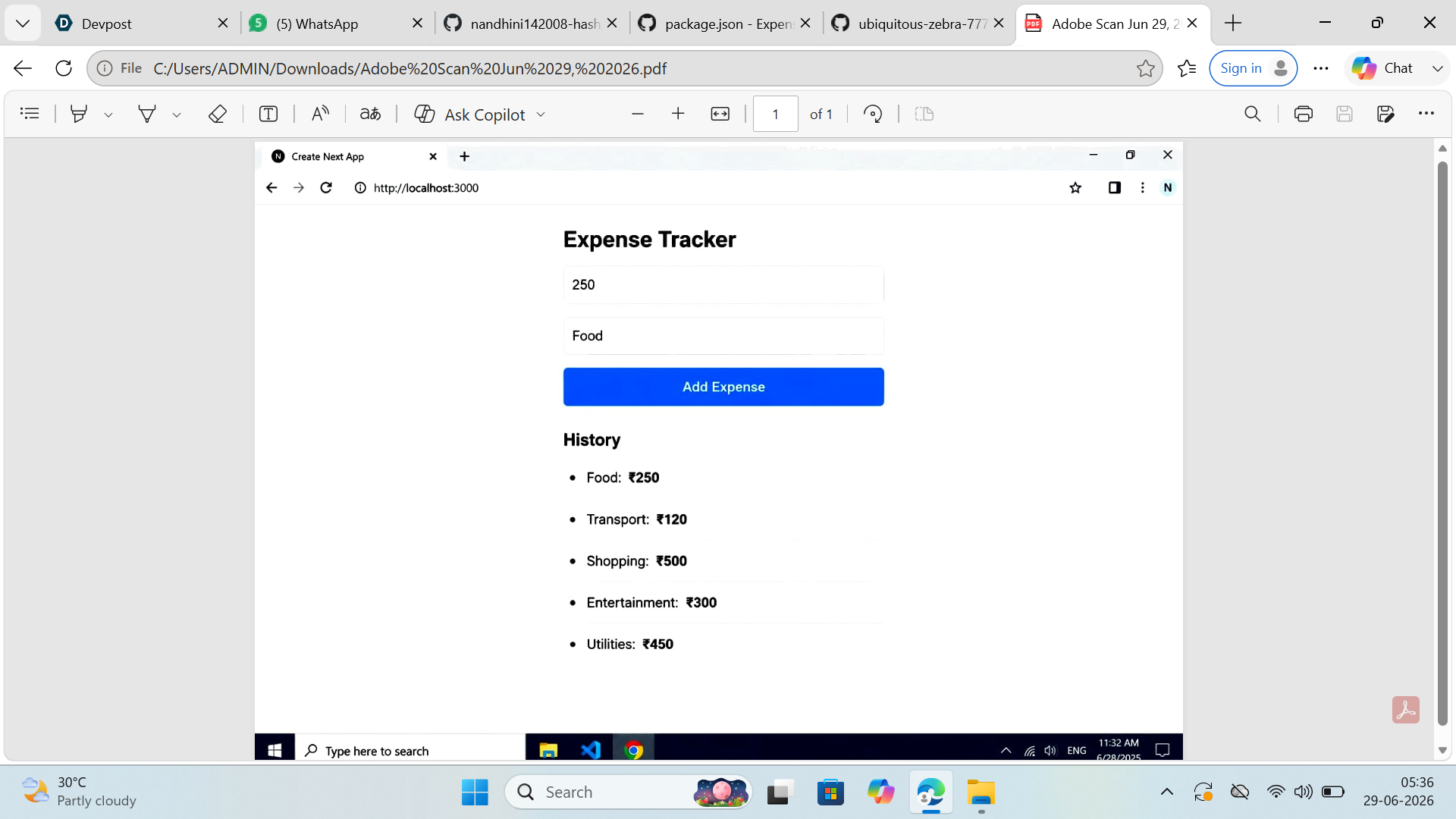
I struggled with tracking my daily expenses manually using spreadsheets and notes. Managing finances across different categories was tedious and lacked real-time insights. I wanted to build a solution that makes expense tracking seamless and provides instant visual analytics to help users understand their spending patterns at a glance.
What it does
(i)The Expenses Tracker is a full-stack web application that helps users: (ii)Track daily expenses effortlessly with category-wise organization (iii)View expense summaries and visual charts for better financial insights (iv)Generate monthly analytics reports to understand spending trends (v)Manage budgets by category with detailed breakdowns (vi)Access their data securely with user authentication (vii)Get real-time updates on expense statistics and analytics
How we built it
(i)Frontend: Built a responsive UI using React and Next.js with modern components (ii)Backend: Created RESTful APIs using Next.js API routes for fast server-side processing (iii)Database: Designed and optimized MySQL database schema for users, expenses, and categories (iv)Authentication: Implemented JWT-based secure user authentication and session management (v)Visualization: Integrated charting libraries (Chart.js/Recharts) for interactive expense charts (vi)Performance: Utilized Next.js for fast build times, server-side rendering, and optimized bundle size
Challenges we ran into
(i)Optimizing database queries to handle large volumes of expense data efficiently (ii)Implementing real-time chart updates without performance degradation (iii)Ensuring secure user authentication and protecting sensitive financial data (iv)Creating a responsive design that works seamlessly across desktop and mobile devices (v)Handling complex calculations for monthly analytics and category-wise summaries (vi)Managing state efficiently across multiple components in React
Accomplishments that we're proud of
(i)Successfully built a full-stack application from scratch (ii)Implemented secure user authentication with JWT tokens (iii)Created an intuitive and user-friendly interface for expense management (iv)Achieved fast load times and smooth performance with Next.js optimization (v)Developed complex analytics features that provide meaningful insights (vi)Ensured data security and privacy for user financial information (vii)Built a scalable architecture that can handle future feature additions
What we learned
(i)Next.js best practices for full-stack development (ii)Database design and query optimization for MySQL (iii)Implementing authentication and authorization securely (iv)State management in React applications (v)Building RESTful APIs with proper error handling (vi)Data visualization techniques and chart integration (vii)Performance optimization strategies for web applications (viii)Best practices for handling sensitive financial data
What's next for Expense Tracker App
(i)Next.js best practices for full-stack development (ii)Database design and query optimization for MySQL (iii)Implementing authentication and authorization securely (iv)State management in React applications (v)Building RESTful APIs with proper error handling (vi)Data visualization techniques and chart integration (vii)Performance optimization strategies for web applications (viii)Best practices for handling sensitive financial data

Log in or sign up for Devpost to join the conversation.