-
-
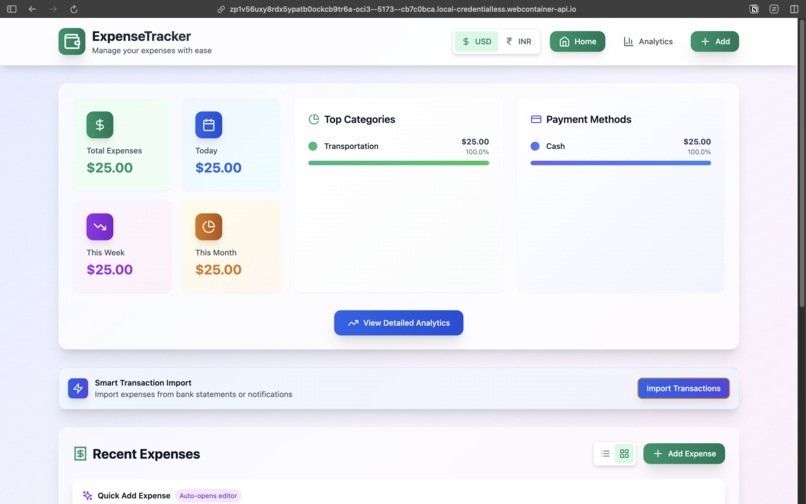
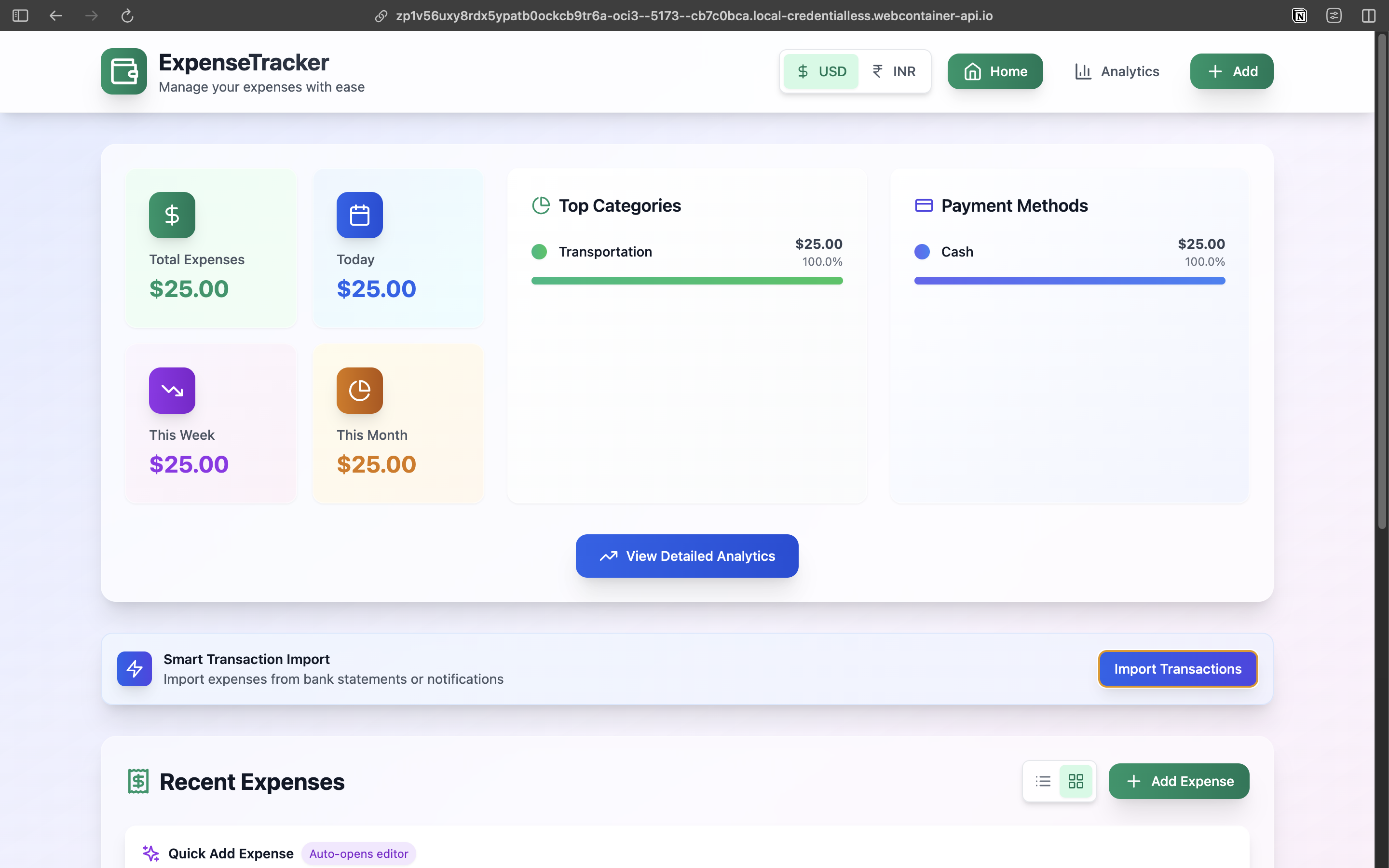
Home page in US Dollars (USD).
-
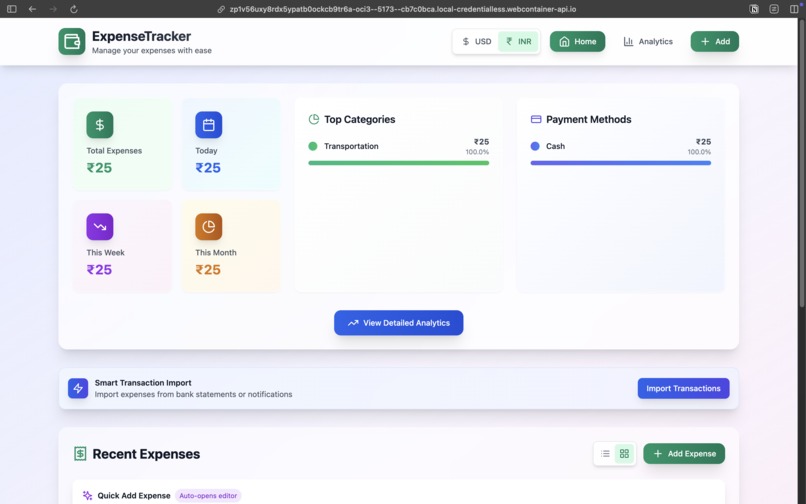
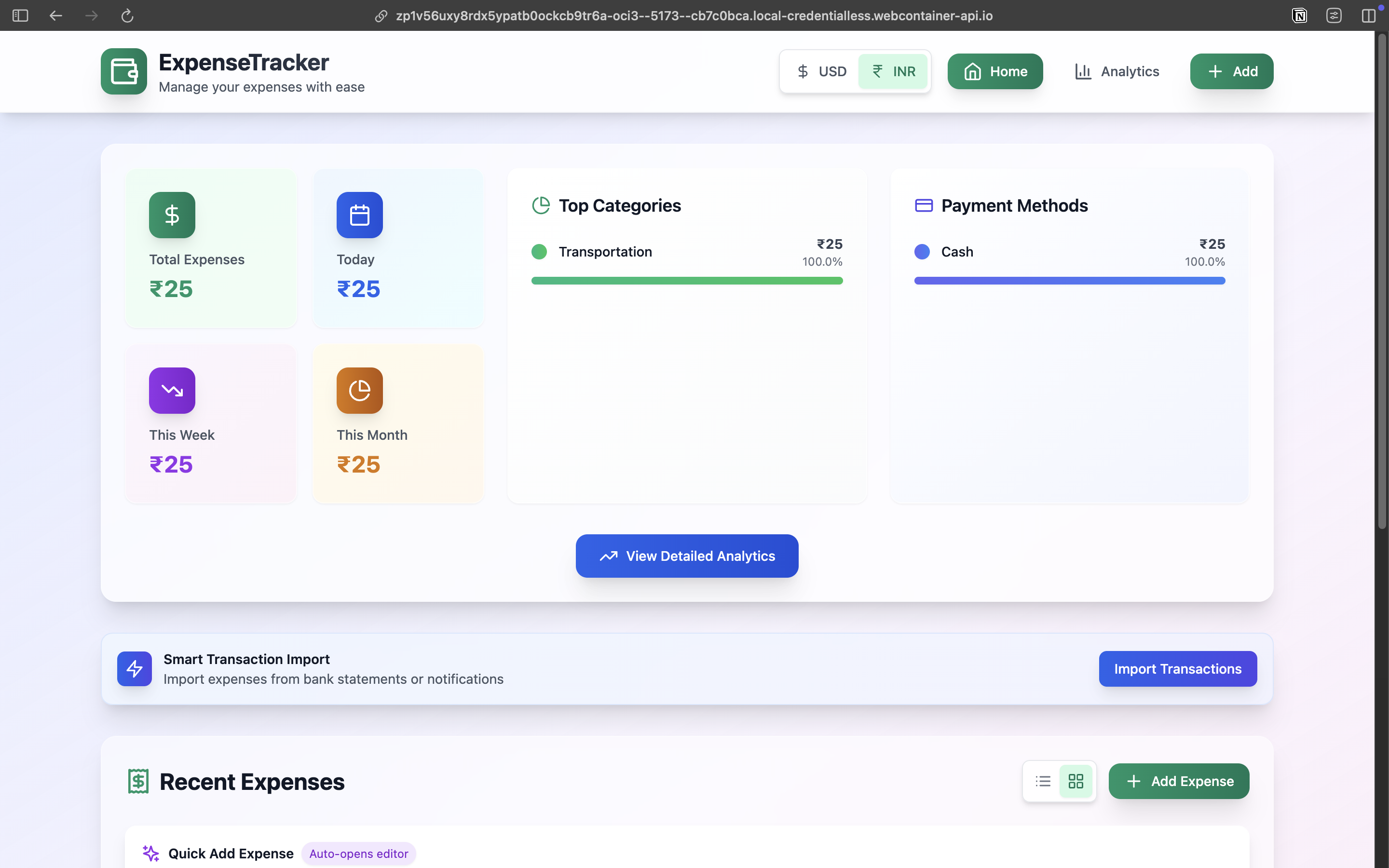
Home page in Indian Rupees (INR).
-
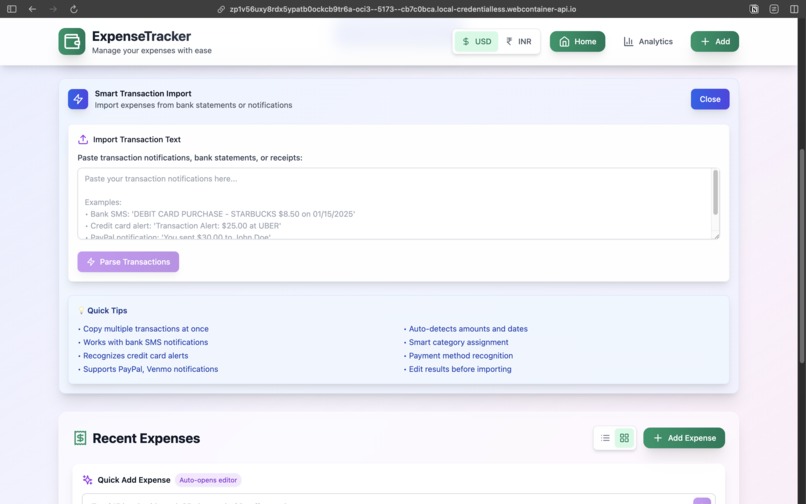
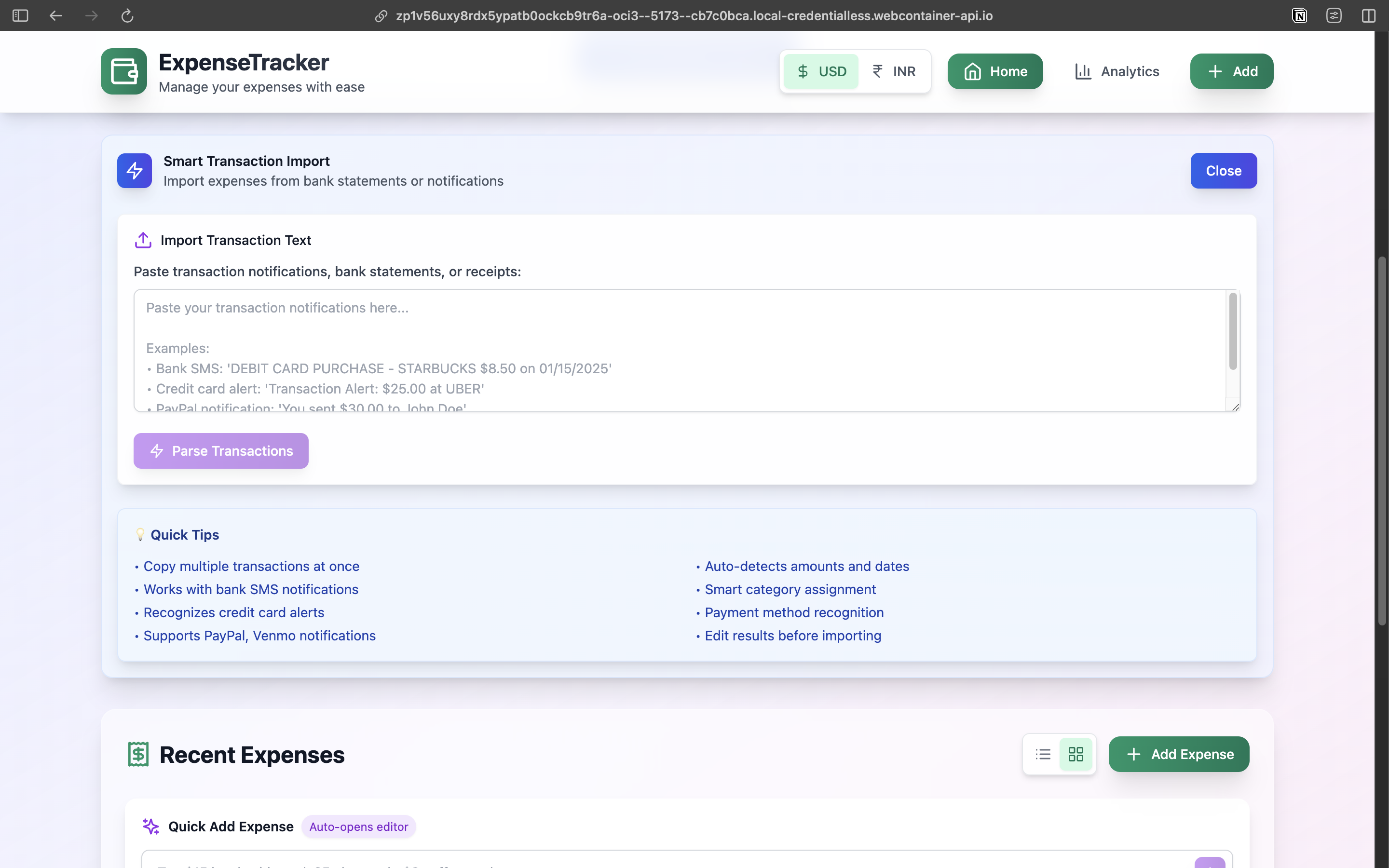
Smart transactions which parse fields like payment method, amount, date, and payment type from the SMS/Bank Transactions given as input.
-
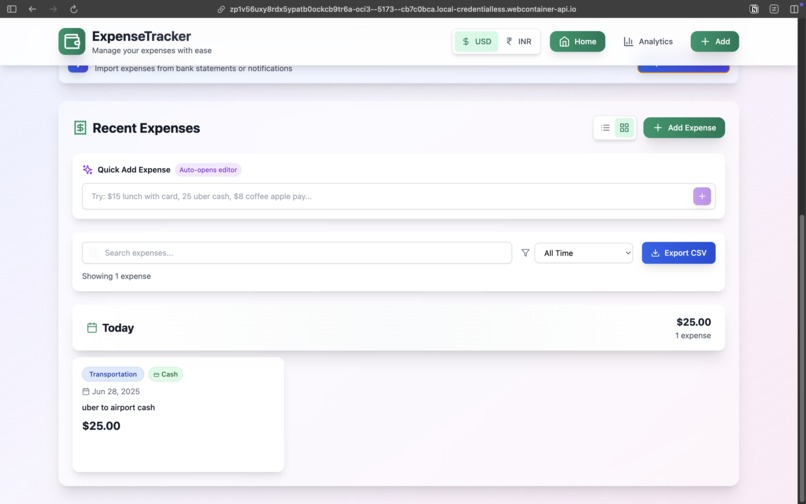
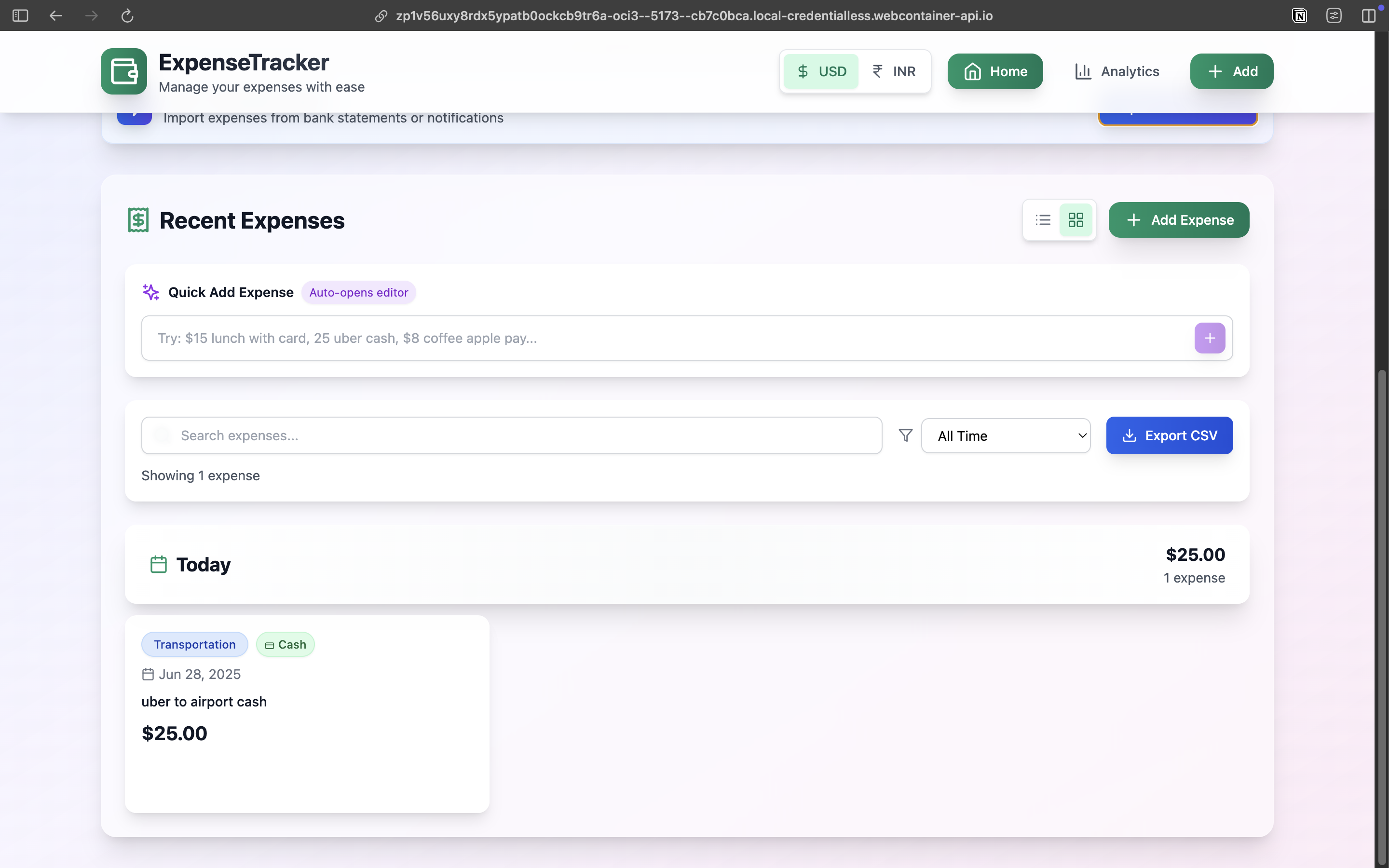
Natural language parsing for fields like payment method, amount, date, and payment type from the text.
-
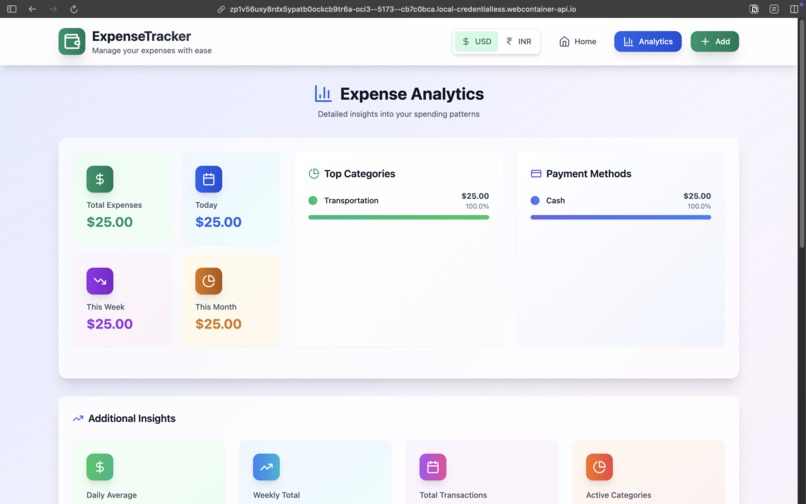
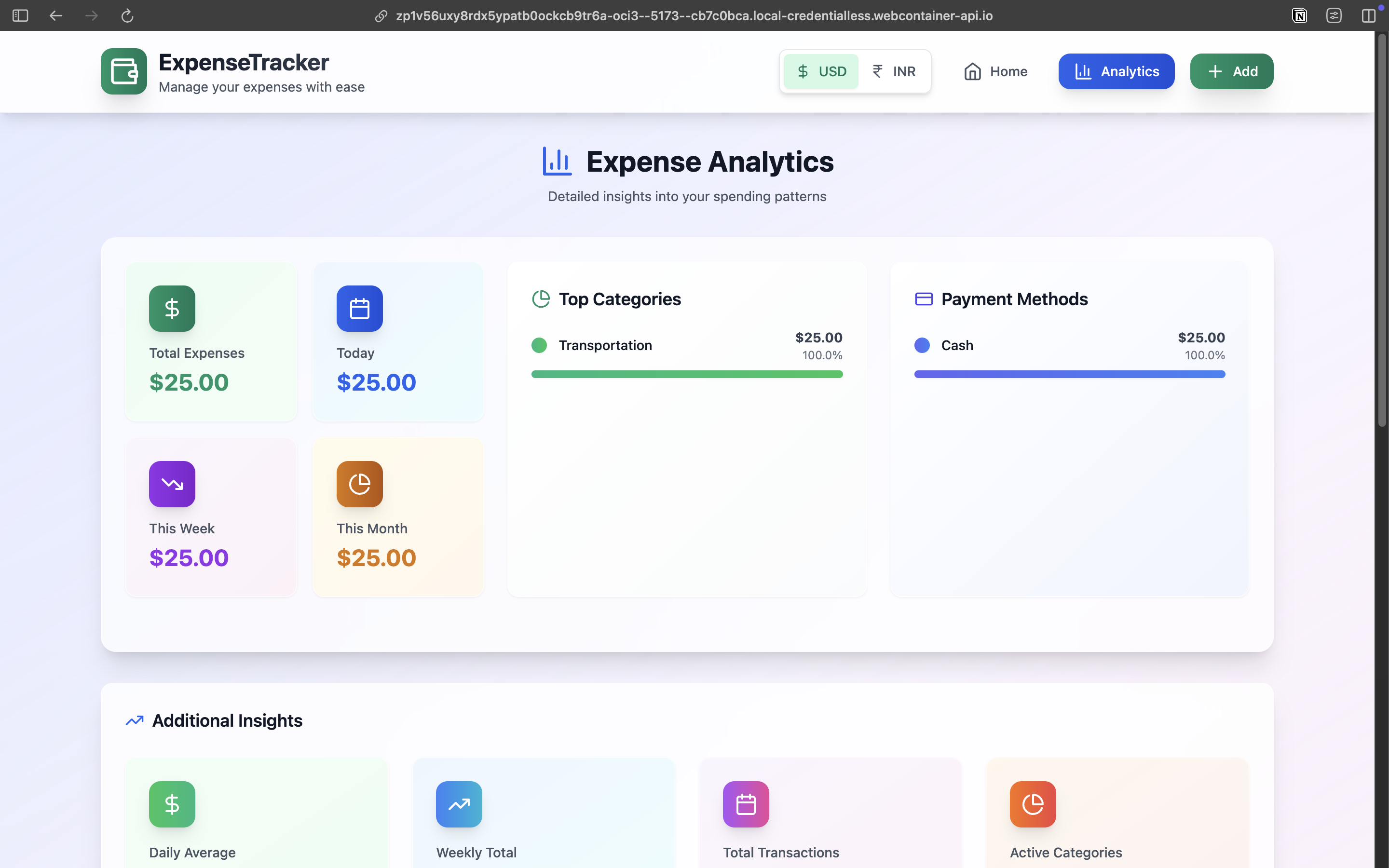
Analytics Tab with detailed analytics with categories and payment methods.
-
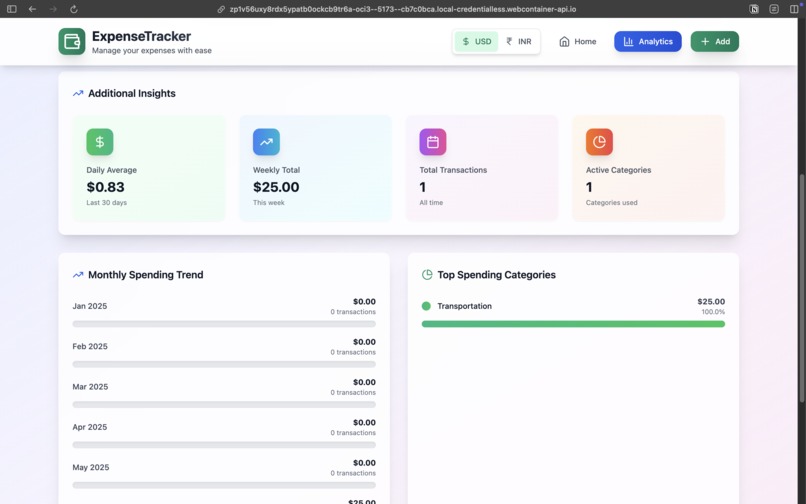
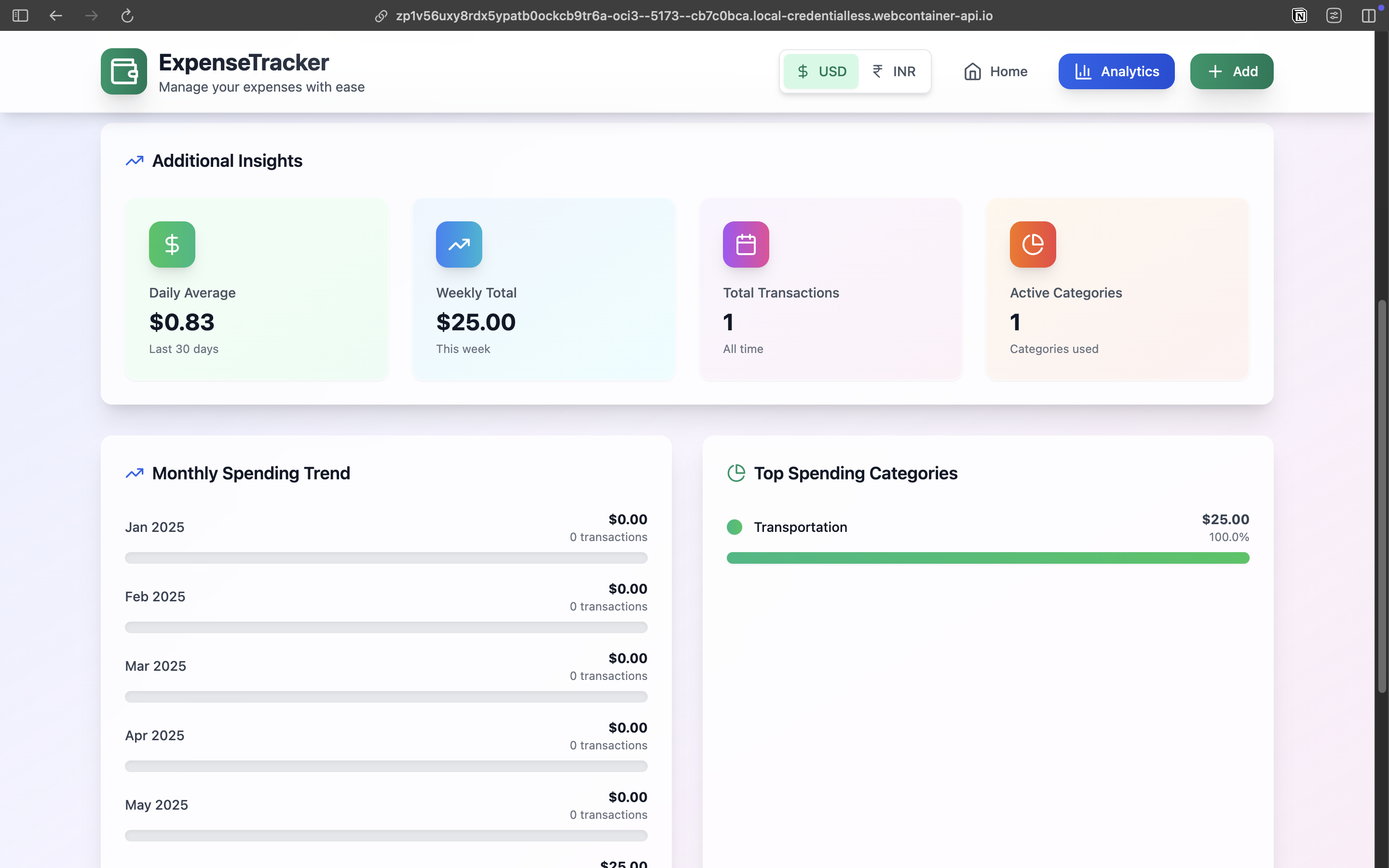
Additional insights with monthly expense trends and top spending categories.
-
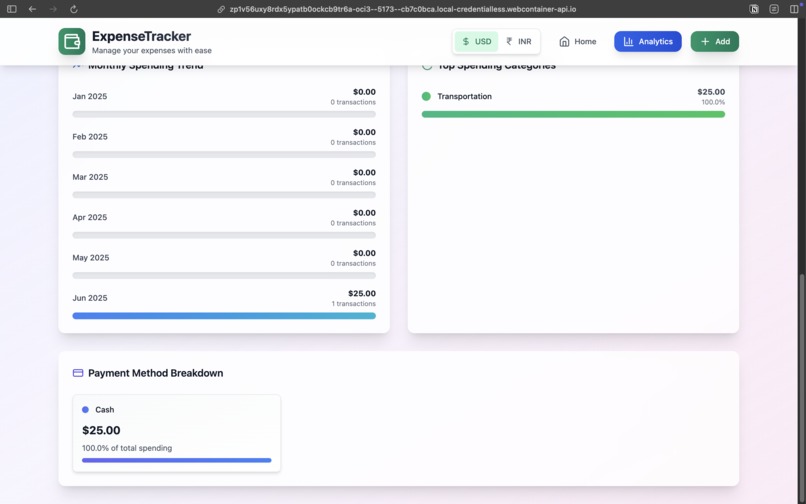
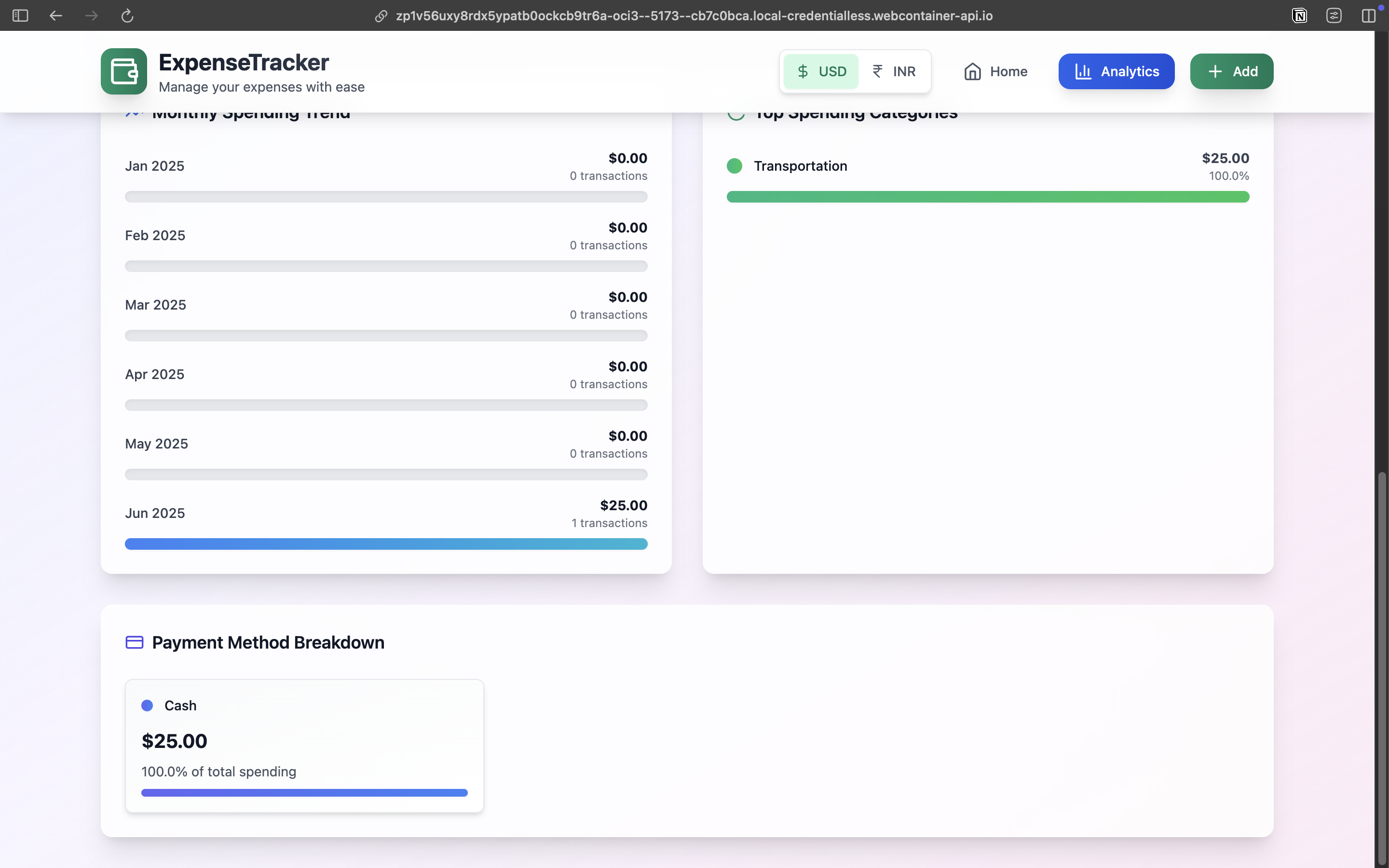
Payment methods classification to identify which payment method you use the most.
-
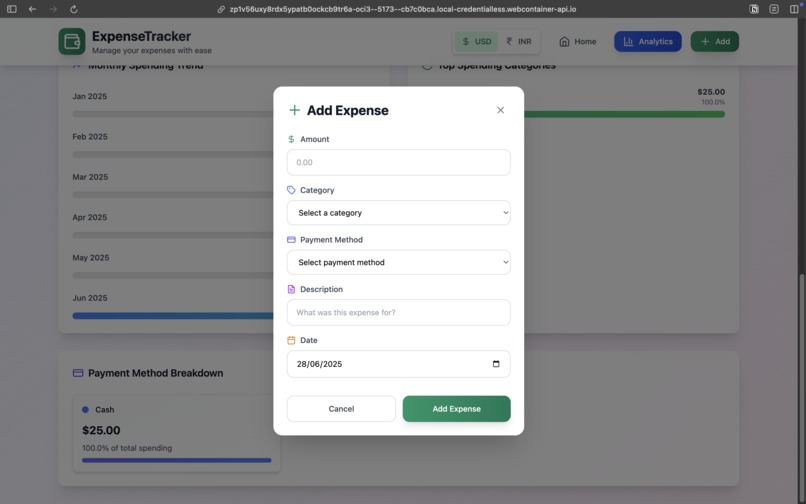
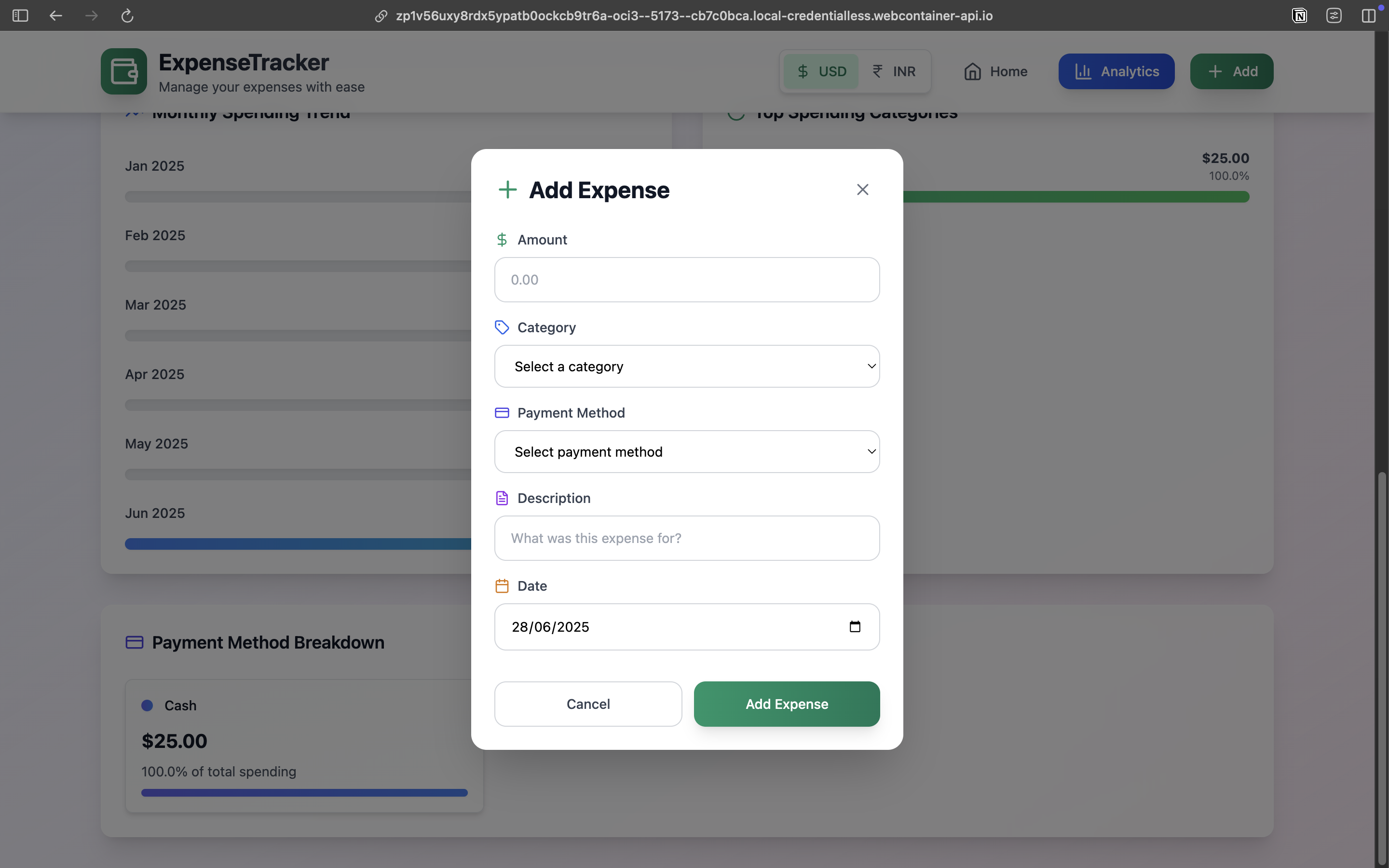
Add Expense button is used to add expenses instantly, its placed in the navigation bar for easy access.
Inspiration
Personal finance management has always been a challenge for individuals and families trying to understand where their money goes. Traditional expense tracking apps are often clunky, require manual data entry, and fail to provide meaningful insights. We were inspired by the need for a modern, intelligent expense tracker that could automatically parse transaction data from various sources while providing beautiful, actionable analytics. The goal was to create an app that makes expense tracking effortless and insightful, helping users make better financial decisions through clear data visualization and smart automation.
What it does
ExpenseTracker is a comprehensive personal finance management application that revolutionizes how users track and analyze their spending.
The app features: Smart Transaction Import: Automatically parses bank transaction statements/messages to extract expense data. Semantic Input Processing: Natural language expense entry (e.g., "$12 Salad lunch at Chipotle with Credit card" automatically categorizes and processes the expense). Real-time Analytics Dashboard: Beautiful visualizations showing spending patterns, category breakdowns, and payment method analysis. Responsive Design: Seamless experience across desktop, tablet, and mobile devices with optimized layouts. Advanced Filtering & Search: Filter expenses by date ranges, categories, payment methods, and search terms. Data Export: Export expense data to CSV for external analysis.
How I built it
I built ExpenseTracker using modern web technologies focused on performance and user experience:
Frontend Stack: React with TypeScript for type-safe, component-based architecture. Tailwind CSS for responsive, utility-first styling with custom gradients and animations. Vite for lightning-fast development and optimized production builds.
Key Technical Features: Smart Parsing Engine: Custom algorithms that parse natural language input and transaction text using regex patterns and keyword matching. Local Storage Persistence: Client-side data storage with automatic migration for schema updates. Responsive Grid Layouts: CSS Grid and Flexbox for adaptive layouts across all screen sizes. Real-time Analytics: Dynamic calculations and visualizations that update instantly as data changes. Progressive Enhancement: Mobile-first design with enhanced features for larger screens.
Architecture Highlights: Modular component structure with clear separation of concerns Custom hooks for state management and data persistence Utility functions for data processing and formatting Type-safe interfaces throughout the application
Challenges I ran into
- Natural Language Processing: Creating a robust parser that could understand various ways users express expenses ("$15 lunch", "25 uber cash", "coffee with apple pay") required extensive pattern matching and keyword recognition.
- Transaction Text Parsing: Building a system that could parse diverse transaction formats from different banks, payment processors, and notification systems while maintaining accuracy.
- Responsive Analytics: Designing analytics visualizations that work beautifully on both mobile and desktop required careful consideration of data density and layout optimization.
- Data Migration: Ensuring backward compatibility when adding new features like payment methods to existing user data stored in localStorage.
- Performance Optimization: Managing real-time calculations for analytics while maintaining smooth user interactions, especially with large datasets.
- Mobile UX: Creating an intuitive mobile experience that doesn't sacrifice functionality, particularly for the analytics dashboard and transaction import features.
Accomplishments that we're proud of
- Intelligent Automation: Successfully implemented smart transaction parsing that can automatically categorize and process expenses from raw text input, reducing manual data entry by up to 80%.
- Beautiful, Functional Design: Created a visually stunning interface with glassmorphism effects, smooth animations, and intuitive navigation that rivals commercial finance apps.
- Comprehensive Analytics: Built a full-featured analytics dashboard with multiple visualization types, trend analysis, and actionable insights that help users understand their spending patterns.
- Seamless Responsive Experience: Achieved true responsive design where the mobile experience feels native and purposeful, not just a shrunk-down desktop version.
- Real-time Performance: Maintained smooth, real-time updates across all features while handling complex data calculations and visualizations.
- User-Centric Features: Implemented thoughtful UX details like quick-add with auto-editing, contextual help, and progressive disclosure that make the app genuinely enjoyable to use.
What I learned
Technical Insights: Advanced CSS techniques for creating modern, glassmorphism designs with proper accessibility. Complex state management patterns in React for handling real-time data updates. Regular expression mastery for parsing diverse text formats and natural language input. Performance optimization strategies for data-heavy applications.
UX/UI Design: The importance of progressive disclosure in complex applications. How to design analytics that are both comprehensive and digestible. Mobile-first design principles that enhance rather than limit functionality. The power of micro-interactions and animations in creating engaging experiences.
Product Development: User feedback integration and iterative design improvement. Balancing feature richness with simplicity and ease of use. The critical importance of data accuracy in financial applications. How intelligent automation can dramatically improve user adoption.
What's next for Expense Tracker
Short-term Enhancements: Cloud Sync: Implement user accounts and cloud storage for cross-device synchronization. Budget Management: Add budget creation, tracking, and alert systems. Receipt Scanning: OCR integration for automatic receipt processing. Recurring Expenses: Smart detection and management of subscriptions and recurring payments.
Advanced Features: AI-Powered Insights: Machine learning algorithms for spending prediction and personalized financial advice. Goal Tracking: Savings goals, debt payoff tracking, and financial milestone management. Multi-Currency Support: International currency handling and conversion.
Platform Expansion: Native Mobile Apps: iOS and Android applications with device-specific features Desktop Application: Electron-based desktop app for power users Browser Extension: Quick expense logging from any website
Enterprise Features: Team/Family Accounts: Shared expense tracking for households and small businesses. Advanced Reporting: Detailed financial reports and tax preparation assistance. Integration Ecosystem: Connections with accounting software, tax tools, and financial advisors.

Log in or sign up for Devpost to join the conversation.