-
-
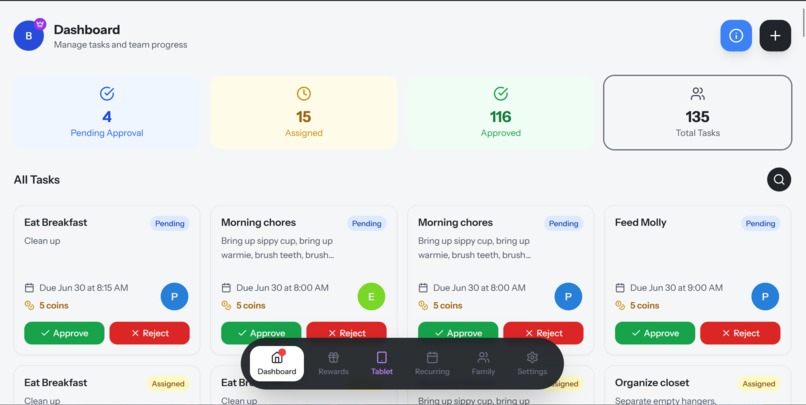
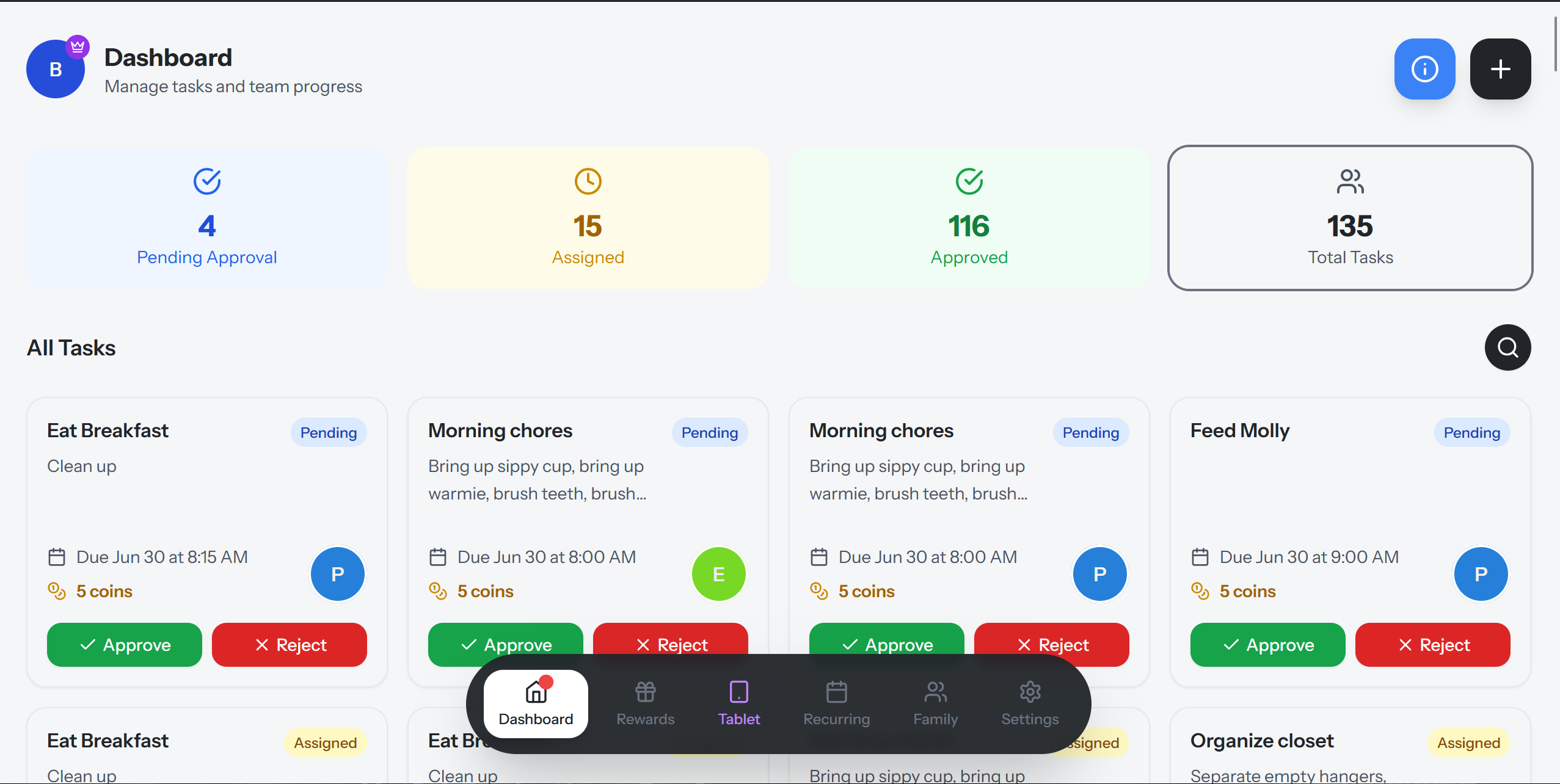
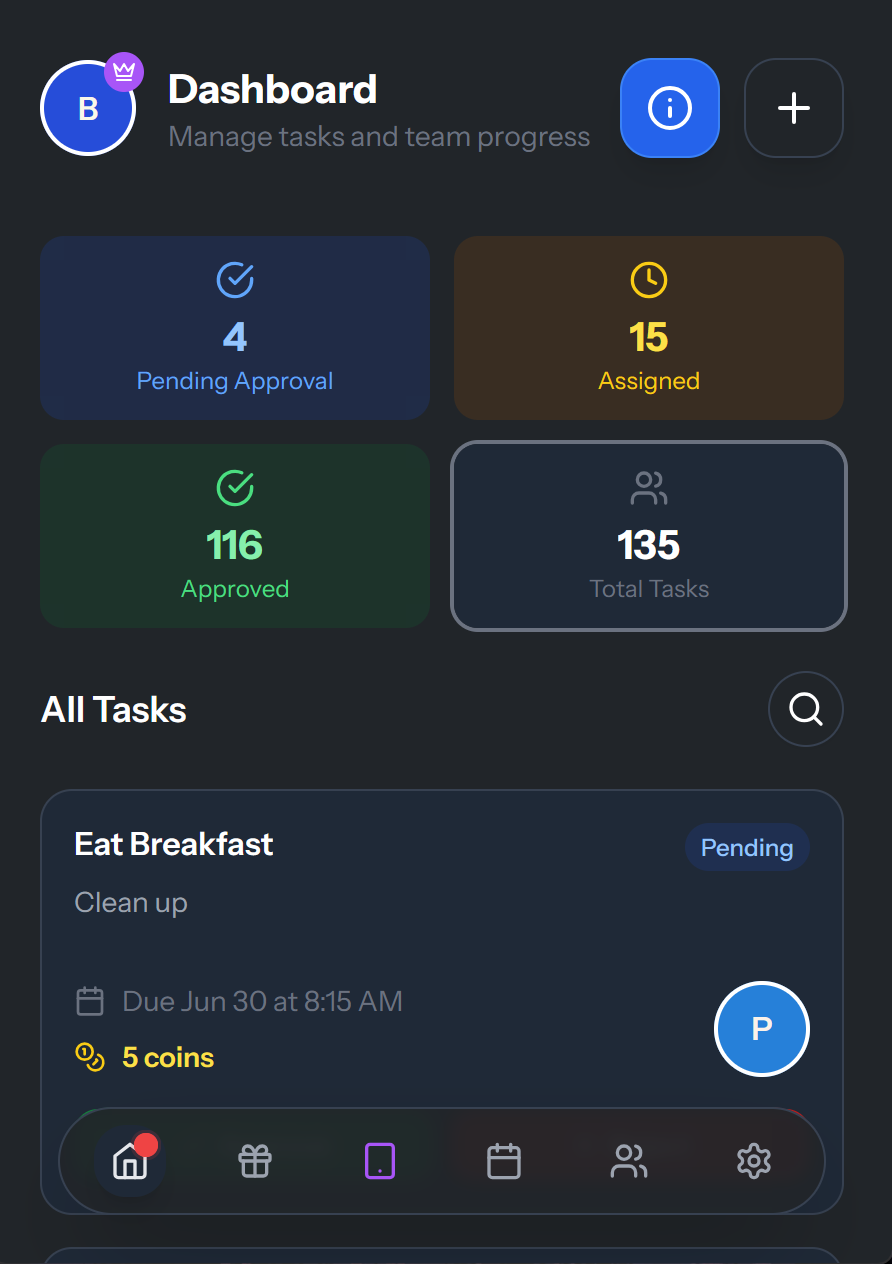
Admin Dashboard for viewing tasks
-
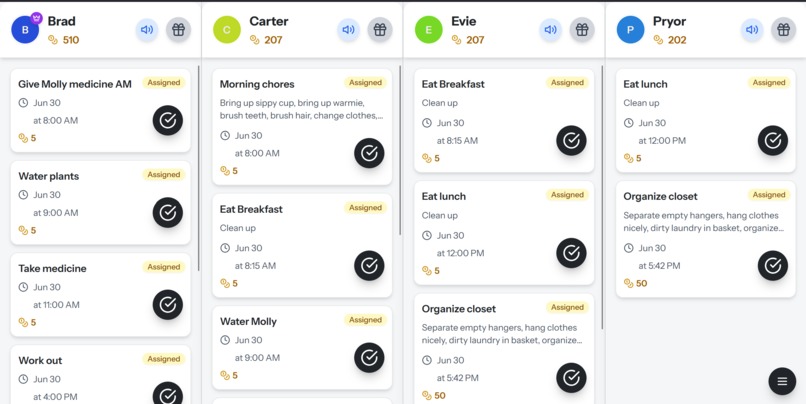
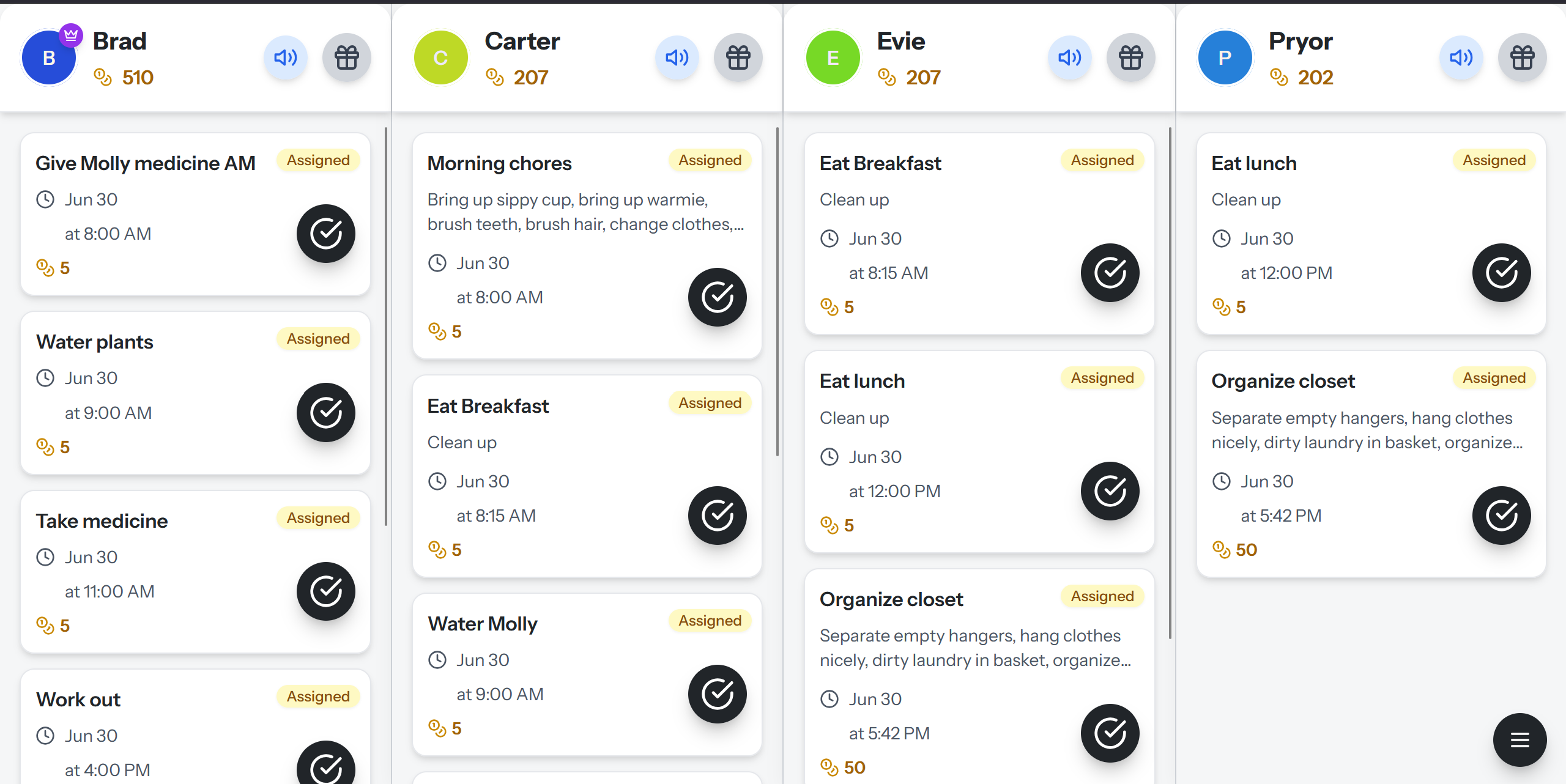
Tablet mode to show family tasks and can be marked as completed. Text to talk enabled.
-
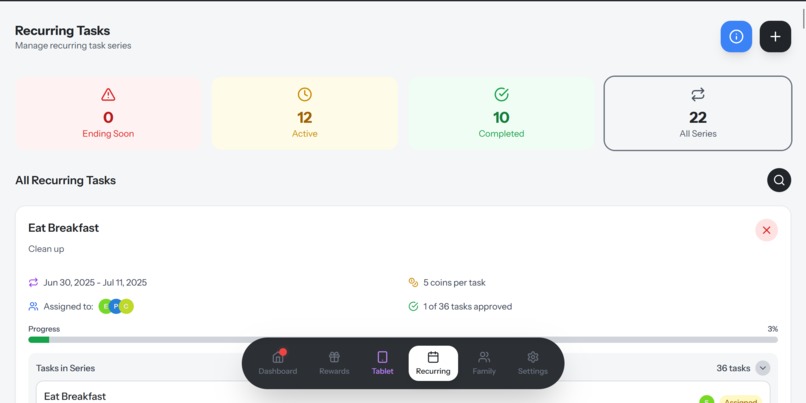
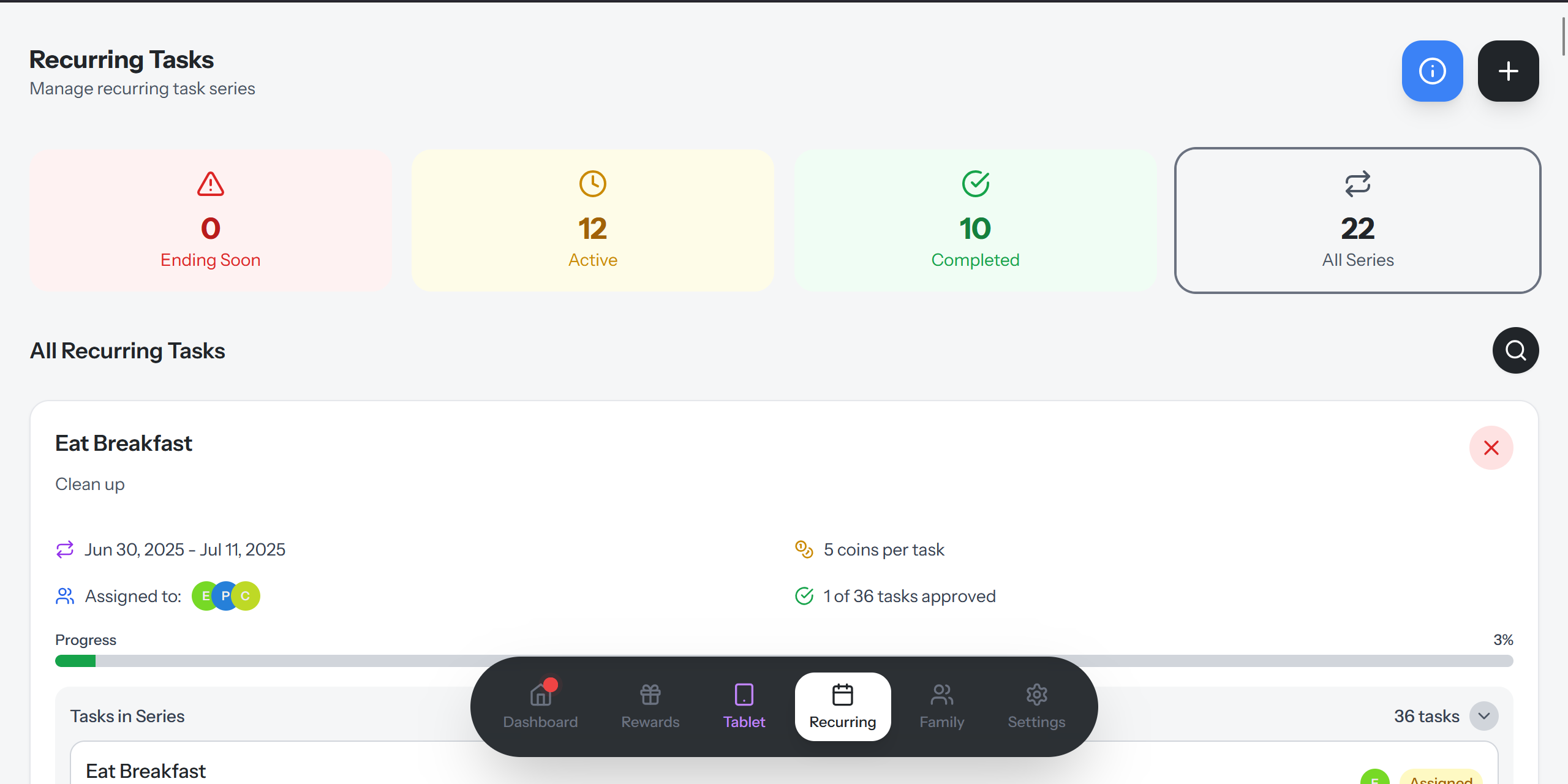
Reccuring tasks page shows ending soon series, and can be extended, and current progress
-
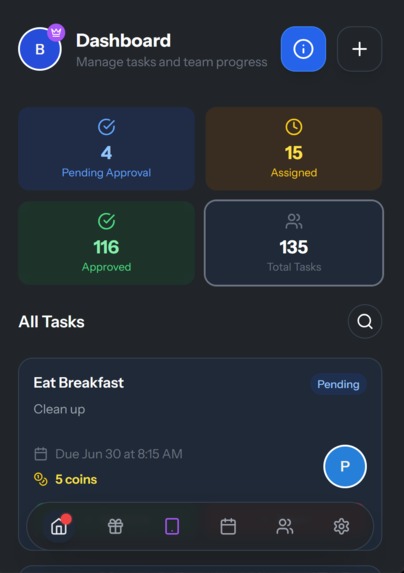
admin dashboard on phone with dark mode enabled
-
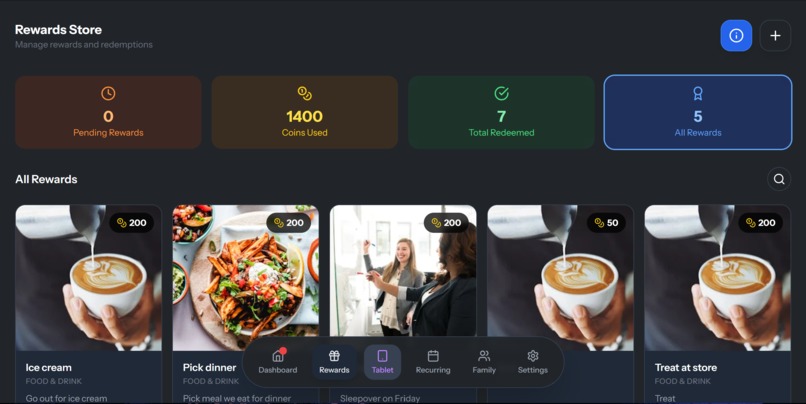
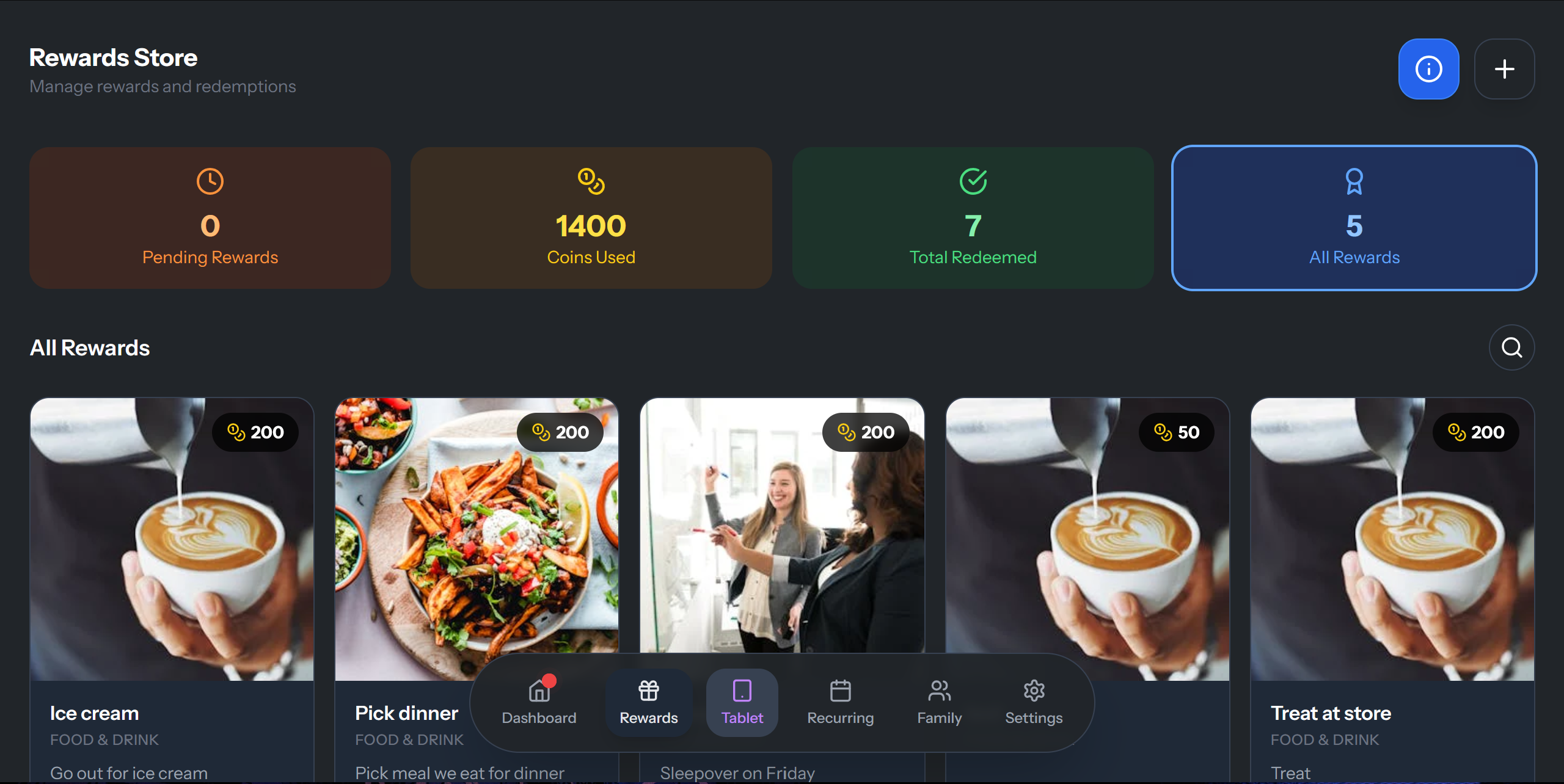
Rewards page, shows the rewards and required coins it takes to redeem.
Inspiration
I created TaskFlow to solve a real problem in my household. Like many families, I’d ask my kids to do chores or homework and they’d forget—or just didn’t see the value. With TaskFlow, they now see the rewards tied to each task. They understand what’s needed to earn coins, and they challenge each other to complete tasks daily to unlock rewards. It created structure, motivation, and even a little fun competition. What it does
TaskFlow allows parents to assign chores and tasks to their children with an attached coin value. Kids complete these tasks to earn coins, which they can then redeem for custom rewards. It works beautifully on phones, and features a tablet mode that displays all users, making it perfect for shared spaces like the kitchen or even a mounted smart TV. No email or activation is required—just create an account and start using it instantly. How we built it
I built TaskFlow using bolt.new, relying 100% on prompt-based development for both the frontend and backend. The backend is powered by Supabase, and I configured authentication, data handling, and user roles all through that integration. I have a background in Quality Assurance (13 years), but no formal coding knowledge—everything was done through prompting and iteration. Challenges we ran into
Two major hurdles were:
Setting up row-level security policies in Supabase correctly to ensure data privacy and role-based access.

Managing time zones, especially UNC time vs the local time zone of the device in use.
These took some serious thinking and testing to resolve. Accomplishments that we're proud of
Seamless login/account creation with no email or activation codes.

The intuitive tablet mode designed to run on older tablets or TVs for a shared family dashboard.

Built a debug window to troubleshoot issues and later integrated it into the settings.

Created an Internal Tools page accessible only to super_users like myself for advanced testing and monitoring.
What we learned
I learned how to communicate effectively with AI, iterating and troubleshooting like a QA tester rather than a traditional developer. One memorable moment: a task marked "completed" wasn’t updating the coin balance, even though the frontend said it did. I tracked it down using the debug window I created—an essential feature I decided to keep. I now understand how to manage data, security, and user experience at a level I never thought possible without coding.
What's next for TaskFlow
Currently, 5–6 families are using TaskFlow, including mine. Next steps:
Reach out to local news outlets for interviews and publicity.

Finalize a name and buy a domain to connect to the app.

Package the app for iOS and Android, ideally within the next few months.

Roll out weekly or biweekly updates.

Begin offering it for $5/month or $49/year to families.
TaskFlow is already bringing structure and fun to family life—I’m excited to keep improving and sharing it.
Built With
- supabase

Log in or sign up for Devpost to join the conversation.