Inspiration
A lot of people are afraid of running exes, even if they're safe. They're afraid they might get a virus, which is actually a perfectly legitimate concern. When I was younger, I would run random exes online, and many of them got my computer infected. Even today, with much better security, there's still a huge risk, and because of that, desktop apps have started to die out in favor of web apps. This is incredibly unfortunate because desktop apps have a lot going for them. Their advantages include speed, reliability, offline use, battery life, and many other capabilities like graphics which are really impractical to do on the web. Personally, I really love making desktop applications.
What it does
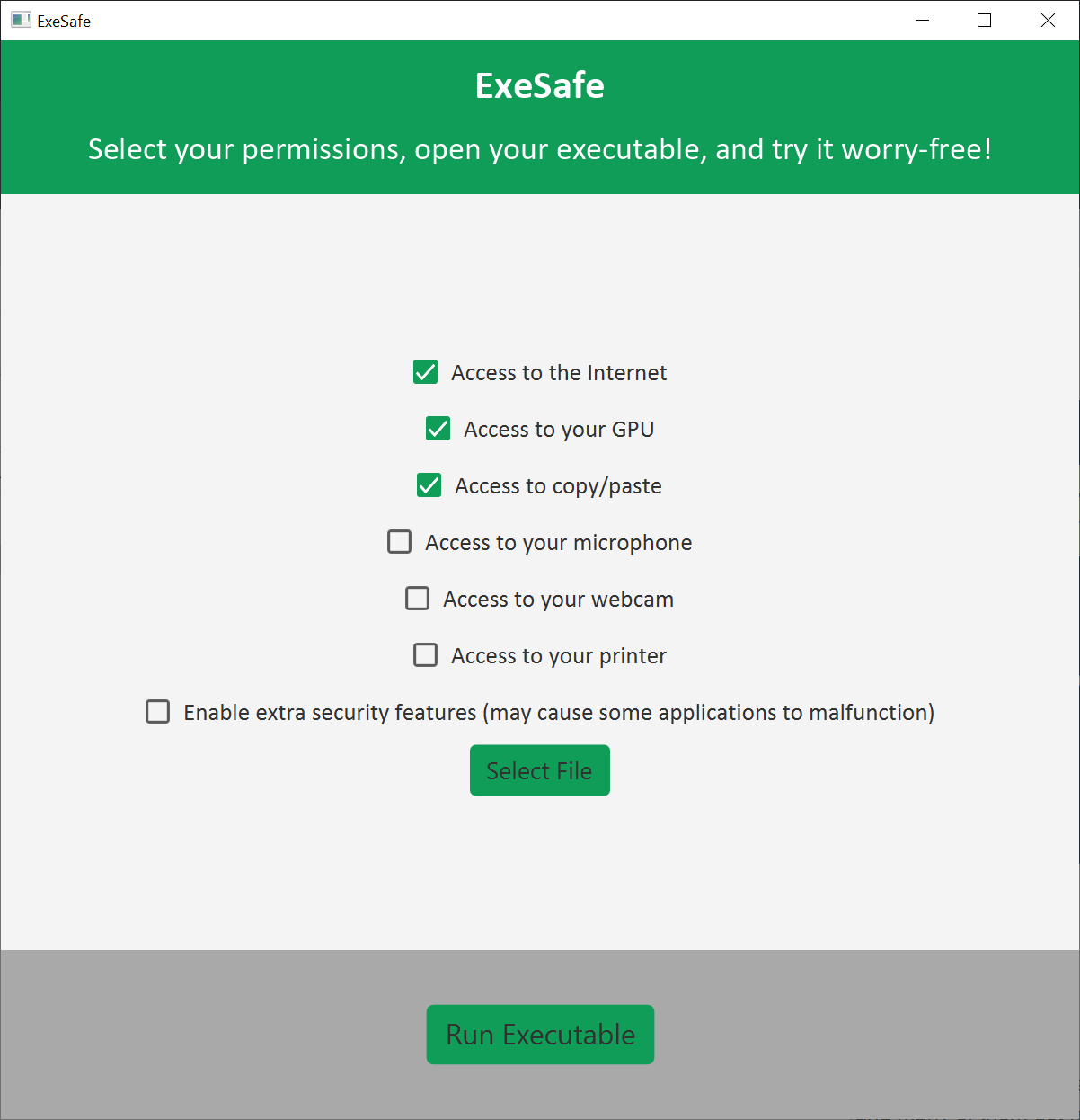
What if I told you you could run any arbitrary .exe file worry-free? What if I told you this functionality was already built into windows, but it was just tucked away under complicated configuration files and batch commands? Introducing: exesafe! By leveraging ultra-secure built-in sandboxing, our program makes it easy to have some peace of mind when you try an online exe. First, you'll want to download the jar file from our GitHub releases page. You'll need to have Java 11 downloaded -- we tried making an exe, but it got kind of complicated. You'll also want to make sure you have the Windows Sandbox enabled. The setup process is easy and only needs to happen once. Unfortunately, you'll need to have Windows 10 pro, enterprise, or education. Luckily, I have Windows 10 education. Then, you'll want to open the exe, check your permissions, and click run!
How we built it
We learned how to use Windows Sandbox and how to set up the configuration files and batch commands. To create the GUI, we used Java FX. We used Saros for collaborative editing and Maven for the dependencies. We also used JFoenix for some sweet buttons!
Challenges we ran into
Windows Sandbox required a special version of Windows, but I happened to have Windows Education. As this was his first Hackathon ever, Albert was unfamiliar with most of the tools used in this project. However, he was a quick learner and was able to contribute to the construction of this project.
Accomplishments that we're proud of
Albert was proud of his newfound knowledge of Java FX. I was excited to play around with some new Windows utilities, and it was my first time digging in to batch and powershell commands.
What's next for ExeSafe
Since this project relies on built-in Windows utilities, it'll automatically update with Windows! Theoretically, you could keep using this project forever!
Built With
- batch
- java
- powershell

Log in or sign up for Devpost to join the conversation.