-
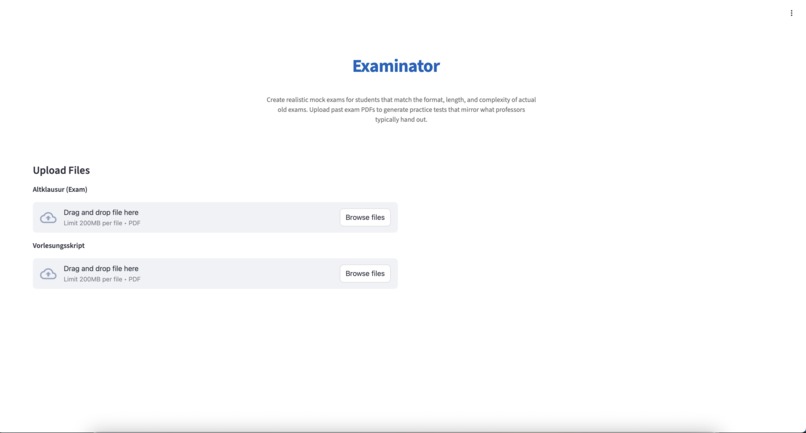
Upload your Past Exam and optional lecture notes
-
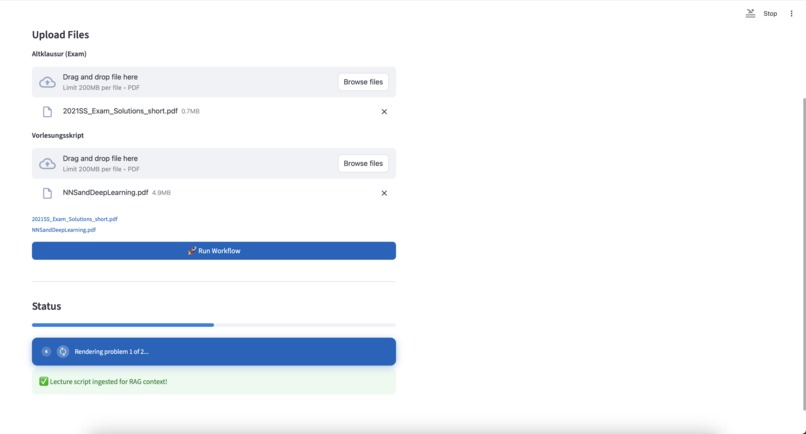
Exam is generated
-
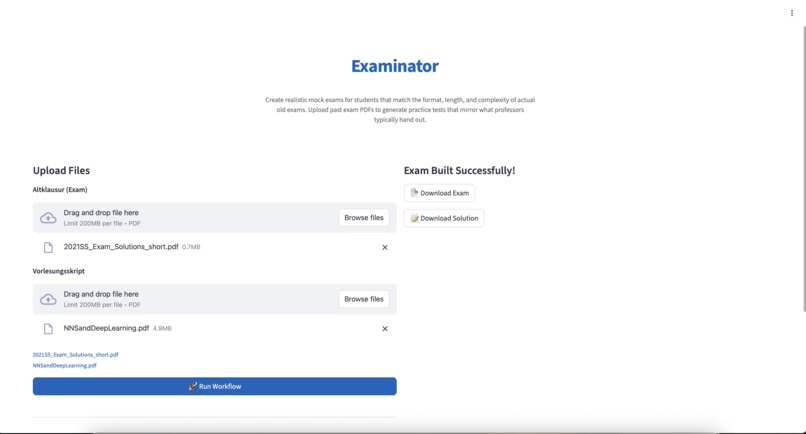
Mock exam is available for download
-
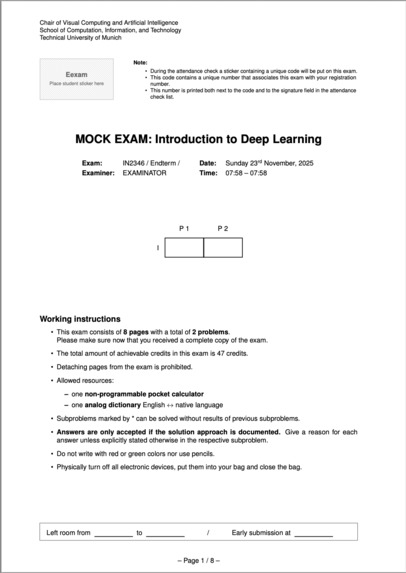
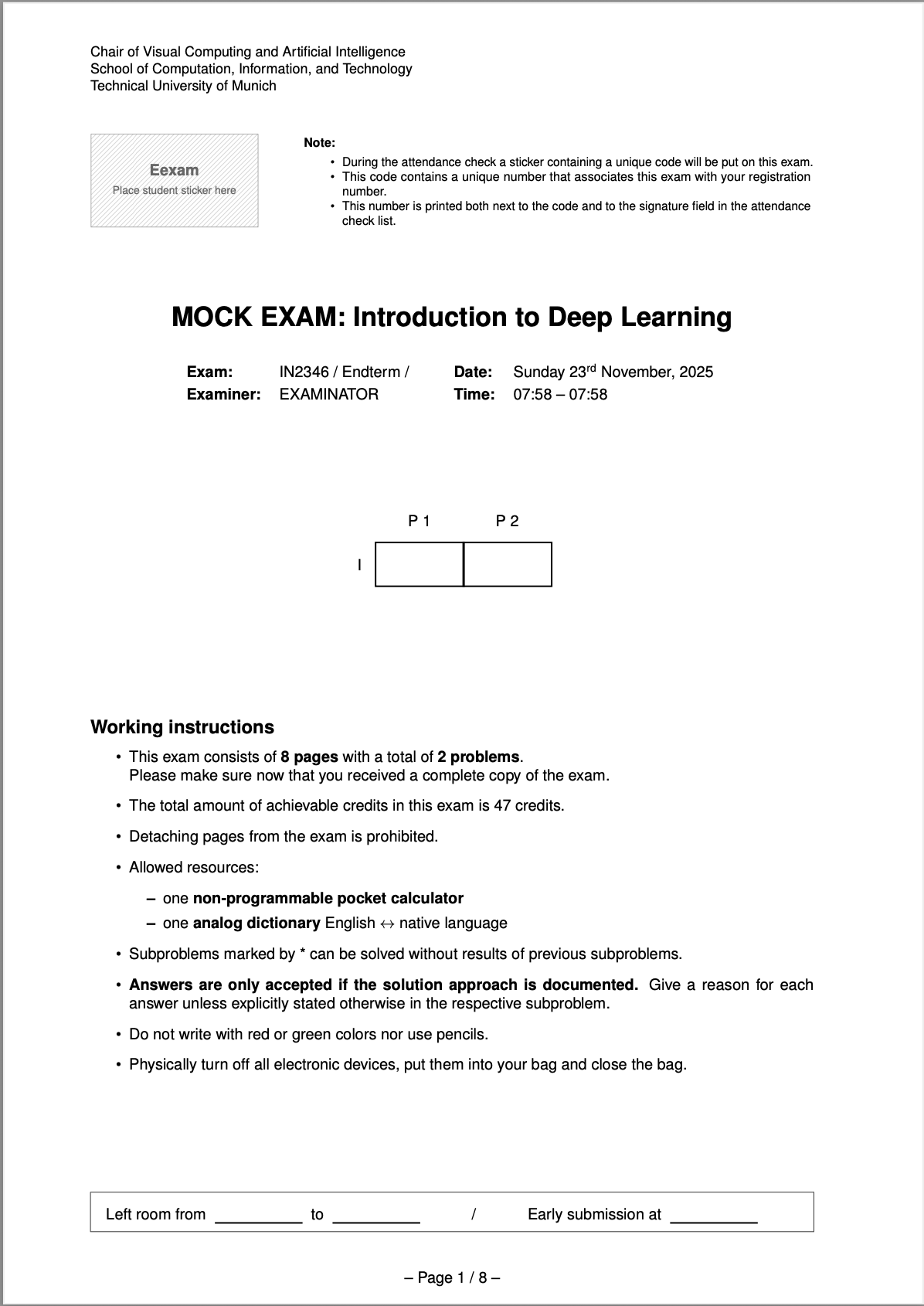
First page of generates mock exam ("Feels like a real exam")
-
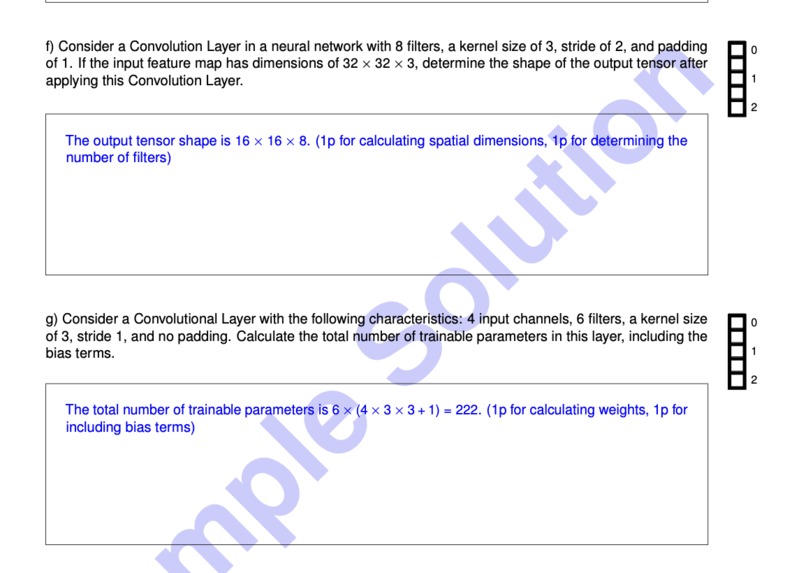
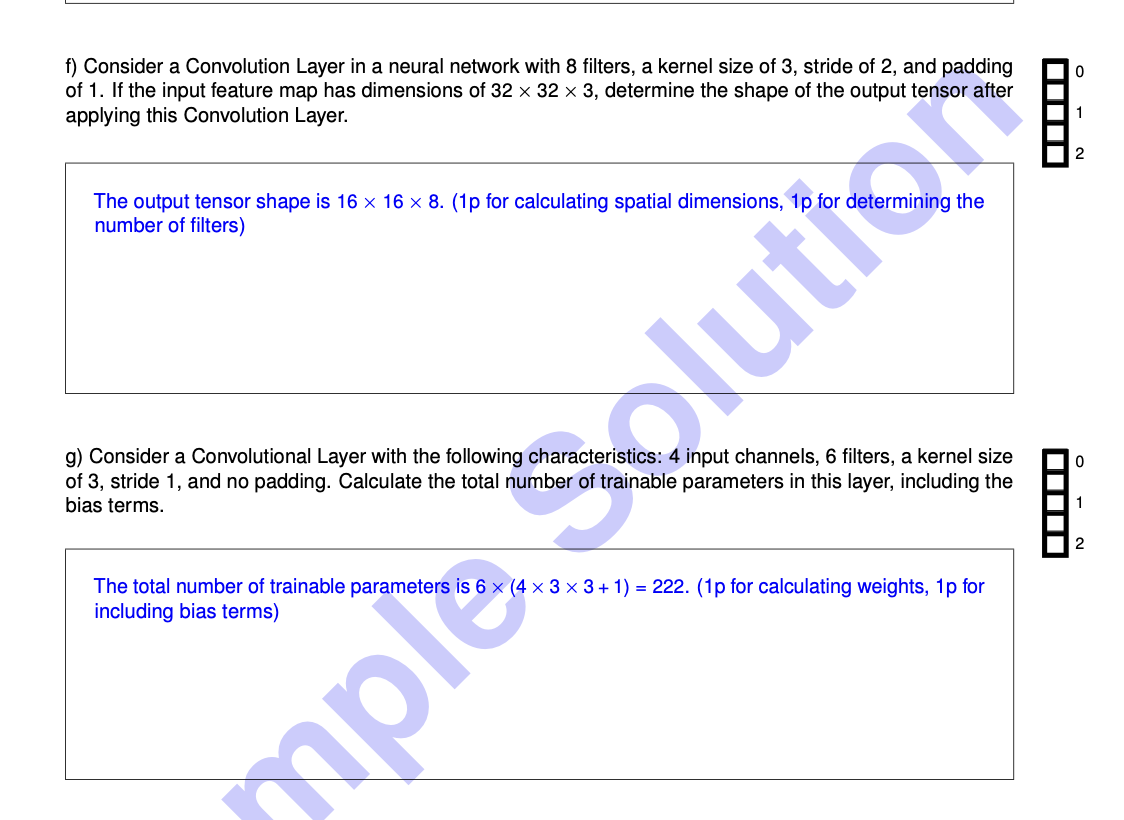
Example Questions from an generated Mock Exam
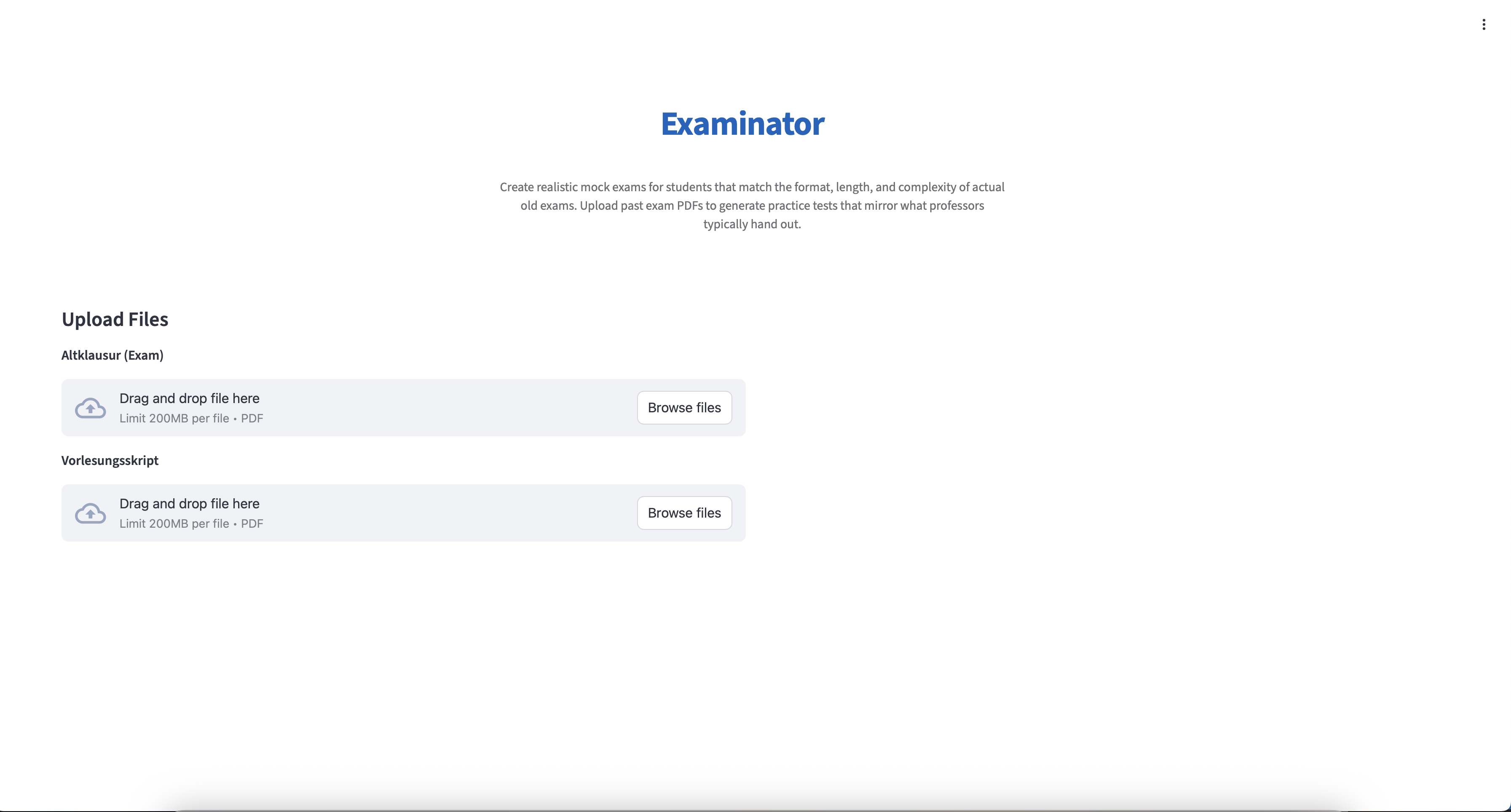
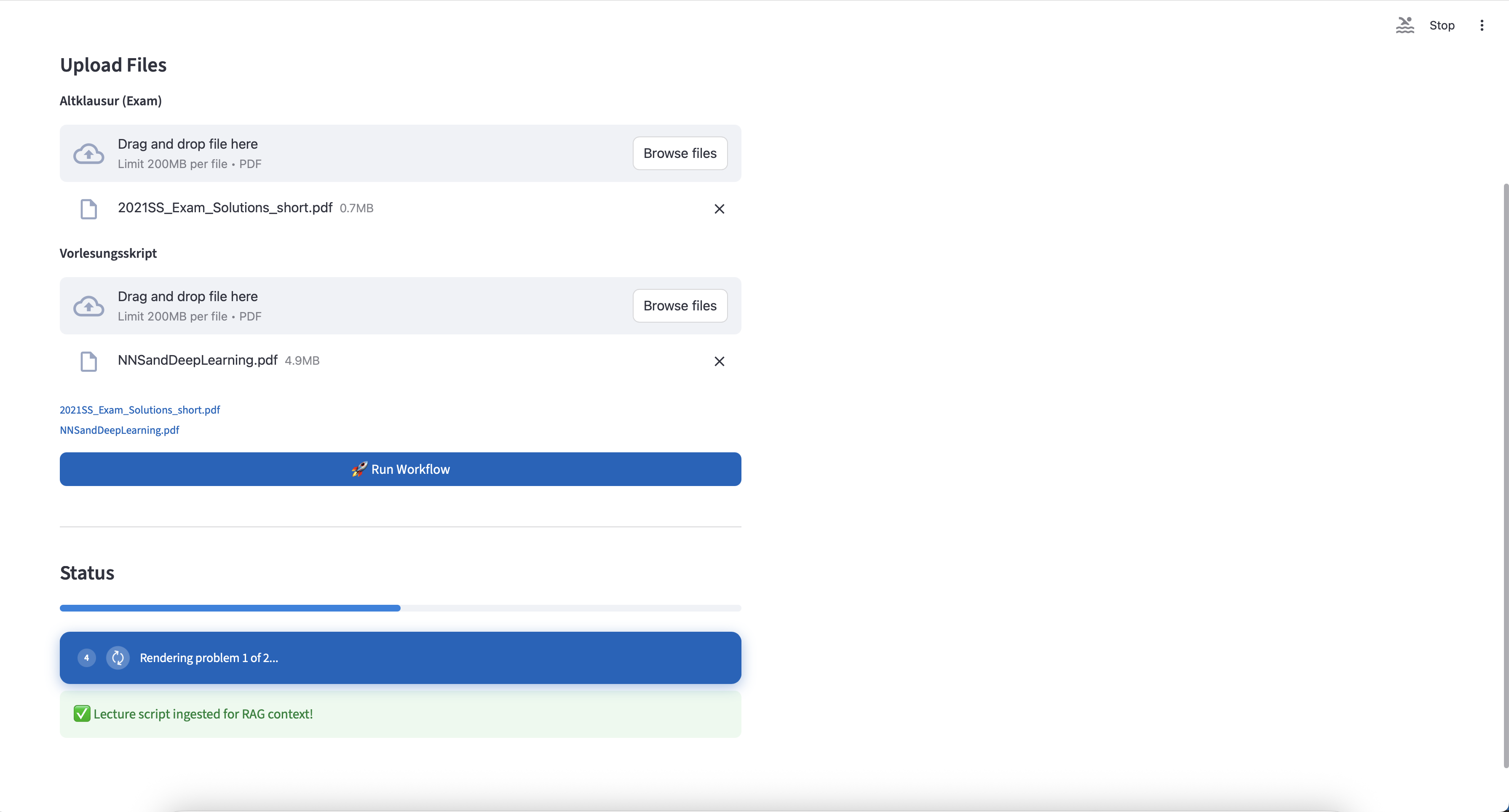
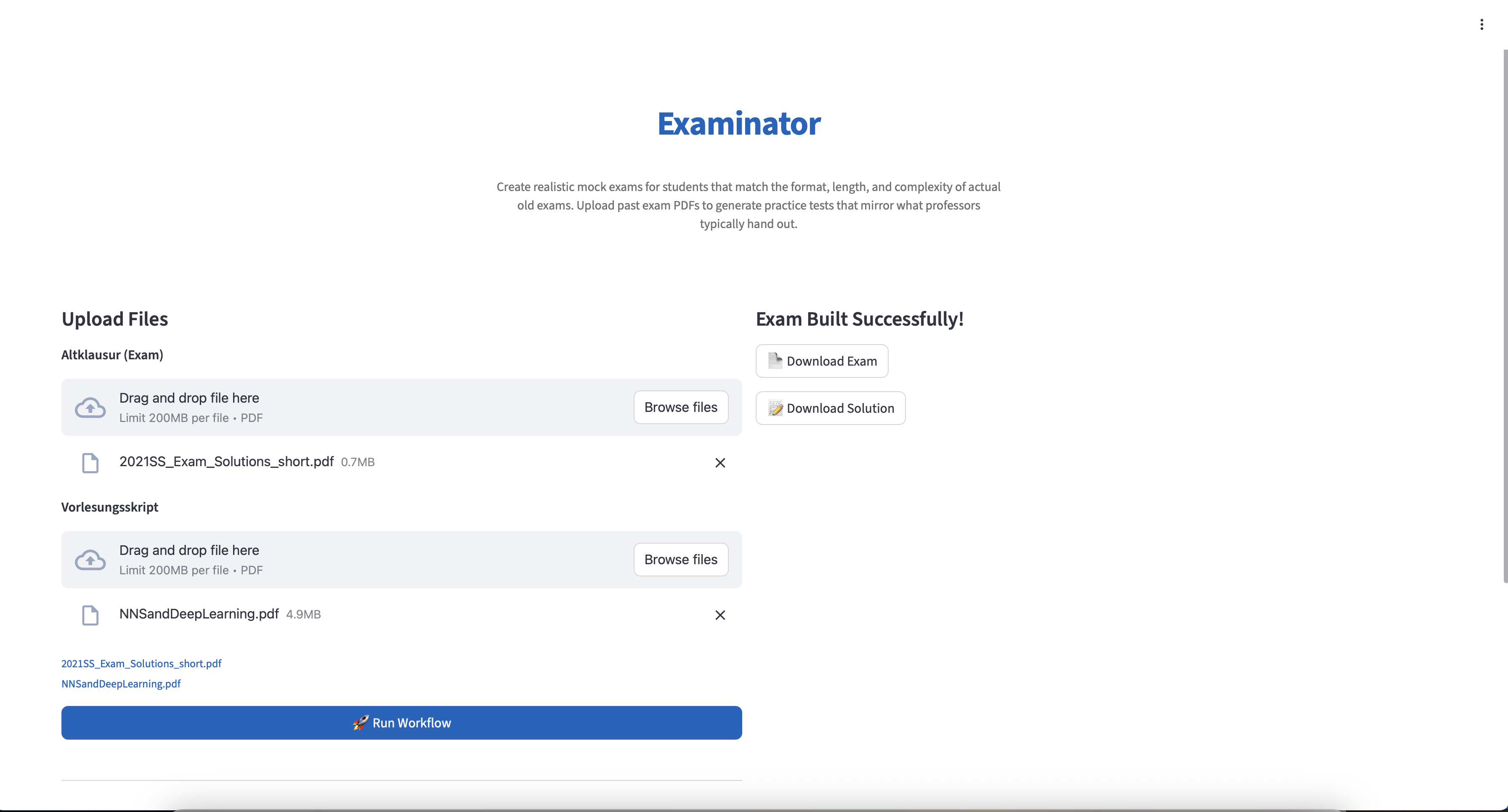
Examinator - AI-Powered Exam Processing & Generation System
Inspiration
As students, we've all struggled with finding quality practice exams that match the format and difficulty of actual university exams. Professors often provide past exams, but these are typically one-time use resources. We wanted to create a tool that could:
- Transform past exam PDFs into reusable practice materials
- Automatically generate solution keys with detailed explanations
- Create new exam variations to prevent memorization
- Help students practice with exams that mirror the actual exam format and complexity
Examinator was born from the need to democratize access to high-quality exam preparation materials, making it easier for students to practice effectively and succeed in their courses.
What it does
Examinator is an intelligent exam processing system that takes past exam PDFs and transforms them into comprehensive practice materials. Here's what it does:
PDF Parsing & Extraction: Uses vision-enabled LLMs to extract exam metadata (title, module, points, time) and all questions from uploaded PDF files, handling complex LaTeX-formatted mathematical content.
Ensemble Problem Solving: Employs a sophisticated ensemble system with three independent solver LLMs that work in parallel to solve each question. An arbiter LLM evaluates their agreement and selects the best answer, ensuring accuracy through consensus.
Solution Key Generation: Automatically generates detailed solution keys with point distributions, matching the style of official exam solutions.
Professional PDF Rendering: Uses LaTeX templates to generate beautifully formatted exam and solution PDFs that match university exam standards.
Question Variation: Can generate variations of multiple-choice questions with different numbers and contexts while maintaining the same difficulty level.
RAG-Enhanced Context: Optionally uses Retrieval-Augmented Generation (RAG) to retrieve relevant course material context when generating new questions.
How we built it
Architecture Overview:
- Frontend: Streamlit web application with a clean, Apple-inspired UI
- Backend: Python-based processing pipeline
- LLM Integration: Different OpenAI Models for vision, parsing, problem solving and cross-verification
- Data Models: Pydantic models for type-safe exam data (Unified Exam Format - UEF)
- PDF Processing: PyMuPDF for PDF parsing and LaTeX for rendering
Key Components:
PDF Parser (
parsing_new.py):- Extracts exam metadata from cover pages using vision models
- Parses question content from all pages
- Handles LaTeX formatting and mathematical notation
Ensemble Solver (
ensemble_solver.py):- Three independent Solver LLMs solve problems in parallel
- Arbiter LLM evaluates semantic agreement between solutions
- Implements iterative rephrasing for ambiguous questions
- Normalizes answers to handle LaTeX formatting differences
Exam Builder (
build_exam.py):- Renders exams using Jinja2 templates
- Generates LaTeX source files
- Compiles to professional PDFs using TUM exam template
RAG Pipeline (
ragpipeline.py):- ChromaDB vector database for course material storage
- Semantic search for relevant context
- Enhances question generation with course-specific knowledge
Data Models (
data_model.py):- Type-safe Pydantic models for exam structure
- Supports both regular and multiple-choice questions
- Validates exam data integrity
Challenges we ran into
LaTeX Parsing & Normalization: Mathematical notation can be formatted in many ways ($...$, (...), [...]). We had to develop robust normalization algorithms to compare answers that are semantically identical but formatted differently.
Semantic Agreement Detection: Determining if two answers "agree" is non-trivial. "Speeds up training" and "accelerates convergence" mean the same thing but use different words. We implemented semantic similarity checking using the arbiter LLM.
PDF Structure Variability: Different professors format exams differently. Our vision-based parser had to handle various layouts, fonts, and structures while reliably extracting questions and metadata.
Cost Optimization: Running multiple LLMs in parallel can be expensive. We optimized by:
- Skipping arbiter calls when direct agreement is detected
- Using efficient models where possible
- Implementing retry logic with exponential backoff
LaTeX Rendering: Ensuring generated LaTeX compiles correctly and produces professional-looking PDFs required careful template design and error handling.
Concurrent Processing: Coordinating parallel solver calls while maintaining error handling and result aggregation required careful use of ThreadPoolExecutor and proper exception management.
Accomplishments that we're proud of
High Accuracy Ensemble System: Our three-solver + arbiter architecture achieves high accuracy by leveraging consensus and semantic understanding, not just exact string matching.
Professional Output Quality: The generated PDFs match university exam standards, with proper formatting, LaTeX rendering, and professional typography.
Robust Error Handling: The system gracefully handles API failures, malformed PDFs, and edge cases with comprehensive retry logic and fallback mechanisms.
Type-Safe Architecture: Using Pydantic models ensures data integrity throughout the pipeline, catching errors early and providing clear validation messages.
User-Friendly Interface: The Streamlit app provides a clean, intuitive experience with real-time progress tracking and beautiful visual feedback.
Extensible Design: The modular architecture makes it easy to add new question types, solvers, or rendering formats.
What we learned
Ensemble Methods in LLMs: Using multiple models and consensus checking significantly improves reliability over single-model approaches.
Semantic vs. Syntactic Matching: For educational content, semantic understanding is crucial - answers can be correct even if worded differently.
Vision Models for Document Processing: GPT-4o's vision capabilities are powerful for extracting structured data from PDFs, but require careful prompt engineering.
LaTeX as a Rendering Engine: LaTeX provides unmatched quality for mathematical and academic documents, but requires careful template design and compilation management.
Cost-Performance Tradeoffs: Balancing model quality, cost, and speed requires careful architecture decisions. Sometimes simpler models work well for certain tasks.
Type Safety in Python: Pydantic models provide excellent validation and IDE support, catching many bugs before runtime.
What's next for Examinator
Multi-Language Support: Extend parsing and generation to support exams in multiple languages.
Advanced Question Generation: Implement more sophisticated question variation algorithms that can create entirely new questions based on course material while maintaining difficulty levels.
Collaborative Features: Allow students to share practice exams and solution keys, building a community-driven exam bank.
Adaptive Difficulty: Analyze student performance and generate exams with adaptive difficulty levels.
Integration with Learning Management Systems: Direct integration with Canvas, Moodle, or other LMS platforms.
Mobile App: Create a mobile application for on-the-go exam practice.
Analytics Dashboard: Provide insights into question difficulty, common mistakes, and learning progress.
Support for More Question Types: Add support for coding questions, diagram-based questions, and other specialized formats.
Offline Mode: Implement local LLM support for privacy-conscious users or offline usage.
Batch Processing: Allow processing multiple exams simultaneously for institutions.
Built With
- Python - Core programming language
- Streamlit - Web application framework
- OpenAI API - Different models for vision, parsing, and problem solving
- Pydantic - Data validation and type safety
- PyMuPDF (fitz) - PDF parsing and image extraction
- LaTeX - Professional PDF rendering
- Jinja2 - Template engine for exam generation
- ChromaDB - Vector database for RAG pipeline
- python-dotenv - Environment variable management
- Google Generative AI - Additional AI capabilities
Pitch Deck
https://github.com/jsincn/examinator/blob/main/EXAMINATOR%20PITCH.pdf


Log in or sign up for Devpost to join the conversation.