-
-
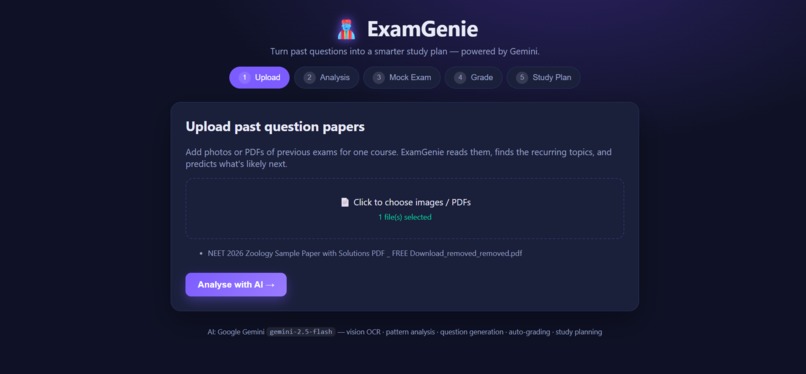
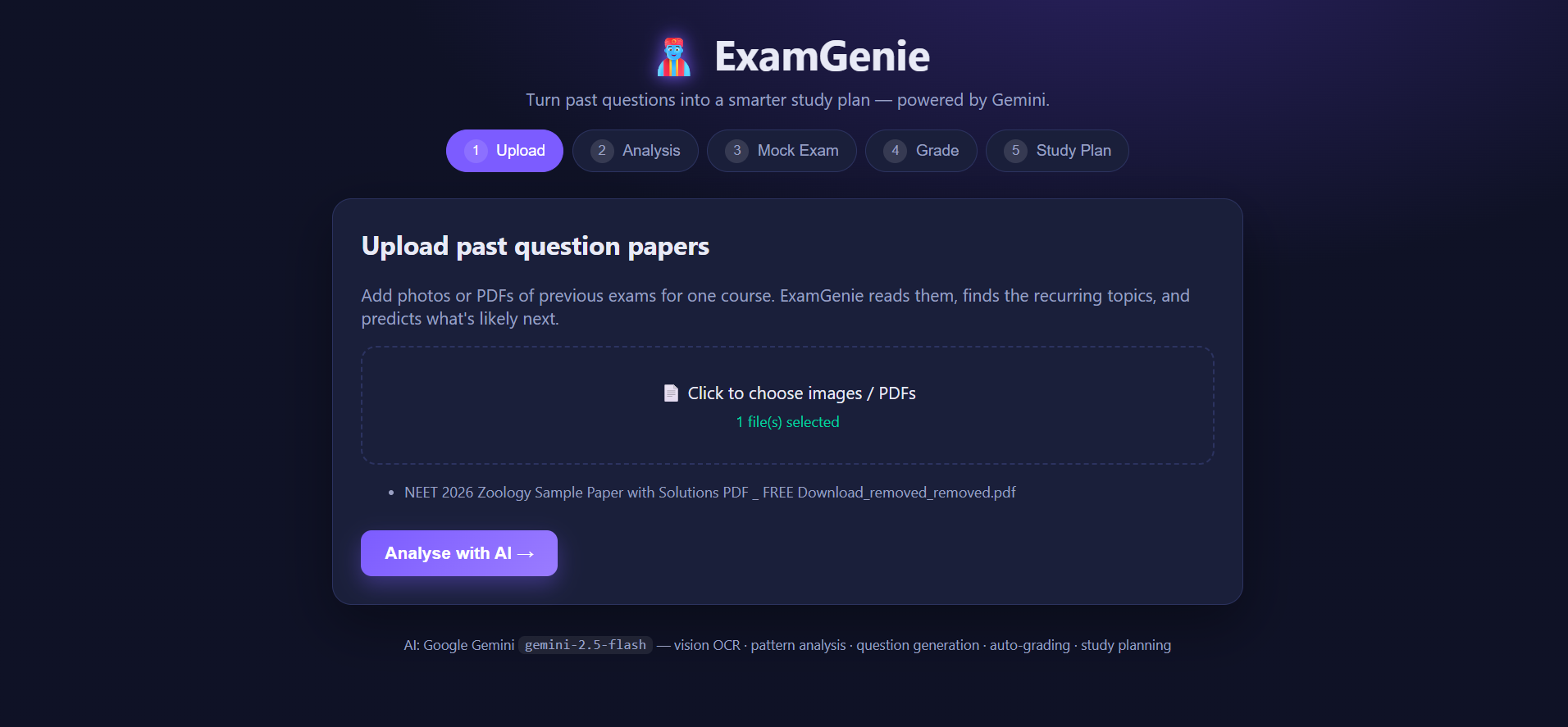
Start by uploading photos or PDFs of any past exam papers
-
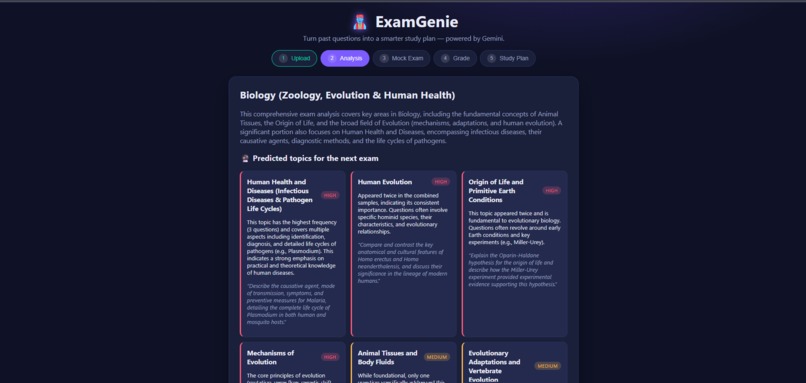
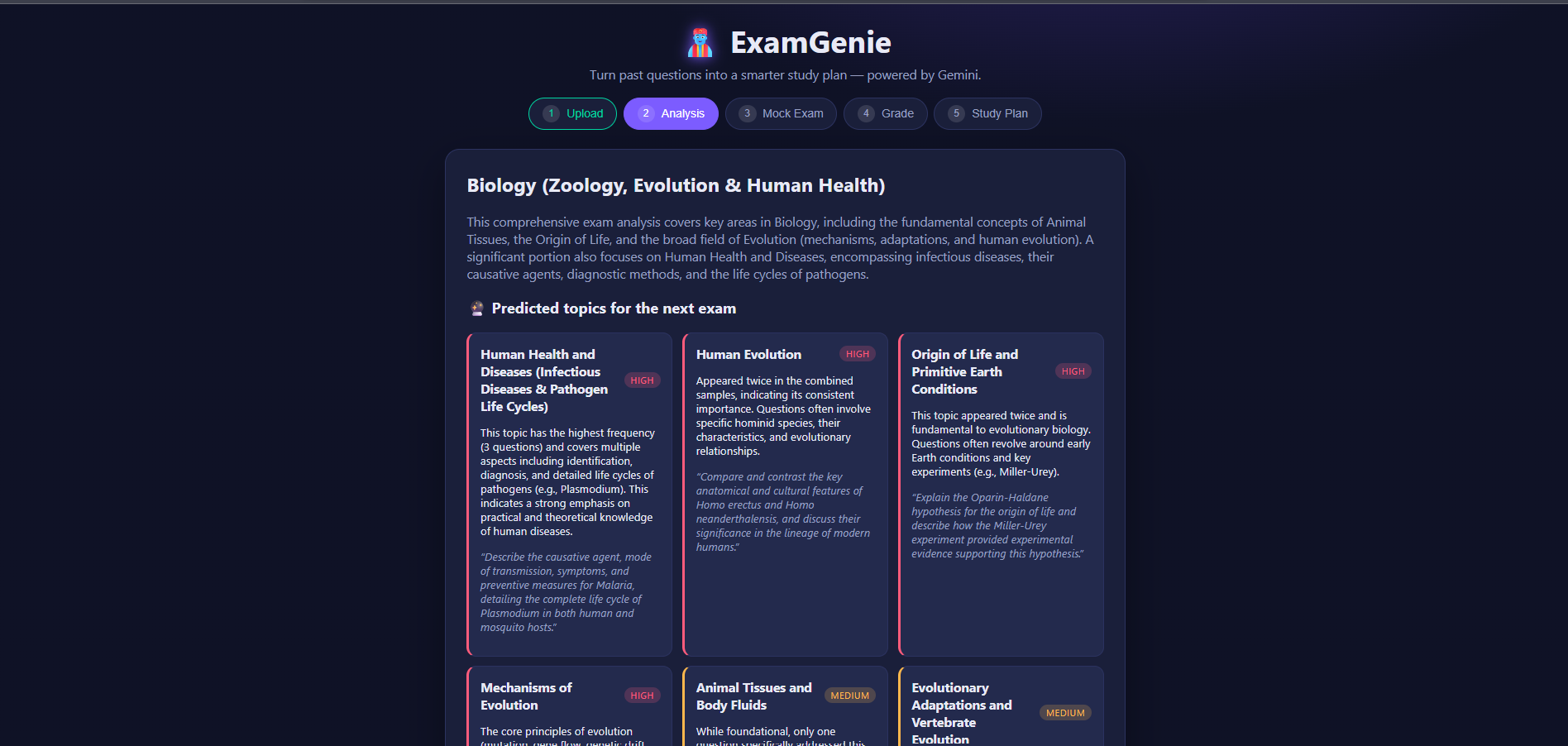
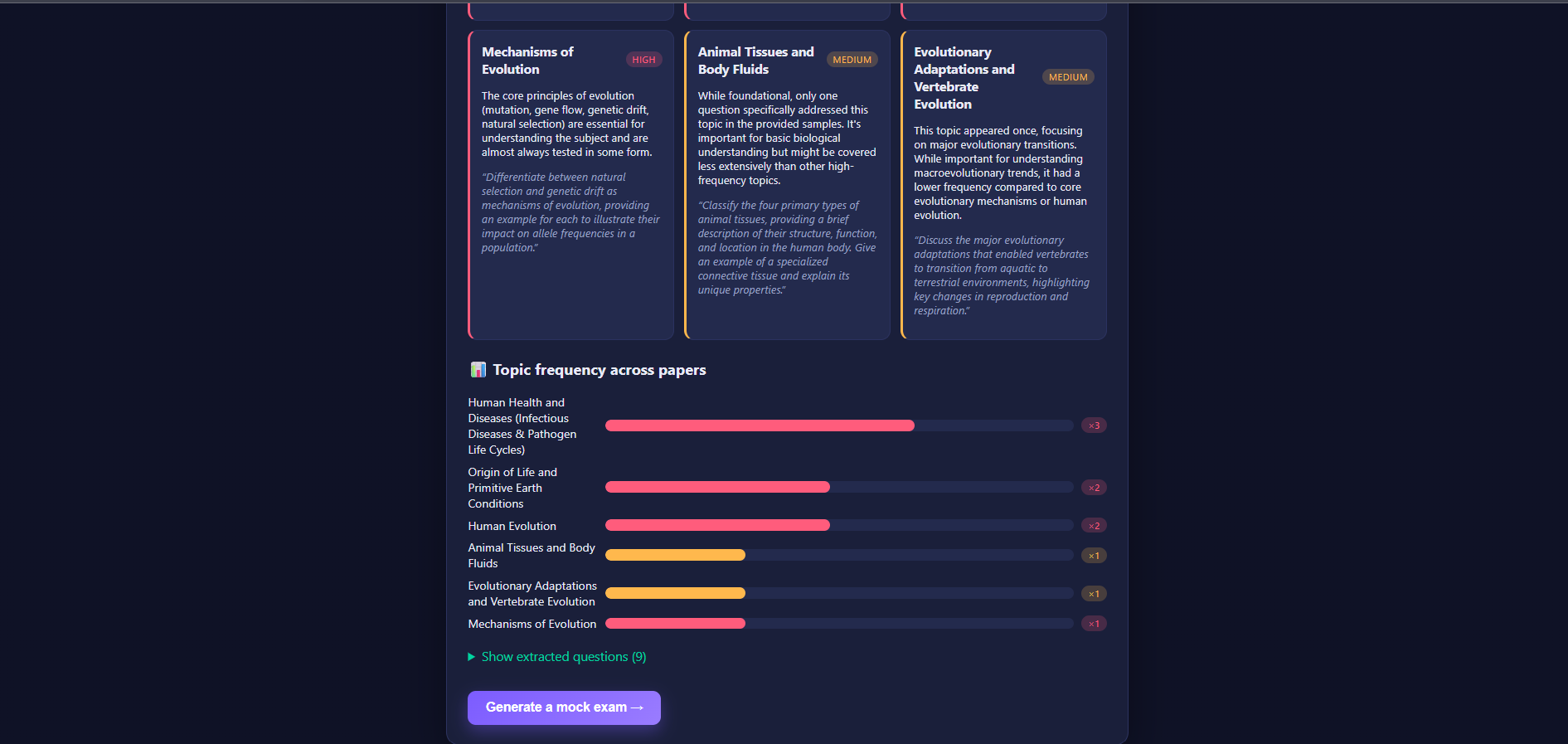
Predicted exam topics ranked by confidence, with sample questions for each
-
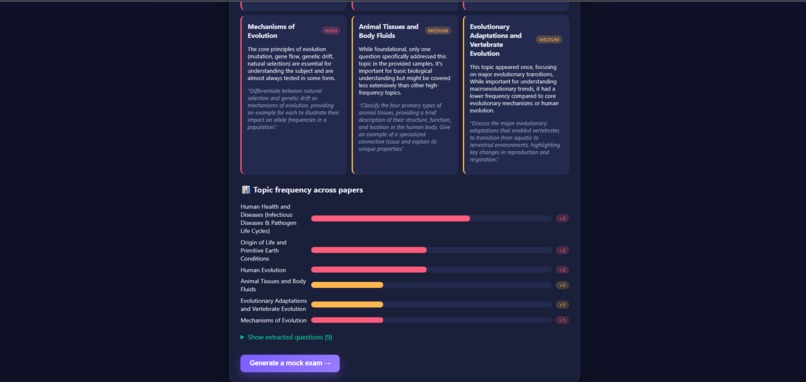
AI-generated topic breakdown for Biology, built from multiple past papers
-
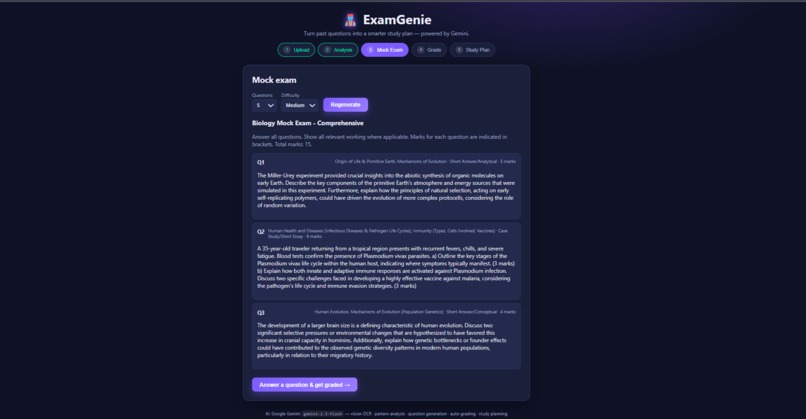
Each predicted topic comes with a sample question in the exact exam style
-
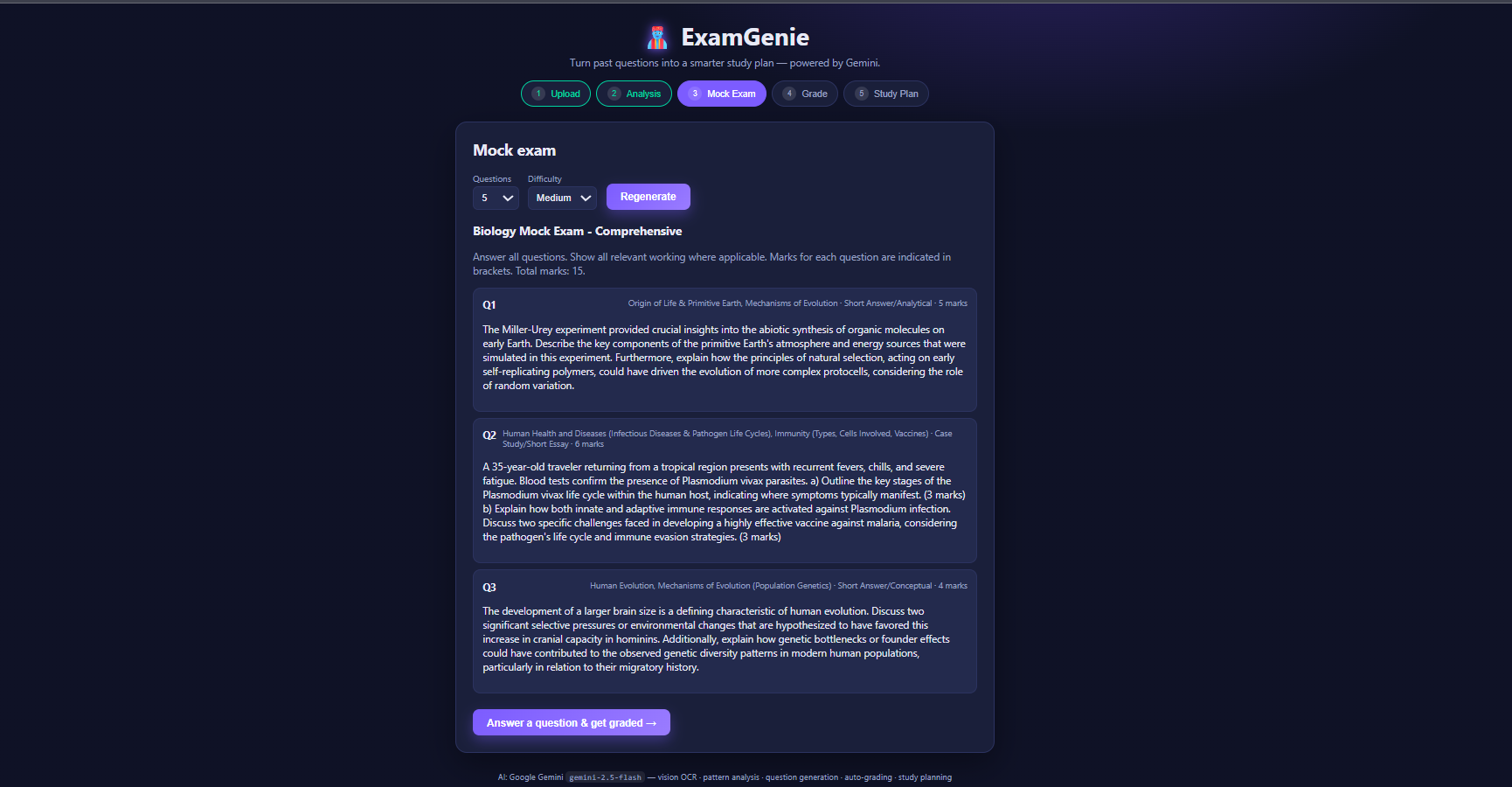
generates a full mock exam matching the real paper's style and marks
-
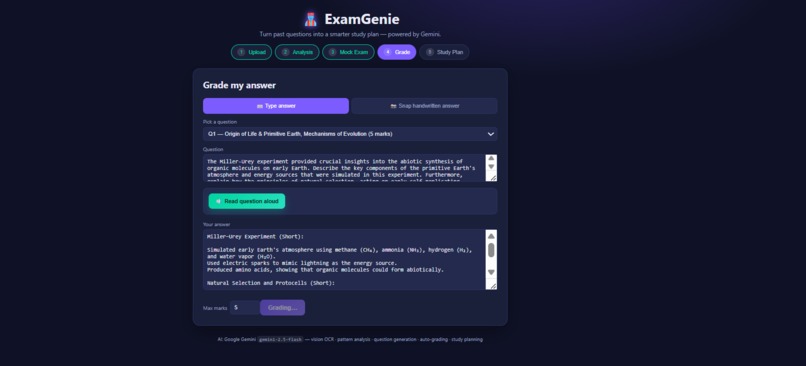
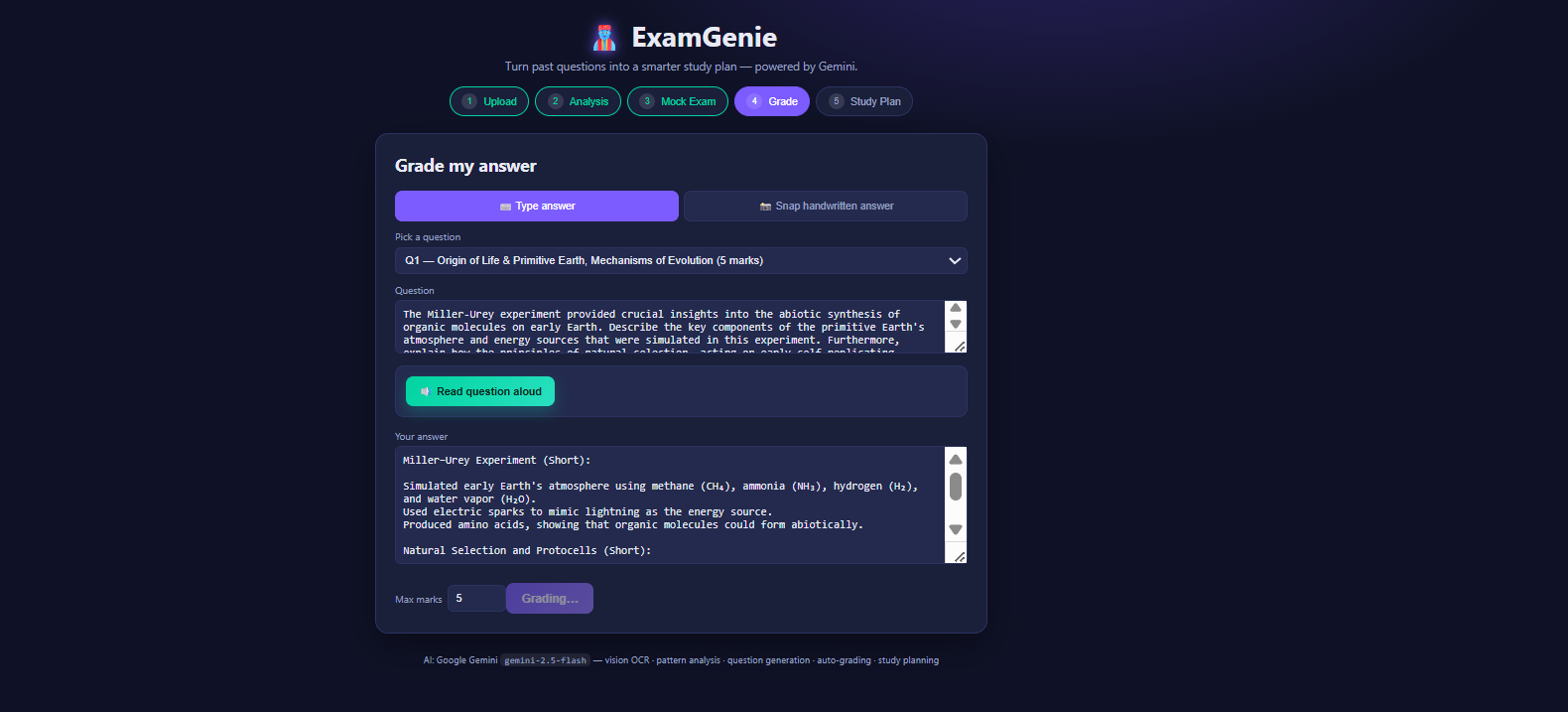
Type or snap your answer and get it graded instantly
-
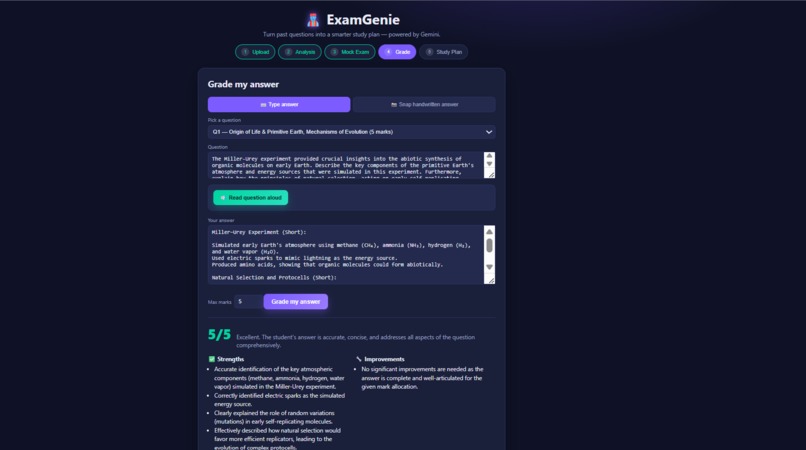
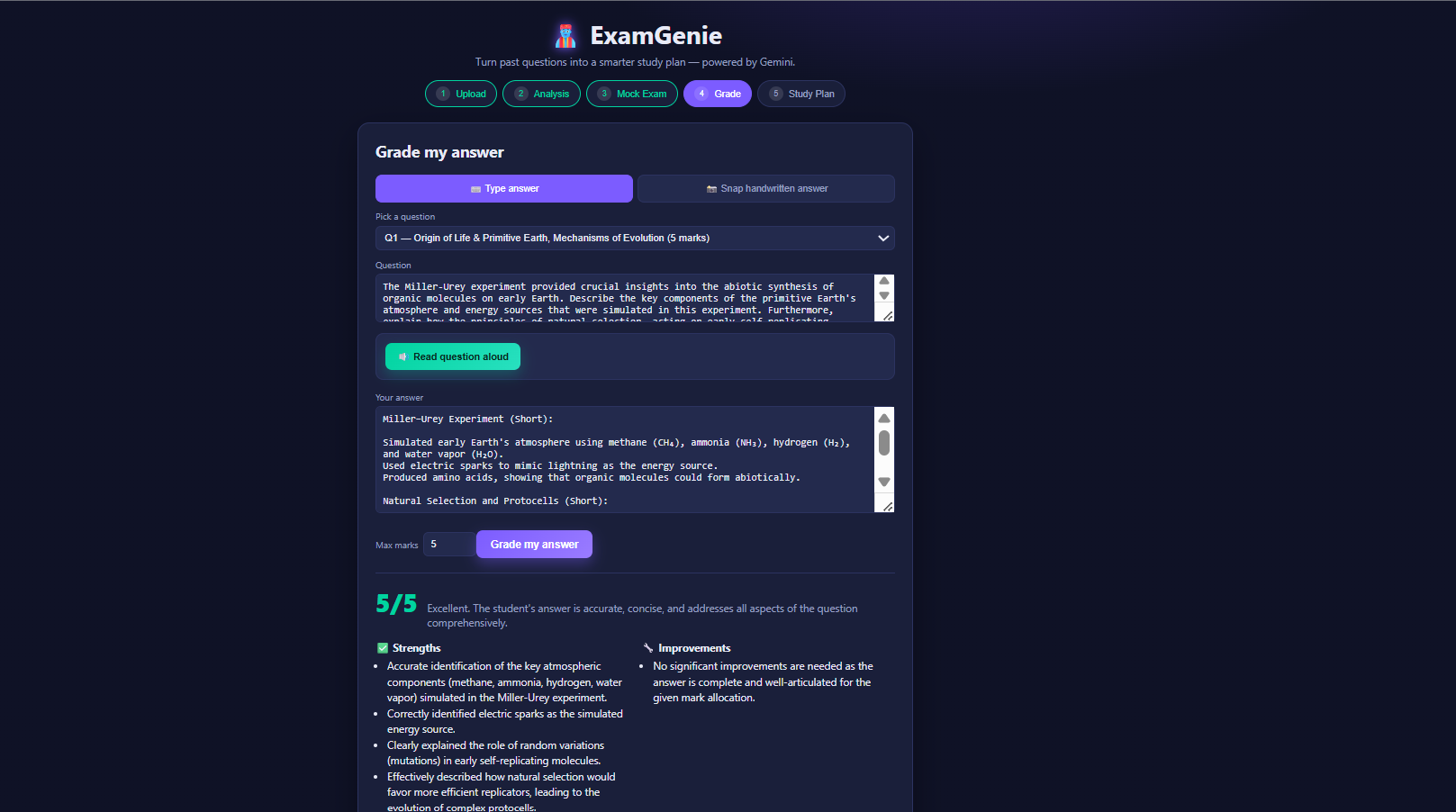
AI grades your answer with a score, strengths, and areas to improve
-
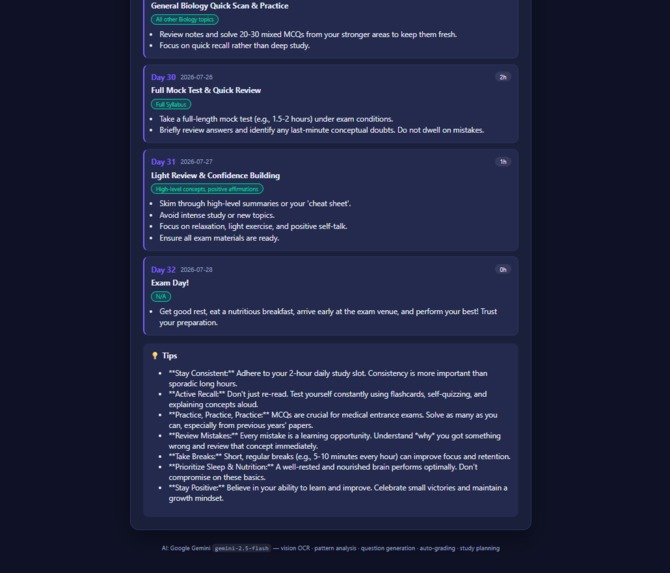
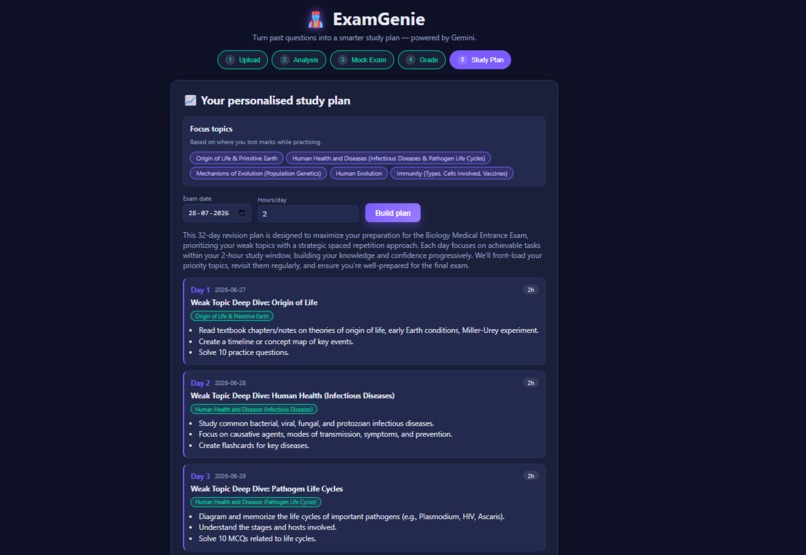
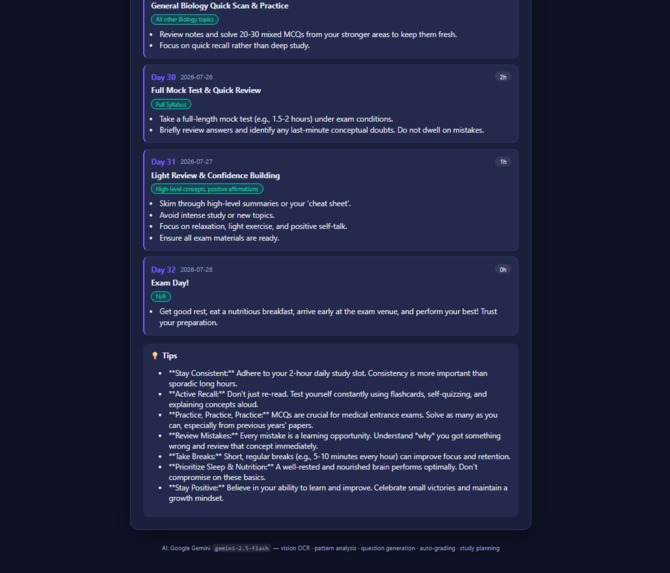
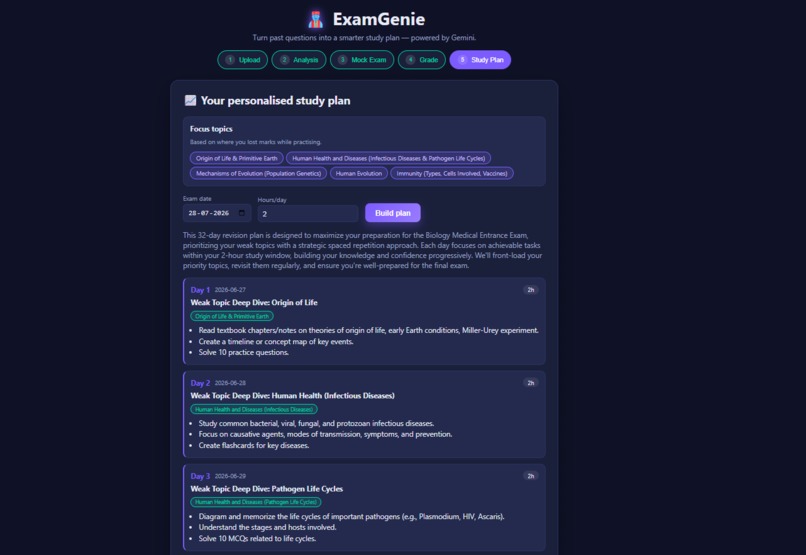
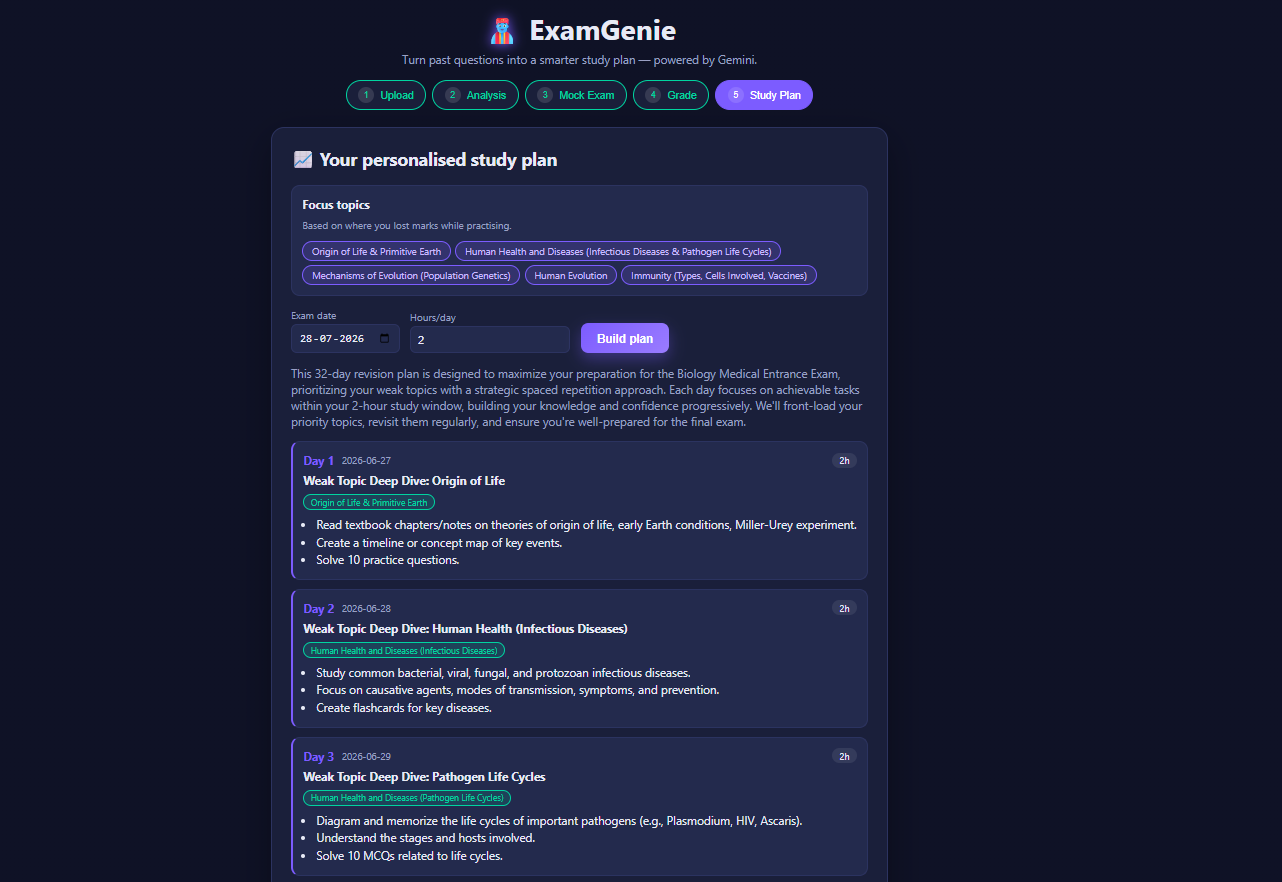
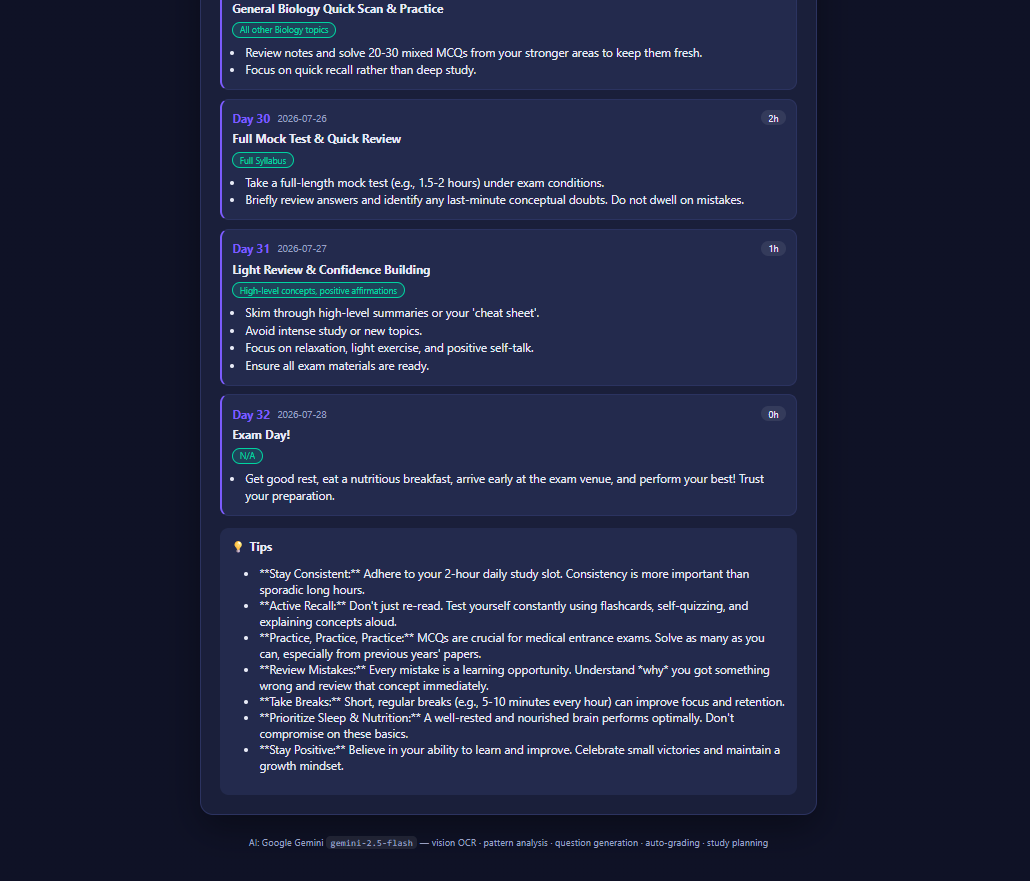
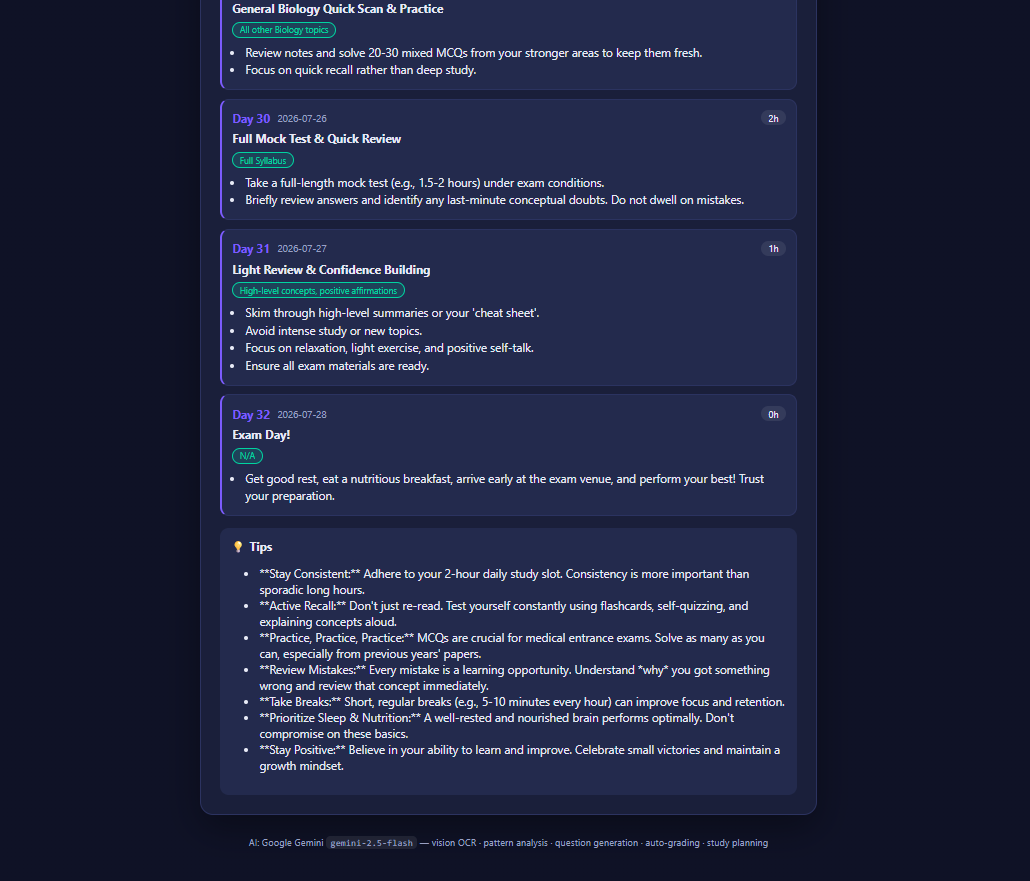
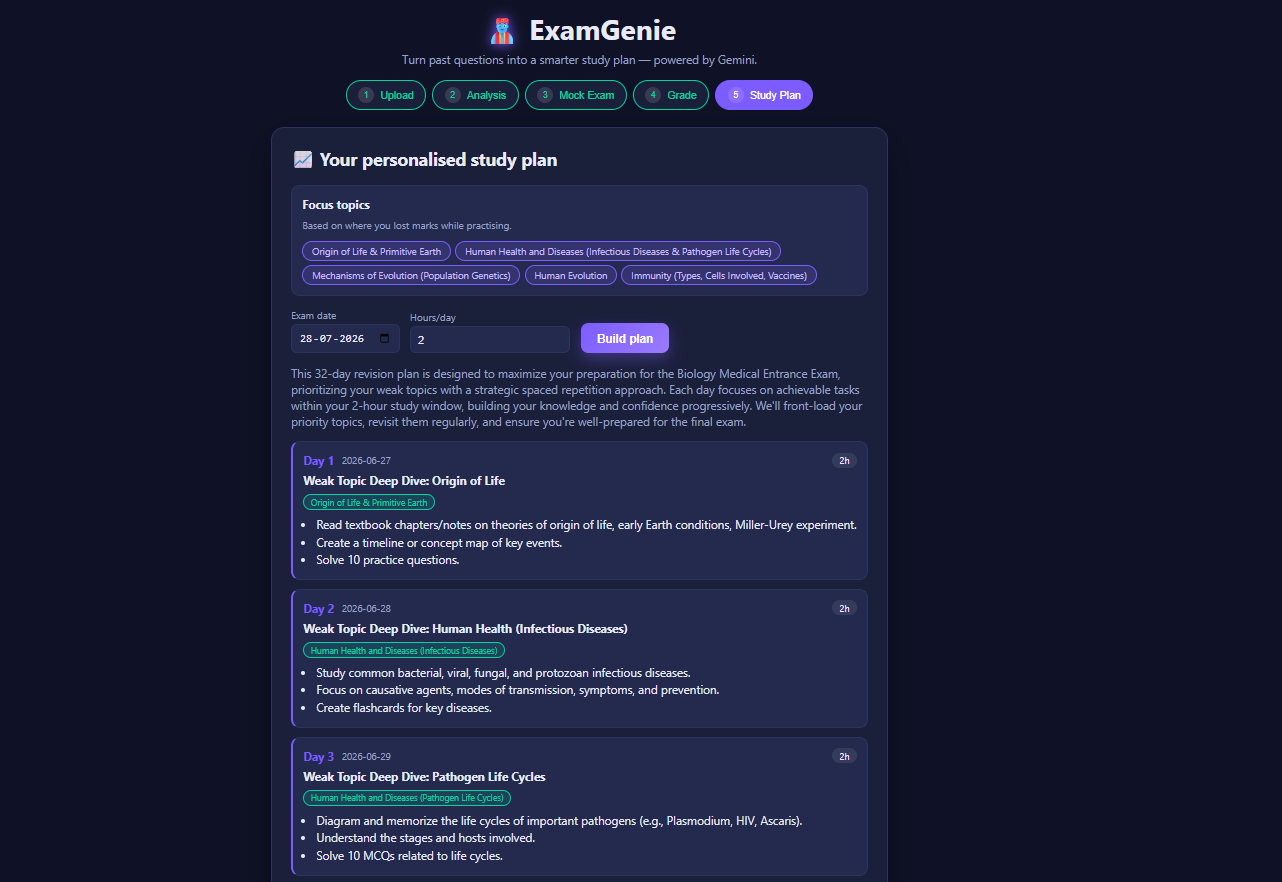
personalised day-by-day study plan built around your weak topics
-
-
Inspiration
Every student knows the ritual: before an exam, you dig up 5-10 years of past question papers and try to "spot" what's likely to come up. It works, but it's slow, manual, and mostly guesswork — you're pattern-matching by eye across dozens of PDFs and photos. We wanted to hand that pattern-matching to AI and turn hours of paper-flipping into a few clicks.
What it does
ExamGenie turns a stack of past exam papers into a personalized study plan. Upload photos or PDFs of previous question papers and it will:
- Read every question using AI vision (OCR) — no manual typing needed.
- Analyse the recurring topics across papers and rank them by frequency.
- Predict the topics most likely to show up in the next exam.
- Generate a realistic mock exam in the style of the real paper.
- Grade your answers with marks, feedback, and a model answer.
How we built it
- Frontend: React + Vite for a fast, responsive upload-and-review flow.
- Backend: Python + FastAPI serving a single API that wraps Google Gemini.
- AI: Google Gemini (
gemini-2.5-flash) via the officialgoogle-genaiSDK handles everything — OCR on uploaded images/PDFs, topic-pattern analysis, mock-exam generation, and grading — all using structured outputs (response_schema) so the backend gets clean, typed JSON instead of having to parse free text. - Uploaded PDFs are split into small page chunks before being sent to Gemini, which keeps large multi-page past papers within request limits and makes progress visible instead of one long black-box call.
Challenges we ran into
- Rate limits and large uploads. Several past papers at once, each several pages, can quickly hit Gemini's request limits. We built a chunking system (configurable pages-per-chunk and files-per-chunk) with retry/backoff logic so large batches degrade gracefully instead of failing outright.
- Getting reliable structured data from a vision model. Free-text OCR
output is hard to build a UI on top of. Using
response_schemato force Gemini into consistent JSON shapes was key to making the frontend simple. - Keeping OCR accurate across messy scans. Handwritten notes, skewed phone photos, and low-quality scans all needed to resolve to the same clean question format.
Accomplishments that we're proud of
- A single AI model (Gemini) powers the entire pipeline — OCR, analysis, generation, and grading — with no separate OCR service or ML model needed.
- The whole flow, from raw photos of past papers to a graded mock exam, works end-to-end in under a minute.
- Structured outputs mean the frontend never has to guess at parsing AI text.
What we learned
- How far a single well-prompted multimodal model can go when you lean on structured outputs instead of stitching together multiple specialized services (OCR engine + NLP + grading logic).
- Practical patterns for making LLM APIs resilient under real-world load: chunking, retries, and backoff matter as much as the prompts themselves.
What's next for ExamGenie
- Support for more input types (typed notes, lecture slides) alongside past papers.
- Multi-user accounts so students can track progress and predicted-topic accuracy across multiple exam cycles.
- Deployment so judges/users can try it live without running it locally.
Built With
- api
- fastapi
- gemini-2.5-flash
- google-gemini
- google-genai
- javascript
- pypdf
- python
- react
- rest
- vite


Log in or sign up for Devpost to join the conversation.