-
-
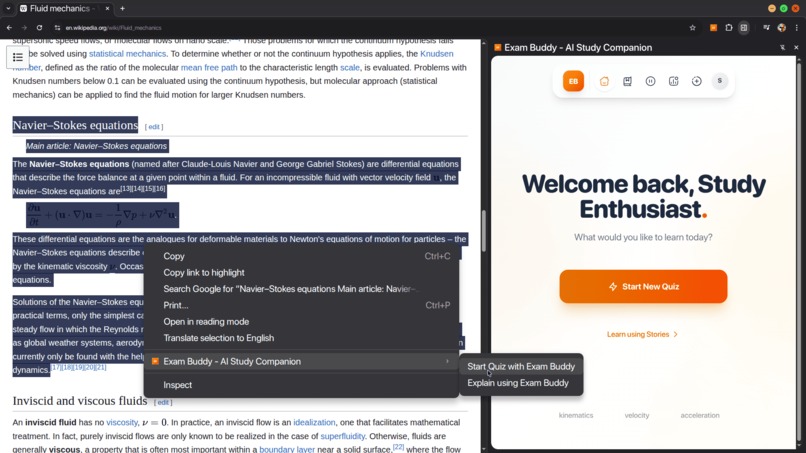
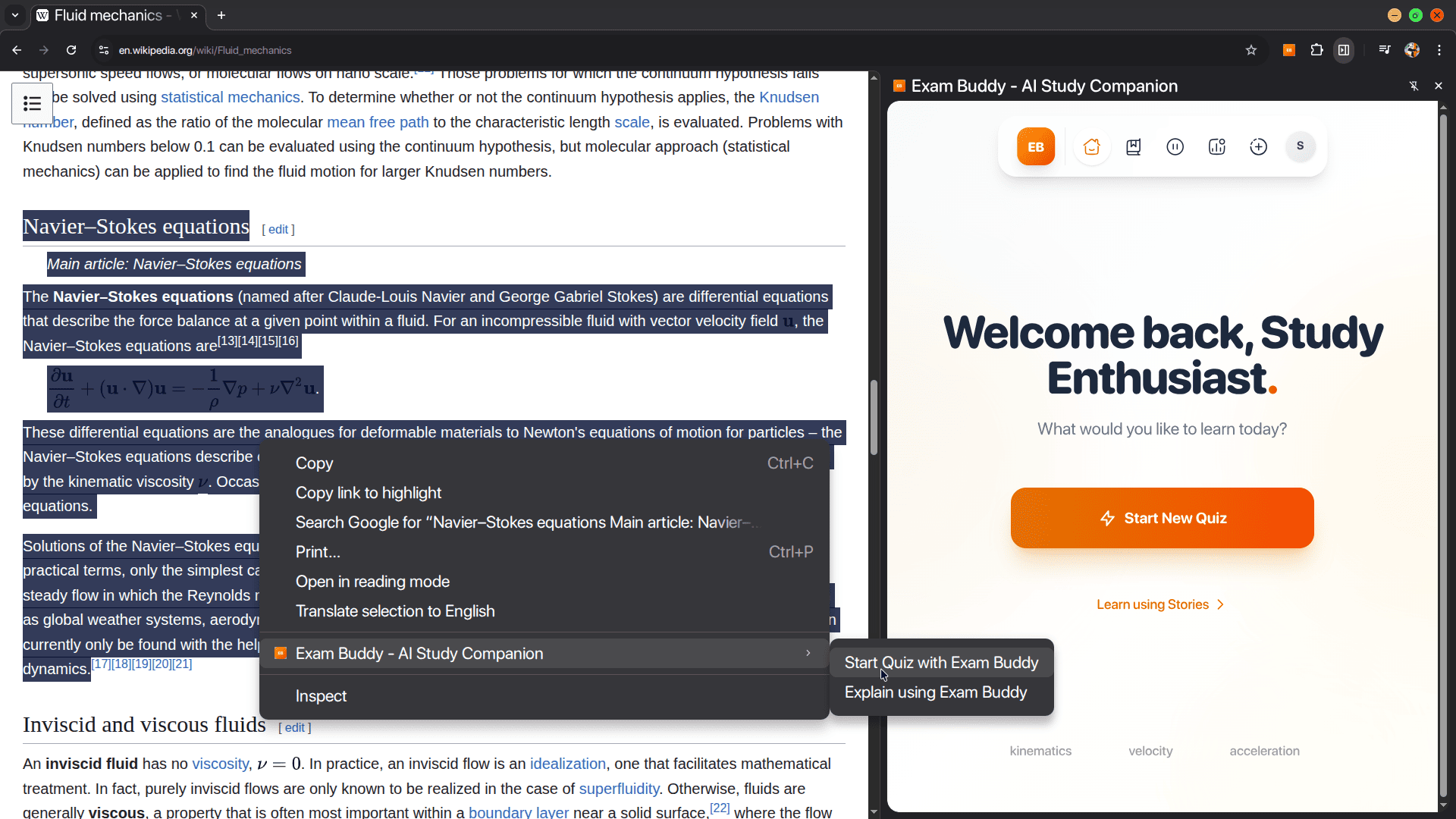
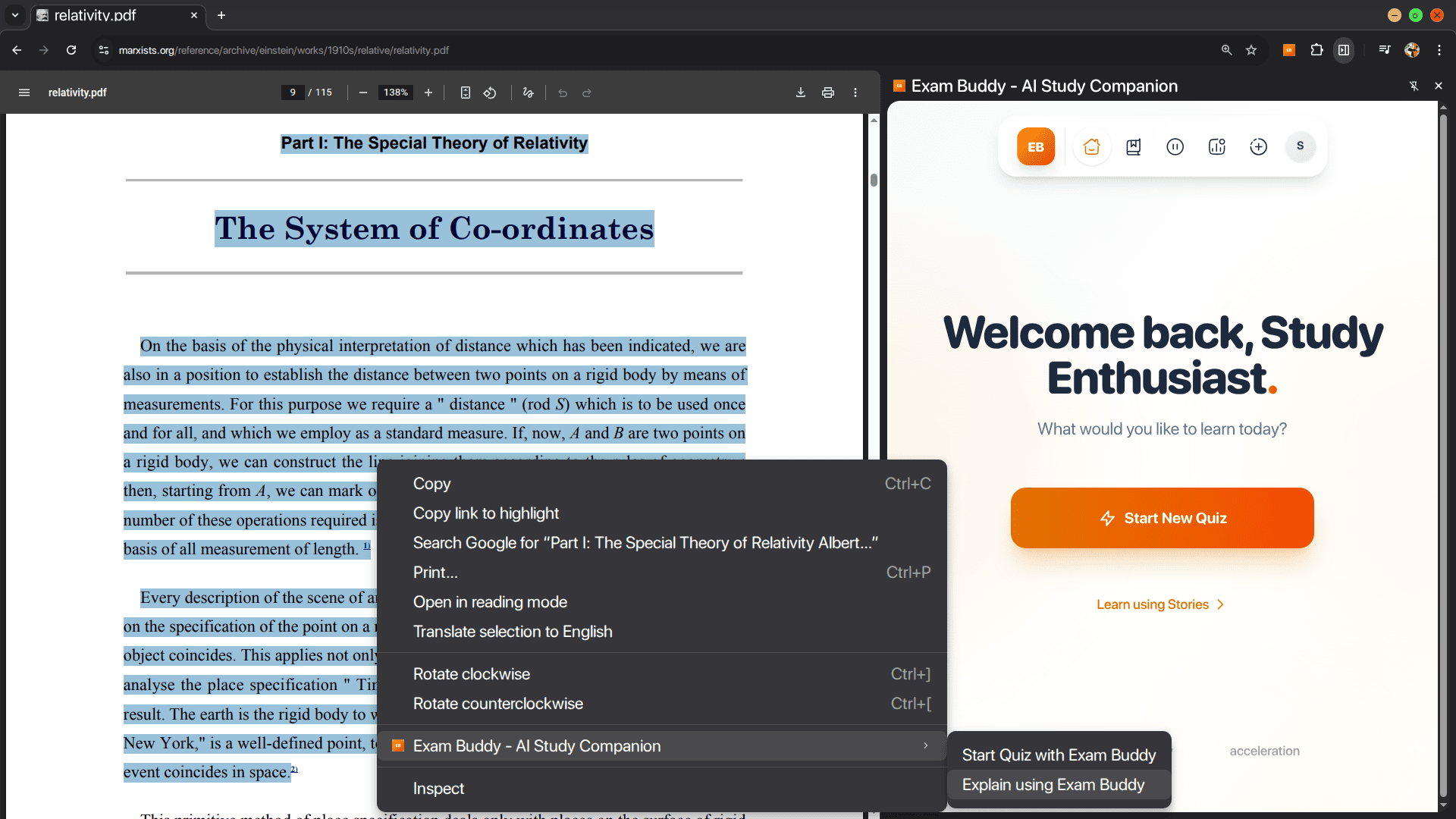
Generate quiz from any text (any webpage, pdf, custom input, selected text)
-
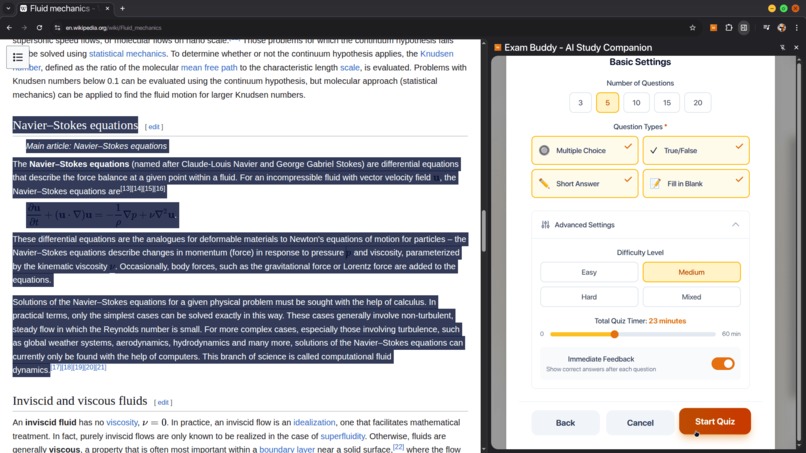
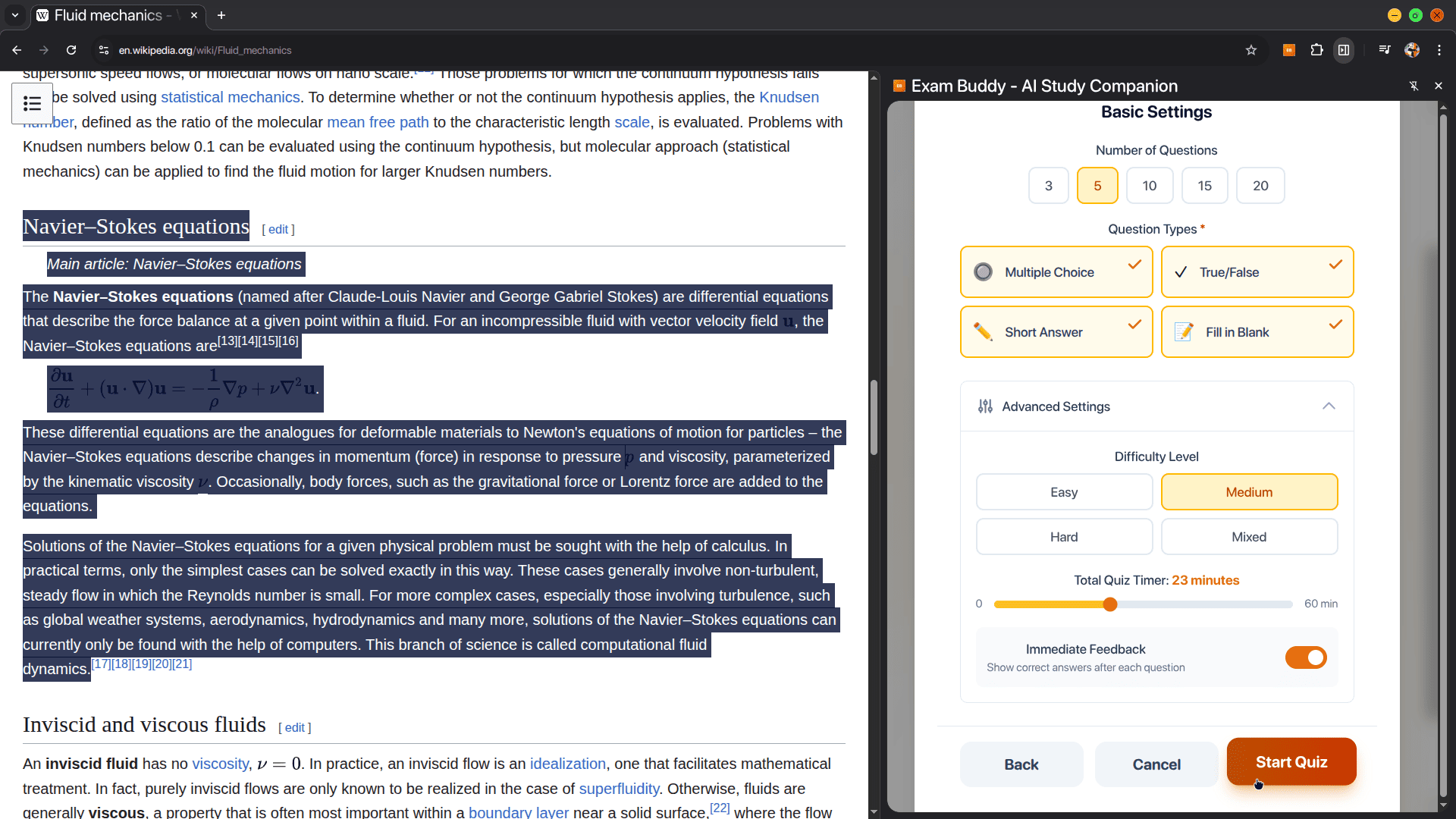
Modify the quiz configuration
-
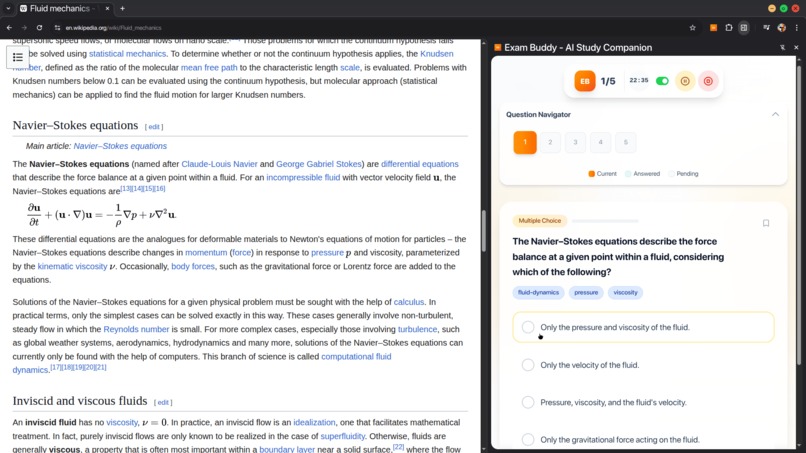
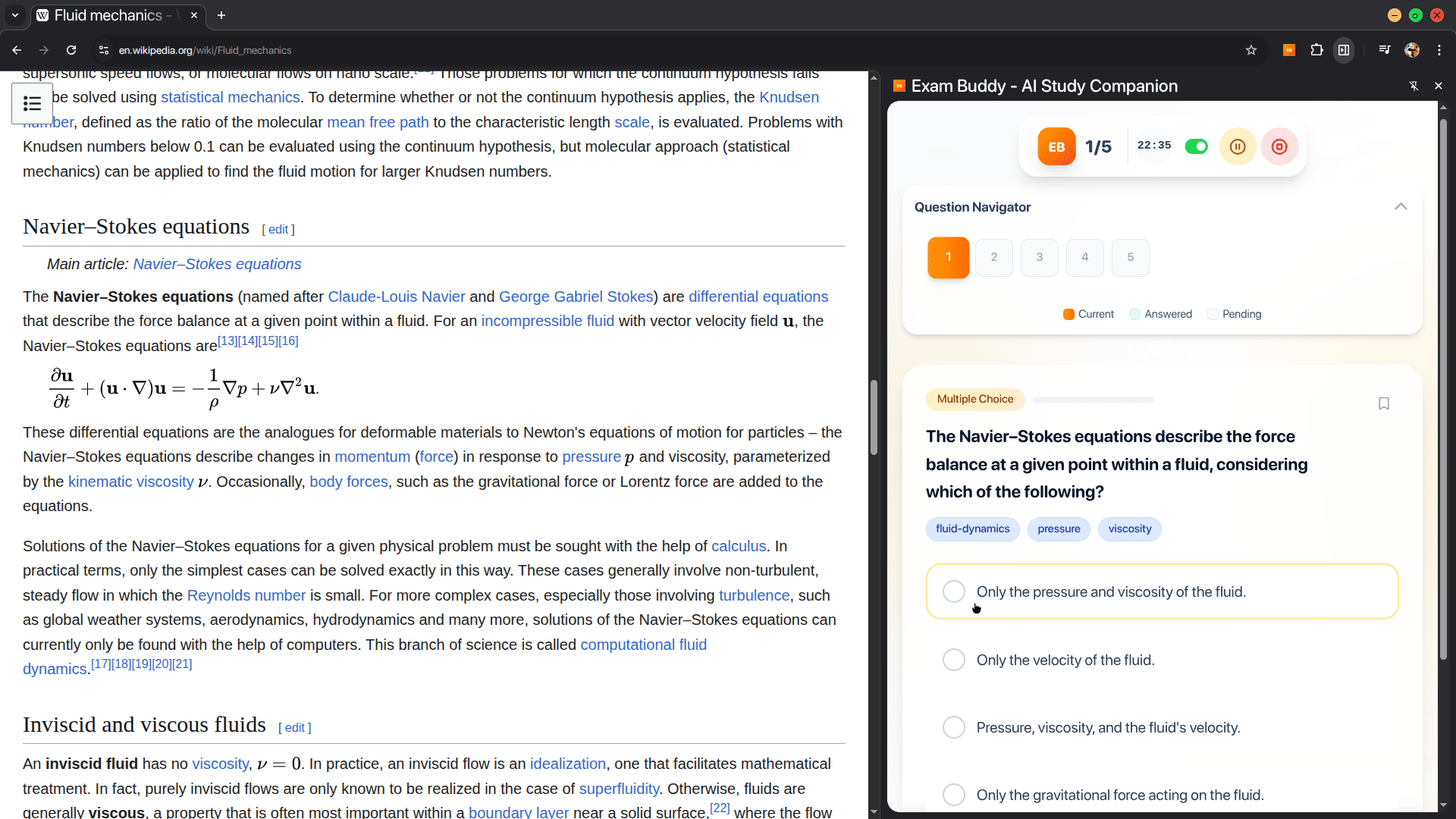
Final rendered questions
-
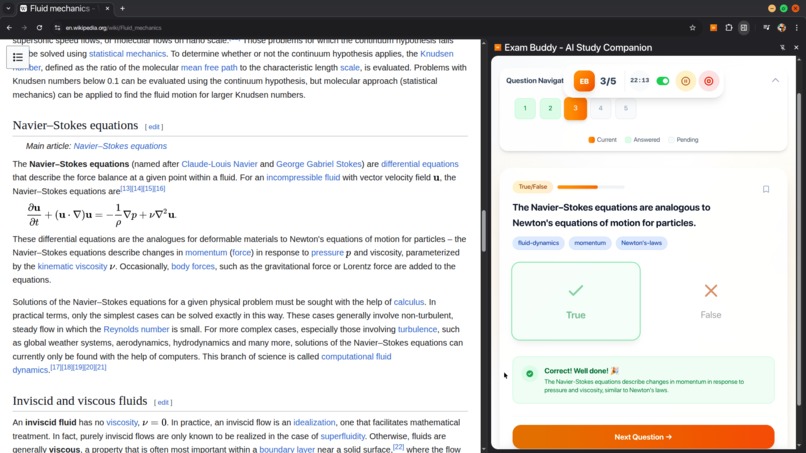
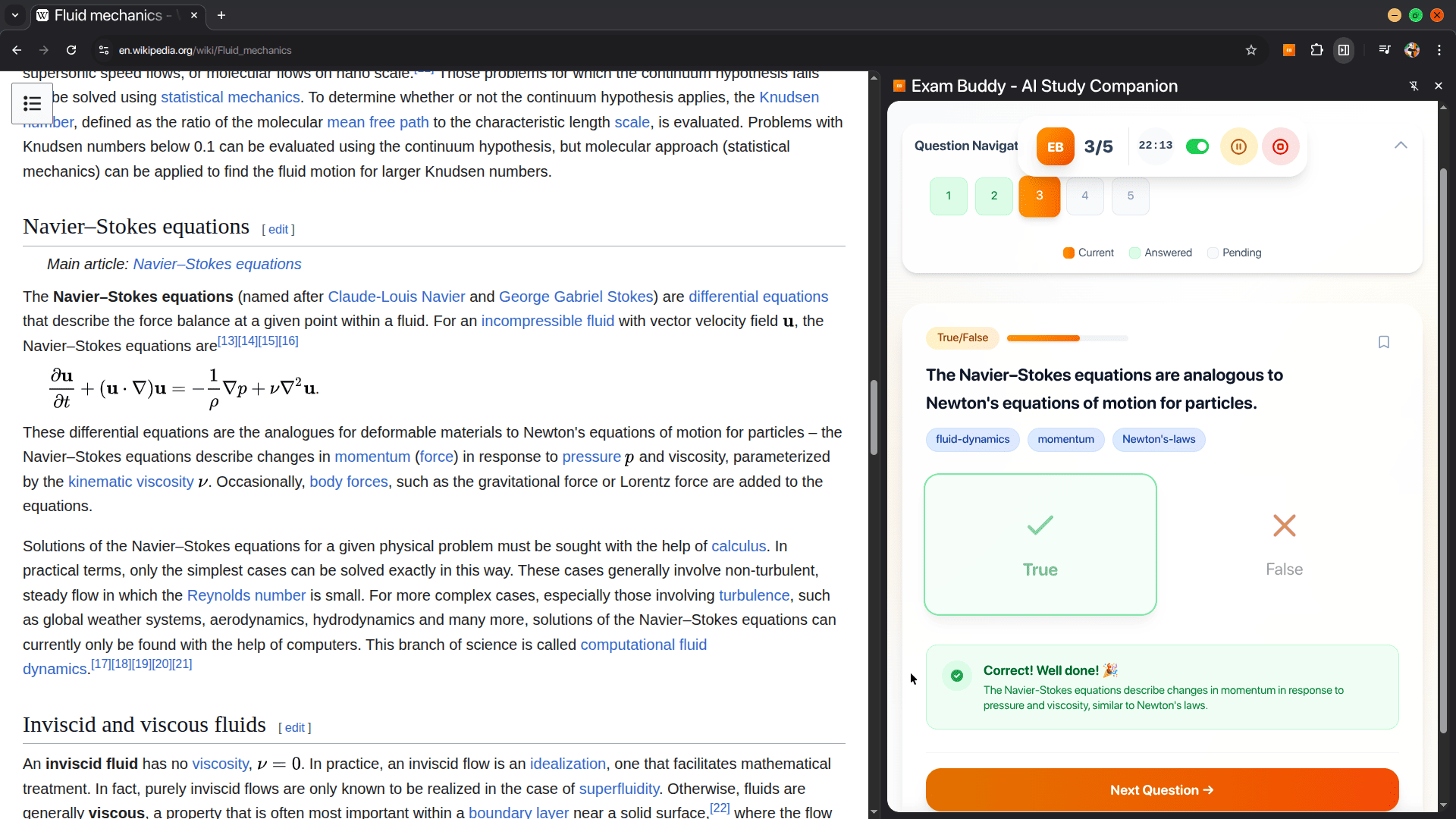
Instant Feedback (can also be disabled mid quiz)
-
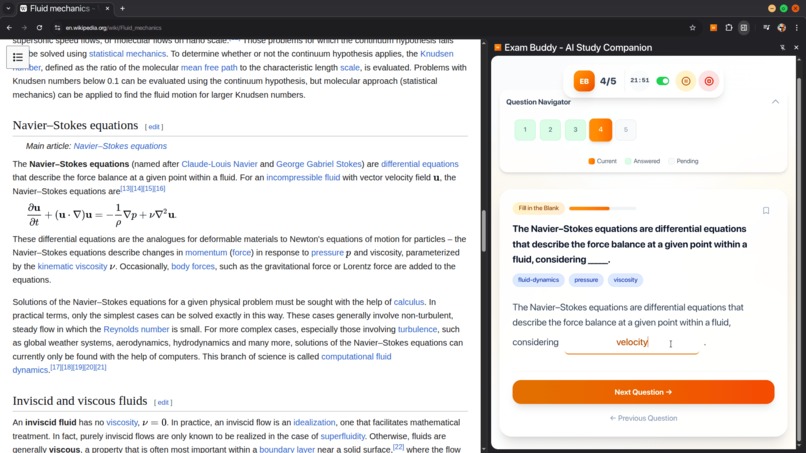
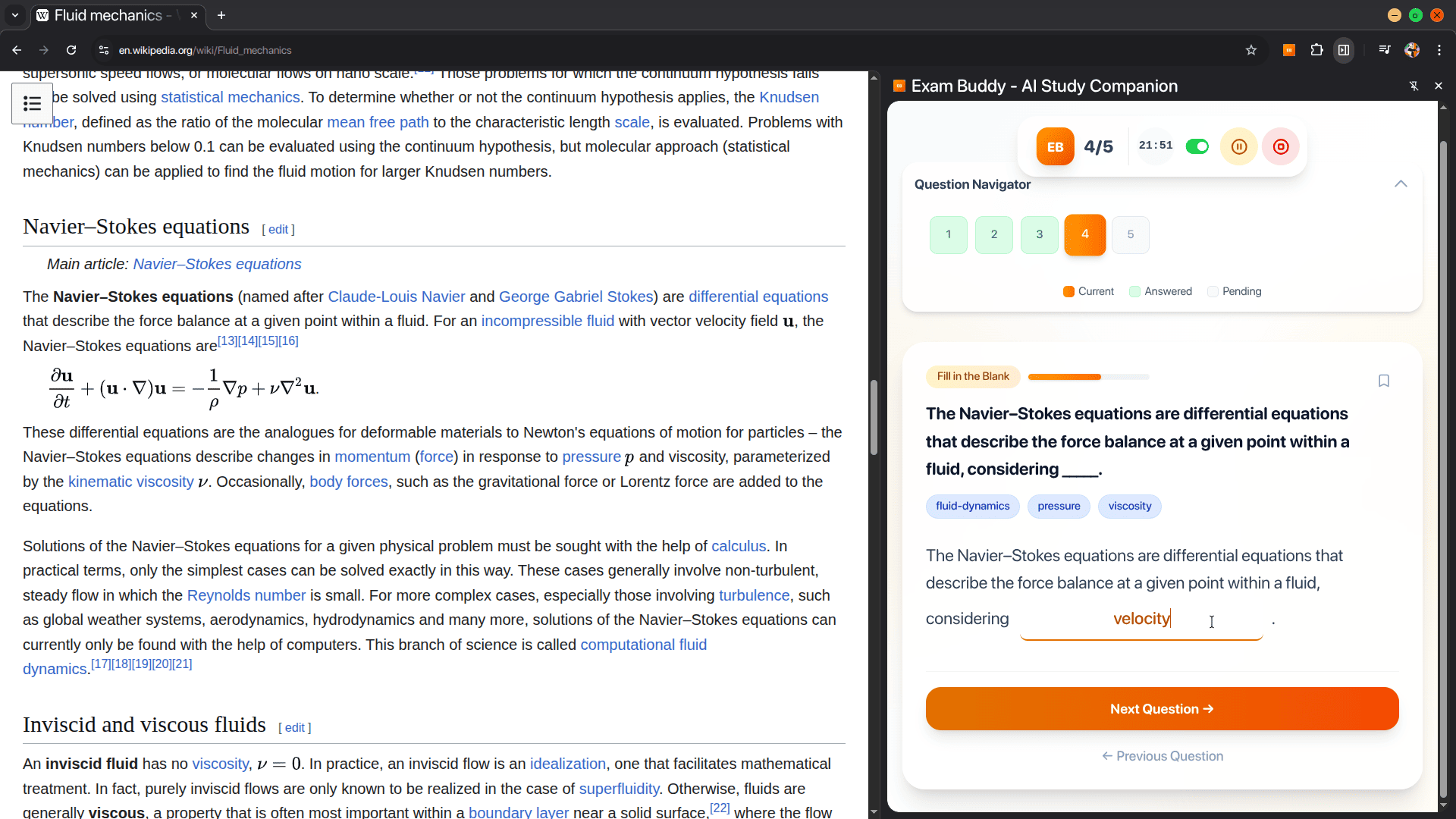
Fill-in-Blank type questions
-
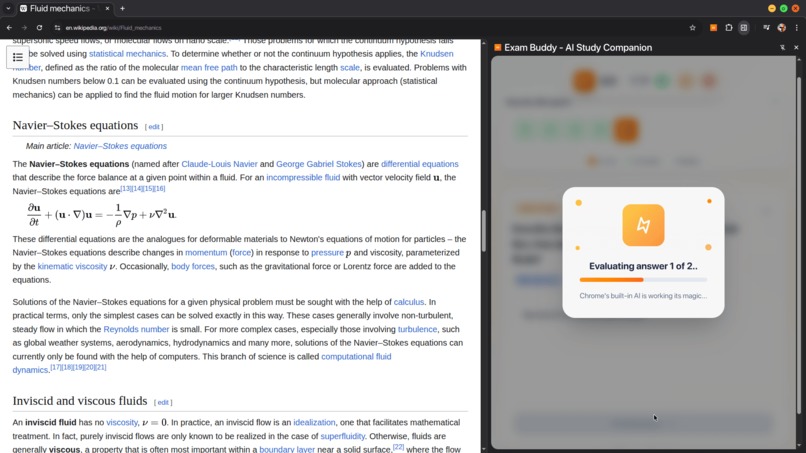
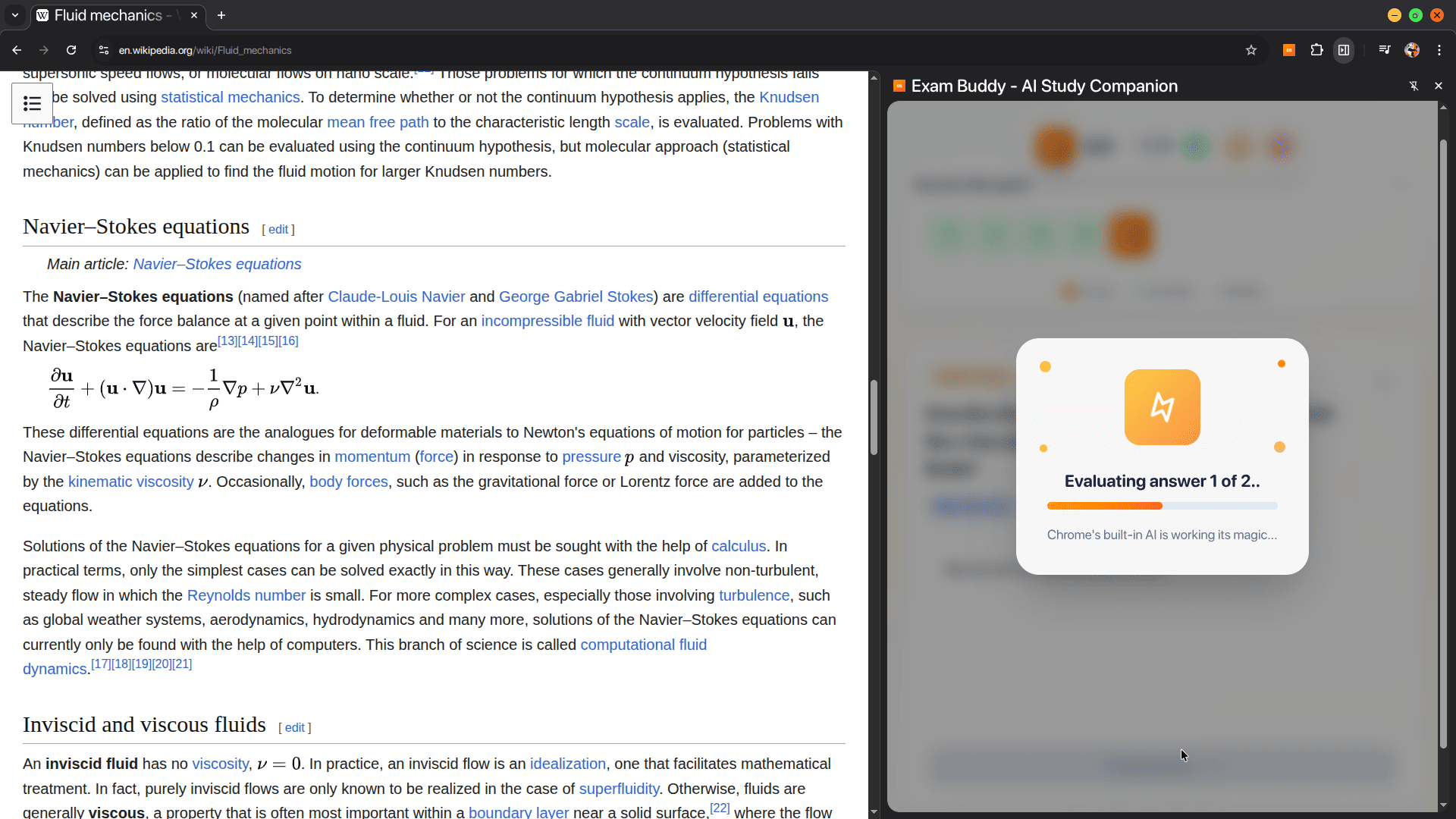
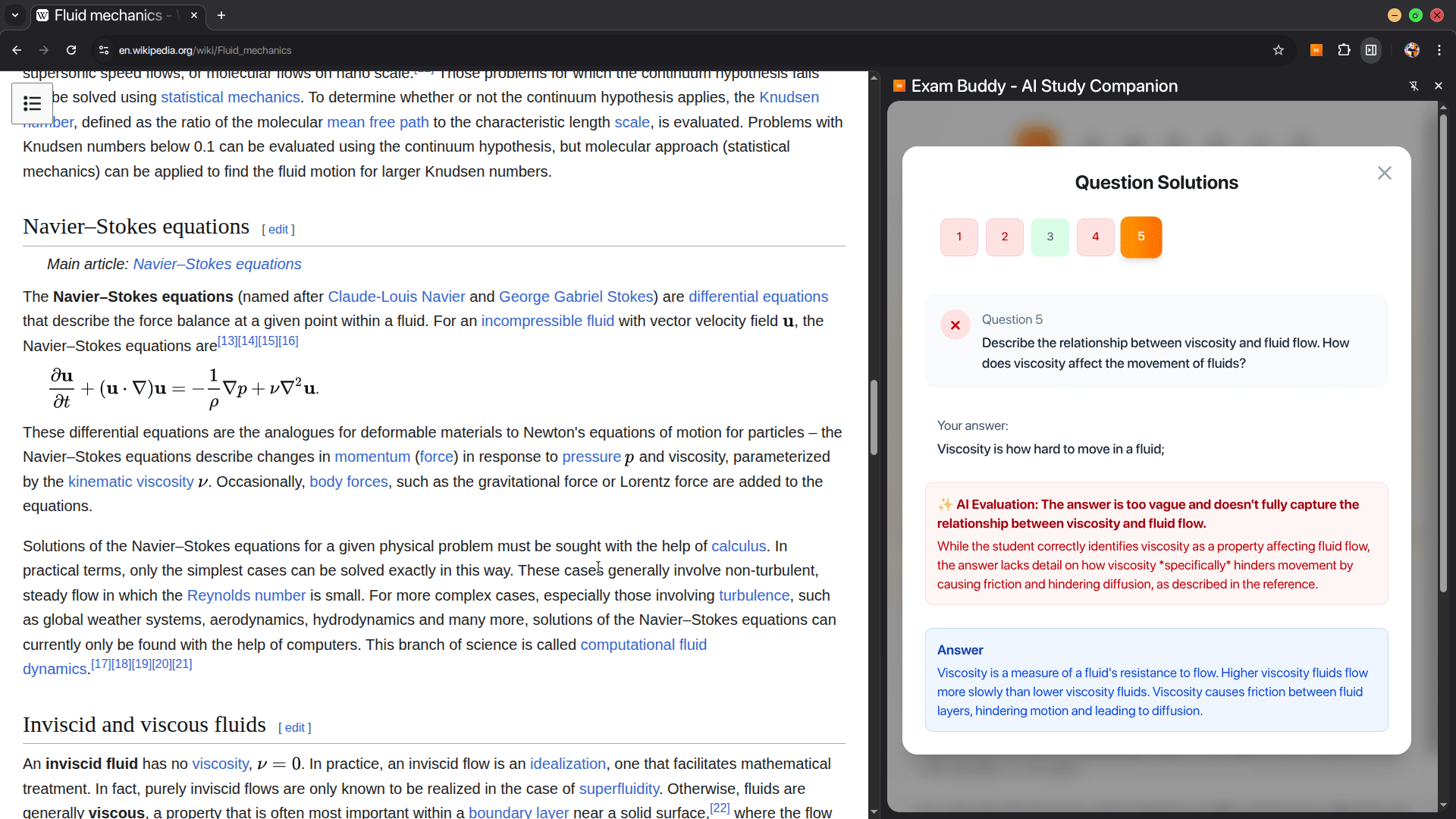
Subjective input type questions (Fillups & Short Answer) are evaluated by AI
-
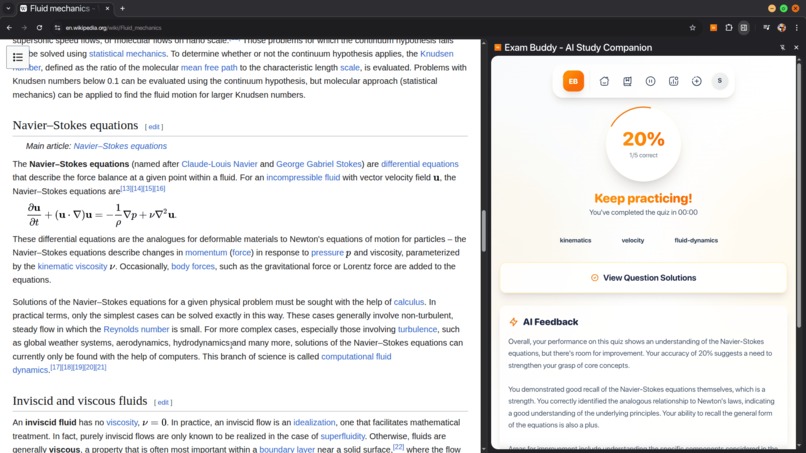
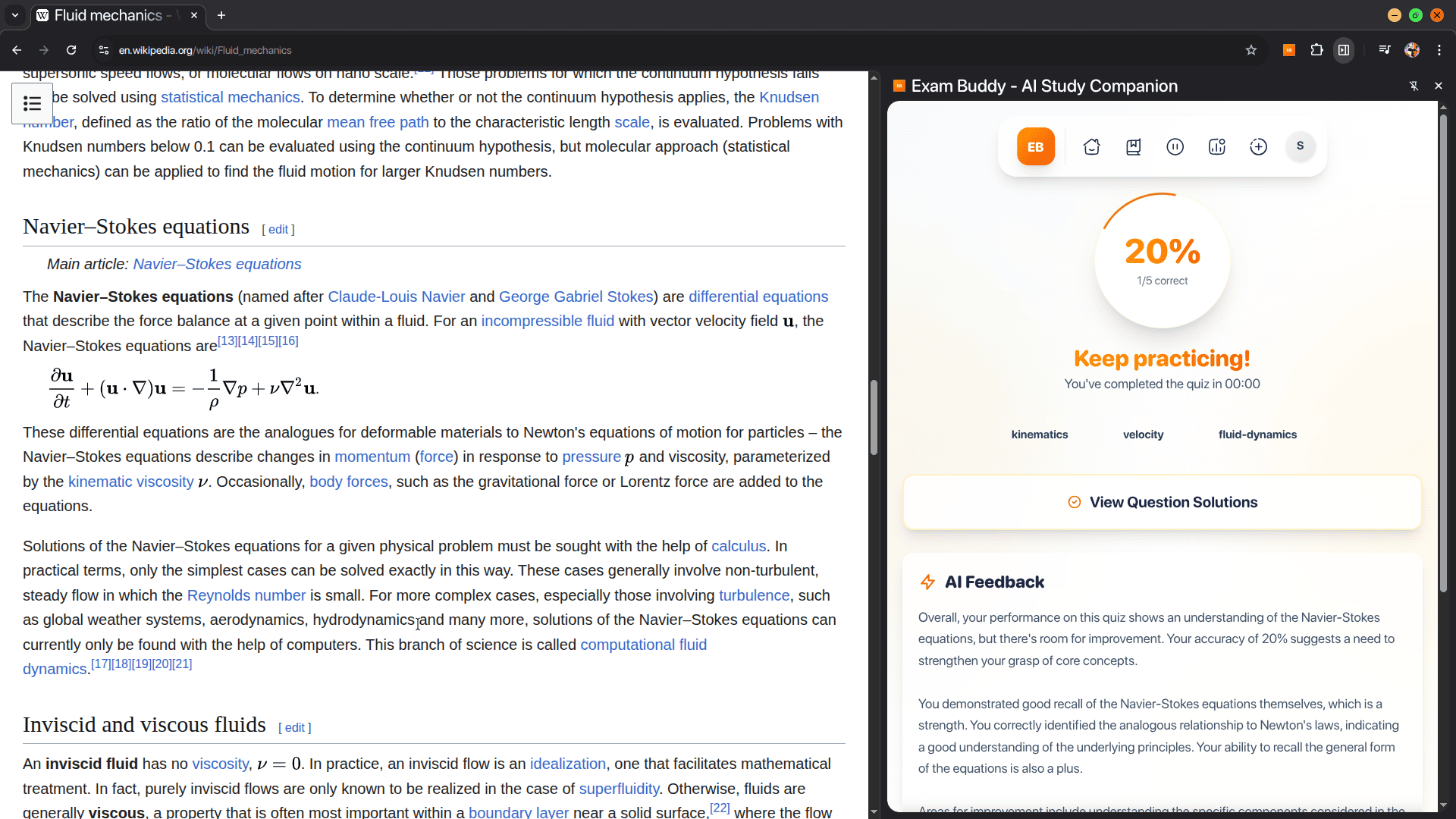
Final overall AI feedback
-
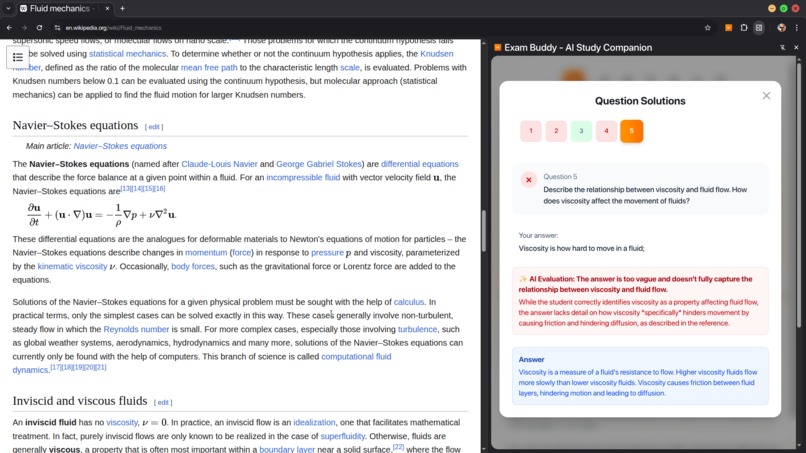
Proper detailed AI evaluation & feeback, not just keyword matching
-
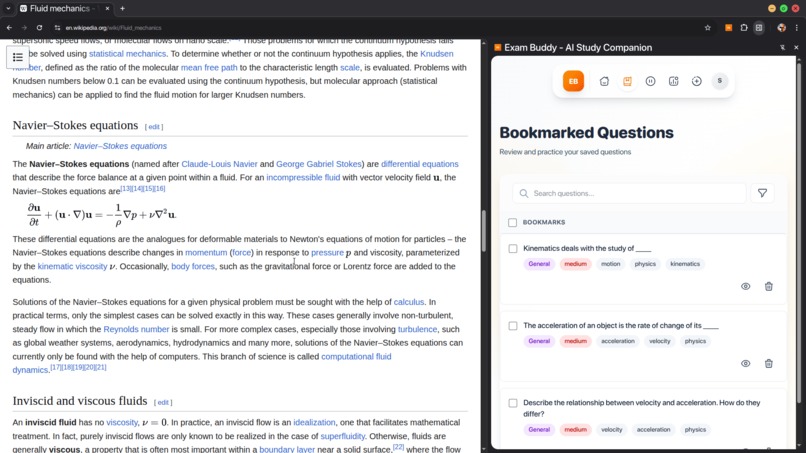
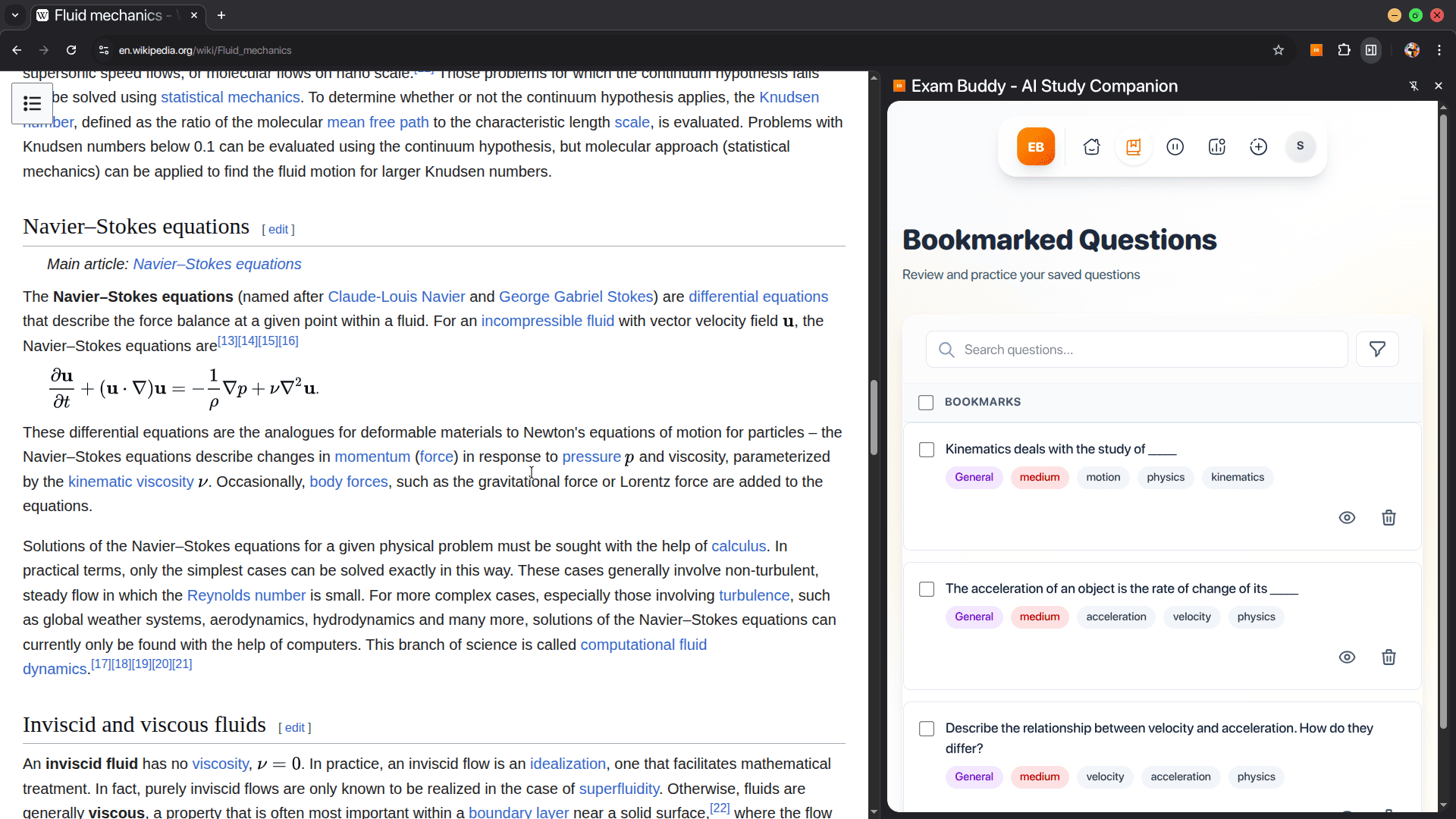
Save good questions using bookmark feature
-
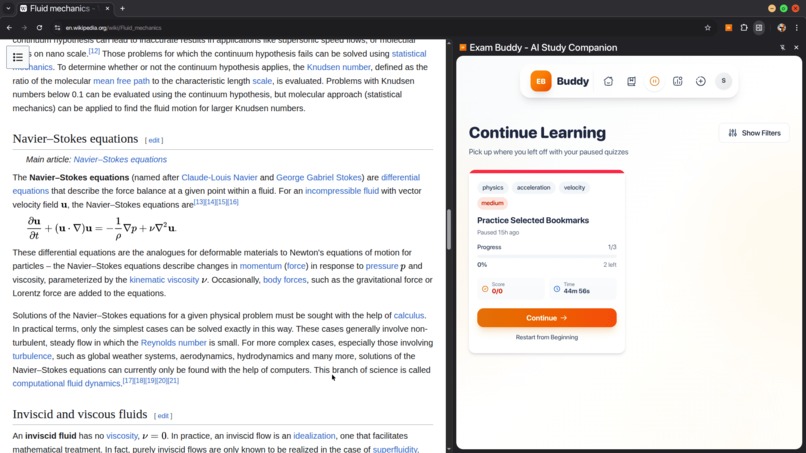
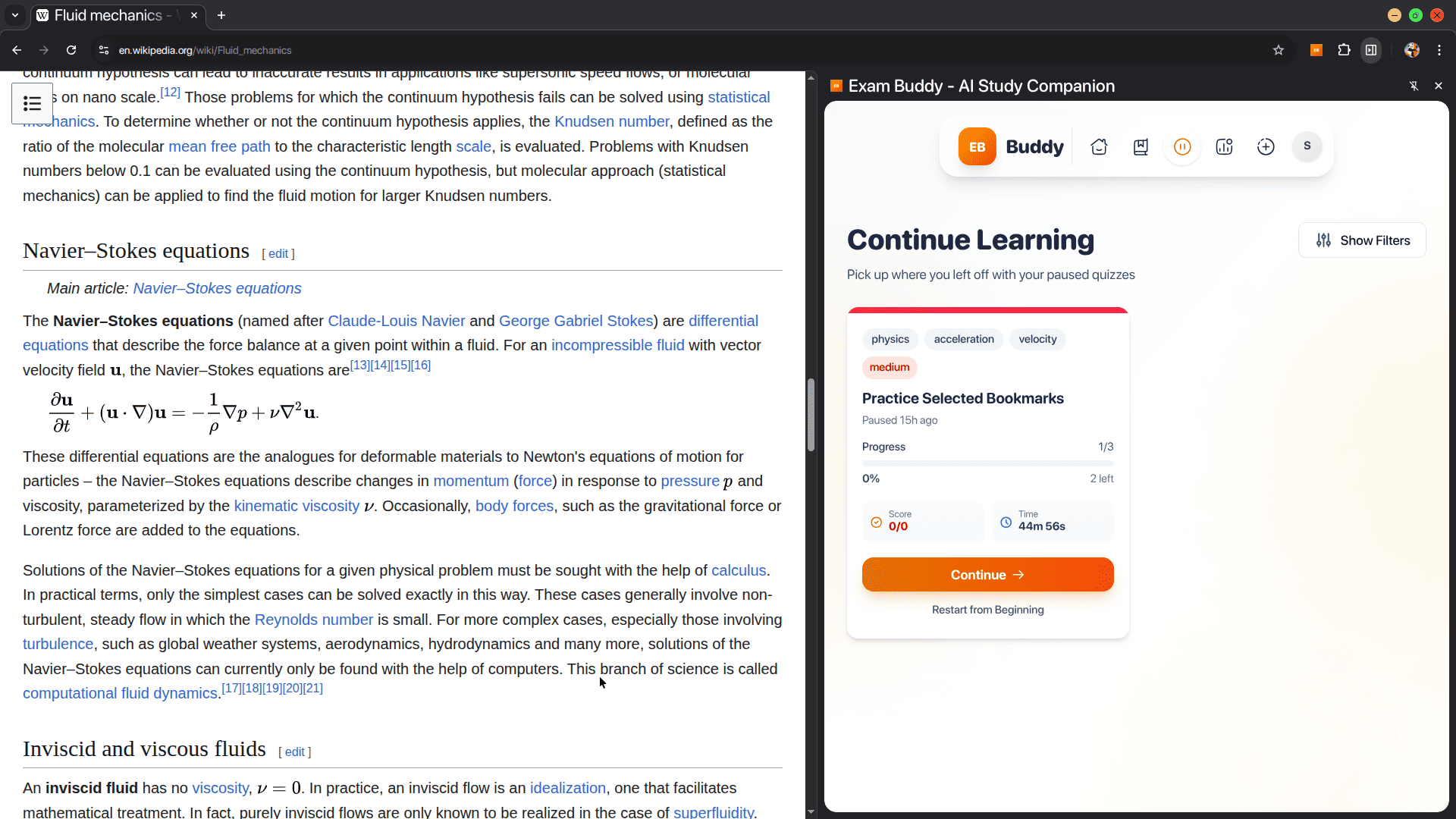
Pause and Resume quiz anytime
-
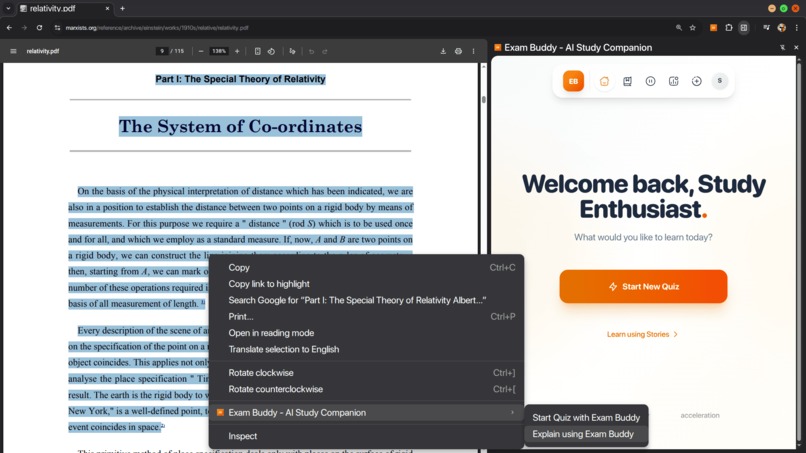
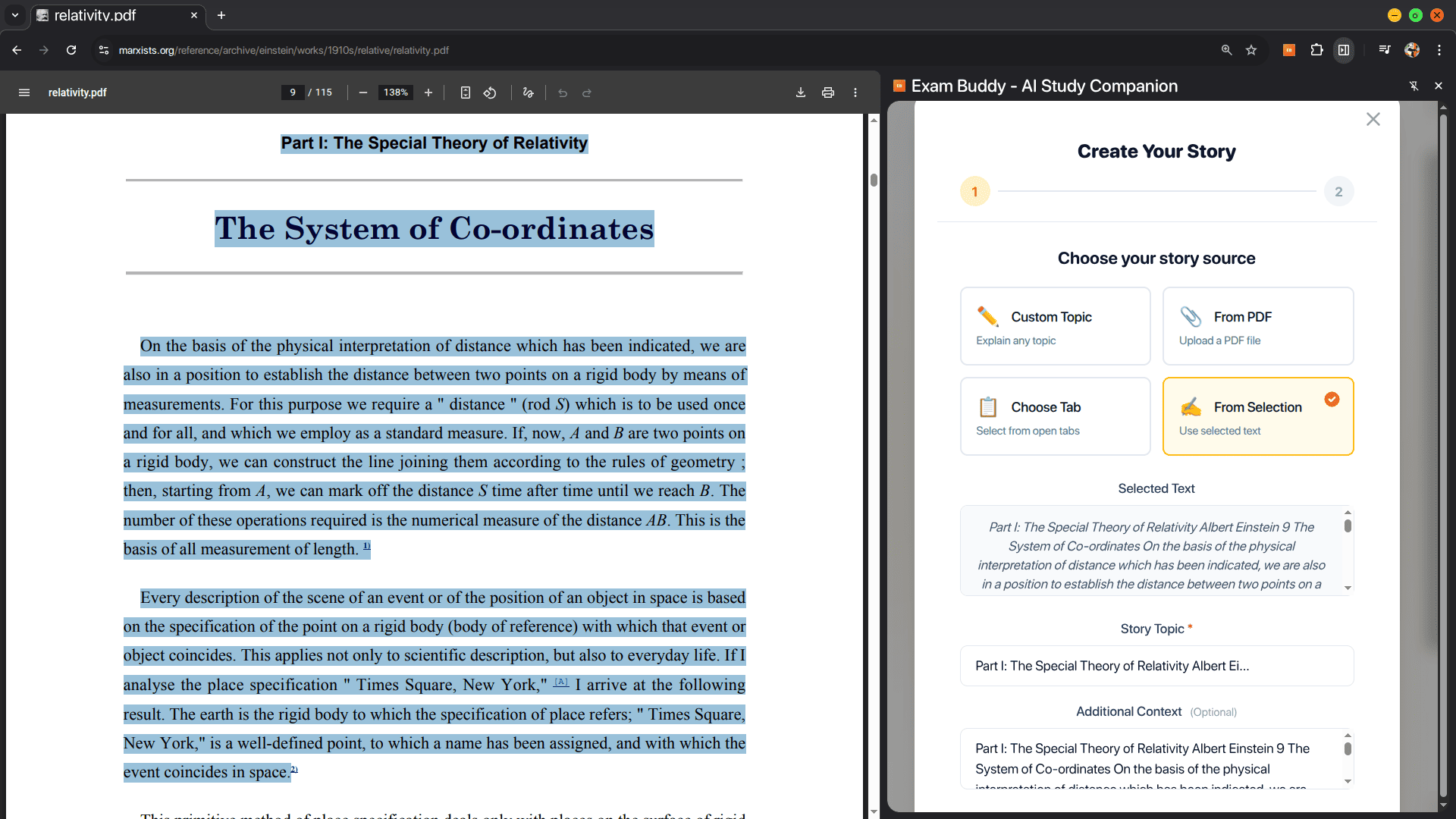
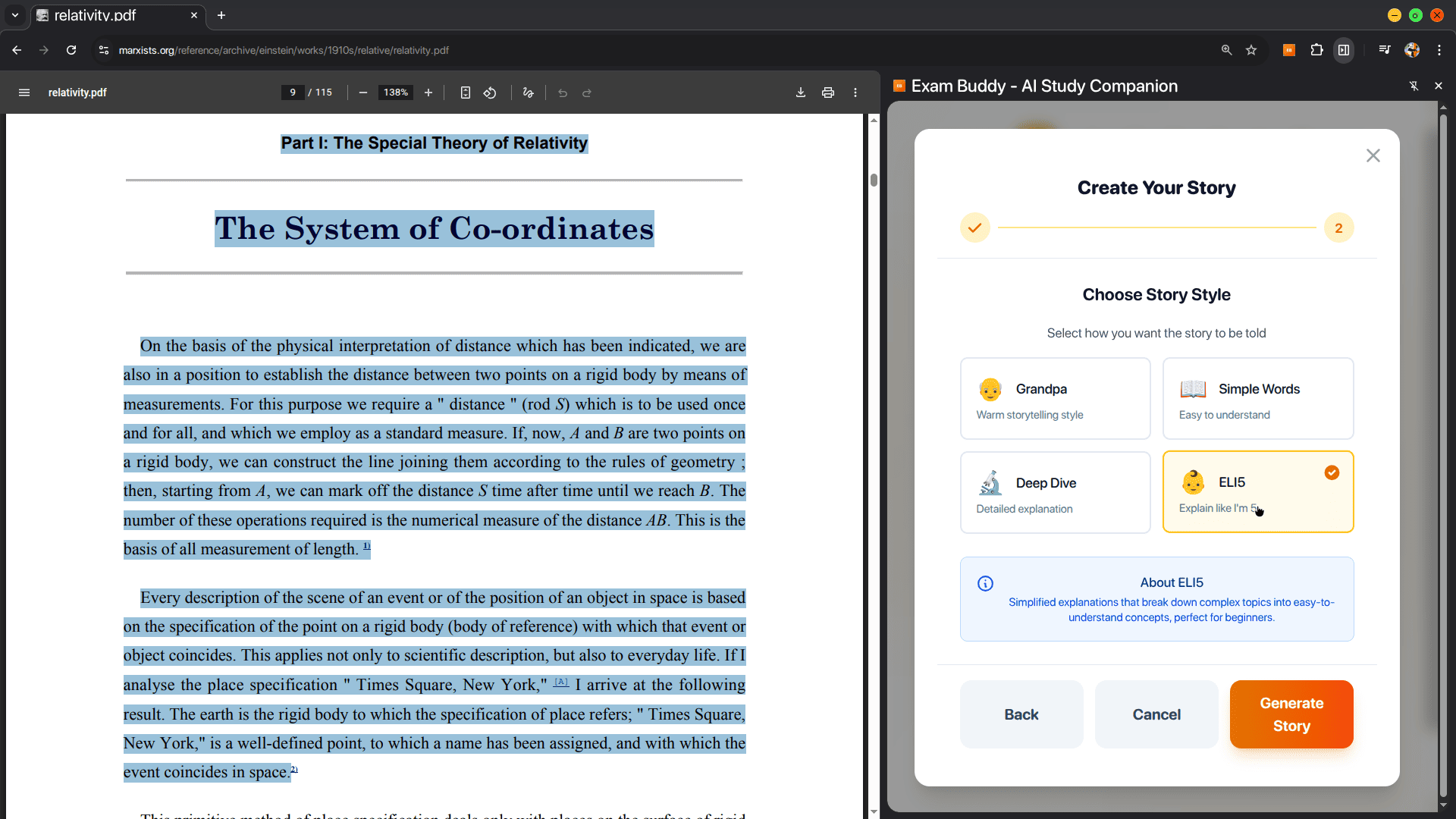
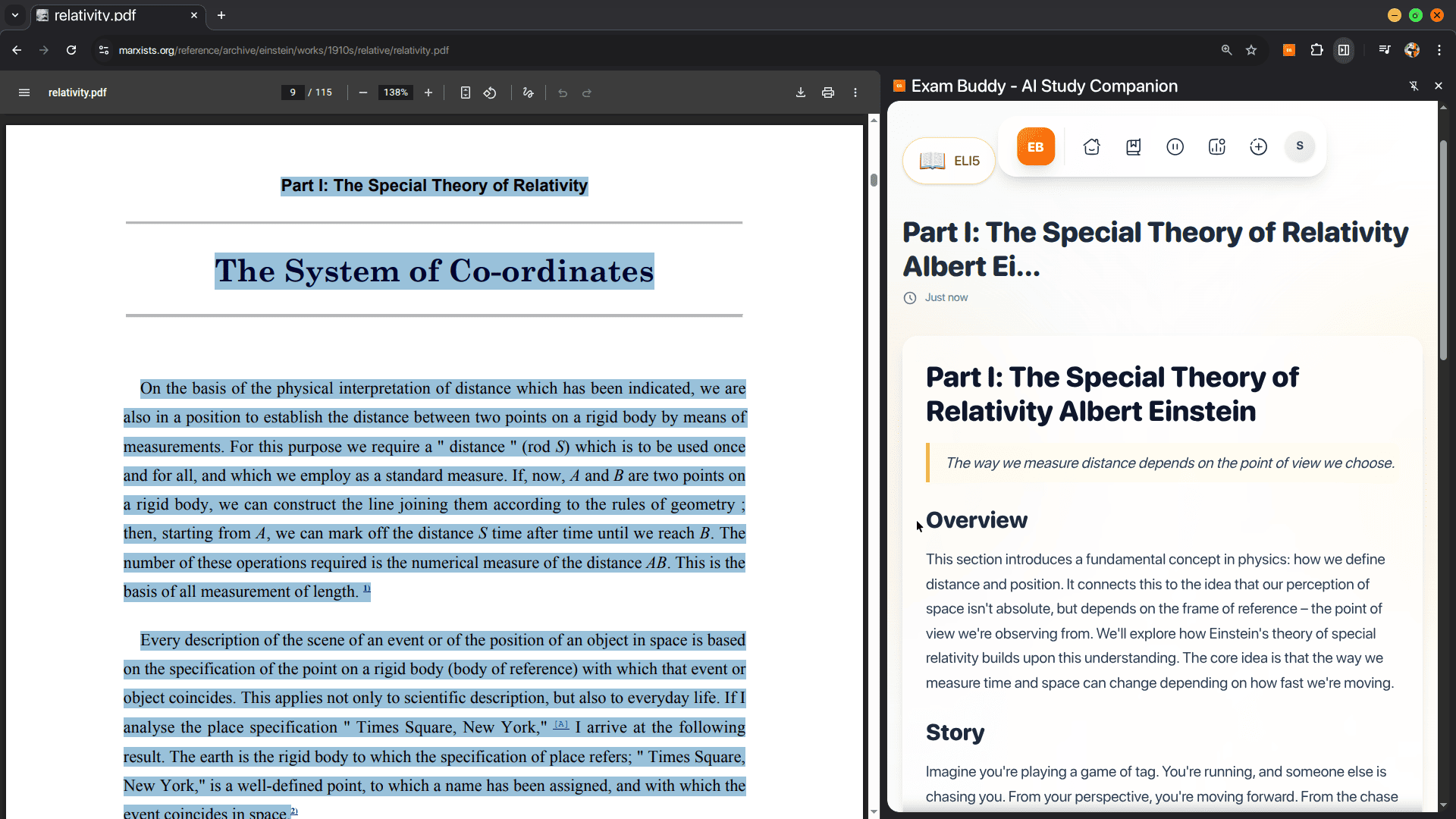
Select text and ask buddy to explain like story
-
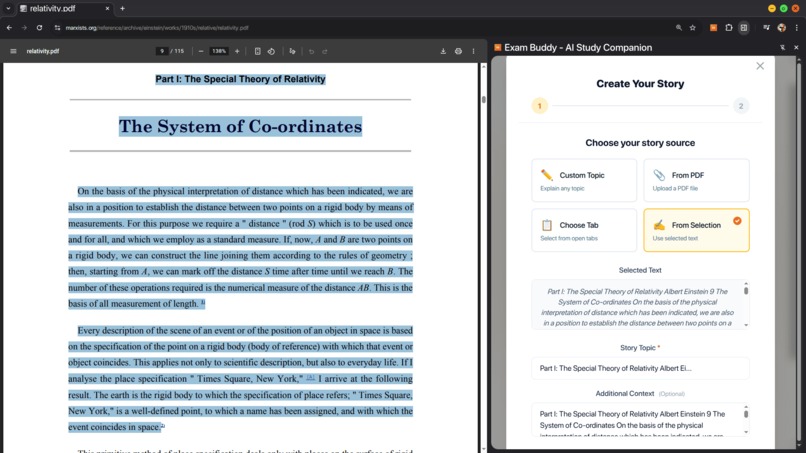
Can choose any source (custom, full tab, pdf file or seleted text)
-
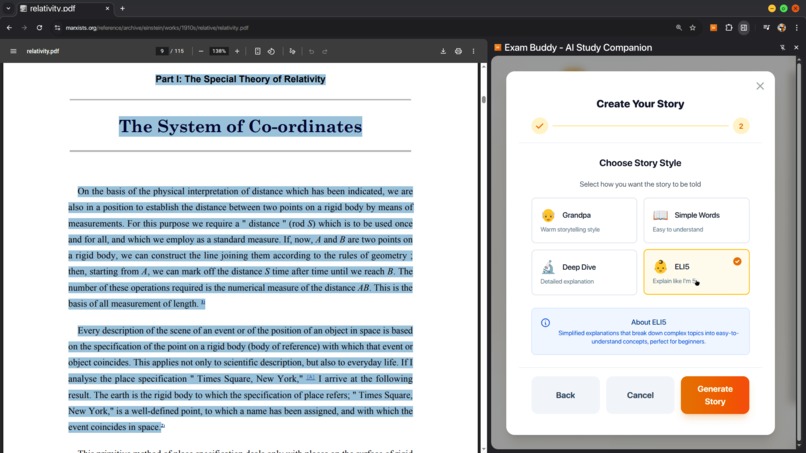
Choose the explanation style
-
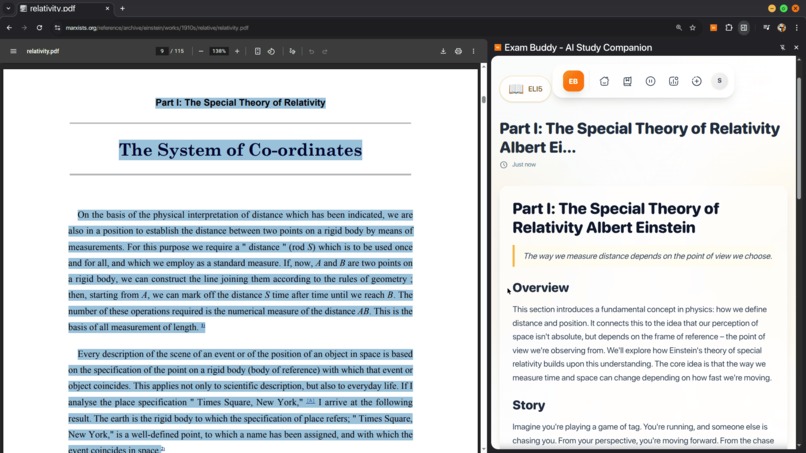
Learn hard concepts using stories
Inspiration
From high school to college to professional certifications, I've consistently faced one frustrating problem: I couldn't find study materials that targeted my actual weak spots.
Recently, while preparing for an important exam, I kept making mistakes on one specific topic: "fixed prepositions." I knew exactly where I was struggling, so I searched online for targeted practice.
What did I find?
- Long articles with 1000+ examples (passive reading that didn't stick)
- Generic mock papers where only 2-3 out of 50 questions were relevant
- Hours wasted reviewing topics I'd already mastered
I just wanted to tell someone: "I'm weak at fixed prepositions—quiz me on that, see where I mess up, and keep going until I master it."
I tried building a basic HTML quiz page myself, but it was time-consuming and clunky. That's when it hit me: this isn't just my problem—it's every student's problem.
We all know our weak spots—the hard part is actually fixing them efficiently.
What we actually need is a study coach who can:
- Generate practice on our weak spots instantly
- Adapt based on our performance
- Give feedback that actually helps us improve
But personal tutors are expensive and rarely available when you need them most—like at 2 AM during exam week. That's when I realized: Chrome's built-in AI could be that coach—instant, private, powerful, and always available. No subscriptions, no data leaving your device, no limits.
That's when Exam Buddy was born — your 24/7 AI study coach that converts any content into adaptive quizzes, identifies your knowledge gaps, and guides you to mastery with intelligent feedback. All powered by on-device AI, completely private and offline.
Solution & Features
Exam Buddy is an offline AI study coach that turns any content—webpages, PDFs, or notes—into personalized quizzes targeting your weak spots. It runs entirely inside Chrome, powered by on-device AI, keeping learning private, fast, and distraction-free.
Key Features
- Instant Quiz Generation – Create adaptive quizzes from any text with customizable question types (MCQ, True/False, Fill-in-the-blank, Subjective)
- Smart AI Evaluation – Contextually evaluates subjective answers, not just keyword matching
- Adaptive Learning – Identifies knowledge gaps and suggests targeted practice areas
- Bookmark & Review – Save difficult questions for later practice
- Comprehensive Analytics – Track progress, identify trends, and measure improvement offline
- Pause & Resume – Continue from where you left off, even after browser restarts
API Integration & Technical Implementation
Chrome Extension & AI APIs Used
- chrome.sidePanel - Persistent UI panel for quiz interface
- chrome.contextMenus - "Start Quiz with Exam Buddy" right-click menu integration
- chrome.runtime - Secure messaging between UI, content scripts, and background services
- chrome.storage.local - On-device persistence for quizzes, bookmarks, and analytics
- chrome.aiOriginTrial.languageModel - Core AI platform providing access to:
- Prompt API - Generates quizzes, evaluates answers, and creates study recommendations with structured output
- Summarizer API - Compresses long documents to focus on key educational concepts
Technical Architecture
- Frontend: React + Vite + TailwindCSS for responsive UI
- Content Processing: Readability.js for webpage cleanup, PDF.js for document parsing
- AI Pipeline: Multi-stage processing with validation and repair systems
- State Management: Custom React hooks with Chrome storage integration
AI Processing Pipeline
- Content Extraction - Content scripts and Readability.js extract clean text; PDF.js handles document parsing
- Intelligent Summarization - Chrome's Summarizer API condenses long documents while preserving educational value
- Structured Quiz Generation - Chrome's Prompt API with JSON schemas creates validated questions
- AI Answer Evaluation - Subjective answers evaluated contextually using Prompt API
- Auto-Repair System - Validates and fixes malformed AI output automatically
Quick Start
pre-build extension for ready to use
Download the latest release from Releases and install in Chrome:
- Extract the zip file
- Go to
chrome://extensions - Enable "Developer mode"
- Click "Load unpacked" and select the extracted folder
Build from Source
Clone the repository:
git clone https://github.com/AnchitSingh/exam-buddy.git
cd exam-buddy
Install dependencies:
npm installBuild the extension:
npm run buildLoad in Chrome:
- Navigate to
chrome://extensions - Enable Developer mode (top right)
- Click Load unpacked
- Select the
distfolder - Pin the extension and start learning! 🎉
- Navigate to
Future Plans
- AI-powered study plans and curriculum adaptation
- Collaboration features for group learning
Vision: A completely private, always-available AI tutor that knows your learning patterns, adapts to your style, and runs entirely offline.
Built With
- javascript
- pdf.js
- prompt-api
- react
- summarizer-api
- tailwindcss
- vite

Log in or sign up for Devpost to join the conversation.